Introduction to Octave
Programming
Milad Nourizade
Urmia University of Technology
history
• At first it was intended to be a companion to a
chemical reactor design course software.
• Real development was started by Prof. John
W.Eaton in 1992.
• Octave version 5.1.0 has been released in
Mar 1,2019
Octave, the language
• GNU Octave is a high-level primarily intended for
numerical computations. It is typically used for such
problems as solving linear and nonlinear equations,
numerical linear algebra, statistical analysis. It is
particularly designed for matrix computations.
• The Octave language is an interpreted programming
language. It is free software under the terms of GNU
General Public License (GPL) written in C, C++, Fortran.
• Octave’s mostly syntax compatible with MATLAB which
is commonly used in industry and academia.
Who uses octave?
• NASA use it to develop spacecraft docking
systems.
• Jaguar Racing use it to display and analyse data
transmitted from their Formula 1 cars.
• Sheffield University use it to develop software to
recognize cancerous cells.
Variables
• We can assign a variable much like any other
language.
• In Octave we don’t declare the variable type,
Octave will do this on creation.
• A=5 name = “ Milad”
Arithmetic
• Addition +
• Subtraction -
• Multiplication *
• Division /
• Element-wise .+ .- .* ./ .^
Vectors and Matrices
• Vectors are n*1 or 1*n matrices:
• Row Vectors r= [1 2 3 4 5] or [1, 2, 3, 4, 5]
• Column Vectors c = [1;2;3;4;5]
• m = [1 2; 3 4]
• 2 by 2 matrix
1 2
3 4
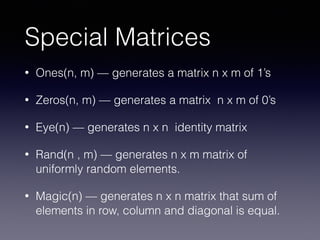
Special Matrices
• Ones(n, m) — generates a matrix n x m of 1’s
• Zeros(n, m) — generates a matrix n x m of 0’s
• Eye(n) — generates n x n identity matrix
• Rand(n , m) — generates n x m matrix of
uniformly random elements.
• Magic(n) — generates n x n matrix that sum of
elements in row, column and diagonal is equal.
Colon Operator
• The colon operator is a great syntax for creating
a set of values.
• R = 1:5 returns a vector [1 2 3 4 5] with 1’s
steps.
• Or we can change steps with a specific step:
• S = 1:0.1:10 [1 , 1.1, 1.2, 1.3, … , 10]
Indexing
• Now we know about vectors and matrices how we can access
elements?
• *** Be careful Octave is not zero index it is one.
• S = [1 2; 3 4]
• S(1, 1) will return 1
S(1, [1,2]) will return [1, 2]
S(1, 1:2) will return [1, 2]
S(1, :) will return [1, 2]
• Colon operator here is like selecting all
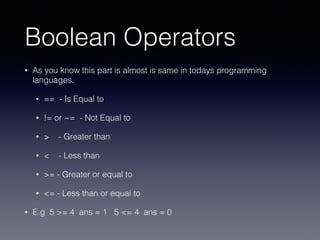
Boolean Operators
• As you know this part is almost is same in todays programming
languages.
• == - Is Equal to
• != or ~= - Not Equal to
• > - Greater than
• < - Less than
• >= - Greater or equal to
• <= - Less than or equal to
• E.g 5 >= 4 ans = 1 5 <= 4 ans = 0
The if else Statement
• if (condition)
then-body
elseif (condition)
elseif-body
else
else-body
endif;
• Parenthesis is optional and you can use both
end and endif
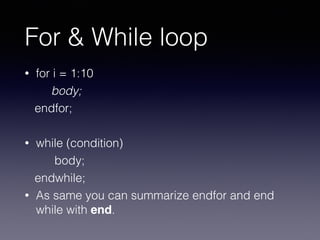
For & While loop
• for i = 1:10
body;
endfor;
• while (condition)
body;
endwhile;
• As same you can summarize endfor and end
while with end.
Functions
• Functions with return value:
function ret = myFuncName(arguments)
do something with arguments and
set ret.
endfunction
• Functions with none-return value:
myFuncName(arguments)
do something with arguments
endfunction
.m files
• .m files are octave scripts to be run.
• Each function in Octave must be in its .m file of
the same name.
• Eg. minimum(x) needs to go in a file called
minimum.m
The edit command
• Octave CLI support some basic commands:
• ls
• cd
• pwd
• …
• Using Octave CLI you can use edit command to
open or create .m file in specific directory.
• Eg. edit mini.m
Multiple return values
• Octave supports returning more than one variable from a
function.
• All we have to do is putting return values in a matrix.
• The syntax:
function [ret1, ret2, … , ret n] = myFuncName(arguments)
do something with arguments and
set return values.
endfunction
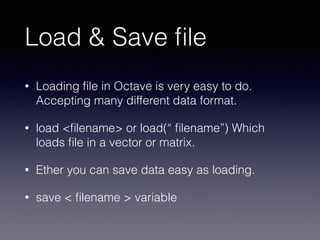
Load & Save file
• Loading file in Octave is very easy to do.
Accepting many different data format.
• load <filename> or load(“ filename”) Which
loads file in a vector or matrix.
• Ether you can save data easy as loading.
• save < filename > variable

Gnu octave

  • 1.
    Introduction to Octave Programming MiladNourizade Urmia University of Technology
  • 2.
    history • At firstit was intended to be a companion to a chemical reactor design course software. • Real development was started by Prof. John W.Eaton in 1992. • Octave version 5.1.0 has been released in Mar 1,2019
  • 3.
    Octave, the language •GNU Octave is a high-level primarily intended for numerical computations. It is typically used for such problems as solving linear and nonlinear equations, numerical linear algebra, statistical analysis. It is particularly designed for matrix computations. • The Octave language is an interpreted programming language. It is free software under the terms of GNU General Public License (GPL) written in C, C++, Fortran. • Octave’s mostly syntax compatible with MATLAB which is commonly used in industry and academia.
  • 4.
    Who uses octave? •NASA use it to develop spacecraft docking systems. • Jaguar Racing use it to display and analyse data transmitted from their Formula 1 cars. • Sheffield University use it to develop software to recognize cancerous cells.
  • 5.
    Variables • We canassign a variable much like any other language. • In Octave we don’t declare the variable type, Octave will do this on creation. • A=5 name = “ Milad”
  • 6.
    Arithmetic • Addition + •Subtraction - • Multiplication * • Division / • Element-wise .+ .- .* ./ .^
  • 7.
    Vectors and Matrices •Vectors are n*1 or 1*n matrices: • Row Vectors r= [1 2 3 4 5] or [1, 2, 3, 4, 5] • Column Vectors c = [1;2;3;4;5] • m = [1 2; 3 4] • 2 by 2 matrix 1 2 3 4
  • 8.
    Special Matrices • Ones(n,m) — generates a matrix n x m of 1’s • Zeros(n, m) — generates a matrix n x m of 0’s • Eye(n) — generates n x n identity matrix • Rand(n , m) — generates n x m matrix of uniformly random elements. • Magic(n) — generates n x n matrix that sum of elements in row, column and diagonal is equal.
  • 9.
    Colon Operator • Thecolon operator is a great syntax for creating a set of values. • R = 1:5 returns a vector [1 2 3 4 5] with 1’s steps. • Or we can change steps with a specific step: • S = 1:0.1:10 [1 , 1.1, 1.2, 1.3, … , 10]
  • 10.
    Indexing • Now weknow about vectors and matrices how we can access elements? • *** Be careful Octave is not zero index it is one. • S = [1 2; 3 4] • S(1, 1) will return 1 S(1, [1,2]) will return [1, 2] S(1, 1:2) will return [1, 2] S(1, :) will return [1, 2] • Colon operator here is like selecting all
  • 11.
    Boolean Operators • Asyou know this part is almost is same in todays programming languages. • == - Is Equal to • != or ~= - Not Equal to • > - Greater than • < - Less than • >= - Greater or equal to • <= - Less than or equal to • E.g 5 >= 4 ans = 1 5 <= 4 ans = 0
  • 12.
    The if elseStatement • if (condition) then-body elseif (condition) elseif-body else else-body endif; • Parenthesis is optional and you can use both end and endif
  • 13.
    For & Whileloop • for i = 1:10 body; endfor; • while (condition) body; endwhile; • As same you can summarize endfor and end while with end.
  • 14.
    Functions • Functions withreturn value: function ret = myFuncName(arguments) do something with arguments and set ret. endfunction • Functions with none-return value: myFuncName(arguments) do something with arguments endfunction
  • 15.
    .m files • .mfiles are octave scripts to be run. • Each function in Octave must be in its .m file of the same name. • Eg. minimum(x) needs to go in a file called minimum.m
  • 16.
    The edit command •Octave CLI support some basic commands: • ls • cd • pwd • … • Using Octave CLI you can use edit command to open or create .m file in specific directory. • Eg. edit mini.m
  • 17.
    Multiple return values •Octave supports returning more than one variable from a function. • All we have to do is putting return values in a matrix. • The syntax: function [ret1, ret2, … , ret n] = myFuncName(arguments) do something with arguments and set return values. endfunction
  • 18.
    Load & Savefile • Loading file in Octave is very easy to do. Accepting many different data format. • load <filename> or load(“ filename”) Which loads file in a vector or matrix. • Ether you can save data easy as loading. • save < filename > variable