The Python Programming
Language
Saif
Python Programming Language Concepts, 14/07/2016
One Convergence
Python Overview
 Scripting Language
 Object-Oriented
 Portable
 Powerful
 Easy to learn and use
 Mixes good features from Java, Perl and
Scripting
Major Uses of Python
 System Utilities
 GUIs (Tkinter, gtk, Qt, Windows)
 Internet Scripting
 Embedded Scripting
 Database Programming
 Artificial Intelligence
 Image Processing
 Cloud Computing(Open Stack)
Language Features
 Object-Oriented
 Interpreted
 Interactive
 Dynamic
 Functional
 Highly readable
Compiler vs Interpreter
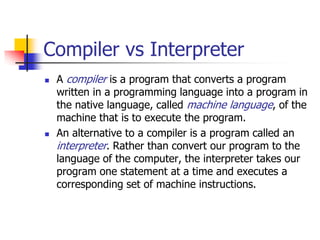
 A compiler is a program that converts a program
written in a programming language into a program in
the native language, called machine language, of the
machine that is to execute the program.
 An alternative to a compiler is a program called an
interpreter. Rather than convert our program to the
language of the computer, the interpreter takes our
program one statement at a time and executes a
corresponding set of machine instructions.
Built-in Object Types
 Numbers - 3.1415, 1234, 999L, 3+4j
 Strings - 'spam', "guido's"
 Lists - [1, [2, 'three'], 4]
 Dictionaries - {'food':'spam', 'taste':'yum'}
 Tuples - (1, 'spam', 4, 'U')
 Files - text = open ('eggs', 'r'). read()
Operators
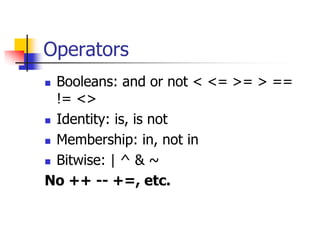
 Booleans: and or not < <= >= > ==
!= <>
 Identity: is, is not
 Membership: in, not in
 Bitwise: | ^ & ~
No ++ -- +=, etc.
String Operators
 "hello"+"world" "helloworld" # concatenation
 "hello"*3 "hellohellohello" # repetition
 "hello"[0] "h" # indexing
 "hello"[-1] "o" # (from end)
 "hello"[1:4] "ell" # slicing
 len("hello") 5 # size
 "hello" < "jello" 1 # comparison
 "e" in "hello" 1 # search
 String Formatting: "a %s parrot" % 'dead‘
 Iteration: for char in str
Common Statements
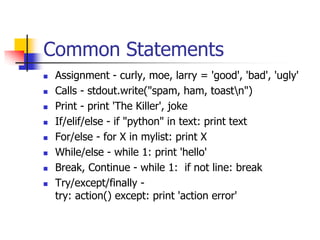
 Assignment - curly, moe, larry = 'good', 'bad', 'ugly'
 Calls - stdout.write("spam, ham, toastn")
 Print - print 'The Killer', joke
 If/elif/else - if "python" in text: print text
 For/else - for X in mylist: print X
 While/else - while 1: print 'hello'
 Break, Continue - while 1: if not line: break
 Try/except/finally -
try: action() except: print 'action error'
Common Statements
 Raise - raise endSearch, location
 Import, From - import sys; from sys import stdin
 Def, Return - def f(a, b, c=1, d): return a+b+c+d
 Class - class subclass: staticData = []
 Global - function(): global X, Y; X = 'new'
 Del - del data[k]; del data [i:j]; del obj.attr
 Exec - yexec "import" + modName in gdict, ldict
 Assert - assert X > Y
Common List Methods
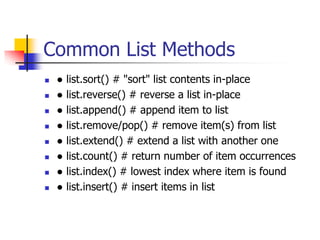
 ● list.sort() # "sort" list contents in-place
 ● list.reverse() # reverse a list in-place
 ● list.append() # append item to list
 ● list.remove/pop() # remove item(s) from list
 ● list.extend() # extend a list with another one
 ● list.count() # return number of item occurrences
 ● list.index() # lowest index where item is found
 ● list.insert() # insert items in list
List Operations
>>> a = range(5) # [0,1,2,3,4]
>>> a.append(5) # [0,1,2,3,4,5]
>>> a.pop() # [0,1,2,3,4]
5
>>> a.insert(0, 42) # [42,0,1,2,3,4]
>>> a.pop(0) # [0,1,2,3,4]
5.5
>>> a.reverse() # [4,3,2,1,0]
>>> a.sort() # [0,1,2,3,4]
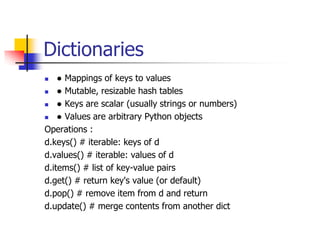
Dictionaries
 ● Mappings of keys to values
 ● Mutable, resizable hash tables
 ● Keys are scalar (usually strings or numbers)
 ● Values are arbitrary Python objects
Operations :
d.keys() # iterable: keys of d
d.values() # iterable: values of d
d.items() # list of key-value pairs
d.get() # return key's value (or default)
d.pop() # remove item from d and return
d.update() # merge contents from another dict
Dictionaries
 dict = {'Name': 'Zara', 'Age': 7, 'Class': 'First'}
 >>> print "dict['Name']: ", dict['Name']
 dict['Name']: Zara
 >>> print "dict['Age']: ", dict['Age']
 dict['Age']: 7
 dict['Age'] = 8; # update existing entry
 dict['School'] = "DPS School"; # Add new entry
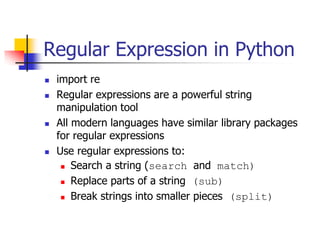
Regular Expression in Python
 import re
 Regular expressions are a powerful string
manipulation tool
 All modern languages have similar library packages
for regular expressions
 Use regular expressions to:
 Search a string (search and match)
 Replace parts of a string (sub)
 Break strings into smaller pieces (split)
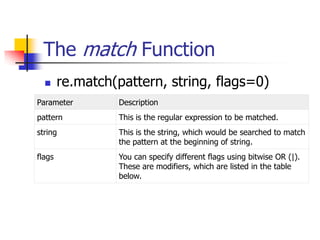
The match Function
 re.match(pattern, string, flags=0)
Parameter Description
pattern This is the regular expression to be matched.
string This is the string, which would be searched to match
the pattern at the beginning of string.
flags You can specify different flags using bitwise OR (|).
These are modifiers, which are listed in the table
below.
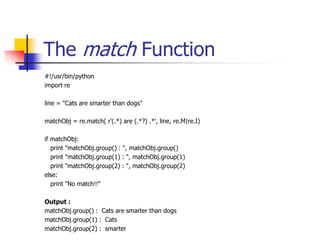
The match Function
#!/usr/bin/python
import re
line = "Cats are smarter than dogs"
matchObj = re.match( r'(.*) are (.*?) .*', line, re.M|re.I)
if matchObj:
print "matchObj.group() : ", matchObj.group()
print "matchObj.group(1) : ", matchObj.group(1)
print "matchObj.group(2) : ", matchObj.group(2)
else:
print "No match!!"
Output :
matchObj.group() : Cats are smarter than dogs
matchObj.group(1) : Cats
matchObj.group(2) : smarter
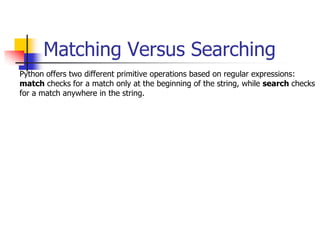
Matching Versus Searching
Python offers two different primitive operations based on regular expressions:
match checks for a match only at the beginning of the string, while search checks
for a match anywhere in the string.
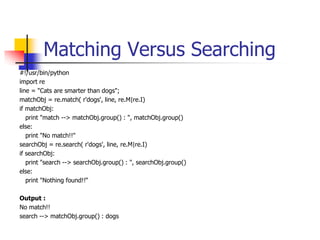
Matching Versus Searching
#!/usr/bin/python
import re
line = "Cats are smarter than dogs";
matchObj = re.match( r'dogs', line, re.M|re.I)
if matchObj:
print "match --> matchObj.group() : ", matchObj.group()
else:
print "No match!!"
searchObj = re.search( r'dogs', line, re.M|re.I)
if searchObj:
print "search --> searchObj.group() : ", searchObj.group()
else:
print "Nothing found!!“
Output :
No match!!
search --> matchObj.group() : dogs
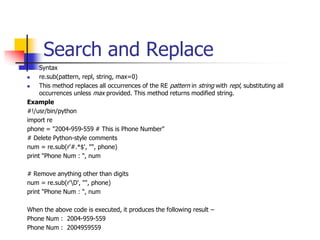
Search and Replace
 Syntax
 re.sub(pattern, repl, string, max=0)
 This method replaces all occurrences of the RE pattern in string with repl, substituting all
occurrences unless max provided. This method returns modified string.
Example
#!/usr/bin/python
import re
phone = "2004-959-559 # This is Phone Number"
# Delete Python-style comments
num = re.sub(r'#.*$', "", phone)
print "Phone Num : ", num
# Remove anything other than digits
num = re.sub(r'D', "", phone)
print "Phone Num : ", num
When the above code is executed, it produces the following result −
Phone Num : 2004-959-559
Phone Num : 2004959559
Defining a Function
 You can define functions to provide the required functionality. Here are
simple rules to define a function in Python.
 Function blocks begin with the keyword def followed by the function
name and parentheses ( ( ) ).
 Any input parameters or arguments should be placed within these
parentheses. You can also define parameters inside these parentheses.
 The first statement of a function can be an optional statement - the
documentation string of the function or docstring.
 The code block within every function starts with a colon (:) and is
indented.
 The statement return [expression] exits a function, optionally passing
back an expression to the caller. A return statement with no arguments
is the same as return None.
Defining a Function
Syntax
def functionname( parameters ):
"function_docstring"
function_suite
return [expression]
Example
The following function takes a string as input parameter and prints it on
standard screen.
def printme( str ):
"This prints a passed string into this function"
print str
return
Defining a Function
Pass by reference vs value
All parameters (arguments) in the Python language are passed by reference. It means if you
change what a parameter refers to within a function, the change also reflects back in the calling
function.
For example −
# Function definition is here
def changeme( mylist ):
"This changes a passed list into this function"
mylist.append([1,2,3,4]);
print "Values inside the function: ", mylist
return
# Now you can call changeme function
mylist = [10,20,30];
changeme( mylist );
print "Values outside the function: ", mylist
Output :
Values inside the function: [10, 20, 30, [1, 2, 3, 4]]
Values outside the function: [10, 20, 30, [1, 2, 3, 4]]
Defining a Function
#!/usr/bin/python
# Function definition is here
def changeme( mylist, listCnt = 0 ):
"This changes a passed list into this function"
mylist = [1,2,3,4]; # This would assig new reference in mylist
print "Values inside the function: ", mylist
return
# Now you can call changeme function
mylist = [10,20,30];
changeme( mylist );
print "Values outside the function: ", mylist
 The parameter mylist is local to the function changeme. Changing mylist within the function
does not affect mylist. The function accomplishes nothing and finally this would produce the
following result:
 Values inside the function: [1, 2, 3, 4]
 Values outside the function: [10, 20, 30]
References
 Python homepage: http://www.python.org/
 Jython homepage: http://www.jython.org/
 Programming Python and Learning Python:
http://python.oreilly.com/
This presentation is available from
http://milly.rh.rit.edu/python/

Python basic

  • 1.
    The Python Programming Language Saif PythonProgramming Language Concepts, 14/07/2016 One Convergence
  • 2.
    Python Overview  ScriptingLanguage  Object-Oriented  Portable  Powerful  Easy to learn and use  Mixes good features from Java, Perl and Scripting
  • 3.
    Major Uses ofPython  System Utilities  GUIs (Tkinter, gtk, Qt, Windows)  Internet Scripting  Embedded Scripting  Database Programming  Artificial Intelligence  Image Processing  Cloud Computing(Open Stack)
  • 4.
    Language Features  Object-Oriented Interpreted  Interactive  Dynamic  Functional  Highly readable
  • 5.
    Compiler vs Interpreter A compiler is a program that converts a program written in a programming language into a program in the native language, called machine language, of the machine that is to execute the program.  An alternative to a compiler is a program called an interpreter. Rather than convert our program to the language of the computer, the interpreter takes our program one statement at a time and executes a corresponding set of machine instructions.
  • 6.
    Built-in Object Types Numbers - 3.1415, 1234, 999L, 3+4j  Strings - 'spam', "guido's"  Lists - [1, [2, 'three'], 4]  Dictionaries - {'food':'spam', 'taste':'yum'}  Tuples - (1, 'spam', 4, 'U')  Files - text = open ('eggs', 'r'). read()
  • 7.
    Operators  Booleans: andor not < <= >= > == != <>  Identity: is, is not  Membership: in, not in  Bitwise: | ^ & ~ No ++ -- +=, etc.
  • 8.
    String Operators  "hello"+"world""helloworld" # concatenation  "hello"*3 "hellohellohello" # repetition  "hello"[0] "h" # indexing  "hello"[-1] "o" # (from end)  "hello"[1:4] "ell" # slicing  len("hello") 5 # size  "hello" < "jello" 1 # comparison  "e" in "hello" 1 # search  String Formatting: "a %s parrot" % 'dead‘  Iteration: for char in str
  • 9.
    Common Statements  Assignment- curly, moe, larry = 'good', 'bad', 'ugly'  Calls - stdout.write("spam, ham, toastn")  Print - print 'The Killer', joke  If/elif/else - if "python" in text: print text  For/else - for X in mylist: print X  While/else - while 1: print 'hello'  Break, Continue - while 1: if not line: break  Try/except/finally - try: action() except: print 'action error'
  • 10.
    Common Statements  Raise- raise endSearch, location  Import, From - import sys; from sys import stdin  Def, Return - def f(a, b, c=1, d): return a+b+c+d  Class - class subclass: staticData = []  Global - function(): global X, Y; X = 'new'  Del - del data[k]; del data [i:j]; del obj.attr  Exec - yexec "import" + modName in gdict, ldict  Assert - assert X > Y
  • 11.
    Common List Methods ● list.sort() # "sort" list contents in-place  ● list.reverse() # reverse a list in-place  ● list.append() # append item to list  ● list.remove/pop() # remove item(s) from list  ● list.extend() # extend a list with another one  ● list.count() # return number of item occurrences  ● list.index() # lowest index where item is found  ● list.insert() # insert items in list
  • 12.
    List Operations >>> a= range(5) # [0,1,2,3,4] >>> a.append(5) # [0,1,2,3,4,5] >>> a.pop() # [0,1,2,3,4] 5 >>> a.insert(0, 42) # [42,0,1,2,3,4] >>> a.pop(0) # [0,1,2,3,4] 5.5 >>> a.reverse() # [4,3,2,1,0] >>> a.sort() # [0,1,2,3,4]
  • 13.
    Dictionaries  ● Mappingsof keys to values  ● Mutable, resizable hash tables  ● Keys are scalar (usually strings or numbers)  ● Values are arbitrary Python objects Operations : d.keys() # iterable: keys of d d.values() # iterable: values of d d.items() # list of key-value pairs d.get() # return key's value (or default) d.pop() # remove item from d and return d.update() # merge contents from another dict
  • 14.
    Dictionaries  dict ={'Name': 'Zara', 'Age': 7, 'Class': 'First'}  >>> print "dict['Name']: ", dict['Name']  dict['Name']: Zara  >>> print "dict['Age']: ", dict['Age']  dict['Age']: 7  dict['Age'] = 8; # update existing entry  dict['School'] = "DPS School"; # Add new entry
  • 15.
    Regular Expression inPython  import re  Regular expressions are a powerful string manipulation tool  All modern languages have similar library packages for regular expressions  Use regular expressions to:  Search a string (search and match)  Replace parts of a string (sub)  Break strings into smaller pieces (split)
  • 16.
    The match Function re.match(pattern, string, flags=0) Parameter Description pattern This is the regular expression to be matched. string This is the string, which would be searched to match the pattern at the beginning of string. flags You can specify different flags using bitwise OR (|). These are modifiers, which are listed in the table below.
  • 17.
    The match Function #!/usr/bin/python importre line = "Cats are smarter than dogs" matchObj = re.match( r'(.*) are (.*?) .*', line, re.M|re.I) if matchObj: print "matchObj.group() : ", matchObj.group() print "matchObj.group(1) : ", matchObj.group(1) print "matchObj.group(2) : ", matchObj.group(2) else: print "No match!!" Output : matchObj.group() : Cats are smarter than dogs matchObj.group(1) : Cats matchObj.group(2) : smarter
  • 18.
    Matching Versus Searching Pythonoffers two different primitive operations based on regular expressions: match checks for a match only at the beginning of the string, while search checks for a match anywhere in the string.
  • 19.
    Matching Versus Searching #!/usr/bin/python importre line = "Cats are smarter than dogs"; matchObj = re.match( r'dogs', line, re.M|re.I) if matchObj: print "match --> matchObj.group() : ", matchObj.group() else: print "No match!!" searchObj = re.search( r'dogs', line, re.M|re.I) if searchObj: print "search --> searchObj.group() : ", searchObj.group() else: print "Nothing found!!“ Output : No match!! search --> matchObj.group() : dogs
  • 20.
    Search and Replace Syntax  re.sub(pattern, repl, string, max=0)  This method replaces all occurrences of the RE pattern in string with repl, substituting all occurrences unless max provided. This method returns modified string. Example #!/usr/bin/python import re phone = "2004-959-559 # This is Phone Number" # Delete Python-style comments num = re.sub(r'#.*$', "", phone) print "Phone Num : ", num # Remove anything other than digits num = re.sub(r'D', "", phone) print "Phone Num : ", num When the above code is executed, it produces the following result − Phone Num : 2004-959-559 Phone Num : 2004959559
  • 21.
    Defining a Function You can define functions to provide the required functionality. Here are simple rules to define a function in Python.  Function blocks begin with the keyword def followed by the function name and parentheses ( ( ) ).  Any input parameters or arguments should be placed within these parentheses. You can also define parameters inside these parentheses.  The first statement of a function can be an optional statement - the documentation string of the function or docstring.  The code block within every function starts with a colon (:) and is indented.  The statement return [expression] exits a function, optionally passing back an expression to the caller. A return statement with no arguments is the same as return None.
  • 22.
    Defining a Function Syntax deffunctionname( parameters ): "function_docstring" function_suite return [expression] Example The following function takes a string as input parameter and prints it on standard screen. def printme( str ): "This prints a passed string into this function" print str return
  • 23.
    Defining a Function Passby reference vs value All parameters (arguments) in the Python language are passed by reference. It means if you change what a parameter refers to within a function, the change also reflects back in the calling function. For example − # Function definition is here def changeme( mylist ): "This changes a passed list into this function" mylist.append([1,2,3,4]); print "Values inside the function: ", mylist return # Now you can call changeme function mylist = [10,20,30]; changeme( mylist ); print "Values outside the function: ", mylist Output : Values inside the function: [10, 20, 30, [1, 2, 3, 4]] Values outside the function: [10, 20, 30, [1, 2, 3, 4]]
  • 24.
    Defining a Function #!/usr/bin/python #Function definition is here def changeme( mylist, listCnt = 0 ): "This changes a passed list into this function" mylist = [1,2,3,4]; # This would assig new reference in mylist print "Values inside the function: ", mylist return # Now you can call changeme function mylist = [10,20,30]; changeme( mylist ); print "Values outside the function: ", mylist  The parameter mylist is local to the function changeme. Changing mylist within the function does not affect mylist. The function accomplishes nothing and finally this would produce the following result:  Values inside the function: [1, 2, 3, 4]  Values outside the function: [10, 20, 30]
  • 25.
    References  Python homepage:http://www.python.org/  Jython homepage: http://www.jython.org/  Programming Python and Learning Python: http://python.oreilly.com/ This presentation is available from http://milly.rh.rit.edu/python/