Getting Started with Discovery Education  streaming
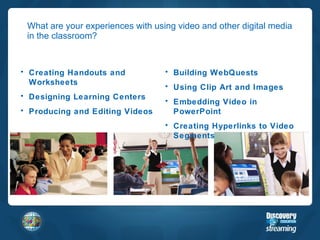
What are your experiences with using video and other digital media in the classroom? Building WebQuests Using Clip Art and Images Embedding Video in PowerPoint Creating Hyperlinks to Video Segments Creating Handouts and Worksheets Designing Learning Centers Producing and Editing Videos
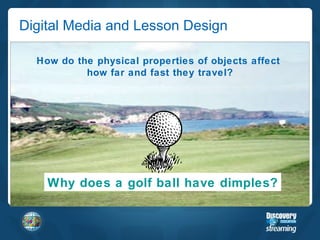
Digital Media and Lesson Design Why does a golf ball have dimples? How do the physical properties of objects affect  how far and fast they travel?
Objectives & Agenda Today’s Objectives By the end of today’s training, participants will be able to: Describe the tools and features available through Discovery Education  streaming Identify opportunities for classroom integration Agenda Welcome & Introductions Activator: Digital Media in the Classroom Discovery Education  streaming  Tools & Features Integration Ideas Professional Development Opportunities Closure
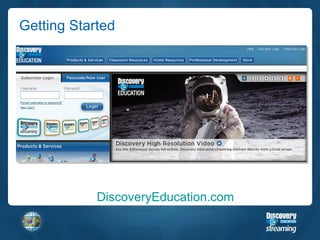
Getting Started DiscoveryEducation.com
Technology Information What types of software do I need to get started on  streaming ? Internet Explorer is the recommended browser. You will also need: PCs:  Windows Media Player  (version 9 or later) Macs:  QuickTime Player  (version 6 or better) Macromedia Flash Plug-In Adobe Reader
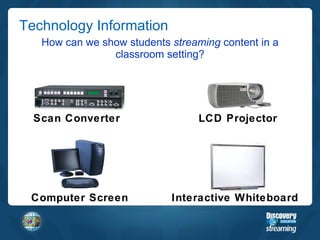
Technology Information How can we show students  streaming  content in a classroom setting? Scan Converter Computer Screen LCD Projector Interactive Whiteboard
Summarizer 3 things I learned… 2 connections I made… 1  idea I will try right away…

Getting started with unitedstreaming

  • 1.
    Getting Started withDiscovery Education streaming
  • 2.
    What are yourexperiences with using video and other digital media in the classroom? Building WebQuests Using Clip Art and Images Embedding Video in PowerPoint Creating Hyperlinks to Video Segments Creating Handouts and Worksheets Designing Learning Centers Producing and Editing Videos
  • 3.
    Digital Media andLesson Design Why does a golf ball have dimples? How do the physical properties of objects affect how far and fast they travel?
  • 4.
    Objectives & AgendaToday’s Objectives By the end of today’s training, participants will be able to: Describe the tools and features available through Discovery Education streaming Identify opportunities for classroom integration Agenda Welcome & Introductions Activator: Digital Media in the Classroom Discovery Education streaming Tools & Features Integration Ideas Professional Development Opportunities Closure
  • 5.
  • 6.
    Technology Information Whattypes of software do I need to get started on streaming ? Internet Explorer is the recommended browser. You will also need: PCs: Windows Media Player (version 9 or later) Macs: QuickTime Player (version 6 or better) Macromedia Flash Plug-In Adobe Reader
  • 7.
    Technology Information Howcan we show students streaming content in a classroom setting? Scan Converter Computer Screen LCD Projector Interactive Whiteboard
  • 8.
    Summarizer 3 thingsI learned… 2 connections I made… 1 idea I will try right away…

Editor's Notes

  • #4 Link to video segment “Fore!” http://www.streaming.com/search/assetDetail.cfm?guidAssetId=5dbb87de-598e-459f-84de-2db01bbd12cb