Agenda Introduction What? Why? Alternatives? Building Blocks Connecting Services Web Services Scenarios
Introduction – What? Allows you to control nearly all aspects of TFS programmatically. Builds Common Structure Source Control Work Items Mostly exposed via .NET assemblies. Some functionality is only available via web services. Assemblies available by installing the Visual Studio SDK.
Introduction – Why? Process (or Methodology) Automation Utilities Application Integration Advanced Build Scenarios
Introduction – Alternatives? tf.exe and tfpt.exe Third-Party Utilities and Products PowerShell Still requires knowledge of the APIs.
Connecting Connect via: URL (e.g. http://tfsrtm:8080/) Registered Server Name (e.g. TFSRTM) Two methods: New TeamFoundationServer(url) TeamFoundationServerFactory.GetServer(url) Returns a cached server if a server with the same URL or registered server name has already been accessed.
Connecting – Authentication Authentication does not occur immediately. TeamFoundationServer.Authenticate() will force authentication to occur. TeamFoundationServer.EnsureAuthenticated() will authenticate if necessary. Most TFS APIs will call EnsureAuthenticated().
Connecting – Authentication Process Integrated authentication will be attempted first. If this fails then a TeamFoundationServerUnauthorizedException will be thrown. Both methods of connecting support passing a fallback credentials provider which will be called if integrated authentication fails. TFS includes a UICredentialsProvider out-of-the-box which will prompt the user for credentials.
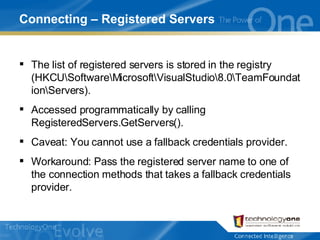
Connecting – Registered Servers The list of registered servers is stored in the registry (HKCU\Software\Microsoft\VisualStudio\8.0\TeamFoundation\Servers). Accessed programmatically by calling RegisteredServers.GetServers(). Caveat: You cannot use a fallback credentials provider. Workaround: Pass the registered server name to one of the connection methods that takes a fallback credentials provider.
Connecting – Demo
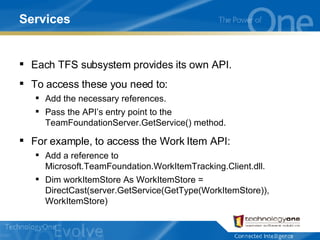
Services Each TFS subsystem provides its own API. To access these you need to: Add the necessary references. Pass the API’s entry point to the TeamFoundationServer.GetService() method. For example, to access the Work Item API: Add a reference to Microsoft.TeamFoundation.WorkItemTracking.Client.dll. Dim workItemStore As WorkItemStore = DirectCast(server.GetService(GetType(WorkItemStore)), WorkItemStore)
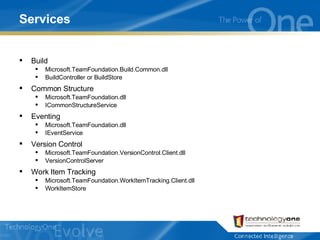
Services Build Microsoft.TeamFoundation.Build.Common.dll BuildController or BuildStore Common Structure Microsoft.TeamFoundation.dll ICommonStructureService Eventing Microsoft.TeamFoundation.dll IEventService Version Control Microsoft.TeamFoundation.VersionControl.Client.dll VersionControlServer Work Item Tracking Microsoft.TeamFoundation.WorkItemTracking.Client.dll WorkItemStore
Services – Demo
Web Services TFS is based around a number of web services. The APIs are a strongly-typed wrapper for these web services. Some functionality is not available in the API and you must call the web services directly. Physically the web services are stored in: %ProgramFiles%\Microsoft Visual Studio 2005 Team Foundation Server\Web Services\<Subsystem>\v1.0\<ServiceName>.asmx Virtually the web services are available at: http://tfsrtm:8080/<Subsystem>/v1.0/<ServiceName>.asmx Proxies are already available for some of the assemblies in the .Proxy namespace of the relevant subsystem. Always use APIs in preference to calling web services directly!
Web Services – Demo
Scenarios Builds Starting Builds Build History Common Structure Creating Areas and Iterations Iterating Team Projects Source Control Working with Workspaces Getting Items from Source Control Get, Check-Out and Check-In Work Items Creating Work Items Running WIQL
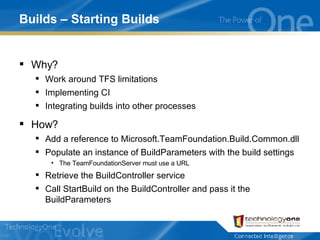
Builds – Starting Builds Why? Work around TFS limitations Implementing CI Integrating builds into other processes How? Add a reference to Microsoft.TeamFoundation.Build.Common.dll Populate an instance of BuildParameters with the build settings The TeamFoundationServer must use a URL Retrieve the BuildController service Call StartBuild on the BuildController and pass it the BuildParameters
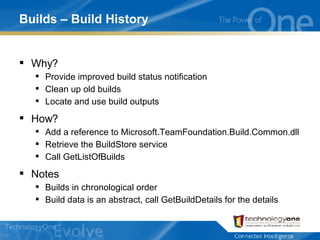
Builds – Build History Why? Provide improved build status notification Clean up old builds Locate and use build outputs How? Add a reference to Microsoft.TeamFoundation.Build.Common.dll Retrieve the BuildStore service Call GetListOfBuilds Notes Builds in chronological order Build data is an abstract, call GetBuildDetails for the details
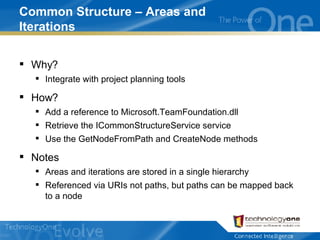
Common Structure – Areas and Iterations Why? Integrate with project planning tools How? Add a reference to Microsoft.TeamFoundation.dll Retrieve the ICommonStructureService service Use the GetNodeFromPath and CreateNode methods Notes Areas and iterations are stored in a single hierarchy Referenced via URIs not paths, but paths can be mapped back to a node
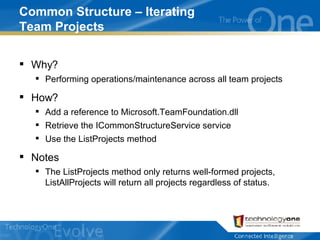
Common Structure – Iterating Team Projects Why? Performing operations/maintenance across all team projects How? Add a reference to Microsoft.TeamFoundation.dll Retrieve the ICommonStructureService service Use the ListProjects method Notes The ListProjects method only returns well-formed projects, ListAllProjects will return all projects regardless of status.
Source Control – Workspaces Why? Nearly all source control operations require a workspace. How? Add a reference to Microsoft.TeamFoundation.VersionControl.Client.dll Retrieve the VersionControlServer service Use CreateWorkspace/GetWorkspace Notes You can get a workspace based on a local path
Source Control – Download File Why? Lots of reasons... How? Add a reference to Microsoft.TeamFoundation.VersionControl.Client.dll Retrieve the VersionControlServer service Use DownloadFile Notes Discuss VersionSpec Contrast with Get
Source Control – Get, Check-Out, Check-In Why? Lots of reasons How? Add a reference to Microsoft.TeamFoundation.VersionControl.Client.dll Retrieve the VersionControlServer service Retrieve the appropriate workspace Use Get, PendAdd, PendDelete, PendEdit, CheckIn
Work Items – Creating Why? Batch creation Migration and synchronisation How? Add a reference to Microsoft.TeamFoundation.WorkItemTracking.Client.dll Retrieve the WorkItemStore service Navigate through Projects and WorkItemTypes Call NewWorkItem Notes Migration and synchronisation toolkit
Work Items – Running WIQL Why? Exporting work items Complicated reporting Migration and synchronisation How? Add a reference to Microsoft.TeamFoundation.WorkItemTracking.Client.dll Retrieve the WorkItemStore service Call Query or QueryCount Notes Stored queries
 

Getting Started With The TFS API

  • 1.
  • 2.
    Agenda Introduction What?Why? Alternatives? Building Blocks Connecting Services Web Services Scenarios
  • 3.
    Introduction – What?Allows you to control nearly all aspects of TFS programmatically. Builds Common Structure Source Control Work Items Mostly exposed via .NET assemblies. Some functionality is only available via web services. Assemblies available by installing the Visual Studio SDK.
  • 4.
    Introduction – Why?Process (or Methodology) Automation Utilities Application Integration Advanced Build Scenarios
  • 5.
    Introduction – Alternatives?tf.exe and tfpt.exe Third-Party Utilities and Products PowerShell Still requires knowledge of the APIs.
  • 6.
    Connecting Connect via:URL (e.g. http://tfsrtm:8080/) Registered Server Name (e.g. TFSRTM) Two methods: New TeamFoundationServer(url) TeamFoundationServerFactory.GetServer(url) Returns a cached server if a server with the same URL or registered server name has already been accessed.
  • 7.
    Connecting – AuthenticationAuthentication does not occur immediately. TeamFoundationServer.Authenticate() will force authentication to occur. TeamFoundationServer.EnsureAuthenticated() will authenticate if necessary. Most TFS APIs will call EnsureAuthenticated().
  • 8.
    Connecting – AuthenticationProcess Integrated authentication will be attempted first. If this fails then a TeamFoundationServerUnauthorizedException will be thrown. Both methods of connecting support passing a fallback credentials provider which will be called if integrated authentication fails. TFS includes a UICredentialsProvider out-of-the-box which will prompt the user for credentials.
  • 9.
    Connecting – RegisteredServers The list of registered servers is stored in the registry (HKCU\Software\Microsoft\VisualStudio\8.0\TeamFoundation\Servers). Accessed programmatically by calling RegisteredServers.GetServers(). Caveat: You cannot use a fallback credentials provider. Workaround: Pass the registered server name to one of the connection methods that takes a fallback credentials provider.
  • 10.
  • 11.
    Services Each TFSsubsystem provides its own API. To access these you need to: Add the necessary references. Pass the API’s entry point to the TeamFoundationServer.GetService() method. For example, to access the Work Item API: Add a reference to Microsoft.TeamFoundation.WorkItemTracking.Client.dll. Dim workItemStore As WorkItemStore = DirectCast(server.GetService(GetType(WorkItemStore)), WorkItemStore)
  • 12.
    Services Build Microsoft.TeamFoundation.Build.Common.dllBuildController or BuildStore Common Structure Microsoft.TeamFoundation.dll ICommonStructureService Eventing Microsoft.TeamFoundation.dll IEventService Version Control Microsoft.TeamFoundation.VersionControl.Client.dll VersionControlServer Work Item Tracking Microsoft.TeamFoundation.WorkItemTracking.Client.dll WorkItemStore
  • 13.
  • 14.
    Web Services TFSis based around a number of web services. The APIs are a strongly-typed wrapper for these web services. Some functionality is not available in the API and you must call the web services directly. Physically the web services are stored in: %ProgramFiles%\Microsoft Visual Studio 2005 Team Foundation Server\Web Services\<Subsystem>\v1.0\<ServiceName>.asmx Virtually the web services are available at: http://tfsrtm:8080/<Subsystem>/v1.0/<ServiceName>.asmx Proxies are already available for some of the assemblies in the .Proxy namespace of the relevant subsystem. Always use APIs in preference to calling web services directly!
  • 15.
  • 16.
    Scenarios Builds StartingBuilds Build History Common Structure Creating Areas and Iterations Iterating Team Projects Source Control Working with Workspaces Getting Items from Source Control Get, Check-Out and Check-In Work Items Creating Work Items Running WIQL
  • 17.
    Builds – StartingBuilds Why? Work around TFS limitations Implementing CI Integrating builds into other processes How? Add a reference to Microsoft.TeamFoundation.Build.Common.dll Populate an instance of BuildParameters with the build settings The TeamFoundationServer must use a URL Retrieve the BuildController service Call StartBuild on the BuildController and pass it the BuildParameters
  • 18.
    Builds – BuildHistory Why? Provide improved build status notification Clean up old builds Locate and use build outputs How? Add a reference to Microsoft.TeamFoundation.Build.Common.dll Retrieve the BuildStore service Call GetListOfBuilds Notes Builds in chronological order Build data is an abstract, call GetBuildDetails for the details
  • 19.
    Common Structure –Areas and Iterations Why? Integrate with project planning tools How? Add a reference to Microsoft.TeamFoundation.dll Retrieve the ICommonStructureService service Use the GetNodeFromPath and CreateNode methods Notes Areas and iterations are stored in a single hierarchy Referenced via URIs not paths, but paths can be mapped back to a node
  • 20.
    Common Structure –Iterating Team Projects Why? Performing operations/maintenance across all team projects How? Add a reference to Microsoft.TeamFoundation.dll Retrieve the ICommonStructureService service Use the ListProjects method Notes The ListProjects method only returns well-formed projects, ListAllProjects will return all projects regardless of status.
  • 21.
    Source Control –Workspaces Why? Nearly all source control operations require a workspace. How? Add a reference to Microsoft.TeamFoundation.VersionControl.Client.dll Retrieve the VersionControlServer service Use CreateWorkspace/GetWorkspace Notes You can get a workspace based on a local path
  • 22.
    Source Control –Download File Why? Lots of reasons... How? Add a reference to Microsoft.TeamFoundation.VersionControl.Client.dll Retrieve the VersionControlServer service Use DownloadFile Notes Discuss VersionSpec Contrast with Get
  • 23.
    Source Control –Get, Check-Out, Check-In Why? Lots of reasons How? Add a reference to Microsoft.TeamFoundation.VersionControl.Client.dll Retrieve the VersionControlServer service Retrieve the appropriate workspace Use Get, PendAdd, PendDelete, PendEdit, CheckIn
  • 24.
    Work Items –Creating Why? Batch creation Migration and synchronisation How? Add a reference to Microsoft.TeamFoundation.WorkItemTracking.Client.dll Retrieve the WorkItemStore service Navigate through Projects and WorkItemTypes Call NewWorkItem Notes Migration and synchronisation toolkit
  • 25.
    Work Items –Running WIQL Why? Exporting work items Complicated reporting Migration and synchronisation How? Add a reference to Microsoft.TeamFoundation.WorkItemTracking.Client.dll Retrieve the WorkItemStore service Call Query or QueryCount Notes Stored queries
  • 26.