TEAM FOUNDATION
SERVER IN DEVELOPMENT
Kambiz Saremi
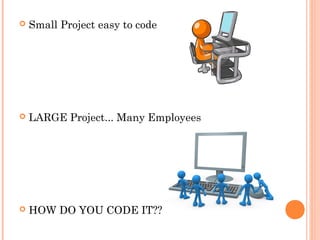
 Small Project easy to code
 LARGE Project... Many Employees
 HOW DO YOU CODE IT??
 http://www.google.com/mobile/android/
 How many developers working on Android
for Google?
 100-170
 How many employees at Google?
 Total Employees Worldwide: 31,000
 How many Computer Programmers?
 About 2,000
 How many employees at Apple?
 Total: 33,000
 How many Computer Programmers?
 Claim to have 200,000 “developers”
 Really about 1,500 developers
 Overview
 What is TFS?
 How do we use it?
 What does it offer?
 Advantage of using TFS for any business
 Alternatives for TFS
 Conclusion – TFS or No TFS
 What is TFS?
 VS TFS 2010 Intro
 How much?
 Only for Visual Studio?
 Visual Studio Team Foundation Server 2010
(TFS) is the collaboration platform at the core of
Microsoft's application lifecycle management
solution. TFS automates the software delivery
process and gives you the tools you need to
effectively manage software development projects
throughout the IT lifecycle.
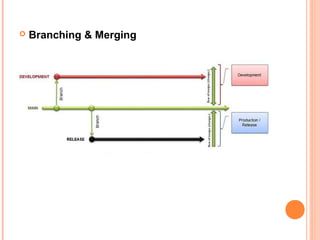
 Version Control (Branching and Merging)
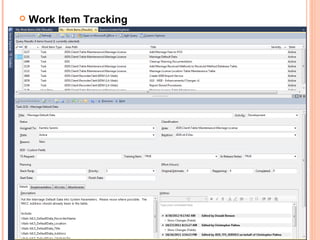
 Work Items
 Project Management
 Reporting
 How do we use it?
 Overview of TFS Capabilities
 Version Control
 Simple and familiar interface
 Can be secured and locked down with access
controls and customizable check-in rules
 Ties in Project Management by linking check-ins to
Work Items
 Simple and efficient branching and merging
 Visually track changes across branches
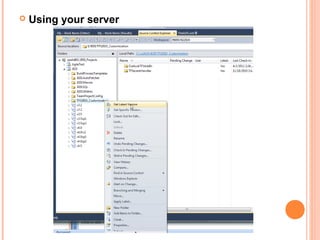
 Using your server
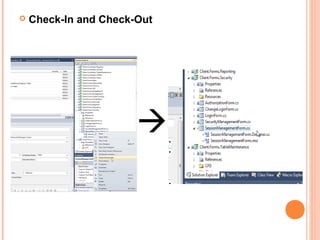
 Check-In and Check-Out

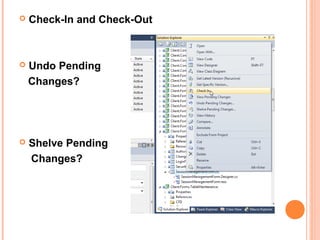
 Check-In and Check-Out
 Undo Pending
Changes?
 Shelve Pending
Changes?
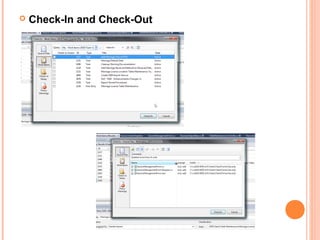
 Check-In and Check-Out
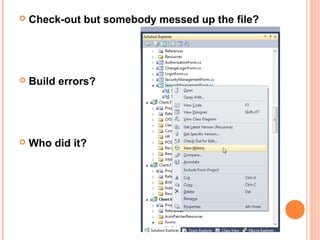
 Check-out but somebody messed up the file?
 Build errors?
 Who did it?
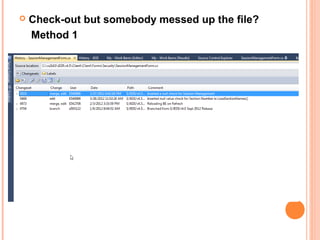
 Check-out but somebody messed up the file?
Method 1
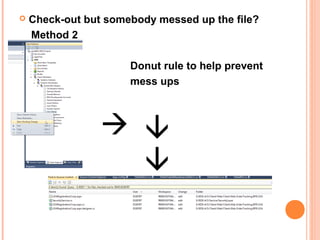
 Check-out but somebody messed up the file?
Method 2
 Donut rule to help prevent
 mess ups

 
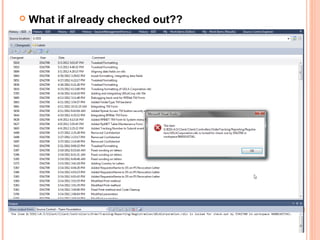
 What if already checked out??
 Branching & Merging
 Work Item Tracking
 Work Items – What ties everything together and enables teams
to collaborate with tasks they are all working on
 Work items can be:
 User Stories
 Tasks
 Bugs
 Requirements
 Many other options
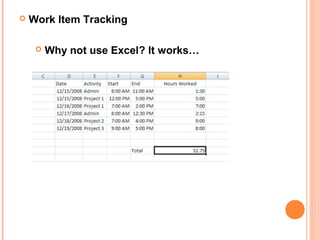
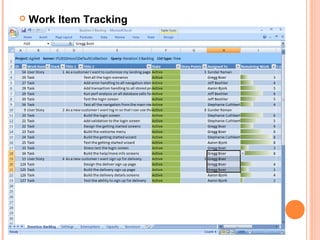
 Work Item Tracking
 Why not use Excel? It works…
 Work Item Tracking
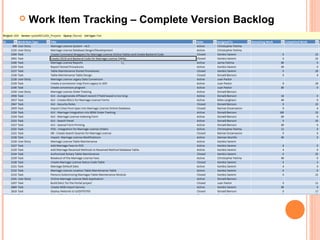
 Work Item Tracking – Complete Version Backlog
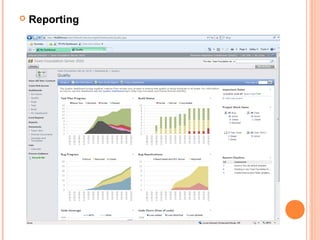
 Reporting
What is reporting?
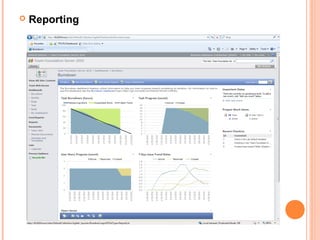
 Powerful reports and dashboards in Team Foundation Server 2010 help you
analyze and track progress and quality in real-time. Project data is stored in a
data warehouse and features an OLAP cube that allows for rich reporting using
Microsoft Excel and SQL Report Designer. Dashboards are based on Microsoft
Office SharePoint Server (MOSS)/SharePoint Server as well as Windows
SharePoint Services/SharePoint Foundation. Team Foundation Server 2010
ships with more than 30 reports out of the box and you can easily create custom
reports.
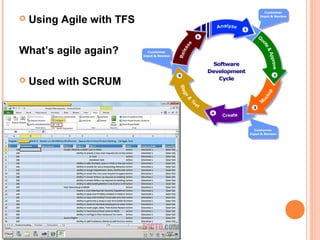
 Using Agile with TFS
What’s agile again?
 Used with SCRUM
 Reporting
 Reporting
 Using Agile with TFS
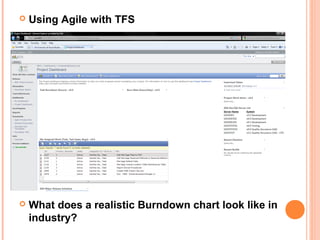
 What does a realistic Burndown chart look like in
industry?
 Using Agile with TFS
 Alternative development programs?
 VisualSVN
 Apache Subversion
 Team Explorer Everywhere 2010
 Conclusion
Single integrated solution that delivers version control,
work item/bug tracking and a number of other
features
Cross-functional, in-context collaboration – Project
Managers, Architects, Developers, Testers,
Designers
Powerful team management system integration lets
you focus on your business, by automating
repetitive or otherwise time-consuming tasks
 Test Cases?
 Test Case Management
 Start at 3:55
 Visual Studio Team Explorer Everywhere 2010
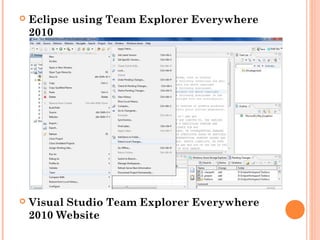
 Eclipse using Team Explorer Everywhere
2010
 Visual Studio Team Explorer Everywhere
2010 Website
 Looking for a job?
 Analyst position
 References
 Team Foundation Server 2010. Microsoft Visual Studio Team Foundation
Server 2010, 13 March 2012. Web. 3 May 2012.
<http://msdn.microsoft.com/en-us/vstudio/ff637362>.
 TFS 2010. Microsoft Visual Studio, 4 July 2011. Web. 5 May 2012.
<http://www.microsoft.com/visualstudio/en-us/products/2010-editions/team-
foundation-server/overview>.
 Sutherland, Jeff. Professional Team Foundation Server. Indianapolis: Wiley
Publishing Inc, 2007. Print.

Tfs development

  • 1.
    TEAM FOUNDATION SERVER INDEVELOPMENT Kambiz Saremi
  • 2.
     Small Projecteasy to code  LARGE Project... Many Employees  HOW DO YOU CODE IT??
  • 3.
     http://www.google.com/mobile/android/  Howmany developers working on Android for Google?  100-170  How many employees at Google?  Total Employees Worldwide: 31,000  How many Computer Programmers?  About 2,000  How many employees at Apple?  Total: 33,000  How many Computer Programmers?  Claim to have 200,000 “developers”  Really about 1,500 developers
  • 4.
     Overview  Whatis TFS?  How do we use it?  What does it offer?  Advantage of using TFS for any business  Alternatives for TFS  Conclusion – TFS or No TFS
  • 5.
     What isTFS?  VS TFS 2010 Intro  How much?  Only for Visual Studio?  Visual Studio Team Foundation Server 2010 (TFS) is the collaboration platform at the core of Microsoft's application lifecycle management solution. TFS automates the software delivery process and gives you the tools you need to effectively manage software development projects throughout the IT lifecycle.
  • 6.
     Version Control(Branching and Merging)  Work Items  Project Management  Reporting  How do we use it?  Overview of TFS Capabilities
  • 7.
     Version Control Simple and familiar interface  Can be secured and locked down with access controls and customizable check-in rules  Ties in Project Management by linking check-ins to Work Items  Simple and efficient branching and merging  Visually track changes across branches
  • 8.
  • 9.
     Check-In andCheck-Out 
  • 10.
     Check-In andCheck-Out  Undo Pending Changes?  Shelve Pending Changes?
  • 11.
  • 12.
     Check-out butsomebody messed up the file?  Build errors?  Who did it?
  • 13.
     Check-out butsomebody messed up the file? Method 1
  • 14.
     Check-out butsomebody messed up the file? Method 2  Donut rule to help prevent  mess ups   
  • 15.
     What ifalready checked out??
  • 16.
  • 17.
     Work ItemTracking  Work Items – What ties everything together and enables teams to collaborate with tasks they are all working on  Work items can be:  User Stories  Tasks  Bugs  Requirements  Many other options
  • 18.
     Work ItemTracking  Why not use Excel? It works…
  • 19.
     Work ItemTracking
  • 20.
     Work ItemTracking
  • 21.
     Work ItemTracking – Complete Version Backlog
  • 22.
     Reporting What isreporting?  Powerful reports and dashboards in Team Foundation Server 2010 help you analyze and track progress and quality in real-time. Project data is stored in a data warehouse and features an OLAP cube that allows for rich reporting using Microsoft Excel and SQL Report Designer. Dashboards are based on Microsoft Office SharePoint Server (MOSS)/SharePoint Server as well as Windows SharePoint Services/SharePoint Foundation. Team Foundation Server 2010 ships with more than 30 reports out of the box and you can easily create custom reports.
  • 23.
     Using Agilewith TFS What’s agile again?  Used with SCRUM
  • 24.
  • 25.
  • 26.
     Using Agilewith TFS  What does a realistic Burndown chart look like in industry?
  • 27.
  • 28.
     Alternative developmentprograms?  VisualSVN  Apache Subversion  Team Explorer Everywhere 2010
  • 29.
     Conclusion Single integratedsolution that delivers version control, work item/bug tracking and a number of other features Cross-functional, in-context collaboration – Project Managers, Architects, Developers, Testers, Designers Powerful team management system integration lets you focus on your business, by automating repetitive or otherwise time-consuming tasks
  • 30.
     Test Cases? Test Case Management  Start at 3:55  Visual Studio Team Explorer Everywhere 2010
  • 31.
     Eclipse usingTeam Explorer Everywhere 2010  Visual Studio Team Explorer Everywhere 2010 Website
  • 32.
     Looking fora job?  Analyst position
  • 33.
     References  TeamFoundation Server 2010. Microsoft Visual Studio Team Foundation Server 2010, 13 March 2012. Web. 3 May 2012. <http://msdn.microsoft.com/en-us/vstudio/ff637362>.  TFS 2010. Microsoft Visual Studio, 4 July 2011. Web. 5 May 2012. <http://www.microsoft.com/visualstudio/en-us/products/2010-editions/team- foundation-server/overview>.  Sutherland, Jeff. Professional Team Foundation Server. Indianapolis: Wiley Publishing Inc, 2007. Print.