New England Data Camp v1.0
It is all about the data!


    Denny Lee, Senior Program Manager
    SQL Customer Advisory Team - Microsoft Corporation
 Learn how to ensure a predictable Reporting Services
  deployment in your environment
 Learn about the following as relates to Reporting Services
     Backup/restore
     Security/authorization
     Scale/performance/high availability
     Upgrade
   Approach
     Provide the technical knowledge needed to make sound decisions
     Provide lessons learned from Real Customers


   Thanks to Lukasz Pawlowski - SSRS
   Works on the largest, most complex SQL Server projects worldwide
     US: NASDAQ, Progressive, Premier Bankcard, Hilton Hotels
     Europe: Barclays Capital, Danske Bank, McLaren, Bwin
     Asia/Pacific: Korea Telecom, GMarket, Japan Railways East, China Mobile
     LATAM: Banco Itau, Oi
     Strategic ISVs: SAP, Siebel, JDE, PeopleSoft, GE Healthcare, SunGard, Siemens,
        Dynamics and more
   Drives product requirements back into SQL Server from our customers and
    ISVs
   Shares deep technical content with SQL Server community
       SQLCAT.com
       http://blogs.msdn.com/sqlcat
       http://blogs.msdn.com/mssqlisv
       http://technet.microsoft.com/en-us/sqlserver/bb331794.aspx
   IT Pros who are new to Reporting Services
     Examples of how to use Reporting Services
     Understanding architecture & deployments
     Provide the knowledge building blocks needed to understand
        Reporting Services
   IT Pros with existing deployment of Reporting Services
       Make SSRS more efficient and predictable
       Learn from others
       Validate your work
       Fill in any gaps in your knowledge of how SSRS works
   Slide deck that is a valuable reference tool
     Contains many tips & tricks
   Detailed understanding of SSRS = sleep better at night
• Reporting Services 101
• Backup/Restore
• Security
• Monitoring and Planning
• Deployment Topology
• Upgrade
• Tribal Knowledge
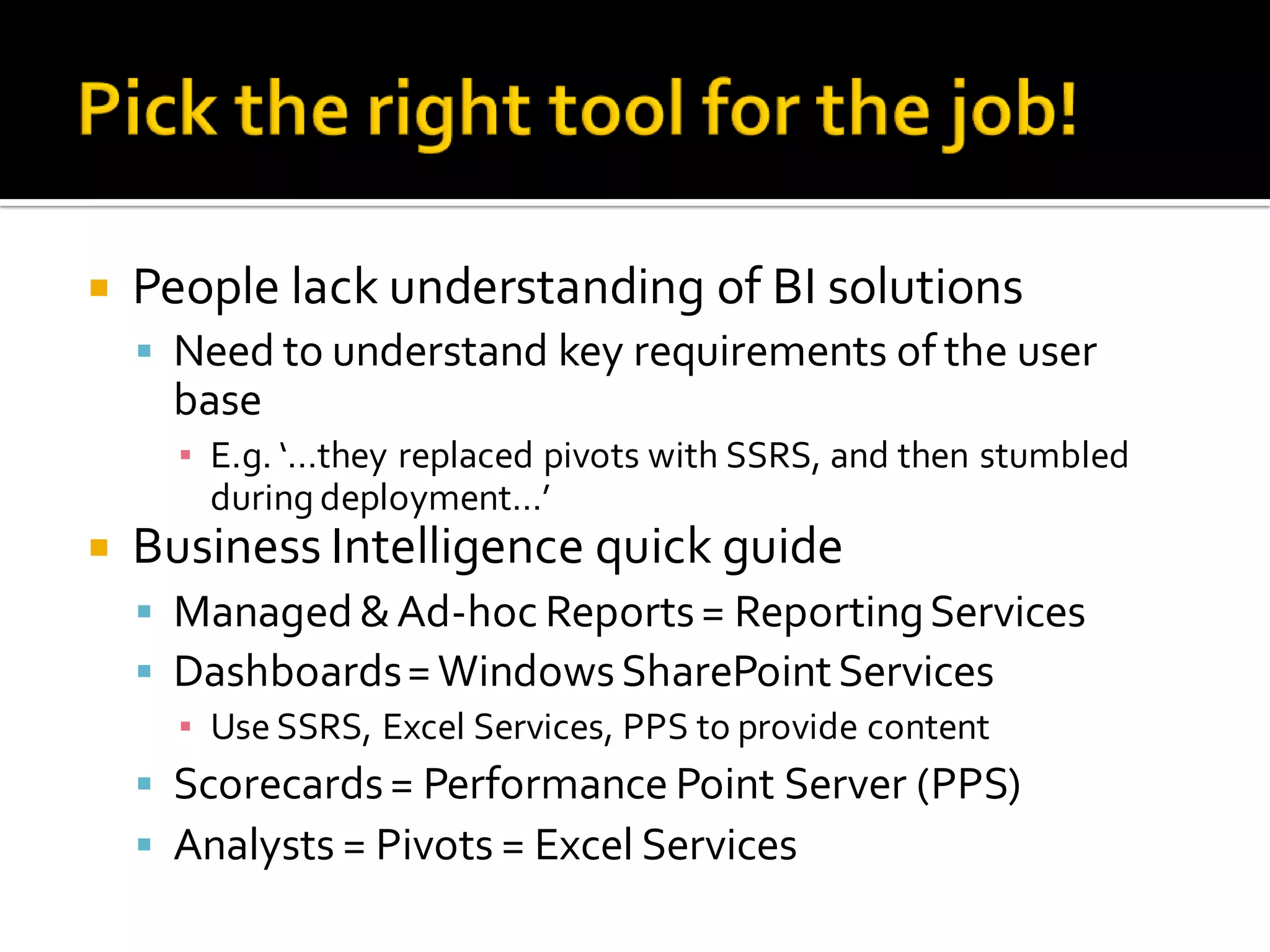
   People lack understanding of BI solutions
     Need to understand key requirements of the user
     base
      ▪ E.g. ‘…they replaced pivots with SSRS, and then stumbled
        during deployment…’
   Business Intelligence quick guide
     Managed & Ad-hoc Reports = Reporting Services
     Dashboards = Windows SharePoint Services
      ▪ Use SSRS, Excel Services, PPS to provide content
     Scorecards = Performance Point Server (PPS)
     Analysts = Pivots = Excel Services
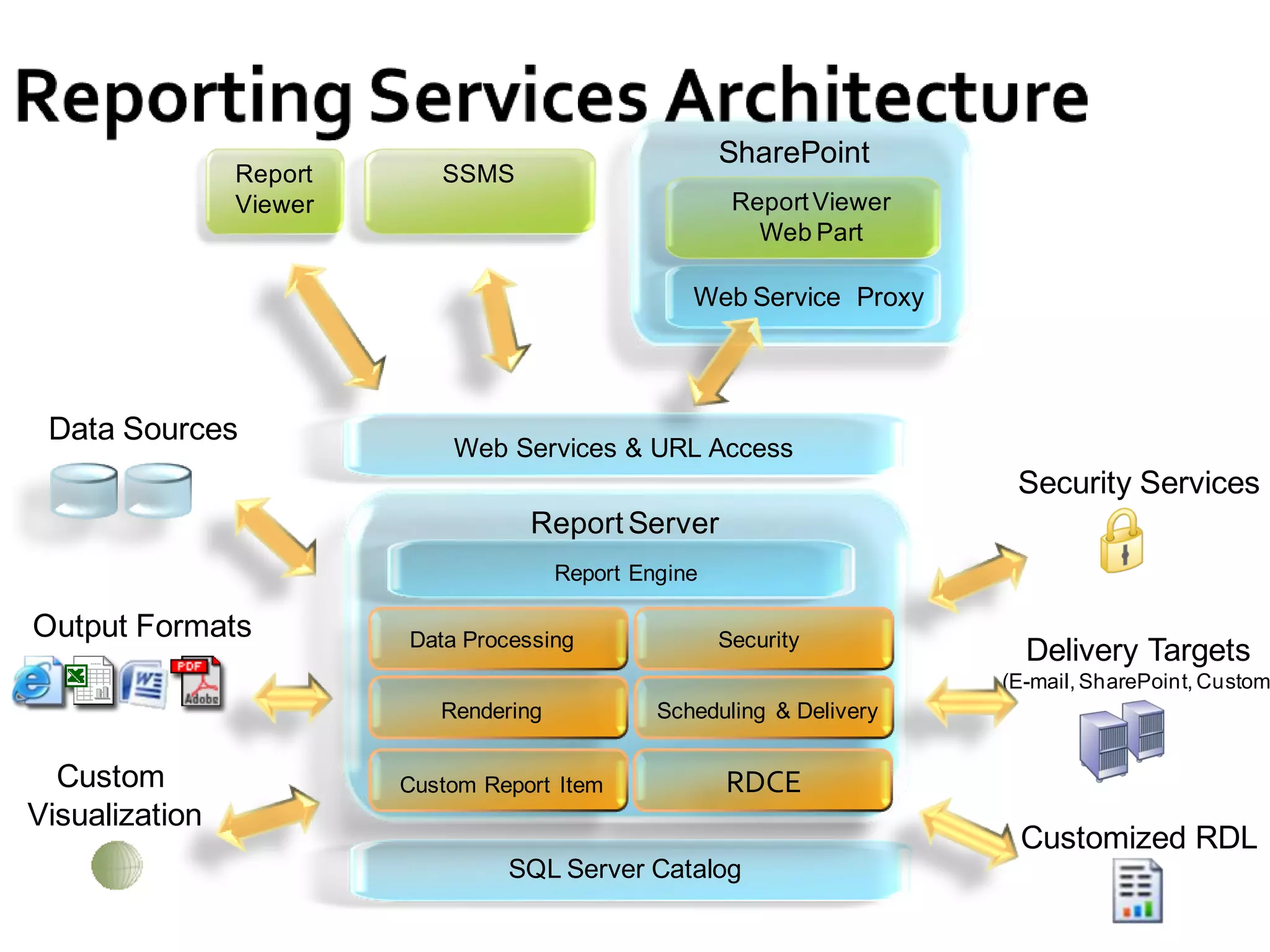
SharePoint
                Report      SSMS
                Viewer                                   Report Viewer
                                                           Web Part

                                                    Web Service Proxy


 Data Sources
                             Web Services & URL Access
                                                                          Security Services
                                    Report Server
                                        Report Engine

Output Formats           Data Processing                Security
                                                                           Delivery Targets
                                                                         (E-mail, SharePoint, Custom
                            Rendering            Scheduling & Delivery


  Custom                 Custom Report Item             RDCE
Visualization
                                                                          Customized RDL
                                  SQL Server Catalog
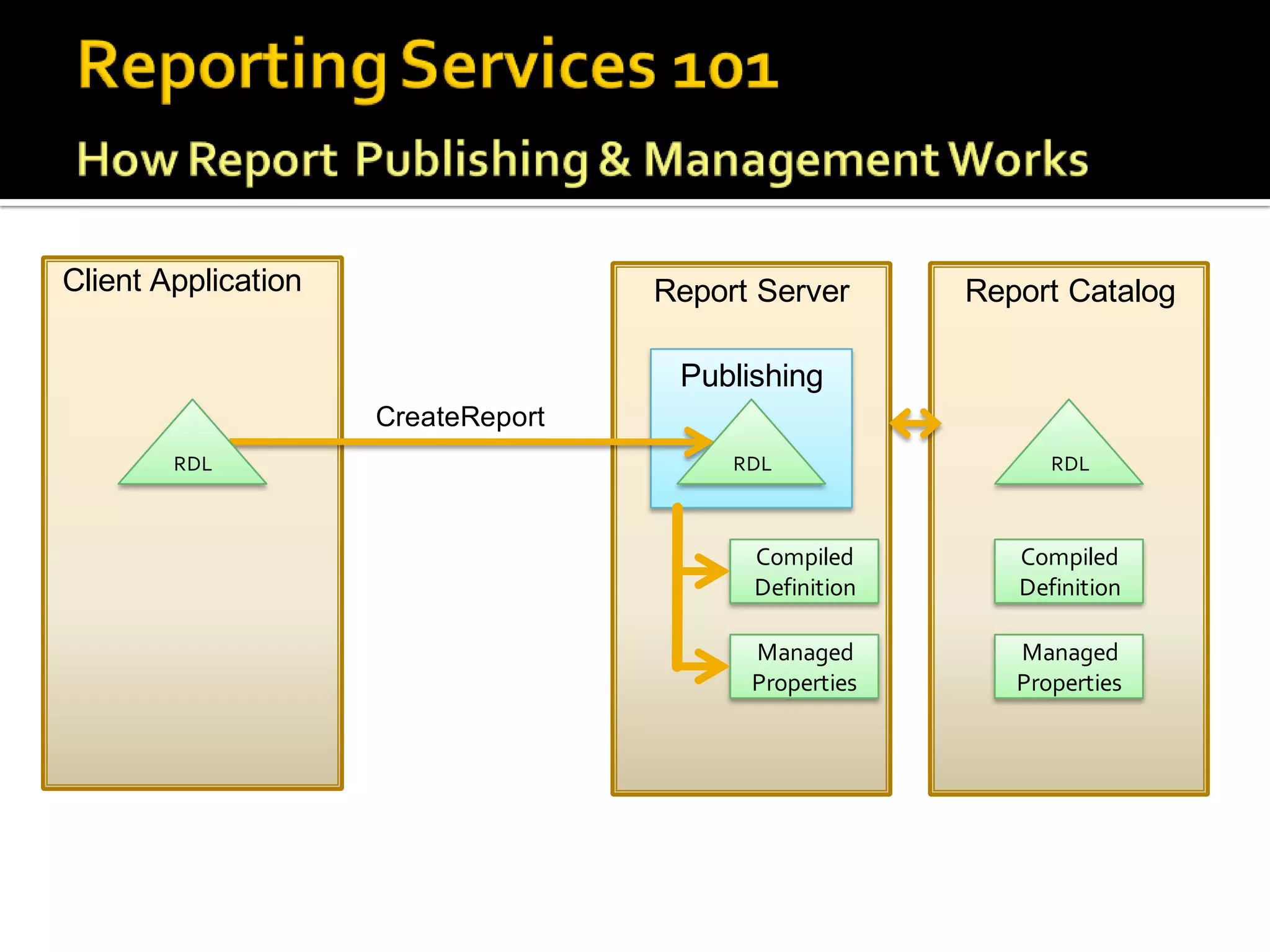
Client Application                  Report Server      Report Catalog

                                     Publishing
                     CreateReport
        RDL                              RDL                 RDL


                                          Compiled        Compiled
                                          Definition      Definition

                                          Managed         Managed
                                          Properties      Properties
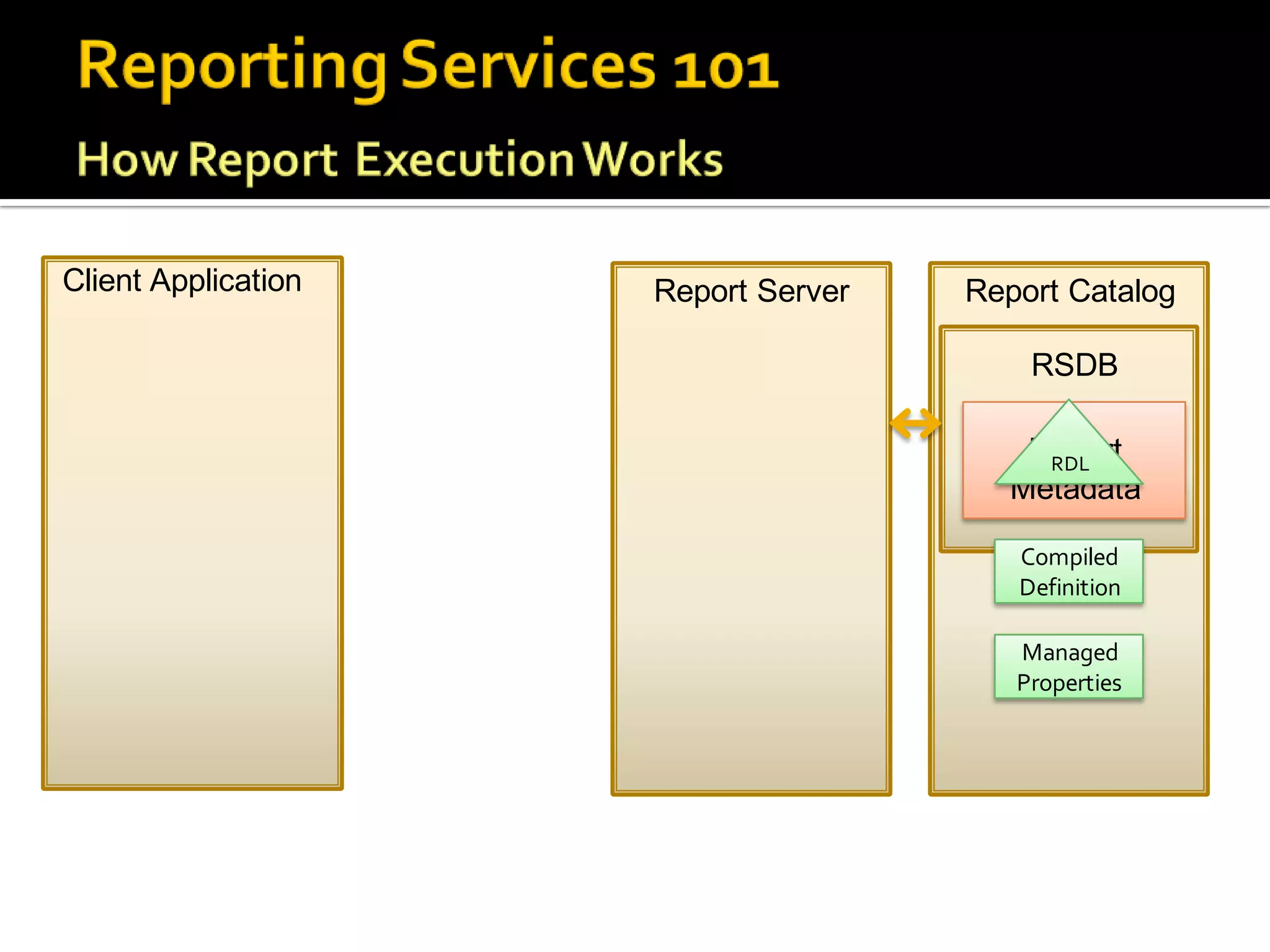
Client Application   Report Server   Report Catalog

                                         RSDB

                                        Report
                                         RDL
                                       Metadata

                                        Compiled
                                        Definition

                                        Managed
                                        Properties
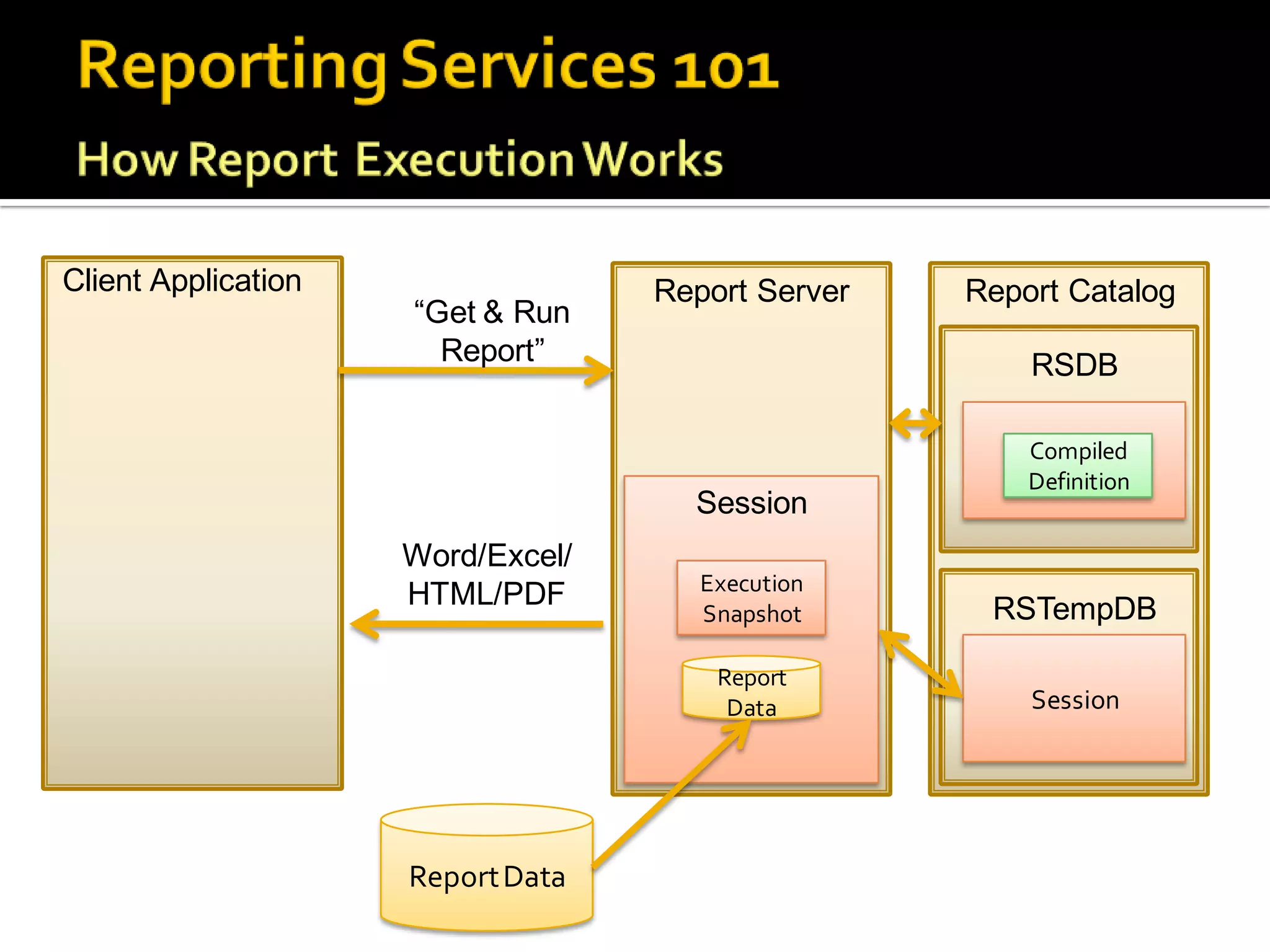
Client Application                 Report Server   Report Catalog
                     “Get & Run
                       Report”                         RSDB

                                                       Report
                                                       Compiled
                                                       Definition
                                                      Metadata
                                     Session
                     Word/Excel/
                                      Execution
                     HTML/PDF                       RSTempDB
                                      Snapshot

                                       Report
                                        Data           Session


                     Report Data
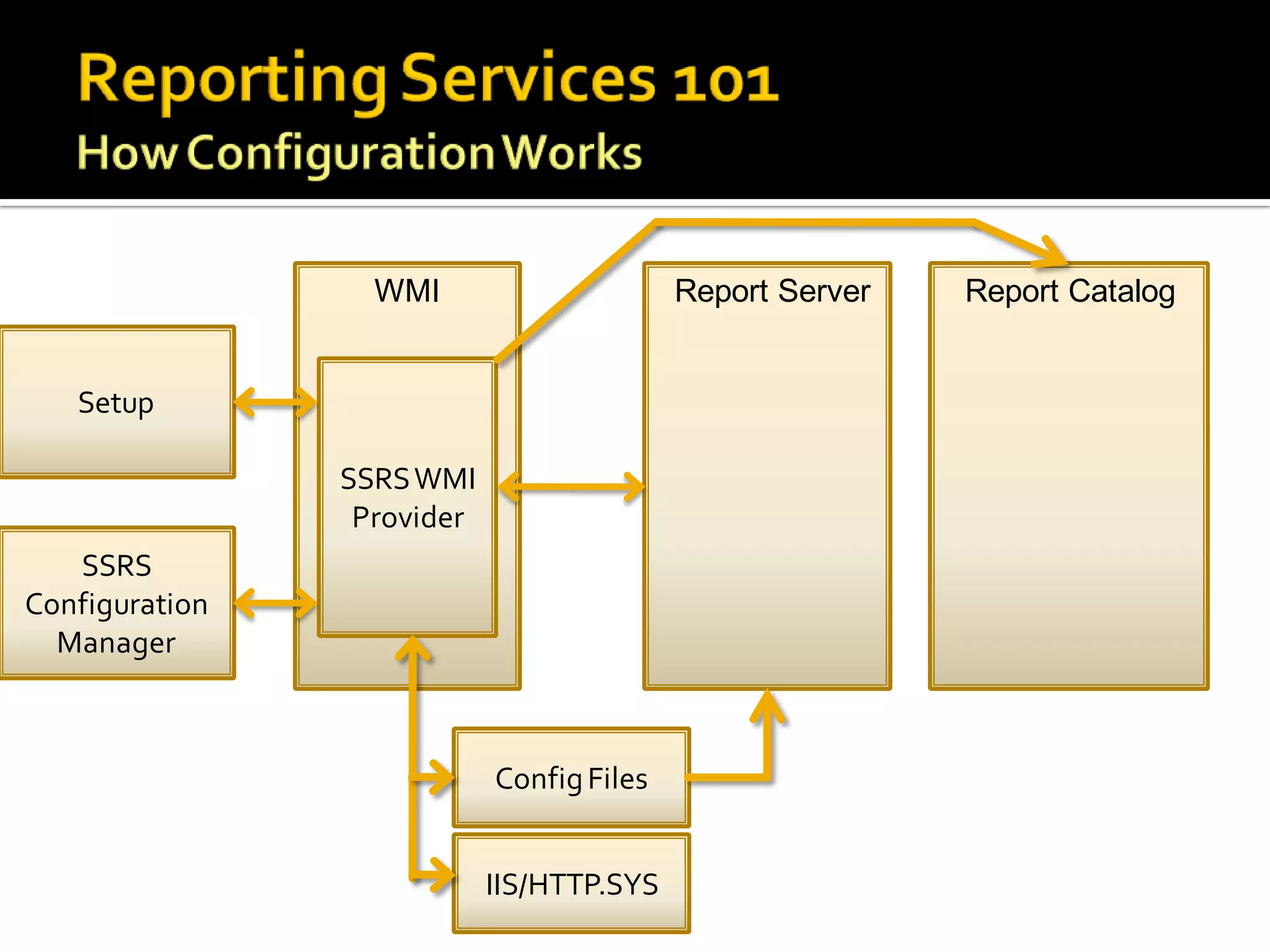
WMI                      Report Server   Report Catalog


   Setup

                SSRS WMI
                 Provider
   SSRS
Configuration
  Manager


                            Config Files


                            IIS/HTTP.SYS
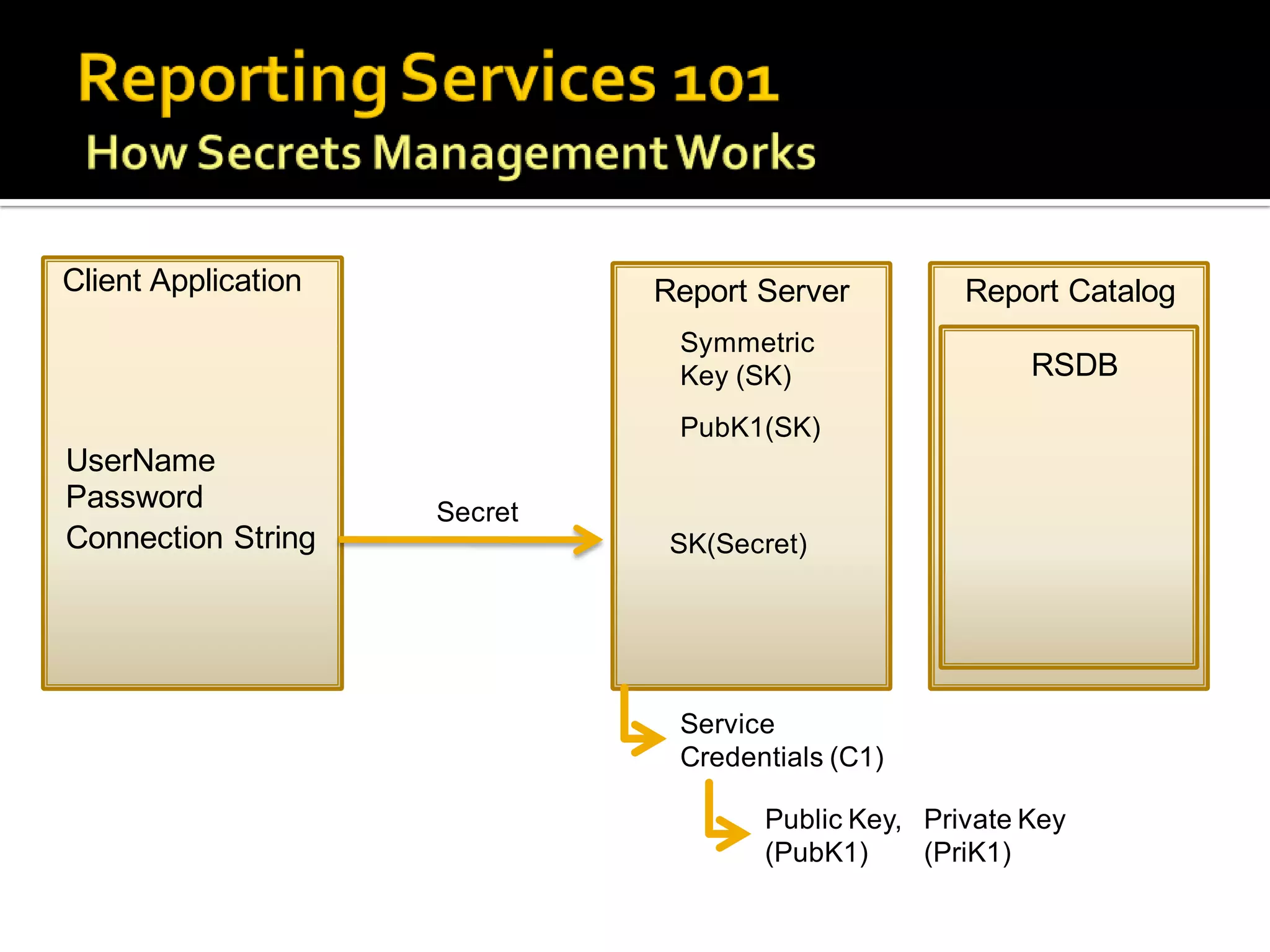
Client Application            Report Server         Report Catalog
                               Symmetric
                               Key (SK)                  RSDB
                               PubK1(SK)
UserName
Password             Secret
Connection String              SK(Secret)


                               Service
                               Credentials (C1)

                                     Public Key, Private Key
                                     (PubK1)     (PriK1)
Importance               Items to Backup
Critical                 •   Report Server Databases
                         •   Symmetric Key
                         •   SharePoint Databases
                         •   Custom Extensions
Important                • Configuration Files
                         • RSTempDB
                         • IIS Settings for RS 2005
Nice to Have             • RDLs
                         • SSL Certificates


           Standard backup/restore SQL database techniques

           Don’t forget to backup your SharePoint databases as well!
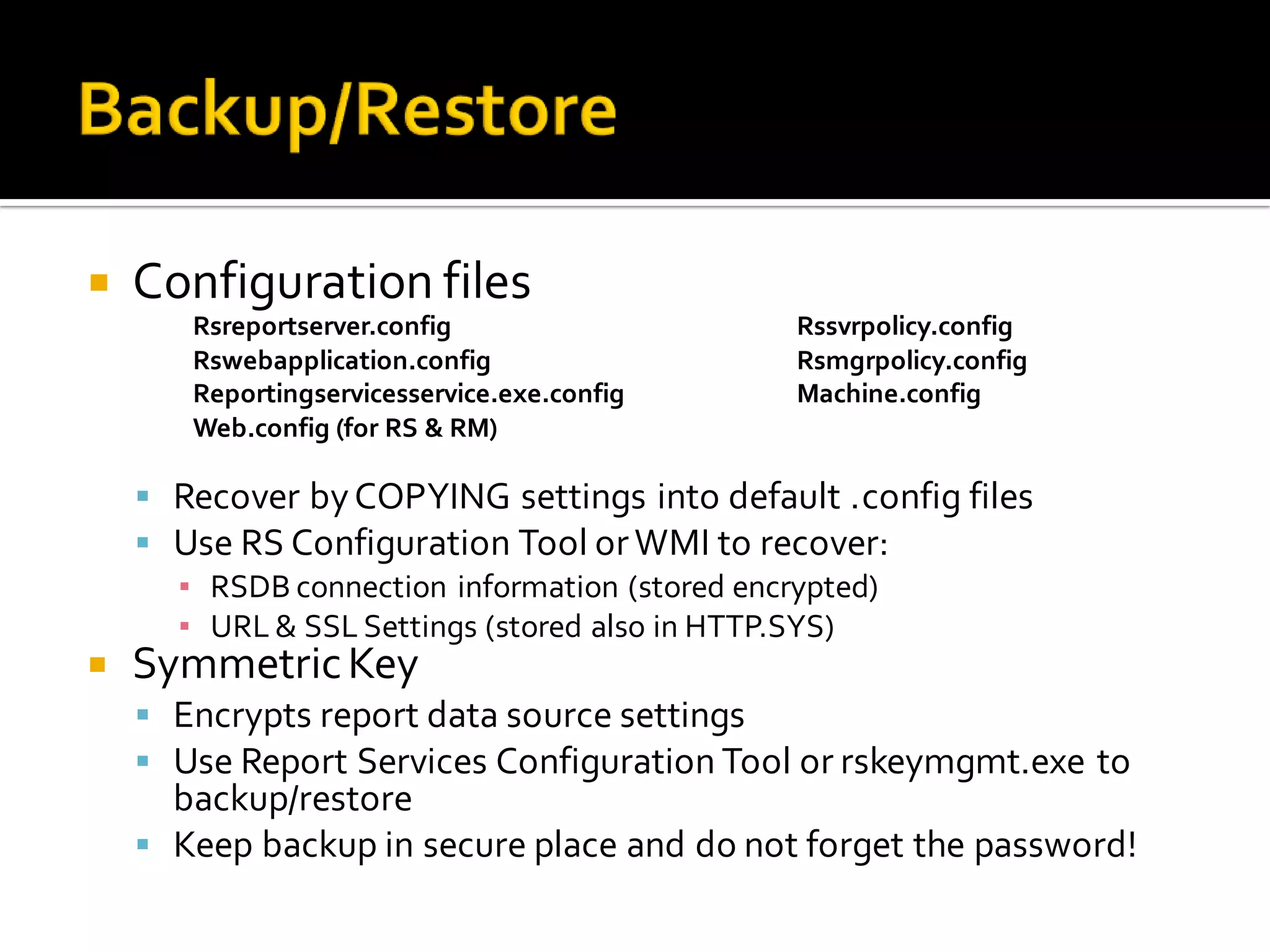
   Configuration files
       Rsreportserver.config                 Rssvrpolicy.config
       Rswebapplication.config               Rsmgrpolicy.config
       Reportingservicesservice.exe.config   Machine.config
       Web.config (for RS & RM)

     Recover by COPYING settings into default .config files
     Use RS Configuration Tool or WMI to recover:
      ▪ RSDB connection information (stored encrypted)
      ▪ URL & SSL Settings (stored also in HTTP.SYS)
   Symmetric Key
     Encrypts report data source settings
     Use Report Services Configuration Tool or rskeymgmt.exe to
      backup/restore
     Keep backup in secure place and do not forget the password!
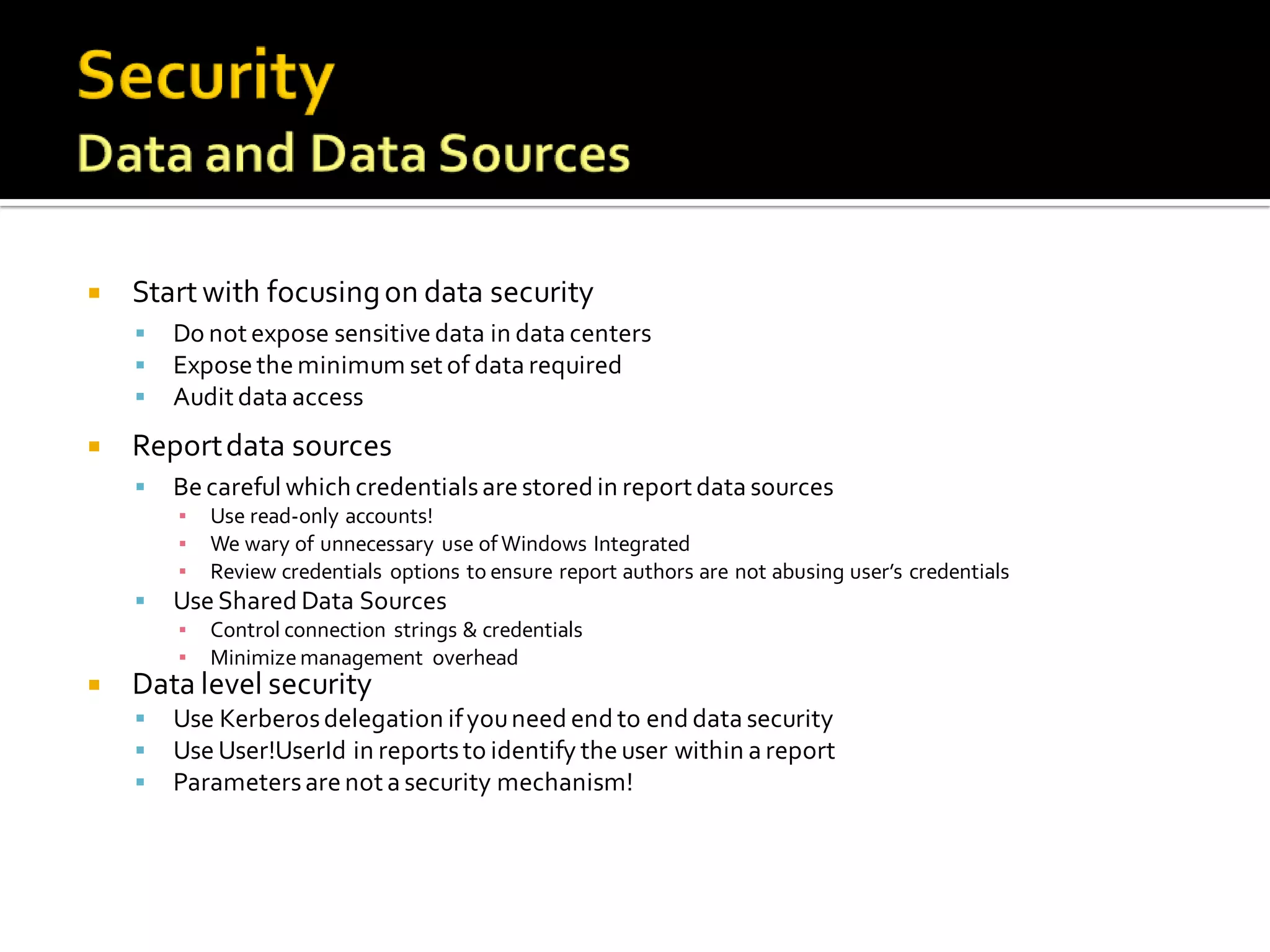
   Start with focusing on data security
       Do not expose sensitive data in data centers
       Expose the minimum set of data required
       Audit data access
   Report data sources
       Be careful which credentials are stored in report data sources
        ▪   Use read-only accounts!
        ▪   We wary of unnecessary use of Windows Integrated
        ▪   Review credentials options to ensure report authors are not abusing user’s credentials
       Use Shared Data Sources
        ▪   Control connection strings & credentials
        ▪   Minimize management overhead
   Data level security
       Use Kerberos delegation if you need end to end data security
       Use User!UserId in reports to identify the user within a report
       Parameters are not a security mechanism!
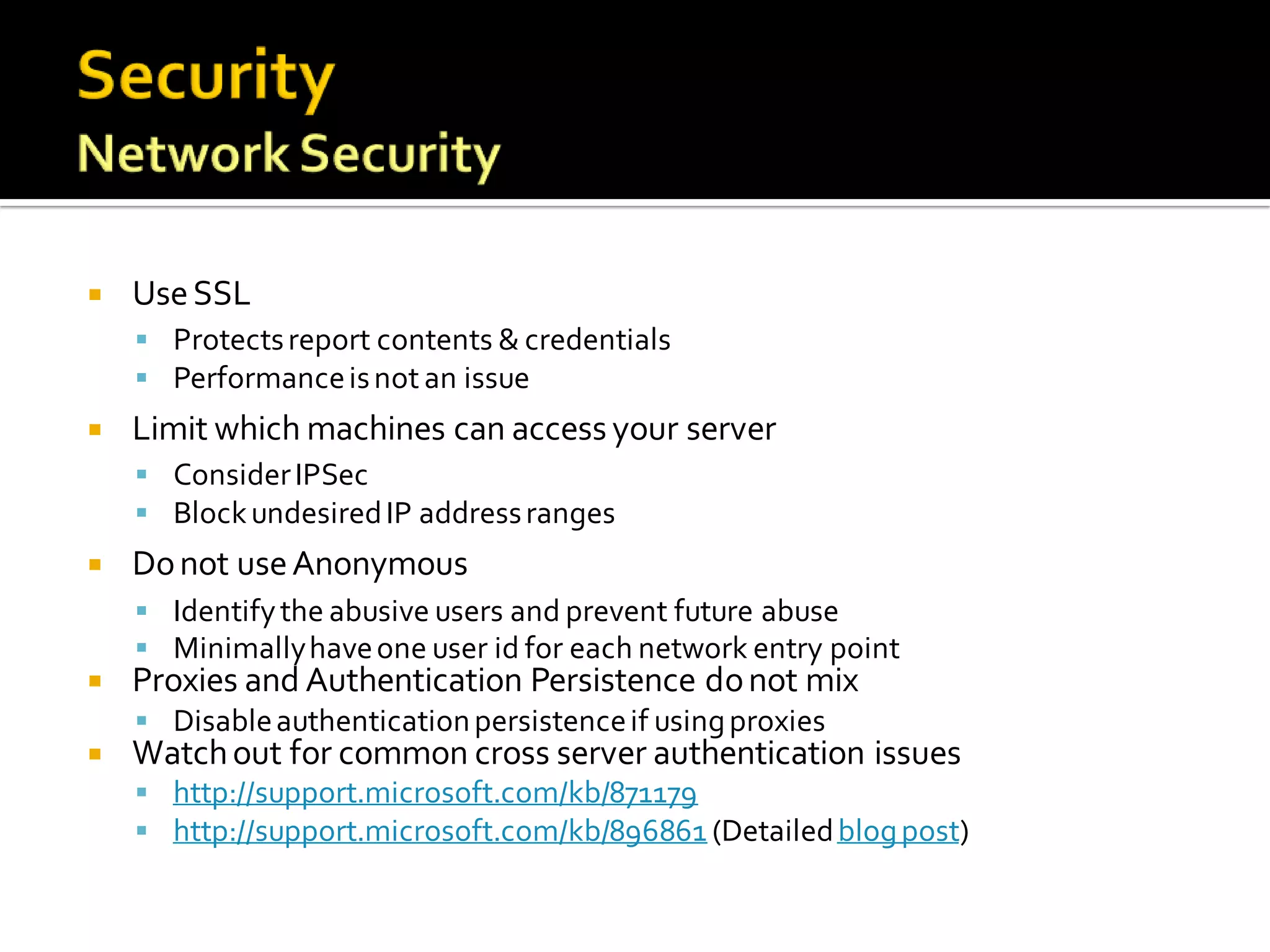
   Use SSL
     Protects report contents & credentials
     Performance is not an issue
   Limit which machines can access your server
     Consider IPSec
     Block undesired IP address ranges
   Do not use Anonymous
     Identify the abusive users and prevent future abuse
     Minimally have one user id for each network entry point
   Proxies and Authentication Persistence do not mix
     Disable authentication persistence if using proxies
   Watch out for common cross server authentication issues
     http://support.microsoft.com/kb/871179
     http://support.microsoft.com/kb/896861 (Detailed blog post)
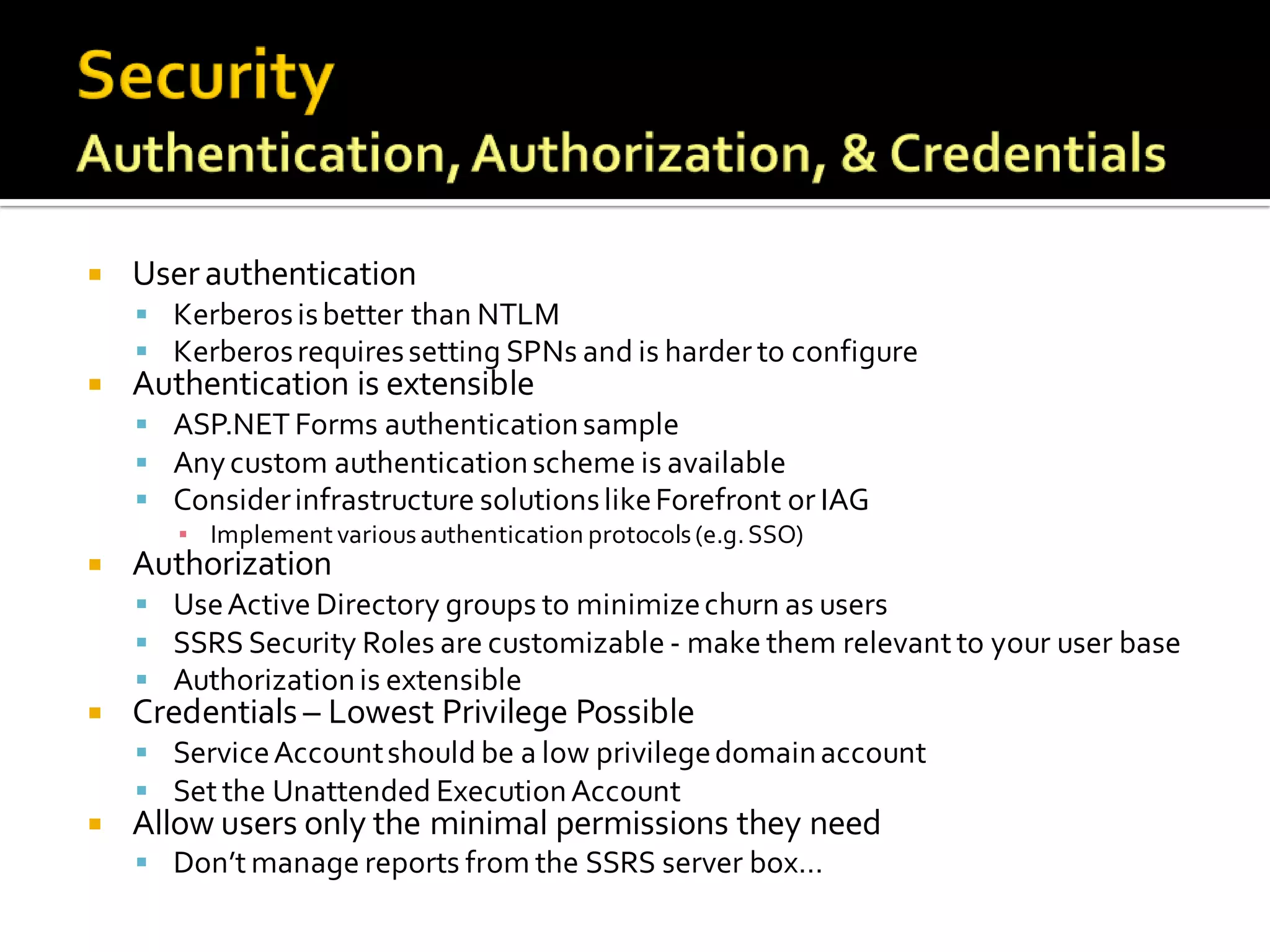
   User authentication
     Kerberos is better than NTLM
     Kerberos requires setting SPNs and is harder to configure
   Authentication is extensible
     ASP.NET Forms authentication sample
     Any custom authentication scheme is available
     Consider infrastructure solutions like Forefront or IAG
       ▪ Implement various authentication protocols (e.g. SSO)
   Authorization
     Use Active Directory groups to minimize churn as users
     SSRS Security Roles are customizable - make them relevant to your user base
     Authorization is extensible
   Credentials – Lowest Privilege Possible
     Service Account should be a low privilege domain account
     Set the Unattended Execution Account
   Allow users only the minimal permissions they need
     Don’t manage reports from the SSRS server box…
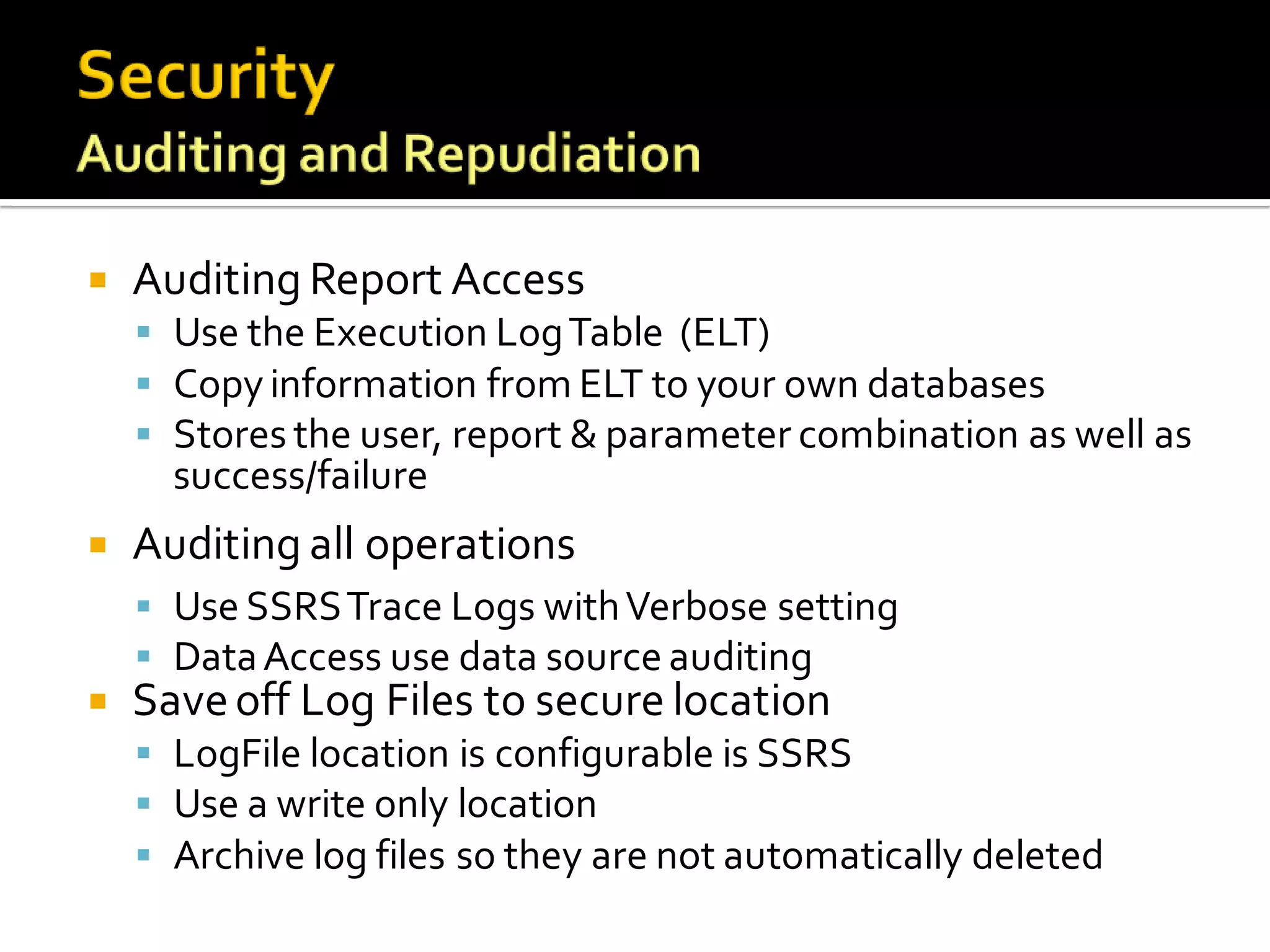
   Auditing Report Access
     Use the Execution Log Table (ELT)
     Copy information from ELT to your own databases
     Stores the user, report & parameter combination as well as
      success/failure
   Auditing all operations
     Use SSRS Trace Logs with Verbose setting
     Data Access use data source auditing
   Save off Log Files to secure location
     LogFile location is configurable is SSRS
     Use a write only location
     Archive log files so they are not automatically deleted
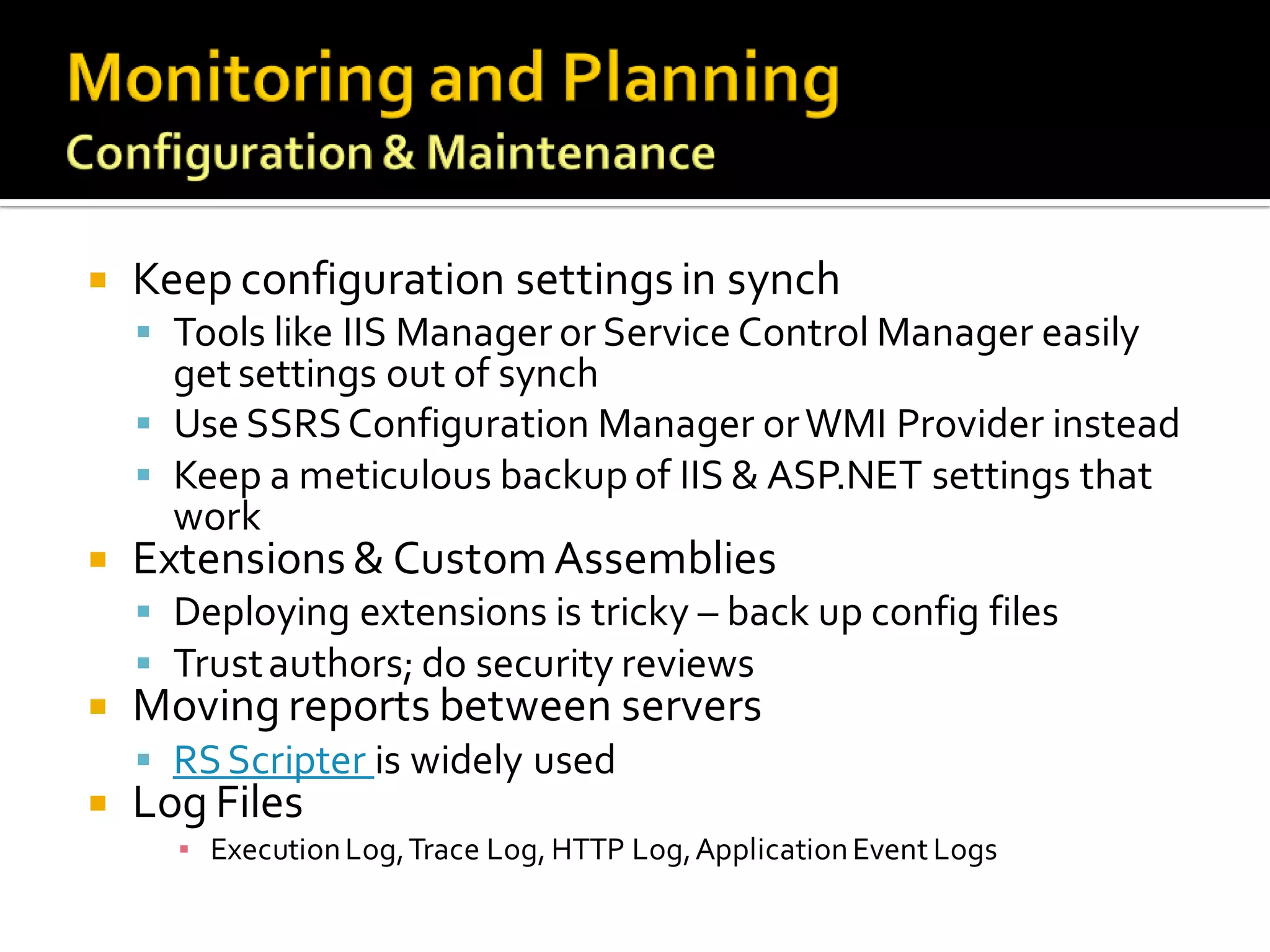
   Keep configuration settings in synch
     Tools like IIS Manager or Service Control Manager easily
      get settings out of synch
     Use SSRS Configuration Manager or WMI Provider instead
     Keep a meticulous backup of IIS & ASP.NET settings that
      work
   Extensions & Custom Assemblies
     Deploying extensions is tricky – back up config files
     Trust authors; do security reviews
   Moving reports between servers
     RS Scripter is widely used
   Log Files
      ▪ Execution Log, Trace Log, HTTP Log, Application Event Logs
   Understand your scenarios and reports
     Scenarios are defined by user personas & usage patterns
     Reports are either test reports or actual reports
     Tests should isolate Report Server from other systems
   Reports can overload underlying data source
     Determine which reports are most impactful
     Optimize these reports – retrieve only required data
   Execute Performance Tests – before production!
     Using Visual Studio 2005 to Perform Load Testing on a SQL Server 2005
      Reporting Services Report Server
     Database tools (SQL Profiler, sqlcmd scripts, SQL Scaler, etc.)
     Synthetic test tools (e.g. VSTS, Precise Insight, etc.)
   Use appropriate execution options for reports
     Reports run “live” by default
     Enable caching for frequently run reports
     Execution Snapshots are often overlooked
       ▪ Can be scheduled to run in off peak hours
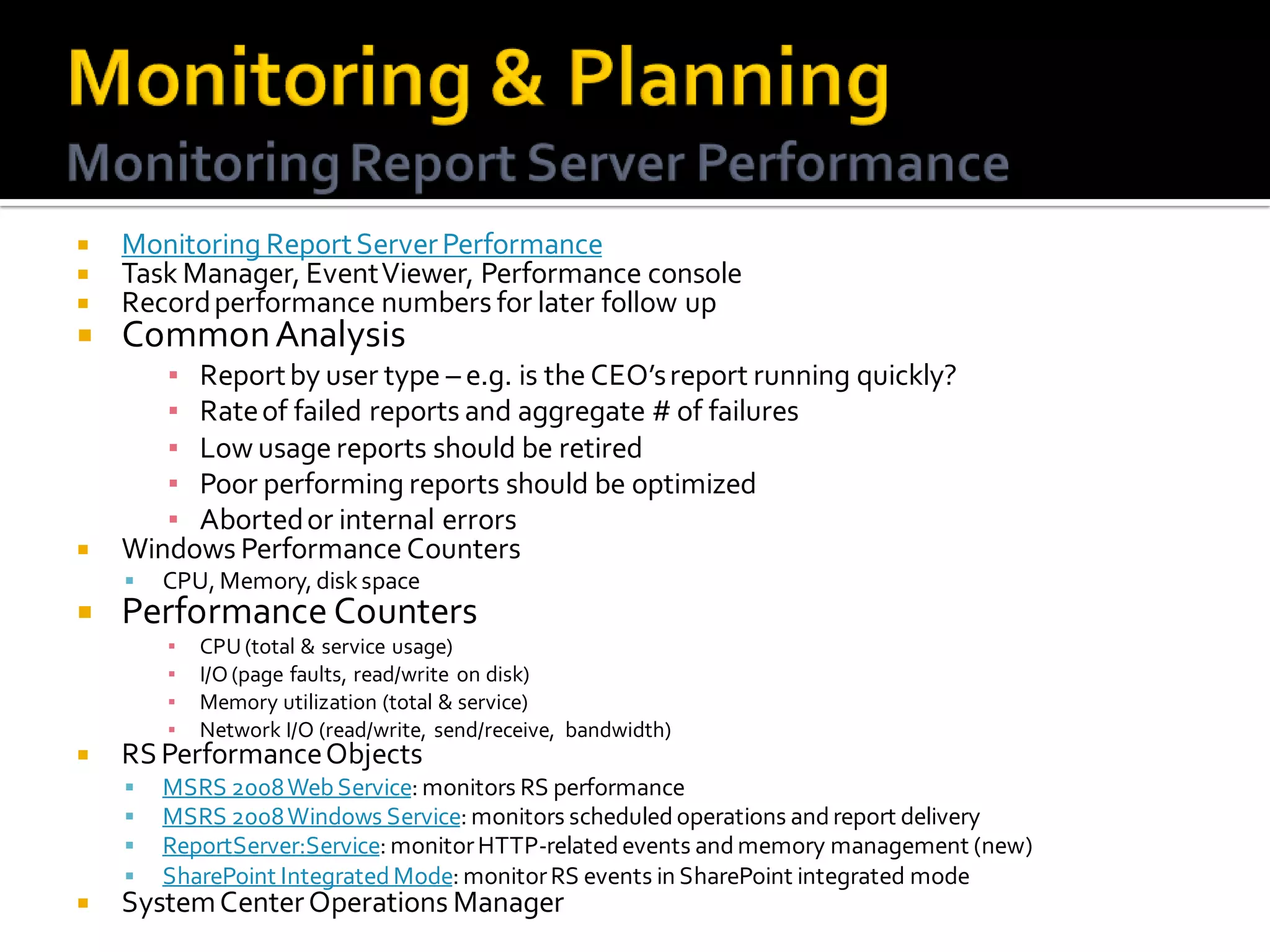
   Monitoring Report Server Performance
   Task Manager, Event Viewer, Performance console
   Record performance numbers for later follow up
   Common Analysis
       ▪ Report by user type – e.g. is the CEO’s report running quickly?
       ▪ Rate of failed reports and aggregate # of failures
       ▪ Low usage reports should be retired
       ▪ Poor performing reports should be optimized
       ▪ Aborted or internal errors
   Windows Performance Counters
       CPU, Memory, disk space
   Performance Counters
        ▪   CPU (total & service usage)
        ▪   I/O (page faults, read/write on disk)
        ▪   Memory utilization (total & service)
        ▪   Network I/O (read/write, send/receive, bandwidth)
   RS Performance Objects
       MSRS 2008 Web Service: monitors RS performance
       MSRS 2008 Windows Service: monitors scheduled operations and report delivery
       ReportServer:Service: monitor HTTP-related events and memory management (new)
       SharePoint Integrated Mode: monitor RS events in SharePoint integrated mode
   System Center Operations Manager
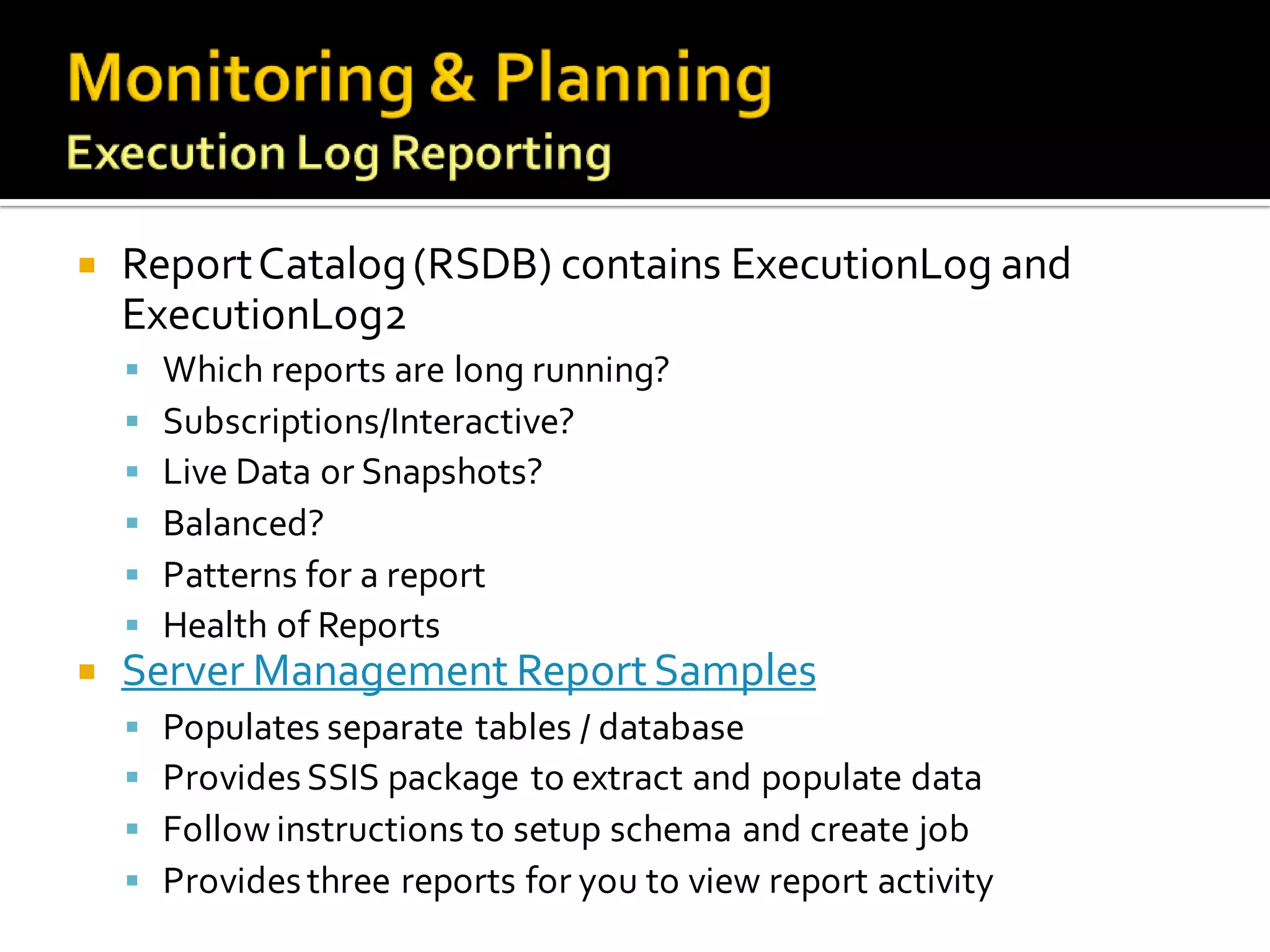
   Report Catalog (RSDB) contains ExecutionLog and
    ExecutionLog2
     Which reports are long running?
     Subscriptions/Interactive?
     Live Data or Snapshots?
     Balanced?
     Patterns for a report
     Health of Reports
   Server Management Report Samples
       Populates separate tables / database
       Provides SSIS package to extract and populate data
       Follow instructions to setup schema and create job
       Provides three reports for you to view report activity
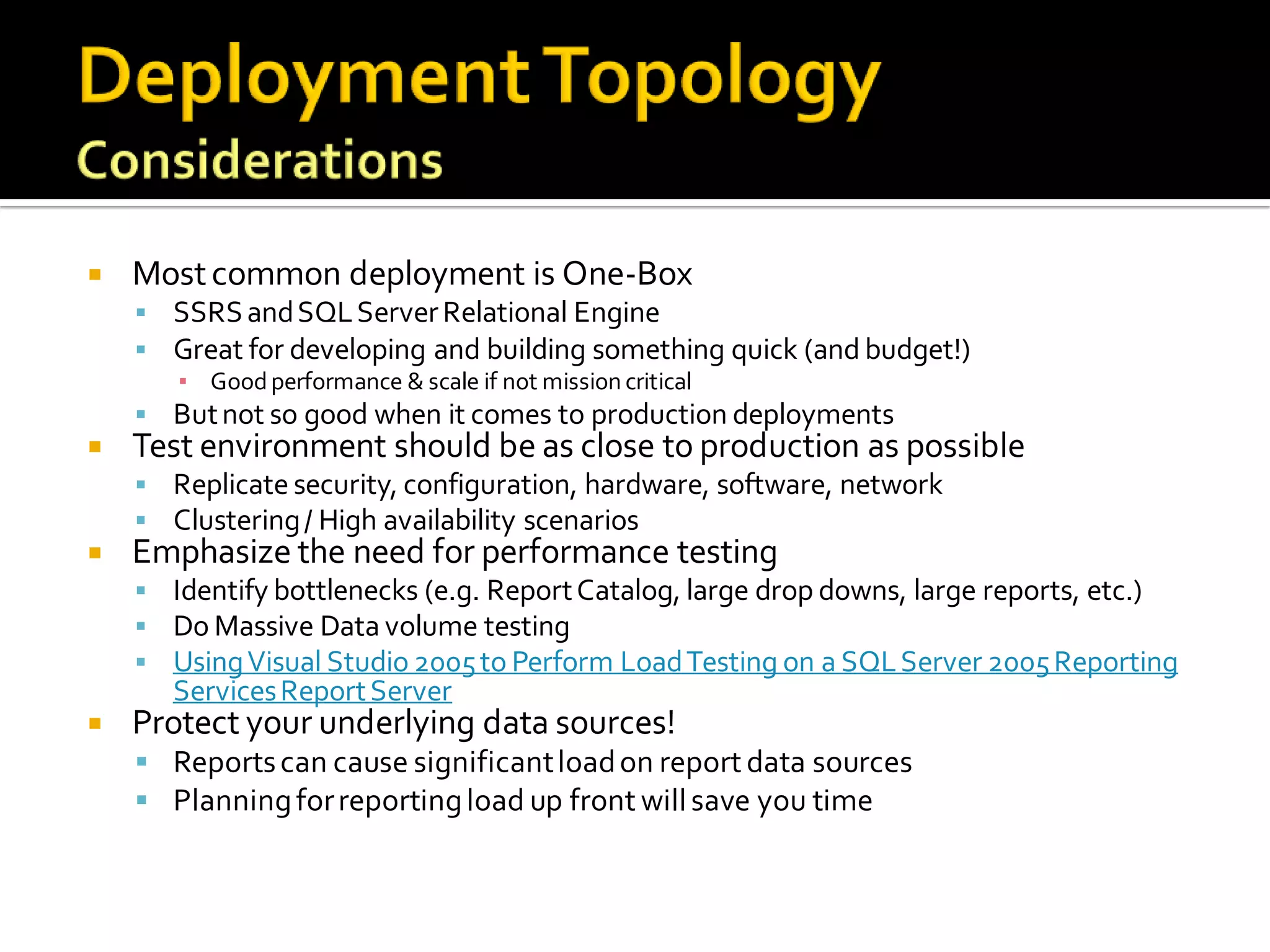
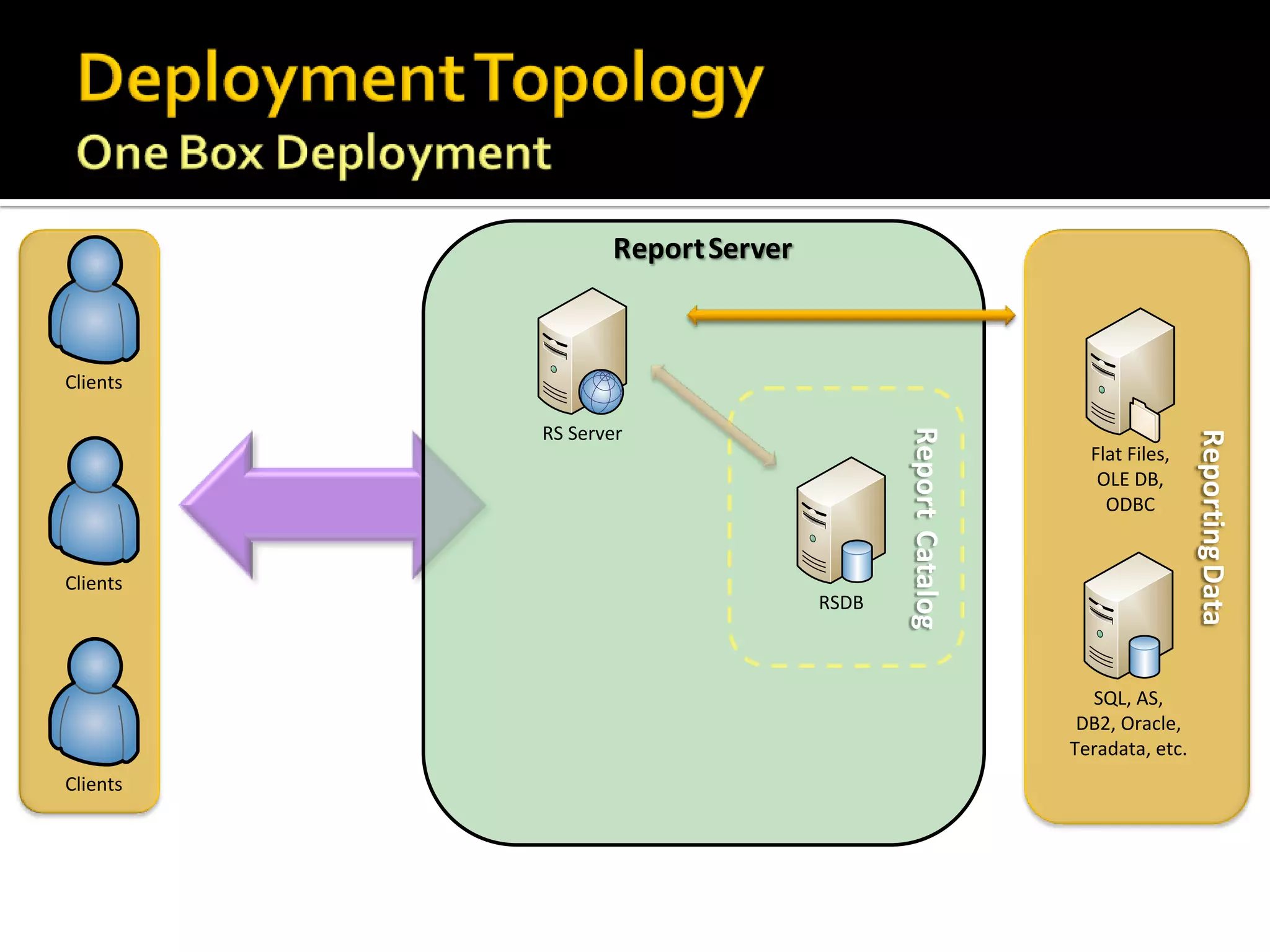
   Most common deployment is One-Box
     SSRS and SQL Server Relational Engine
     Great for developing and building something quick (and budget!)
      ▪ Good performance & scale if not mission critical
     But not so good when it comes to production deployments
   Test environment should be as close to production as possible
     Replicate security, configuration, hardware, software, network
     Clustering / High availability scenarios
   Emphasize the need for performance testing
     Identify bottlenecks (e.g. Report Catalog, large drop downs, large reports, etc.)
     Do Massive Data volume testing
     Using Visual Studio 2005 to Perform Load Testing on a SQL Server 2005 Reporting
       Services Report Server
   Protect your underlying data sources!
     Reports can cause significant load on report data sources
     Planning for reporting load up front will save you time
Report Server


Clients

          RS Server


                                        Report Catalog


                                                                          Reporting Data
                                                           Flat Files,
                                                            OLE DB,
                                                             ODBC


Clients
                                 RSDB


                                                           SQL, AS,
                                                          DB2, Oracle,
                                                         Teradata, etc.
Clients
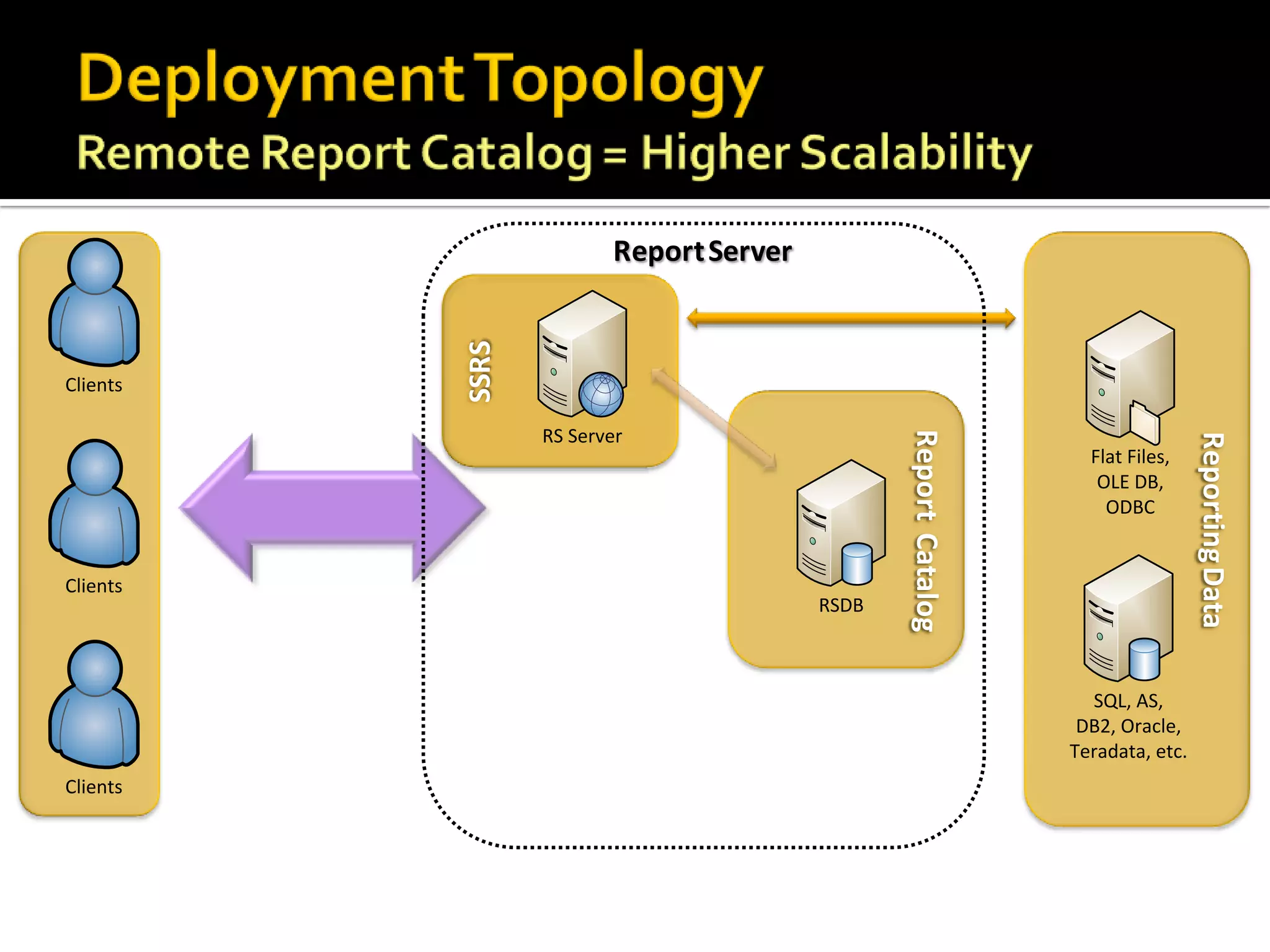
Report Server


          SSRS
Clients

                 RS Server


                                               Report Catalog


                                                                                 Reporting Data
                                                                  Flat Files,
                                                                   OLE DB,
                                                                    ODBC


Clients
                                        RSDB


                                                                  SQL, AS,
                                                                 DB2, Oracle,
                                                                Teradata, etc.
Clients
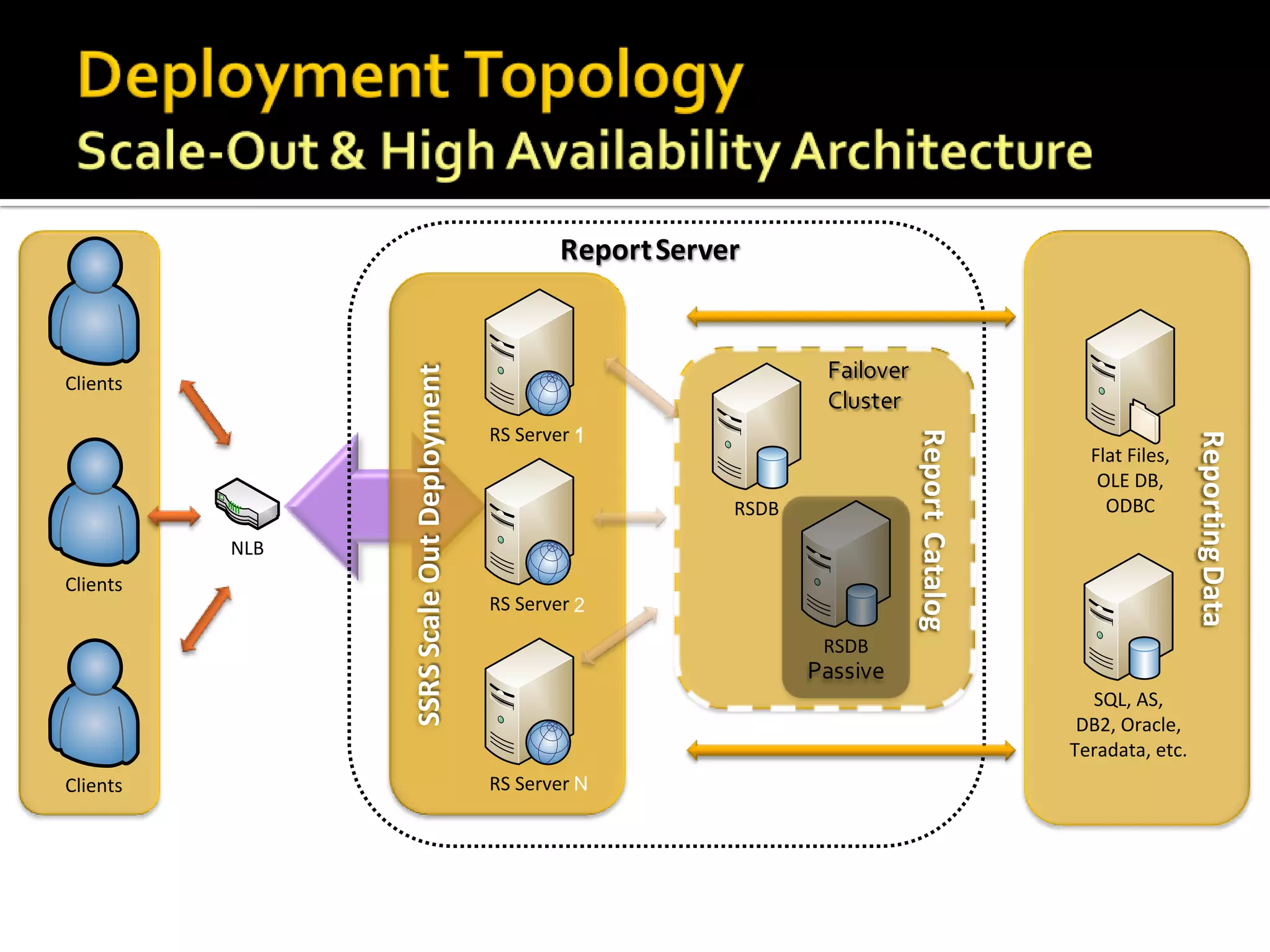
Report Server


                SSRS Scale Out Deployment
Clients

                                            RS Server 1


                                                                              Report Catalog


                                                                                                                Reporting Data
                                                                                                 Flat Files,
                                                                                                  OLE DB,
                                                                RSDB                               ODBC

          NLB
Clients
                                            RS Server 2

                                                                       RSDB

                                                                                                 SQL, AS,
                                                                                                DB2, Oracle,
                                                                                               Teradata, etc.
Clients                                     RS Server N
Report Server


                                                            SSRS Scale Out Deployment
Clients
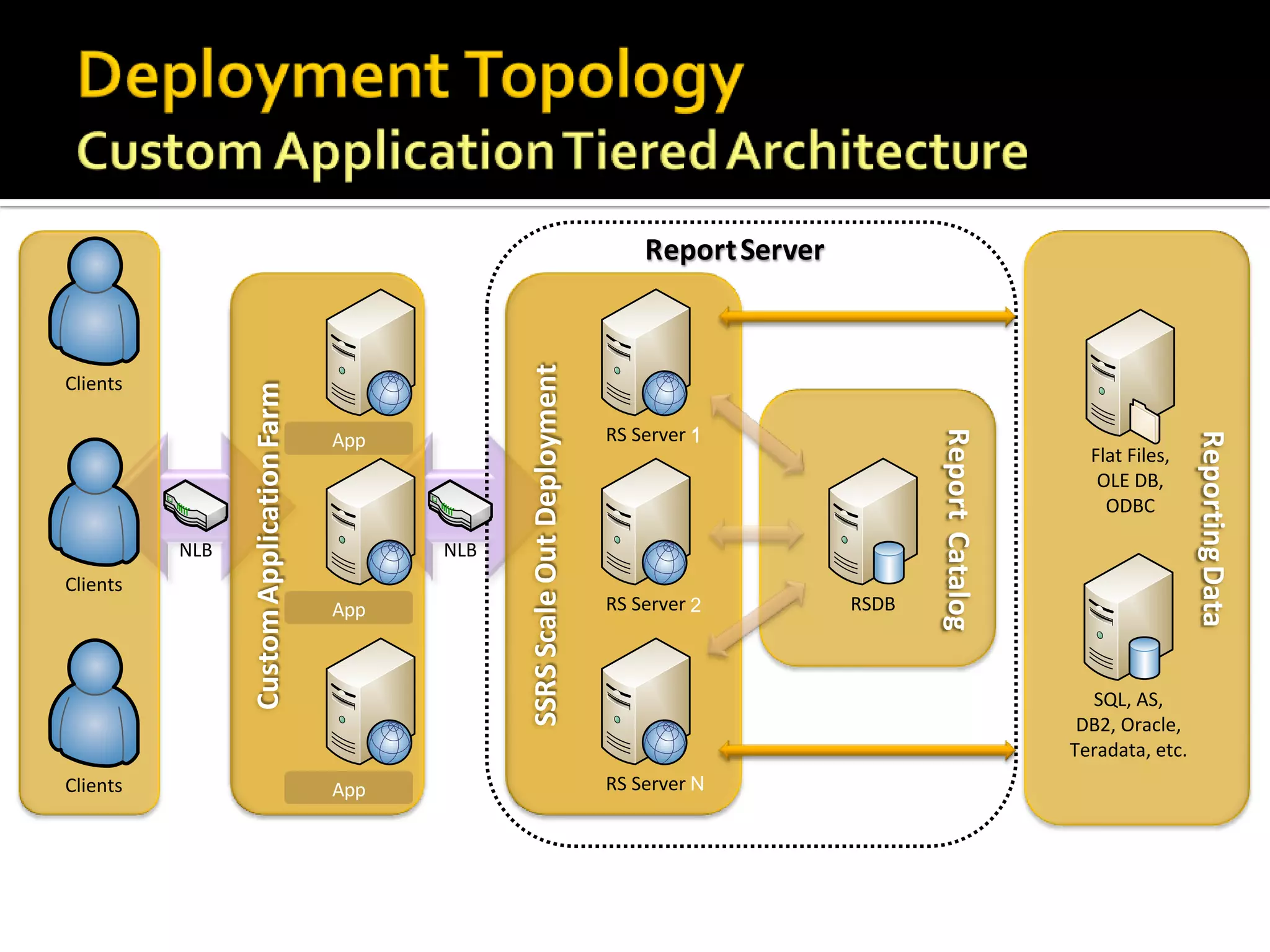
                Custom Application Farm


                                          RS Server                                     RS Server 1


                                                                                                                   Report Catalog


                                                                                                                                                     Reporting Data
                                          App
                                                                                                                                      Flat Files,
                                                                                                                                       OLE DB,
                                                                                                                                        ODBC

          NLB                                         NLB
Clients
                                          RS Server
                                          App                                           RS Server 2         RSDB


                                                                                                                                      SQL, AS,
                                                                                                                                     DB2, Oracle,
                                                                                                                                    Teradata, etc.
Clients                                   RS Server
                                          App                                           RS Server N
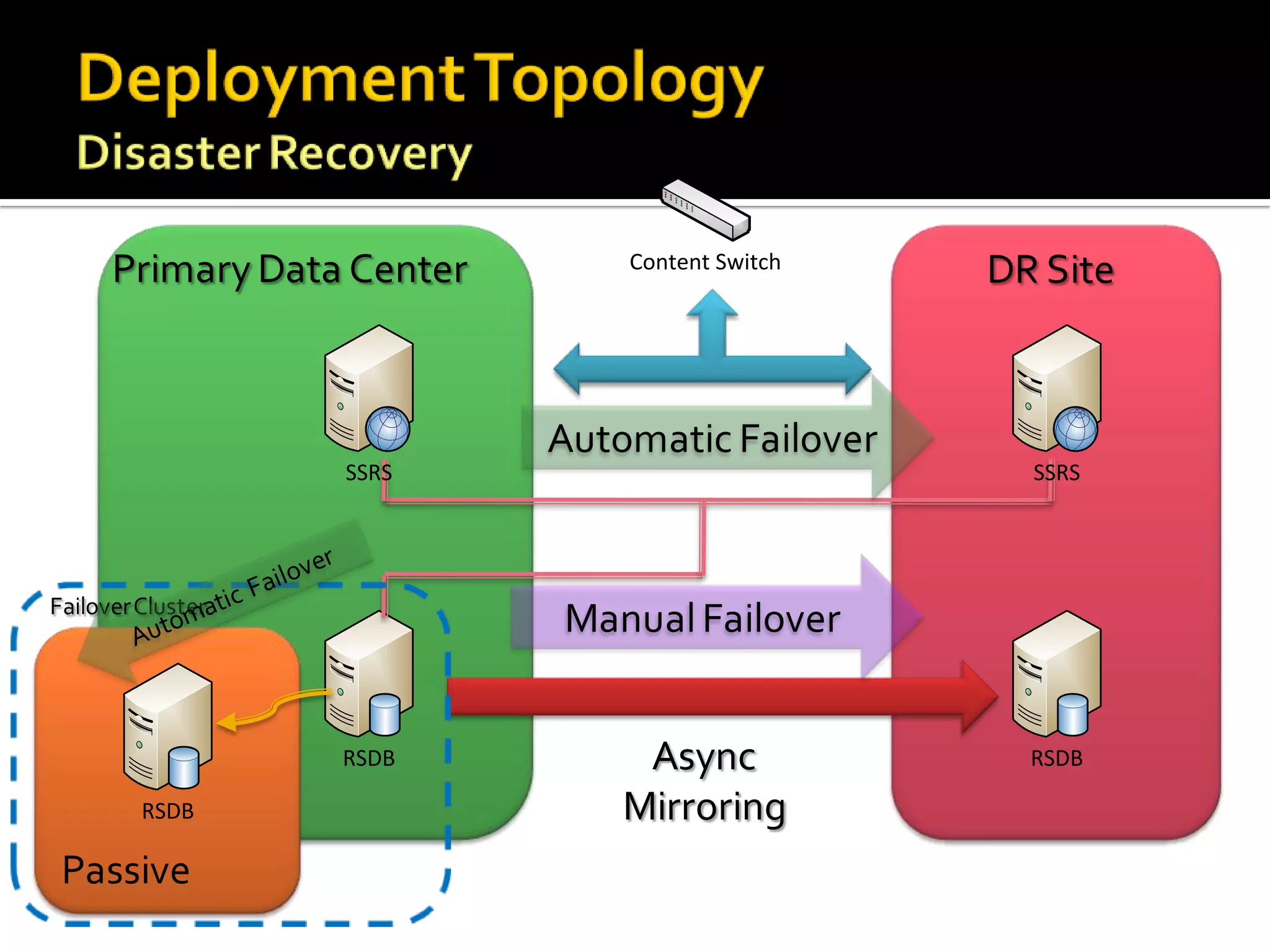
Content Switch


       SSRS                    SSRS


       RSDB                    RSDB

RSDB
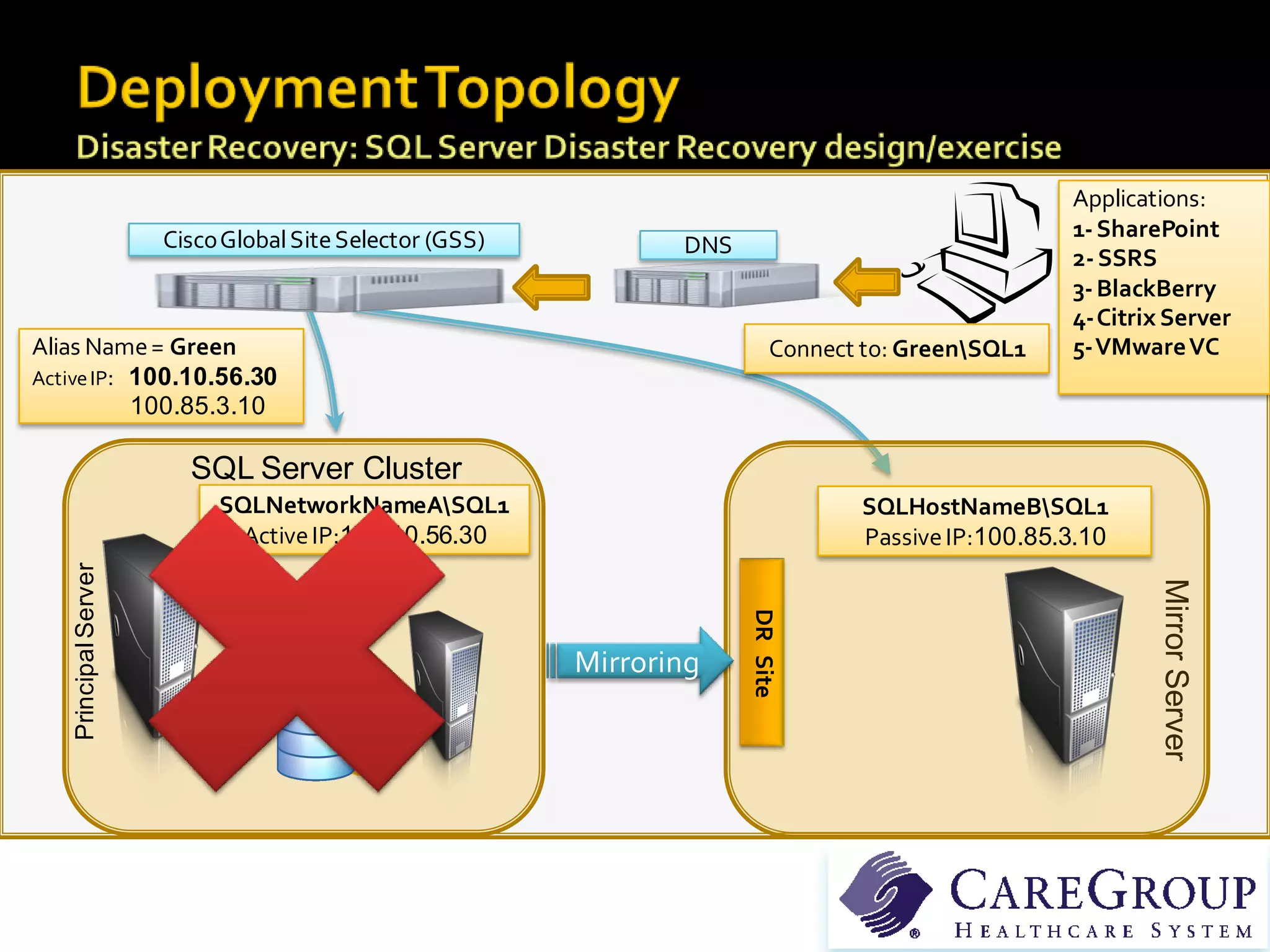
Applications:
                       Cisco Global Site Selector (GSS)                                              1- SharePoint
                                                                 DNS
                                                                                                     2- SSRS
                                                                                                     3- BlackBerry
                                                                                                     4-Citrix Server
Alias Name = Green                                                          Connect to: GreenSQL1   5-VMware VC
Active IP: 100.10.56.30
           100.85.3.10

                         SQL Server Cluster
                            SQLNetworkNameASQL1                                   SQLHostNameBSQL1
                              Active IP:100.10.56.30                               Passive IP:100.85.3.10
    Principal Server


                                                                                                             Mirror Server
                                                                       DR Site
                                                          Mirroring
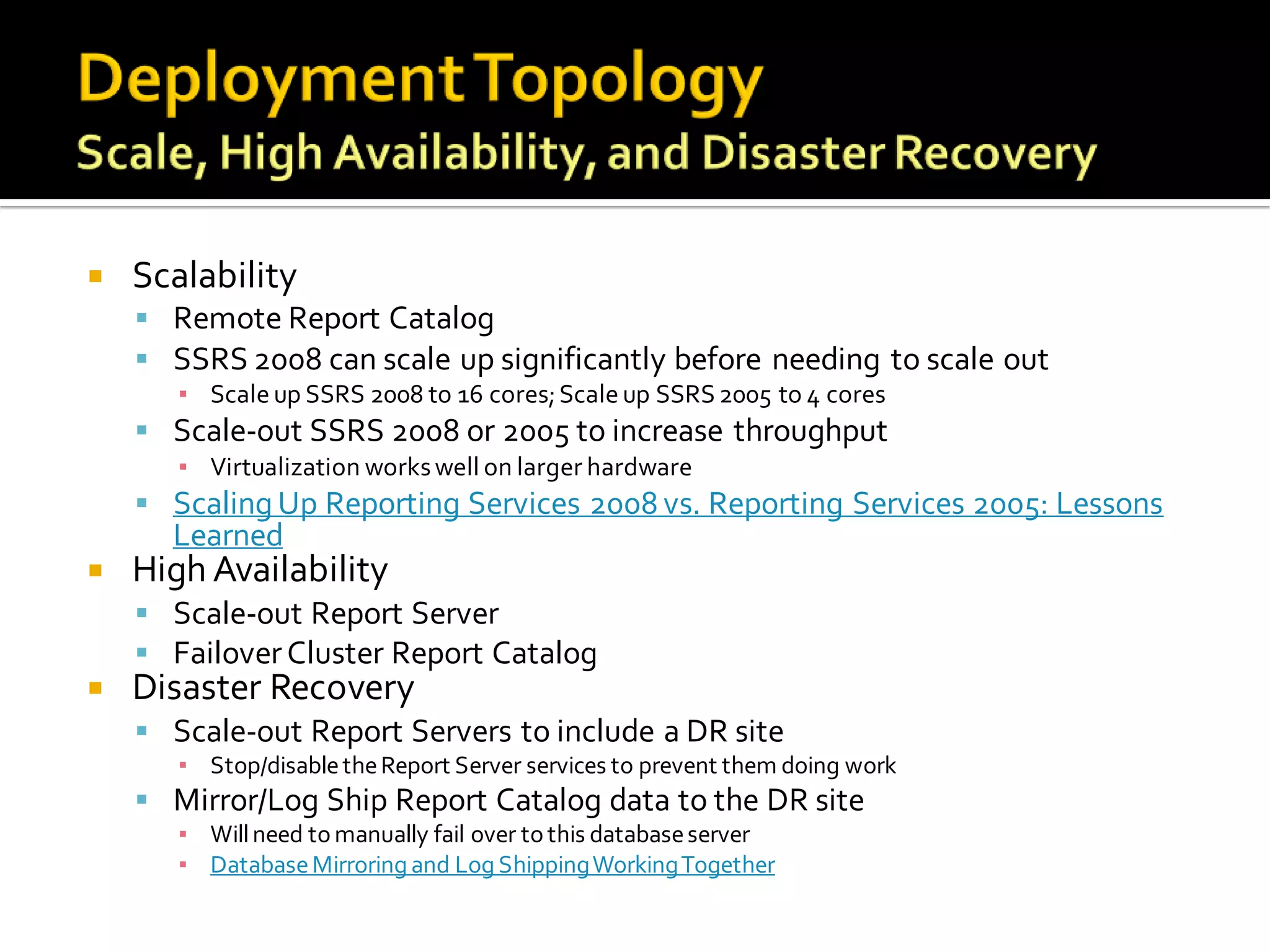
   Scalability
     Remote Report Catalog
     SSRS 2008 can scale up significantly before needing to scale out
       ▪ Scale up SSRS 2008 to 16 cores; Scale up SSRS 2005 to 4 cores
     Scale-out SSRS 2008 or 2005 to increase throughput
       ▪ Virtualization works well on larger hardware
     Scaling Up Reporting Services 2008 vs. Reporting Services 2005: Lessons
      Learned
   High Availability
     Scale-out Report Server
     Failover Cluster Report Catalog
   Disaster Recovery
     Scale-out Report Servers to include a DR site
       ▪ Stop/disable the Report Server services to prevent them doing work
     Mirror/Log Ship Report Catalog data to the DR site
       ▪ Will need to manually fail over to this database server
       ▪ Database Mirroring and Log Shipping Working Together
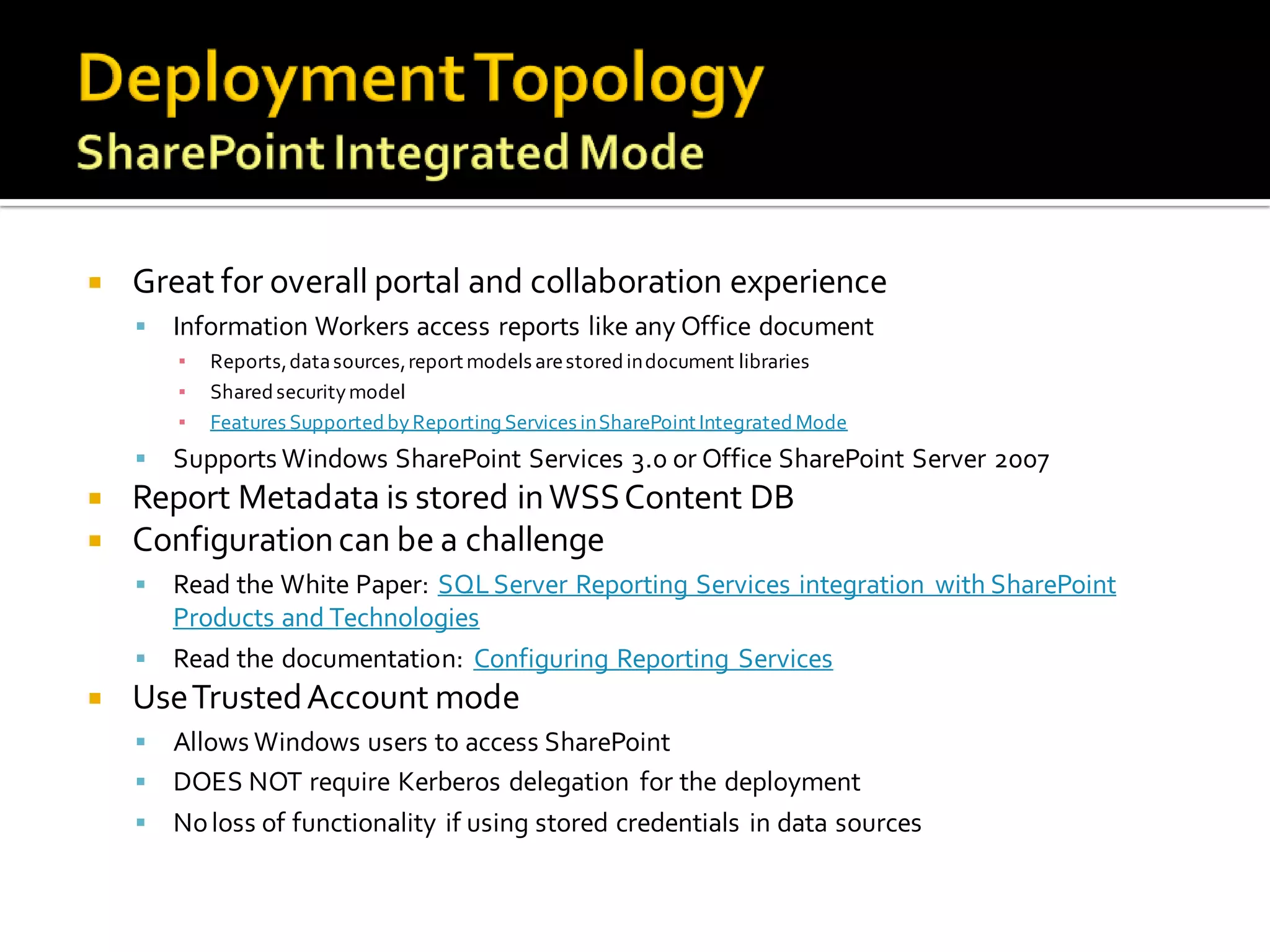
   Great for overall portal and collaboration experience
       Information Workers access reports like any Office document
        ▪   Reports, data sources, report models are stored in document libraries
        ▪   Shared security model
        ▪   Features Supported by Reporting Services in SharePoint Integrated Mode
       Supports Windows SharePoint Services 3.0 or Office SharePoint Server 2007
   Report Metadata is stored in WSS Content DB
   Configuration can be a challenge
     Read the White Paper: SQL Server Reporting Services integration with SharePoint
      Products and Technologies
     Read the documentation: Configuring Reporting Services
   Use Trusted Account mode
     Allows Windows users to access SharePoint
     DOES NOT require Kerberos delegation for the deployment
     No loss of functionality if using stored credentials in data sources
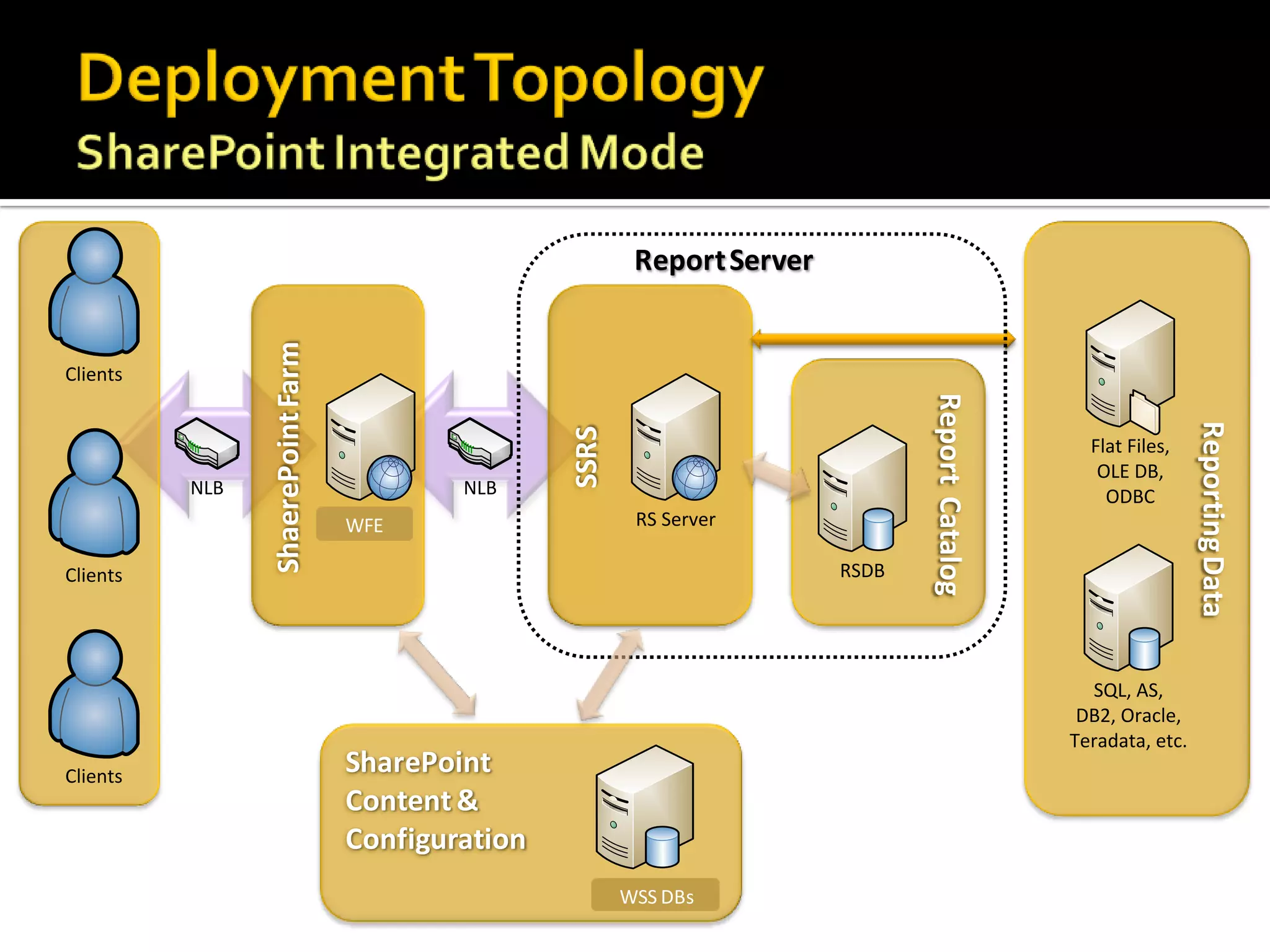
Report Server
                ShaerePoint Farm

Clients


                                                                                    Report Catalog


                                                                                                                      Reporting Data
                                                     SSRS
                                                                                                       Flat Files,
                                                                                                        OLE DB,
          NLB                                  NLB                                                       ODBC
                                   RS Server
                                    WFE                      RS Server

Clients                                                                      RSDB


                                                                                                       SQL, AS,
                                                                                                      DB2, Oracle,
                                                                                                     Teradata, etc.
Clients
                                    SharePoint
                                    Content &
                                    Configuration
                                                            RSDB
                                                            WSS DBs
Custom
                Application


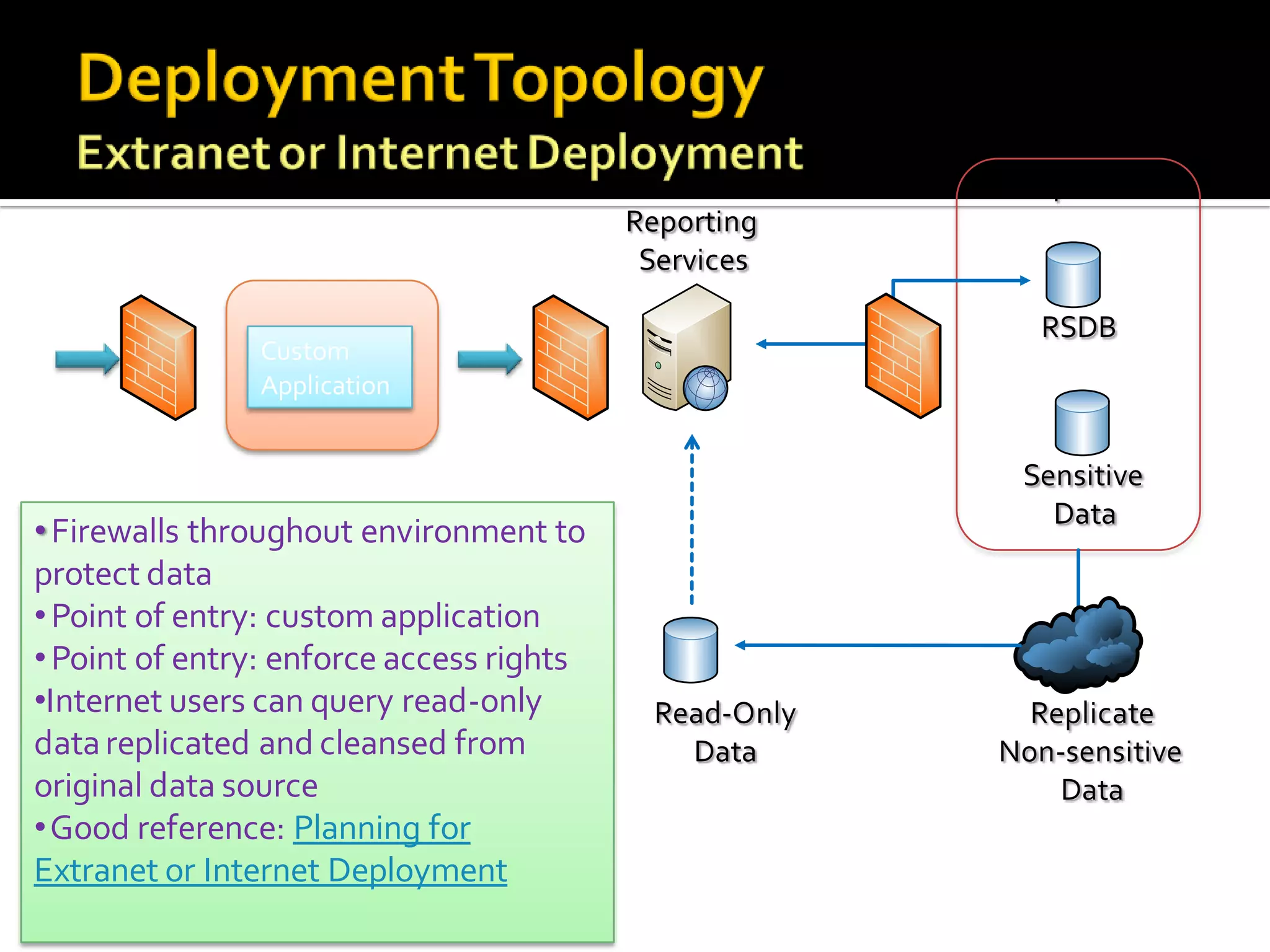
• Firewalls throughout environment to
protect data
• Point of entry: custom application
• Point of entry: enforce access rights
•Internet users can query read-only
data replicated and cleansed from
original data source
•Good reference: Planning for
Extranet or Internet Deployment
   Pre-Upgrade Check list
       Upgrade Advisor
       Backup/Restore encryption keys
       Backup configuration files
       Move databases
       Backup customizations (especially extensions)
   SSRS 2008 does not use IIS
     Upgrade automatically ports IIS settings
   All published reports continue to run after an upgrade
   RS Catalogs
     Upgrading SSRS usually means DB schema changes
      ▪ Before upgrading, plan for roll back
      ▪ Upgrading a Reporting Server Database
      ▪ In a scale-out all servers must be at same patch level
   Considerations for Upgrading Reporting Services
   Custom extensions
     Not all are supported
     Need to re-write custom rendering extensions using new Rendering
      Object Model
     Security and Rendering extensions block upgrade
      ▪ Unconfigure the extension, upgrade, then reconfigure extension
      ▪ Blocking behavior prevents broken servers after upgrade and unexpected
        development costs due to upgrade
   Inventory & test extensions before upgrade
     Save configuration settings for extensions
     Ensure reports using extensions are actually working
     Find problems with extension configuration quickly
   Move extensions & assemblies after upgrade
     Major Version upgrade creates a new installation folder
     Extensions and assemblies are not moved by upgrade
Tips for Saving You Time
   Tips & Tricks
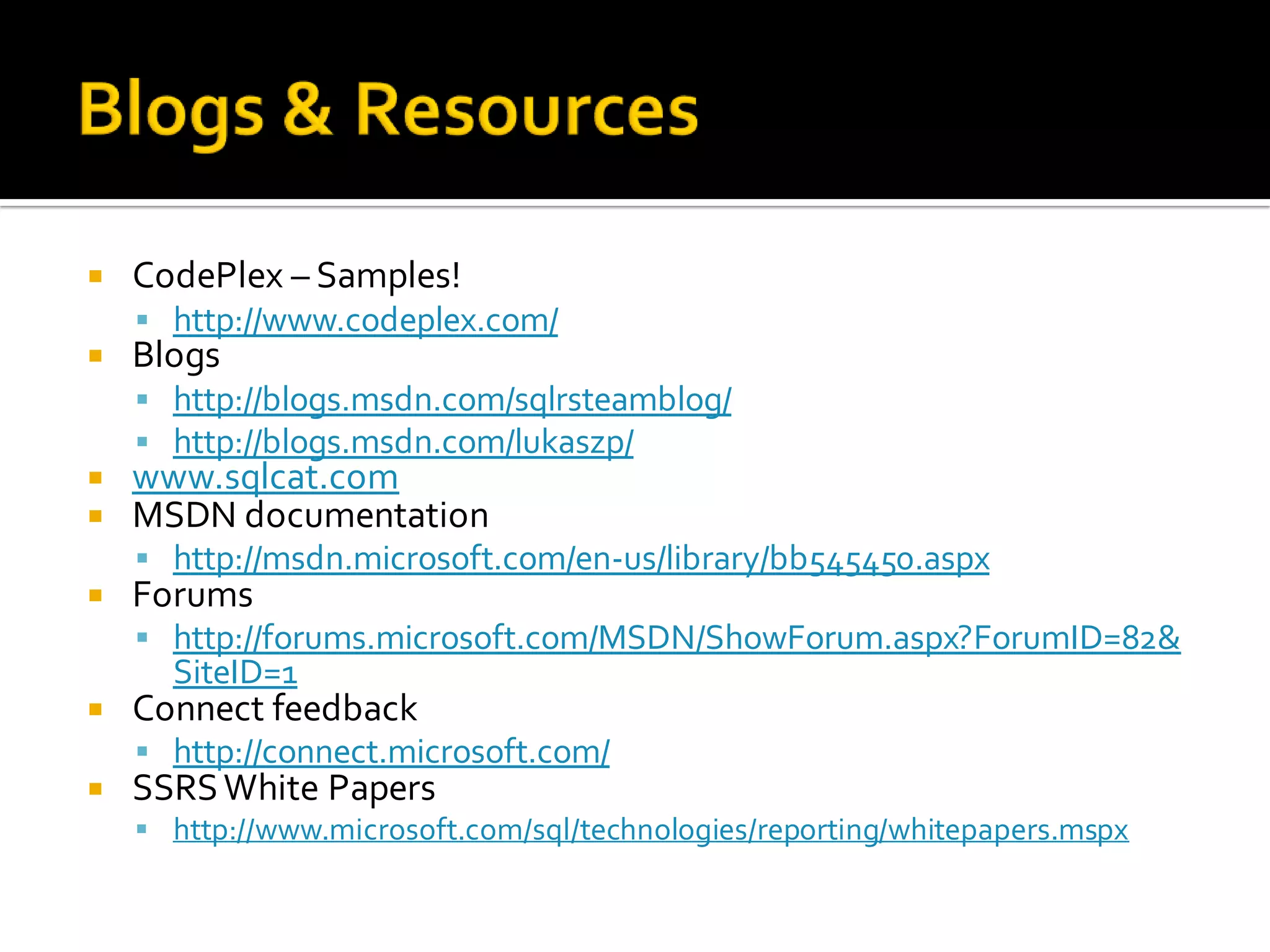
      Blogs & Resources
      First steps after install
      Scripting
      Report Design
      Report Parameters
      Managing Subscriptions
   CodePlex – Samples!
     http://www.codeplex.com/
   Blogs
     http://blogs.msdn.com/sqlrsteamblog/
     http://blogs.msdn.com/lukaszp/
   www.sqlcat.com
   MSDN documentation
     http://msdn.microsoft.com/en-us/library/bb545450.aspx
   Forums
     http://forums.microsoft.com/MSDN/ShowForum.aspx?ForumID=82&
      SiteID=1
   Connect feedback
     http://connect.microsoft.com/
   SSRS White Papers
     http://www.microsoft.com/sql/technologies/reporting/whitepapers.mspx
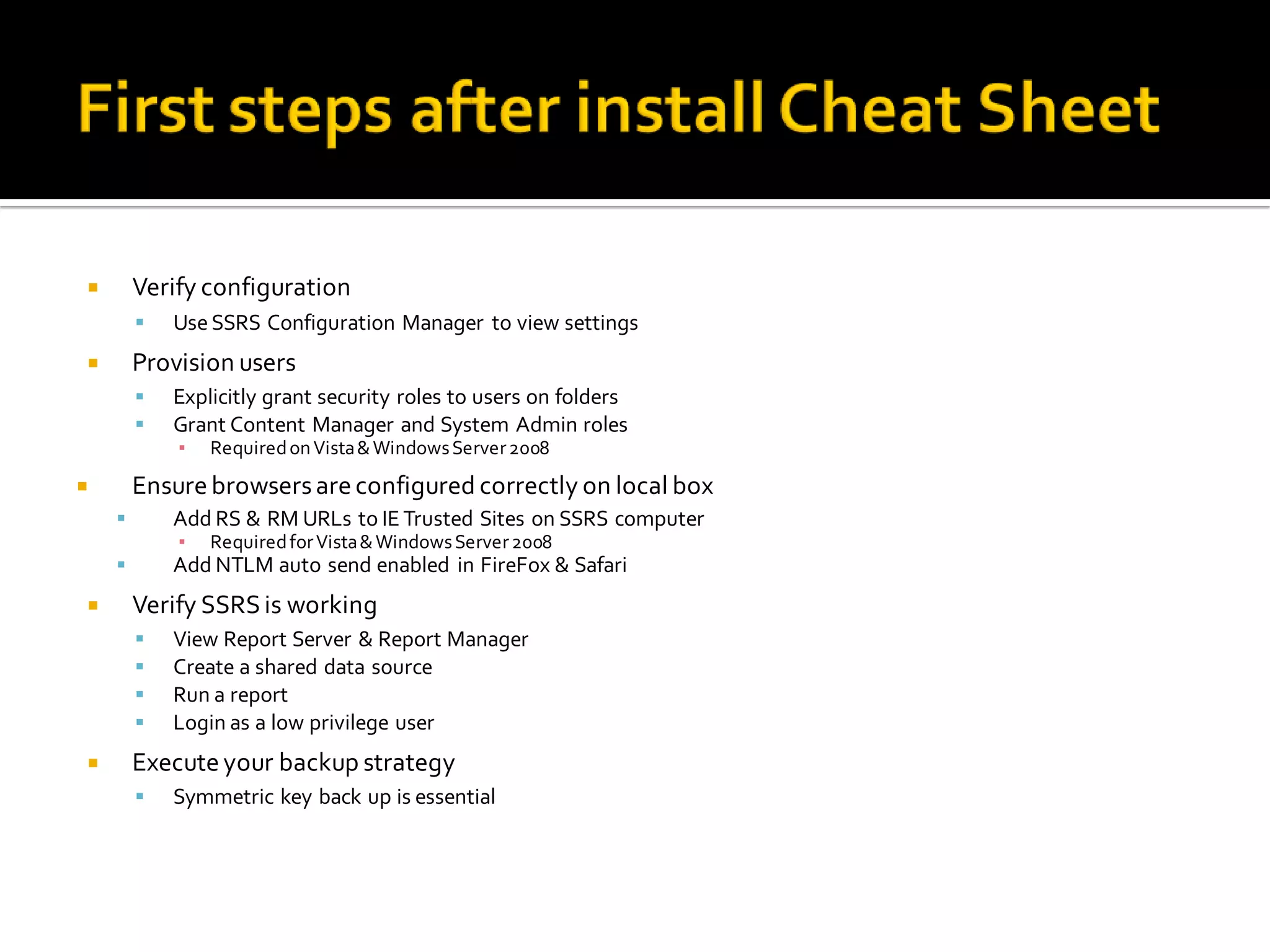
       Verify configuration
           Use SSRS Configuration Manager to view settings
       Provision users
           Explicitly grant security roles to users on folders
           Grant Content Manager and System Admin roles
            ▪   Required on Vista & Windows Server 2008
       Ensure browsers are configured correctly on local box
           Add RS & RM URLs to IE Trusted Sites on SSRS computer
            ▪   Required for Vista & Windows Server 2008
           Add NTLM auto send enabled in FireFox & Safari
       Verify SSRS is working
           View Report Server & Report Manager
           Create a shared data source
           Run a report
           Login as a low privilege user
       Execute your backup strategy
           Symmetric key back up is essential
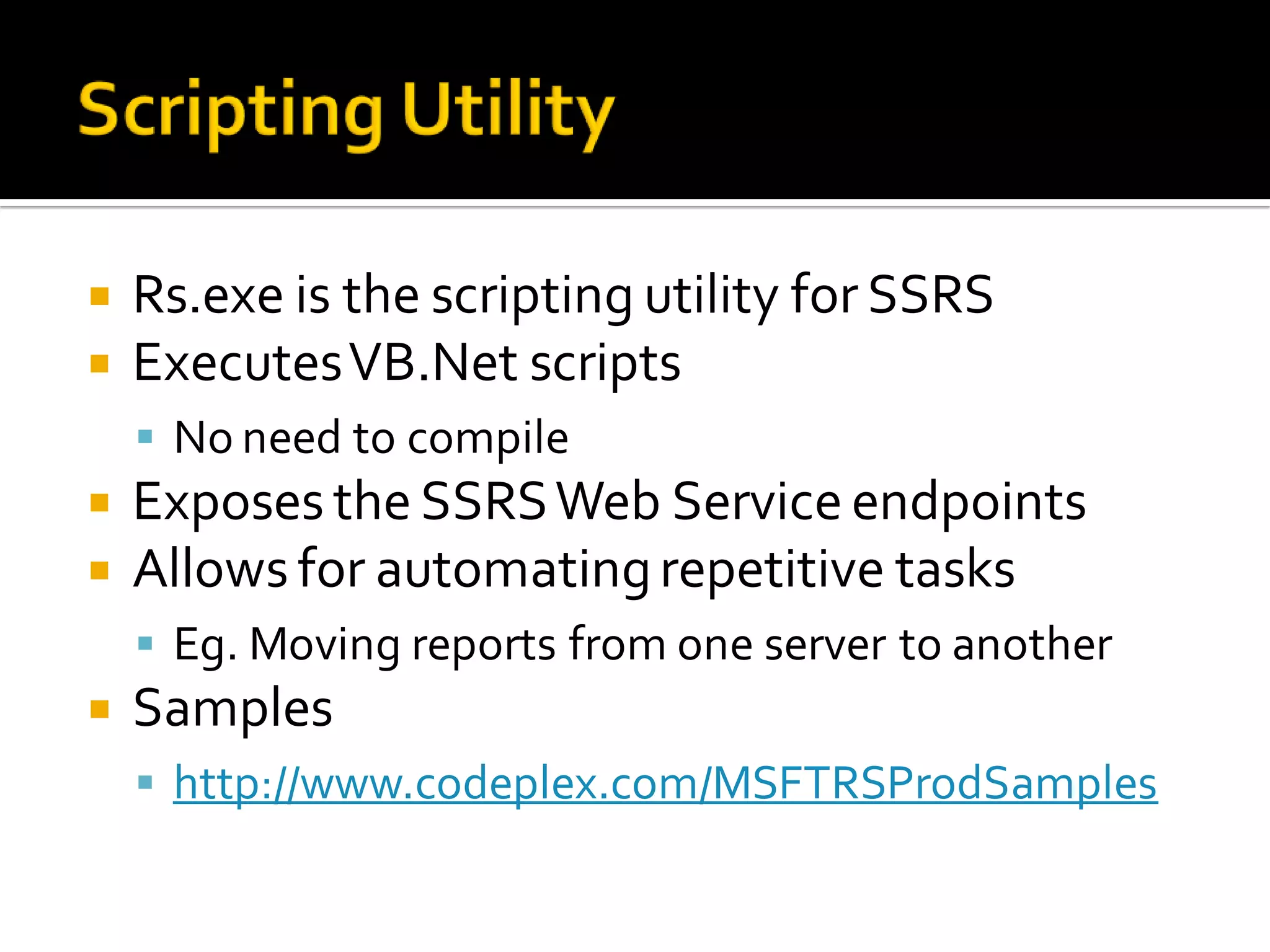
   Rs.exe is the scripting utility for SSRS
   Executes VB.Net scripts
     No need to compile
   Exposes the SSRS Web Service endpoints
   Allows for automating repetitive tasks
     Eg. Moving reports from one server to another
   Samples
     http://www.codeplex.com/MSFTRSProdSamples
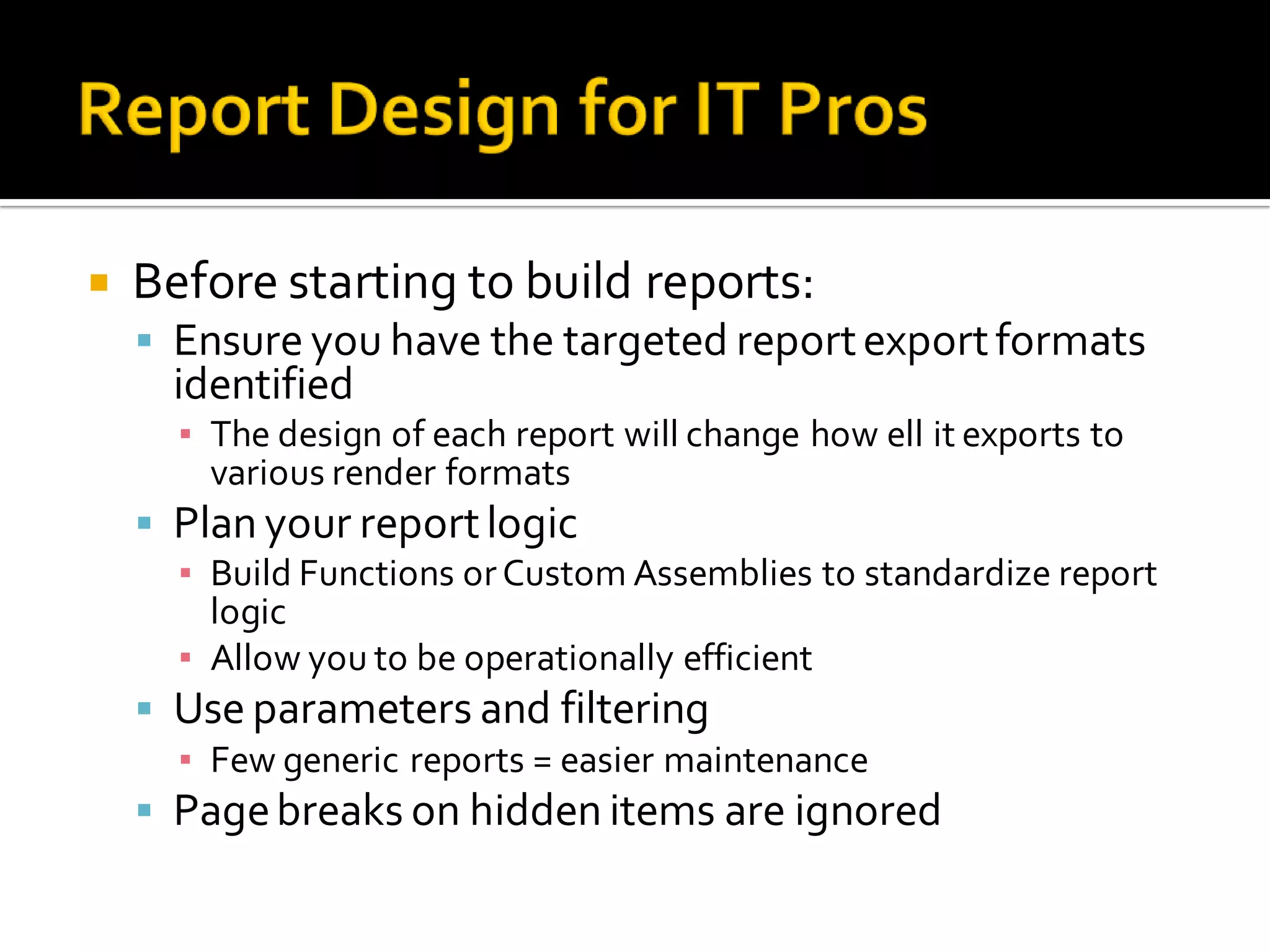
   Before starting to build reports:
     Ensure you have the targeted report export formats
      identified
      ▪ The design of each report will change how ell it exports to
        various render formats
     Plan your report logic
      ▪ Build Functions or Custom Assemblies to standardize report
        logic
      ▪ Allow you to be operationally efficient
     Use parameters and filtering
      ▪ Few generic reports = easier maintenance
     Page breaks on hidden items are ignored
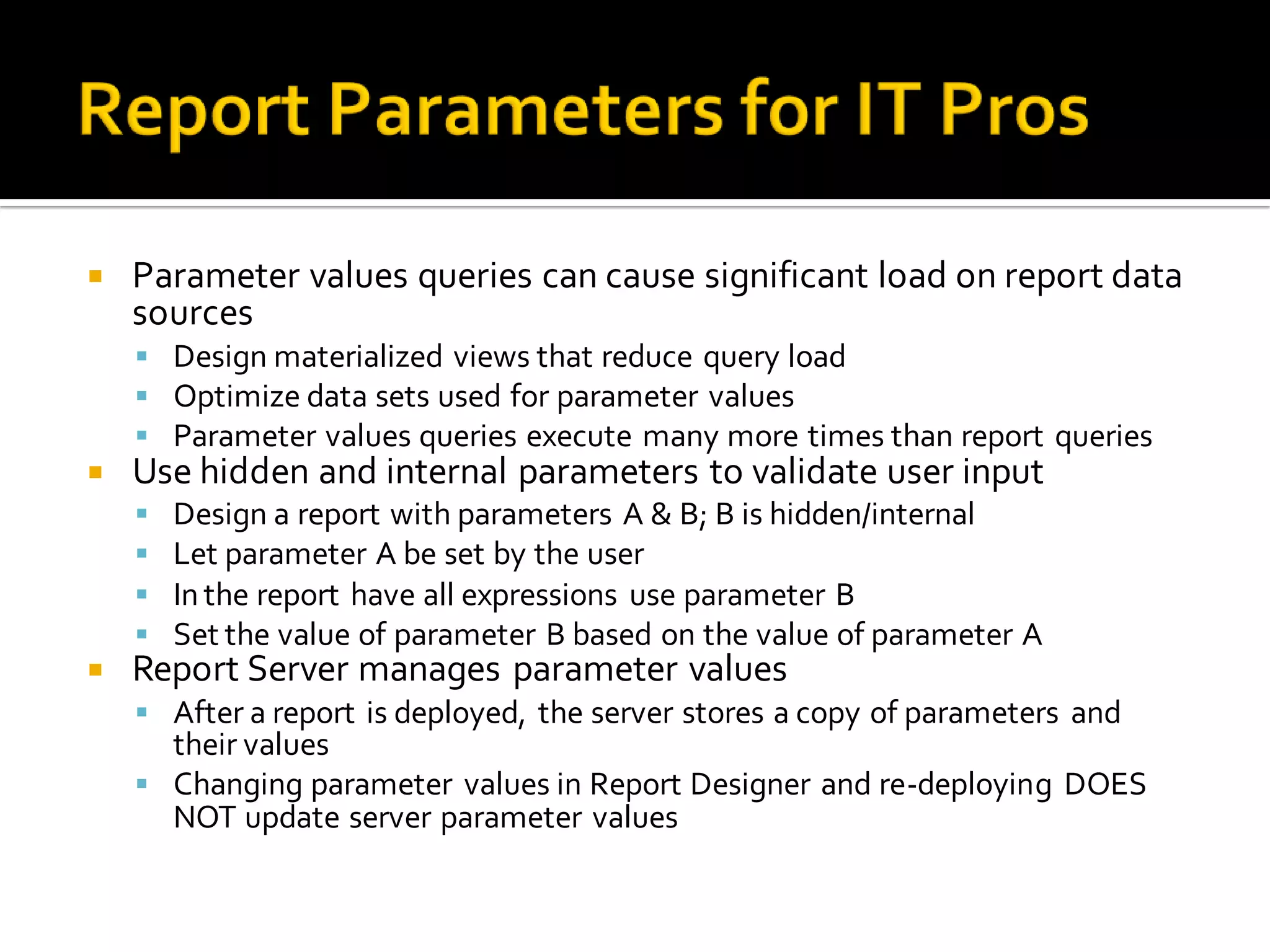
   Parameter values queries can cause significant load on report data
    sources
     Design materialized views that reduce query load
     Optimize data sets used for parameter values
     Parameter values queries execute many more times than report queries
   Use hidden and internal parameters to validate user input
       Design a report with parameters A & B; B is hidden/internal
       Let parameter A be set by the user
       In the report have all expressions use parameter B
       Set the value of parameter B based on the value of parameter A
   Report Server manages parameter values
     After a report is deployed, the server stores a copy of parameters and
      their values
     Changing parameter values in Report Designer and re-deploying DOES
      NOT update server parameter values
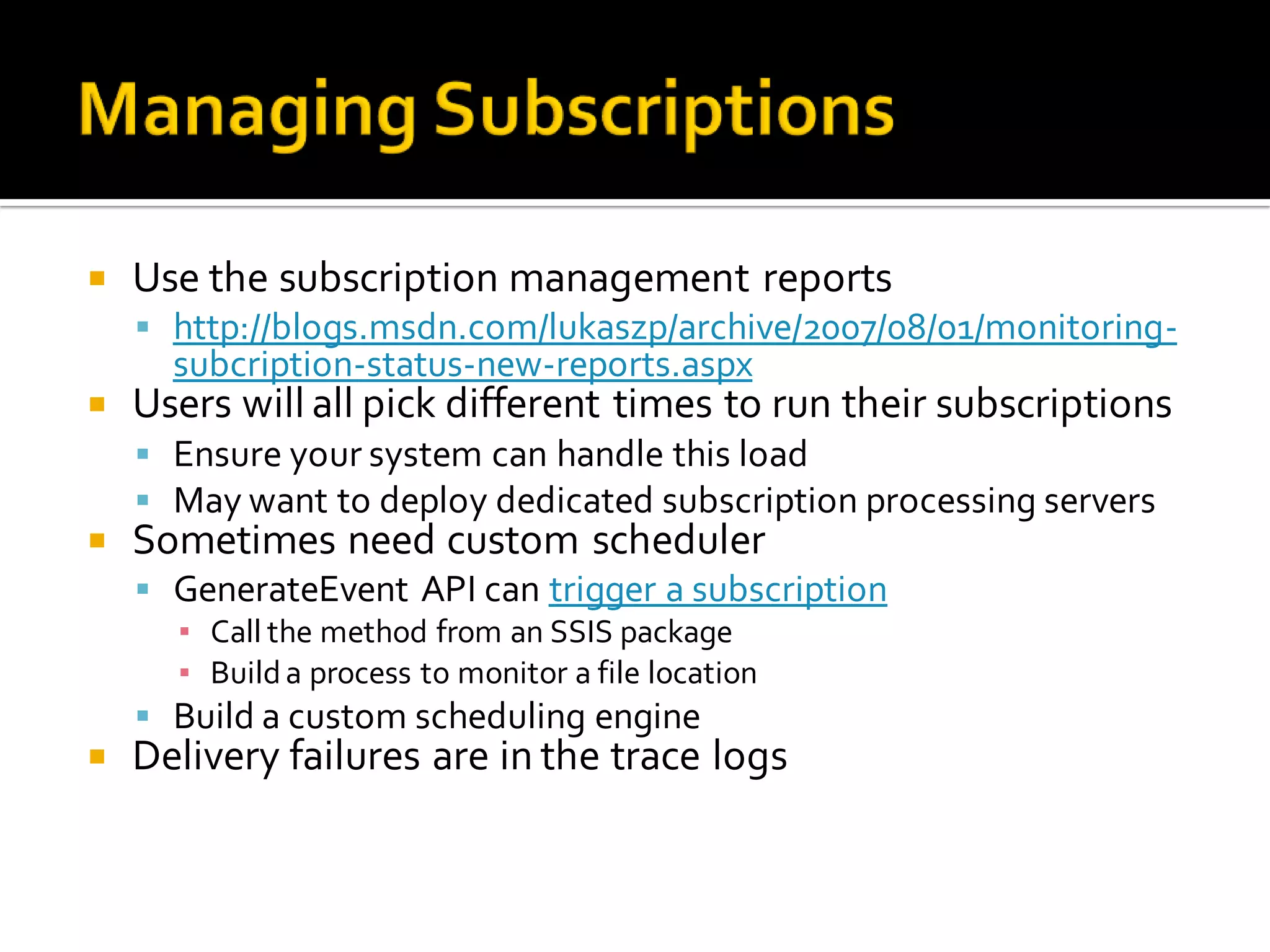
   Use the subscription management reports
     http://blogs.msdn.com/lukaszp/archive/2007/08/01/monitoring-
      subcription-status-new-reports.aspx
   Users will all pick different times to run their subscriptions
     Ensure your system can handle this load
     May want to deploy dedicated subscription processing servers
   Sometimes need custom scheduler
     GenerateEvent API can trigger a subscription
      ▪ Call the method from an SSIS package
      ▪ Build a process to monitor a file location
     Build a custom scheduling engine
   Delivery failures are in the trace logs
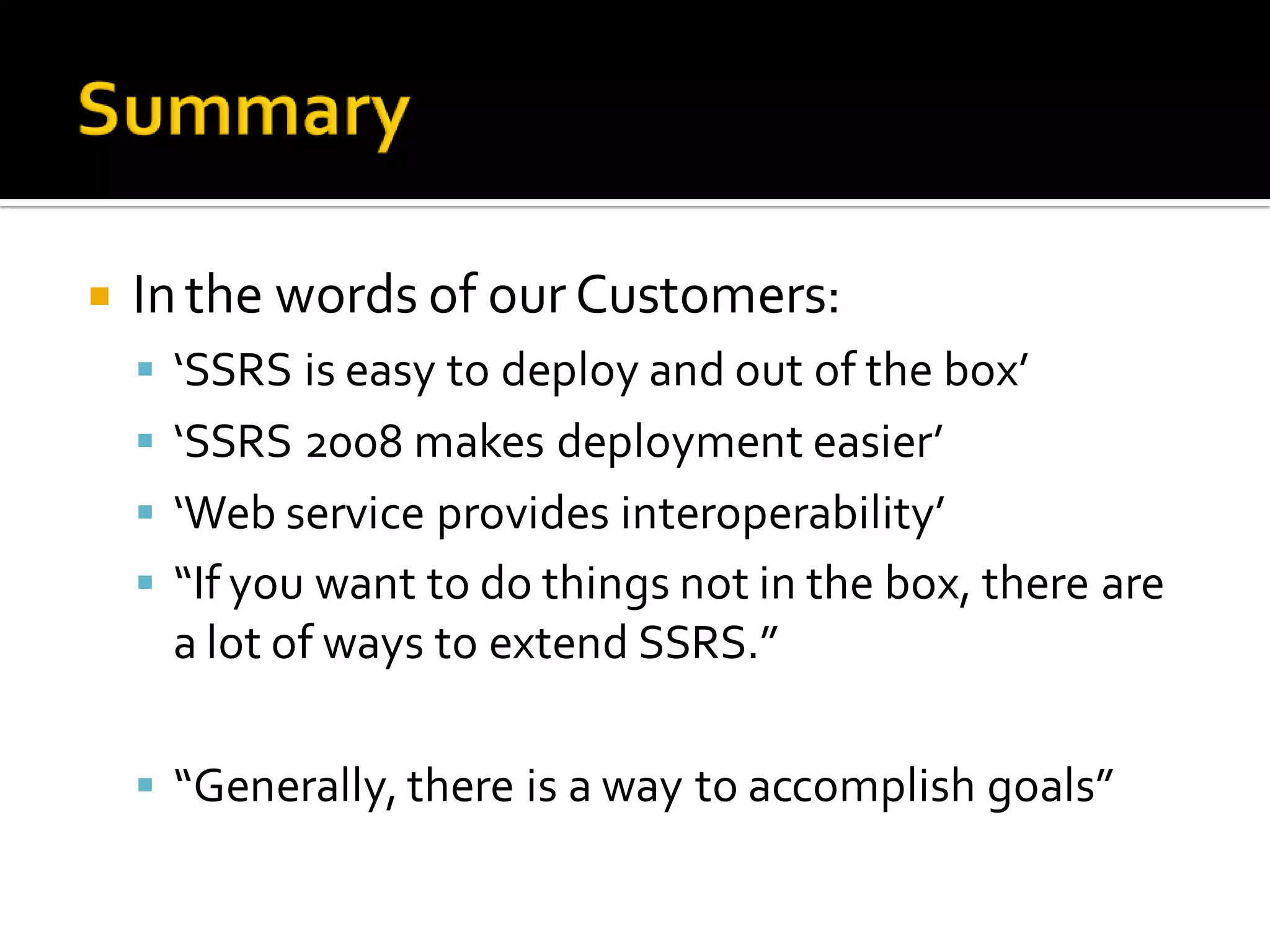
   In the words of our Customers:
     ‘SSRS is easy to deploy and out of the box’
     ‘SSRS 2008 makes deployment easier’
     ‘Web service provides interoperability’
     “If you want to do things not in the box, there are
     a lot of ways to extend SSRS.”

     “Generally, there is a way to accomplish goals”
PASS Community Summit 2008
November 18 – 21, 2008 Seattle WA

Denny Lee\'s Data Camp v1.0 talk on SSRS Best Practices for IT

  • 1.
    New England DataCamp v1.0 It is all about the data! Denny Lee, Senior Program Manager SQL Customer Advisory Team - Microsoft Corporation
  • 2.
     Learn howto ensure a predictable Reporting Services deployment in your environment  Learn about the following as relates to Reporting Services  Backup/restore  Security/authorization  Scale/performance/high availability  Upgrade  Approach  Provide the technical knowledge needed to make sound decisions  Provide lessons learned from Real Customers  Thanks to Lukasz Pawlowski - SSRS
  • 3.
    Works on the largest, most complex SQL Server projects worldwide  US: NASDAQ, Progressive, Premier Bankcard, Hilton Hotels  Europe: Barclays Capital, Danske Bank, McLaren, Bwin  Asia/Pacific: Korea Telecom, GMarket, Japan Railways East, China Mobile  LATAM: Banco Itau, Oi  Strategic ISVs: SAP, Siebel, JDE, PeopleSoft, GE Healthcare, SunGard, Siemens, Dynamics and more  Drives product requirements back into SQL Server from our customers and ISVs  Shares deep technical content with SQL Server community  SQLCAT.com  http://blogs.msdn.com/sqlcat  http://blogs.msdn.com/mssqlisv  http://technet.microsoft.com/en-us/sqlserver/bb331794.aspx
  • 4.
    IT Pros who are new to Reporting Services  Examples of how to use Reporting Services  Understanding architecture & deployments  Provide the knowledge building blocks needed to understand Reporting Services  IT Pros with existing deployment of Reporting Services  Make SSRS more efficient and predictable  Learn from others  Validate your work  Fill in any gaps in your knowledge of how SSRS works  Slide deck that is a valuable reference tool  Contains many tips & tricks  Detailed understanding of SSRS = sleep better at night
  • 5.
    • Reporting Services101 • Backup/Restore • Security • Monitoring and Planning • Deployment Topology • Upgrade • Tribal Knowledge
  • 6.
    People lack understanding of BI solutions  Need to understand key requirements of the user base ▪ E.g. ‘…they replaced pivots with SSRS, and then stumbled during deployment…’  Business Intelligence quick guide  Managed & Ad-hoc Reports = Reporting Services  Dashboards = Windows SharePoint Services ▪ Use SSRS, Excel Services, PPS to provide content  Scorecards = Performance Point Server (PPS)  Analysts = Pivots = Excel Services
  • 8.
    SharePoint Report SSMS Viewer Report Viewer Web Part Web Service Proxy Data Sources Web Services & URL Access Security Services Report Server Report Engine Output Formats Data Processing Security Delivery Targets (E-mail, SharePoint, Custom Rendering Scheduling & Delivery Custom Custom Report Item RDCE Visualization Customized RDL SQL Server Catalog
  • 9.
    Client Application Report Server Report Catalog Publishing CreateReport RDL RDL RDL Compiled Compiled Definition Definition Managed Managed Properties Properties
  • 10.
    Client Application Report Server Report Catalog RSDB Report RDL Metadata Compiled Definition Managed Properties
  • 11.
    Client Application Report Server Report Catalog “Get & Run Report” RSDB Report Compiled Definition Metadata Session Word/Excel/ Execution HTML/PDF RSTempDB Snapshot Report Data Session Report Data
  • 12.
    WMI Report Server Report Catalog Setup SSRS WMI Provider SSRS Configuration Manager Config Files IIS/HTTP.SYS
  • 13.
    Client Application Report Server Report Catalog Symmetric Key (SK) RSDB PubK1(SK) UserName Password Secret Connection String SK(Secret) Service Credentials (C1) Public Key, Private Key (PubK1) (PriK1)
  • 15.
    Importance Items to Backup Critical • Report Server Databases • Symmetric Key • SharePoint Databases • Custom Extensions Important • Configuration Files • RSTempDB • IIS Settings for RS 2005 Nice to Have • RDLs • SSL Certificates Standard backup/restore SQL database techniques Don’t forget to backup your SharePoint databases as well!
  • 16.
    Configuration files Rsreportserver.config Rssvrpolicy.config Rswebapplication.config Rsmgrpolicy.config Reportingservicesservice.exe.config Machine.config Web.config (for RS & RM)  Recover by COPYING settings into default .config files  Use RS Configuration Tool or WMI to recover: ▪ RSDB connection information (stored encrypted) ▪ URL & SSL Settings (stored also in HTTP.SYS)  Symmetric Key  Encrypts report data source settings  Use Report Services Configuration Tool or rskeymgmt.exe to backup/restore  Keep backup in secure place and do not forget the password!
  • 18.
    Start with focusing on data security  Do not expose sensitive data in data centers  Expose the minimum set of data required  Audit data access  Report data sources  Be careful which credentials are stored in report data sources ▪ Use read-only accounts! ▪ We wary of unnecessary use of Windows Integrated ▪ Review credentials options to ensure report authors are not abusing user’s credentials  Use Shared Data Sources ▪ Control connection strings & credentials ▪ Minimize management overhead  Data level security  Use Kerberos delegation if you need end to end data security  Use User!UserId in reports to identify the user within a report  Parameters are not a security mechanism!
  • 19.
    Use SSL  Protects report contents & credentials  Performance is not an issue  Limit which machines can access your server  Consider IPSec  Block undesired IP address ranges  Do not use Anonymous  Identify the abusive users and prevent future abuse  Minimally have one user id for each network entry point  Proxies and Authentication Persistence do not mix  Disable authentication persistence if using proxies  Watch out for common cross server authentication issues  http://support.microsoft.com/kb/871179  http://support.microsoft.com/kb/896861 (Detailed blog post)
  • 20.
    User authentication  Kerberos is better than NTLM  Kerberos requires setting SPNs and is harder to configure  Authentication is extensible  ASP.NET Forms authentication sample  Any custom authentication scheme is available  Consider infrastructure solutions like Forefront or IAG ▪ Implement various authentication protocols (e.g. SSO)  Authorization  Use Active Directory groups to minimize churn as users  SSRS Security Roles are customizable - make them relevant to your user base  Authorization is extensible  Credentials – Lowest Privilege Possible  Service Account should be a low privilege domain account  Set the Unattended Execution Account  Allow users only the minimal permissions they need  Don’t manage reports from the SSRS server box…
  • 21.
    Auditing Report Access  Use the Execution Log Table (ELT)  Copy information from ELT to your own databases  Stores the user, report & parameter combination as well as success/failure  Auditing all operations  Use SSRS Trace Logs with Verbose setting  Data Access use data source auditing  Save off Log Files to secure location  LogFile location is configurable is SSRS  Use a write only location  Archive log files so they are not automatically deleted
  • 23.
    Keep configuration settings in synch  Tools like IIS Manager or Service Control Manager easily get settings out of synch  Use SSRS Configuration Manager or WMI Provider instead  Keep a meticulous backup of IIS & ASP.NET settings that work  Extensions & Custom Assemblies  Deploying extensions is tricky – back up config files  Trust authors; do security reviews  Moving reports between servers  RS Scripter is widely used  Log Files ▪ Execution Log, Trace Log, HTTP Log, Application Event Logs
  • 24.
    Understand your scenarios and reports  Scenarios are defined by user personas & usage patterns  Reports are either test reports or actual reports  Tests should isolate Report Server from other systems  Reports can overload underlying data source  Determine which reports are most impactful  Optimize these reports – retrieve only required data  Execute Performance Tests – before production!  Using Visual Studio 2005 to Perform Load Testing on a SQL Server 2005 Reporting Services Report Server  Database tools (SQL Profiler, sqlcmd scripts, SQL Scaler, etc.)  Synthetic test tools (e.g. VSTS, Precise Insight, etc.)  Use appropriate execution options for reports  Reports run “live” by default  Enable caching for frequently run reports  Execution Snapshots are often overlooked ▪ Can be scheduled to run in off peak hours
  • 25.
    Monitoring Report Server Performance  Task Manager, Event Viewer, Performance console  Record performance numbers for later follow up  Common Analysis ▪ Report by user type – e.g. is the CEO’s report running quickly? ▪ Rate of failed reports and aggregate # of failures ▪ Low usage reports should be retired ▪ Poor performing reports should be optimized ▪ Aborted or internal errors  Windows Performance Counters  CPU, Memory, disk space  Performance Counters ▪ CPU (total & service usage) ▪ I/O (page faults, read/write on disk) ▪ Memory utilization (total & service) ▪ Network I/O (read/write, send/receive, bandwidth)  RS Performance Objects  MSRS 2008 Web Service: monitors RS performance  MSRS 2008 Windows Service: monitors scheduled operations and report delivery  ReportServer:Service: monitor HTTP-related events and memory management (new)  SharePoint Integrated Mode: monitor RS events in SharePoint integrated mode  System Center Operations Manager
  • 26.
    Report Catalog (RSDB) contains ExecutionLog and ExecutionLog2  Which reports are long running?  Subscriptions/Interactive?  Live Data or Snapshots?  Balanced?  Patterns for a report  Health of Reports  Server Management Report Samples  Populates separate tables / database  Provides SSIS package to extract and populate data  Follow instructions to setup schema and create job  Provides three reports for you to view report activity
  • 28.
    Most common deployment is One-Box  SSRS and SQL Server Relational Engine  Great for developing and building something quick (and budget!) ▪ Good performance & scale if not mission critical  But not so good when it comes to production deployments  Test environment should be as close to production as possible  Replicate security, configuration, hardware, software, network  Clustering / High availability scenarios  Emphasize the need for performance testing  Identify bottlenecks (e.g. Report Catalog, large drop downs, large reports, etc.)  Do Massive Data volume testing  Using Visual Studio 2005 to Perform Load Testing on a SQL Server 2005 Reporting Services Report Server  Protect your underlying data sources!  Reports can cause significant load on report data sources  Planning for reporting load up front will save you time
  • 29.
    Report Server Clients RS Server Report Catalog Reporting Data Flat Files, OLE DB, ODBC Clients RSDB SQL, AS, DB2, Oracle, Teradata, etc. Clients
  • 30.
    Report Server SSRS Clients RS Server Report Catalog Reporting Data Flat Files, OLE DB, ODBC Clients RSDB SQL, AS, DB2, Oracle, Teradata, etc. Clients
  • 31.
    Report Server SSRS Scale Out Deployment Clients RS Server 1 Report Catalog Reporting Data Flat Files, OLE DB, RSDB ODBC NLB Clients RS Server 2 RSDB SQL, AS, DB2, Oracle, Teradata, etc. Clients RS Server N
  • 32.
    Report Server SSRS Scale Out Deployment Clients Custom Application Farm RS Server RS Server 1 Report Catalog Reporting Data App Flat Files, OLE DB, ODBC NLB NLB Clients RS Server App RS Server 2 RSDB SQL, AS, DB2, Oracle, Teradata, etc. Clients RS Server App RS Server N
  • 33.
    Content Switch SSRS SSRS RSDB RSDB RSDB
  • 34.
    Applications: Cisco Global Site Selector (GSS) 1- SharePoint DNS 2- SSRS 3- BlackBerry 4-Citrix Server Alias Name = Green Connect to: GreenSQL1 5-VMware VC Active IP: 100.10.56.30 100.85.3.10 SQL Server Cluster SQLNetworkNameASQL1 SQLHostNameBSQL1 Active IP:100.10.56.30 Passive IP:100.85.3.10 Principal Server Mirror Server DR Site Mirroring
  • 35.
    Scalability  Remote Report Catalog  SSRS 2008 can scale up significantly before needing to scale out ▪ Scale up SSRS 2008 to 16 cores; Scale up SSRS 2005 to 4 cores  Scale-out SSRS 2008 or 2005 to increase throughput ▪ Virtualization works well on larger hardware  Scaling Up Reporting Services 2008 vs. Reporting Services 2005: Lessons Learned  High Availability  Scale-out Report Server  Failover Cluster Report Catalog  Disaster Recovery  Scale-out Report Servers to include a DR site ▪ Stop/disable the Report Server services to prevent them doing work  Mirror/Log Ship Report Catalog data to the DR site ▪ Will need to manually fail over to this database server ▪ Database Mirroring and Log Shipping Working Together
  • 36.
    Great for overall portal and collaboration experience  Information Workers access reports like any Office document ▪ Reports, data sources, report models are stored in document libraries ▪ Shared security model ▪ Features Supported by Reporting Services in SharePoint Integrated Mode  Supports Windows SharePoint Services 3.0 or Office SharePoint Server 2007  Report Metadata is stored in WSS Content DB  Configuration can be a challenge  Read the White Paper: SQL Server Reporting Services integration with SharePoint Products and Technologies  Read the documentation: Configuring Reporting Services  Use Trusted Account mode  Allows Windows users to access SharePoint  DOES NOT require Kerberos delegation for the deployment  No loss of functionality if using stored credentials in data sources
  • 37.
    Report Server ShaerePoint Farm Clients Report Catalog Reporting Data SSRS Flat Files, OLE DB, NLB NLB ODBC RS Server WFE RS Server Clients RSDB SQL, AS, DB2, Oracle, Teradata, etc. Clients SharePoint Content & Configuration RSDB WSS DBs
  • 38.
    Custom Application • Firewalls throughout environment to protect data • Point of entry: custom application • Point of entry: enforce access rights •Internet users can query read-only data replicated and cleansed from original data source •Good reference: Planning for Extranet or Internet Deployment
  • 40.
    Pre-Upgrade Check list  Upgrade Advisor  Backup/Restore encryption keys  Backup configuration files  Move databases  Backup customizations (especially extensions)  SSRS 2008 does not use IIS  Upgrade automatically ports IIS settings  All published reports continue to run after an upgrade  RS Catalogs  Upgrading SSRS usually means DB schema changes ▪ Before upgrading, plan for roll back ▪ Upgrading a Reporting Server Database ▪ In a scale-out all servers must be at same patch level  Considerations for Upgrading Reporting Services
  • 41.
    Custom extensions  Not all are supported  Need to re-write custom rendering extensions using new Rendering Object Model  Security and Rendering extensions block upgrade ▪ Unconfigure the extension, upgrade, then reconfigure extension ▪ Blocking behavior prevents broken servers after upgrade and unexpected development costs due to upgrade  Inventory & test extensions before upgrade  Save configuration settings for extensions  Ensure reports using extensions are actually working  Find problems with extension configuration quickly  Move extensions & assemblies after upgrade  Major Version upgrade creates a new installation folder  Extensions and assemblies are not moved by upgrade
  • 42.
  • 43.
    Tips & Tricks  Blogs & Resources  First steps after install  Scripting  Report Design  Report Parameters  Managing Subscriptions
  • 44.
    CodePlex – Samples!  http://www.codeplex.com/  Blogs  http://blogs.msdn.com/sqlrsteamblog/  http://blogs.msdn.com/lukaszp/  www.sqlcat.com  MSDN documentation  http://msdn.microsoft.com/en-us/library/bb545450.aspx  Forums  http://forums.microsoft.com/MSDN/ShowForum.aspx?ForumID=82& SiteID=1  Connect feedback  http://connect.microsoft.com/  SSRS White Papers  http://www.microsoft.com/sql/technologies/reporting/whitepapers.mspx
  • 45.
    Verify configuration  Use SSRS Configuration Manager to view settings  Provision users  Explicitly grant security roles to users on folders  Grant Content Manager and System Admin roles ▪ Required on Vista & Windows Server 2008  Ensure browsers are configured correctly on local box  Add RS & RM URLs to IE Trusted Sites on SSRS computer ▪ Required for Vista & Windows Server 2008  Add NTLM auto send enabled in FireFox & Safari  Verify SSRS is working  View Report Server & Report Manager  Create a shared data source  Run a report  Login as a low privilege user  Execute your backup strategy  Symmetric key back up is essential
  • 46.
    Rs.exe is the scripting utility for SSRS  Executes VB.Net scripts  No need to compile  Exposes the SSRS Web Service endpoints  Allows for automating repetitive tasks  Eg. Moving reports from one server to another  Samples  http://www.codeplex.com/MSFTRSProdSamples
  • 47.
    Before starting to build reports:  Ensure you have the targeted report export formats identified ▪ The design of each report will change how ell it exports to various render formats  Plan your report logic ▪ Build Functions or Custom Assemblies to standardize report logic ▪ Allow you to be operationally efficient  Use parameters and filtering ▪ Few generic reports = easier maintenance  Page breaks on hidden items are ignored
  • 48.
    Parameter values queries can cause significant load on report data sources  Design materialized views that reduce query load  Optimize data sets used for parameter values  Parameter values queries execute many more times than report queries  Use hidden and internal parameters to validate user input  Design a report with parameters A & B; B is hidden/internal  Let parameter A be set by the user  In the report have all expressions use parameter B  Set the value of parameter B based on the value of parameter A  Report Server manages parameter values  After a report is deployed, the server stores a copy of parameters and their values  Changing parameter values in Report Designer and re-deploying DOES NOT update server parameter values
  • 49.
    Use the subscription management reports  http://blogs.msdn.com/lukaszp/archive/2007/08/01/monitoring- subcription-status-new-reports.aspx  Users will all pick different times to run their subscriptions  Ensure your system can handle this load  May want to deploy dedicated subscription processing servers  Sometimes need custom scheduler  GenerateEvent API can trigger a subscription ▪ Call the method from an SSIS package ▪ Build a process to monitor a file location  Build a custom scheduling engine  Delivery failures are in the trace logs
  • 50.
    In the words of our Customers:  ‘SSRS is easy to deploy and out of the box’  ‘SSRS 2008 makes deployment easier’  ‘Web service provides interoperability’  “If you want to do things not in the box, there are a lot of ways to extend SSRS.”  “Generally, there is a way to accomplish goals”
  • 51.
    PASS Community Summit2008 November 18 – 21, 2008 Seattle WA