p. 11
p. 22
2
Chapter: SQL Server 2012 Reporting Services
Course: SQL Server 2012 - A Comprehensive Introduction
Course ID: 170
Instructor: Scott Whigham
Chapter 17: Video # 1
What Is
Reporting
Services?
p. 33
3
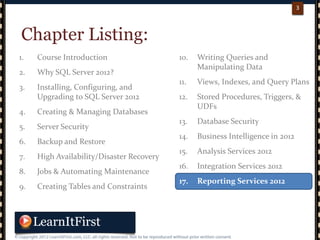
10. Writing Queries and
Manipulating Data
11. Views, Indexes, and Query Plans
12. Stored Procedures, Triggers, &
UDFs
13. Database Security
14. Business Intelligence in 2012
15. Analysis Services 2012
16. Integration Services 2012
17. Reporting Services 2012
1. Course Introduction
2. Why SQL Server 2012?
3. Installing, Configuring, and
Upgrading to SQL Server 2012
4. Creating & Managing Databases
5. Server Security
6. Backup and Restore
7. High Availability/Disaster Recovery
8. Jobs & Automating Maintenance
9. Creating Tables and Constraints
Chapter Listing:
p. 44
4
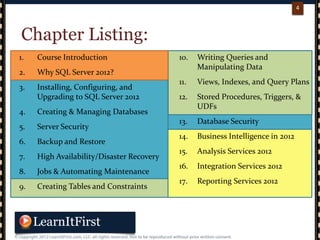
Chapter Listing:
1. Course Introduction
2. Why SQL Server 2012?
3. Installing, Configuring, and
Upgrading to SQL Server 2012
4. Creating & Managing Databases
5. Server Security
6. Backup and Restore
7. High Availability/Disaster Recovery
8. Jobs & Automating Maintenance
9. Creating Tables and Constraints
10. Writing Queries and
Manipulating Data
11. Views, Indexes, and Query Plans
12. Stored Procedures, Triggers, &
UDFs
13. Database Security
14. Business Intelligence in 2012
15. Analysis Services 2012
16. Integration Services 2012
17. Reporting Services 2012
p. 55
5
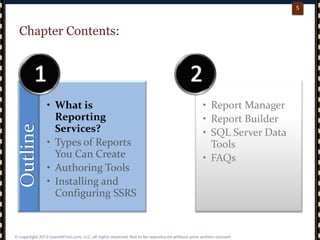
Chapter Contents:Outline
• What is
Reporting
Services?
• Types of Reports
You Can Create
• Authoring Tools
• Installing and
Configuring SSRS
• Report Manager
• Report Builder
• SQL Server Data
Tools
• FAQs
p. 66
6
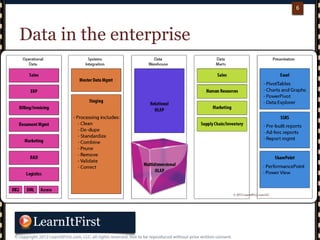
Data in the enterprise
p. 77
7
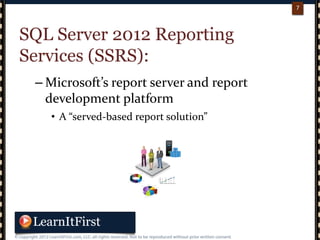
SQL Server 2012 Reporting
Services (SSRS):
– Microsoft’s report server and report
development platform
• A “served-based report solution”
p. 88
8
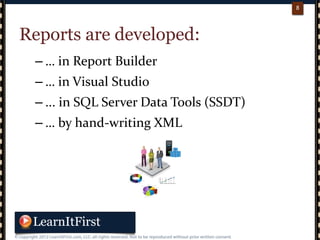
Reports are developed:
– … in Report Builder
– … in Visual Studio
– ... in SQL Server Data Tools (SSDT)
– … by hand-writing XML
p. 99
9
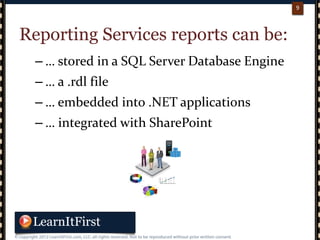
Reporting Services reports can be:
– … stored in a SQL Server Database Engine
– … a .rdl file
– … embedded into .NET applications
– … integrated with SharePoint
p. 1010
10
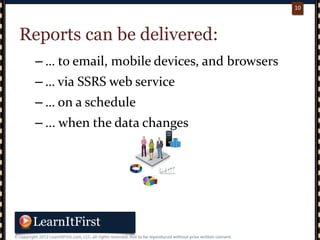
Reports can be delivered:
– … to email, mobile devices, and browsers
– … via SSRS web service
– … on a schedule
– ... when the data changes
p. 1111
11
SSRS 2012 101:
– Is included at no additional cost when you
buy a license to SQL Server 2012
– There is a freebie version for Express Edition
• http://www.microsoft.com/en-us/sqlserver/editions/2012-editions/express.aspx
• Download “SQL Server Express with Advanced Services”
p. 1212
12
Let’s talk a little about the
architecture of SQL Server 2012
Reporting Services
– SSRS can be anything from a small
“plaything” on one machine to a mission-
critical enterprise reporting platform
p. 1313
13
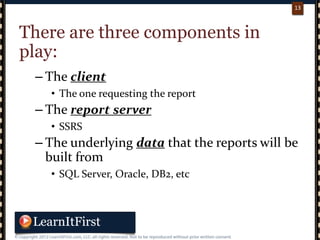
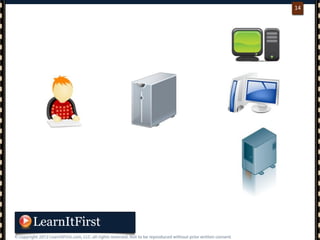
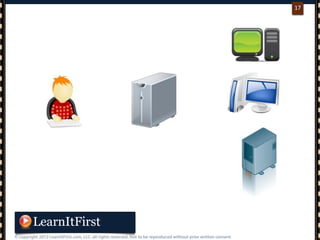
There are three components in
play:
– The client
• The one requesting the report
– The report server
• SSRS
– The underlying data that the reports will be
built from
• SQL Server, Oracle, DB2, etc
p. 1414
14
p. 1515
15
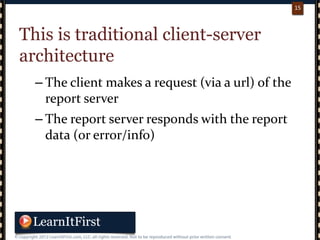
This is traditional client-server
architecture
– The client makes a request (via a url) of the
report server
– The report server responds with the report
data (or error/info)
p. 1616
16
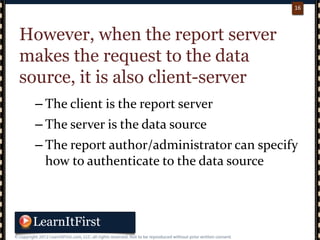
However, when the report server
makes the request to the data
source, it is also client-server
– The client is the report server
– The server is the data source
– The report author/administrator can specify
how to authenticate to the data source
p. 1717
17
p. 1818
18
All client requests to the report
server are made via URL
– Typically, users are working with
applications that feature links to reports or
have the reports embedded
• This way, users do not need to know URLs
– SSRS has it’s own web server baked in
p. 1919
19
The report server does much more
than “just” connecting to the data
source and creating the report
– It also manages secure access to the reports,
can schedule delivery for later times, can
render the report in multiple ways, and
more
p. 2020
20
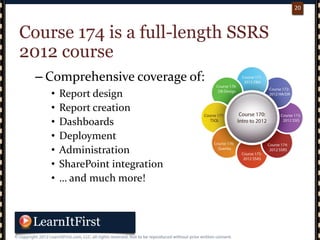
Course 174 is a full-length SSRS
2012 course
– Comprehensive coverage of:
• Report design
• Report creation
• Dashboards
• Deployment
• Administration
• SharePoint integration
• … and much more!
p. 2121
21
In the next video…
– What Types of Reports Can You Create?
“There's no such thing as bad weather, just soft people.”
- Bill Bowerman

What Is Reporting Services?

  • 1.
  • 2.
    p. 22 2 Chapter: SQLServer 2012 Reporting Services Course: SQL Server 2012 - A Comprehensive Introduction Course ID: 170 Instructor: Scott Whigham Chapter 17: Video # 1 What Is Reporting Services?
  • 3.
    p. 33 3 10. WritingQueries and Manipulating Data 11. Views, Indexes, and Query Plans 12. Stored Procedures, Triggers, & UDFs 13. Database Security 14. Business Intelligence in 2012 15. Analysis Services 2012 16. Integration Services 2012 17. Reporting Services 2012 1. Course Introduction 2. Why SQL Server 2012? 3. Installing, Configuring, and Upgrading to SQL Server 2012 4. Creating & Managing Databases 5. Server Security 6. Backup and Restore 7. High Availability/Disaster Recovery 8. Jobs & Automating Maintenance 9. Creating Tables and Constraints Chapter Listing:
  • 4.
    p. 44 4 Chapter Listing: 1.Course Introduction 2. Why SQL Server 2012? 3. Installing, Configuring, and Upgrading to SQL Server 2012 4. Creating & Managing Databases 5. Server Security 6. Backup and Restore 7. High Availability/Disaster Recovery 8. Jobs & Automating Maintenance 9. Creating Tables and Constraints 10. Writing Queries and Manipulating Data 11. Views, Indexes, and Query Plans 12. Stored Procedures, Triggers, & UDFs 13. Database Security 14. Business Intelligence in 2012 15. Analysis Services 2012 16. Integration Services 2012 17. Reporting Services 2012
  • 5.
    p. 55 5 Chapter Contents:Outline •What is Reporting Services? • Types of Reports You Can Create • Authoring Tools • Installing and Configuring SSRS • Report Manager • Report Builder • SQL Server Data Tools • FAQs
  • 6.
    p. 66 6 Data inthe enterprise
  • 7.
    p. 77 7 SQL Server2012 Reporting Services (SSRS): – Microsoft’s report server and report development platform • A “served-based report solution”
  • 8.
    p. 88 8 Reports aredeveloped: – … in Report Builder – … in Visual Studio – ... in SQL Server Data Tools (SSDT) – … by hand-writing XML
  • 9.
    p. 99 9 Reporting Servicesreports can be: – … stored in a SQL Server Database Engine – … a .rdl file – … embedded into .NET applications – … integrated with SharePoint
  • 10.
    p. 1010 10 Reports canbe delivered: – … to email, mobile devices, and browsers – … via SSRS web service – … on a schedule – ... when the data changes
  • 11.
    p. 1111 11 SSRS 2012101: – Is included at no additional cost when you buy a license to SQL Server 2012 – There is a freebie version for Express Edition • http://www.microsoft.com/en-us/sqlserver/editions/2012-editions/express.aspx • Download “SQL Server Express with Advanced Services”
  • 12.
    p. 1212 12 Let’s talka little about the architecture of SQL Server 2012 Reporting Services – SSRS can be anything from a small “plaything” on one machine to a mission- critical enterprise reporting platform
  • 13.
    p. 1313 13 There arethree components in play: – The client • The one requesting the report – The report server • SSRS – The underlying data that the reports will be built from • SQL Server, Oracle, DB2, etc
  • 14.
  • 15.
    p. 1515 15 This istraditional client-server architecture – The client makes a request (via a url) of the report server – The report server responds with the report data (or error/info)
  • 16.
    p. 1616 16 However, whenthe report server makes the request to the data source, it is also client-server – The client is the report server – The server is the data source – The report author/administrator can specify how to authenticate to the data source
  • 17.
  • 18.
    p. 1818 18 All clientrequests to the report server are made via URL – Typically, users are working with applications that feature links to reports or have the reports embedded • This way, users do not need to know URLs – SSRS has it’s own web server baked in
  • 19.
    p. 1919 19 The reportserver does much more than “just” connecting to the data source and creating the report – It also manages secure access to the reports, can schedule delivery for later times, can render the report in multiple ways, and more
  • 20.
    p. 2020 20 Course 174is a full-length SSRS 2012 course – Comprehensive coverage of: • Report design • Report creation • Dashboards • Deployment • Administration • SharePoint integration • … and much more!
  • 21.
    p. 2121 21 In thenext video… – What Types of Reports Can You Create? “There's no such thing as bad weather, just soft people.” - Bill Bowerman