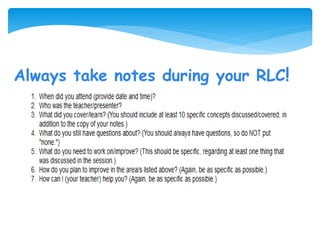
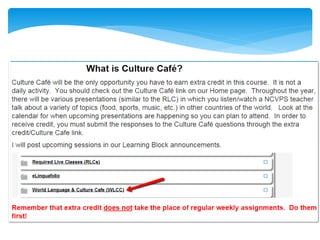
Always take notes during your RLC!
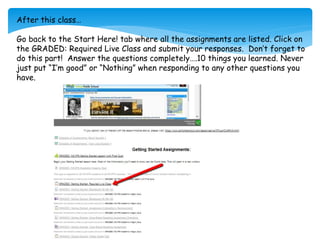
After this class…
Go back to the Start Here! tab where all the assignments are listed. Click on
the GRADED: Required Live Class and submit your responses. Don’t forget to
do this part! Answer the questions completely….10 things you learned. Never
just put “I’m good” or “Nothing” when responding to any other questions you
have.
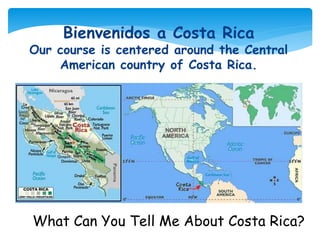
What Can You Tell Me About Costa Rica?
Bienvenidos a Costa Rica
Our course is centered around the Central
American country of Costa Rica.
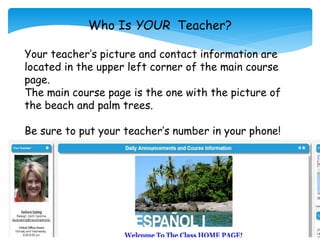
Who Is YOUR Teacher?
Your teacher’s picture and contact information are
located in the upper left corner of the main course
page.
The main course page is the one with the picture of
the beach and palm trees.
Be sure to put your teacher’s number in your phone!
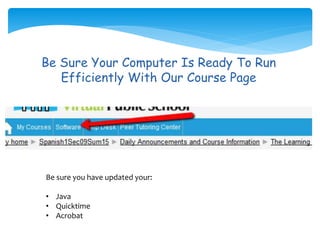
Be Sure Your Computer Is Ready To Run
Efficiently With Our Course Page
Be sure you have updated your:
• Java
• Quicktime
• Acrobat
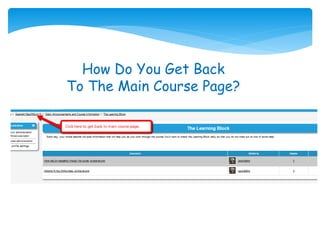
How Do You Get Back
To The Main Course Page?
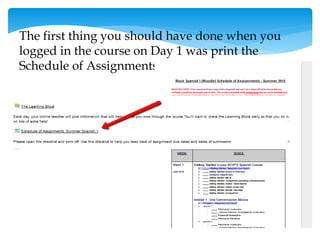
The first thing you should have done when you
logged in the course on Day 1 was print the
Schedule of Assignments.
What Do I Do Each Day?
• Log into the course everyday Monday-Friday and plan to spend 2-3
hours working through the Units (unidad).
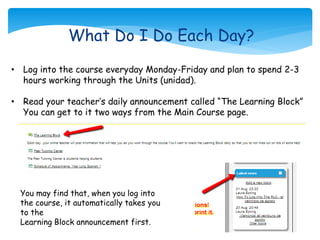
• Read your teacher’s daily announcement called “The Learning Block”
You can get to it two ways from the Main Course page.
You may find that, when you log into
the course, it automatically takes you
to the
Learning Block announcement first.
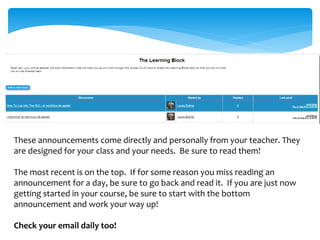
These announcements come directly and personally from your teacher. They
are designed for your class and your needs. Be sure to read them!
The most recent is on the top. If for some reason you miss reading an
announcement for a day, be sure to go back and read it. If you are just now
getting started in your course, be sure to start with the bottom
announcement and work your way up!
Check your email daily too!
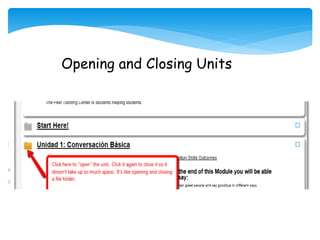
Opening and Closing Units
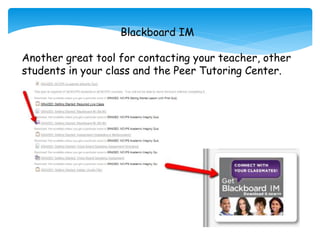
Blackboard IM
Another great tool for contacting your teacher, other
students in your class and the Peer Tutoring Center.
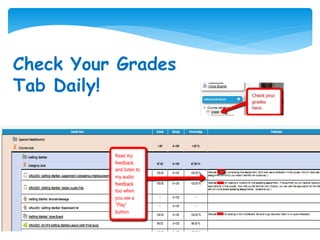
Check Your Grades
Tab Daily!
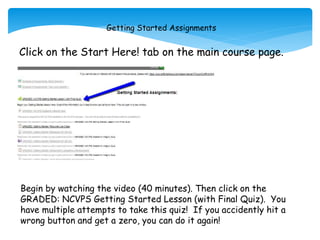
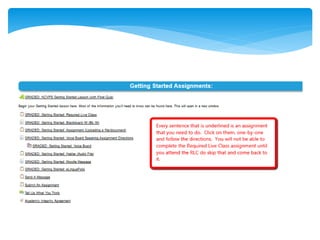
Getting Started Assignments
Click on the Start Here! tab on the main course page.
Begin by watching the video (40 minutes). Then click on the
GRADED: NCVPS Getting Started Lesson (with Final Quiz). You
have multiple attempts to take this quiz! If you accidently hit a
wrong button and get a zero, you can do it again!
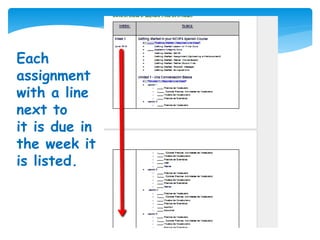
Each
assignment
with a line
next to
it is due in
the week it
is listed.
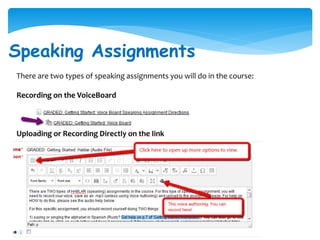
Speaking Assignments
There are two types of speaking assignments you will do in the course:
Recording on the VoiceBoard
Uploading or Recording Directly on the link
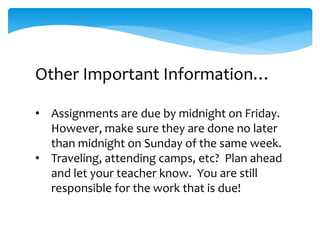
What Do Need To Do To Avoid
This…
* Log in everyday Monday-Friday.
• Count the number of
assignments due each week,
divide them by 5…that will let
you know how many
assignments you need to do
each day to stay on track.
• There are 33 assignments this
week.
• Read the “Learning Block”
• Check Your Email
• Contact Your Teacher if you
don’t understand something!
Other Important Information…
• Assignments are due by midnight on Friday.
However, make sure they are done no later
than midnight on Sunday of the same week.
• Traveling, attending camps, etc? Plan ahead
and let your teacher know. You are still
responsible for the work that is due!
Let’s Make Our
Summer
End Like This!

Getting Started RLC Summer 2015

  • 2.
    Always take notesduring your RLC!
  • 3.
    After this class… Goback to the Start Here! tab where all the assignments are listed. Click on the GRADED: Required Live Class and submit your responses. Don’t forget to do this part! Answer the questions completely….10 things you learned. Never just put “I’m good” or “Nothing” when responding to any other questions you have.
  • 4.
    What Can YouTell Me About Costa Rica? Bienvenidos a Costa Rica Our course is centered around the Central American country of Costa Rica.
  • 6.
    Who Is YOURTeacher? Your teacher’s picture and contact information are located in the upper left corner of the main course page. The main course page is the one with the picture of the beach and palm trees. Be sure to put your teacher’s number in your phone!
  • 7.
    Be Sure YourComputer Is Ready To Run Efficiently With Our Course Page Be sure you have updated your: • Java • Quicktime • Acrobat
  • 8.
    How Do YouGet Back To The Main Course Page?
  • 9.
    The first thingyou should have done when you logged in the course on Day 1 was print the Schedule of Assignments.
  • 10.
    What Do IDo Each Day? • Log into the course everyday Monday-Friday and plan to spend 2-3 hours working through the Units (unidad). • Read your teacher’s daily announcement called “The Learning Block” You can get to it two ways from the Main Course page. You may find that, when you log into the course, it automatically takes you to the Learning Block announcement first.
  • 11.
    These announcements comedirectly and personally from your teacher. They are designed for your class and your needs. Be sure to read them! The most recent is on the top. If for some reason you miss reading an announcement for a day, be sure to go back and read it. If you are just now getting started in your course, be sure to start with the bottom announcement and work your way up! Check your email daily too!
  • 12.
  • 13.
    Blackboard IM Another greattool for contacting your teacher, other students in your class and the Peer Tutoring Center.
  • 14.
  • 15.
    Getting Started Assignments Clickon the Start Here! tab on the main course page. Begin by watching the video (40 minutes). Then click on the GRADED: NCVPS Getting Started Lesson (with Final Quiz). You have multiple attempts to take this quiz! If you accidently hit a wrong button and get a zero, you can do it again!
  • 17.
    Each assignment with a line nextto it is due in the week it is listed.
  • 18.
    Speaking Assignments There aretwo types of speaking assignments you will do in the course: Recording on the VoiceBoard Uploading or Recording Directly on the link
  • 20.
    What Do NeedTo Do To Avoid This… * Log in everyday Monday-Friday. • Count the number of assignments due each week, divide them by 5…that will let you know how many assignments you need to do each day to stay on track. • There are 33 assignments this week. • Read the “Learning Block” • Check Your Email • Contact Your Teacher if you don’t understand something!

  • 21.
    Other Important Information… •Assignments are due by midnight on Friday. However, make sure they are done no later than midnight on Sunday of the same week. • Traveling, attending camps, etc? Plan ahead and let your teacher know. You are still responsible for the work that is due!
  • 22.