

Ms. Montanez
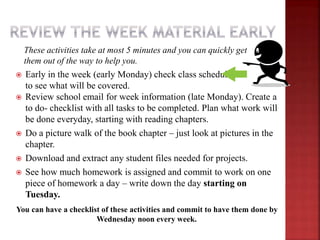
These activities take at most 5 minutes and you can quickly get
them out of the way to help you.
 Early in the week (early Monday) check class schedule
to see what will be covered.
 Review school email for week information (late Monday). Create a
to do- checklist with all tasks to be completed. Plan what work will
be done everyday, starting with reading chapters.
 Do a picture walk of the book chapter – just look at pictures in the
chapter.
 Download and extract any student files needed for projects.
 See how much homework is assigned and commit to work on one
piece of homework a day – write down the day starting on
Tuesday.
You can have a checklist of these activities and commit to have them done by
Wednesday noon every week.
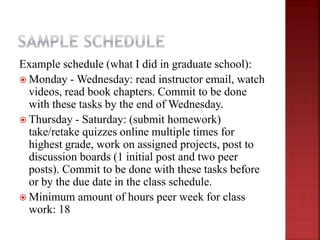
Example schedule (what I did in graduate school):
 Monday - Wednesday: read instructor email, watch
videos, read book chapters. Commit to be done
with these tasks by the end of Wednesday.
 Thursday - Saturday: (submit homework)
take/retake quizzes online multiple times for
highest grade, work on assigned projects, post to
discussion boards (1 initial post and two peer
posts). Commit to be done with these tasks before
or by the due date in the class schedule.
 Minimum amount of hours peer week for class
work: 18
 Complete projects assigned
for the class, one a day,
working in short periods of
time and saving your work
frequently or
 Setup your own schedule but
commit to complete the tasks
by your personal due date
before the actual due date.
 During the week as you work
on homework : Email any
questions you might have to
the instructor on homework
due that week.
 Book chapter reading/instructor videos should be done
first, so that there is an understanding of the material.
 If something comes along that affects your timeline,
make sure to have a time every week that you can set
aside for catching up in case you need it.
 Sometimes, you can only realistically do 3 or 4 items a
day. Readjust. 
 I struggle with my time management as well, as a
graduate student, specially having to fit home
responsibilities as a single parent, as well. I
understand those struggles.
 Following the class schedule keeps you on track.
Use it.
 I cried on my first programming exercise. I had
been for hours trying to figure it out…surprisingly
enough, after that break, things worked out.  I
am not suggesting that you cry whenever
something happens…just saying, our brains need a
break – see slide #7…
 Stretch – YouTube – 3 min: http://youtu.be/NoORyduZdGo
 Breathe – relaxation YouTube – 3 minutes:
http://youtu.be/YcK9MwwTDjI
 Listen to some music – check out YouTube or Pandora!
 Switch activities to give your brain a break: concentration activities
vs repetitive activities/mental activities vs physical activities:
 If it is hard to focus, maybe taking a quiz might not work well,
probably working on a hands-on project would be best. See what
times of the day work for you for completing each task: focus,
attention, energy levels, ease of completing the task at that time.
 Exercise your eye muscles – computer work minimizes blinking-
http://youtu.be/BSTq8vimHnY
If you're really concentrating, wait until it's a good time to stop.
Taking a 15-minute break every hour is a good idea for most people: while at
work or studying. Use this time to stretch, move, walk around and get away
from the computer screen.
See deadline, in the class syllabus, to email questions on homework,
during the regular business week, before the due date. My email:
cmontanez@hancockcollege.edu

Time management for your class

  • 1.
  • 2.
    These activities takeat most 5 minutes and you can quickly get them out of the way to help you.  Early in the week (early Monday) check class schedule to see what will be covered.  Review school email for week information (late Monday). Create a to do- checklist with all tasks to be completed. Plan what work will be done everyday, starting with reading chapters.  Do a picture walk of the book chapter – just look at pictures in the chapter.  Download and extract any student files needed for projects.  See how much homework is assigned and commit to work on one piece of homework a day – write down the day starting on Tuesday. You can have a checklist of these activities and commit to have them done by Wednesday noon every week.
  • 3.
    Example schedule (whatI did in graduate school):  Monday - Wednesday: read instructor email, watch videos, read book chapters. Commit to be done with these tasks by the end of Wednesday.  Thursday - Saturday: (submit homework) take/retake quizzes online multiple times for highest grade, work on assigned projects, post to discussion boards (1 initial post and two peer posts). Commit to be done with these tasks before or by the due date in the class schedule.  Minimum amount of hours peer week for class work: 18
  • 4.
     Complete projectsassigned for the class, one a day, working in short periods of time and saving your work frequently or  Setup your own schedule but commit to complete the tasks by your personal due date before the actual due date.  During the week as you work on homework : Email any questions you might have to the instructor on homework due that week.
  • 5.
     Book chapterreading/instructor videos should be done first, so that there is an understanding of the material.  If something comes along that affects your timeline, make sure to have a time every week that you can set aside for catching up in case you need it.  Sometimes, you can only realistically do 3 or 4 items a day. Readjust. 
  • 6.
     I strugglewith my time management as well, as a graduate student, specially having to fit home responsibilities as a single parent, as well. I understand those struggles.  Following the class schedule keeps you on track. Use it.  I cried on my first programming exercise. I had been for hours trying to figure it out…surprisingly enough, after that break, things worked out.  I am not suggesting that you cry whenever something happens…just saying, our brains need a break – see slide #7…
  • 7.
     Stretch –YouTube – 3 min: http://youtu.be/NoORyduZdGo  Breathe – relaxation YouTube – 3 minutes: http://youtu.be/YcK9MwwTDjI  Listen to some music – check out YouTube or Pandora!  Switch activities to give your brain a break: concentration activities vs repetitive activities/mental activities vs physical activities:  If it is hard to focus, maybe taking a quiz might not work well, probably working on a hands-on project would be best. See what times of the day work for you for completing each task: focus, attention, energy levels, ease of completing the task at that time.  Exercise your eye muscles – computer work minimizes blinking- http://youtu.be/BSTq8vimHnY If you're really concentrating, wait until it's a good time to stop. Taking a 15-minute break every hour is a good idea for most people: while at work or studying. Use this time to stretch, move, walk around and get away from the computer screen.
  • 8.
    See deadline, inthe class syllabus, to email questions on homework, during the regular business week, before the due date. My email: cmontanez@hancockcollege.edu