Tips for a success in your  online course Some of you are familiar with moving through cyberspace; if so, be patient because for others, it’s a new skill.  This overview is intended to get us off on the right foot.
Get a loose leaf notebook for the printed items to which you want handy reference. Where’s that notebook?
Bookmark this Course as a Favorite
What if I have questions? Review the text & the lesson.  Are you able to answer your own question?  Sometimes we’re able to do that.  ‘ Talk’ to one of your classmates about your question.  E-mail each other. Post your question in the Discussion Forum.  If you were fuzzy on it, others may be also.  We can discuss your question as a group. If you’d rather not post your question to the bulletin board e-mail your instructor.  We can talk about it. For technical problems contact the Help Desk.  There’s a link to it at your log on screen.
What about tests? You may take each online test one time during the time it is open.  Tests are open book.  Use  notes and text for help.  Use all the available time and check your work. Test? Oh no!
Be sure you check the course calendar frequently. The course calendar will help you monitor due dates. Print a copy and keep it handy for frequent reference. Let’s keep on top of things!
Don’t try to ‘get ahead’ of the class by doing lessons before they’re scheduled. Something about the lesson might change between the time you do it & the time it’s scheduled. You might overwhelm yourself. You’ll be out of sync with the rest of the class.
What should I do if I have a problem? Let your instructor know via e-mail.  Be sure you understand the ‘ attendance ’ information in the syllabus.  Even though this is an online course, your  participation  [that is, visits to the website & lessons] is still required if you expect to do well.
I can check your attendance at the website.  If you’re getting behind, you may get a note … not because I want to be  a cranky-old-instructor, but because I want you to be successful.
What is Netiquette? Netiquette is etiquette, or good manners, on the web. Using netiquette will help us build productive relationships for learning.
What are some examples of netiquette?
*Personalize your messages; that is, use the person’s name when you’re speaking to them. *Respond promptly to your messages. *Use positive, reinforcing comments with each other. *Acknowledge others who help you.
Remember to say please & thank you (even if your mother isn’t here to remind you!!)
Respect our community. Don’t give your username & password to someone not in our group.
Keep your messages short & clear; no one has time to read a 10 page email  or 20 messages a day
Experiment with symbols to show humor & emotion :-)
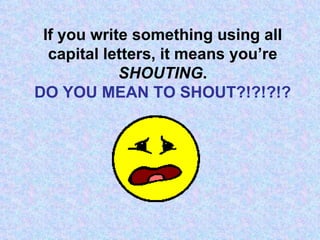
If you write something using all capital letters, it means you’re   SHOUTING . DO YOU MEAN TO SHOUT?!?!?!?
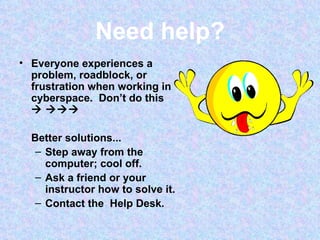
Need help? Everyone experiences a problem, roadblock, or frustration when working in cyberspace.  Don’t do this      Better solutions... Step away from the computer; cool off. Ask a friend or your instructor how to solve it. Contact the  Help Desk.
Sending documents If you send a document Please use programs supported by Moodle.  If you’re unsure check with the Help Desk or with me. Make sure the computer & disks you’re using are bug-free; i.e., without viruses.
By taking an online course, you’re a pioneer & pioneers must always be ready to meet new challenges & overcome obstacles and… Remember…
We’re all in this together.  Ok?  I hope that helps.

Gettingstarted

  • 1.
    Tips for asuccess in your online course Some of you are familiar with moving through cyberspace; if so, be patient because for others, it’s a new skill. This overview is intended to get us off on the right foot.
  • 2.
    Get a looseleaf notebook for the printed items to which you want handy reference. Where’s that notebook?
  • 3.
    Bookmark this Courseas a Favorite
  • 4.
    What if Ihave questions? Review the text & the lesson. Are you able to answer your own question? Sometimes we’re able to do that. ‘ Talk’ to one of your classmates about your question. E-mail each other. Post your question in the Discussion Forum. If you were fuzzy on it, others may be also. We can discuss your question as a group. If you’d rather not post your question to the bulletin board e-mail your instructor. We can talk about it. For technical problems contact the Help Desk. There’s a link to it at your log on screen.
  • 5.
    What about tests?You may take each online test one time during the time it is open. Tests are open book. Use notes and text for help. Use all the available time and check your work. Test? Oh no!
  • 6.
    Be sure youcheck the course calendar frequently. The course calendar will help you monitor due dates. Print a copy and keep it handy for frequent reference. Let’s keep on top of things!
  • 7.
    Don’t try to‘get ahead’ of the class by doing lessons before they’re scheduled. Something about the lesson might change between the time you do it & the time it’s scheduled. You might overwhelm yourself. You’ll be out of sync with the rest of the class.
  • 8.
    What should Ido if I have a problem? Let your instructor know via e-mail. Be sure you understand the ‘ attendance ’ information in the syllabus. Even though this is an online course, your participation [that is, visits to the website & lessons] is still required if you expect to do well.
  • 9.
    I can checkyour attendance at the website. If you’re getting behind, you may get a note … not because I want to be a cranky-old-instructor, but because I want you to be successful.
  • 10.
    What is Netiquette?Netiquette is etiquette, or good manners, on the web. Using netiquette will help us build productive relationships for learning.
  • 11.
    What are someexamples of netiquette?
  • 12.
    *Personalize your messages;that is, use the person’s name when you’re speaking to them. *Respond promptly to your messages. *Use positive, reinforcing comments with each other. *Acknowledge others who help you.
  • 13.
    Remember to sayplease & thank you (even if your mother isn’t here to remind you!!)
  • 14.
    Respect our community.Don’t give your username & password to someone not in our group.
  • 15.
    Keep your messagesshort & clear; no one has time to read a 10 page email or 20 messages a day
  • 16.
    Experiment with symbolsto show humor & emotion :-)
  • 17.
    If you writesomething using all capital letters, it means you’re SHOUTING . DO YOU MEAN TO SHOUT?!?!?!?
  • 18.
    Need help? Everyoneexperiences a problem, roadblock, or frustration when working in cyberspace. Don’t do this   Better solutions... Step away from the computer; cool off. Ask a friend or your instructor how to solve it. Contact the Help Desk.
  • 19.
    Sending documents Ifyou send a document Please use programs supported by Moodle. If you’re unsure check with the Help Desk or with me. Make sure the computer & disks you’re using are bug-free; i.e., without viruses.
  • 20.
    By taking anonline course, you’re a pioneer & pioneers must always be ready to meet new challenges & overcome obstacles and… Remember…
  • 21.
    We’re all inthis together. Ok? I hope that helps.