CUSTOMER WEBINAR
NOVEMBER 2018
@GatherUp | GatherUp.com
November 2018 Agenda
• New Feature: Customer Activity
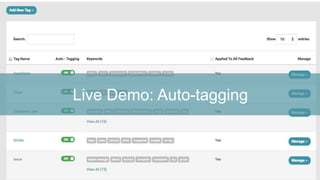
• New Feature: Auto-tagging
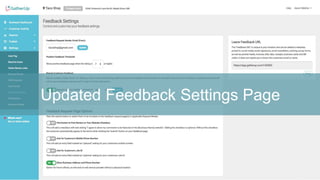
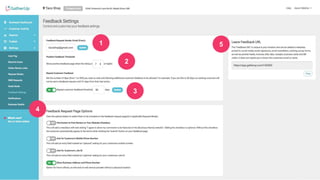
• Updated Feedback Settings page
• Zapier app for automation
• Coming to BETA by year end
• Questions
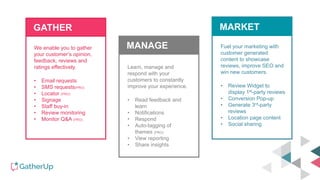
We enable you to gather
your customer’s opinion,
feedback, reviews and
ratings effectively.
• Email requests
• SMS requests(PRO)
• Locator (PRO)
• Signage
• Staff buy-in
• Review monitoring
• Monitor Q&A (PRO)
Learn, manage and
respond with your
customers to constantly
improve your experience.
• Read feedback and
learn
• Notifications
• Respond
• Auto-tagging of
themes (PRO)
• View reporting
• Share insights
Fuel your marketing with
customer generated
content to showcase
reviews, improve SEO and
win new customers.
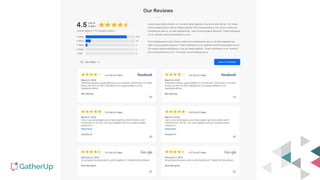
• Review Widget to
display 1st-party reviews
• Conversion Pop-up
• Generate 3rd-party
reviews
• Location page content
• Social sharing
GATHER
MANAGE
MARKET
New Feature: Customer Activity
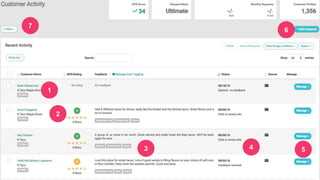
Our Goals for Customer Activity
• Improved layout and design
• To bring all of your customers into one screen, especially
for multi-location clients
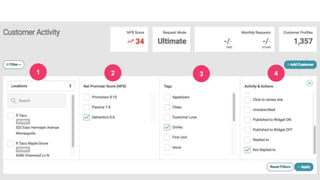
• Top down approach, let you filter down to your needs
• Super-charged filter and options
@GatherUp
1
2
3 4 5
6
7
1 2 3 4
@GatherUp
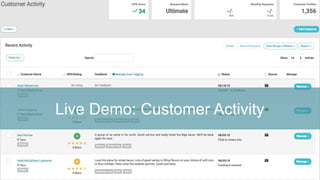
Live Demo: Customer Activity
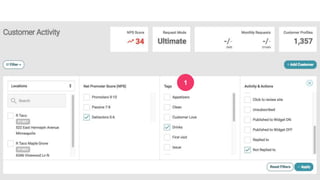
Tags & Now Auto-tagging
Two main functions of tags
• To segment 1st-party reviews for use in a TAG WIDGET to
display specific review content on a page (product,
service, location)
• To build out “themes” in your review content
Tags have long existed
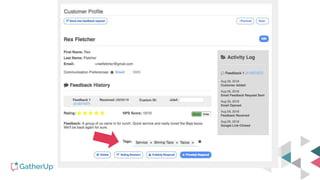
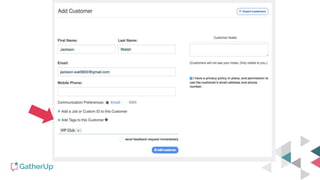
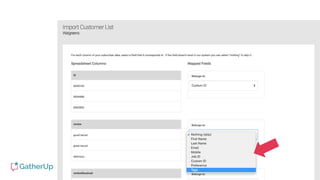
• Ability to add tags a few ways
• Manually when you add them to existing feedback
• Manually when you add a customer
• When you upload a list, use a column for tags
• Via the API or Zapier
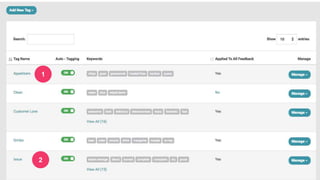
New Feature: Auto Tagging (PRO)
Our Goals for Auto Tagging
• To automate the process of applying tags to 1st-party
review content – saving you time
• Improve how to analyze feedback/1st-party reviews by a
“theme” that represents many keywords
• This is a PRO PLAN and up feature, with more
functionality to be built on it in 2019
1
2
1
Live Demo: Auto-tagging
Updated Feedback Settings Page
1
2
3
4
5
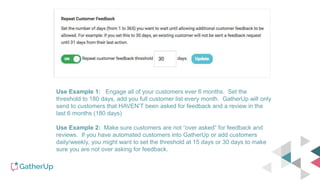
Use Example 1: Engage all of your customers ever 6 months. Set the
threshold to 180 days, add you full customer list every month. GatherUp will only
send to customers that HAVEN’T been asked for feedback and a review in the
last 6 months (180 days)
Use Example 2: Make sure customers are not “over asked” for feedback and
reviews. If you have automated customers into GatherUp or add customers
daily/weekly, you might want to set the threshold at 15 days or 30 days to make
sure you are not over asking for feedback.
Automate with
Easy automation, no coding
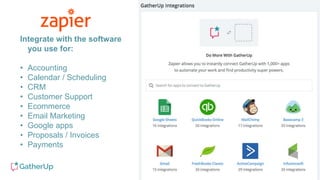
Integrate with the software
you use for:
• Accounting
• Calendar / Scheduling
• CRM
• Customer Support
• Ecommerce
• Email Marketing
• Google apps
• Proposals / Invoices
• Payments
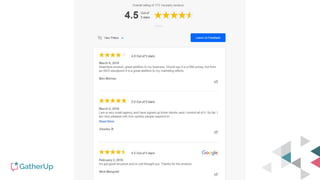
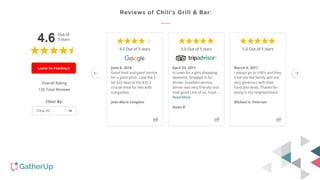
New widget designs coming
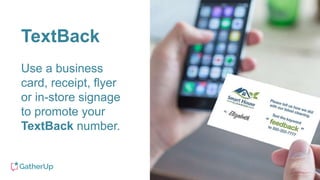
TextBack
Use a business
card, receipt, flyer
or in-store signage
to promote your
TextBack number.
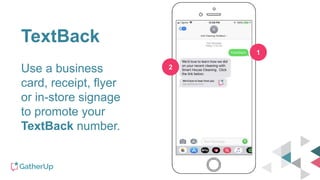
TextBack
Use a business
card, receipt, flyer
or in-store signage
to promote your
TextBack number.
1
2
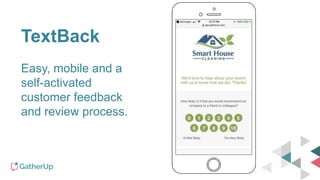
TextBack
Easy, mobile and a
self-activated
customer feedback
and review process.
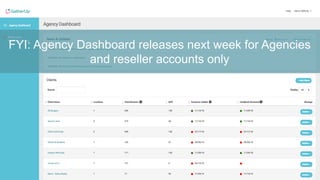
FYI: Agency Dashboard releases next week for Agencies
and reseller accounts only
Final questions?
Changelog: changelog.gatherup.com
User Guide: userguide.gatherup.com
Thank you!

GatherUp Customer Webinar - November 2018

  • 1.
  • 2.
    November 2018 Agenda •New Feature: Customer Activity • New Feature: Auto-tagging • Updated Feedback Settings page • Zapier app for automation • Coming to BETA by year end • Questions
  • 3.
    We enable youto gather your customer’s opinion, feedback, reviews and ratings effectively. • Email requests • SMS requests(PRO) • Locator (PRO) • Signage • Staff buy-in • Review monitoring • Monitor Q&A (PRO) Learn, manage and respond with your customers to constantly improve your experience. • Read feedback and learn • Notifications • Respond • Auto-tagging of themes (PRO) • View reporting • Share insights Fuel your marketing with customer generated content to showcase reviews, improve SEO and win new customers. • Review Widget to display 1st-party reviews • Conversion Pop-up • Generate 3rd-party reviews • Location page content • Social sharing GATHER MANAGE MARKET
  • 4.
  • 5.
    Our Goals forCustomer Activity • Improved layout and design • To bring all of your customers into one screen, especially for multi-location clients • Top down approach, let you filter down to your needs • Super-charged filter and options
  • 6.
  • 7.
  • 8.
  • 9.
    Tags & NowAuto-tagging
  • 10.
    Two main functionsof tags • To segment 1st-party reviews for use in a TAG WIDGET to display specific review content on a page (product, service, location) • To build out “themes” in your review content
  • 11.
    Tags have longexisted • Ability to add tags a few ways • Manually when you add them to existing feedback • Manually when you add a customer • When you upload a list, use a column for tags • Via the API or Zapier
  • 16.
    New Feature: AutoTagging (PRO)
  • 17.
    Our Goals forAuto Tagging • To automate the process of applying tags to 1st-party review content – saving you time • Improve how to analyze feedback/1st-party reviews by a “theme” that represents many keywords • This is a PRO PLAN and up feature, with more functionality to be built on it in 2019
  • 18.
  • 20.
  • 21.
  • 22.
  • 23.
  • 24.
    Use Example 1:Engage all of your customers ever 6 months. Set the threshold to 180 days, add you full customer list every month. GatherUp will only send to customers that HAVEN’T been asked for feedback and a review in the last 6 months (180 days) Use Example 2: Make sure customers are not “over asked” for feedback and reviews. If you have automated customers into GatherUp or add customers daily/weekly, you might want to set the threshold at 15 days or 30 days to make sure you are not over asking for feedback.
  • 25.
  • 26.
    Integrate with thesoftware you use for: • Accounting • Calendar / Scheduling • CRM • Customer Support • Ecommerce • Email Marketing • Google apps • Proposals / Invoices • Payments
  • 27.
  • 31.
    TextBack Use a business card,receipt, flyer or in-store signage to promote your TextBack number.
  • 32.
    TextBack Use a business card,receipt, flyer or in-store signage to promote your TextBack number. 1 2
  • 33.
    TextBack Easy, mobile anda self-activated customer feedback and review process.
  • 34.
    FYI: Agency Dashboardreleases next week for Agencies and reseller accounts only
  • 35.
    Final questions? Changelog: changelog.gatherup.com UserGuide: userguide.gatherup.com Thank you!

Editor's Notes

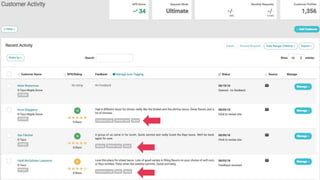
  • #7 1- Display of customer name and what location they are from 2- NPS score and 5-star rating score 3- Customer feedback content 4- Last action taken … 10 statuses so you know what took place 5- Options to MANAGE … view the details, reply to the customer, add to Review Widget 6- High powered filtering system to view the data and actions how your want
  • #9 1- Display of customer name and what location they are from 2- NPS score and 5-star rating score 3- Customer feedback content 4- Last action taken … 10 statuses so you know what took place 5- Options to MANAGE … view the details, reply to the customer, add to Review Widget 6- High powered filtering system to view the data and actions how your want
  • #35 1- Agency Dashboard on the Navigation, always on TOP. ONLY available to Agency Owner and Agency Users 2- News and Updates section pulled from changelog.gatherup.com – links to Blog and Help Guide too 3- Locations organized by client, 1 or 100 locations 4- Shows the number of locations in the client account 5- Visual displays of date and “stoplight” for spot checking of client health 6- MANAGE button for access to managing, reporting and editing the client 7- Add Client button to create a new client, then add their location(s)