AdWords Implementation
Strategies
Everything you need to know before you
begin your campaigns
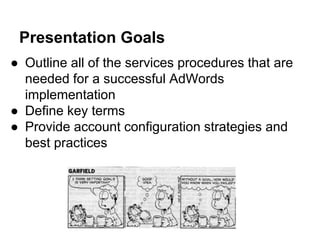
Presentation Goals
● Outline all of the services procedures that are
needed for a successful AdWords
implementation
● Define key terms
● Provide account configuration strategies and
best practices
I need an AdWords campaign and
Before you ever open AdWords...
There are multiple
services and
configurations you want
to make sure are in
place in order to run a
strategic, data-driven
campaign
Implementing AdWords without
these services and configurations is
like serving peanut butter without
jelly.
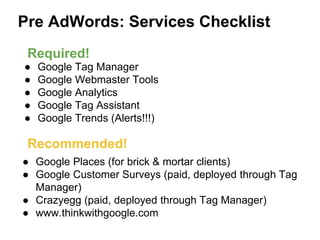
Pre AdWords: Services Checklist
● Google Tag Manager
● Google Webmaster Tools
● Google Analytics
● Google Tag Assistant
● Google Trends (Alerts!!!)
● Google Places (for brick & mortar clients)
● Google Customer Surveys (paid, deployed through Tag
Manager)
● Crazyegg (paid, deployed through Tag Manager)
● www.thinkwithgoogle.com
Required!
Recommended!
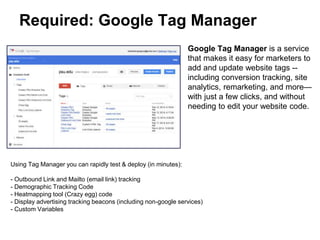
Required: Google Tag Manager
Google Tag Manager is a service
that makes it easy for marketers to
add and update website tags --
including conversion tracking, site
analytics, remarketing, and more—
with just a few clicks, and without
needing to edit your website code.
Using Tag Manager you can rapidly test & deploy (in minutes):
- Outbound Link and Mailto (email link) tracking
- Demographic Tracking Code
- Heatmapping tool (Crazy egg) code
- Display advertising tracking beacons (including non-google services)
- Custom Variables
Previously each of these deployments could have taken between 5-10 business days
Required: Google Tag Manager
Why:
● Easy to implement
● Centralizes and simplifies tag management
● Test & deploy marketing & analytics without
the involvement of Client’s IT team
● Increase site performance
● Works across all platforms (even updates
realtime to a downloaded application)
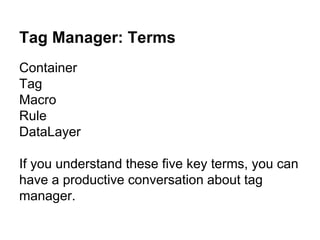
Tag Manager: Terms
Container
Tag
Macro
Rule
DataLayer
If you understand these five key terms, you can
have a productive conversation about tag
manager.
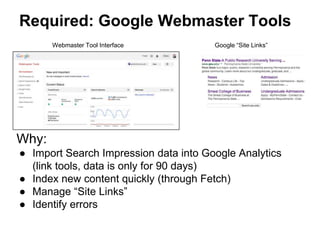
Required: Google Webmaster Tools
Why:
● Import Search Impression data into Google Analytics
(link tools, data is only for 90 days)
● Index new content quickly (through Fetch)
● Manage “Site Links”
● Identify errors
Webmaster Tool Interface Google “Site Links”
Mega Required: Google Analytics
If you are running an AdWords campaign you
really, really need Google Analytics.
It’s free.
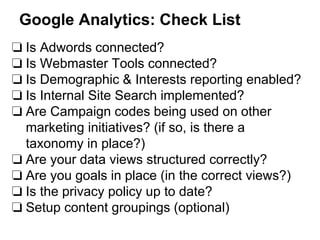
Google Analytics: Check List
❏ Is Adwords connected?
❏ Is Webmaster Tools connected?
❏ Is Demographic & Interests reporting enabled?
❏ Is Internal Site Search implemented?
❏ Are Campaign codes being used on other
marketing initiatives? (if so, is there a
taxonomy in place?)
❏ Are your data views structured correctly?
❏ Are you goals in place (in the correct views?)
❏ Is the privacy policy up to date?
❏ Setup content groupings (optional)
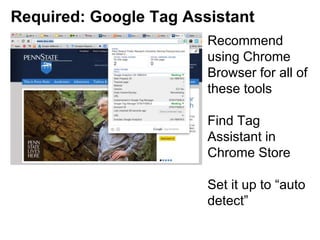
Required: Google Tag Assistant
Recommend
using Chrome
Browser for all of
these tools
Find Tag
Assistant in
Chrome Store
Set it up to “auto
detect”
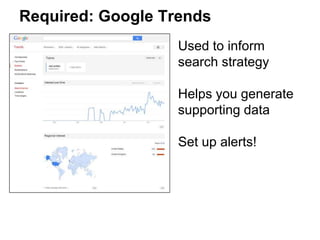
Required: Google Trends
Used to inform
search strategy
Helps you generate
supporting data
Set up alerts!
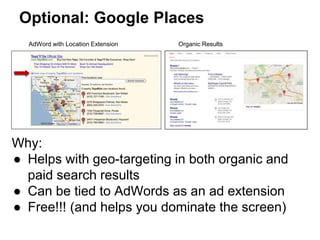
Optional: Google Places
Why:
● Helps with geo-targeting in both organic and
paid search results
● Can be tied to AdWords as an ad extension
● Free!!! (and helps you dominate the screen)
AdWord with Location Extension Organic Results
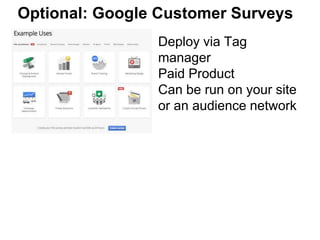
Optional: Google Customer Surveys
Deploy via Tag
manager
Paid Product
Can be run on your site
or an audience network
Optional: CrazyEgg
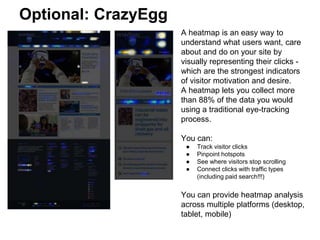
A heatmap is an easy way to
understand what users want, care
about and do on your site by
visually representing their clicks -
which are the strongest indicators
of visitor motivation and desire.
A heatmap lets you collect more
than 88% of the data you would
using a traditional eye-tracking
process.
You can:
● Track visitor clicks
● Pinpoint hotspots
● See where visitors stop scrolling
● Connect clicks with traffic types
(including paid search!!!)
You can provide heatmap analysis
across multiple platforms (desktop,
tablet, mobile)
CrazyEgg
Deploy through Tag Manager on every page
(it’s asynchronous so it will not affect
performance)
Best to preemptively run on landing pages and
pages where conversions take place
Optional: ThinkWithGoogle.com
Why:
● Third party research to support your
approach
● Supporting documentation for proposals
● Client education
And now about AdWords...
Penn State Regional Campaigns Case Study
Personal Learnings:
ie. cautionary tales...
The only thing constant is change
Expect feature and interface changes often
and without notice (in all applications)
AdWords Account Ownership
NEVER “own” a client account (even if they beg
you to)
Set up invoicing with a google rep (and get to
know them well)
Length account ownership affects your “quality
score” (which impacts your visibility)
Low Conversion
… can be just as much the fault of the client’s
site as it can be the campaign
This is why heatmapping is good to have in
place
Agree on Market Size and length of
campaign
and adjust budget accordingly
Clients often start with budget instead of market
Often budget may be too large or small for target
market
AdWords will supply you with potential reach
data as well as an estimated performance metric
Design your campaigns to show
your value
Start with your budgets and work backwards…
Approach your spend by prioritizing
region/audience/product based on success
metrics
The shared budget view is a powerful tool...
Shared Library
Think about everything you want to be shared
across campaigns before configuration:
● Budgets
● Exclusions
● Negative Keywords
● Ads
SEO and SEM
The 10 million dollar question: Should you buy
your own brand name if you are already top of
the organic results.
Be as specific as possible in your
campaign names
That is what you will see in Google Analytics…
Indicate intent: exposure/conversion
Review Campaign Metrics with
Client (non-negotiable)
Need 2 weeks to get enough data to make
informed decisions
Agree on changes
Then review every 2 to 3 weeks with weekly
updates
In App/Game advertising
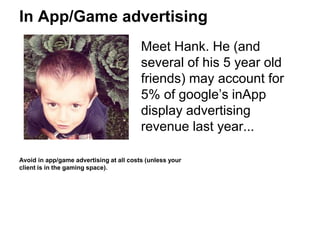
Meet Hank. He (and
several of his 5 year old
friends) may account for
5% of google’s inApp
display advertising
revenue last year...
Avoid in app/game advertising at all costs (unless your
client is in the gaming space).
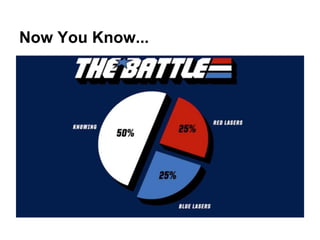
Now You Know...
Questions?

Adwords Implementation

  • 1.
    AdWords Implementation Strategies Everything youneed to know before you begin your campaigns
  • 2.
    Presentation Goals ● Outlineall of the services procedures that are needed for a successful AdWords implementation ● Define key terms ● Provide account configuration strategies and best practices
  • 3.
    I need anAdWords campaign and
  • 4.
    Before you everopen AdWords... There are multiple services and configurations you want to make sure are in place in order to run a strategic, data-driven campaign
  • 5.
    Implementing AdWords without theseservices and configurations is like serving peanut butter without jelly.
  • 6.
    Pre AdWords: ServicesChecklist ● Google Tag Manager ● Google Webmaster Tools ● Google Analytics ● Google Tag Assistant ● Google Trends (Alerts!!!) ● Google Places (for brick & mortar clients) ● Google Customer Surveys (paid, deployed through Tag Manager) ● Crazyegg (paid, deployed through Tag Manager) ● www.thinkwithgoogle.com Required! Recommended!
  • 7.
    Required: Google TagManager Google Tag Manager is a service that makes it easy for marketers to add and update website tags -- including conversion tracking, site analytics, remarketing, and more— with just a few clicks, and without needing to edit your website code. Using Tag Manager you can rapidly test & deploy (in minutes): - Outbound Link and Mailto (email link) tracking - Demographic Tracking Code - Heatmapping tool (Crazy egg) code - Display advertising tracking beacons (including non-google services) - Custom Variables Previously each of these deployments could have taken between 5-10 business days
  • 8.
    Required: Google TagManager Why: ● Easy to implement ● Centralizes and simplifies tag management ● Test & deploy marketing & analytics without the involvement of Client’s IT team ● Increase site performance ● Works across all platforms (even updates realtime to a downloaded application)
  • 9.
    Tag Manager: Terms Container Tag Macro Rule DataLayer Ifyou understand these five key terms, you can have a productive conversation about tag manager.
  • 10.
    Required: Google WebmasterTools Why: ● Import Search Impression data into Google Analytics (link tools, data is only for 90 days) ● Index new content quickly (through Fetch) ● Manage “Site Links” ● Identify errors Webmaster Tool Interface Google “Site Links”
  • 11.
    Mega Required: GoogleAnalytics If you are running an AdWords campaign you really, really need Google Analytics. It’s free.
  • 12.
    Google Analytics: CheckList ❏ Is Adwords connected? ❏ Is Webmaster Tools connected? ❏ Is Demographic & Interests reporting enabled? ❏ Is Internal Site Search implemented? ❏ Are Campaign codes being used on other marketing initiatives? (if so, is there a taxonomy in place?) ❏ Are your data views structured correctly? ❏ Are you goals in place (in the correct views?) ❏ Is the privacy policy up to date? ❏ Setup content groupings (optional)
  • 13.
    Required: Google TagAssistant Recommend using Chrome Browser for all of these tools Find Tag Assistant in Chrome Store Set it up to “auto detect”
  • 14.
    Required: Google Trends Usedto inform search strategy Helps you generate supporting data Set up alerts!
  • 15.
    Optional: Google Places Why: ●Helps with geo-targeting in both organic and paid search results ● Can be tied to AdWords as an ad extension ● Free!!! (and helps you dominate the screen) AdWord with Location Extension Organic Results
  • 16.
    Optional: Google CustomerSurveys Deploy via Tag manager Paid Product Can be run on your site or an audience network
  • 17.
    Optional: CrazyEgg A heatmapis an easy way to understand what users want, care about and do on your site by visually representing their clicks - which are the strongest indicators of visitor motivation and desire. A heatmap lets you collect more than 88% of the data you would using a traditional eye-tracking process. You can: ● Track visitor clicks ● Pinpoint hotspots ● See where visitors stop scrolling ● Connect clicks with traffic types (including paid search!!!) You can provide heatmap analysis across multiple platforms (desktop, tablet, mobile)
  • 18.
    CrazyEgg Deploy through TagManager on every page (it’s asynchronous so it will not affect performance) Best to preemptively run on landing pages and pages where conversions take place
  • 19.
    Optional: ThinkWithGoogle.com Why: ● Thirdparty research to support your approach ● Supporting documentation for proposals ● Client education
  • 20.
    And now aboutAdWords... Penn State Regional Campaigns Case Study
  • 21.
  • 22.
    The only thingconstant is change Expect feature and interface changes often and without notice (in all applications)
  • 23.
    AdWords Account Ownership NEVER“own” a client account (even if they beg you to) Set up invoicing with a google rep (and get to know them well) Length account ownership affects your “quality score” (which impacts your visibility)
  • 24.
    Low Conversion … canbe just as much the fault of the client’s site as it can be the campaign This is why heatmapping is good to have in place
  • 25.
    Agree on MarketSize and length of campaign and adjust budget accordingly Clients often start with budget instead of market Often budget may be too large or small for target market AdWords will supply you with potential reach data as well as an estimated performance metric
  • 26.
    Design your campaignsto show your value Start with your budgets and work backwards… Approach your spend by prioritizing region/audience/product based on success metrics The shared budget view is a powerful tool...
  • 27.
    Shared Library Think abouteverything you want to be shared across campaigns before configuration: ● Budgets ● Exclusions ● Negative Keywords ● Ads
  • 28.
    SEO and SEM The10 million dollar question: Should you buy your own brand name if you are already top of the organic results.
  • 29.
    Be as specificas possible in your campaign names That is what you will see in Google Analytics… Indicate intent: exposure/conversion
  • 30.
    Review Campaign Metricswith Client (non-negotiable) Need 2 weeks to get enough data to make informed decisions Agree on changes Then review every 2 to 3 weeks with weekly updates
  • 31.
    In App/Game advertising MeetHank. He (and several of his 5 year old friends) may account for 5% of google’s inApp display advertising revenue last year... Avoid in app/game advertising at all costs (unless your client is in the gaming space).
  • 32.
  • 33.