Presented by Paul Cancellieri, 8th Grade Science Teacher
Using Classcraft in BYOD and 1:1 Classrooms
Paul Cancellieri @mrscienceteach pcancellieri@me.com
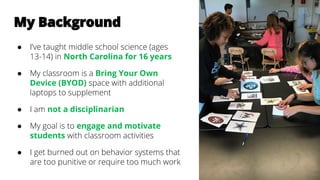
My Background
● I’ve taught middle school science (ages
13-14) in North Carolina for 16 years
● My classroom is a Bring Your Own
Device (BYOD) space with additional
laptops to supplement
● I am not a disciplinarian
● My goal is to engage and motivate
students with classroom activities
● I get burned out on behavior systems that
are too punitive or require too much work
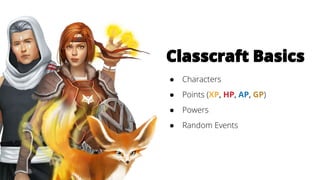
Classcraft Basics
● Characters
● Points (XP, HP, AP, GP)
● Powers
● Random Events
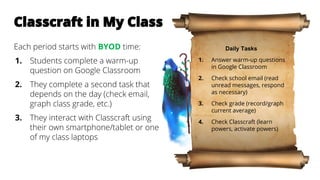
Classcraft in My Class
Each period starts with BYOD time:
1. Students complete a warm-up
question on Google Classroom
2. They complete a second task that
depends on the day (check email,
graph class grade, etc.)
3. They interact with Classcraft using
their own smartphone/tablet or one
of my class laptops
Daily Tasks
1. Answer warm-up questions
in Google Classroom
2. Check school email (read
unread messages, respond
as necessary)
3. Check grade (record/graph
current average)
4. Check Classcraft (learn
powers, activate powers)
● They activate powers during BYOD time
and then put their devices away when the
timer runs out
● I look through the game feed to see what’s
been activated and manage the game
accordingly
● I walk around during individual and group
activities and hand out XP (or take away HP)
as needed, using my phone or laptop
Self-Paced Learning Through Quests
● Teachers design tasks that students
complete at their own pace, earning
XP and/or GP
● Can be used with a flipped classroom
by shifting content that doesn’t need
the teacher present
● Great way to use Classcraft to build
“work behaviors” during
learning/practice
● In beta, so new features are still coming
online
Classcraft Promotes
Independent Learning
● Students and parents can track their
performance and see feedback immediately
● Teach responsible use of devices by rewarding
digital citizenship
● Use Quests to provide self-guided lessons, such
as remediation or extension, when needed
● Reinforce positive classroom behaviors (like
using tech appropriately) using XP or GP
Questions?
Paul Cancellieri
8th Grade Science
pcancellieri@me.com
scriptedspontaneity.com
@mrscienceteach
classcraft.com
facebook.com/classcraftgame
@classcraftgame
Stay in Touch

Gamifying BYOD and 1:1 Classrooms

  • 1.
    Presented by PaulCancellieri, 8th Grade Science Teacher Using Classcraft in BYOD and 1:1 Classrooms Paul Cancellieri @mrscienceteach pcancellieri@me.com
  • 2.
    My Background ● I’vetaught middle school science (ages 13-14) in North Carolina for 16 years ● My classroom is a Bring Your Own Device (BYOD) space with additional laptops to supplement ● I am not a disciplinarian ● My goal is to engage and motivate students with classroom activities ● I get burned out on behavior systems that are too punitive or require too much work
  • 3.
    Classcraft Basics ● Characters ●Points (XP, HP, AP, GP) ● Powers ● Random Events
  • 4.
    Classcraft in MyClass Each period starts with BYOD time: 1. Students complete a warm-up question on Google Classroom 2. They complete a second task that depends on the day (check email, graph class grade, etc.) 3. They interact with Classcraft using their own smartphone/tablet or one of my class laptops Daily Tasks 1. Answer warm-up questions in Google Classroom 2. Check school email (read unread messages, respond as necessary) 3. Check grade (record/graph current average) 4. Check Classcraft (learn powers, activate powers)
  • 5.
    ● They activatepowers during BYOD time and then put their devices away when the timer runs out ● I look through the game feed to see what’s been activated and manage the game accordingly ● I walk around during individual and group activities and hand out XP (or take away HP) as needed, using my phone or laptop
  • 6.
    Self-Paced Learning ThroughQuests ● Teachers design tasks that students complete at their own pace, earning XP and/or GP ● Can be used with a flipped classroom by shifting content that doesn’t need the teacher present ● Great way to use Classcraft to build “work behaviors” during learning/practice ● In beta, so new features are still coming online
  • 7.
    Classcraft Promotes Independent Learning ●Students and parents can track their performance and see feedback immediately ● Teach responsible use of devices by rewarding digital citizenship ● Use Quests to provide self-guided lessons, such as remediation or extension, when needed ● Reinforce positive classroom behaviors (like using tech appropriately) using XP or GP
  • 8.
  • 9.
    Paul Cancellieri 8th GradeScience pcancellieri@me.com scriptedspontaneity.com @mrscienceteach classcraft.com facebook.com/classcraftgame @classcraftgame Stay in Touch