The road to EmberJs 2.0
Lucio Grenzi
ROME 18-19 MARCH 2016
The road to EmberJs 2.0
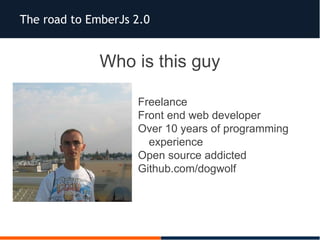
Who is this guy
Freelance
Front end web developer
Over 10 years of programming
experience
Open source addicted
Github.com/dogwolf
The road to EmberJs 2.0
“A framework for creating ambitous web application”
- Emberjs homepage -
Latest version: v 2.4
Date of birth: 2011
Origin: SproutCore fork
MIT License
Mantained by the Ember.Js Community
Depends on handlebar.js and jQuery
More than 15000 GitHub stars
The road to EmberJs 2.0
What is Ember.js?
 A Javascript framework
 Based on MVC pattern
 Client side
 Single Page App
 Declarative
 Two ways data binding*
The road to EmberJs 2.0
AngularJs vs EmberJs
AngularJS is a toolset for building the framework most
suited to your application development
- AngularJs homepage-
A framework for creating ambitous web application”
- Emberjs homepage -
The road to EmberJs 2.0
Philosophy on AngularJs
Web application development needs first class support for
data binding, dependency injection and testability
Use this primitives to build your own high level
abstractions specific to your particular application's needs
The road to EmberJs 2.0
Quality of a framework
1. It should be clear where code belongs and where to
find it
2. You should have to write and mantain the least code
amount of code necessary
3. Change in one area of your app should not affect
others areas
The road to EmberJs 2.0
EmberJs Philosophy
 Stability without stagnation
 Big bang releases
 App rewrites (every new release)
 Long-lived (custom) branches
The road to EmberJs 2.0
EmberJs release cycle
Six weeks release cycle
Add new features
Deprecates nasty parts of the code
Ember 2.0 only removes features that were deprecated as
of Ember 1.13
The road to EmberJs 2.0
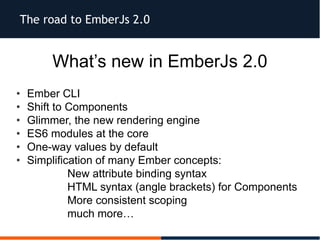
What’s new in EmberJs 2.0
• Ember CLI
• Shift to Components
• Glimmer, the new rendering engine
• ES6 modules at the core
• One-way values by default
• Simplification of many Ember concepts:
– New attribute binding syntax
– HTML syntax (angle brackets) for Components
– More consistent scoping
– much more…
The road to EmberJs 2.0
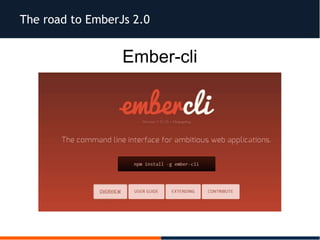
Ember-cli
The road to EmberJs 2.0
Ember-cli support
Handlebars
HTMLBars
Emblem
LESS
Sass
Compass
Stylus
CoffeeScript
EmberScript
Minified JS & CSS
The road to EmberJs 2.0
Ember-cli (cont.)
Require Node.js and npm
Require Bower in order to keep your front-end dependencies
up-to-date
$npm install -g bower
Reccomended PhantomJs in order to use the automated test
runner
$npm install -g phantomjs-prebuilt
The road to EmberJs 2.0
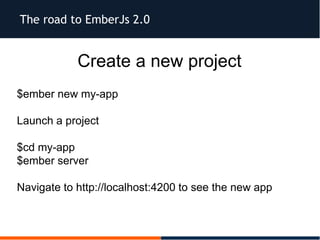
Create a new project
$ember new my-app
Launch a project
$cd my-app
$ember server
Navigate to http://localhost:4200 to see the new app
The road to EmberJs 2.0
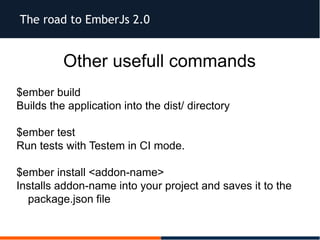
Other usefull commands
$ember build
Builds the application into the dist/ directory
$ember test
Run tests with Testem in CI mode.
$ember install <addon-name>
Installs addon-name into your project and saves it to the
package.json file
The road to EmberJs 2.0
Ember-cli addon system
Provides a way to create reusable units of code
Extend the build tool
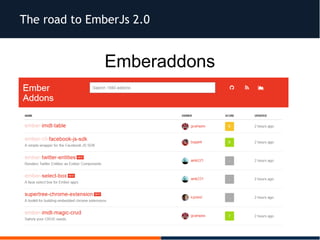
Found all the addons at emberaddons.com
The road to EmberJs 2.0
Emberaddons
The road to EmberJs 2.0
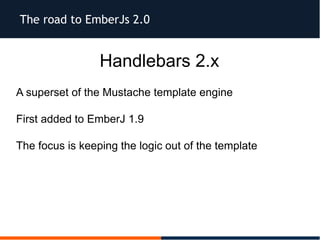
Handlebars 2.x
A superset of the Mustache template engine
First added to EmberJ 1.9
The focus is keeping the logic out of the template
The road to EmberJs 2.0
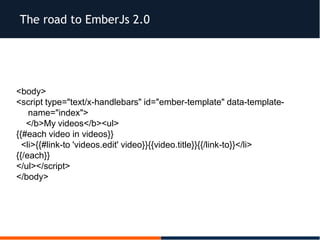
<body>
<script type="text/x-handlebars" id="ember-template" data-template-
name="index">
</b>My videos</b><ul>
{{#each video in videos}}
<li>{{#link-to 'videos.edit' video}}{{video.title}}{{/link-to}}</li>
{{/each}}
</ul></script>
</body>
The road to EmberJs 2.0
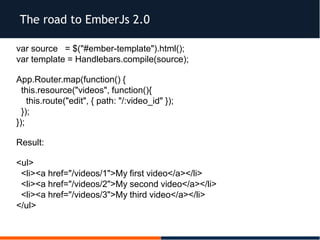
var source = $("#ember-template").html();
var template = Handlebars.compile(source);
App.Router.map(function() {
this.resource("videos", function(){
this.route("edit", { path: "/:video_id" });
});
});
Result:
<ul>
<li><a href="/videos/1">My first video</a></li>
<li><a href="/videos/2">My second video</a></li>
<li><a href="/videos/3">My third video</a></li>
</ul>
The road to EmberJs 2.0
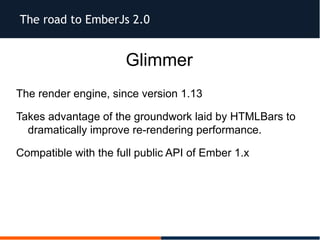
Glimmer
The render engine, since version 1.13
Takes advantage of the groundwork laid by HTMLBars to
dramatically improve re-rendering performance.
Compatible with the full public API of Ember 1.x
The road to EmberJs 2.0
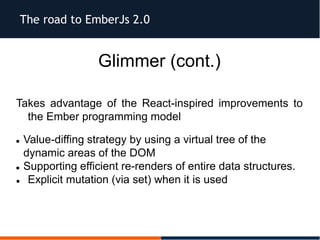
Glimmer (cont.)
Takes advantage of the React-inspired improvements to
the Ember programming model
 Value-diffing strategy by using a virtual tree of the
dynamic areas of the DOM
 Supporting efficient re-renders of entire data structures.
 Explicit mutation (via set) when it is used
The road to EmberJs 2.0
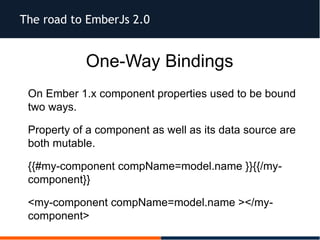
One-Way Bindings
On Ember 1.x component properties used to be bound
two ways.
Property of a component as well as its data source are
both mutable.
{{#my-component compName=model.name }}{{/my-
component}}
<my-component compName=model.name ></my-
component>
The road to EmberJs 2.0
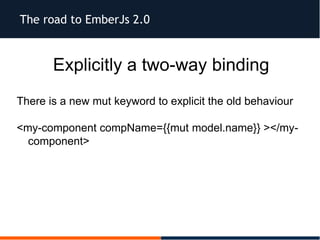
Explicitly a two-way binding
There is a new mut keyword to explicit the old behaviour
<my-component compName={{mut model.name}} ></my-
component>
The road to EmberJs 2.0
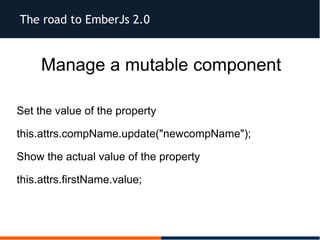
Manage a mutable component
Set the value of the property
this.attrs.compName.update("newcompName");
Show the actual value of the property
this.attrs.firstName.value;
The road to EmberJs 2.0
Ember-data
Library for robustly managing model data in your Ember.js
applications
Is designed to be agnostic to the underlying persistence
mechanism
Uses Promises/A+-compatible promises to manage
loading and saving records
The road to EmberJs 2.0
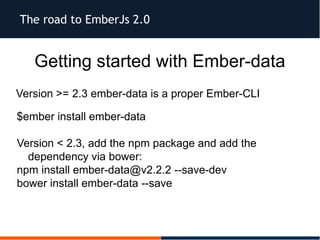
Getting started with Ember-data
Version >= 2.3 ember-data is a proper Ember-CLI
$ember install ember-data
Version < 2.3, add the npm package and add the
dependency via bower:
npm install ember-data@v2.2.2 --save-dev
bower install ember-data --save
The road to EmberJs 2.0
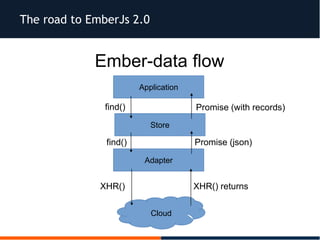
Ember-data flow
Application
Store
Adapter
Cloud
Promise (with records)
Promise (json)
find()
find()
XHR() XHR() returns
The road to EmberJs 2.0
The Store
The store is responsible for managing the lifecycle of your
models.
By loading the Ember Data library in your app, all of the
routes and controllers in will get a new store property
The road to EmberJs 2.0
The Adapter
The adapter is responsible for translating requests from
Ember-data into requests on your server.
The road to EmberJs 2.0
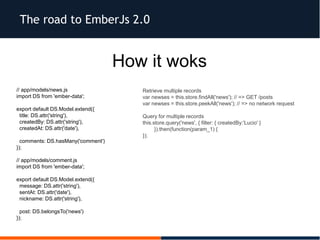
How it woks
// app/models/news.js
import DS from 'ember-data';
export default DS.Model.extend({
title: DS.attr('string'),
createdBy: DS.attr('string'),
createdAt: DS.attr('date'),
comments: DS.hasMany('comment')
});
// app/models/comment.js
import DS from 'ember-data';
export default DS.Model.extend({
message: DS.attr('string'),
sentAt: DS.attr('date'),
nickname: DS.attr('string'),
post: DS.belongsTo('news')
});
Retrieve multiple records
var newses = this.store.findAll('news'); // => GET /posts
var newses = this.store.peekAll('news'); // => no network request
Query for multiple records
this.store.query('news', { filter: { createdBy:'Lucio' }
}).then(function(param_1) {
});
The road to EmberJs 2.0
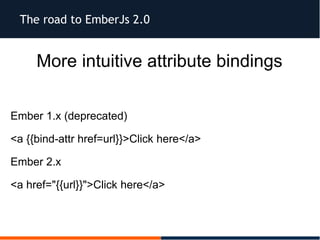
More intuitive attribute bindings
Ember 1.x (deprecated)
<a {{bind-attr href=url}}>Click here</a>
Ember 2.x
<a href="{{url}}">Click here</a>
The road to EmberJs 2.0
Components
Based on of the W3C Web Components specification
The specification is comprised of four smaller
specifications; templates, decorators, shadow DOM,
and custom elements.
The road to EmberJs 2.0
Ember Components vs. Ember Views
 EmberJs is a MVC .. V doesn't stand for view?

 Components are a subclass of Ember.View

 Views are generally found in the context of a controller.

 Views sit behind a template and turn input into a semantic
action in a controller or route.
The road to EmberJs 2.0
Ember Components vs. Ember Views
 EmberJs component do not have a context, they only
know about the interface that they define
 Components can be rendered into any context, making it
decoupled and reusable.
 In order to render properly a component you must supply
it with data that it's expecting
The road to EmberJs 2.0
Anatomy of an Ember Components
An Ember component consists of a Handlebars template
file and an accompanying Ember class (if needed extra
interactivity with the component).
The road to EmberJs 2.0
Generate an Ember Component
$ ember generate component multitabs
This will create three new files
 a Handlebars file for our HTML
 app/templates/components/multitabs.hbs
 a JavaScript file for our component class
app/components/multitabs.js
 a test file
tests/integration/components/multitabs-test.js
The road to EmberJs 2.0
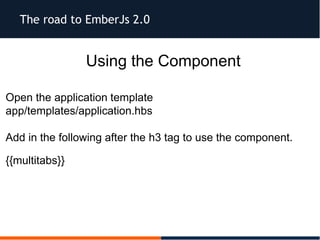
Using the Component
Open the application template
app/templates/application.hbs
Add in the following after the h3 tag to use the component.
{{multitabs}}
The road to EmberJs 2.0
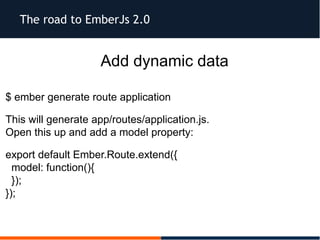
Add dynamic data
$ ember generate route application
This will generate app/routes/application.js.
Open this up and add a model property:
export default Ember.Route.extend({
model: function(){
});
});
The road to EmberJs 2.0
Add Polymer to Ember project
$ ember new PolymerProject
$ bower install polymer --save
The road to EmberJs 2.0
// Brocfile.js
...
var EmberApp = require('ember-cli/lib/broccoli/ember-app');
...
var app = new EmberApp();
...
var polymer = pickFiles('bower_components/', {
srcDir: '',
files: [
'webcomponentsjs/webcomponents.js',
'polymer/polymer.html'
// 'polymer/polymer.js'
],
destDir: '/assets'
});
module.exports = mergeTrees([ polymer, app.toTree()]);
// Index.html
...
<script src="assets/webcomponentsjs/webcomponents.js"></script>
...
The road to EmberJs 2.0
Resources and References
https://github.com/emberjs/data
https://github.com/emberjs/rfcs/pull/15
http://ember-cli.com/
http://code.tutsplus.com/tutorials/ember-components-a-
deep-dive--net-35551
http://www.sitepoint.com/understanding-components-in-
ember-2/
The road to EmberJs 2.0
Questions?
https://www.flickr.com/photos/derek_b/3046770021/
Thanks!
ROME 18-19 MARCH 2016
l.grenzi@gmail.com
Dogwolf
lucio.grenzi
All pictures belong
to their respective authors

Full slidescr16

  • 1.
    The road toEmberJs 2.0 Lucio Grenzi ROME 18-19 MARCH 2016
  • 2.
    The road toEmberJs 2.0 Who is this guy Freelance Front end web developer Over 10 years of programming experience Open source addicted Github.com/dogwolf
  • 3.
    The road toEmberJs 2.0 “A framework for creating ambitous web application” - Emberjs homepage - Latest version: v 2.4 Date of birth: 2011 Origin: SproutCore fork MIT License Mantained by the Ember.Js Community Depends on handlebar.js and jQuery More than 15000 GitHub stars
  • 4.
    The road toEmberJs 2.0 What is Ember.js?  A Javascript framework  Based on MVC pattern  Client side  Single Page App  Declarative  Two ways data binding*
  • 5.
    The road toEmberJs 2.0 AngularJs vs EmberJs AngularJS is a toolset for building the framework most suited to your application development - AngularJs homepage- A framework for creating ambitous web application” - Emberjs homepage -
  • 6.
    The road toEmberJs 2.0 Philosophy on AngularJs Web application development needs first class support for data binding, dependency injection and testability Use this primitives to build your own high level abstractions specific to your particular application's needs
  • 7.
    The road toEmberJs 2.0 Quality of a framework 1. It should be clear where code belongs and where to find it 2. You should have to write and mantain the least code amount of code necessary 3. Change in one area of your app should not affect others areas
  • 8.
    The road toEmberJs 2.0 EmberJs Philosophy  Stability without stagnation  Big bang releases  App rewrites (every new release)  Long-lived (custom) branches
  • 9.
    The road toEmberJs 2.0 EmberJs release cycle Six weeks release cycle Add new features Deprecates nasty parts of the code Ember 2.0 only removes features that were deprecated as of Ember 1.13
  • 10.
    The road toEmberJs 2.0 What’s new in EmberJs 2.0 • Ember CLI • Shift to Components • Glimmer, the new rendering engine • ES6 modules at the core • One-way values by default • Simplification of many Ember concepts: – New attribute binding syntax – HTML syntax (angle brackets) for Components – More consistent scoping – much more…
  • 11.
    The road toEmberJs 2.0 Ember-cli
  • 12.
    The road toEmberJs 2.0 Ember-cli support Handlebars HTMLBars Emblem LESS Sass Compass Stylus CoffeeScript EmberScript Minified JS & CSS
  • 13.
    The road toEmberJs 2.0 Ember-cli (cont.) Require Node.js and npm Require Bower in order to keep your front-end dependencies up-to-date $npm install -g bower Reccomended PhantomJs in order to use the automated test runner $npm install -g phantomjs-prebuilt
  • 14.
    The road toEmberJs 2.0 Create a new project $ember new my-app Launch a project $cd my-app $ember server Navigate to http://localhost:4200 to see the new app
  • 15.
    The road toEmberJs 2.0 Other usefull commands $ember build Builds the application into the dist/ directory $ember test Run tests with Testem in CI mode. $ember install <addon-name> Installs addon-name into your project and saves it to the package.json file
  • 16.
    The road toEmberJs 2.0 Ember-cli addon system Provides a way to create reusable units of code Extend the build tool Found all the addons at emberaddons.com
  • 17.
    The road toEmberJs 2.0 Emberaddons
  • 18.
    The road toEmberJs 2.0 Handlebars 2.x A superset of the Mustache template engine First added to EmberJ 1.9 The focus is keeping the logic out of the template
  • 19.
    The road toEmberJs 2.0 <body> <script type="text/x-handlebars" id="ember-template" data-template- name="index"> </b>My videos</b><ul> {{#each video in videos}} <li>{{#link-to 'videos.edit' video}}{{video.title}}{{/link-to}}</li> {{/each}} </ul></script> </body>
  • 20.
    The road toEmberJs 2.0 var source = $("#ember-template").html(); var template = Handlebars.compile(source); App.Router.map(function() { this.resource("videos", function(){ this.route("edit", { path: "/:video_id" }); }); }); Result: <ul> <li><a href="/videos/1">My first video</a></li> <li><a href="/videos/2">My second video</a></li> <li><a href="/videos/3">My third video</a></li> </ul>
  • 21.
    The road toEmberJs 2.0 Glimmer The render engine, since version 1.13 Takes advantage of the groundwork laid by HTMLBars to dramatically improve re-rendering performance. Compatible with the full public API of Ember 1.x
  • 22.
    The road toEmberJs 2.0 Glimmer (cont.) Takes advantage of the React-inspired improvements to the Ember programming model  Value-diffing strategy by using a virtual tree of the dynamic areas of the DOM  Supporting efficient re-renders of entire data structures.  Explicit mutation (via set) when it is used
  • 23.
    The road toEmberJs 2.0 One-Way Bindings On Ember 1.x component properties used to be bound two ways. Property of a component as well as its data source are both mutable. {{#my-component compName=model.name }}{{/my- component}} <my-component compName=model.name ></my- component>
  • 24.
    The road toEmberJs 2.0 Explicitly a two-way binding There is a new mut keyword to explicit the old behaviour <my-component compName={{mut model.name}} ></my- component>
  • 25.
    The road toEmberJs 2.0 Manage a mutable component Set the value of the property this.attrs.compName.update("newcompName"); Show the actual value of the property this.attrs.firstName.value;
  • 26.
    The road toEmberJs 2.0 Ember-data Library for robustly managing model data in your Ember.js applications Is designed to be agnostic to the underlying persistence mechanism Uses Promises/A+-compatible promises to manage loading and saving records
  • 27.
    The road toEmberJs 2.0 Getting started with Ember-data Version >= 2.3 ember-data is a proper Ember-CLI $ember install ember-data Version < 2.3, add the npm package and add the dependency via bower: npm install ember-data@v2.2.2 --save-dev bower install ember-data --save
  • 28.
    The road toEmberJs 2.0 Ember-data flow Application Store Adapter Cloud Promise (with records) Promise (json) find() find() XHR() XHR() returns
  • 29.
    The road toEmberJs 2.0 The Store The store is responsible for managing the lifecycle of your models. By loading the Ember Data library in your app, all of the routes and controllers in will get a new store property
  • 30.
    The road toEmberJs 2.0 The Adapter The adapter is responsible for translating requests from Ember-data into requests on your server.
  • 31.
    The road toEmberJs 2.0 How it woks // app/models/news.js import DS from 'ember-data'; export default DS.Model.extend({ title: DS.attr('string'), createdBy: DS.attr('string'), createdAt: DS.attr('date'), comments: DS.hasMany('comment') }); // app/models/comment.js import DS from 'ember-data'; export default DS.Model.extend({ message: DS.attr('string'), sentAt: DS.attr('date'), nickname: DS.attr('string'), post: DS.belongsTo('news') }); Retrieve multiple records var newses = this.store.findAll('news'); // => GET /posts var newses = this.store.peekAll('news'); // => no network request Query for multiple records this.store.query('news', { filter: { createdBy:'Lucio' } }).then(function(param_1) { });
  • 32.
    The road toEmberJs 2.0 More intuitive attribute bindings Ember 1.x (deprecated) <a {{bind-attr href=url}}>Click here</a> Ember 2.x <a href="{{url}}">Click here</a>
  • 33.
    The road toEmberJs 2.0 Components Based on of the W3C Web Components specification The specification is comprised of four smaller specifications; templates, decorators, shadow DOM, and custom elements.
  • 34.
    The road toEmberJs 2.0 Ember Components vs. Ember Views  EmberJs is a MVC .. V doesn't stand for view?   Components are a subclass of Ember.View   Views are generally found in the context of a controller.   Views sit behind a template and turn input into a semantic action in a controller or route.
  • 35.
    The road toEmberJs 2.0 Ember Components vs. Ember Views  EmberJs component do not have a context, they only know about the interface that they define  Components can be rendered into any context, making it decoupled and reusable.  In order to render properly a component you must supply it with data that it's expecting
  • 36.
    The road toEmberJs 2.0 Anatomy of an Ember Components An Ember component consists of a Handlebars template file and an accompanying Ember class (if needed extra interactivity with the component).
  • 37.
    The road toEmberJs 2.0 Generate an Ember Component $ ember generate component multitabs This will create three new files  a Handlebars file for our HTML  app/templates/components/multitabs.hbs  a JavaScript file for our component class app/components/multitabs.js  a test file tests/integration/components/multitabs-test.js
  • 38.
    The road toEmberJs 2.0 Using the Component Open the application template app/templates/application.hbs Add in the following after the h3 tag to use the component. {{multitabs}}
  • 39.
    The road toEmberJs 2.0 Add dynamic data $ ember generate route application This will generate app/routes/application.js. Open this up and add a model property: export default Ember.Route.extend({ model: function(){ }); });
  • 40.
    The road toEmberJs 2.0 Add Polymer to Ember project $ ember new PolymerProject $ bower install polymer --save
  • 41.
    The road toEmberJs 2.0 // Brocfile.js ... var EmberApp = require('ember-cli/lib/broccoli/ember-app'); ... var app = new EmberApp(); ... var polymer = pickFiles('bower_components/', { srcDir: '', files: [ 'webcomponentsjs/webcomponents.js', 'polymer/polymer.html' // 'polymer/polymer.js' ], destDir: '/assets' }); module.exports = mergeTrees([ polymer, app.toTree()]); // Index.html ... <script src="assets/webcomponentsjs/webcomponents.js"></script> ...
  • 42.
    The road toEmberJs 2.0 Resources and References https://github.com/emberjs/data https://github.com/emberjs/rfcs/pull/15 http://ember-cli.com/ http://code.tutsplus.com/tutorials/ember-components-a- deep-dive--net-35551 http://www.sitepoint.com/understanding-components-in- ember-2/
  • 43.
    The road toEmberJs 2.0 Questions? https://www.flickr.com/photos/derek_b/3046770021/
  • 44.
    Thanks! ROME 18-19 MARCH2016 l.grenzi@gmail.com Dogwolf lucio.grenzi All pictures belong to their respective authors