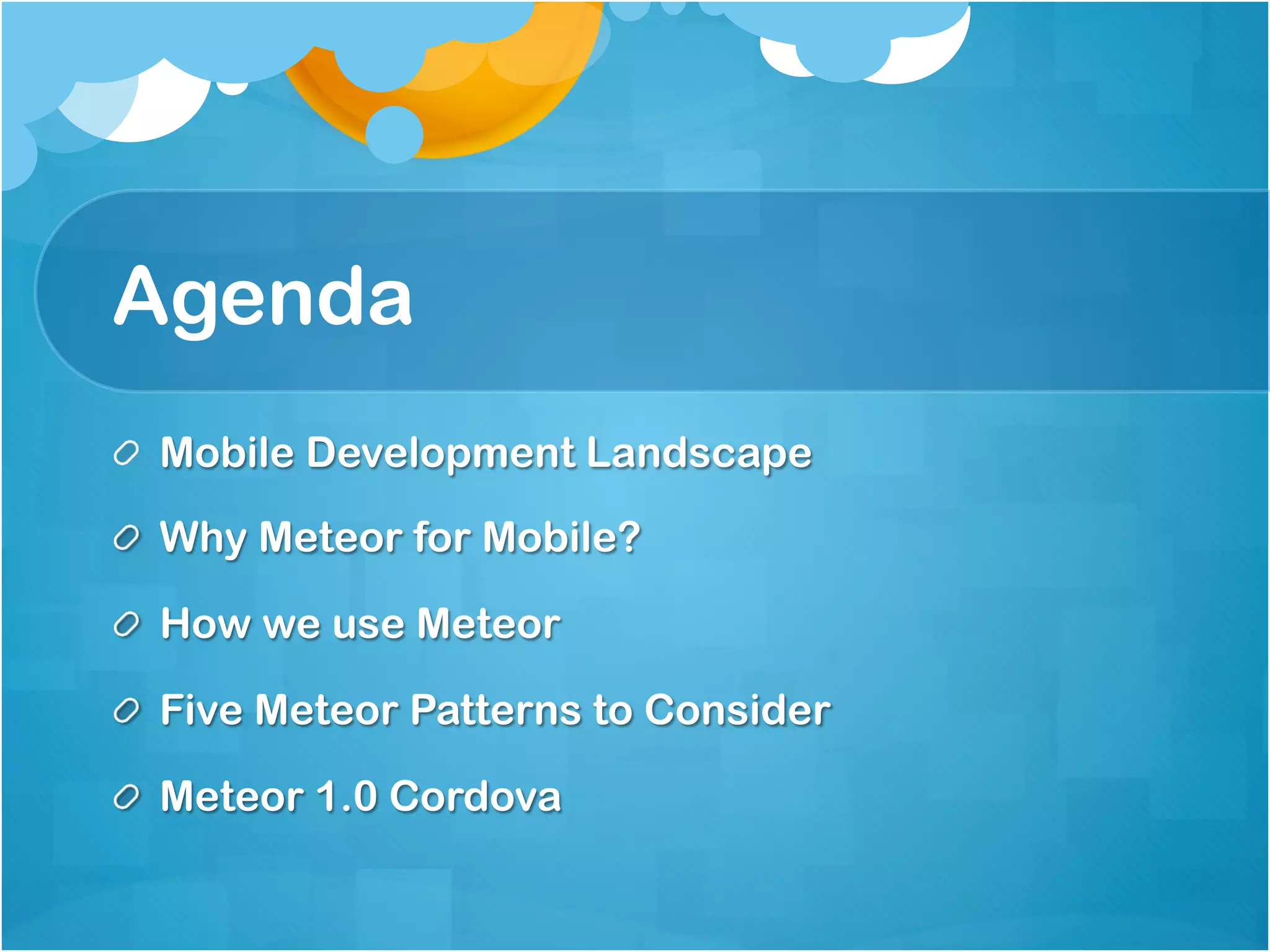
Agenda 
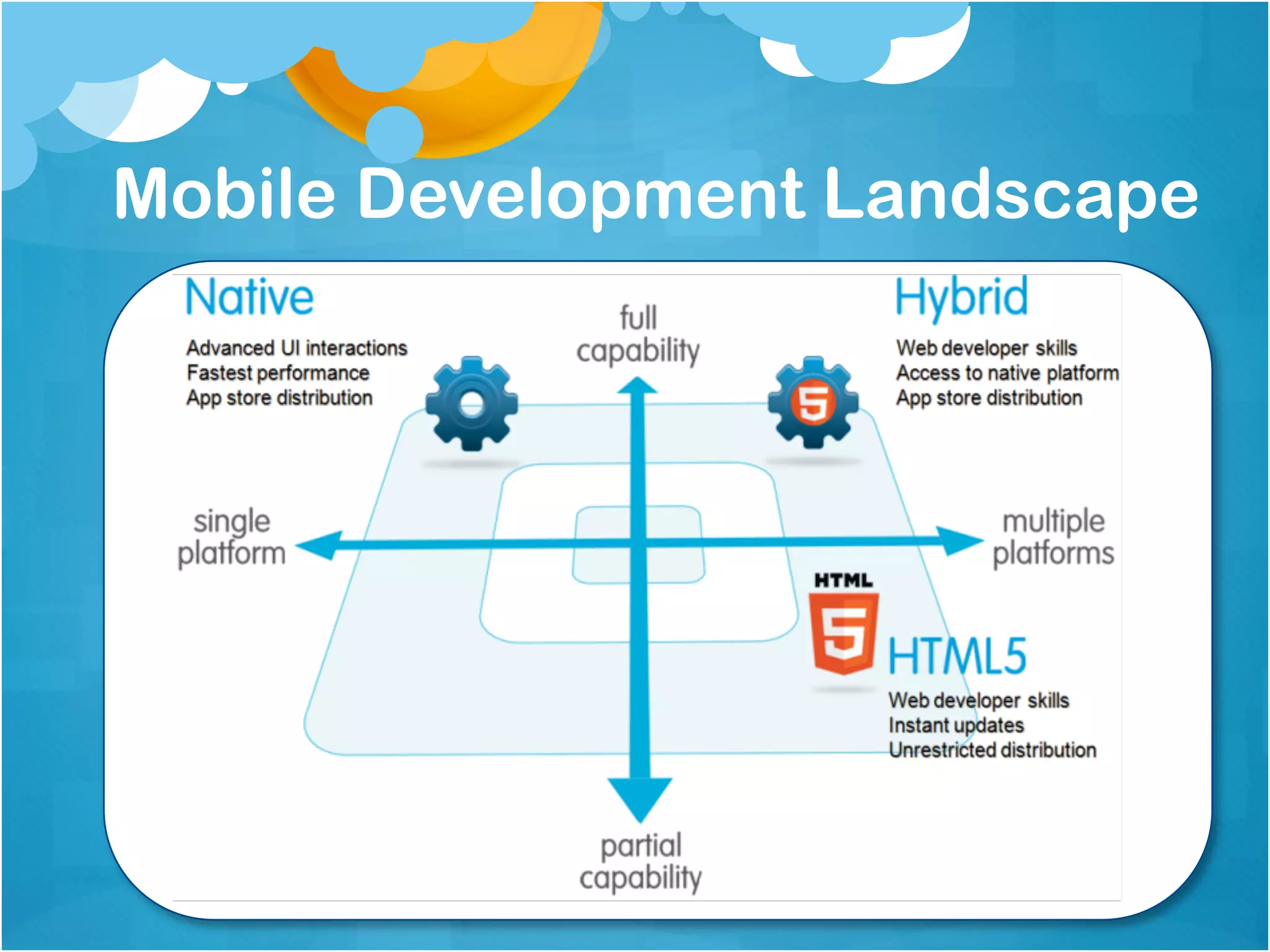
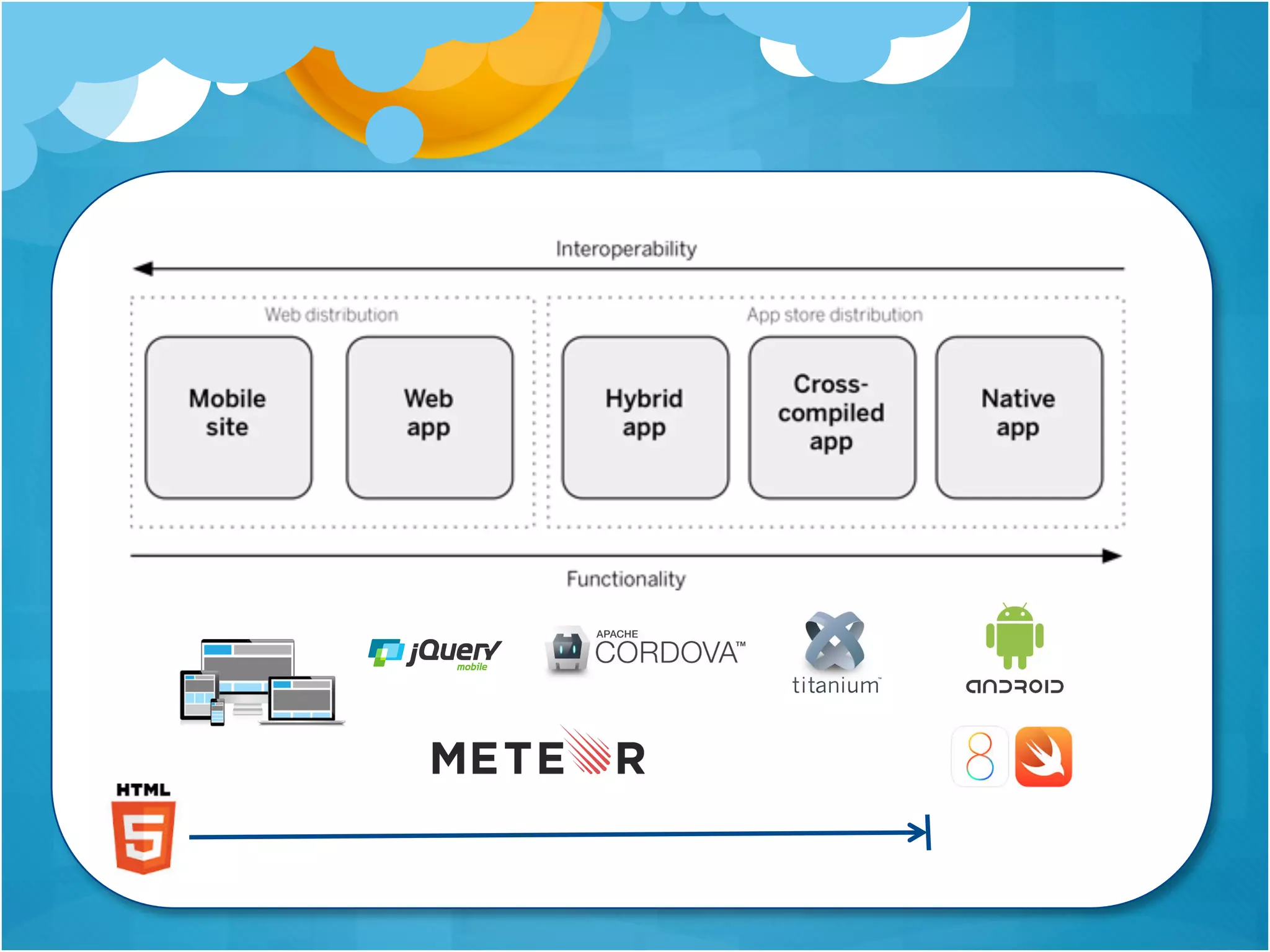
Mobile Development Landscape 
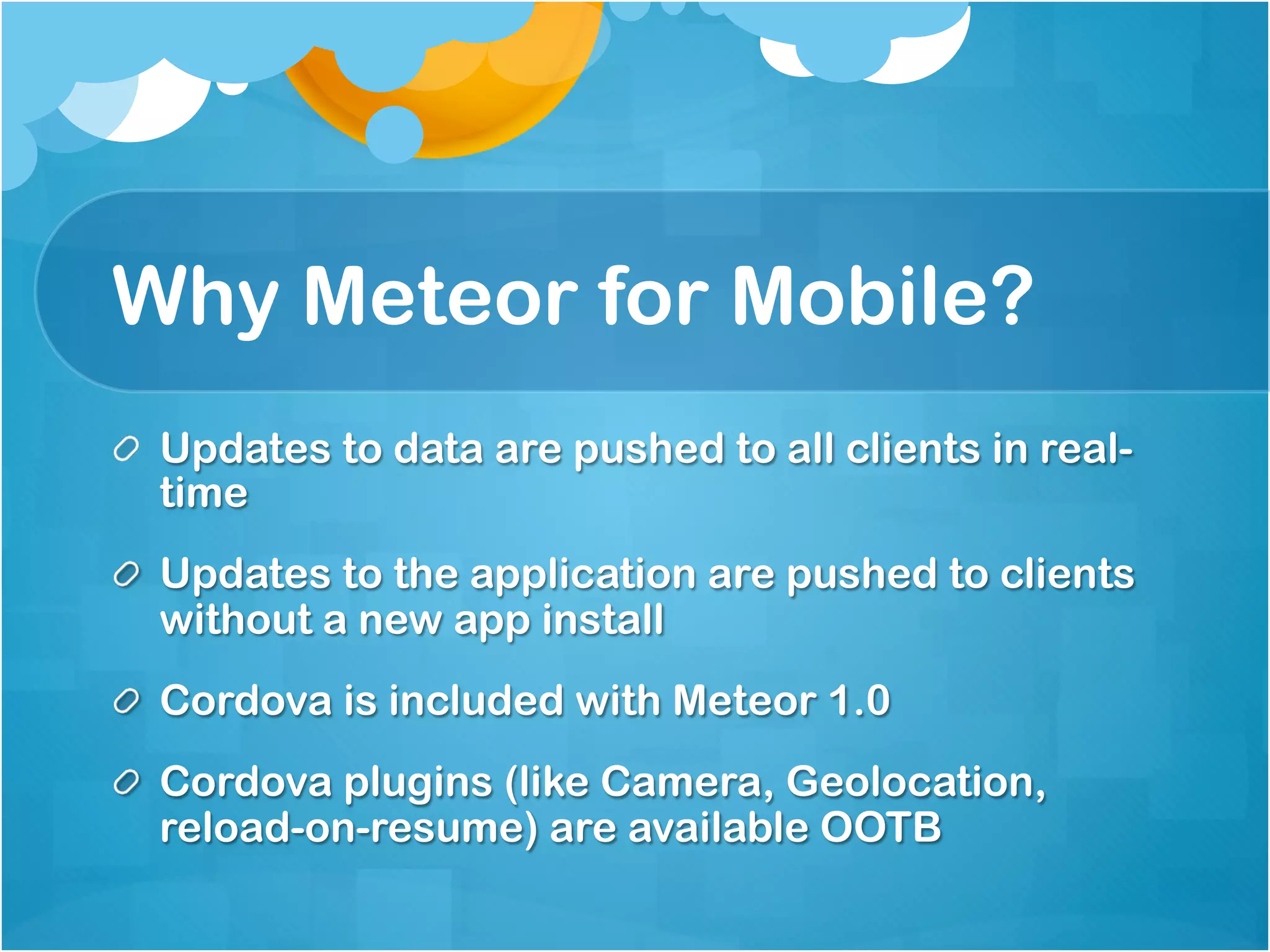
Why Meteor for Mobile? 
How we use Meteor 
Five Meteor Patterns to Consider 
Meteor 1.0 Cordova
Our goal is to create mobility applications for an 
always-on, use from anywhere workforce that increase 
productivity in new, unimagined ways and to increase 
business performance with applications that are easy 
to access, easy to use, and easy to build, test, deploy 
and maintain.
Mobile Development Landscape
Why Meteor for Mobile? 
Updates to data are pushed to all clients in real-time 
Updates to the application are pushed to clients 
without a new app install 
Cordova is included with Meteor 1.0 
Cordova plugins (like Camera, Geolocation, reload-on- 
resume) are available OOTB
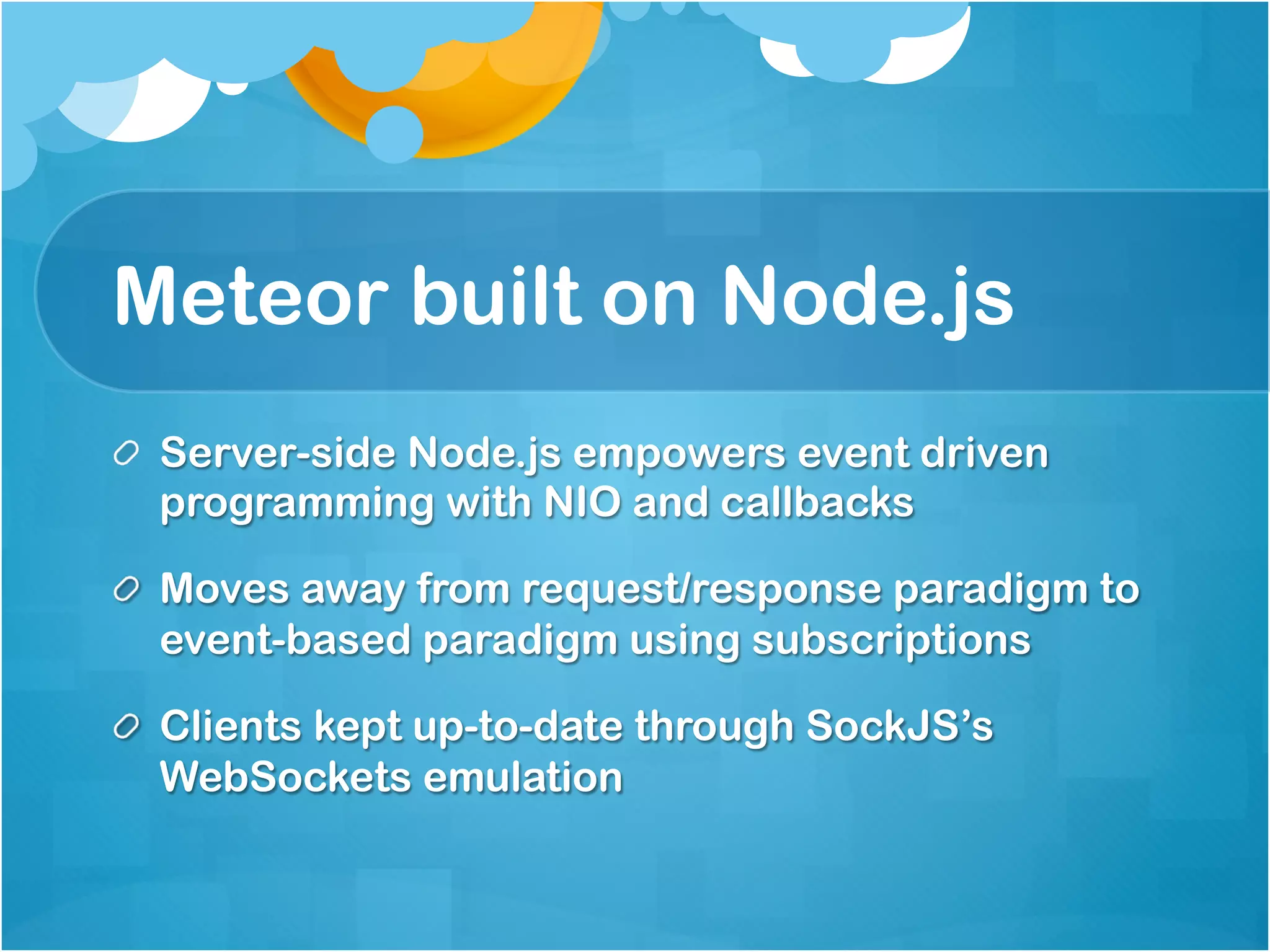
Meteor built on Node.js 
Server-side Node.js empowers event driven 
programming with NIO and callbacks 
Moves away from request/response paradigm to 
event-based paradigm using subscriptions 
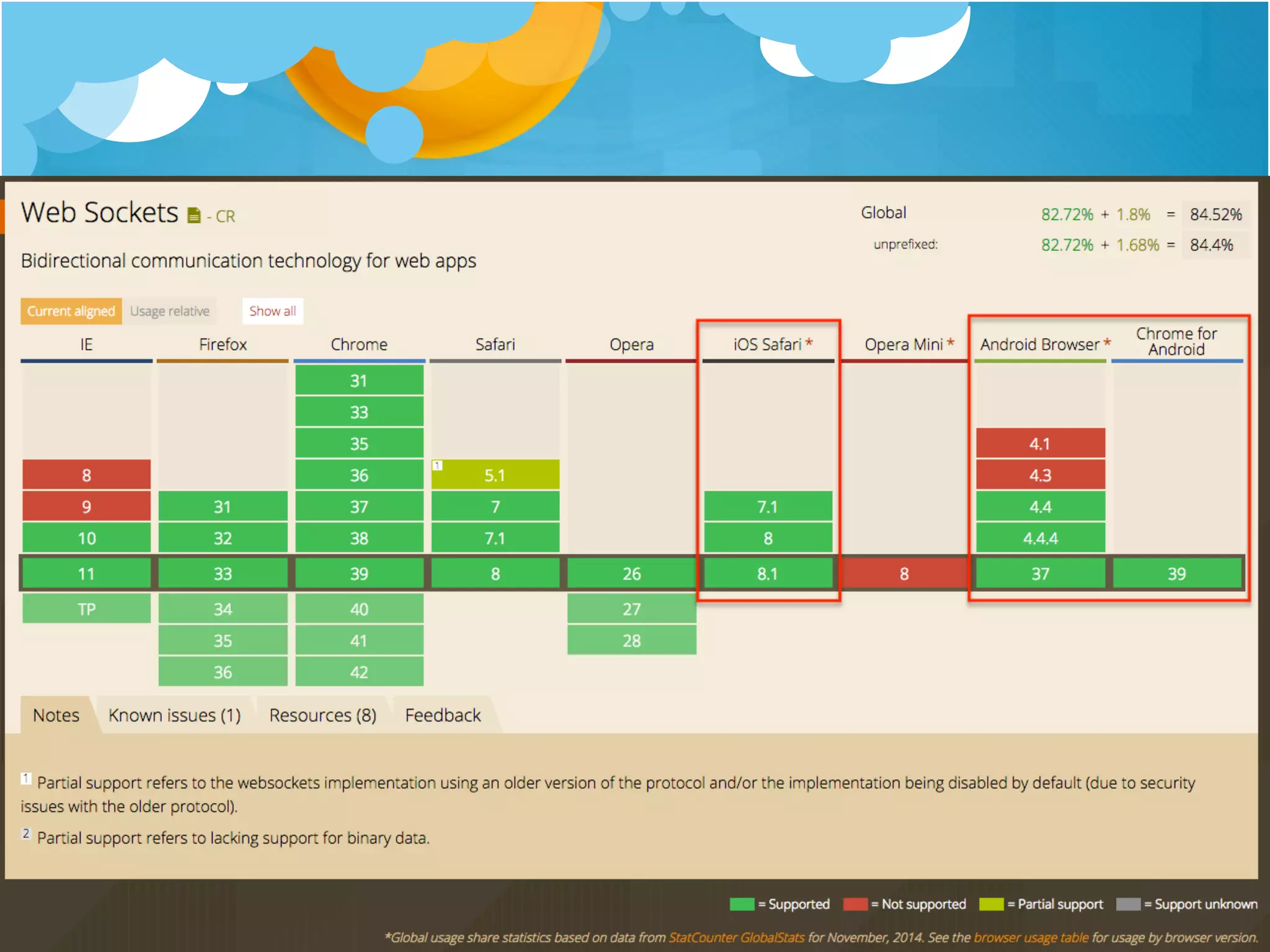
Clients kept up-to-date through SockJS’s 
WebSockets emulation
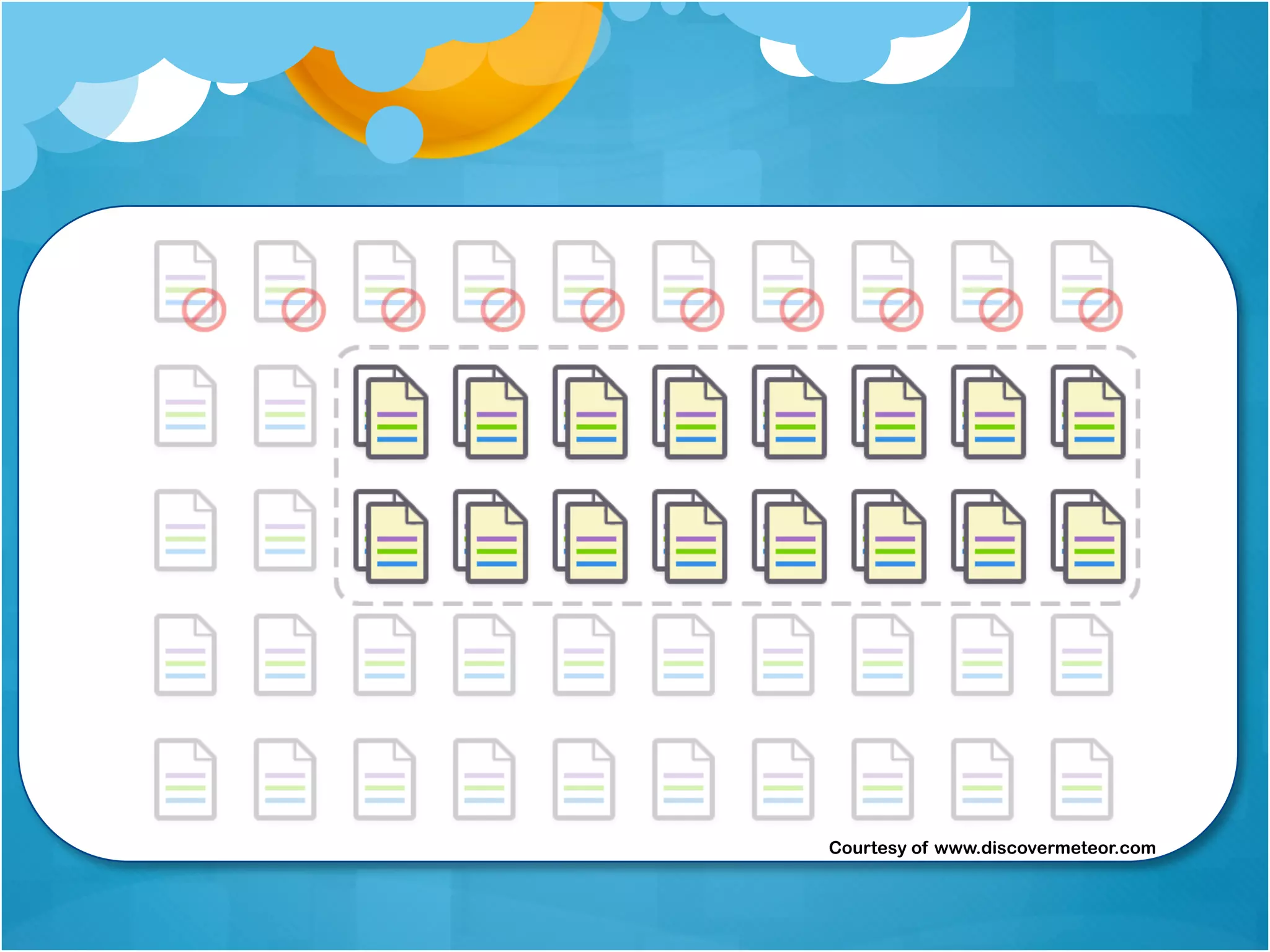
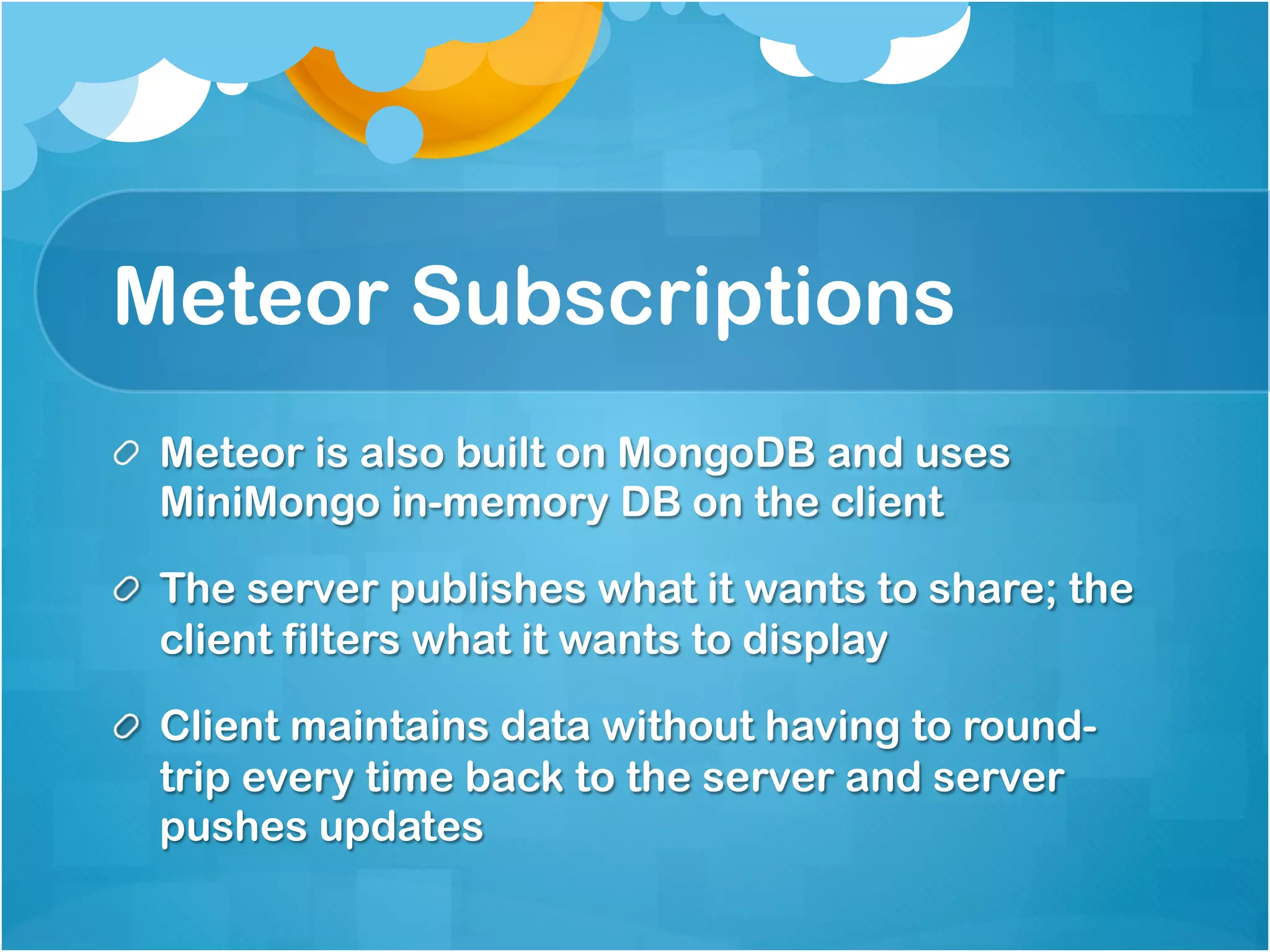
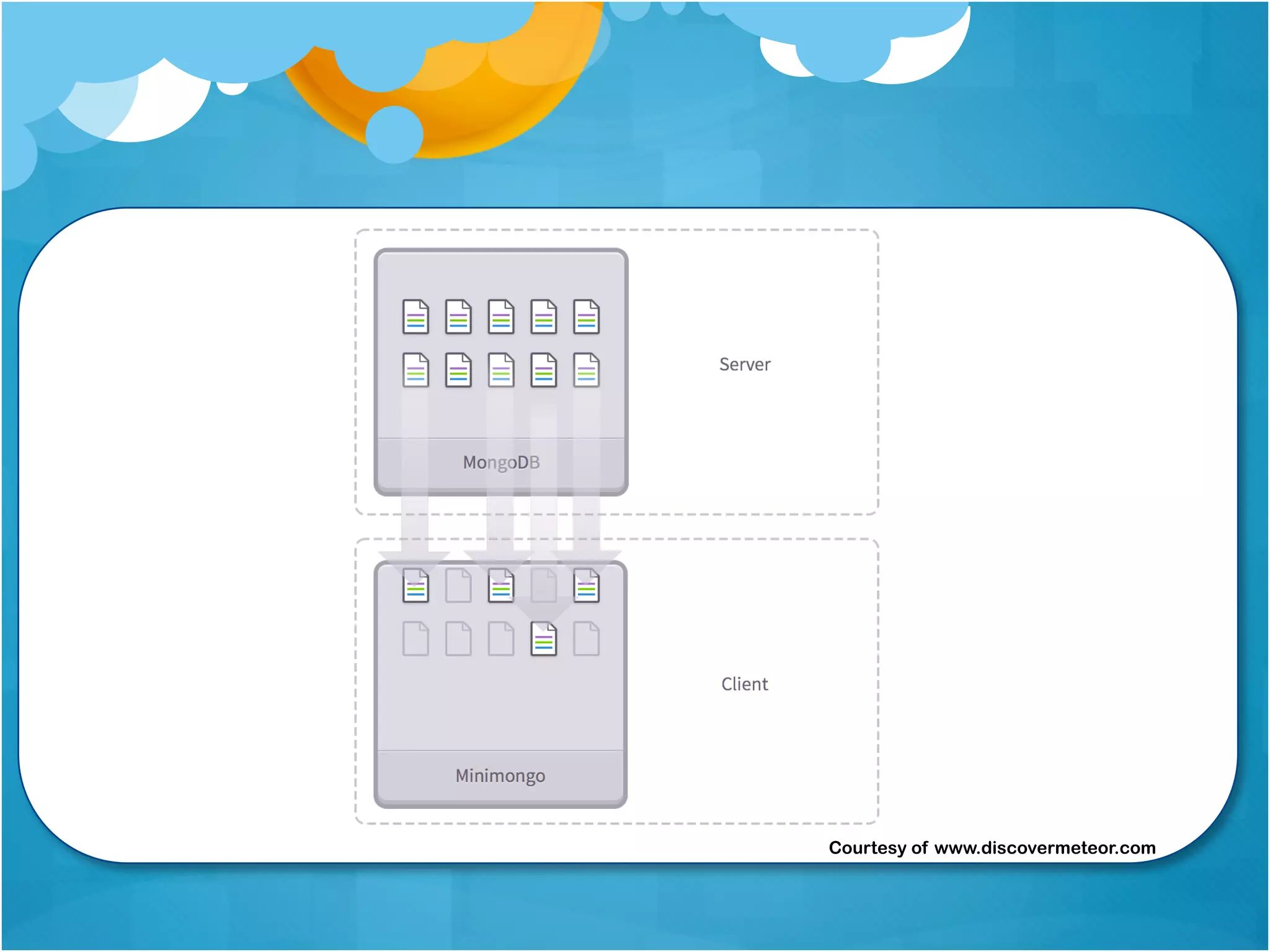
Meteor Subscriptions 
Meteor is also built on MongoDB and uses 
MiniMongo in-memory DB on the client 
The server publishes what it wants to share; the 
client filters what it wants to display 
Client maintains data without having to round-trip 
every time back to the server and server pushes 
updates
Courtesy of www.discovermeteor.com
// On the server 
Meteor.publish(“requests”, function(limit) { 
var userToken = sessionUserAndToken(this.userId, this.connection.id); 
var user = userToken.user; 
return Requests.find( { $and: [ 
{uid: user.uid}, 
{status: {$nin: [‘approved’, ‘failed’, ‘cancelled’]}}, 
]}, {sort: { ‘timestamp’: 1, ‘requestedFor’: 1, limit: limit}); 
} 
// On the client 
Meteor.subscribe(“requests”, Session.get(‘listLimit’), function() { 
// Callback function 
}
Courtesy of www.discovermeteor.com
Some Context… 
Used Sencha Touch originally for Mobile applications 
for its rich components 
Starting using Node.js for services ExpressJS, 
Restify, and Mongoose for interaction with MongoDB 
Meteor was a natural fit moving forward given our 
past experiences
Mobile Approval Hub 
A single mobile application that is used to approve 
requests from multiple IT systems 
A mobile application that doesn’t require app updates 
or constant reauthentication 
Supports push notifications 
It must be fast, despite integrating with several IT 
systems we didn’t control
Application User Stories 
As a user, I would like to view requests from multiple 
systems 
As a user, I would like to approve or deny requests 
from multiple systems 
As a user, I would like to review the history of actions 
I took for past requests
1. Project structure 
This is covered in detail here: 
http://docs.meteor.com/#/full/structuringyourapp 
Organize your project by pages 
lib/ directories are loaded first which is good for 
common code and third-party code 
Turning off autopublish and insecure packages 
forces you to organize by client and server
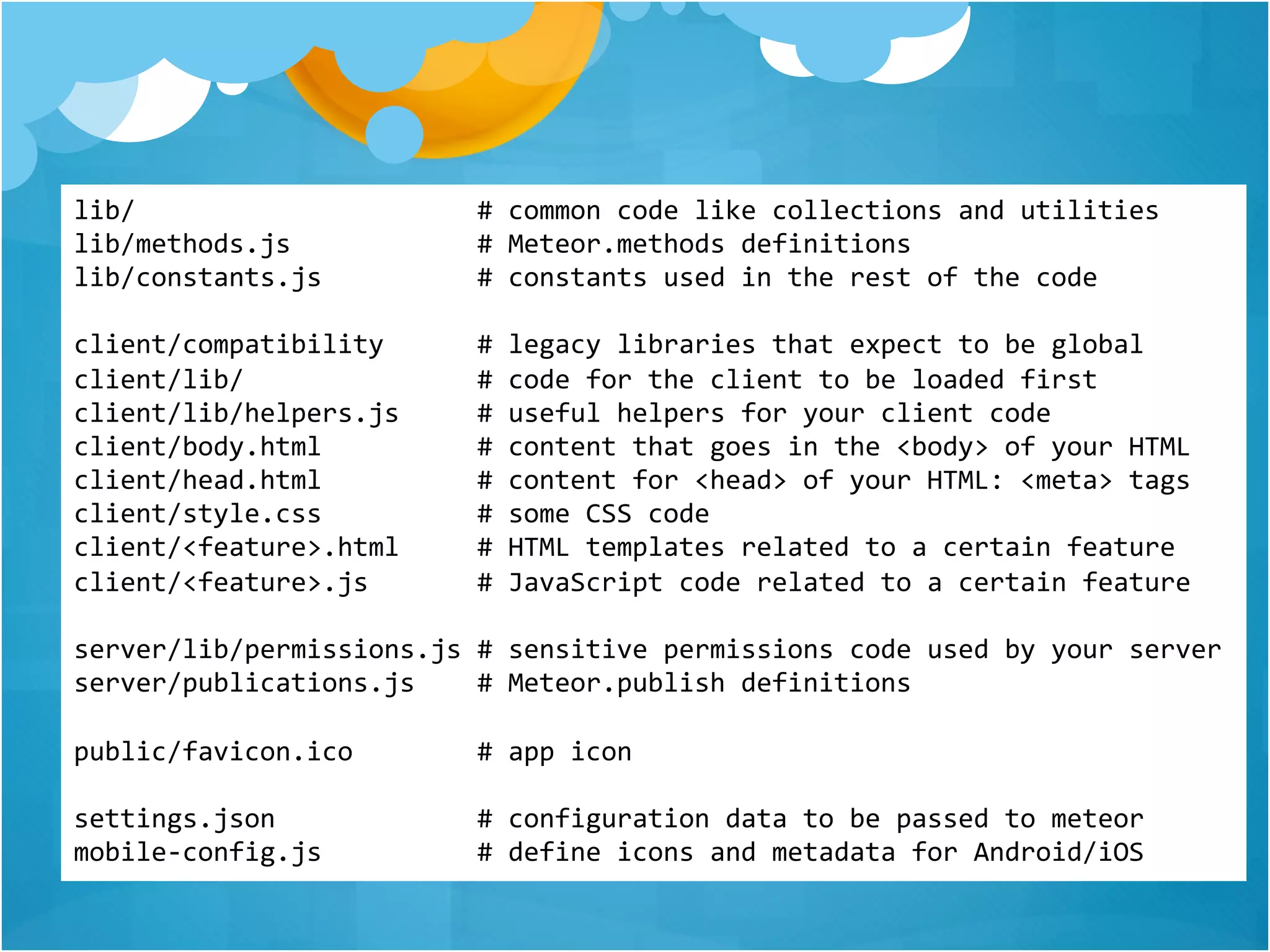
lib/ # common code like collections and utilities 
lib/methods.js # Meteor.methods definitions 
lib/constants.js # constants used in the rest of the code 
client/compatibility # legacy libraries that expect to be global 
client/lib/ # code for the client to be loaded first 
client/lib/helpers.js # useful helpers for your client code 
client/body.html # content that goes in the <body> of your HTML 
client/head.html # content for <head> of your HTML: <meta> tags 
client/style.css # some CSS code 
client/<feature>.html # HTML templates related to a certain feature 
client/<feature>.js # JavaScript code related to a certain feature 
server/lib/permissions.js # sensitive permissions code used by your server 
server/publications.js # Meteor.publish definitions 
public/favicon.ico # app icon 
settings.json # configuration data to be passed to meteor 
mobile-config.js # define icons and metadata for Android/iOS
2. Templates Refreshing 
Break reusable parts into templates 
Organize your project by pages 
List items must be separate for jQueryMobile Lists to 
refresh properly 
Understand the semantics of create, rendered and 
destroyed (see 
http://meteorpedia.com/read/Blaze_Notes)
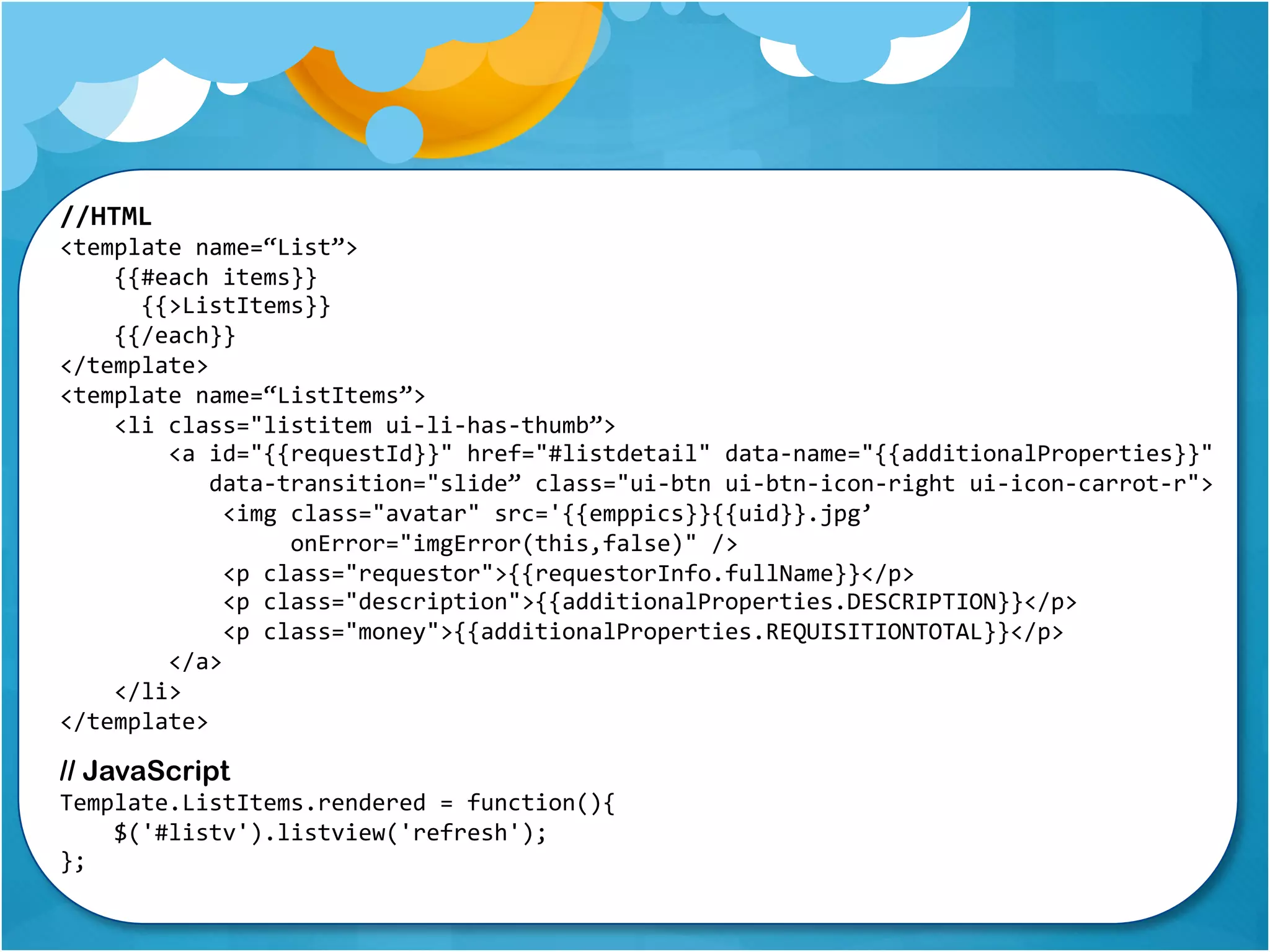
//HTML 
<template name=“List”> 
{{#each items}} 
{{>ListItems}} 
{{/each}} 
</template> 
<template name=“ListItems”> 
<li class="listitem ui-li-has-thumb”> 
<a id="{{requestId}}" href="#listdetail" data-name="{{additionalProperties}}" 
data-transition="slide” class="ui-btn ui-btn-icon-right ui-icon-carrot-r"> 
<img class="avatar" src='{{emppics}}{{uid}}.jpg’ 
onError="imgError(this,false)" /> 
<p class="requestor">{{requestorInfo.fullName}}</p> 
<p class="description">{{additionalProperties.DESCRIPTION}}</p> 
<p class="money">{{additionalProperties.REQUISITIONTOTAL}}</p> 
</a> 
</li> 
</template> 
// JavaScript 
Template.ListItems.rendered = function(){ 
$('#listv').listview('refresh'); 
};
3. Helpers can be 
very…well, helpful! 
A helper function can be used globally by all 
templates to render things the way you’d like 
Examples are Dates, Currency, People’s names, etc. 
Create helper one time use directly in HTML as an 
expression {{[helper]}}
//JavaScript 
var DateFormats = { 
short: "DD-MMM-YYYY”, long: "dddd DD.MM.YYYY hh:mm A" 
}; 
Template.registerHelper("formatDate", function(datetime, format) { 
if (moment(datetime).isValid()) { 
var f = DateFormats[format], 
dt = moment(datetime); 
if (format === 'long' || format === 'medium') { 
var localTime = moment.utc(dt).valueOf(); 
return moment(localTime).format(f); 
} else { 
return moment(dt).format(f); 
} 
} else { 
return ''; 
} 
}); 
//HTML 
<p>This request was {{record.status}} on {{formatDate record.lastModified "medium"}} 
</p>
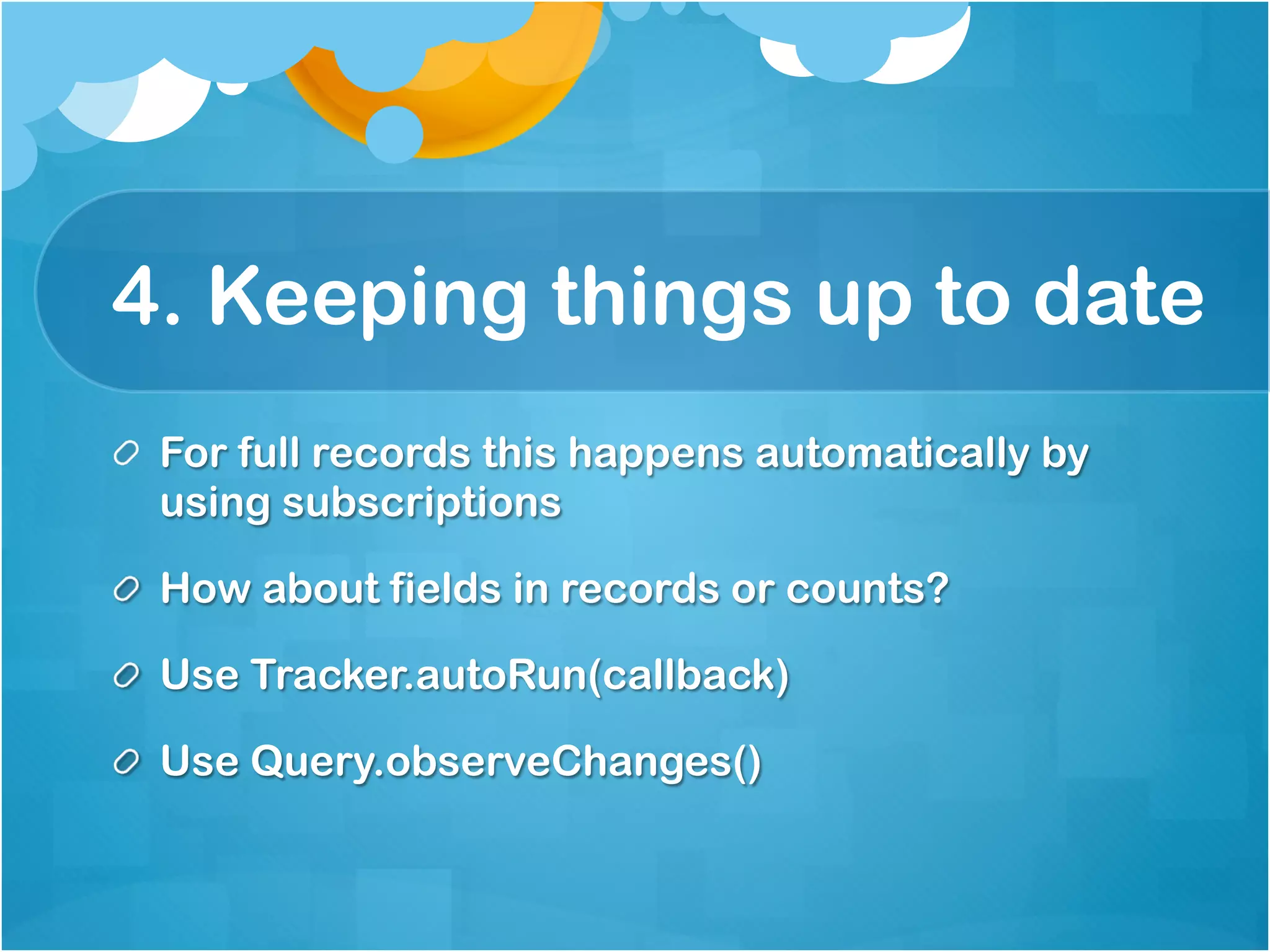
4. Keeping things up to date 
For full records this happens automatically by using 
subscriptions 
How about fields in records or counts? 
Use Tracker.autoRun(callback) 
Use Query.observeChanges()
//JavaScript 
Tracker.autorun(function () { 
var conf = Config.findOne(); 
if (conf) { 
Session.set("vordelServer", conf.vordelServer); 
if (conf.systemAvailability) { 
systems.forEach(function (system) { 
var available = conf.systemAvailability[system]; 
if (available) { 
var isDown = available.toUpperCase() === 'OFF' ? true : false; 
if (isDown) { 
$("." + system).addClass('ui-disabled'); 
} else { 
$("." + system).removeClass('ui-disabled'); 
} 
} 
}); 
} 
} 
});
//JavaScript 
function processCounts(system) { 
var user = Meteor.user(), 
queryObject = getSystemQueryObject(system); 
if (user && queryObject) { 
var query = queryObject.find({$and: [ 
{approverUid: user.username}, 
{status: {$nin: status_complete}} 
]}); 
query.observeChanges({ 
// Only need to observe changes as it relates to this query, not collection 
added: function(id, user) { updateListCount(system, false);}, 
removed: function(id) { updateListCount(system, true);} 
}); 
} 
else { 
return 0; 
} 
}
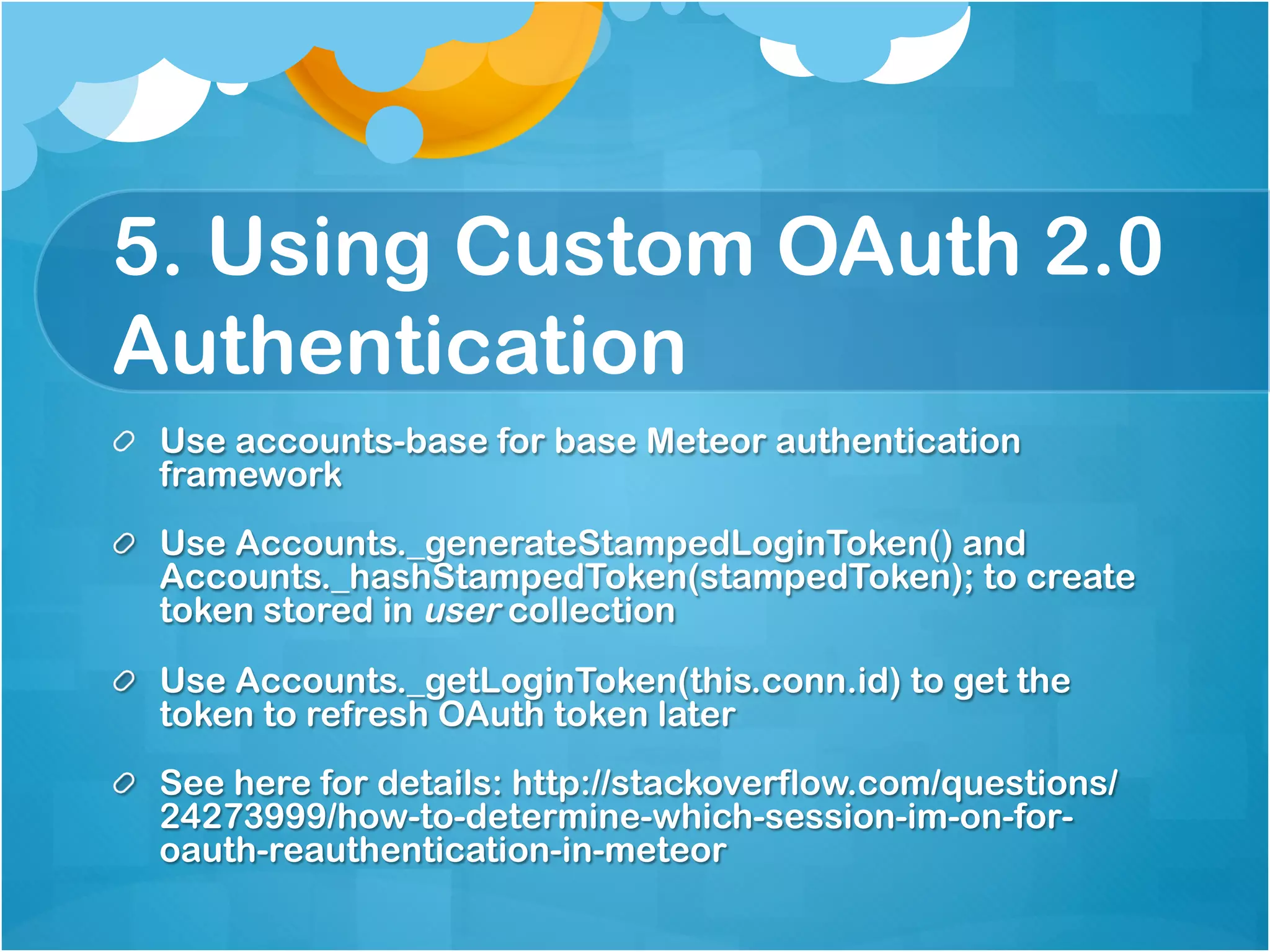
5. Using Custom OAuth 2.0 
Authentication 
Use accounts-base for base Meteor authentication framework 
Use Accounts._generateStampedLoginToken() and 
Accounts._hashStampedToken(stampedToken); to create token 
stored in user collection 
Use Accounts._getLoginToken(this.conn.id) to get the token to 
refresh OAuth token later 
See here for details: 
http://stackoverflow.com/questions/24273999/how-to-determine- 
which-session-im-on-for-oauth-reauthentication-in-meteor
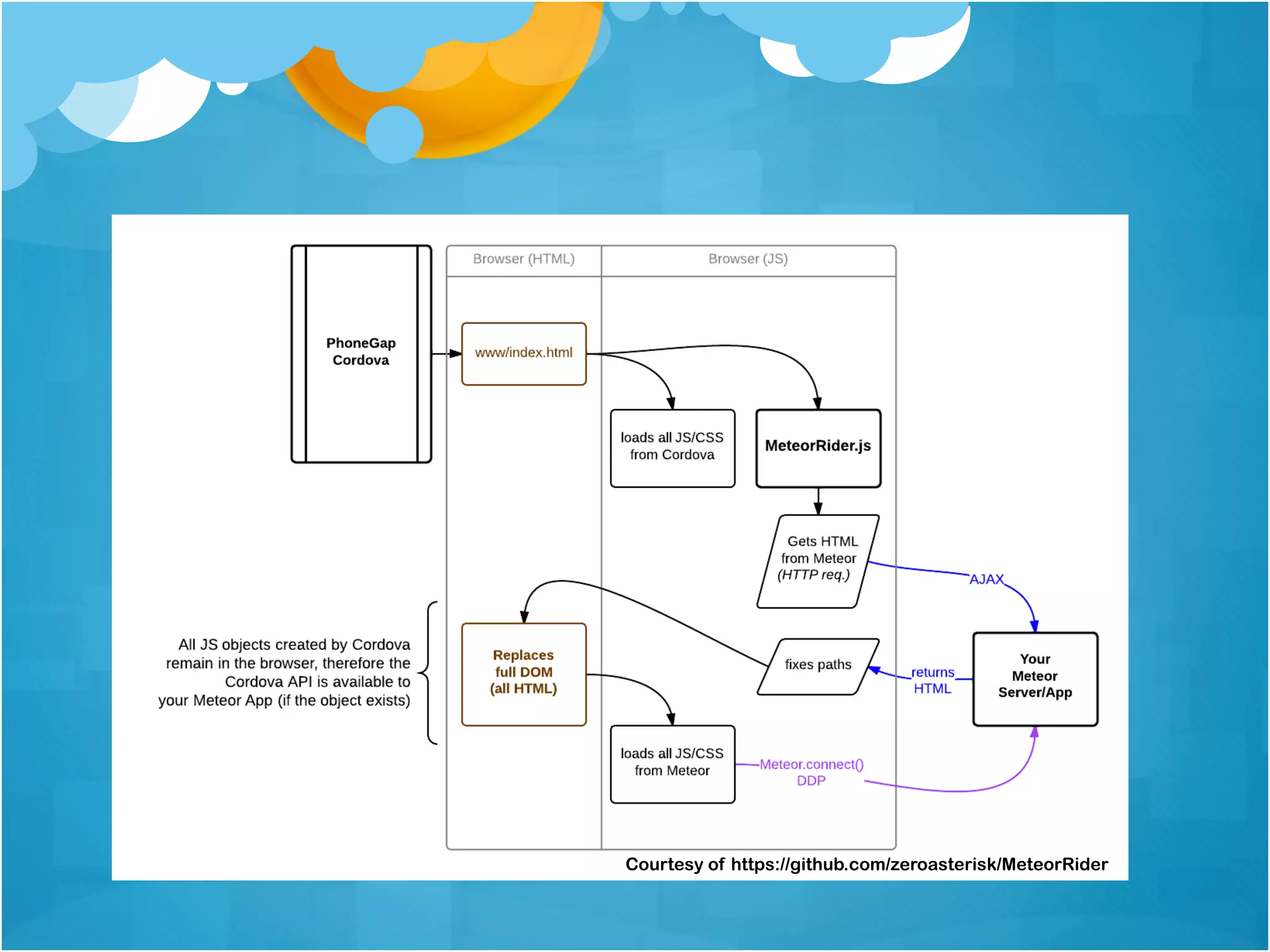
Meteor Cordova Pre 1.0 
We used Meteor Rider to PhoneGap our app using 
the “DOM hijacking” approach since v0.7.x 
Meteor hijacks the PhoneGap app’s HTML/CSS/JS, 
just pass URL to Meteor Rider config 
Allowed us to not only create the Web pieces but 
leverage plugins for push notifications and other 
useful bits
Courtesy of https://github.com/zeroasterisk/MeteorRider
Getting Started 
Cordova supported OOTB since 0.9.2 but much 
improved in 1.0 
Best reference: 
https://github.com/meteor/meteor/wiki/Meteor- 
Cordova-Phonegap-integration 
Simply run: 
meteor add-platform [ios | android]
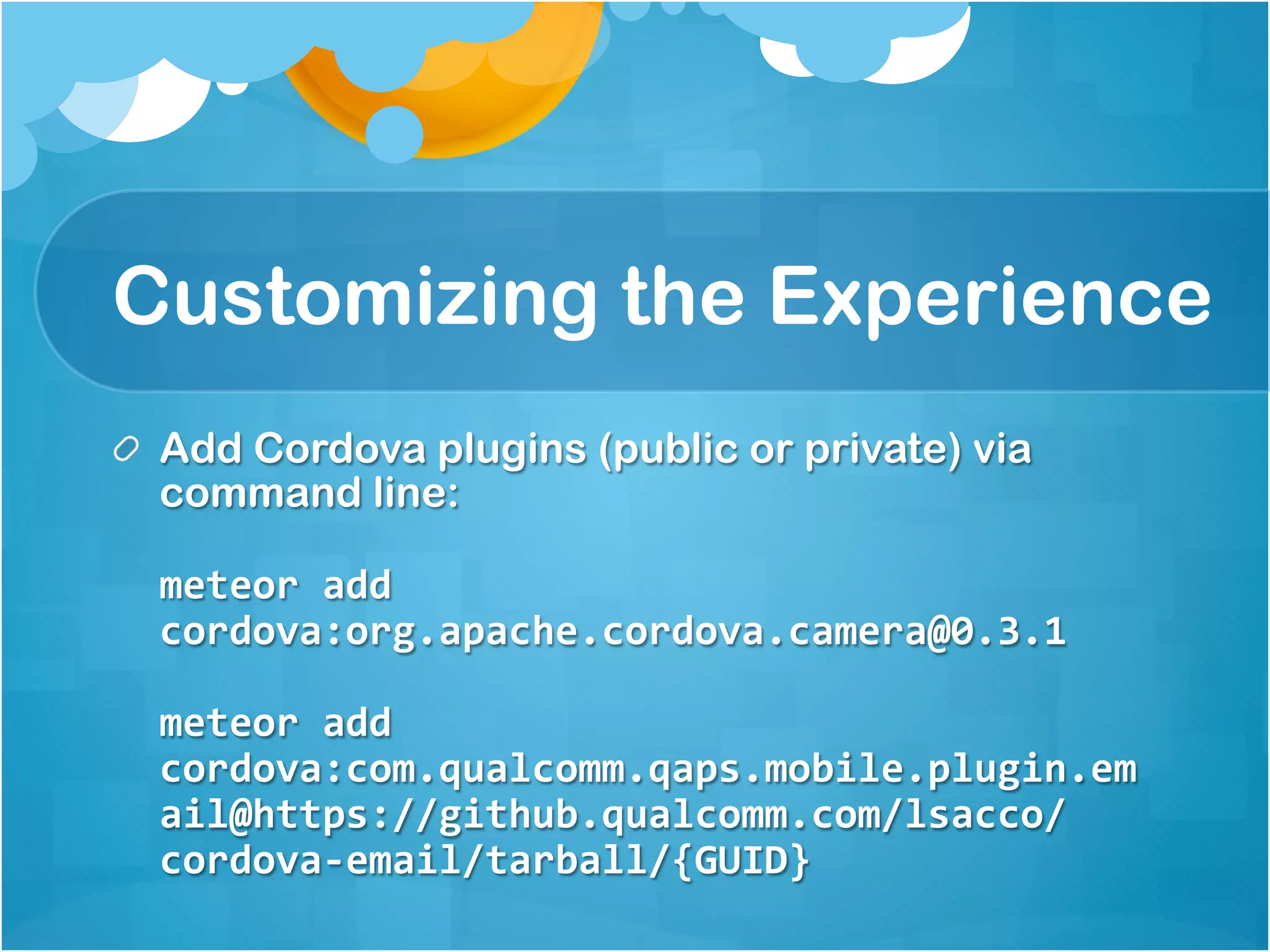
Customizing the Experience 
Add Cordova plugins (public or private) via command 
line: 
meteor add 
cordova:org.apache.cordova.camera@0.3.1 
meteor add 
cordova:com.qualcomm.qaps.mobile.plugin.em 
ail@https://github.qualcomm.com/lsacco/cor 
dova-email/tarball/{GUID}
//JavaScript/Cordova plugin hook 
comm = function () { 
var errorCallback = function (err) { 
alert("Native functionality failed with error: " + err); 
}; 
var email = { 
message: function (email, subject, callback) { 
if (typeof device !== 'undefined' && device.platform === "iOS") { 
cordova.exec(callback, errorCallback, "EmailComposer", 
"showEmailComposer", [{"toRecipients": [email]}]); 
} else { 
window.open("mailto:" + email + "?subject=" + subject, '_system'); 
} 
} 
}; 
return { 
email: email 
}; 
}(); 
//Usage 
comm.email.message(“lsacco@qualcomm.com”, “Just a test”);
Customizing the Experience 
mobile-config.js is where you can set: 
App Name, version, id, etc. 
Icon and splash screens 
Cordova preferences 
Use cordova-build-override directory to mirror and 
customize “native” code 
To create build artifacts (IPA/APK) use: 
meteor build [bundle path] –server [host]
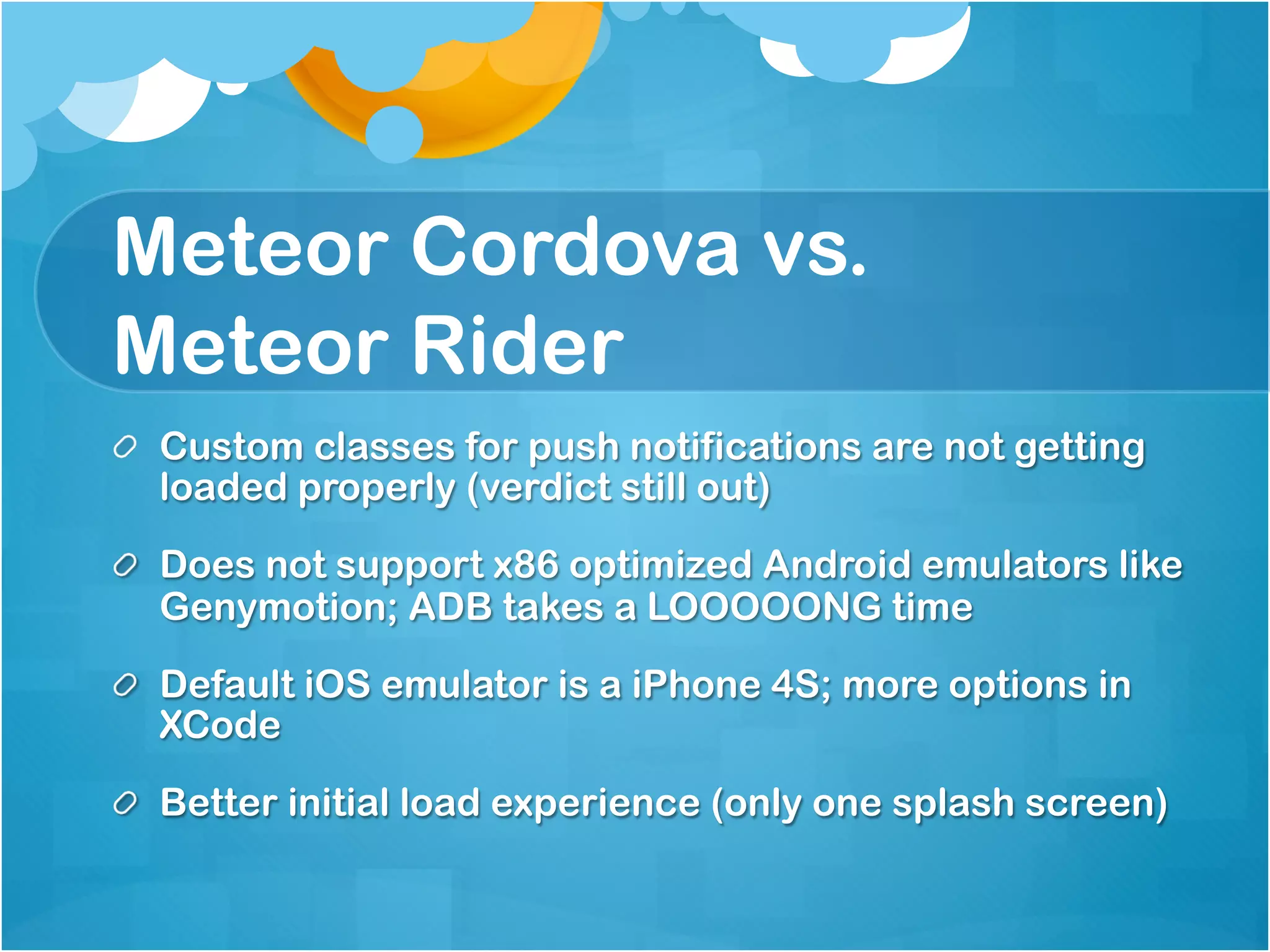
Meteor Cordova vs. 
Meteor Rider 
Custom classes for push notifications are not getting loaded 
properly (verdict still out) 
Does not support x86 optimized Android emulators like 
Genymotion; ADB takes a LOOOOONG time 
Default iOS emulator is a iPhone 4S; more options in XCode 
Better initial load experience (only one splash screen)
References 
https://www.discovermeteor.com 
https://www.meteor.com/blog/ 
https://github.com/meteor/meteor/wiki/Meteor- 
Cordova-Phonegap-integration 
http://meteorpedia.com/read/Blaze_Notes 
http://stackoverflow.com/search?q=meteor
Meteor Meet-up San Diego December 2014

Meteor Meet-up San Diego December 2014

  • 2.
    Agenda Mobile DevelopmentLandscape Why Meteor for Mobile? How we use Meteor Five Meteor Patterns to Consider Meteor 1.0 Cordova
  • 3.
    Our goal isto create mobility applications for an always-on, use from anywhere workforce that increase productivity in new, unimagined ways and to increase business performance with applications that are easy to access, easy to use, and easy to build, test, deploy and maintain.
  • 4.
  • 7.
    Why Meteor forMobile? Updates to data are pushed to all clients in real-time Updates to the application are pushed to clients without a new app install Cordova is included with Meteor 1.0 Cordova plugins (like Camera, Geolocation, reload-on- resume) are available OOTB
  • 8.
    Meteor built onNode.js Server-side Node.js empowers event driven programming with NIO and callbacks Moves away from request/response paradigm to event-based paradigm using subscriptions Clients kept up-to-date through SockJS’s WebSockets emulation
  • 10.
    Meteor Subscriptions Meteoris also built on MongoDB and uses MiniMongo in-memory DB on the client The server publishes what it wants to share; the client filters what it wants to display Client maintains data without having to round-trip every time back to the server and server pushes updates
  • 11.
  • 12.
    // On theserver Meteor.publish(“requests”, function(limit) { var userToken = sessionUserAndToken(this.userId, this.connection.id); var user = userToken.user; return Requests.find( { $and: [ {uid: user.uid}, {status: {$nin: [‘approved’, ‘failed’, ‘cancelled’]}}, ]}, {sort: { ‘timestamp’: 1, ‘requestedFor’: 1, limit: limit}); } // On the client Meteor.subscribe(“requests”, Session.get(‘listLimit’), function() { // Callback function }
  • 13.
  • 15.
    Some Context… UsedSencha Touch originally for Mobile applications for its rich components Starting using Node.js for services ExpressJS, Restify, and Mongoose for interaction with MongoDB Meteor was a natural fit moving forward given our past experiences
  • 16.
    Mobile Approval Hub A single mobile application that is used to approve requests from multiple IT systems A mobile application that doesn’t require app updates or constant reauthentication Supports push notifications It must be fast, despite integrating with several IT systems we didn’t control
  • 17.
    Application User Stories As a user, I would like to view requests from multiple systems As a user, I would like to approve or deny requests from multiple systems As a user, I would like to review the history of actions I took for past requests
  • 19.
    1. Project structure This is covered in detail here: http://docs.meteor.com/#/full/structuringyourapp Organize your project by pages lib/ directories are loaded first which is good for common code and third-party code Turning off autopublish and insecure packages forces you to organize by client and server
  • 20.
    lib/ # commoncode like collections and utilities lib/methods.js # Meteor.methods definitions lib/constants.js # constants used in the rest of the code client/compatibility # legacy libraries that expect to be global client/lib/ # code for the client to be loaded first client/lib/helpers.js # useful helpers for your client code client/body.html # content that goes in the <body> of your HTML client/head.html # content for <head> of your HTML: <meta> tags client/style.css # some CSS code client/<feature>.html # HTML templates related to a certain feature client/<feature>.js # JavaScript code related to a certain feature server/lib/permissions.js # sensitive permissions code used by your server server/publications.js # Meteor.publish definitions public/favicon.ico # app icon settings.json # configuration data to be passed to meteor mobile-config.js # define icons and metadata for Android/iOS
  • 21.
    2. Templates Refreshing Break reusable parts into templates Organize your project by pages List items must be separate for jQueryMobile Lists to refresh properly Understand the semantics of create, rendered and destroyed (see http://meteorpedia.com/read/Blaze_Notes)
  • 22.
    //HTML <template name=“List”> {{#each items}} {{>ListItems}} {{/each}} </template> <template name=“ListItems”> <li class="listitem ui-li-has-thumb”> <a id="{{requestId}}" href="#listdetail" data-name="{{additionalProperties}}" data-transition="slide” class="ui-btn ui-btn-icon-right ui-icon-carrot-r"> <img class="avatar" src='{{emppics}}{{uid}}.jpg’ onError="imgError(this,false)" /> <p class="requestor">{{requestorInfo.fullName}}</p> <p class="description">{{additionalProperties.DESCRIPTION}}</p> <p class="money">{{additionalProperties.REQUISITIONTOTAL}}</p> </a> </li> </template> // JavaScript Template.ListItems.rendered = function(){ $('#listv').listview('refresh'); };
  • 23.
    3. Helpers canbe very…well, helpful! A helper function can be used globally by all templates to render things the way you’d like Examples are Dates, Currency, People’s names, etc. Create helper one time use directly in HTML as an expression {{[helper]}}
  • 24.
    //JavaScript var DateFormats= { short: "DD-MMM-YYYY”, long: "dddd DD.MM.YYYY hh:mm A" }; Template.registerHelper("formatDate", function(datetime, format) { if (moment(datetime).isValid()) { var f = DateFormats[format], dt = moment(datetime); if (format === 'long' || format === 'medium') { var localTime = moment.utc(dt).valueOf(); return moment(localTime).format(f); } else { return moment(dt).format(f); } } else { return ''; } }); //HTML <p>This request was {{record.status}} on {{formatDate record.lastModified "medium"}} </p>
  • 25.
    4. Keeping thingsup to date For full records this happens automatically by using subscriptions How about fields in records or counts? Use Tracker.autoRun(callback) Use Query.observeChanges()
  • 26.
    //JavaScript Tracker.autorun(function (){ var conf = Config.findOne(); if (conf) { Session.set("vordelServer", conf.vordelServer); if (conf.systemAvailability) { systems.forEach(function (system) { var available = conf.systemAvailability[system]; if (available) { var isDown = available.toUpperCase() === 'OFF' ? true : false; if (isDown) { $("." + system).addClass('ui-disabled'); } else { $("." + system).removeClass('ui-disabled'); } } }); } } });
  • 27.
    //JavaScript function processCounts(system){ var user = Meteor.user(), queryObject = getSystemQueryObject(system); if (user && queryObject) { var query = queryObject.find({$and: [ {approverUid: user.username}, {status: {$nin: status_complete}} ]}); query.observeChanges({ // Only need to observe changes as it relates to this query, not collection added: function(id, user) { updateListCount(system, false);}, removed: function(id) { updateListCount(system, true);} }); } else { return 0; } }
  • 28.
    5. Using CustomOAuth 2.0 Authentication Use accounts-base for base Meteor authentication framework Use Accounts._generateStampedLoginToken() and Accounts._hashStampedToken(stampedToken); to create token stored in user collection Use Accounts._getLoginToken(this.conn.id) to get the token to refresh OAuth token later See here for details: http://stackoverflow.com/questions/24273999/how-to-determine- which-session-im-on-for-oauth-reauthentication-in-meteor
  • 30.
    Meteor Cordova Pre1.0 We used Meteor Rider to PhoneGap our app using the “DOM hijacking” approach since v0.7.x Meteor hijacks the PhoneGap app’s HTML/CSS/JS, just pass URL to Meteor Rider config Allowed us to not only create the Web pieces but leverage plugins for push notifications and other useful bits
  • 31.
  • 32.
    Getting Started Cordovasupported OOTB since 0.9.2 but much improved in 1.0 Best reference: https://github.com/meteor/meteor/wiki/Meteor- Cordova-Phonegap-integration Simply run: meteor add-platform [ios | android]
  • 33.
    Customizing the Experience Add Cordova plugins (public or private) via command line: meteor add cordova:org.apache.cordova.camera@0.3.1 meteor add cordova:com.qualcomm.qaps.mobile.plugin.em ail@https://github.qualcomm.com/lsacco/cor dova-email/tarball/{GUID}
  • 34.
    //JavaScript/Cordova plugin hook comm = function () { var errorCallback = function (err) { alert("Native functionality failed with error: " + err); }; var email = { message: function (email, subject, callback) { if (typeof device !== 'undefined' && device.platform === "iOS") { cordova.exec(callback, errorCallback, "EmailComposer", "showEmailComposer", [{"toRecipients": [email]}]); } else { window.open("mailto:" + email + "?subject=" + subject, '_system'); } } }; return { email: email }; }(); //Usage comm.email.message(“lsacco@qualcomm.com”, “Just a test”);
  • 35.
    Customizing the Experience mobile-config.js is where you can set: App Name, version, id, etc. Icon and splash screens Cordova preferences Use cordova-build-override directory to mirror and customize “native” code To create build artifacts (IPA/APK) use: meteor build [bundle path] –server [host]
  • 36.
    Meteor Cordova vs. Meteor Rider Custom classes for push notifications are not getting loaded properly (verdict still out) Does not support x86 optimized Android emulators like Genymotion; ADB takes a LOOOOONG time Default iOS emulator is a iPhone 4S; more options in XCode Better initial load experience (only one splash screen)
  • 37.
    References https://www.discovermeteor.com https://www.meteor.com/blog/ https://github.com/meteor/meteor/wiki/Meteor- Cordova-Phonegap-integration http://meteorpedia.com/read/Blaze_Notes http://stackoverflow.com/search?q=meteor