Esri UC 2014 | Technical Workshop |
Workshop on GIS+Design
Sneha Khullar & Mark Harrower
Welcome
Dot Voting
Place dots on apps you want to build
(can put one or more on a app!)
GIS + Design – Introduction
User Interface Design and User Experience critical for great products
We’ll create a fictional product today
Easy, fun, and relevant
PROCESS of working together more important today than the PRODUCT
Your Persona
User, Designer, and Developer
(introduce yourself)
Problem Finding / Needs Assessment
Don’t assume you know what your audience needs
Watch, Listen, Learn
Beginner’s Mind
Redesign pill bottle for the elderly
Photo credit: http://www.thelibertybeacon.com/wp-content/uploads/2013/01/rx_pill_bottles.jpg
Designer: “Do you have any difficult opening your
medicine bottle?”
User (elderly, with arthritis): “No problem at all!”
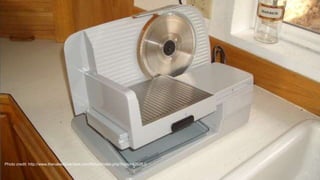
Designer: “Show me.”
Photo credit: http://www.thenakedscientists.com/forum/index.php?topic=42626.0
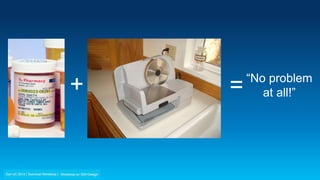
“No problem
at all!”+ =
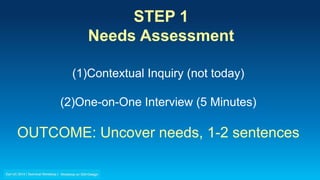
STEP 1
Needs Assessment
(1)Contextual Inquiry (not today)
(2)One-on-One Interview (5 Minutes)
OUTCOME: Uncover needs, 1-2 sentences
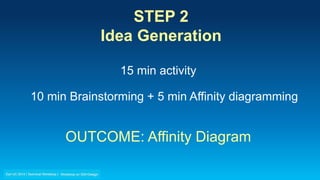
STEP 2
Idea Generation
15 min activity
10 min Brainstorming + 5 min Affinity diagramming
OUTCOME: Affinity Diagram
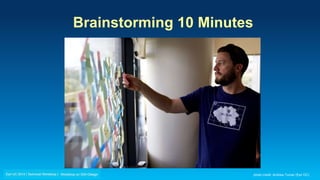
Brainstorming 10 Minutes
photo credit: Andrew Turner (Esri DC)
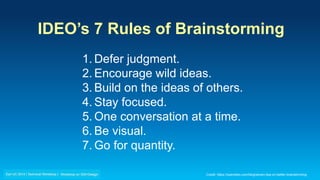
IDEO’s 7 Rules of Brainstorming
1. Defer judgment.
2. Encourage wild ideas.
3. Build on the ideas of others.
4. Stay focused.
5. One conversation at a time.
6. Be visual.
7. Go for quantity.
Credit: https://openideo.com/blog/seven-tips-on-better-brainstorming
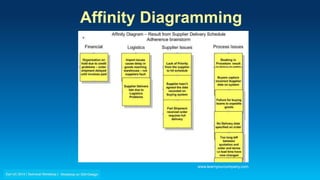
Affinity Diagramming
www.learnyourcompany.com
STEP 2
Idea Generation
15 min activity
10 min Brainstorming + 5 min Affinity diagramming
OUTCOME: Affinity Diagram
STEP 3
Storyboarding
15 min activity
5 min Create point of view + 10 min Storyboarding
OUTCOME: One storyboard
Point of View
It's your take on a high-level design strategy, before
actually designing a solution.
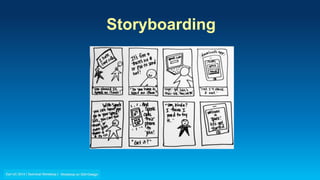
Storyboarding
STEP 3
Storyboarding
15 min activity
5 min Create point of view + 10 min Storyboarding
OUTCOME: One storyboard
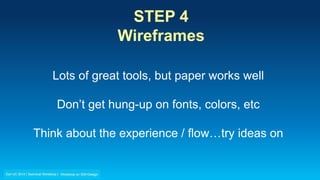
STEP 4
Wireframes
15 min activity
OUTCOME: One Proposed App Design
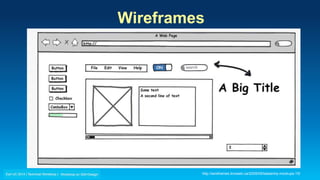
Wireframes
http://wireframes.linowski.ca/2009/05/balsamiq-mockups-15/
STEP 4
Wireframes
Lots of great tools, but paper works well
Don’t get hung-up on fonts, colors, etc
Think about the experience / flow…try ideas on
STEP 4
Wireframes
15 min activity
OUTCOME: One Proposed App Design
Next Steps…
Heuristic Review - see handout
High Fidelity Comps
Rapid Prototypes
Lots and lots and lots of Usability Testing
Thank You
Sneha Khullar skhullar@esri.com
Mark Harrower mharrower@esri.com
EventBrite Email Signup
Esri UC 2014 | Technical Workshop | Workshop on GIS+Design

Design Workshop at UI/UX Summit, Esri User Conference 2014

Editor's Notes

  • #19 How I have used it – give an example