DESIGN THINKING FOR BUSINESS
WHAT IS DESIGN
THINKING?
 Let’s first start with what Design Thinking
isn’t
 It isn’t about aesthetics
 It isn’t a product
 It isn’t an event
 It isn’t an experience
WHAT IS DESIGN
THINKING?
 It IS an ideology
 Human centered
 User centric
 Problem solving leads to innovation
 Innovation leads to sustaining your competitive
advantage
 Competitive advantage leads to growth
 It IS a methodology
 Highly visual
 Structure keeps user/customer at center
 Also keeps design team aligned
 Has 6 stages (more or less)
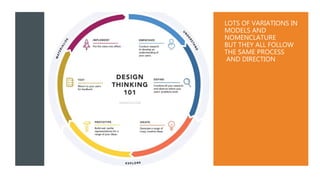
LOTS OF VARIATIONS IN
MODELS AND
NOMENCLATURE
BUT THEY ALL FOLLOW
THE SAME PROCESS
AND DIRECTION
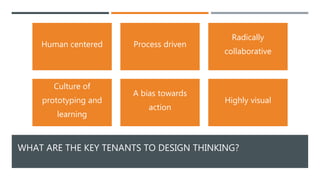
WHAT ARE THE KEY TENANTS TO DESIGN THINKING?
Human centered Process driven
Radically
collaborative
Culture of
prototyping and
learning
A bias towards
action
Highly visual
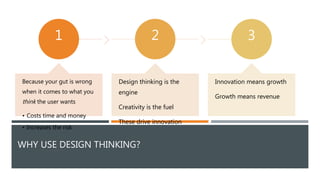
WHY USE DESIGN THINKING?
1
Because your gut is wrong
when it comes to what you
think the user wants
• Costs time and money
• Increases the risk
2
Design thinking is the
engine
Creativity is the fuel
These drive innovation
3
Innovation means growth
Growth means revenue
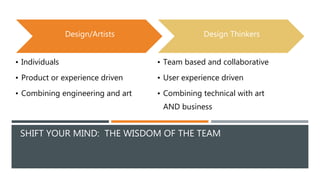
SHIFT YOUR MIND: THE WISDOM OF THE TEAM
Design/Artists
• Individuals
• Product or experience driven
• Combining engineering and art
Design Thinkers
• Team based and collaborative
• User experience driven
• Combining technical with art
AND business
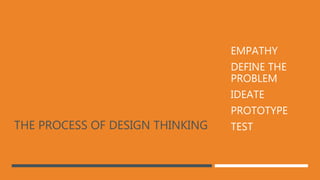
THE PROCESS OF DESIGN THINKING
1. EMPATHY
2. DEFINE THE
PROBLEM
3. IDEATE
4. PROTOTYPE
5. TEST
EMPATHY
SEEK TO
UNDERSTAND
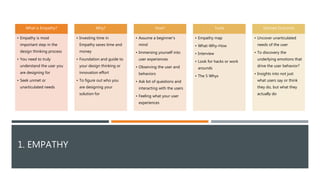
1. EMPATHY
What is Empathy?
• Empathy is most
important step in the
design thinking process
• You need to truly
understand the user you
are designing for
• Seek unmet or
unarticulated needs
Why?
• Investing time in
Empathy saves time and
money
• Foundation and guide to
your design thinking or
innovation effort
• To figure out who you
are designing your
solution for
How?
• Assume a beginner's
mind
• Immersing yourself into
user experiences
• Observing the user and
behaviors
• Ask lot of questions and
interacting with the users
• Feeling what your user
experiences
Tools
• Empathy map
• What-Why-How
• Interview
• Look for hacks or work
arounds
• The 5 Whys
Desired Outcome
• Uncover unarticulated
needs of the user
• To discovery the
underlying emotions that
drive the user behavior?
• Insights into not just
what users say or think
they do, but what they
actually do
LOOK FOR AND
ENGAGE
THE
EXTREME USERS
 Why seek out these user’s, shouldn’t we just
design for the masses?
 Those that use a product or service the
most have the greatest needs
 They typically have create “work
arounds” that help you pull out
meaningful needs, generate ideas
 Often the extreme user needs are also
needs of larger user population
 Extreme users are a greats source of
insight and often your greatest
evangelist, and early adopters
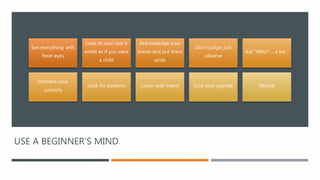
USE A BEGINNER’S MIND
See everything with
fresh eyes
Look at your user’s
world as if you were
a child
Acknowledge your
biases and put them
aside
Don’t judge, just
observe
Ask “Why?”… a lot…
Embrace your
curiosity
Look for patterns Listen with intent Lose your agenda Absorb
WHAT IF I CAN’T
EXPERIENCE THE
REAL THING?
 Use analogous empathy
 The next best thing to being there when for
whatever reason you can’t experience the real
thing
 Can be a source of inspiration and offer a fresh
perspective
 Identify specific aspects of the experience or
space that you are interested in then find a
tangential space or experience that that has
some of the attributes your are looking to
experience
 While not the same they may offer some insight
cross over
DEFINE THE PROBLEM
SOLVE THE RIGHT
PROBLEM
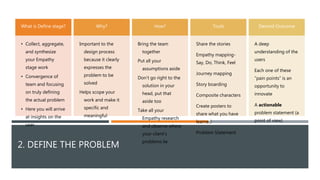
2. DEFINE THE PROBLEM
What is Define stage?
• Collect, aggregate,
and synthesize
your Empathy
stage work
• Convergence of
team and focusing
on truly defining
the actual problem
• Here you will arrive
at insights on the
user
Why?
Important to the
design process
because it clearly
expresses the
problem to be
solved
Helps scope your
work and make it
specific and
meaningful
How?
Bring the team
together
Put all your
assumptions aside
Don’t go right to the
solution in your
head, put that
aside too
Take all your
Empathy research
and observe where
your client’s
problems lie
Tools
Share the stories
Empathy mapping-
Say, Do, Think, Feel
Journey mapping
Story boarding
Composite characters
Create posters to
share what you have
learned
Problem Statement
Desired Outcome
A deep
understanding of the
users
Each one of these
“pain points” is an
opportunity to
innovate
A actionable
problem statement (a
point of view)
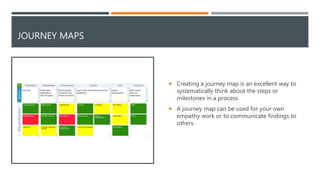
JOURNEY MAPS
 Creating a journey map is an excellent way to
systematically think about the steps or
milestones in a process
 A journey map can be used for your own
empathy work or to communicate findings to
others
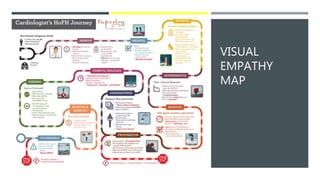
VISUAL
EMPATHY
MAP
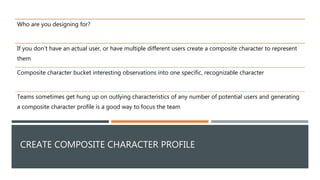
CREATE COMPOSITE CHARACTER PROFILE
Who are you designing for?
If you don’t have an actual user, or have multiple different users create a composite character to represent
them
Composite character bucket interesting observations into one specific, recognizable character
Teams sometimes get hung up on outlying characteristics of any number of potential users and generating
a composite character profile is a good way to focus the team
DOCUMENT THE PROBLEM
STATEMENT
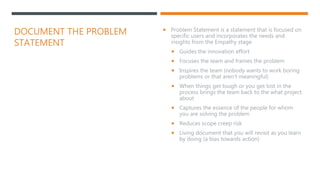
 Problem Statement is a statement that is focused on
specific users and incorporates the needs and
insights from the Empathy stage
 Guides the innovation effort
 Focuses the team and frames the problem
 Inspires the team (nobody wants to work boring
problems or that aren’t meaningful)
 When things get tough or you get lost in the
process brings the team back to the what project
about
 Captures the essence of the people for whom
you are solving the problem
 Reduces scope creep risk
 Living document that you will revisit as you learn
by doing (a bias towards action)
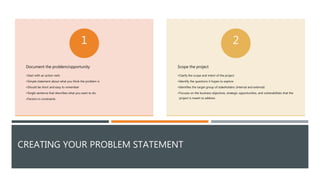
CREATING YOUR PROBLEM STATEMENT
Document the problem/opportunity
•Start with an action verb
•Simple statement about what you think the problem is
•Should be short and easy to remember
•Single sentence that describes what you want to do.
•Factors in constraints
1
Scope the project
•Clarify the scope and intent of the project
•Identify the questions it hopes to explore
•Identifies the target group of stakeholders (internal and external)
•Focuses on the business objectives, strategic opportunities, and vulnerabilities that the
project is meant to address
2
IDEATE
QUANTITY OVER
QUALITY
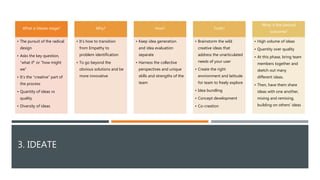
3. IDEATE
What is Ideate stage?
• The pursuit of the radical
design
• Asks the key question,
“what if” or “how might
we”
• It’s the “creative” part of
the process
• Quantity of ideas vs
quality
• Diversity of ideas
Why?
• It’s how to transition
from Empathy to
problem identification
• To go beyond the
obvious solutions and be
more innovative
How?
• Keep idea generation
and idea evaluation
separate
• Harness the collective
perspectives and unique
skills and strengths of the
team
Tools?
• Brainstorm the wild
creative ideas that
address the unarticulated
needs of your user
• Create the right
environment and latitude
for team to freely explore
• Idea bundling
• Concept development
• Co-creation
What is the desired
outcome?
• High volume of ideas
• Quantity over quality
• At this phase, bring team
members together and
sketch out many
different ideas.
• Then, have them share
ideas with one another,
mixing and remixing,
building on others' ideas
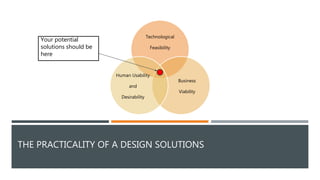
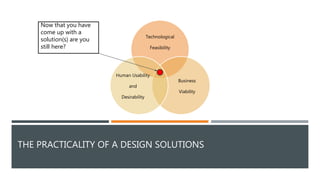
THE PRACTICALITY OF A DESIGN SOLUTIONS
Technological
Feasibility
Business
Viability
Human Usability
and
Desirability
Your potential
solutions should be
here
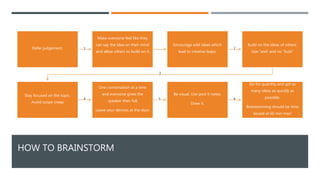
HOW TO BRAINSTORM
1Defer judgement.
Make everyone feel like they
can say the idea on their mind
and allow others to build on it
2
Encourage wild ideas which
lead to creative leaps.
3
Build on the ideas of others.
Use “and’ and no “buts”
4
Stay focused on the topic.
Avoid scope creep
5
One conversation at a time
and everyone gives the
speaker their full
Leave your devices at the door
6
Be visual. Use post it notes.
Draw it.
Go for quantity and get as
many ideas as quickly as
possible.
Brainstorming should be time
boxed at 60 min max!
IDEA BUNDLING
 Think of it as a game of idea mix and match on the wall
 The goal is to take the best parts of several ideas and eventually turn them into concepts (early solutions)
 Combine them, keep the best parts of some, parking lot those that aren’t working
 Consolidate your thinking as a team
 Bundling Steps:
 Review your drawing, ideas, etc. that are on the wall
 Move them around and form into more complex solutions
 Cluster similar ideas into groups on the wall.
 Talk as a team about the best elements of those clusters and combine them with other clusters
 Next group them by theme or patterns
 When you have grouped them are there elements that inspire solutions?
FROM BUNDLES TO CONCEPTS
 This is the point where the team moves from being problem focused and starts honing in on the solution
 Turn your team ideation into concepts
 Concepts are more refined just an idea
 Concepts are more and something you will want to test with the people you’re designing for
 Use the concepts as a source for your “how might we” questions
 Concept development steps:
 Take the ideas that you bundled and put them up in the wall on Post-its.
 Start to create frameworks from the bundles and visualize where they are taking you. See them as a system
 Focus on a high level flexible concept for now, no need to get too in the weeds
 Keep referring back to the “how might we” questions . Are you answering it?
 Are there elements missing in your solution?
 What else can you incorporate to come up with a great solution?
 This is all trial and error, And that’s ok.
CO-CREATION
 Co-Creation Session is a great way to get feedback on your ideas.
 The purpose of a Co-Creation Session is to bring the people you are designing for back into the process
 They work along side you
 Co-creation steps:
1. Identify who you want to participate in the co-creation session
2. Find a space and have your supplies
3. Once you know who you want, arrange a space, get the necessary supplies (often pens, Post-its, paper, maybe art supplies), and
invite them to join.
4. Bring the teams together and make sure that everyone feels as one team, not designer and user
5. Make the most of a Co-Creation with brainstorming, rapid prototyping, etc.
6. Get everyone engaged and working as a team
7. Capture the feedback your group gives you.
8. Incorporate it into you design thinking process
THE PRACTICALITY OF A DESIGN SOLUTIONS
Technological
Feasibility
Business
Viability
Human Usability
and
Desirability
Now that you have
come up with a
solution(s) are you
still here?
PROTOTYPE
MAKE YOUR
IDEAS TOUCHABLE
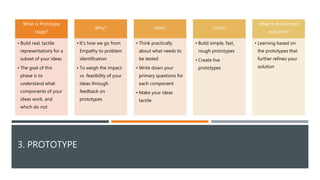
3. PROTOTYPE
What is Prototype
stage?
• Build real, tactile
representations for a
subset of your ideas
• The goal of this
phase is to
understand what
components of your
ideas work, and
which do not
Why?
• It’s how we go from
Empathy to problem
identification
• To weigh the impact
vs. feasibility of your
ideas through
feedback on
prototypes
How?
• Think practically
about what needs to
be tested
• Write down your
primary questions for
each component
• Make your ideas
tactile
Tools?
• Build simple, fast,
rough prototypes
• Create live
prototypes
What is the desired
outcome?
• Learning based on
the prototypes that
further refines your
solution
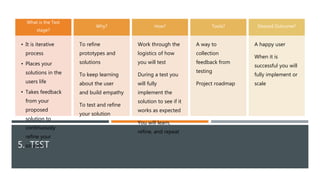
5. TEST
What is the Test
stage?
• It is iterative
process
• Places your
solutions in the
users life
• Takes feedback
from your
proposed
solution to
continuously
refine your
solution
Why?
To refine
prototypes and
solutions
To keep learning
about the user
and build empathy
To test and refine
your solution
How?
Work through the
logistics of how
you will test
During a test you
will fully
implement the
solution to see if it
works as expected
You will learn,
refine, and repeat
Tools?
A way to
collection
feedback from
testing
Project roadmap
Desired Outcome?
A happy user
When it is
successful you will
fully implement or
scale
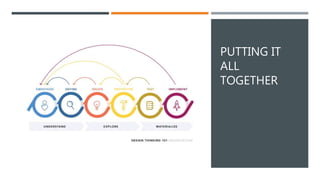
PUTTING IT
ALL
TOGETHER
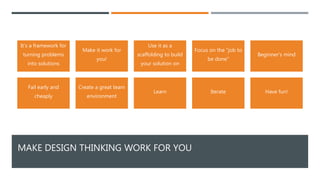
MAKE DESIGN THINKING WORK FOR YOU
It’s a framework for
turning problems
into solutions
Make it work for
you!
Use it as a
scaffolding to build
your solution on
Focus on the “job to
be done”
Beginner’s mind
Fail early and
cheaply
Create a great team
environment
Learn Iterate Have fun!
INSPIRED BY:  Institute of Design at Stanford
(Attribution-NonCommercial-ShareAlike
3.0 Unported (CC BY-NC-SA 3.0) )
 Design Thinking for Business Innovation
(University of Virginia)
 My Brain