The Front End
       Developer ToolBox
       Code Editing And Environment
       Designing In The Browser
       Yeoman
       Unit Testing (Mocha)
       CSS Pre-Compilation (Sass)


Friday, February 15, 13
Setting Up The
       Environment
       IDE Tips
       Shell Tips
       Other Tools


Friday, February 15, 13
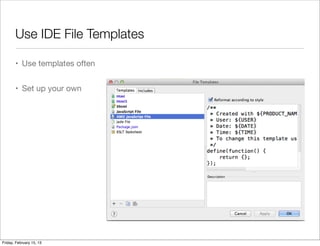
Use IDE File Templates

       • Use templates often


       • Set up your own


Friday, February 15, 13
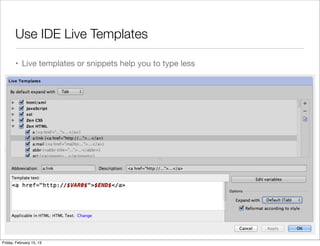
Use IDE Live Templates

       • Live templates or snippets help you to type less


Friday, February 15, 13
Get To Know In-File Shortcuts

       • Jump to start/end tag
         (Cmd+Alt+[ and Cmd + Alt ] in Webstorm)


       • Go To Line (Cmd + L In Webstorm)


       • Join Lines
         (Shift + Ctrl + J In Webstorm)


       • Select word or sentend
         (alt + up / down In Webstorm)


       • Toggle Case
         (Cmd + Shift + U in Webstorm)


Friday, February 15, 13
Get To Know Cross File Shortcuts

       • Jump To Last Edit Location (Cmd + Shift + Backspace)


       • Jump Between Tabs


       • Jump To File (Cmd+Shift+O)


              • Tip: Use partial dir names


              • Tip: Exclude folders from search


Friday, February 15, 13
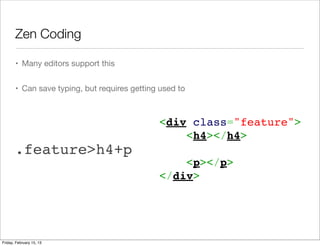
Zen Coding

       • Many editors support this


       • Can save typing, but requires getting used to


                                              <div class="feature">
                                                  <h4></h4>
       .feature>h4+p                           
                                                  <p></p>
                                              </div>


Friday, February 15, 13
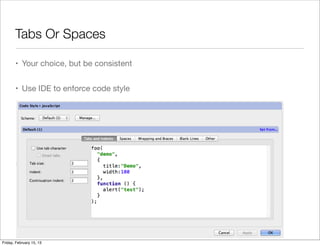
Tabs Or Spaces

       • Your choice, but be consistent


       • Use IDE to enforce code style


Friday, February 15, 13
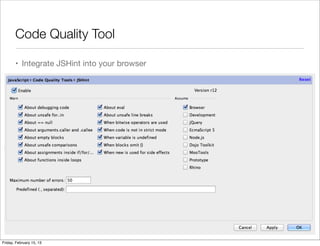
Code Quality Tool

       • Integrate JSHint into your browser


Friday, February 15, 13
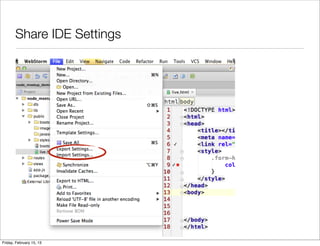
Share IDE Settings


Friday, February 15, 13
Other Environment Candies

       • Use http-server to start a local http server


       • Or, just drop the files to Dropbox/Public


       • Use ssh keys to save typing passwords


       • Use localtunnel to share localhost
         http://progrium.com/localtunnel/


Friday, February 15, 13
Testing

       • BrowserStack maintain a stack
         of virtual browsers


       • Use them for testing instead of
         installing all OS yourself


Friday, February 15, 13
In Browser Design
       Using Chrome Developer Tools
       as a mini IDE


Friday, February 15, 13
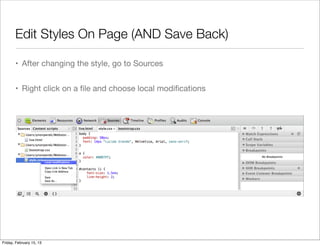
Edit Styles On Page (AND Save Back)

       • After changing the style, go to Sources


       • Right click on a file and choose local modifications


Friday, February 15, 13
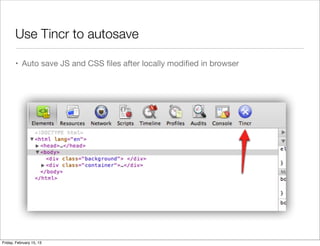
Use Tincr to autosave

       • Auto save JS and CSS files after locally modified in browser


Friday, February 15, 13
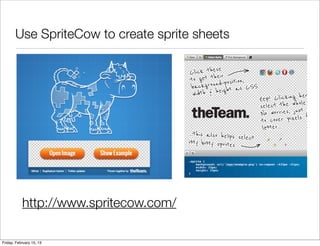
Use SpriteCow to create sprite sheets


           http://www.spritecow.com/

Friday, February 15, 13
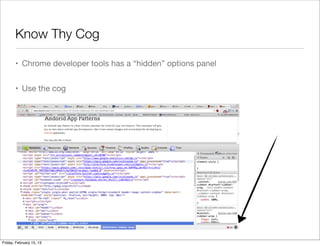
Know Thy Cog

       • Chrome developer tools has a “hidden” options panel


       • Use the cog


Friday, February 15, 13
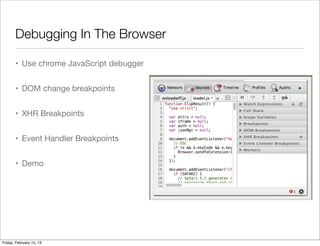
Debugging In The Browser

       • Use chrome JavaScript debugger


       • DOM change breakpoints


       • XHR Breakpoints


       • Event Handler Breakpoints


       • Demo


Friday, February 15, 13
Meet Yeoman
       Modern Workflows for Modern
       Webapps


Friday, February 15, 13
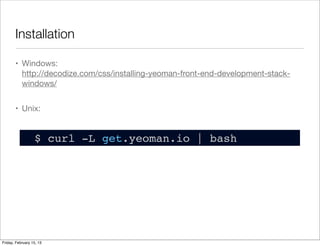
Installation

       • Windows:
         http://decodize.com/css/installing-yeoman-front-end-development-stack-
         windows/


       • Unix:


                  $ curl -L get.yeoman.io | bash


Friday, February 15, 13
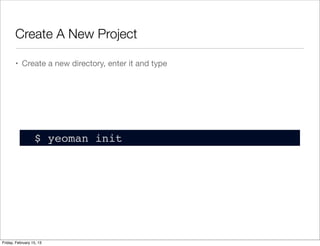
Create A New Project

       • Create a new directory, enter it and type


                  $ yeoman init


Friday, February 15, 13
What’s In The Box

       • Starter files from HTML5Boilerplate


       • Default .htaccess file


       • Package management with bower


       • Build script with grunt.js


       • Unit testing with Mocha


       • .editorconfig and .jshintrc


Friday, February 15, 13
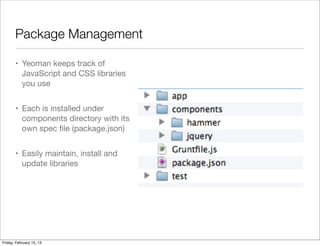
Package Management

       • Yeoman keeps track of
         JavaScript and CSS libraries
         you use


       • Each is installed under
         components directory with its
         own spec file (package.json)


       • Easily maintain, install and
         update libraries


Friday, February 15, 13
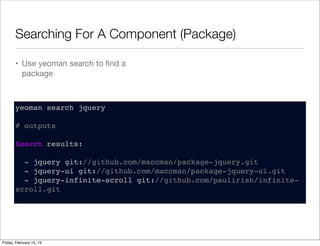
Searching For A Component (Package)

       • Use yeoman search to find a
         package


       yeoman search jquery

       # outputs

       Search results:

         - jquery git://github.com/maccman/package-jquery.git
         - jquery-ui git://github.com/maccman/package-jquery-ui.git
         - jquery-infinite-scroll git://github.com/paulirish/infinite-
       scroll.git


Friday, February 15, 13
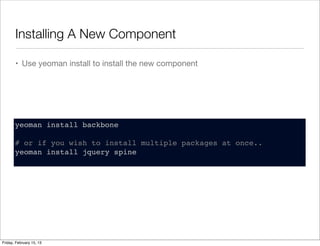
Installing A New Component

       • Use yeoman install to install the new component


       yeoman install backbone

       # or if you wish to install multiple packages at once..
       yeoman install jquery spine


Friday, February 15, 13
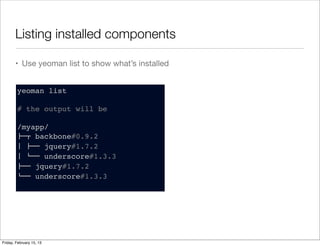
Listing installed components

       • Use yeoman list to show what’s installed


        yeoman list

        # the output will be

        /myapp/
        !"# backbone#0.9.2
        $ !"" jquery#1.7.2
        $ %"" underscore#1.3.3
        !"" jquery#1.7.2
        %"" underscore#1.3.3


Friday, February 15, 13
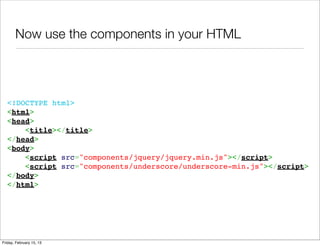
Now use the components in your HTML


  <!DOCTYPE html>
  <html>
  <head>
      <title></title>
  </head>
  <body>
      <script src="components/jquery/jquery.min.js"></script>
      <script src="components/underscore/underscore-min.js"></script>
  </body>
  </html>


Friday, February 15, 13
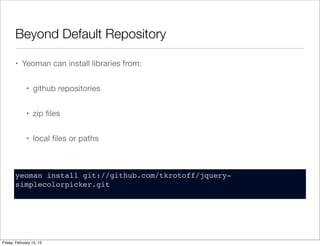
Beyond Default Repository

       • Yeoman can install libraries from:


              • github repositories


              • zip files


              • local files or paths


       yeoman install git://github.com/tkrotoff/jquery-
       simplecolorpicker.git


Friday, February 15, 13
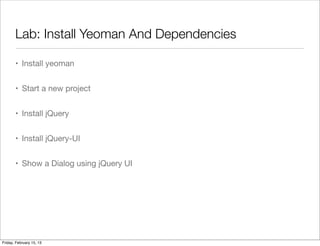
Lab: Install Yeoman And Dependencies

       • Install yeoman


       • Start a new project


       • Install jQuery


       • Install jQuery-UI


       • Show a Dialog using jQuery UI


Friday, February 15, 13
Build Script With
       Grunt.JS
       A task based command line build
       tool for javascript


Friday, February 15, 13
Hello Gruntfile.js

       • Yeoman’s grunt config is kept in Gruntfile.js


       • What you’ll find:


              • Lint Options


              • Minification Options


              • Compass/Sass/CoffeeScript precompilation


              • Mocha tests


Friday, February 15, 13
Grunt Tasks

       • Linting


       • Minification


       • Concatenation


       • Image Optimization


       • r.js


Friday, February 15, 13
Linting

       • Run with:
                                                          lint: {
         yeoman lint                                           files: [
                                                                 'Gruntfile.js',
                                                                 'app/scripts/*.js',
       • All jshint configuration options are found in:           'spec/**/*.js'
                                                               ],
         https://github.com/gabrielhurley/js-                  options: {
         openclient/blob/master/.jshintrc                        options: {
                                                                   node: true,
                                                                    ...
                                                                   devel: true,
       • Note default configuration ignores jshint.                 strict: false
         Need to modify your gruntfile                            },
                                                                 globals: {
                                                                   jQuery: true,
                                                                   define: true,
       • Demo                                                      require: true
                                                                 }
                                                               }
                                                             },


Friday, February 15, 13
HTML Minification

       • Yeoman will minify and concat all
         your HTML files


       • Run with
         yeoman html
                                                     // HTML minification
                                                     html: {
       • Part of the build process                     // files: ['**/*.html']
                                                       files: ['app/minify_demo.html']
                                                     },
       • Demo


Friday, February 15, 13
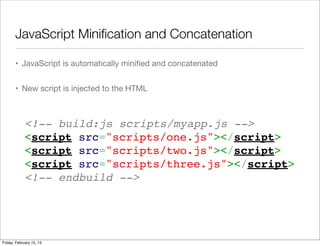
JavaScript Minification and Concatenation

       • JavaScript is automatically minified and concatenated


       • New script is injected to the HTML


             <!-- build:js scripts/myapp.js -->
             <script src="scripts/one.js"></script>
             <script src="scripts/two.js"></script>
             <script src="scripts/three.js"></script>
             <!-- endbuild -->


Friday, February 15, 13
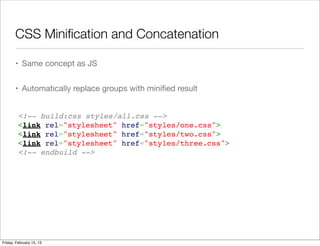
CSS Minification and Concatenation

       • Same concept as JS


       • Automatically replace groups with minified result


         <!-- build:css styles/all.css -->
         <link rel="stylesheet" href="styles/one.css">
         <link rel="stylesheet" href="styles/two.css">
         <link rel="stylesheet" href="styles/three.css">
         <!-- endbuild -->


Friday, February 15, 13
Image Optimization

       • Yeoman will optimize your images


       • Done automatically as part of the build process


       • Can add image folders


         // Optimizes JPGs and PNGs (with jpegtran & optipng)
         img: {
           dist: '<config:rev.img>',
           my: [ 'app/images/*.jpg', 'app/images/*.png' ]
         },


Friday, February 15, 13
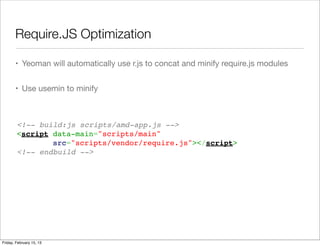
Require.JS Optimization

       • Yeoman will automatically use r.js to concat and minify require.js modules


       • Use usemin to minify


        <!-- build:js scripts/amd-app.js -->
        <script data-main="scripts/main"
                src="scripts/vendor/require.js"></script>
        <!-- endbuild -->


Friday, February 15, 13
Yeoman During Development

       • Use yeoman server to start a test server


       • Get automatic browser reload when files change


       • Automatically recompiles sass


Friday, February 15, 13
Yeoman Disadvantages

       • Doesn’t work well with existing projects


       • Still buggy


       • 1.0 Is around the corner


Friday, February 15, 13
Q&A


Friday, February 15, 13
Unit Testing With
       Mocha


Friday, February 15, 13
Benefits of testing

       • Discover bugs before they happen


       • Write cleaner code


       • Don’t fear regression


Friday, February 15, 13
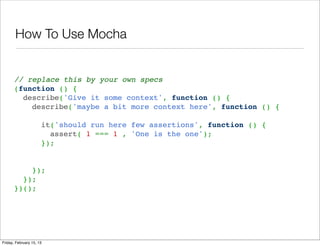
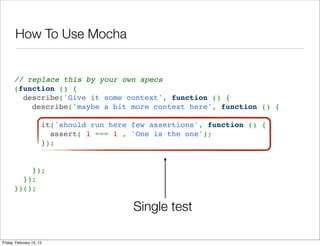
How To Use Mocha


      // replace this by your own specs
      (function () {
        describe('Give it some context', function () {
          describe('maybe a bit more context here', function () {
       
            it('should run here few assertions', function () {
              assert( 1 === 1 , 'One is the one');
            });
       
       
          });
        });
      })();


Friday, February 15, 13
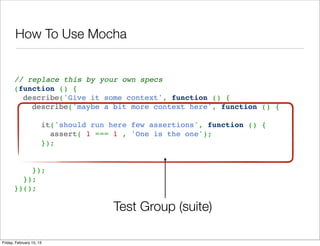
How To Use Mocha


      // replace this by your own specs
      (function () {
        describe('Give it some context', function () {
          describe('maybe a bit more context here', function () {
       
            it('should run here few assertions', function () {
              assert( 1 === 1 , 'One is the one');
            });
       
       
          });
        });
      })();

                            Test Group (suite)

Friday, February 15, 13
How To Use Mocha


      // replace this by your own specs
      (function () {
        describe('Give it some context', function () {
          describe('maybe a bit more context here', function () {
       
            it('should run here few assertions', function () {
              assert( 1 === 1 , 'One is the one');
            });
       
       
          });
        });
      })();

                                Single test

Friday, February 15, 13
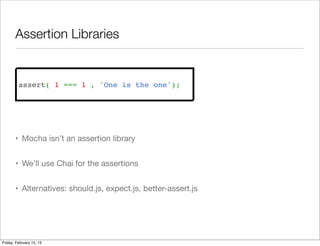
Assertion Libraries


         assert( 1 === 1 , 'One is the one');


       • Mocha isn’t an assertion library


       • We’ll use Chai for the assertions


       • Alternatives: should.js, expect.js, better-assert.js


Friday, February 15, 13
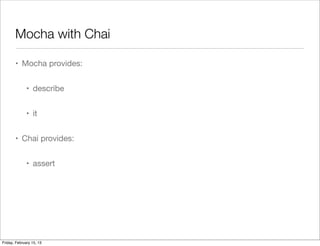
Mocha with Chai

       • Mocha provides:


              • describe


              • it


       • Chai provides:


              • assert


Friday, February 15, 13
Sync Test

       describe('Array', function () {
        
         describe('#indexOf()', function() {
        
           it('should return -1 when value not found', function() {
             assert.equal( [1,2,3].indexOf(5), -1 );
             assert.equal( [1,2,3].indexOf(0), -1 );
           });
        
           it('should return the index when value found', function() {
             assert.equal( [1,2,3].indexOf(2), 1 );
           });
        
         });
        
       });


Friday, February 15, 13
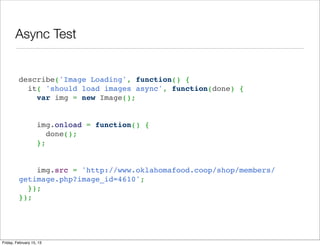
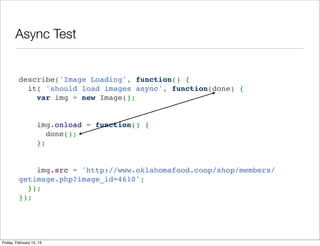
Async Test


         describe('Image Loading', function() { 
           it( 'should load images async', function(done) { 
             var img = new Image();


             img.onload = function() {
               done();
             };

          
             img.src = 'http://www.oklahomafood.coop/shop/members/
         getimage.php?image_id=4610'; 
           }); 
         });


Friday, February 15, 13
Async Test


         describe('Image Loading', function() { 
           it( 'should load images async', function(done) { 
             var img = new Image();


             img.onload = function() {
               done();
             };

          
             img.src = 'http://www.oklahomafood.coop/shop/members/
         getimage.php?image_id=4610'; 
           }); 
         });


Friday, February 15, 13
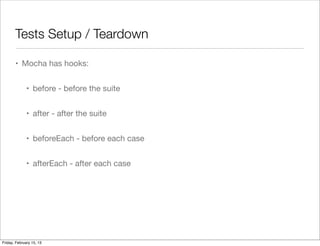
Tests Setup / Teardown

       • Mocha has hooks:


              • before - before the suite


              • after - after the suite


              • beforeEach - before each case


              • afterEach - after each case


Friday, February 15, 13
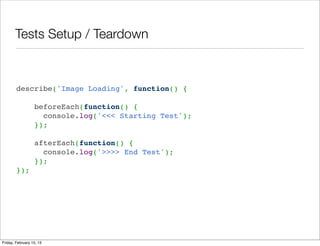
Tests Setup / Teardown


        describe('Image Loading', function() {
         
            beforeEach(function() {
              console.log('<<< Starting Test');
            });
         
            afterEach(function() {
              console.log('>>>> End Test');
            });
        });


Friday, February 15, 13
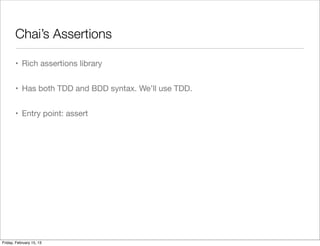
Chai’s Assertions

       • Rich assertions library


       • Has both TDD and BDD syntax. We’ll use TDD.


       • Entry point: assert


Friday, February 15, 13
Chai’s Assertions

       • Basic Assertions


         assert('foo' !== 'bar', 'foo is not bar');

         assert(Array.isArray([]), 'empty arrays are arrays');


Friday, February 15, 13
Chai’s Assertions

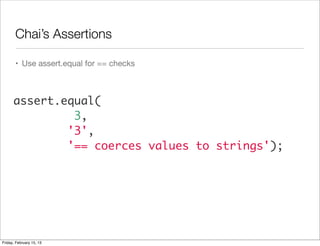
       • Use assert.equal for == checks


      assert.equal(
               3,
              '3',
              '== coerces values to strings');


Friday, February 15, 13
Chai’s Assertions

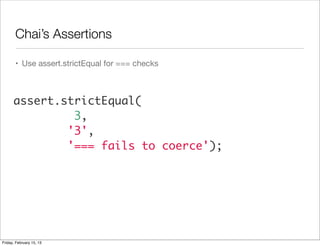
       • Use assert.strictEqual for === checks


      assert.strictEqual(
               3,
              '3',
              '=== fails to coerce');


Friday, February 15, 13
Chai’s Assertions

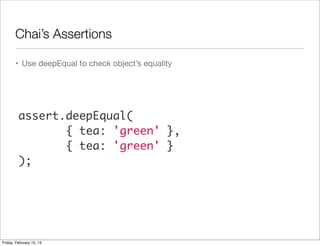
       • Use deepEqual to check object’s equality


         assert.deepEqual(
                { tea: 'green' },
                { tea: 'green' }
         );


Friday, February 15, 13
Chai’s Assertions

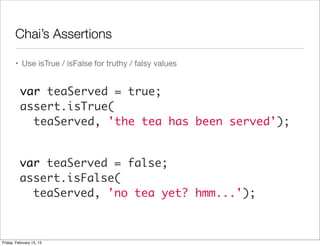
       • Use isTrue / isFalse for truthy / falsy values


          var teaServed = true;
          assert.isTrue(
            teaServed, 'the tea has been served');


          var teaServed = false;
          assert.isFalse(
            teaServed, 'no tea yet? hmm...');


Friday, February 15, 13
Chai’s Assertions

       • Basic Assertions


              • isNull, isNotNull


              • isDefined, isUndefined


              • isFunction, isNotFunction, isObject, isNotObject


              • isArray, isNotArray,


              • isString, isNotString, isNumber, isNotNumber, isBoolean, isNotBoolean


Friday, February 15, 13
Chai’s Assertions

       • Cool Assertions


              • include( haystack, needle ):
                search for needle in a haystack. Supports strings AND arrays


              • deepProperty( object, prop ):
                object has a property named prop, which can be a dotted string

                 assert.deepProperty({ tea: { green: 'matcha' }}, 'tea.green');


              • closeTo( actual, expected, delta )

                 assert.closeTo(1.5, 1, 0.5, 'numbers are close');


Friday, February 15, 13
Demo
       Mocha + Require + Chai


Friday, February 15, 13
Q&A


Friday, February 15, 13
Sass & Compass
       Styling with attitude


Friday, February 15, 13
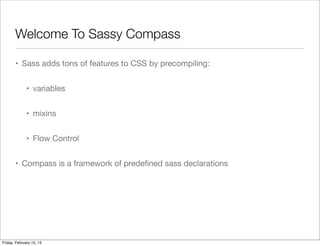
Welcome To Sassy Compass

       • Sass adds tons of features to CSS by precompiling:


              • variables


              • mixins


              • Flow Control


       • Compass is a framework of predefined sass declarations


Friday, February 15, 13
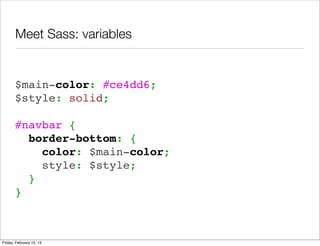
Meet Sass: variables


       $main-color: #ce4dd6;
       $style: solid;
        
       #navbar {
         border-bottom: {
           color: $main-color;
           style: $style;
         }
       }


Friday, February 15, 13
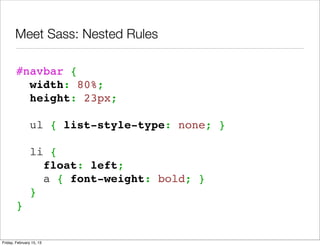
Meet Sass: Nested Rules

        #navbar {
          width: 80%;
          height: 23px;
         
          ul { list-style-type: none; }

                li {
                  float: left;
                  a { font-weight: bold; }
                }
        }


Friday, February 15, 13
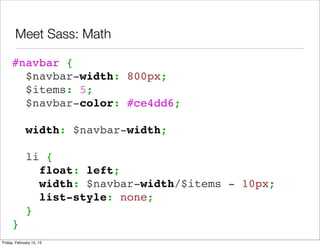
Meet Sass: Math

     #navbar {
       $navbar-width: 800px;
       $items: 5;
       $navbar-color: #ce4dd6;
      
       width: $navbar-width;
      
       li {
         float: left;
         width: $navbar-width/$items - 10px;
         list-style: none;
       }
     }
Friday, February 15, 13
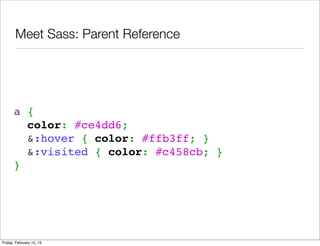
Meet Sass: Parent Reference


      a       {
              color: #ce4dd6;
              &:hover { color: #ffb3ff; }
              &:visited { color: #c458cb; }
      }


Friday, February 15, 13
Using Sass With Yeoman

       • Add sass commands to main.scss


       • Even better - create a _base.scss partial


       • Demo


Friday, February 15, 13
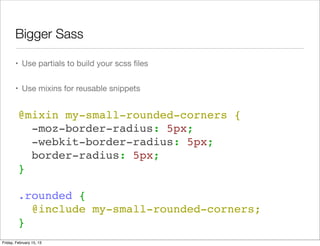
Bigger Sass

       • Use partials to build your scss files


       • Use mixins for reusable snippets


         @mixin my-small-rounded-corners {
           -moz-border-radius: 5px;
           -webkit-border-radius: 5px;
           border-radius: 5px;
         }
          
         .rounded {
           @include my-small-rounded-corners;
         }
Friday, February 15, 13
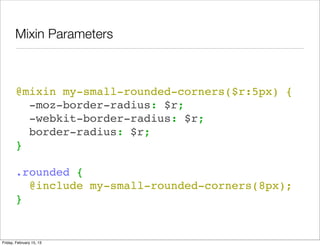
Mixin Parameters


       @mixin my-small-rounded-corners($r:5px) {
         -moz-border-radius: $r;
         -webkit-border-radius: $r;
         border-radius: $r;
       }
        
       .rounded {
         @include my-small-rounded-corners(8px);
       }


Friday, February 15, 13
Meet Compass

       • A (huge) collection of mixins
         and classes built with sass


       • Includes new functions


       • Mainly used for CSS3 related
         features (instead of typing
         browser prefix yourself)


       • Docs:
         http://compass-style.org/


Friday, February 15, 13
How To Use

       • Use compass by including their partials


       • Automatically used by yeoman


       @import "compass/css3";
       @import "compass/typography";


Friday, February 15, 13
What You Get

       • Border Radius


           .simple   {
             @include border-radius(4px, 4px);
           }

           .compound {
             @include border-radius(2px 5px, 3px 6px);
           }

           .crazy    {
             @include border-radius(1px 3px 5px 7px, 2px 4px 6px 8px)
           }


Friday, February 15, 13
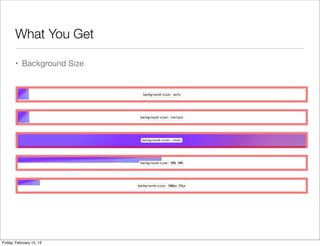
What You Get

       • Background Size


Friday, February 15, 13
What You Get

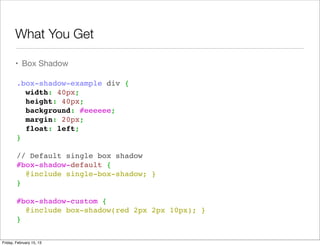
       • Box Shadow

        .box-shadow-example div {
          width: 40px;
          height: 40px;
          background: #eeeeee;
          margin: 20px;
          float: left;
        }
         
        // Default single box shadow
        #box-shadow-default {
          @include single-box-shadow; }
        }
         
        #box-shadow-custom {
          @include box-shadow(red 2px 2px 10px); }
        }


Friday, February 15, 13
What You Get

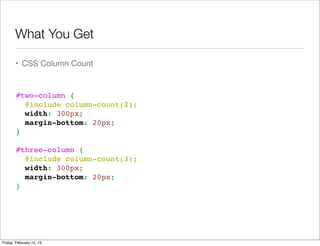
       • CSS Column Count


        #two-column {
          @include column-count(2);
          width: 300px;
          margin-bottom: 20px;
        }
         
        #three-column {
          @include column-count(3);
          width: 300px;
          margin-bottom: 20px;
        }


Friday, February 15, 13
What You Get

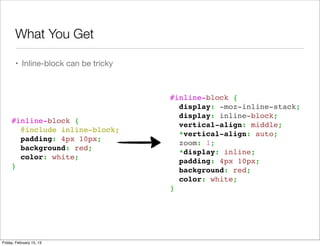
       • Inline-block can be tricky


                                      #inline-block {
                                        display: -moz-inline-stack;
                                        display: inline-block;
     #inline-block {
                                        vertical-align: middle;
       @include inline-block;
                                        *vertical-align: auto;
       padding: 4px 10px;
                                        zoom: 1;
       background: red;
                                        *display: inline;
       color: white;
                                        padding: 4px 10px;
     }
                                        background: red;
                                        color: white;
                                      }


Friday, February 15, 13
Sass & Compass Resources

       • Sass Tutorial:
         http://sass-lang.com/tutorial.html


       • Sass Full Reference:
         http://sass-lang.com/docs/yardoc/file.SASS_REFERENCE.html


       • Compass Tutorials:
         http://compass-style.org/help/tutorials/


       • Compass Reference:
         http://compass-style.org/reference/compass/


Friday, February 15, 13
Thanks For Listening

       • Ynon Perek                    • Photos from:


       • Contact me at:                  • http://www.123rf.com/
                                           freeimages.php
              • ynon@ynonperek.com
                                         • http://morguefile.com/archive
       • Slides at:


              • http://ynonperek.com


Friday, February 15, 13

Frontend Engineer Toolbox

  • 1.
    The Front End Developer ToolBox Code Editing And Environment Designing In The Browser Yeoman Unit Testing (Mocha) CSS Pre-Compilation (Sass) Friday, February 15, 13
  • 2.
    Setting Up The Environment IDE Tips Shell Tips Other Tools Friday, February 15, 13
  • 3.
    Use IDE FileTemplates • Use templates often • Set up your own Friday, February 15, 13
  • 4.
    Use IDE LiveTemplates • Live templates or snippets help you to type less Friday, February 15, 13
  • 5.
    Get To KnowIn-File Shortcuts • Jump to start/end tag (Cmd+Alt+[ and Cmd + Alt ] in Webstorm) • Go To Line (Cmd + L In Webstorm) • Join Lines (Shift + Ctrl + J In Webstorm) • Select word or sentend (alt + up / down In Webstorm) • Toggle Case (Cmd + Shift + U in Webstorm) Friday, February 15, 13
  • 6.
    Get To KnowCross File Shortcuts • Jump To Last Edit Location (Cmd + Shift + Backspace) • Jump Between Tabs • Jump To File (Cmd+Shift+O) • Tip: Use partial dir names • Tip: Exclude folders from search Friday, February 15, 13
  • 7.
    Zen Coding • Many editors support this • Can save typing, but requires getting used to <div class="feature">     <h4></h4> .feature>h4+p       <p></p> </div> Friday, February 15, 13
  • 8.
    Tabs Or Spaces • Your choice, but be consistent • Use IDE to enforce code style Friday, February 15, 13
  • 9.
    Code Quality Tool • Integrate JSHint into your browser Friday, February 15, 13
  • 10.
  • 11.
    Other Environment Candies • Use http-server to start a local http server • Or, just drop the files to Dropbox/Public • Use ssh keys to save typing passwords • Use localtunnel to share localhost http://progrium.com/localtunnel/ Friday, February 15, 13
  • 12.
    Testing • BrowserStack maintain a stack of virtual browsers • Use them for testing instead of installing all OS yourself Friday, February 15, 13
  • 13.
    In Browser Design Using Chrome Developer Tools as a mini IDE Friday, February 15, 13
  • 14.
    Edit Styles OnPage (AND Save Back) • After changing the style, go to Sources • Right click on a file and choose local modifications Friday, February 15, 13
  • 15.
    Use Tincr toautosave • Auto save JS and CSS files after locally modified in browser Friday, February 15, 13
  • 16.
    Use SpriteCow tocreate sprite sheets http://www.spritecow.com/ Friday, February 15, 13
  • 17.
    Know Thy Cog • Chrome developer tools has a “hidden” options panel • Use the cog Friday, February 15, 13
  • 18.
    Debugging In TheBrowser • Use chrome JavaScript debugger • DOM change breakpoints • XHR Breakpoints • Event Handler Breakpoints • Demo Friday, February 15, 13
  • 19.
    Meet Yeoman Modern Workflows for Modern Webapps Friday, February 15, 13
  • 20.
    Installation • Windows: http://decodize.com/css/installing-yeoman-front-end-development-stack- windows/ • Unix: $ curl -L get.yeoman.io | bash Friday, February 15, 13
  • 21.
    Create A NewProject • Create a new directory, enter it and type $ yeoman init Friday, February 15, 13
  • 22.
    What’s In TheBox • Starter files from HTML5Boilerplate • Default .htaccess file • Package management with bower • Build script with grunt.js • Unit testing with Mocha • .editorconfig and .jshintrc Friday, February 15, 13
  • 23.
    Package Management • Yeoman keeps track of JavaScript and CSS libraries you use • Each is installed under components directory with its own spec file (package.json) • Easily maintain, install and update libraries Friday, February 15, 13
  • 24.
    Searching For AComponent (Package) • Use yeoman search to find a package yeoman search jquery # outputs Search results: - jquery git://github.com/maccman/package-jquery.git - jquery-ui git://github.com/maccman/package-jquery-ui.git - jquery-infinite-scroll git://github.com/paulirish/infinite- scroll.git Friday, February 15, 13
  • 25.
    Installing A NewComponent • Use yeoman install to install the new component yeoman install backbone # or if you wish to install multiple packages at once.. yeoman install jquery spine Friday, February 15, 13
  • 26.
    Listing installed components • Use yeoman list to show what’s installed yeoman list # the output will be /myapp/ !"# backbone#0.9.2 $ !"" jquery#1.7.2 $ %"" underscore#1.3.3 !"" jquery#1.7.2 %"" underscore#1.3.3 Friday, February 15, 13
  • 27.
    Now use thecomponents in your HTML <!DOCTYPE html> <html> <head>     <title></title> </head> <body>     <script src="components/jquery/jquery.min.js"></script>     <script src="components/underscore/underscore-min.js"></script> </body> </html> Friday, February 15, 13
  • 28.
    Beyond Default Repository • Yeoman can install libraries from: • github repositories • zip files • local files or paths yeoman install git://github.com/tkrotoff/jquery- simplecolorpicker.git Friday, February 15, 13
  • 29.
    Lab: Install YeomanAnd Dependencies • Install yeoman • Start a new project • Install jQuery • Install jQuery-UI • Show a Dialog using jQuery UI Friday, February 15, 13
  • 30.
    Build Script With Grunt.JS A task based command line build tool for javascript Friday, February 15, 13
  • 31.
    Hello Gruntfile.js • Yeoman’s grunt config is kept in Gruntfile.js • What you’ll find: • Lint Options • Minification Options • Compass/Sass/CoffeeScript precompilation • Mocha tests Friday, February 15, 13
  • 32.
    Grunt Tasks • Linting • Minification • Concatenation • Image Optimization • r.js Friday, February 15, 13
  • 33.
    Linting • Run with:  lint: { yeoman lint       files: [         'Gruntfile.js',         'app/scripts/*.js', • All jshint configuration options are found in:         'spec/**/*.js'       ], https://github.com/gabrielhurley/js-       options: { openclient/blob/master/.jshintrc         options: {           node: true, ...           devel: true, • Note default configuration ignores jshint.           strict: false Need to modify your gruntfile         },         globals: {           jQuery: true,           define: true, • Demo           require: true         }       }     }, Friday, February 15, 13
  • 34.
    HTML Minification • Yeoman will minify and concat all your HTML files • Run with yeoman html     // HTML minification     html: { • Part of the build process       // files: ['**/*.html']       files: ['app/minify_demo.html']     }, • Demo Friday, February 15, 13
  • 35.
    JavaScript Minification andConcatenation • JavaScript is automatically minified and concatenated • New script is injected to the HTML <!-- build:js scripts/myapp.js --> <script src="scripts/one.js"></script> <script src="scripts/two.js"></script> <script src="scripts/three.js"></script> <!-- endbuild --> Friday, February 15, 13
  • 36.
    CSS Minification andConcatenation • Same concept as JS • Automatically replace groups with minified result <!-- build:css styles/all.css --> <link rel="stylesheet" href="styles/one.css"> <link rel="stylesheet" href="styles/two.css"> <link rel="stylesheet" href="styles/three.css"> <!-- endbuild --> Friday, February 15, 13
  • 37.
    Image Optimization • Yeoman will optimize your images • Done automatically as part of the build process • Can add image folders // Optimizes JPGs and PNGs (with jpegtran & optipng) img: {   dist: '<config:rev.img>',   my: [ 'app/images/*.jpg', 'app/images/*.png' ] }, Friday, February 15, 13
  • 38.
    Require.JS Optimization • Yeoman will automatically use r.js to concat and minify require.js modules • Use usemin to minify <!-- build:js scripts/amd-app.js --> <script data-main="scripts/main" src="scripts/vendor/require.js"></script> <!-- endbuild --> Friday, February 15, 13
  • 39.
    Yeoman During Development • Use yeoman server to start a test server • Get automatic browser reload when files change • Automatically recompiles sass Friday, February 15, 13
  • 40.
    Yeoman Disadvantages • Doesn’t work well with existing projects • Still buggy • 1.0 Is around the corner Friday, February 15, 13
  • 41.
  • 42.
    Unit Testing With Mocha Friday, February 15, 13
  • 43.
    Benefits of testing • Discover bugs before they happen • Write cleaner code • Don’t fear regression Friday, February 15, 13
  • 44.
    How To UseMocha // replace this by your own specs (function () {   describe('Give it some context', function () {     describe('maybe a bit more context here', function () {         it('should run here few assertions', function () {         assert( 1 === 1 , 'One is the one');       });         }); }); })(); Friday, February 15, 13
  • 45.
    How To UseMocha // replace this by your own specs (function () {   describe('Give it some context', function () {     describe('maybe a bit more context here', function () {         it('should run here few assertions', function () {         assert( 1 === 1 , 'One is the one');       });         }); }); })(); Test Group (suite) Friday, February 15, 13
  • 46.
    How To UseMocha // replace this by your own specs (function () {   describe('Give it some context', function () {     describe('maybe a bit more context here', function () {         it('should run here few assertions', function () {         assert( 1 === 1 , 'One is the one');       });         }); }); })(); Single test Friday, February 15, 13
  • 47.
    Assertion Libraries assert( 1 === 1 , 'One is the one'); • Mocha isn’t an assertion library • We’ll use Chai for the assertions • Alternatives: should.js, expect.js, better-assert.js Friday, February 15, 13
  • 48.
    Mocha with Chai • Mocha provides: • describe • it • Chai provides: • assert Friday, February 15, 13
  • 49.
    Sync Test describe('Array', function () {     describe('#indexOf()', function() {       it('should return -1 when value not found', function() {       assert.equal( [1,2,3].indexOf(5), -1 );       assert.equal( [1,2,3].indexOf(0), -1 );     });       it('should return the index when value found', function() {       assert.equal( [1,2,3].indexOf(2), 1 );     });     });   }); Friday, February 15, 13
  • 50.
    Async Test describe('Image Loading', function() {    it( 'should load images async', function(done) {      var img = new Image();     img.onload = function() {       done();     };       img.src = 'http://www.oklahomafood.coop/shop/members/ getimage.php?image_id=4610';    });  }); Friday, February 15, 13
  • 51.
    Async Test describe('Image Loading', function() {    it( 'should load images async', function(done) {      var img = new Image();     img.onload = function() {       done();     };       img.src = 'http://www.oklahomafood.coop/shop/members/ getimage.php?image_id=4610';    });  }); Friday, February 15, 13
  • 52.
    Tests Setup /Teardown • Mocha has hooks: • before - before the suite • after - after the suite • beforeEach - before each case • afterEach - after each case Friday, February 15, 13
  • 53.
    Tests Setup /Teardown describe('Image Loading', function() {       beforeEach(function() {       console.log('<<< Starting Test');     });       afterEach(function() {       console.log('>>>> End Test');     }); }); Friday, February 15, 13
  • 54.
    Chai’s Assertions • Rich assertions library • Has both TDD and BDD syntax. We’ll use TDD. • Entry point: assert Friday, February 15, 13
  • 55.
    Chai’s Assertions • Basic Assertions assert('foo' !== 'bar', 'foo is not bar'); assert(Array.isArray([]), 'empty arrays are arrays'); Friday, February 15, 13
  • 56.
    Chai’s Assertions • Use assert.equal for == checks assert.equal( 3, '3', '== coerces values to strings'); Friday, February 15, 13
  • 57.
    Chai’s Assertions • Use assert.strictEqual for === checks assert.strictEqual( 3, '3', '=== fails to coerce'); Friday, February 15, 13
  • 58.
    Chai’s Assertions • Use deepEqual to check object’s equality assert.deepEqual( { tea: 'green' }, { tea: 'green' } ); Friday, February 15, 13
  • 59.
    Chai’s Assertions • Use isTrue / isFalse for truthy / falsy values var teaServed = true; assert.isTrue( teaServed, 'the tea has been served'); var teaServed = false; assert.isFalse( teaServed, 'no tea yet? hmm...'); Friday, February 15, 13
  • 60.
    Chai’s Assertions • Basic Assertions • isNull, isNotNull • isDefined, isUndefined • isFunction, isNotFunction, isObject, isNotObject • isArray, isNotArray, • isString, isNotString, isNumber, isNotNumber, isBoolean, isNotBoolean Friday, February 15, 13
  • 61.
    Chai’s Assertions • Cool Assertions • include( haystack, needle ): search for needle in a haystack. Supports strings AND arrays • deepProperty( object, prop ): object has a property named prop, which can be a dotted string assert.deepProperty({ tea: { green: 'matcha' }}, 'tea.green'); • closeTo( actual, expected, delta ) assert.closeTo(1.5, 1, 0.5, 'numbers are close'); Friday, February 15, 13
  • 62.
    Demo Mocha + Require + Chai Friday, February 15, 13
  • 63.
  • 64.
    Sass & Compass Styling with attitude Friday, February 15, 13
  • 65.
    Welcome To SassyCompass • Sass adds tons of features to CSS by precompiling: • variables • mixins • Flow Control • Compass is a framework of predefined sass declarations Friday, February 15, 13
  • 66.
    Meet Sass: variables $main-color: #ce4dd6; $style: solid;   #navbar {   border-bottom: {     color: $main-color;     style: $style;   } } Friday, February 15, 13
  • 67.
    Meet Sass: NestedRules #navbar {   width: 80%;   height: 23px;     ul { list-style-type: none; }   li {     float: left;     a { font-weight: bold; }   } } Friday, February 15, 13
  • 68.
    Meet Sass: Math #navbar {   $navbar-width: 800px;   $items: 5;   $navbar-color: #ce4dd6;     width: $navbar-width;     li {     float: left;     width: $navbar-width/$items - 10px;     list-style: none;   } } Friday, February 15, 13
  • 69.
    Meet Sass: ParentReference a {   color: #ce4dd6;   &:hover { color: #ffb3ff; }   &:visited { color: #c458cb; } } Friday, February 15, 13
  • 70.
    Using Sass WithYeoman • Add sass commands to main.scss • Even better - create a _base.scss partial • Demo Friday, February 15, 13
  • 71.
    Bigger Sass • Use partials to build your scss files • Use mixins for reusable snippets @mixin my-small-rounded-corners {   -moz-border-radius: 5px;   -webkit-border-radius: 5px;   border-radius: 5px; }   .rounded {   @include my-small-rounded-corners; } Friday, February 15, 13
  • 72.
    Mixin Parameters @mixin my-small-rounded-corners($r:5px) {   -moz-border-radius: $r;   -webkit-border-radius: $r;   border-radius: $r; }   .rounded {   @include my-small-rounded-corners(8px); } Friday, February 15, 13
  • 73.
    Meet Compass • A (huge) collection of mixins and classes built with sass • Includes new functions • Mainly used for CSS3 related features (instead of typing browser prefix yourself) • Docs: http://compass-style.org/ Friday, February 15, 13
  • 74.
    How To Use • Use compass by including their partials • Automatically used by yeoman @import "compass/css3"; @import "compass/typography"; Friday, February 15, 13
  • 75.
    What You Get • Border Radius .simple   { @include border-radius(4px, 4px); } .compound { @include border-radius(2px 5px, 3px 6px); } .crazy    { @include border-radius(1px 3px 5px 7px, 2px 4px 6px 8px) } Friday, February 15, 13
  • 76.
    What You Get • Background Size Friday, February 15, 13
  • 77.
    What You Get • Box Shadow .box-shadow-example div {   width: 40px;   height: 40px;   background: #eeeeee;   margin: 20px;   float: left; }   // Default single box shadow #box-shadow-default {   @include single-box-shadow; } }   #box-shadow-custom {   @include box-shadow(red 2px 2px 10px); } } Friday, February 15, 13
  • 78.
    What You Get • CSS Column Count #two-column {   @include column-count(2);   width: 300px;   margin-bottom: 20px; }   #three-column {   @include column-count(3);   width: 300px;   margin-bottom: 20px; } Friday, February 15, 13
  • 79.
    What You Get • Inline-block can be tricky #inline-block {   display: -moz-inline-stack;   display: inline-block; #inline-block {   vertical-align: middle;   @include inline-block;   *vertical-align: auto;   padding: 4px 10px;   zoom: 1;   background: red;   *display: inline;   color: white;   padding: 4px 10px; }   background: red;   color: white; } Friday, February 15, 13
  • 80.
    Sass & CompassResources • Sass Tutorial: http://sass-lang.com/tutorial.html • Sass Full Reference: http://sass-lang.com/docs/yardoc/file.SASS_REFERENCE.html • Compass Tutorials: http://compass-style.org/help/tutorials/ • Compass Reference: http://compass-style.org/reference/compass/ Friday, February 15, 13
  • 81.
    Thanks For Listening • Ynon Perek • Photos from: • Contact me at: • http://www.123rf.com/ freeimages.php • ynon@ynonperek.com • http://morguefile.com/archive • Slides at: • http://ynonperek.com Friday, February 15, 13