Future of Technology Project

              G roup 6
    A n d r e a C h a m p a g n ie
        L is a S t e v e n s o n
            Tra c y Va nn


       EME 6316C
 University of West Florida
High School/College Calculus
• Student Age range from 15-20 years old


• Pre-requisite skills:
  – Basic windows software computer familiarity
  – Established individual profile on Tutoring web site
    Khan Academy
  – Successful completion of Trigonometry (Pre-
    Calculus)
  – Individually owned scientific (graphing) calculator
Typical Classroom Set Up
            of the Future

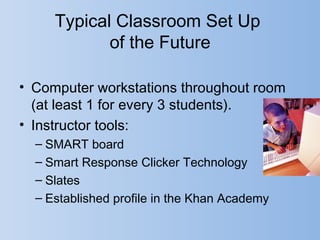
• Computer workstations throughout room
  (at least 1 for every 3 students).
• Instructor tools:
  – SMART board
  – Smart Response Clicker Technology
  – Slates
  – Established profile in the Khan Academy
SMART Board
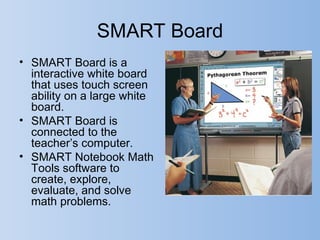
• SMART Board is a
  interactive white board
  that uses touch screen
  ability on a large white
  board.
• SMART Board is
  connected to the
  teacher’s computer.
• SMART Notebook Math
  Tools software to
  create, explore,
  evaluate, and solve
  math problems.
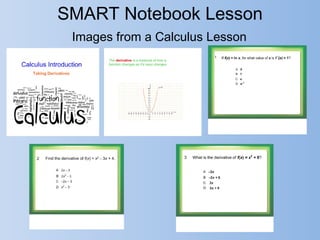
SMART Notebook Lesson
 Images from a Calculus Lesson
S ma rt R e s pons e
       C l i c k e r Te c h n o l o g y
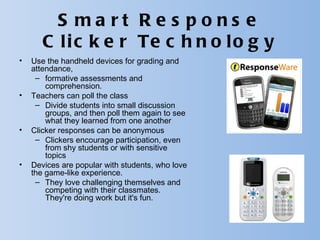
•   Use the handheld devices for grading and
    attendance,
     – formative assessments and
        comprehension.
•   Teachers can poll the class
     – Divide students into small discussion
        groups, and then poll them again to see
        what they learned from one another
•   Clicker responses can be anonymous
     – Clickers encourage participation, even
        from shy students or with sensitive
        topics
•   Devices are popular with students, who love
    the game-like experience.
     – They love challenging themselves and
        competing with their classmates.
        They're doing work but it's fun.
S ma rt R e s pons e
       C l i c k e r Te c h n o l o g y
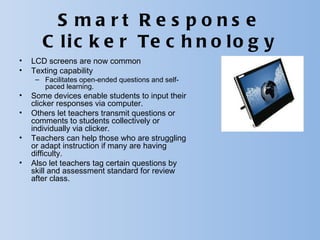
•   LCD screens are now common
•   Texting capability
     – Facilitates open-ended questions and self-
       paced learning.
•   Some devices enable students to input their
    clicker responses via computer.
•   Others let teachers transmit questions or
    comments to students collectively or
    individually via clicker.
•   Teachers can help those who are struggling
    or adapt instruction if many are having
    difficulty.
•   Also let teachers tag certain questions by
    skill and assessment standard for review
    after class.
Slates
•   eInstruction recently introduced the Mobi
    View slate, which gives teachers a larger
    touch screen, centralized control over
    student devices, and full access to lesson
    plans, applications, and eInstruction's
    ExamView assessment content library.
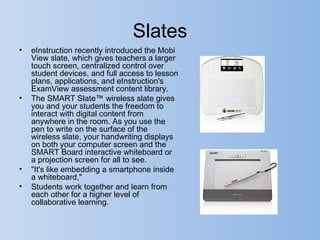
•   The SMART Slate™ wireless slate gives
    you and your students the freedom to
    interact with digital content from
    anywhere in the room. As you use the
    pen to write on the surface of the
    wireless slate, your handwriting displays
    on both your computer screen and the
    SMART Board interactive whiteboard or
    a projection screen for all to see.
•   "It's like embedding a smartphone inside
    a whiteboard,"
•   Students work together and learn from
    each other for a higher level of
    collaborative learning.
T h e K h a n A c a d e m y i s a n o n -p r o f i t
-B a n g la d e s h i A m e r ic a n e d u c a t o r
S a lm a n K h a n , a g r a d u a t e o f M IT a n d
H a r v a r d B u s in e s s S c h o o l. W it h t h e
s t a t e d m is s io n o f " p r o v id in g a h ig h
q u a lit y e d u c a t io n t o a n y o n e ,
a n y w h e r e " , t h e w e b s it e s u p p lie s a
f r e e o n lin e c o lle c t io n o f m o r e t h a n
3 , 0 0 0 m ic r o le c t u r e s v ia v id e o
t u t o r ia ls s t o r e d o n Yo u T u b e t e a c h in g
m a t h e m a t ic s , H is t o r y h e a lt h c a r e a n d
m e d ic in e , f in a n c e , p h y s ic s , c h e m is t r y ,
b io lo g y , a s t r o n o m y , e c o n o m ic s ,
c o s m o lo g y , o r g a n ic c h e m is t r y ,
A m e r ic a n c iv ic s , a r t h is t o r y ,
m a c r o e c o n o m ic s , m ic r o e c o n o m ic s ,
a n d c o m p u t e r s c ie n c e .
How it works for students

Students can make use of our extensive video
library, interactive challenges, and assessments
from any computer with access to the web.

  Complete custom self-paced learning tool
  A dynamic system for getting help
  A custom profile, points, and badges to measure
progress
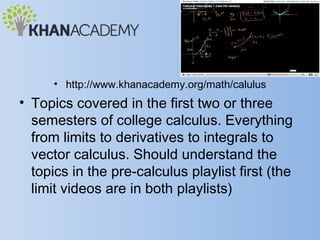
• http://www.khanacademy.org/math/calulus
• Topics covered in the first two or three
  semesters of college calculus. Everything
  from limits to derivatives to integrals to
  vector calculus. Should understand the
  topics in the pre-calculus playlist first (the
  limit videos are in both playlists)
Sample Videos
• http://www.khanacademy.org/math/calculus/
  v/newton-leibniz-and-usain-bolt

• http://www.khanacademy.org/math/calculus/v/in

• http://www.khanacademy.org/math/calculus/v/sq
References
Derringer, P. (2011). Learning by clicker. Scholastic
   Administrator. Retrieved from
   http://www.scholastic.com/browse/article.jsp?id=3755843
eInstruction. (n.d.). Mobi view. Retrieved from
   http://www.einstruction.com/
Khan, S. (2012). Calculus. Retrieved from the Khan Academy
   website: http://www.khanacademy.org/math/
SMART Technologies. (2012). Slate wireless slate. Retrieved
   from http://smarttech.com/
SMART Technologies. (2012). SMART Board interactive
   whiteboards. Retrieved from http://smarttech.com/

Fot

  • 1.
    Future of TechnologyProject G roup 6 A n d r e a C h a m p a g n ie L is a S t e v e n s o n Tra c y Va nn EME 6316C University of West Florida
  • 2.
    High School/College Calculus •Student Age range from 15-20 years old • Pre-requisite skills: – Basic windows software computer familiarity – Established individual profile on Tutoring web site Khan Academy – Successful completion of Trigonometry (Pre- Calculus) – Individually owned scientific (graphing) calculator
  • 3.
    Typical Classroom SetUp of the Future • Computer workstations throughout room (at least 1 for every 3 students). • Instructor tools: – SMART board – Smart Response Clicker Technology – Slates – Established profile in the Khan Academy
  • 4.
    SMART Board • SMARTBoard is a interactive white board that uses touch screen ability on a large white board. • SMART Board is connected to the teacher’s computer. • SMART Notebook Math Tools software to create, explore, evaluate, and solve math problems.
  • 5.
    SMART Notebook Lesson Images from a Calculus Lesson
  • 6.
    S ma rtR e s pons e C l i c k e r Te c h n o l o g y • Use the handheld devices for grading and attendance, – formative assessments and comprehension. • Teachers can poll the class – Divide students into small discussion groups, and then poll them again to see what they learned from one another • Clicker responses can be anonymous – Clickers encourage participation, even from shy students or with sensitive topics • Devices are popular with students, who love the game-like experience. – They love challenging themselves and competing with their classmates. They're doing work but it's fun.
  • 7.
    S ma rtR e s pons e C l i c k e r Te c h n o l o g y • LCD screens are now common • Texting capability – Facilitates open-ended questions and self- paced learning. • Some devices enable students to input their clicker responses via computer. • Others let teachers transmit questions or comments to students collectively or individually via clicker. • Teachers can help those who are struggling or adapt instruction if many are having difficulty. • Also let teachers tag certain questions by skill and assessment standard for review after class.
  • 8.
    Slates • eInstruction recently introduced the Mobi View slate, which gives teachers a larger touch screen, centralized control over student devices, and full access to lesson plans, applications, and eInstruction's ExamView assessment content library. • The SMART Slate™ wireless slate gives you and your students the freedom to interact with digital content from anywhere in the room. As you use the pen to write on the surface of the wireless slate, your handwriting displays on both your computer screen and the SMART Board interactive whiteboard or a projection screen for all to see. • "It's like embedding a smartphone inside a whiteboard," • Students work together and learn from each other for a higher level of collaborative learning.
  • 9.
    T h eK h a n A c a d e m y i s a n o n -p r o f i t -B a n g la d e s h i A m e r ic a n e d u c a t o r S a lm a n K h a n , a g r a d u a t e o f M IT a n d H a r v a r d B u s in e s s S c h o o l. W it h t h e s t a t e d m is s io n o f " p r o v id in g a h ig h q u a lit y e d u c a t io n t o a n y o n e , a n y w h e r e " , t h e w e b s it e s u p p lie s a f r e e o n lin e c o lle c t io n o f m o r e t h a n 3 , 0 0 0 m ic r o le c t u r e s v ia v id e o t u t o r ia ls s t o r e d o n Yo u T u b e t e a c h in g m a t h e m a t ic s , H is t o r y h e a lt h c a r e a n d m e d ic in e , f in a n c e , p h y s ic s , c h e m is t r y , b io lo g y , a s t r o n o m y , e c o n o m ic s , c o s m o lo g y , o r g a n ic c h e m is t r y , A m e r ic a n c iv ic s , a r t h is t o r y , m a c r o e c o n o m ic s , m ic r o e c o n o m ic s , a n d c o m p u t e r s c ie n c e .
  • 10.
    How it worksfor students Students can make use of our extensive video library, interactive challenges, and assessments from any computer with access to the web. Complete custom self-paced learning tool A dynamic system for getting help A custom profile, points, and badges to measure progress
  • 11.
    • http://www.khanacademy.org/math/calulus • Topicscovered in the first two or three semesters of college calculus. Everything from limits to derivatives to integrals to vector calculus. Should understand the topics in the pre-calculus playlist first (the limit videos are in both playlists)
  • 12.
    Sample Videos • http://www.khanacademy.org/math/calculus/ v/newton-leibniz-and-usain-bolt • http://www.khanacademy.org/math/calculus/v/in • http://www.khanacademy.org/math/calculus/v/sq
  • 13.
    References Derringer, P. (2011).Learning by clicker. Scholastic Administrator. Retrieved from http://www.scholastic.com/browse/article.jsp?id=3755843 eInstruction. (n.d.). Mobi view. Retrieved from http://www.einstruction.com/ Khan, S. (2012). Calculus. Retrieved from the Khan Academy website: http://www.khanacademy.org/math/ SMART Technologies. (2012). Slate wireless slate. Retrieved from http://smarttech.com/ SMART Technologies. (2012). SMART Board interactive whiteboards. Retrieved from http://smarttech.com/