

FMRIPREP
ROBUST.EASY.TRANSPARENT
What is it?
fMRI data preprocessing tool
Preprocessing?
denoising and normalization
What it is not
GLM
DCM
connectivity
dynamics
etc.
Principles
 Easy to install and use
 Robust – works on any* data
 Transparent – “glass box” rather
than “black box”
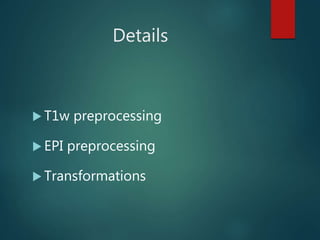
Details
 T1w preprocessing
 EPI preprocessing
 Transformations
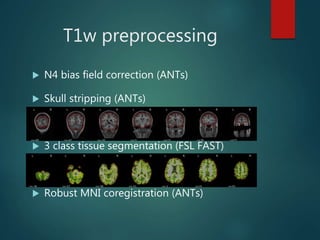
T1w preprocessing
 N4 bias field correction (ANTs)
 Skull stripping (ANTs)
 3 class tissue segmentation (FSL FAST)
 Robust MNI coregistration (ANTs)
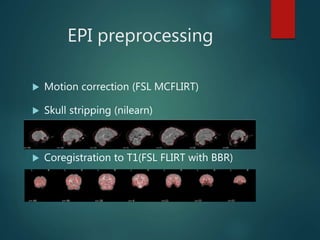
EPI preprocessing
 Motion correction (FSL MCFLIRT)
 Skull stripping (nilearn)
 Coregistration to T1(FSL FLIRT with BBR)
EPI preprocessing
 Confounds estimation (nipype)
 DVARS
 Framewise displaecement
 Global signal
 Mean tissue signals
 CompCor (temporal and anatomical)
EPI transformations
 Combination of:
 Motion correction affines
 EPI -> T1 affine
 T1 -> MNI affine
 T1 -> MNI warp field
 Single interpolation step
 No upsampling (keeping original voxel size)
Input
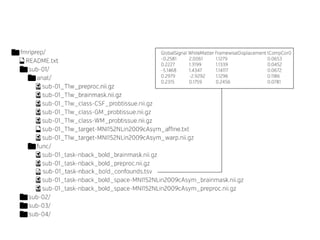
A BIDS formatted dataset
http://bids.neuroimaging.io
Outputs
 T1w
 Bias corrected volume
 Brain mask
 Tissue segmentation (+probability maps)
 Affine and warp to MNI (both ways)
Outputs
 EPI
 Motion corrected images
 Brain mask
 Affine T1w
 Tabular text file with all noise confounds
 All volumes in MNI and native (EPI) space
REPORTS
Installation
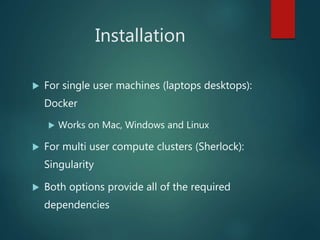
 For single user machines (laptops desktops):
Docker
 Works on Mac, Windows and Linux
 For multi user compute clusters (Sherlock):
Singularity
 Both options provide all of the required
dependencies
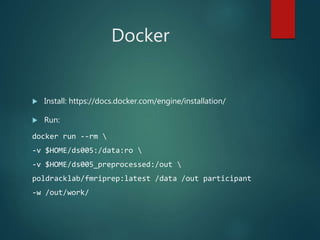
Docker
 Install: https://docs.docker.com/engine/installation/
 Run:
docker run --rm 
-v $HOME/ds005:/data:ro 
-v $HOME/ds005_preprocessed:/out 
poldracklab/fmriprep:latest /data /out participant
-w /out/work/
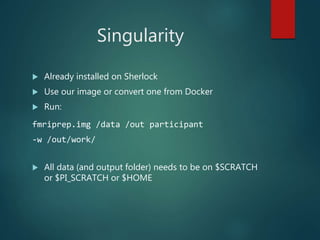
Singularity
 Already installed on Sherlock
 Use our image or convert one from Docker
 Run:
fmriprep.img /data /out participant
-w /out/work/
 All data (and output folder) needs to be on $SCRATCH
or $PI_SCRATCH or $HOME
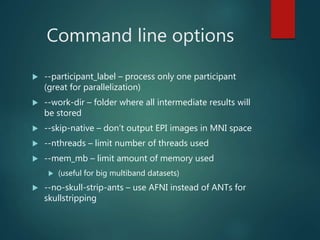
Command line options
 --participant_label – process only one participant
(great for parallelization)
 --work-dir – folder where all intermediate results will
be stored
 --skip-native – don’t output EPI images in MNI space
 --nthreads – limit number of threads used
 --mem_mb – limit amount of memory used
 (useful for big multiband datasets)
 --no-skull-strip-ants – use AFNI instead of ANTs for
skullstripping
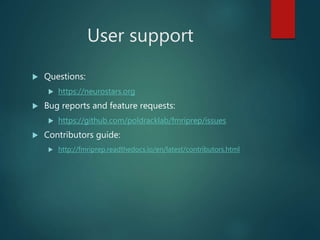
User support
 Questions:
 https://neurostars.org
 Bug reports and feature requests:
 https://github.com/poldracklab/fmriprep/issues
 Contributors guide:
 http://fmriprep.readthedocs.io/en/latest/contributors.html
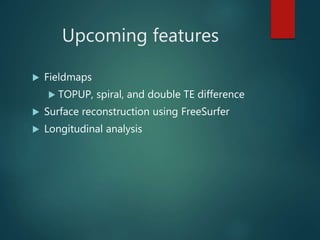
Upcoming features
 Fieldmaps
 TOPUP, spiral, and double TE difference
 Surface reconstruction using FreeSurfer
 Longitudinal analysis
Discussion
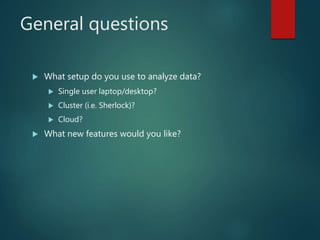
General questions
 What setup do you use to analyze data?
 Single user laptop/desktop?
 Cluster (i.e. Sherlock)?
 Cloud?
 What new features would you like?
Break up sessions
 Surface analysis (FreeSurfer) – Chris M.
 Denoising (temporal and spatial) - Russ
 Custom templates and QC metrics – Oscar
 Special use cases (clinical, developmental) – Chris G.
Many thanks to the
FMRIPREP team:
 Oscar Esteban
 Ross Blair
 Shoshana Berleant
 Chris Markiewicz
 Russ Poldrack

FMRIPREP - robust and easy to use fMRI preprocessing pipeline

  • 1.
  • 2.
    What is it? fMRIdata preprocessing tool
  • 3.
  • 4.
    What it isnot GLM DCM connectivity dynamics etc.
  • 5.
    Principles  Easy toinstall and use  Robust – works on any* data  Transparent – “glass box” rather than “black box”
  • 6.
    Details  T1w preprocessing EPI preprocessing  Transformations
  • 7.
    T1w preprocessing  N4bias field correction (ANTs)  Skull stripping (ANTs)  3 class tissue segmentation (FSL FAST)  Robust MNI coregistration (ANTs)
  • 8.
    EPI preprocessing  Motioncorrection (FSL MCFLIRT)  Skull stripping (nilearn)  Coregistration to T1(FSL FLIRT with BBR)
  • 9.
    EPI preprocessing  Confoundsestimation (nipype)  DVARS  Framewise displaecement  Global signal  Mean tissue signals  CompCor (temporal and anatomical)
  • 10.
    EPI transformations  Combinationof:  Motion correction affines  EPI -> T1 affine  T1 -> MNI affine  T1 -> MNI warp field  Single interpolation step  No upsampling (keeping original voxel size)
  • 11.
    Input A BIDS formatteddataset http://bids.neuroimaging.io
  • 12.
    Outputs  T1w  Biascorrected volume  Brain mask  Tissue segmentation (+probability maps)  Affine and warp to MNI (both ways)
  • 13.
    Outputs  EPI  Motioncorrected images  Brain mask  Affine T1w  Tabular text file with all noise confounds  All volumes in MNI and native (EPI) space
  • 15.
  • 16.
    Installation  For singleuser machines (laptops desktops): Docker  Works on Mac, Windows and Linux  For multi user compute clusters (Sherlock): Singularity  Both options provide all of the required dependencies
  • 17.
    Docker  Install: https://docs.docker.com/engine/installation/ Run: docker run --rm -v $HOME/ds005:/data:ro -v $HOME/ds005_preprocessed:/out poldracklab/fmriprep:latest /data /out participant -w /out/work/
  • 18.
    Singularity  Already installedon Sherlock  Use our image or convert one from Docker  Run: fmriprep.img /data /out participant -w /out/work/  All data (and output folder) needs to be on $SCRATCH or $PI_SCRATCH or $HOME
  • 19.
    Command line options --participant_label – process only one participant (great for parallelization)  --work-dir – folder where all intermediate results will be stored  --skip-native – don’t output EPI images in MNI space  --nthreads – limit number of threads used  --mem_mb – limit amount of memory used  (useful for big multiband datasets)  --no-skull-strip-ants – use AFNI instead of ANTs for skullstripping
  • 20.
    User support  Questions: https://neurostars.org  Bug reports and feature requests:  https://github.com/poldracklab/fmriprep/issues  Contributors guide:  http://fmriprep.readthedocs.io/en/latest/contributors.html
  • 21.
    Upcoming features  Fieldmaps TOPUP, spiral, and double TE difference  Surface reconstruction using FreeSurfer  Longitudinal analysis
  • 22.
  • 23.
    General questions  Whatsetup do you use to analyze data?  Single user laptop/desktop?  Cluster (i.e. Sherlock)?  Cloud?  What new features would you like?
  • 24.
    Break up sessions Surface analysis (FreeSurfer) – Chris M.  Denoising (temporal and spatial) - Russ  Custom templates and QC metrics – Oscar  Special use cases (clinical, developmental) – Chris G.
  • 25.
    Many thanks tothe FMRIPREP team:  Oscar Esteban  Ross Blair  Shoshana Berleant  Chris Markiewicz  Russ Poldrack