Salesforce Admin Group, Trichy
Flow Builder Series I
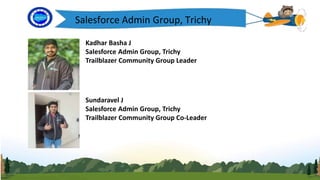
Kadhar Basha J
Salesforce Admin Group, Trichy
Trailblazer Community Group Leader
Sundaravel J
Salesforce Admin Group, Trichy
Trailblazer Community Group Co-Leader
Salesforce Admin Group, Trichy
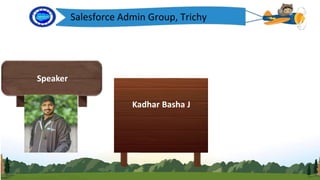
Speaker
Kadhar Basha J
Today’s Agenda
• Flow Builder
• Features
• Example
• Demo
• Questions & Answers
What is FlowBuilder?
Logo
• Flows allow you to build complex business
automation using clicks instead of code.
• As an admin, Flows are going to be your best
Solution for your business problems because you
will be able to handle the majority of complex
business requirements without the help of a
Salesforce developer.
Features
Logo
• Send Outbound Message with Salesforce Flow
• Record-Triggered Flow Start Element Changes
• Call a Subflow from a Record-Triggered Flow
• Screen Flow: New Roll Back Records Element
• Relabel the Navigation Buttons in a Screen Flow
• Ability to Reconnect Flow Elements in Auto-Layout
• Configure Batch Size for Scheduled Paths in Record-Triggered
Flows
• New ‘Minutes’ Options for Offsets
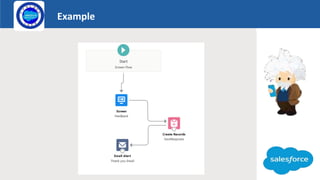
Example
Logo
Launch
DEMO
Flow builder series i

Flow builder series i

  • 1.
    Salesforce Admin Group,Trichy Flow Builder Series I
  • 2.
    Kadhar Basha J SalesforceAdmin Group, Trichy Trailblazer Community Group Leader Sundaravel J Salesforce Admin Group, Trichy Trailblazer Community Group Co-Leader Salesforce Admin Group, Trichy
  • 3.
    Salesforce Admin Group,Trichy Speaker Kadhar Basha J
  • 4.
    Today’s Agenda • FlowBuilder • Features • Example • Demo • Questions & Answers
  • 5.
    What is FlowBuilder? Logo •Flows allow you to build complex business automation using clicks instead of code. • As an admin, Flows are going to be your best Solution for your business problems because you will be able to handle the majority of complex business requirements without the help of a Salesforce developer.
  • 6.
    Features Logo • Send OutboundMessage with Salesforce Flow • Record-Triggered Flow Start Element Changes • Call a Subflow from a Record-Triggered Flow • Screen Flow: New Roll Back Records Element • Relabel the Navigation Buttons in a Screen Flow • Ability to Reconnect Flow Elements in Auto-Layout • Configure Batch Size for Scheduled Paths in Record-Triggered Flows • New ‘Minutes’ Options for Offsets
  • 7.
  • 8.