Salesforce Admin Group, Trichy
Let's get to know about Conga
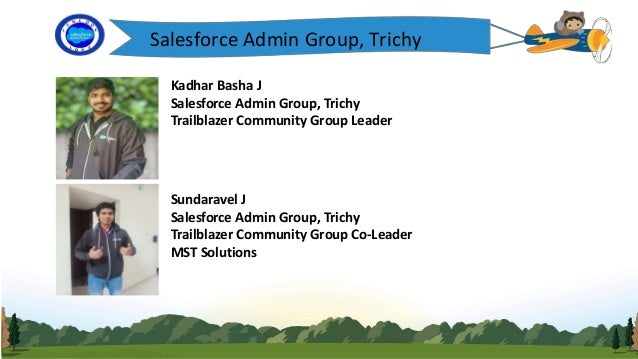
Kadhar Basha J
Salesforce Admin Group, Trichy
Trailblazer Community Group Leader
Sundaravel J
Salesforce Admin Group, Trichy
Trailblazer Community Group Co-Leader
MST Solutions
Salesforce Admin Group, Trichy
Speakers
Santhoshni A S
Subhashree R
Vaishnavi A
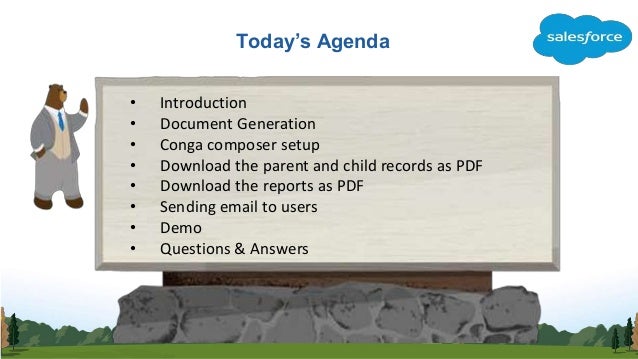
Today’s Agenda
• Introduction
• Document Generation
• Conga composer setup
• Download the parent and child records as PDF
• Download the reports as PDF
• Sending email to users
• Demo
• Questions & Answers
Introduction
Logo
Conga Composer:
• Conga Composer deliver sophisticated documents, reports and
presentations from salesforce automatically populating templates with
data from standard or custom objects.
• It is a 3rd party product available in the salesforce AppExchange
• It is one of the mostly used document generation tool. We can
download the document with a single click of the button.
Document Generation
Logo
• For Document Generation conga uses the data from salesforce
fields either from standard or custom objects and it can be
placed as button in any page layout section.
• It can be used in several use cases like generating letters,
quotes, invoices, contracts etc.,.
• In traditional way we use Visualforce page ,render as PDF for
document generation but using the conga composer we can
minimize the developing time.
Supported Formats
Logo
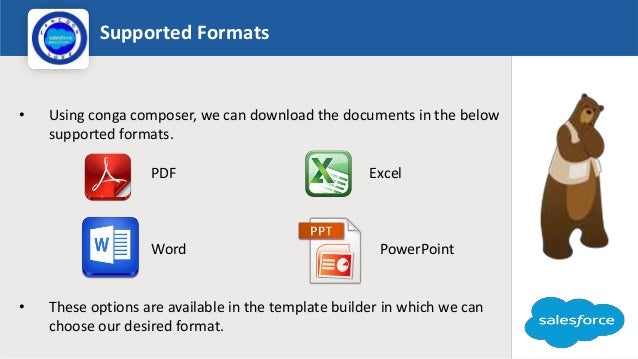
• Using conga composer, we can download the documents in the below
supported formats.
PDF Excel
Word PowerPoint
• These options are available in the template builder in which we can
choose our desired format.
Advantages
Logo
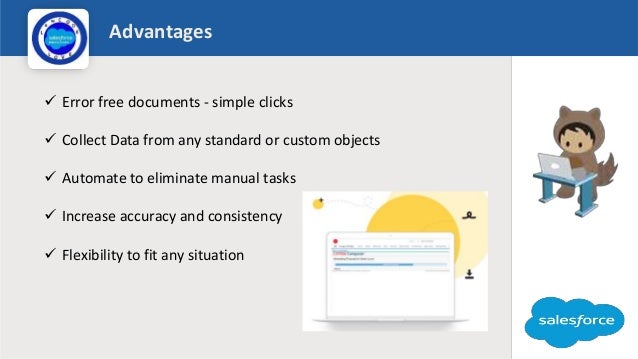
 Error free documents - simple clicks
 Collect Data from any standard or custom objects
 Automate to eliminate manual tasks
 Increase accuracy and consistency
 Flexibility to fit any situation
Conga Composer objects
Logo
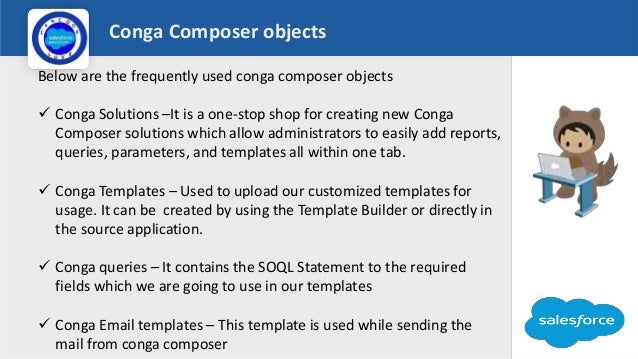
Below are the frequently used conga composer objects
 Conga Solutions –It is a one-stop shop for creating new Conga
Composer solutions which allow administrators to easily add reports,
queries, parameters, and templates all within one tab.
 Conga Templates – Used to upload our customized templates for
usage. It can be created by using the Template Builder or directly in
the source application.
 Conga queries – It contains the SOQL Statement to the required
fields which we are going to use in our templates
 Conga Email templates – This template is used while sending the
mail from conga composer
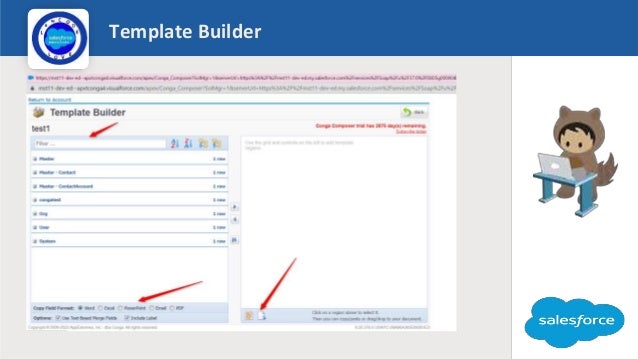
Template Builder
Logo
Limitations
Logo
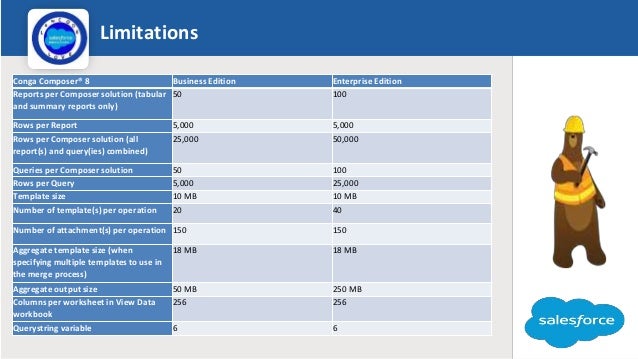
Conga Composer® 8 Business Edition Enterprise Edition
Reports per Composer solution (tabular
and summary reports only)
50 100
Rows per Report 5,000 5,000
Rows per Composer solution (all
report(s) and query(ies) combined)
25,000 50,000
Queries per Composer solution 50 100
Rows per Query 5,000 25,000
Template size 10 MB 10 MB
Number of template(s) per operation 20 40
Number of attachment(s) per operation 150 150
Aggregate template size (when
specifying multiple templates to use in
the merge process)
18 MB 18 MB
Aggregate output size 50 MB 250 MB
Columns per worksheet in View Data
workbook
256 256
Querystring variable 6 6
Some points
Logo
• Like salesforce, conga composer also having release notes.
• https://documentation.conga.com/crn/release-notes-122650814.html
• Supported Salesforce editions are Professional, Enterprise, Unlimited,
Force.com, Developer, Performance
• Supported browser for better performance are Chrome, Firefox, Safari,
Microsoft Edge, and IE (v. 11+)
• Conga Batch: Create and send documents as a batch on a custom
schedule
• Conga Trigger: Create documents with no clicks using customizable
triggers
https://documentation.conga.com/composer/latest/conga-batch-169280414.html
https://share.vidyard.com/watch/Wd8h8uiyW13g9f78AuPyZw
Launch
DEMO
Installing conga composer application
Quiz time
Logo
1. Conga Composer is mainly used for?
2. What are all the supported formats in Conga
Composer?
3. Can we use conga query for custom objects?
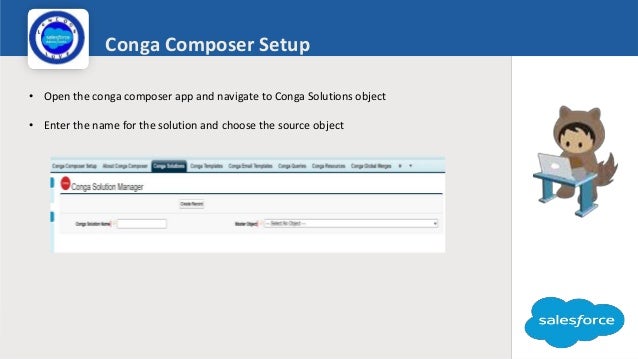
Conga Composer Setup
• Open the conga composer app and navigate to Conga Solutions object
• Enter the name for the solution and choose the source object
Logo
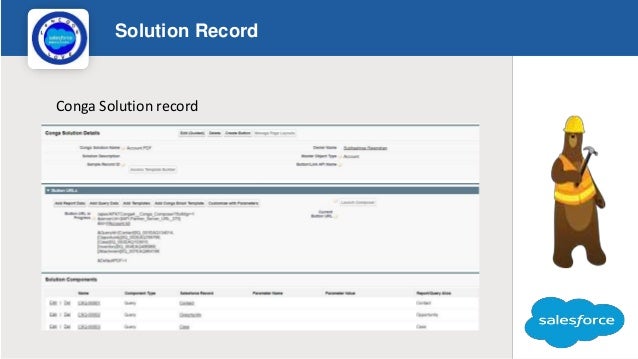
Solution Record
Logo
Conga Solution record
Conga Query
Logo
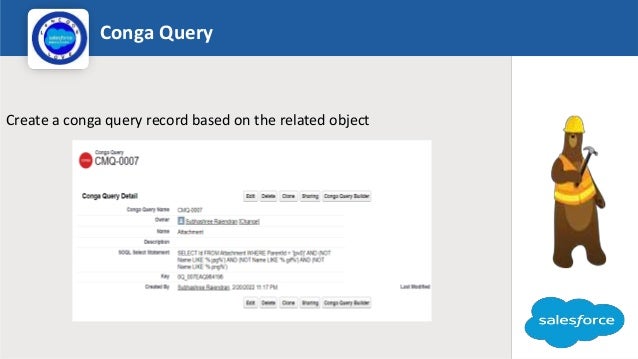
Create a conga query record based on the related object
Conga Template
Logo
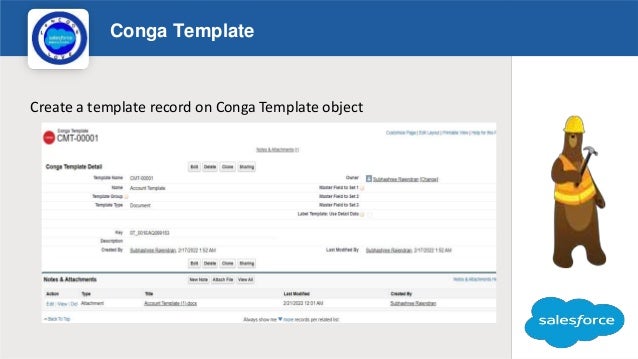
Create a template record on Conga Template object
Launch
DEMO
Quiz time
Logo
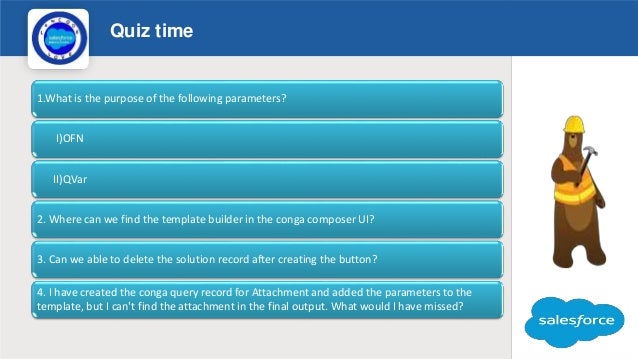
1.What is the purpose of the following parameters?
I)OFN
II)QVar
2. Where can we find the template builder in the conga composer UI?
3. Can we able to delete the solution record after creating the button?
4. I have created the conga query record for Attachment and added the parameters to the
template, but I can't find the attachment in the final output. What would I have missed?
Download Reports as PDF
Logo
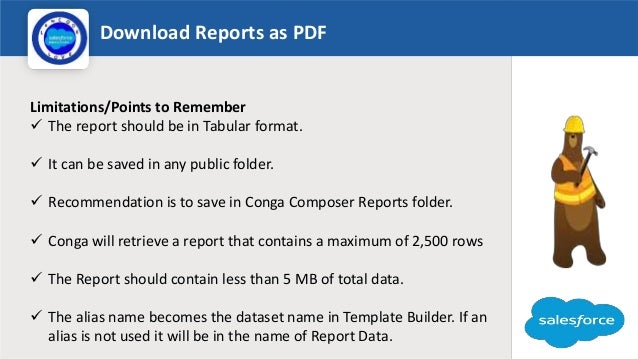
Limitations/Points to Remember
 The report should be in Tabular format.
 It can be saved in any public folder.
 Recommendation is to save in Conga Composer Reports folder.
 Conga will retrieve a report that contains a maximum of 2,500 rows
 The Report should contain less than 5 MB of total data.
 The alias name becomes the dataset name in Template Builder. If an
alias is not used it will be in the name of Report Data.
Launch
DEMO
Download reports as PDF
Sending email to users
Logo
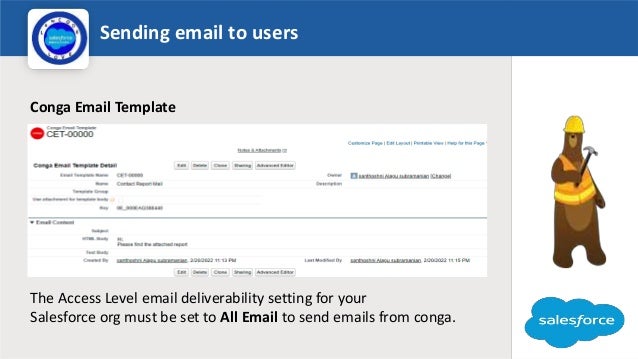
Conga Email Template
The Access Level email deliverability setting for your
Salesforce org must be set to All Email to send emails from conga.
Launch
DEMO
Sending Email to User
Quiz time
Logo
1. Which parameter helps to download the
report in the PDF format ?
2. When does the reports alias name comes into
action ?
3. what is the conga recommended folder to
save the reports ?
Help document
Logo
Reference Link:
https://documentation.conga.com/composer/latest/conga-composer-
parameter-guide-143899233.html
Any
Questions
so
far
Conga composer

Conga composer

  • 1.
    Salesforce Admin Group,Trichy Let's get to know about Conga
  • 2.
    Kadhar Basha J SalesforceAdmin Group, Trichy Trailblazer Community Group Leader Sundaravel J Salesforce Admin Group, Trichy Trailblazer Community Group Co-Leader MST Solutions Salesforce Admin Group, Trichy
  • 3.
    Salesforce Admin Group,Trichy Speakers Santhoshni A S Subhashree R Vaishnavi A
  • 4.
    Today’s Agenda • Introduction •Document Generation • Conga composer setup • Download the parent and child records as PDF • Download the reports as PDF • Sending email to users • Demo • Questions & Answers
  • 5.
    Introduction Logo Conga Composer: • CongaComposer deliver sophisticated documents, reports and presentations from salesforce automatically populating templates with data from standard or custom objects. • It is a 3rd party product available in the salesforce AppExchange • It is one of the mostly used document generation tool. We can download the document with a single click of the button.
  • 6.
    Document Generation Logo • ForDocument Generation conga uses the data from salesforce fields either from standard or custom objects and it can be placed as button in any page layout section. • It can be used in several use cases like generating letters, quotes, invoices, contracts etc.,. • In traditional way we use Visualforce page ,render as PDF for document generation but using the conga composer we can minimize the developing time.
  • 7.
    Supported Formats Logo • Usingconga composer, we can download the documents in the below supported formats. PDF Excel Word PowerPoint • These options are available in the template builder in which we can choose our desired format.
  • 8.
    Advantages Logo  Error freedocuments - simple clicks  Collect Data from any standard or custom objects  Automate to eliminate manual tasks  Increase accuracy and consistency  Flexibility to fit any situation
  • 9.
    Conga Composer objects Logo Beloware the frequently used conga composer objects  Conga Solutions –It is a one-stop shop for creating new Conga Composer solutions which allow administrators to easily add reports, queries, parameters, and templates all within one tab.  Conga Templates – Used to upload our customized templates for usage. It can be created by using the Template Builder or directly in the source application.  Conga queries – It contains the SOQL Statement to the required fields which we are going to use in our templates  Conga Email templates – This template is used while sending the mail from conga composer
  • 10.
  • 11.
    Limitations Logo Conga Composer® 8Business Edition Enterprise Edition Reports per Composer solution (tabular and summary reports only) 50 100 Rows per Report 5,000 5,000 Rows per Composer solution (all report(s) and query(ies) combined) 25,000 50,000 Queries per Composer solution 50 100 Rows per Query 5,000 25,000 Template size 10 MB 10 MB Number of template(s) per operation 20 40 Number of attachment(s) per operation 150 150 Aggregate template size (when specifying multiple templates to use in the merge process) 18 MB 18 MB Aggregate output size 50 MB 250 MB Columns per worksheet in View Data workbook 256 256 Querystring variable 6 6
  • 12.
    Some points Logo • Likesalesforce, conga composer also having release notes. • https://documentation.conga.com/crn/release-notes-122650814.html • Supported Salesforce editions are Professional, Enterprise, Unlimited, Force.com, Developer, Performance • Supported browser for better performance are Chrome, Firefox, Safari, Microsoft Edge, and IE (v. 11+) • Conga Batch: Create and send documents as a batch on a custom schedule • Conga Trigger: Create documents with no clicks using customizable triggers https://documentation.conga.com/composer/latest/conga-batch-169280414.html https://share.vidyard.com/watch/Wd8h8uiyW13g9f78AuPyZw
  • 13.
  • 14.
    Quiz time Logo 1. CongaComposer is mainly used for? 2. What are all the supported formats in Conga Composer? 3. Can we use conga query for custom objects?
  • 15.
    Conga Composer Setup •Open the conga composer app and navigate to Conga Solutions object • Enter the name for the solution and choose the source object Logo
  • 16.
  • 17.
    Conga Query Logo Create aconga query record based on the related object
  • 18.
    Conga Template Logo Create atemplate record on Conga Template object
  • 19.
  • 20.
    Quiz time Logo 1.What isthe purpose of the following parameters? I)OFN II)QVar 2. Where can we find the template builder in the conga composer UI? 3. Can we able to delete the solution record after creating the button? 4. I have created the conga query record for Attachment and added the parameters to the template, but I can't find the attachment in the final output. What would I have missed?
  • 21.
    Download Reports asPDF Logo Limitations/Points to Remember  The report should be in Tabular format.  It can be saved in any public folder.  Recommendation is to save in Conga Composer Reports folder.  Conga will retrieve a report that contains a maximum of 2,500 rows  The Report should contain less than 5 MB of total data.  The alias name becomes the dataset name in Template Builder. If an alias is not used it will be in the name of Report Data.
  • 22.
  • 23.
    Sending email tousers Logo Conga Email Template The Access Level email deliverability setting for your Salesforce org must be set to All Email to send emails from conga.
  • 24.
  • 25.
    Quiz time Logo 1. Whichparameter helps to download the report in the PDF format ? 2. When does the reports alias name comes into action ? 3. what is the conga recommended folder to save the reports ?
  • 26.
  • 27.