Welcome to DeliPat IT
Your Trusted Salesforce
Implementation Partner
FLOW AND FLOW BUILDER IN SALESFORCE
EXPERTS OFFERING SALESFORCE
DEVELOPMENT SERVICES USE FLOW TO
AUTOMATE VARIOUS BUSINESS
PROCESSES.
What is flow in Salesforce?
• Flow is an automation tool provided by Salesforce that helps
in automating complex business requirements without writing
a single line of code. It can automate a lot of things in
Salesforce. Though flow is a bit complex to understand and
implement, once you get handy with it, you can get a lot of
things done with the flow.
What is a flow builder in Salesforce?
Flow is the automation tool, while flow
builder is a declarative or visual interface
that is used to create or build a flow. Flow
builder can help you build code-like logic
without using a single programming
language. Though you do not need a
programming language to create flows, you
need to understand programming concepts
like variables and how logic works.
Though flow and flow builder are used interchangeably, they are
different.
Different Types of Flows in Salesforce
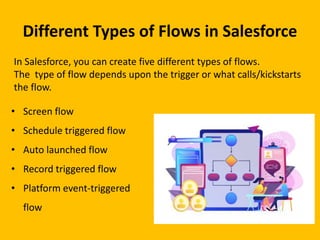
In Salesforce, you can create five different types of flows.
The type of flow depends upon the trigger or what calls/kickstarts
the flow.
• Screen flow
• Schedule triggered flow
• Auto launched flow
• Record triggered flow
• Platform event-triggered
flow
Understanding flow builder in
Salesforce
• Go to setup
• Search and click on Flows in the quick find.
• You will see flows created by default in Salesforce. Click on the New Button.
You can select the type of flow you want to create and Click Next.
You will see a screen to choose between freedom and auto-layout
Freeform– It allows you to drag and drop the elements and connect them in a way
that suits your requirement.
Auto layout– It gives a structured layout by Salesforce where all you need to do is
fill in the details for the flow to work.
• Once you select the layout, you land on the Flow canvas where the three
building blocks of flow are combined to create a flow.
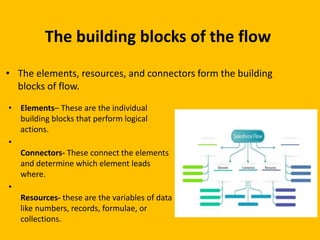
The building blocks of the flow
• Elements– These are the individual
building blocks that perform logical
actions.
•
Connectors- These connect the elements
and determine which element leads
where.
•
Resources- these are the variables of data
like numbers, records, formulae, or
collections.
• The elements, resources, and connectors form the building
blocks of flow.
Contact Information:
DeliPat IT
www.delipat.com
+91 85531 91247
info@delipat.com

salesforce Flow and Flow Builder In Salesforce

  • 1.
    Welcome to DeliPatIT Your Trusted Salesforce Implementation Partner
  • 2.
    FLOW AND FLOWBUILDER IN SALESFORCE EXPERTS OFFERING SALESFORCE DEVELOPMENT SERVICES USE FLOW TO AUTOMATE VARIOUS BUSINESS PROCESSES.
  • 3.
    What is flowin Salesforce? • Flow is an automation tool provided by Salesforce that helps in automating complex business requirements without writing a single line of code. It can automate a lot of things in Salesforce. Though flow is a bit complex to understand and implement, once you get handy with it, you can get a lot of things done with the flow.
  • 4.
    What is aflow builder in Salesforce? Flow is the automation tool, while flow builder is a declarative or visual interface that is used to create or build a flow. Flow builder can help you build code-like logic without using a single programming language. Though you do not need a programming language to create flows, you need to understand programming concepts like variables and how logic works. Though flow and flow builder are used interchangeably, they are different.
  • 5.
    Different Types ofFlows in Salesforce In Salesforce, you can create five different types of flows. The type of flow depends upon the trigger or what calls/kickstarts the flow. • Screen flow • Schedule triggered flow • Auto launched flow • Record triggered flow • Platform event-triggered flow
  • 6.
    Understanding flow builderin Salesforce • Go to setup • Search and click on Flows in the quick find. • You will see flows created by default in Salesforce. Click on the New Button. You can select the type of flow you want to create and Click Next. You will see a screen to choose between freedom and auto-layout Freeform– It allows you to drag and drop the elements and connect them in a way that suits your requirement. Auto layout– It gives a structured layout by Salesforce where all you need to do is fill in the details for the flow to work. • Once you select the layout, you land on the Flow canvas where the three building blocks of flow are combined to create a flow.
  • 7.
    The building blocksof the flow • Elements– These are the individual building blocks that perform logical actions. • Connectors- These connect the elements and determine which element leads where. • Resources- these are the variables of data like numbers, records, formulae, or collections. • The elements, resources, and connectors form the building blocks of flow.
  • 8.