
Brand Your Community Using Less
and Gulp
​ Shuji Ui
​ Senior Technical Architect, 7summits
​ shuji.ui@7summitsinc.com
​ Twitter @shujiui
Shuji Ui
Senior Technical Architect
7summits
•  How many people built Community sites using Community cloud?
•  How many people have used Salesforce Tabs + Visualforce Community template?
•  How many people have used Less?
•  How many people have used Gulp?
Have you used Community Cloud?
•  Community Templates
•  Configure Visualforce Template to Community
•  Loading Visualforce Header/Footer to OOTB pages
•  Configure color code fields in “Community Configuration” custom object and add them to a apex
controller
•  Less
•  Gulp
•  Generating CSS Visualforce component using Gulp
•  Demo: adding header to Customer and Partner communities
Agenda
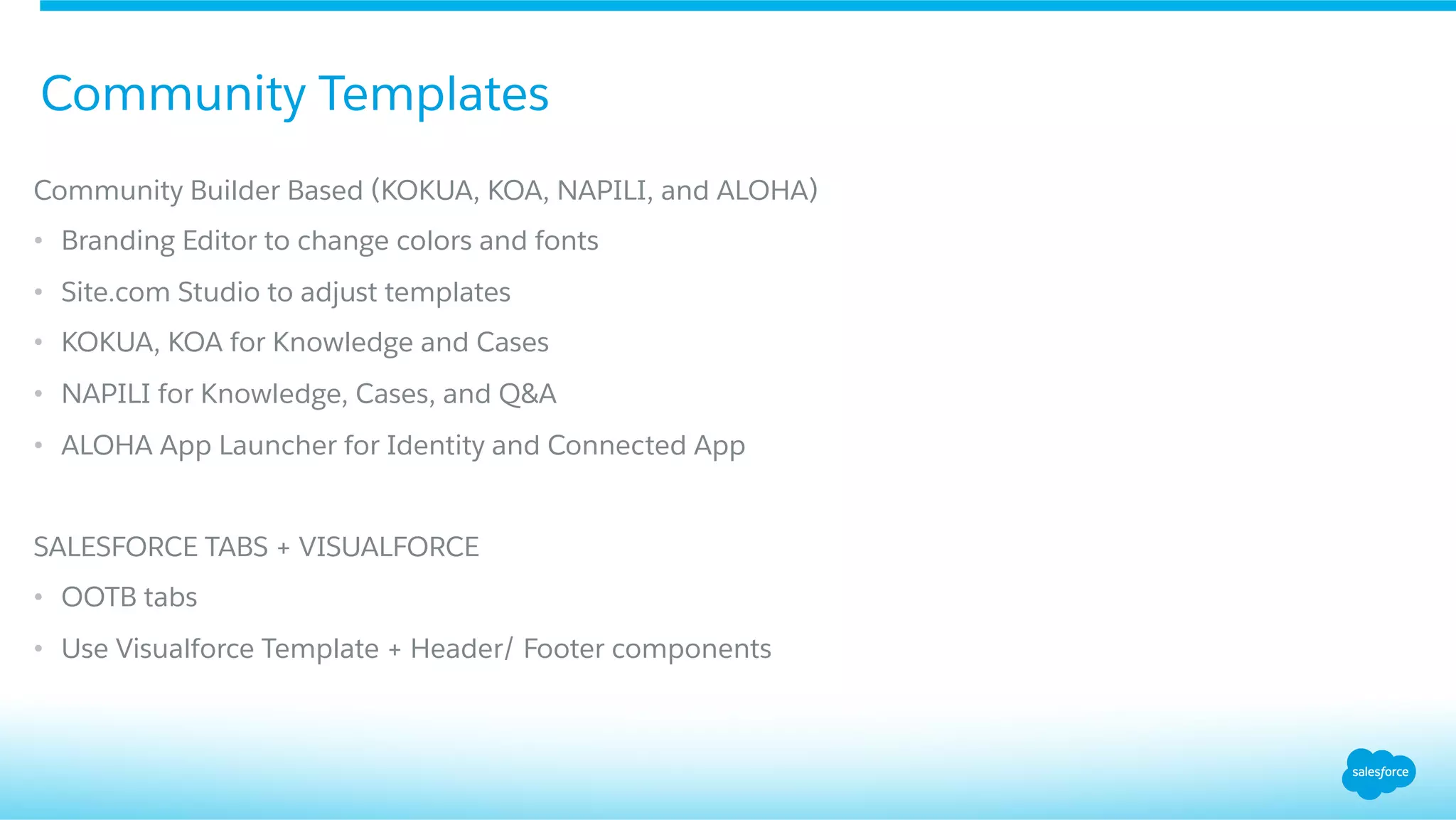
Community Templates
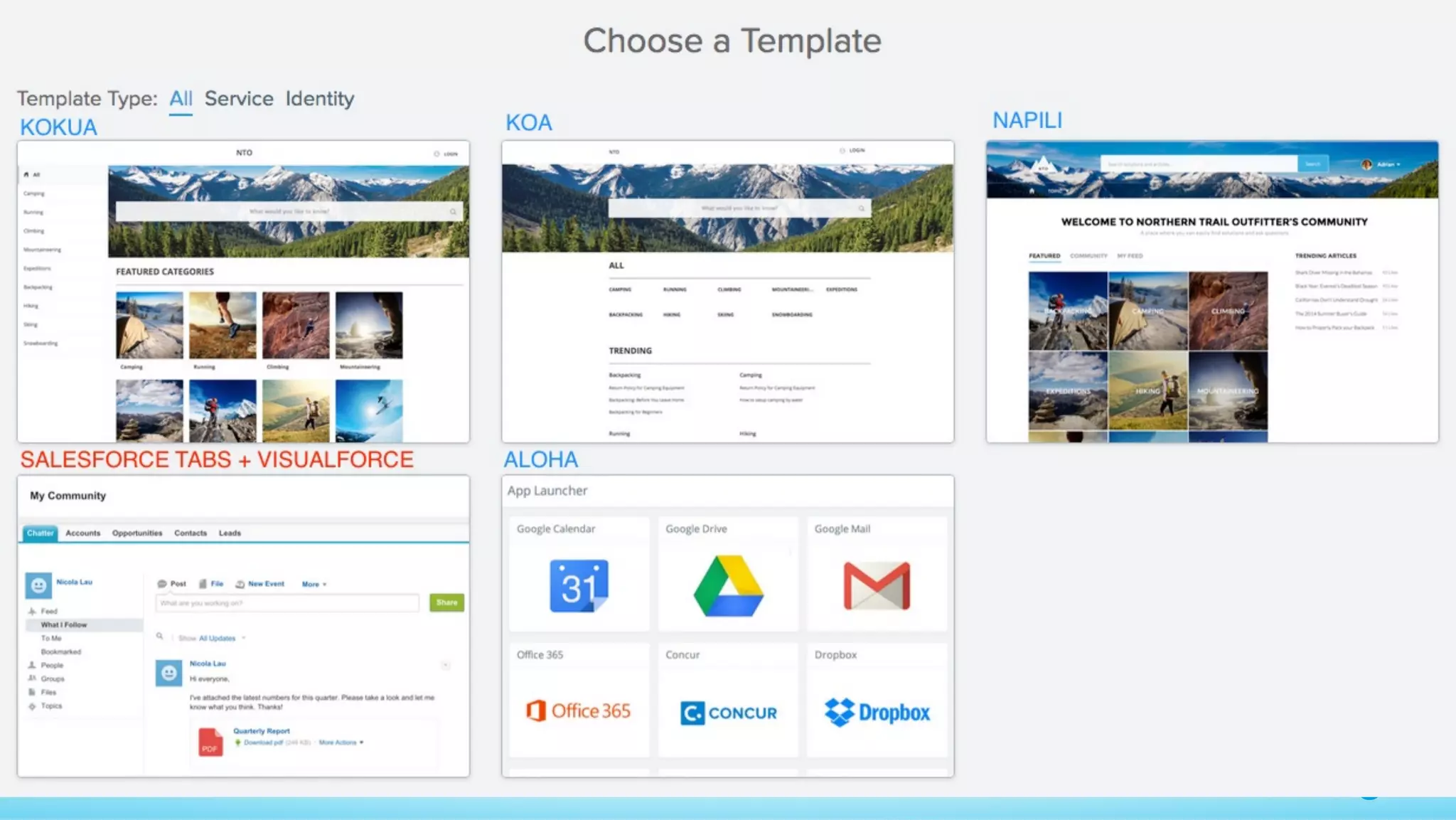
Community Builder Based (KOKUA, KOA, NAPILI, and ALOHA)
•  Branding Editor to change colors and fonts
•  Site.com Studio to adjust templates
•  KOKUA, KOA for Knowledge and Cases
•  NAPILI for Knowledge, Cases, and Q&A
•  ALOHA App Launcher for Identity and Connected App
SALESFORCE TABS + VISUALFORCE
•  OOTB tabs
•  Use Visualforce Template + Header/ Footer components
Community Templates
Community Templates
Configure Visualforce Template
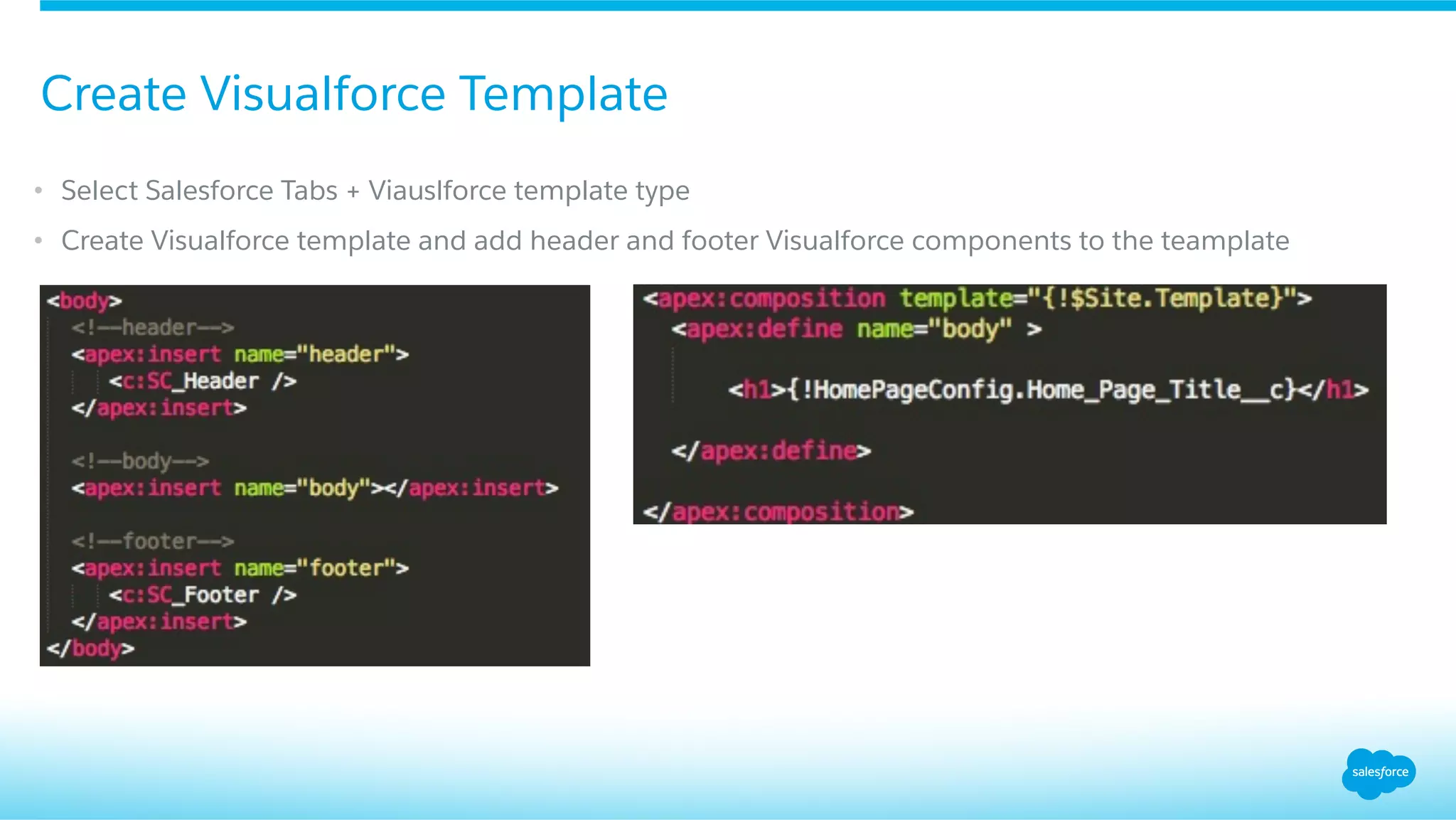
•  Select Salesforce Tabs + Viauslforce template type
•  Create Visualforce template and add header and footer Visualforce components to the teamplate
Create Visualforce Template
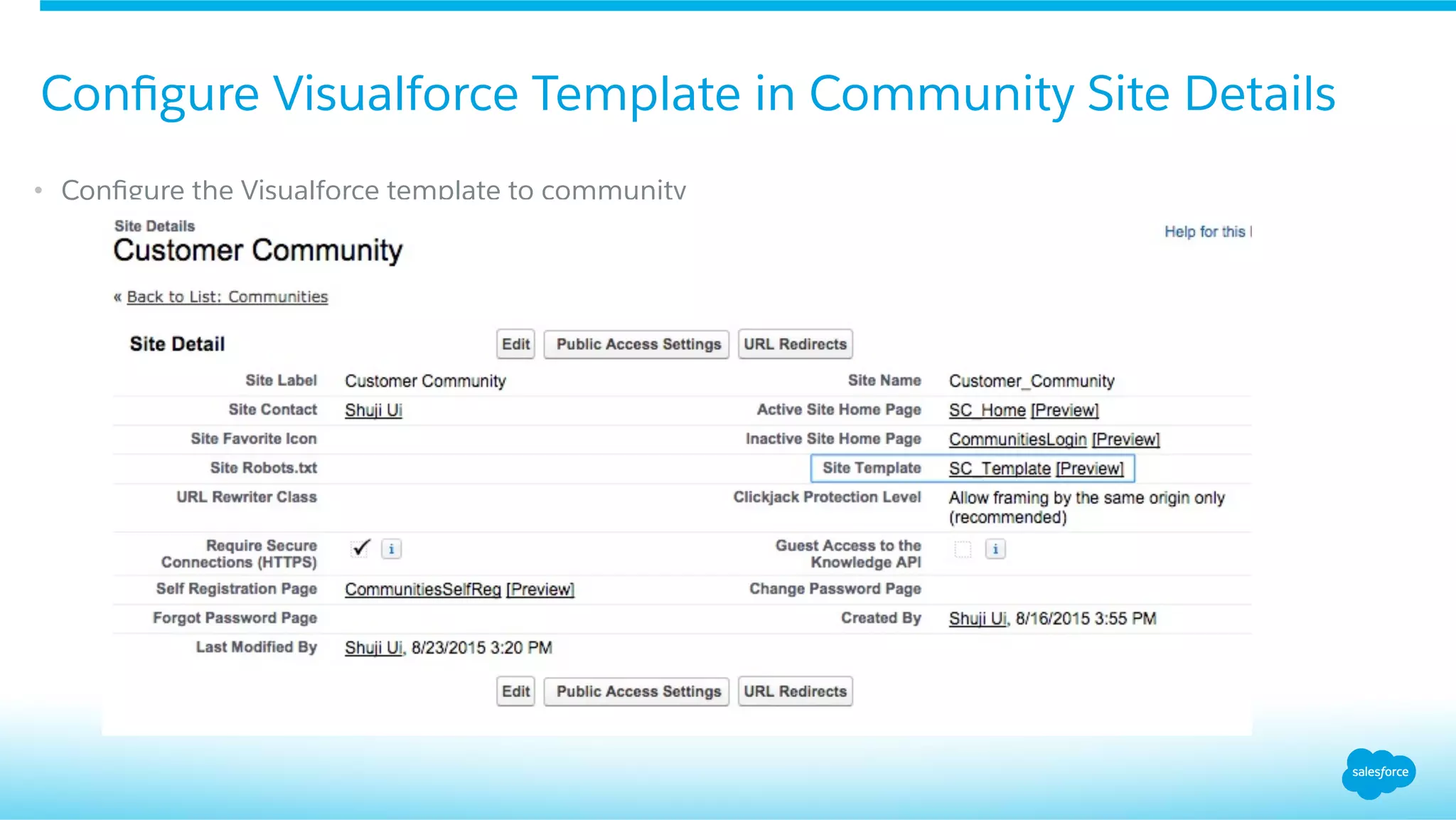
•  Configure the Visualforce template to community
Configure Visualforce Template in Community Site Details
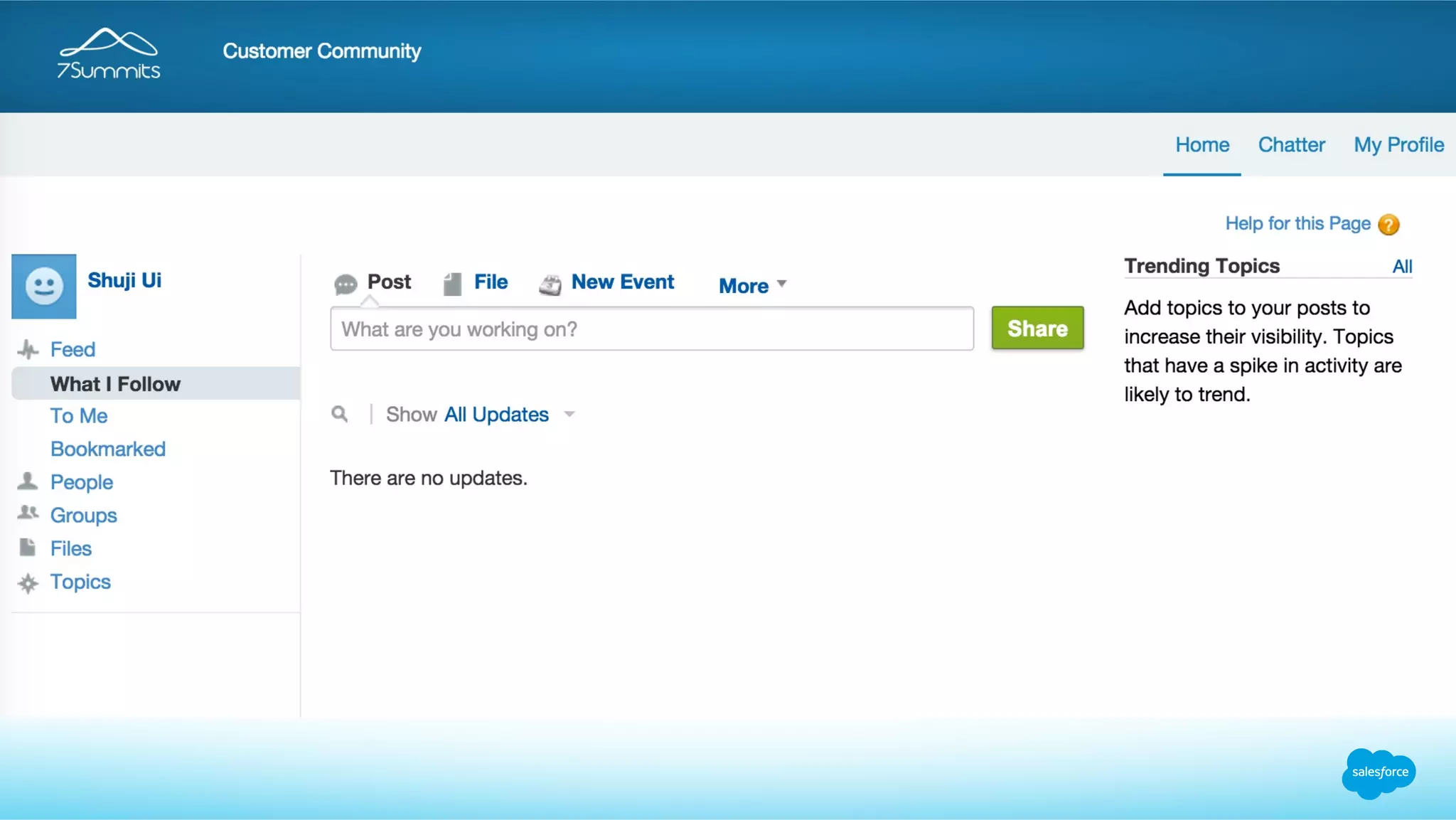
OOTB Header / Footer
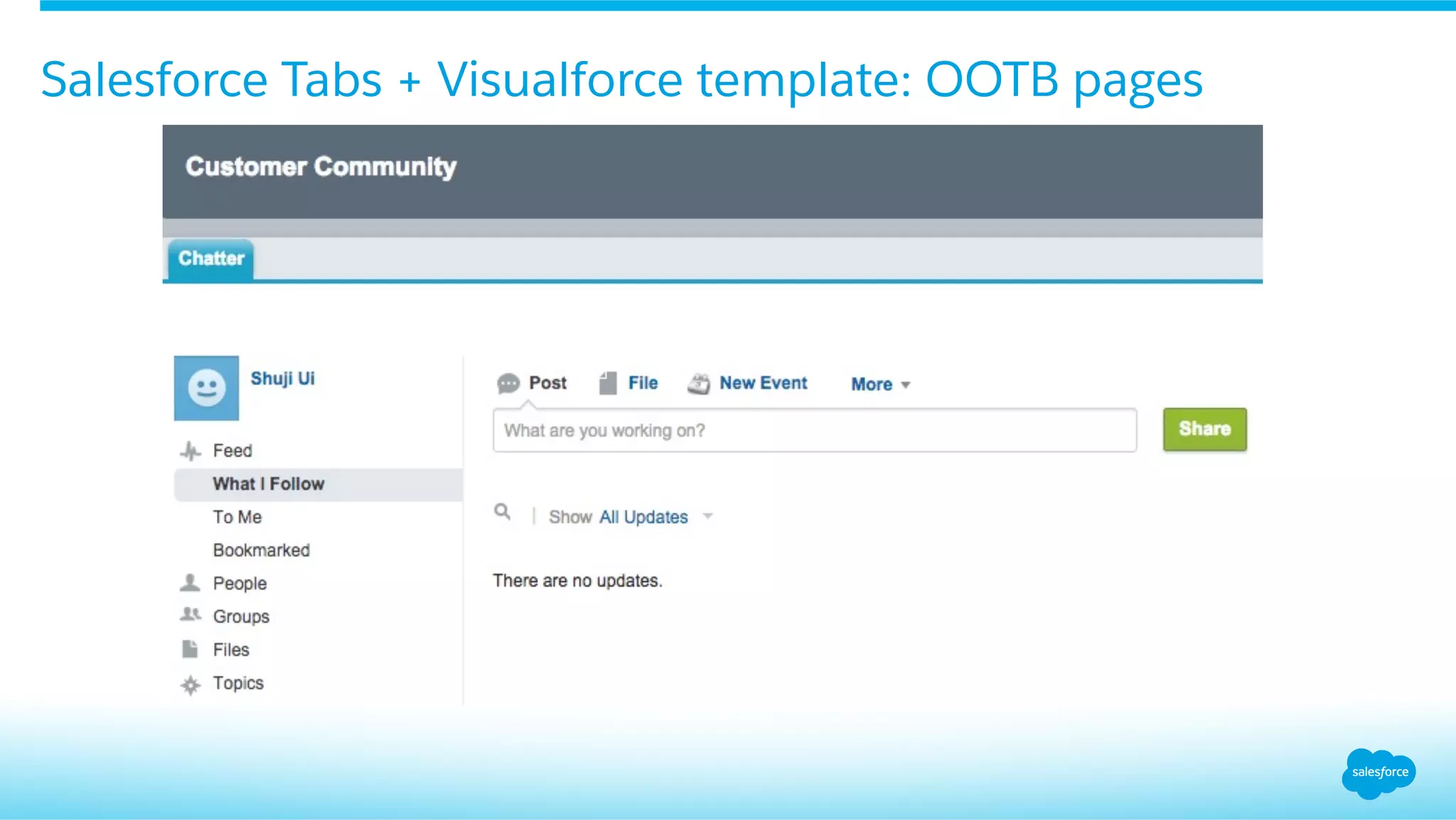
Salesforce Tabs + Visualforce template: OOTB pages
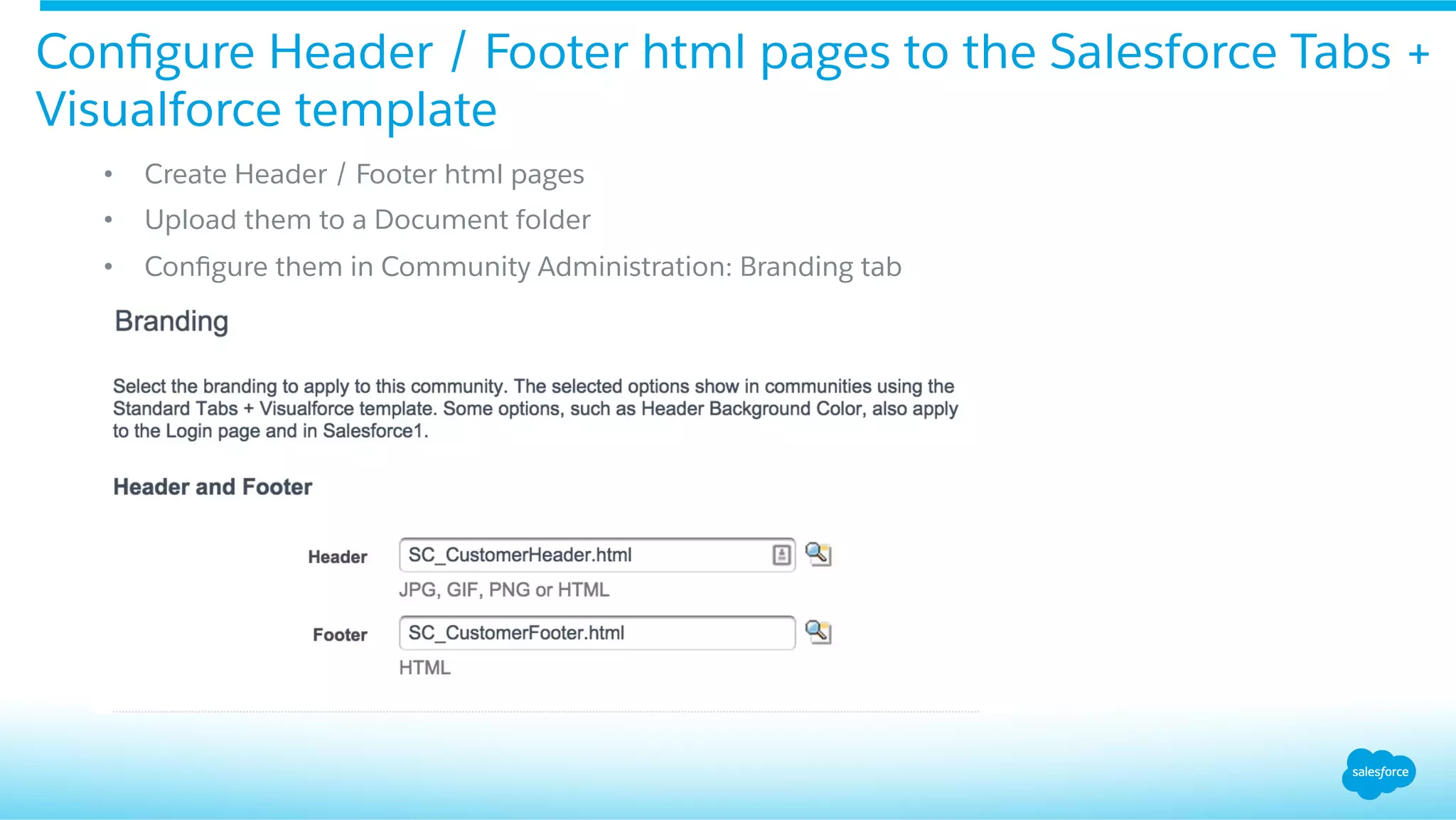
Configure Header / Footer html pages to the Salesforce Tabs +
Visualforce template
•  Create Header / Footer html pages
•  Upload them to a Document folder
•  Configure them in Community Administration: Branding tab
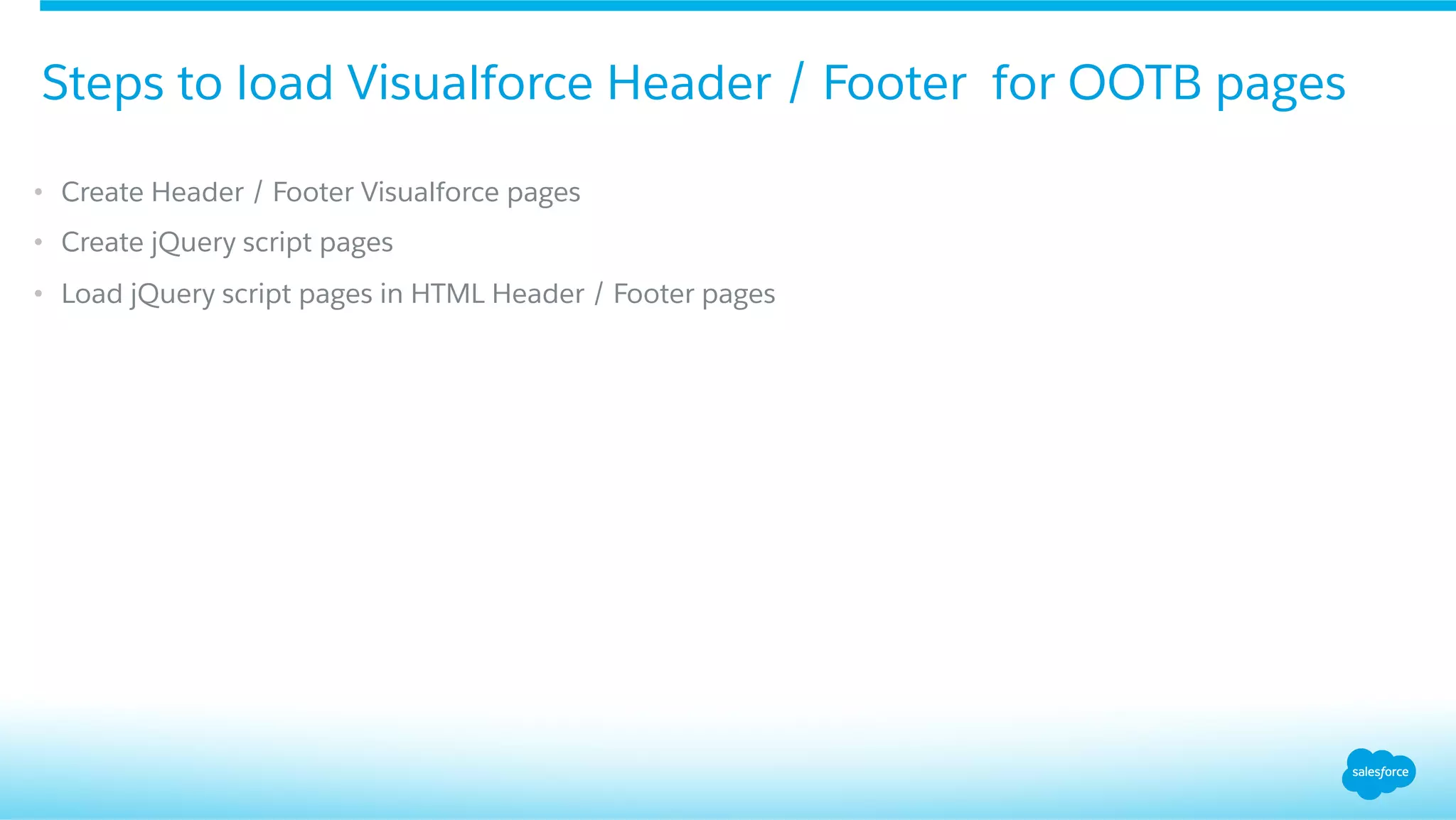
•  Create Header / Footer Visualforce pages
•  Create jQuery script pages
•  Load jQuery script pages in HTML Header / Footer pages
Steps to load Visualforce Header / Footer for OOTB pages
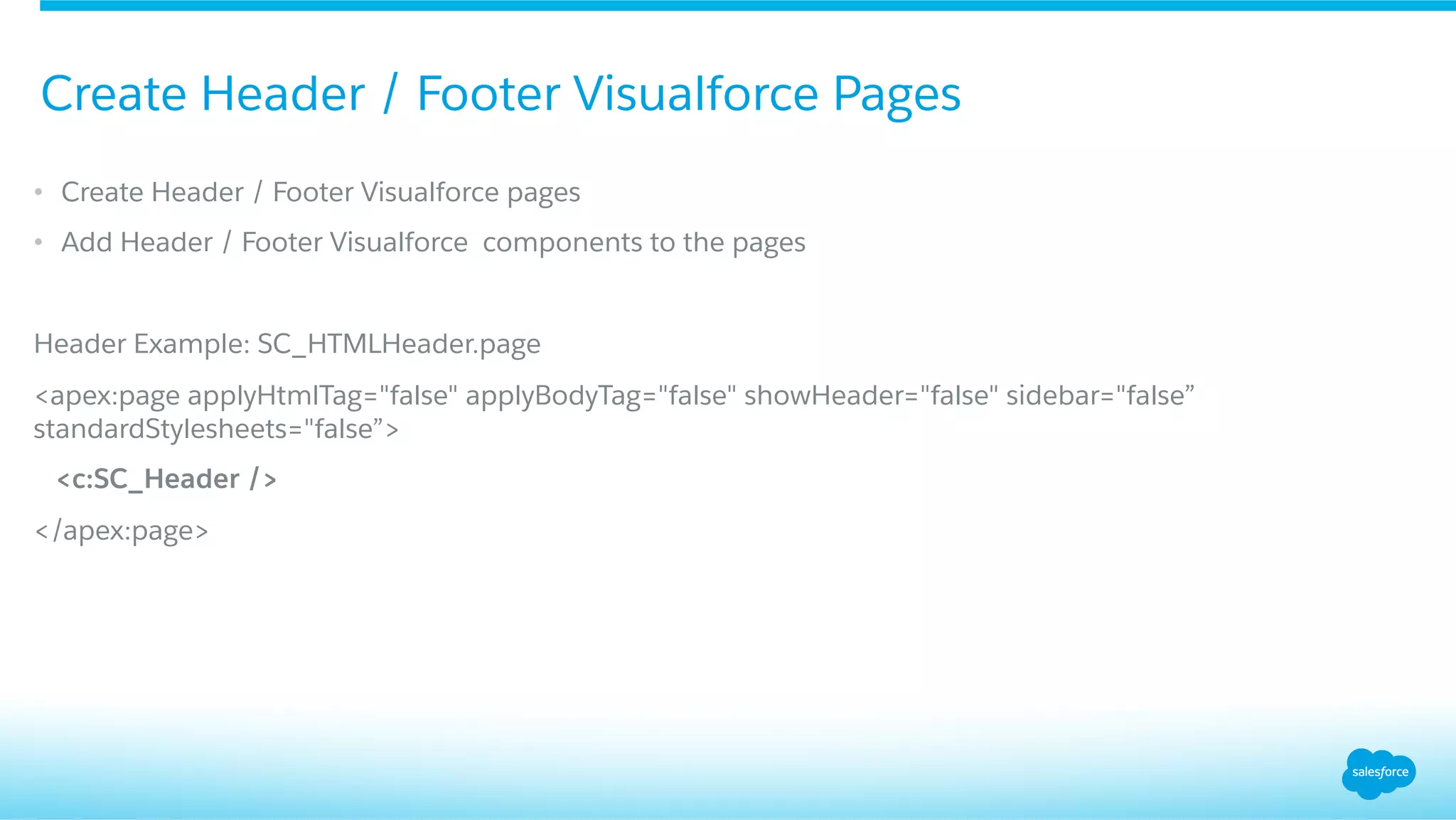
•  Create Header / Footer Visualforce pages
•  Add Header / Footer Visualforce components to the pages
Header Example: SC_HTMLHeader.page
<apex:page applyHtmlTag="false" applyBodyTag="false" showHeader="false" sidebar="false”
standardStylesheets="false”>
<c:SC_Header />
</apex:page>
Create Header / Footer Visualforce Pages
Header Example: SC_LoadHeader.page
<apex:page showHeader="false" sidebar="false" standardStylesheets="false" contentType="text/javascript"
>
$j = $.noConflict();
$j(".header-wrap" ).load( "{!$Page.SC_HTMLHeader} #header" ,function(){
$j("div[role='banner']").remove();
$j(".zen-bodyZen").css("border-top", "0px");
});
</apex:page>
Using jQuery to load the Visalforce Header / Footer pages
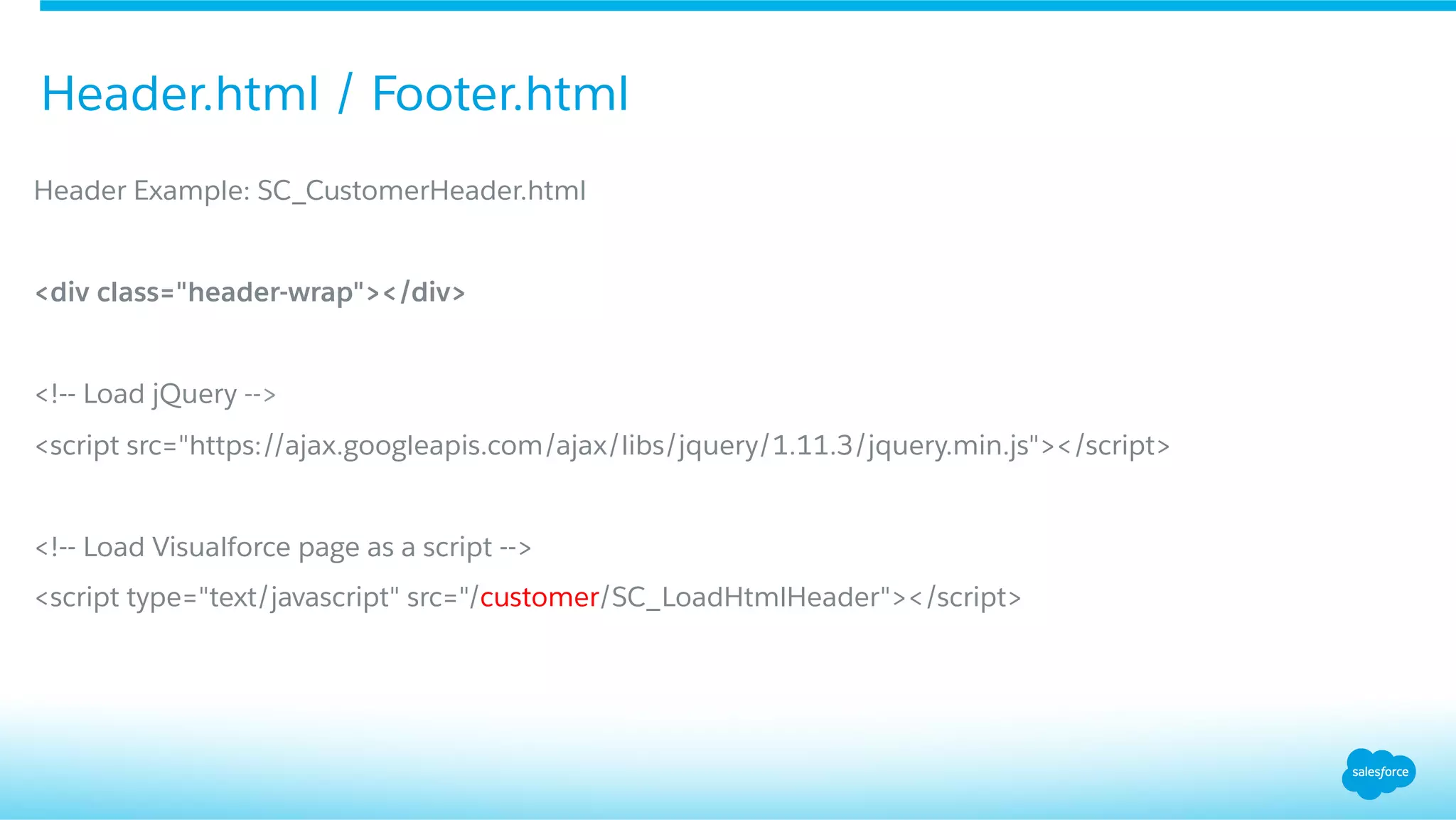
Header Example: SC_CustomerHeader.html
<div class="header-wrap"></div>
<!-- Load jQuery -->
<script src="https://ajax.googleapis.com/ajax/libs/jquery/1.11.3/jquery.min.js"></script>
<!-- Load Visualforce page as a script -->
<script type="text/javascript" src="/customer/SC_LoadHtmlHeader"></script>
Header.html / Footer.html
Community Configuration Object
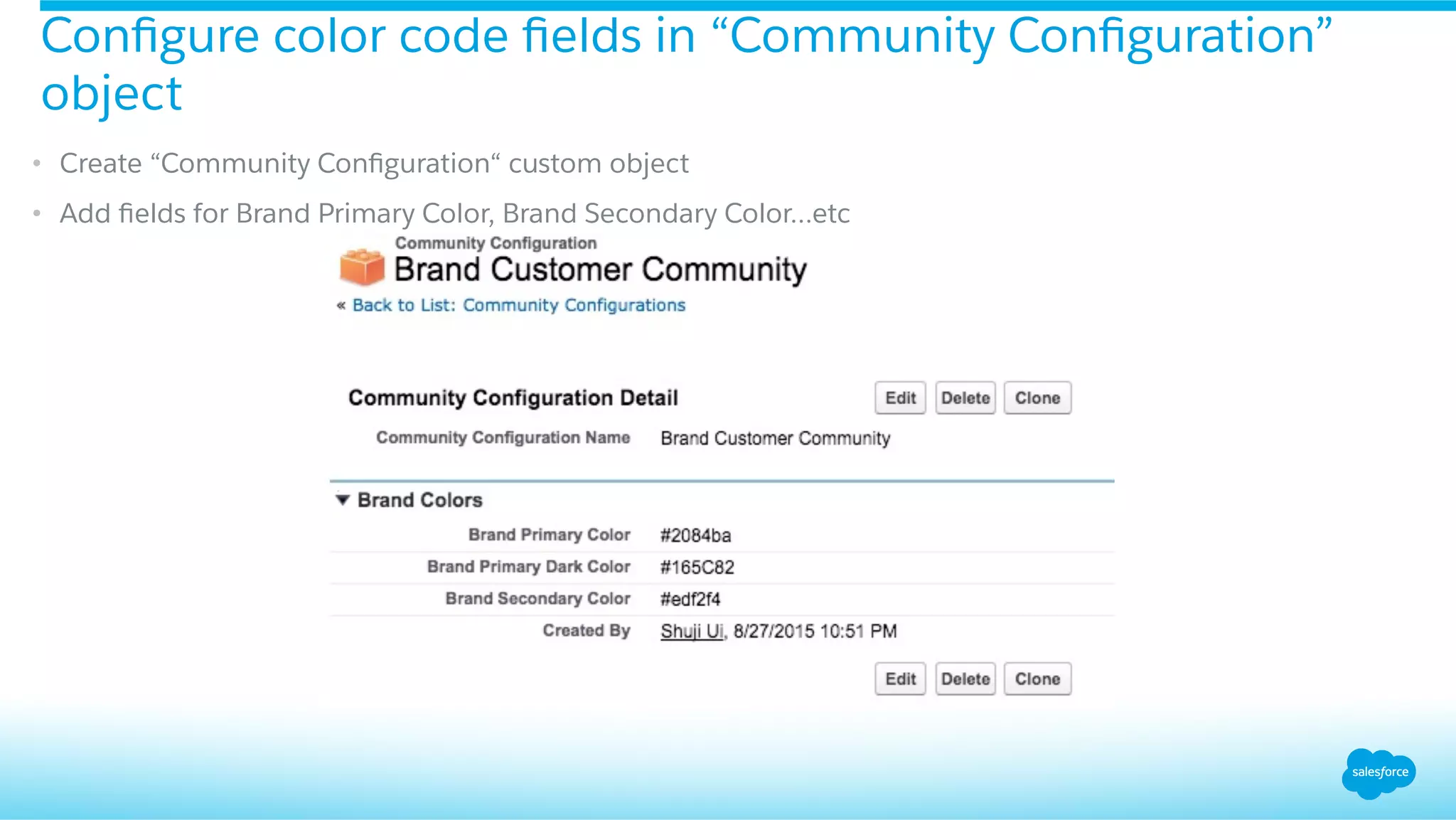
•  Create “Community Configuration“ custom object
•  Add fields for Brand Primary Color, Brand Secondary Color…etc
Configure color code fields in “Community Configuration”
object
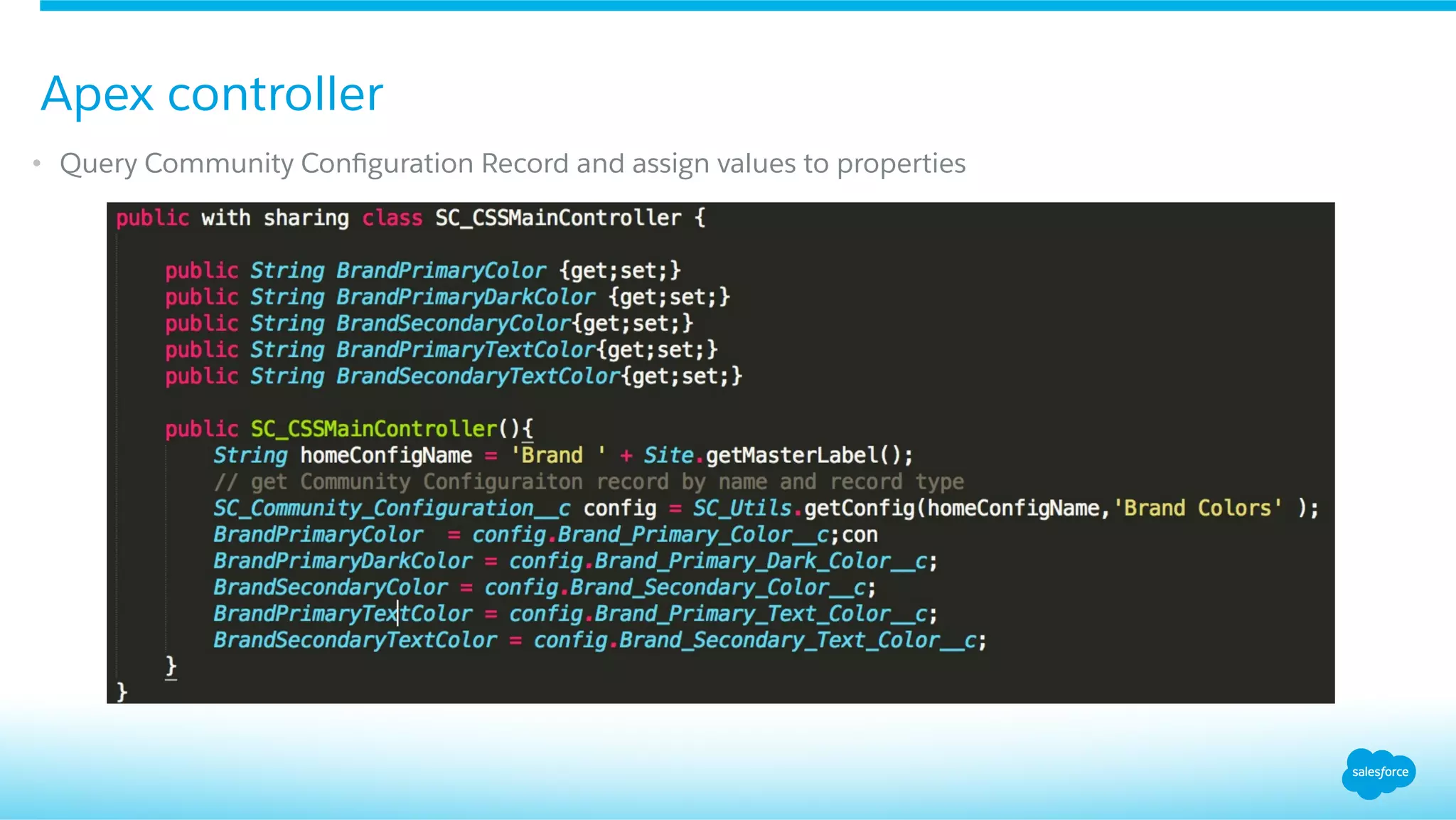
•  Query Community Configuration Record and assign values to properties
Apex controller
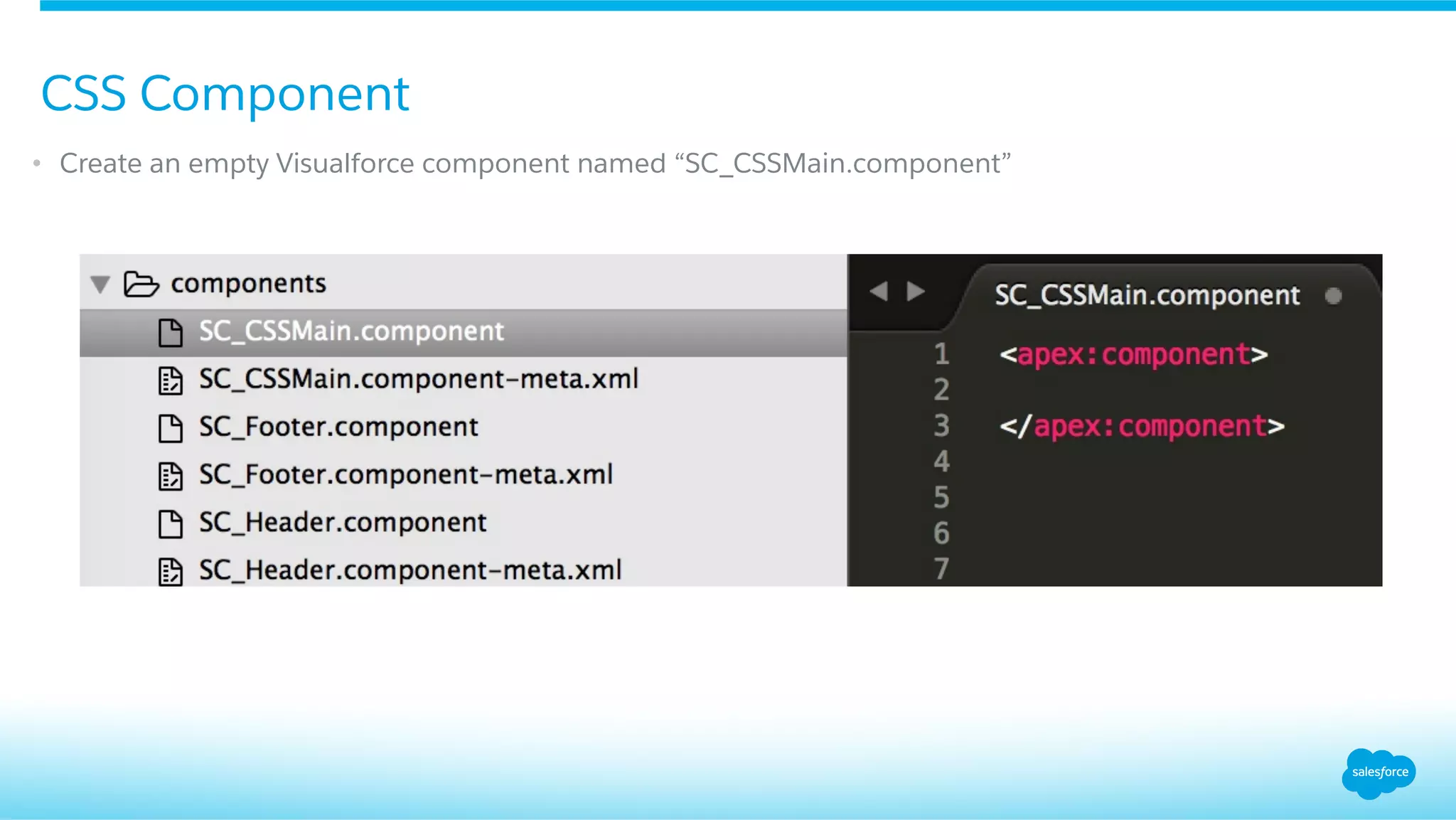
•  Create an empty Visualforce component named “SC_CSSMain.component”
CSS Component
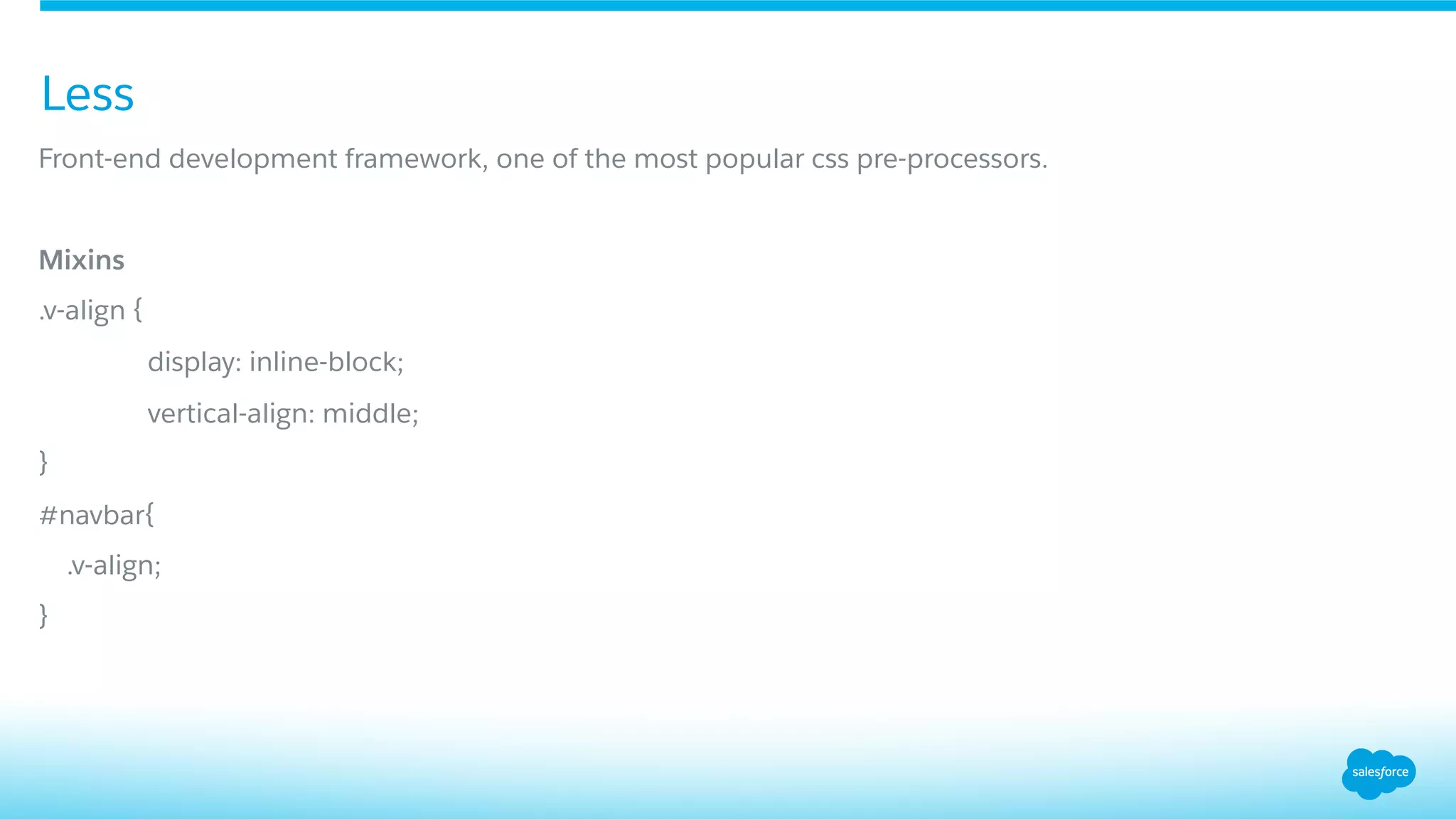
Less
Front-end development framework, one of the most popular css pre-processors.
Mixins
.v-align {
display: inline-block;
vertical-align: middle;
}
#navbar{
.v-align;
}
Less
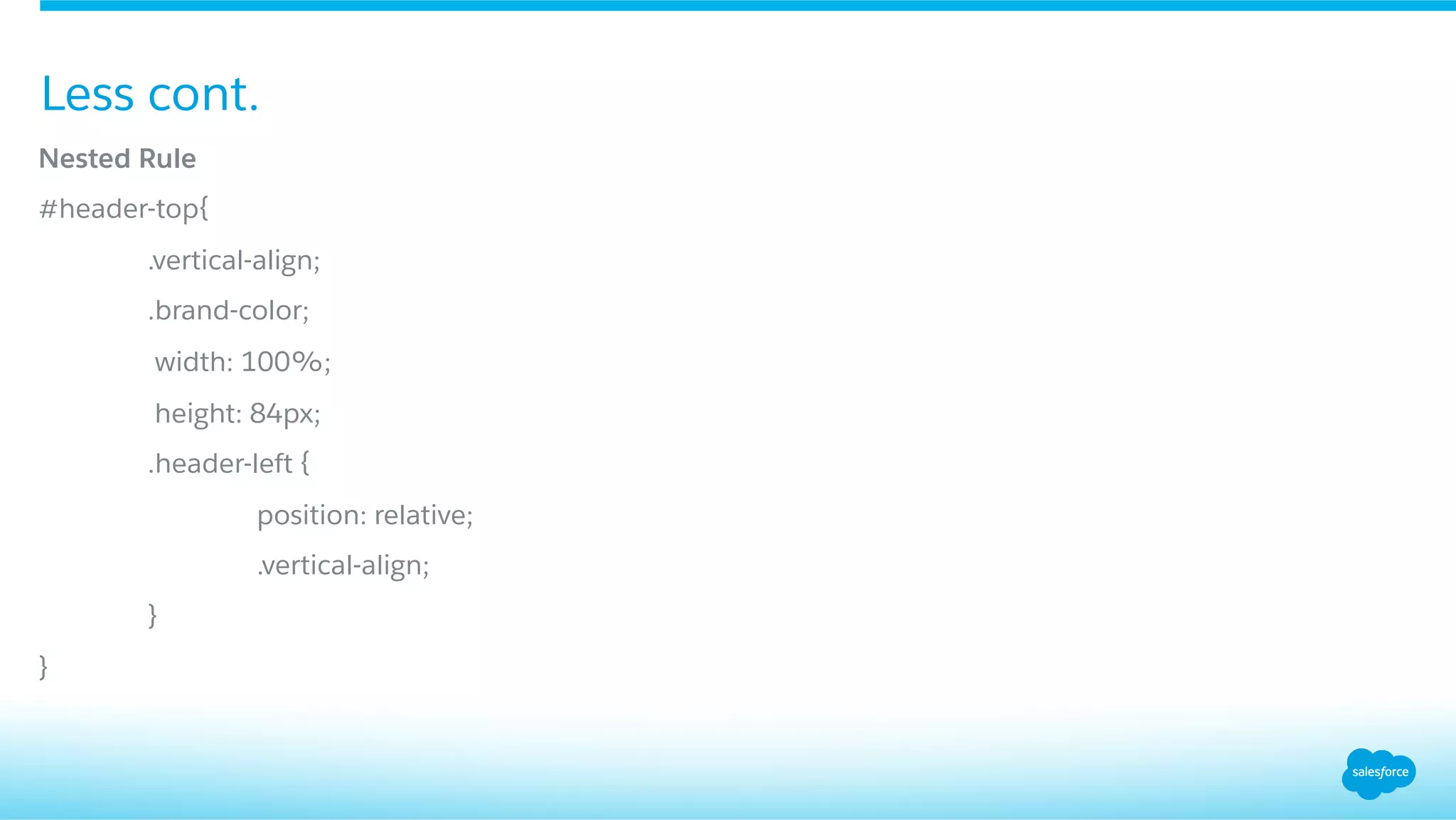
Nested Rule
#header-top{
.vertical-align;
.brand-color;
width: 100%;
height: 84px;
.header-left {
position: relative;
.vertical-align;
}
}
Less cont.
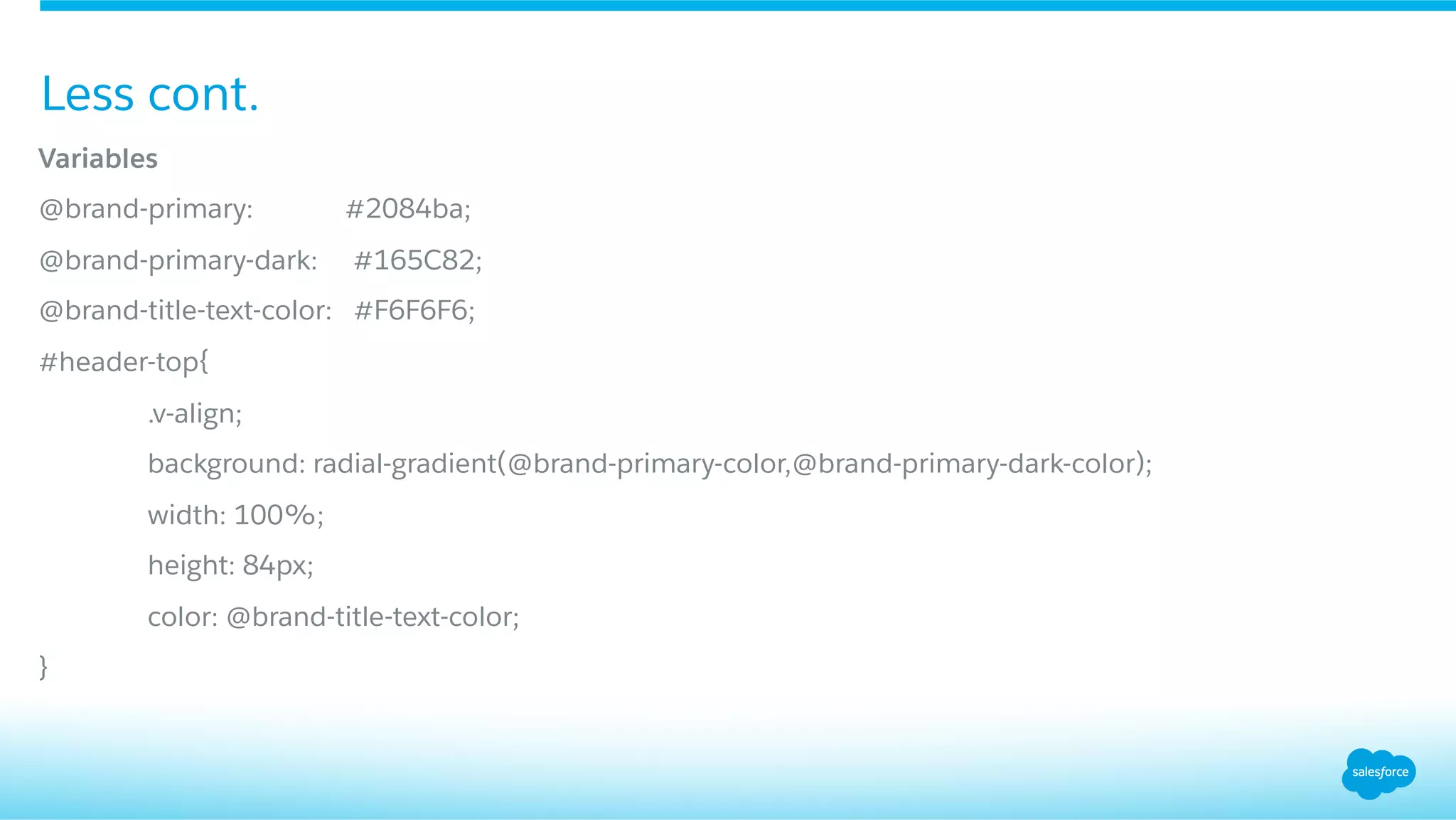
Variables
@brand-primary: #2084ba;
@brand-primary-dark: #165C82;
@brand-title-text-color: #F6F6F6;
#header-top{
.v-align;
background: radial-gradient(@brand-primary-color,@brand-primary-dark-color);
width: 100%;
height: 84px;
color: @brand-title-text-color;
}
Less cont.
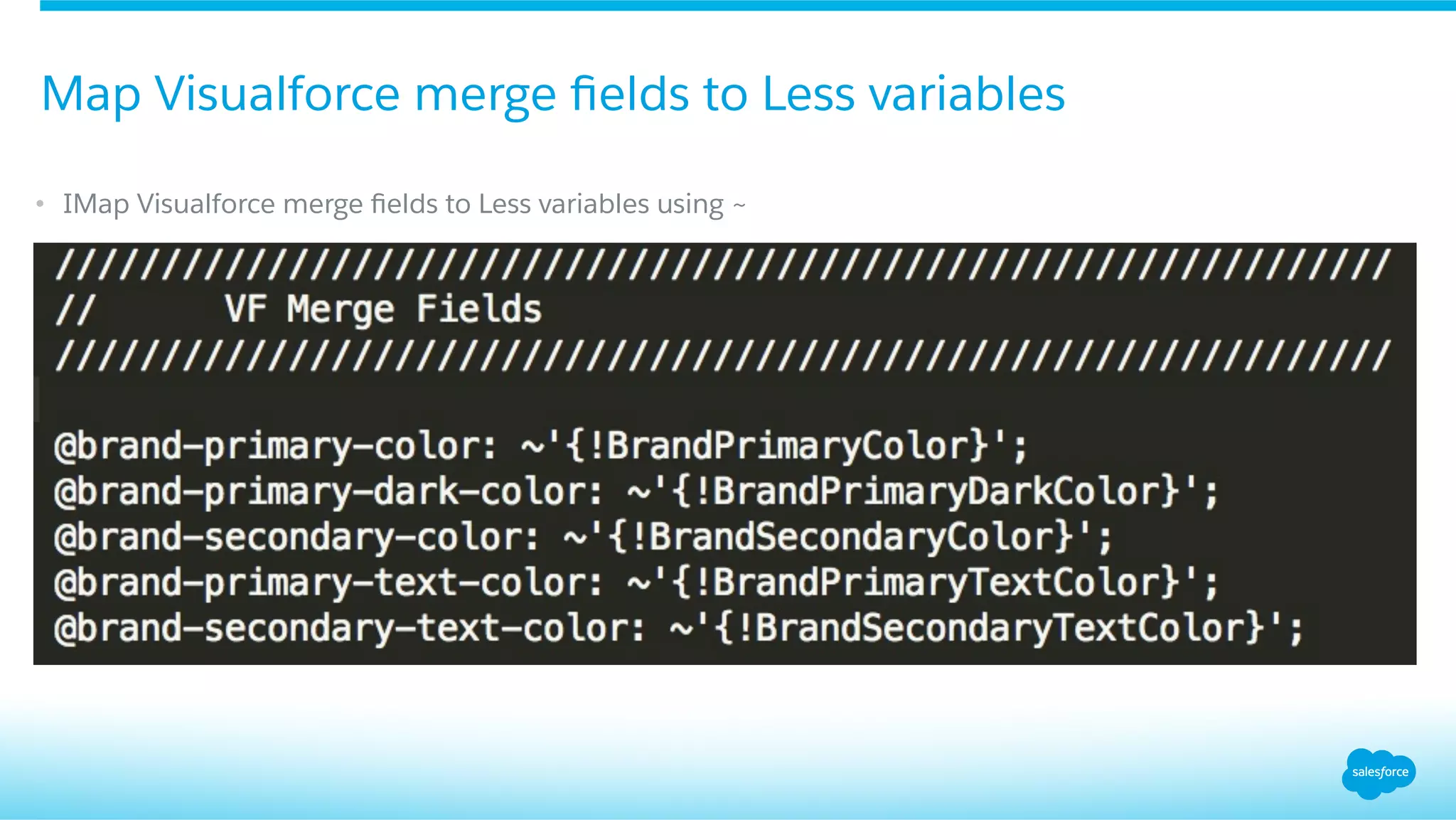
•  IMap Visualforce merge fields to Less variables using ~
Map Visualforce merge fields to Less variables
Gulp
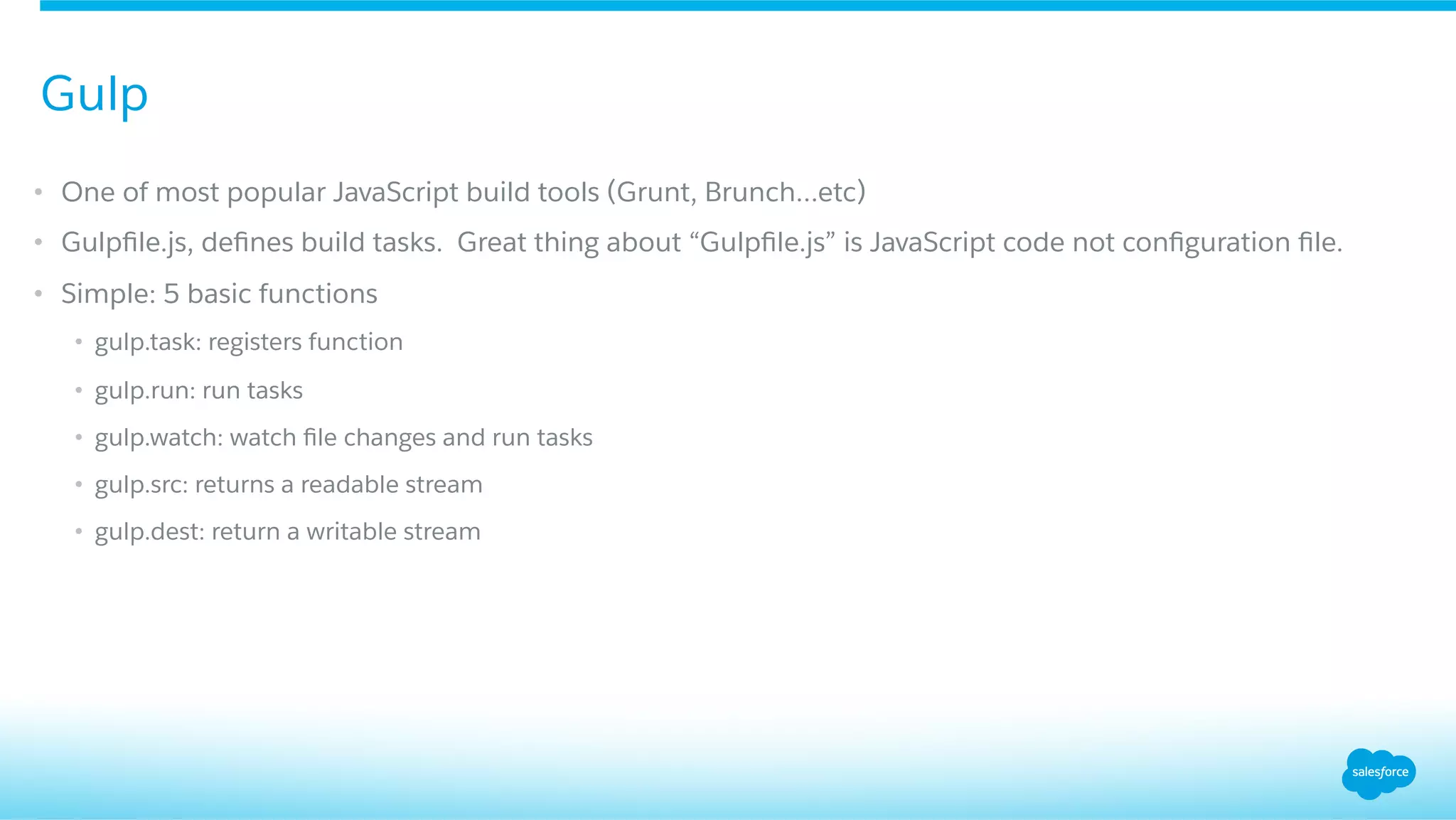
•  One of most popular JavaScript build tools (Grunt, Brunch…etc)
•  Gulpfile.js, defines build tasks. Great thing about “Gulpfile.js” is JavaScript code not configuration file.
•  Simple: 5 basic functions
•  gulp.task: registers function
•  gulp.run: run tasks
•  gulp.watch: watch file changes and run tasks
•  gulp.src: returns a readable stream
•  gulp.dest: return a writable stream
Gulp
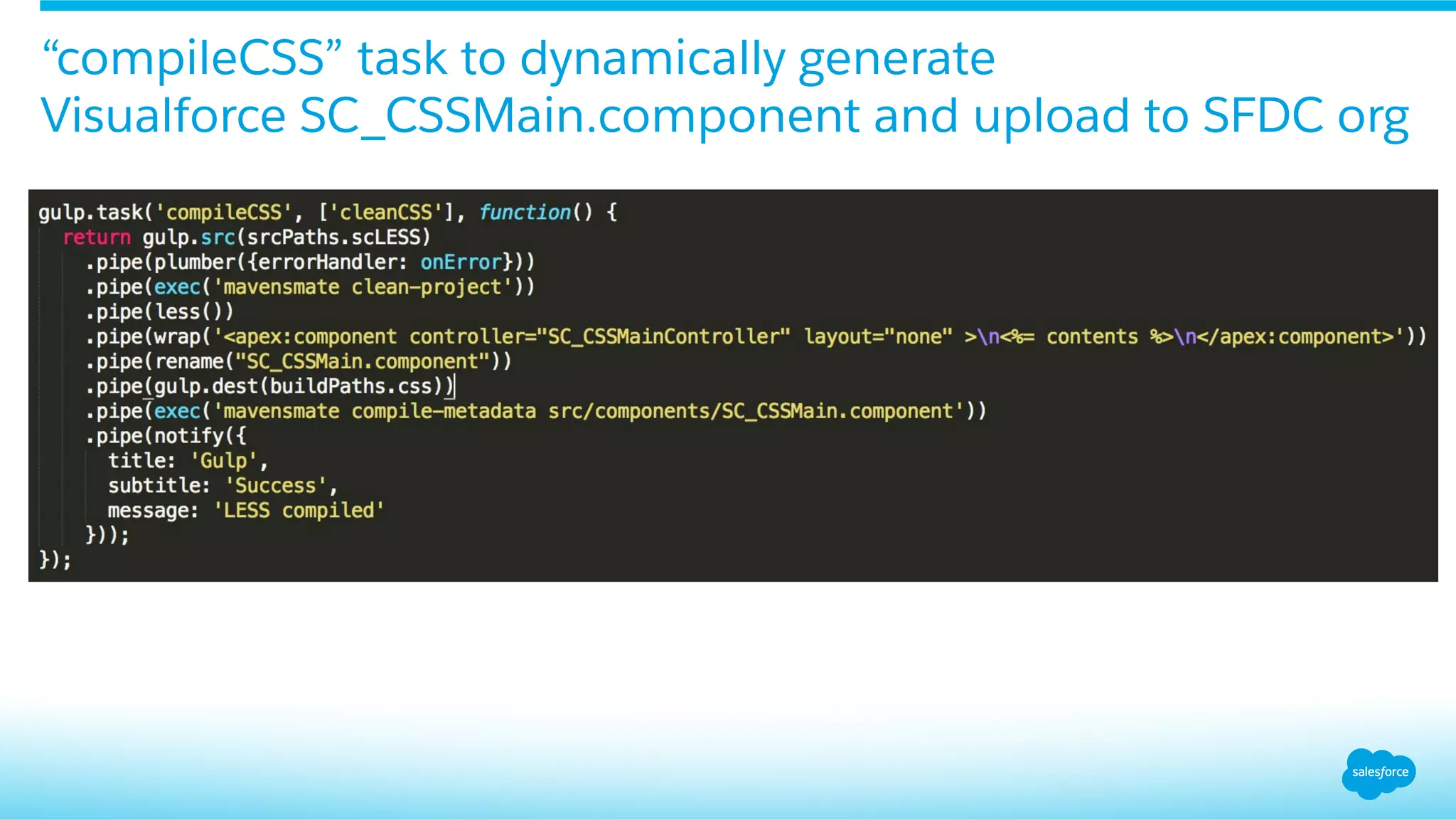
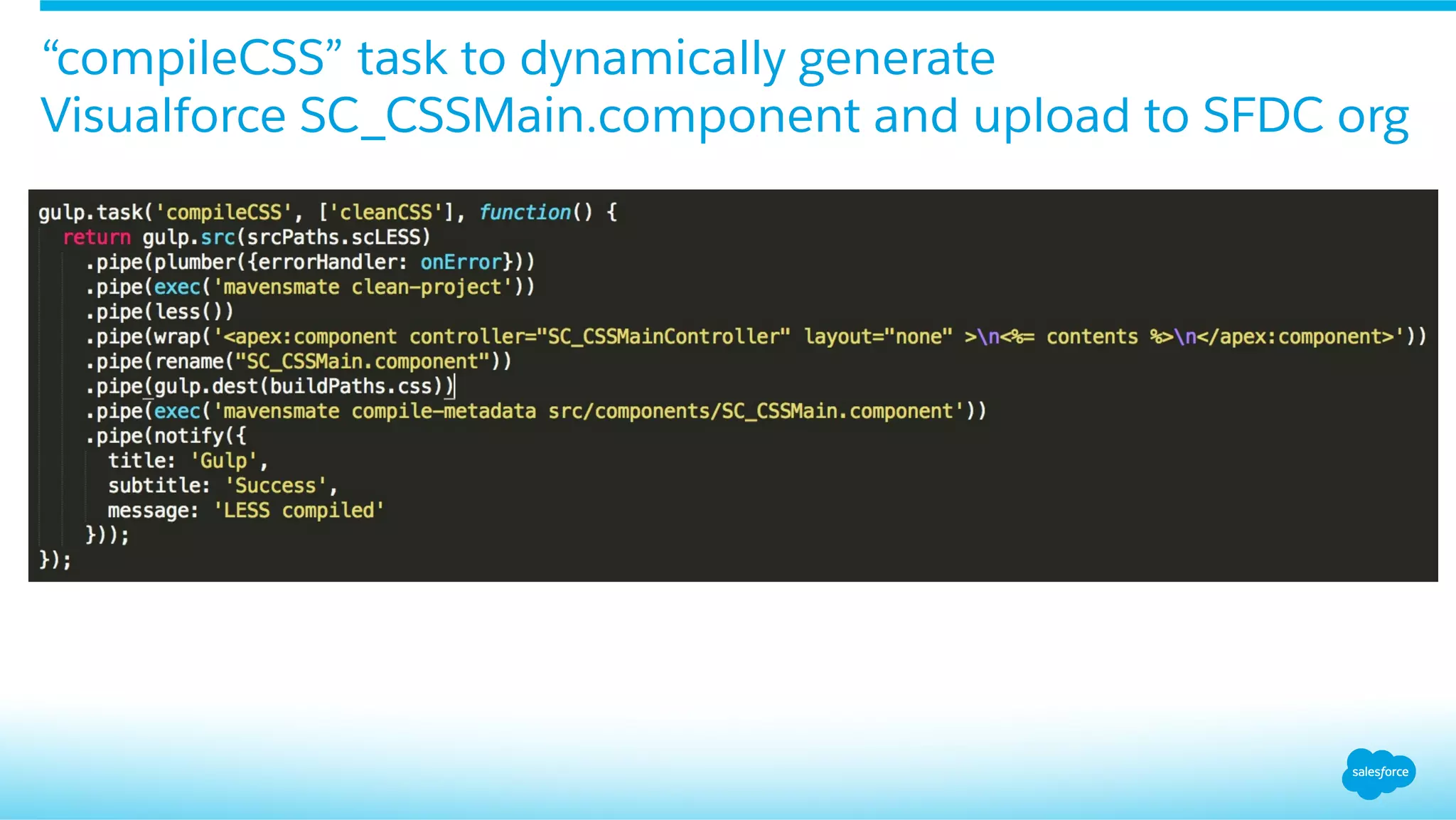
“compileCSS” task to dynamically generate
Visualforce SC_CSSMain.component and upload to SFDC org
Demo
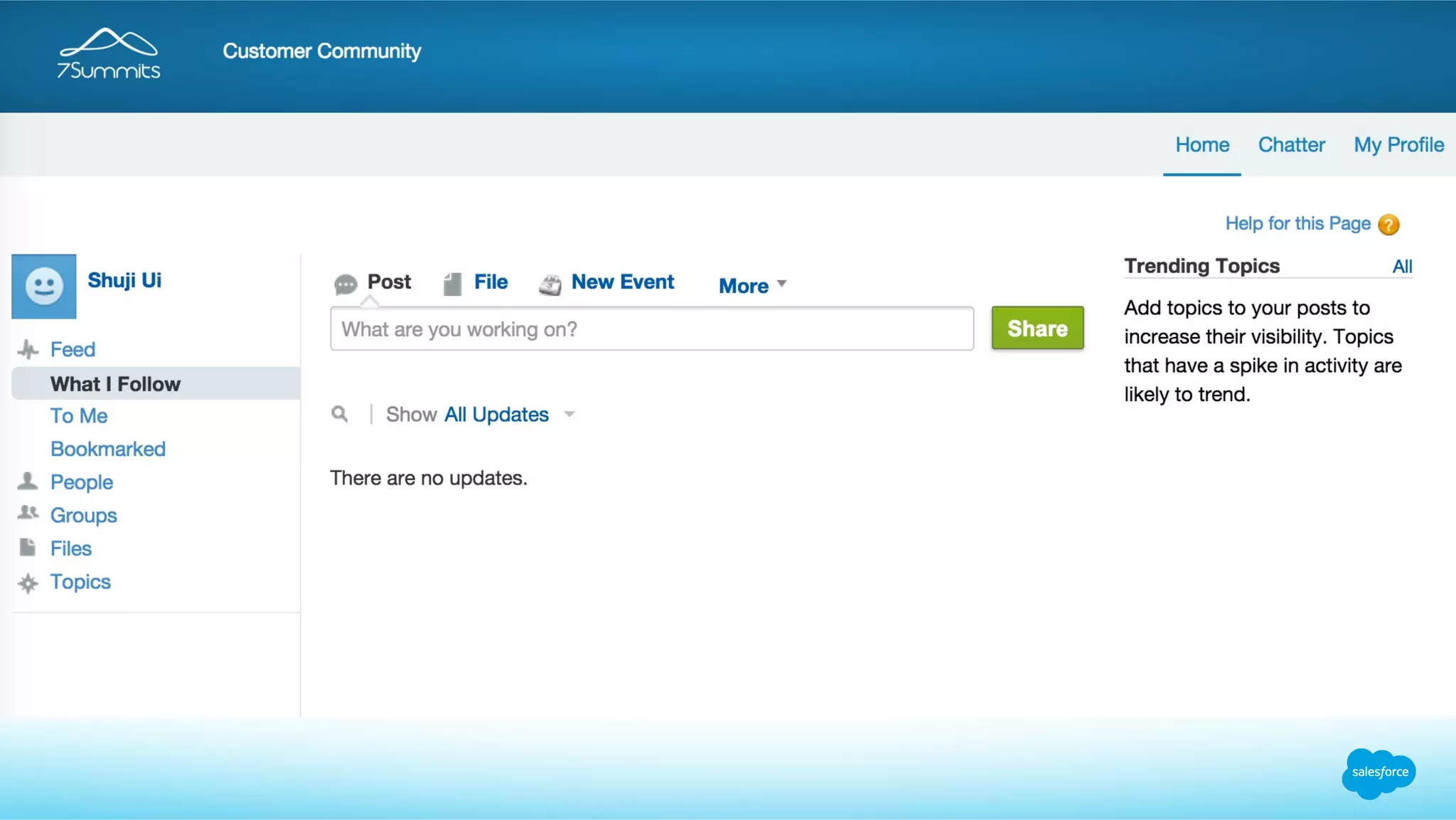
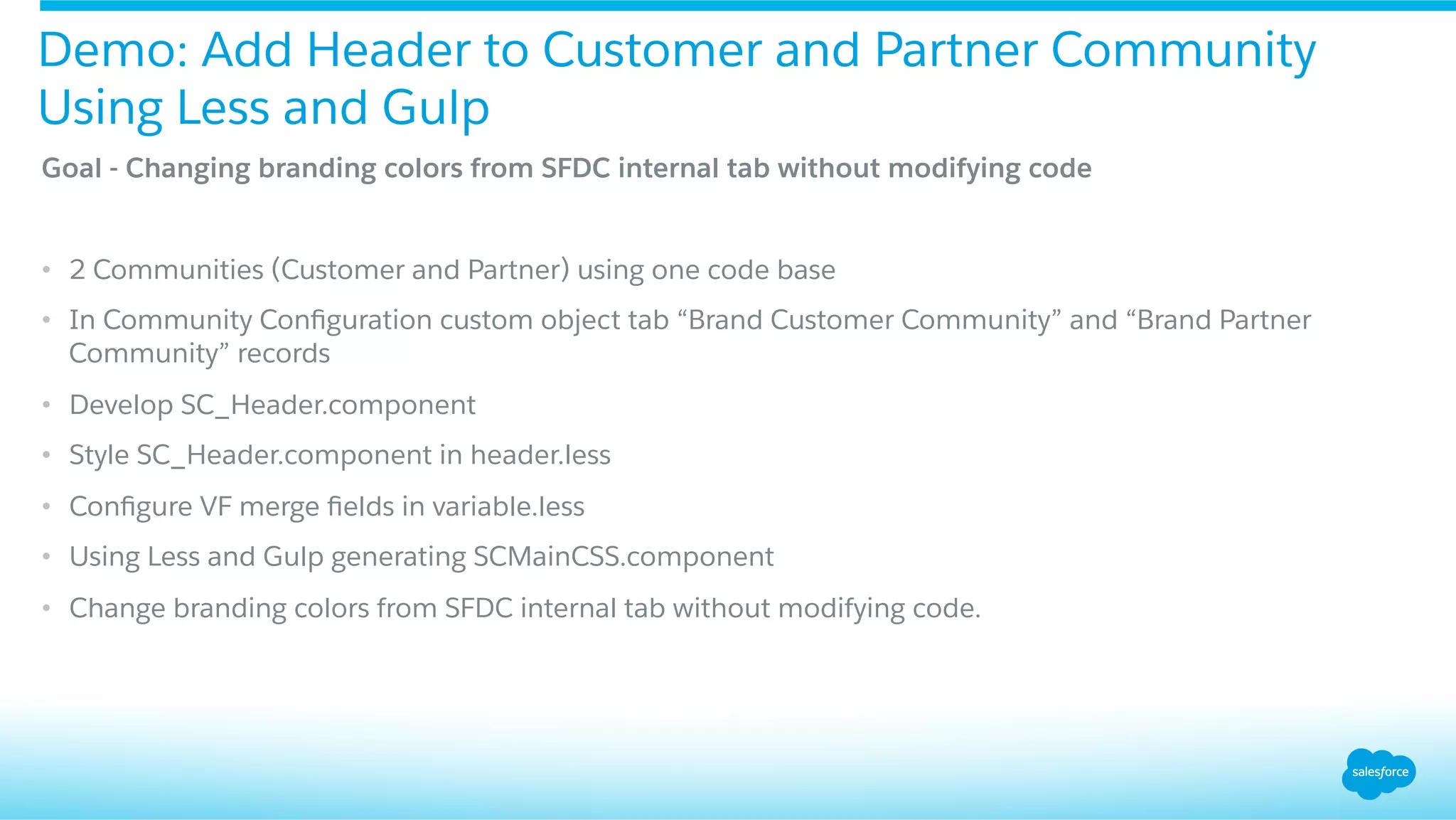
Goal - Changing branding colors from SFDC internal tab without modifying code
•  2 Communities (Customer and Partner) using one code base
•  In Community Configuration custom object tab “Brand Customer Community” and “Brand Partner
Community” records
•  Develop SC_Header.component
•  Style SC_Header.component in header.less
•  Configure VF merge fields in variable.less
•  Using Less and Gulp generating SCMainCSS.component
•  Change branding colors from SFDC internal tab without modifying code.
Demo: Add Header to Customer and Partner Community
Using Less and Gulp
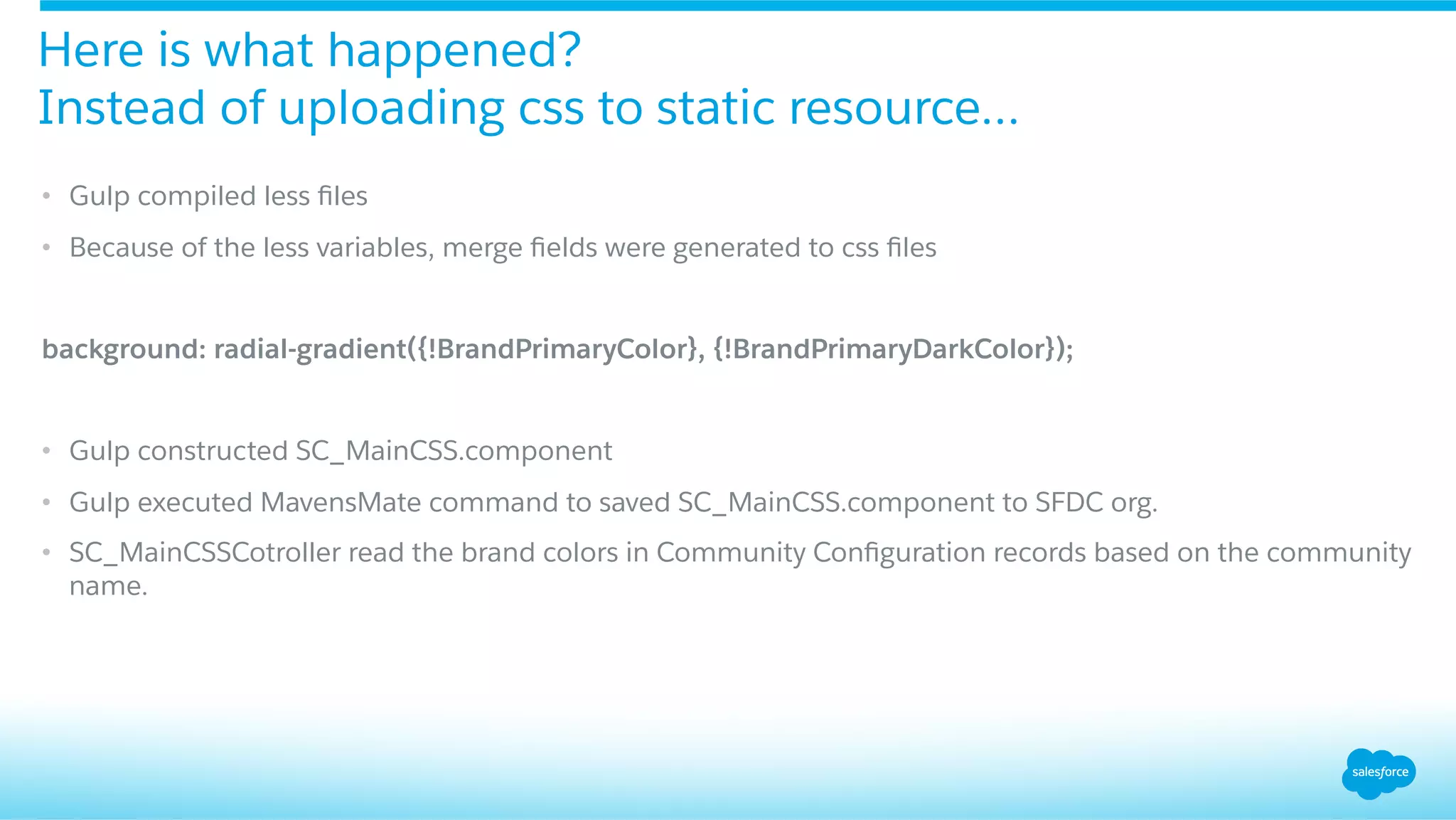
•  Gulp compiled less files
•  Because of the less variables, merge fields were generated to css files
background: radial-gradient({!BrandPrimaryColor}, {!BrandPrimaryDarkColor});
•  Gulp constructed SC_MainCSS.component
•  Gulp executed MavensMate command to saved SC_MainCSS.component to SFDC org.
•  SC_MainCSSCotroller read the brand colors in Community Configuration records based on the community
name.
Here is what happened?
Instead of uploading css to static resource…
“compileCSS” task to dynamically generate
Visualforce SC_CSSMain.component and upload to SFDC org
Summary
•  Communtiy Templates: SALESFORCE TABS + VISUALFORCE
•  Visualforce Template
•  JQuery loading Visualforce Header/Footer Components to OOTB pages
•  “Community Configuration” custom object
•  Using Gulp + Less to generate SC_CSSMain.component
Summary
•  Multiple Communities with same code base
•  Managed Package
These techniques are useful when
•  Twitter: @shujiui
•  Github: https://github.com/shujiui
•  Slideshare: TBD
Call to Action
Q&A
Thank you

Brand Your Community Using Less and Gulp

  • 1.
    Brand Your CommunityUsing Less and Gulp ​ Shuji Ui ​ Senior Technical Architect, 7summits ​ shuji.ui@7summitsinc.com ​ Twitter @shujiui
  • 2.
    Shuji Ui Senior TechnicalArchitect 7summits
  • 3.
    •  How manypeople built Community sites using Community cloud? •  How many people have used Salesforce Tabs + Visualforce Community template? •  How many people have used Less? •  How many people have used Gulp? Have you used Community Cloud?
  • 4.
    •  Community Templates • Configure Visualforce Template to Community •  Loading Visualforce Header/Footer to OOTB pages •  Configure color code fields in “Community Configuration” custom object and add them to a apex controller •  Less •  Gulp •  Generating CSS Visualforce component using Gulp •  Demo: adding header to Customer and Partner communities Agenda
  • 5.
  • 6.
    Community Builder Based(KOKUA, KOA, NAPILI, and ALOHA) •  Branding Editor to change colors and fonts •  Site.com Studio to adjust templates •  KOKUA, KOA for Knowledge and Cases •  NAPILI for Knowledge, Cases, and Q&A •  ALOHA App Launcher for Identity and Connected App SALESFORCE TABS + VISUALFORCE •  OOTB tabs •  Use Visualforce Template + Header/ Footer components Community Templates
  • 7.
  • 8.
  • 9.
    •  Select SalesforceTabs + Viauslforce template type •  Create Visualforce template and add header and footer Visualforce components to the teamplate Create Visualforce Template
  • 10.
    •  Configure theVisualforce template to community Configure Visualforce Template in Community Site Details
  • 11.
  • 12.
    Salesforce Tabs +Visualforce template: OOTB pages
  • 13.
    Configure Header /Footer html pages to the Salesforce Tabs + Visualforce template •  Create Header / Footer html pages •  Upload them to a Document folder •  Configure them in Community Administration: Branding tab
  • 15.
    •  Create Header/ Footer Visualforce pages •  Create jQuery script pages •  Load jQuery script pages in HTML Header / Footer pages Steps to load Visualforce Header / Footer for OOTB pages
  • 16.
    •  Create Header/ Footer Visualforce pages •  Add Header / Footer Visualforce components to the pages Header Example: SC_HTMLHeader.page <apex:page applyHtmlTag="false" applyBodyTag="false" showHeader="false" sidebar="false” standardStylesheets="false”> <c:SC_Header /> </apex:page> Create Header / Footer Visualforce Pages
  • 17.
    Header Example: SC_LoadHeader.page <apex:pageshowHeader="false" sidebar="false" standardStylesheets="false" contentType="text/javascript" > $j = $.noConflict(); $j(".header-wrap" ).load( "{!$Page.SC_HTMLHeader} #header" ,function(){ $j("div[role='banner']").remove(); $j(".zen-bodyZen").css("border-top", "0px"); }); </apex:page> Using jQuery to load the Visalforce Header / Footer pages
  • 18.
    Header Example: SC_CustomerHeader.html <divclass="header-wrap"></div> <!-- Load jQuery --> <script src="https://ajax.googleapis.com/ajax/libs/jquery/1.11.3/jquery.min.js"></script> <!-- Load Visualforce page as a script --> <script type="text/javascript" src="/customer/SC_LoadHtmlHeader"></script> Header.html / Footer.html
  • 20.
  • 21.
    •  Create “CommunityConfiguration“ custom object •  Add fields for Brand Primary Color, Brand Secondary Color…etc Configure color code fields in “Community Configuration” object
  • 22.
    •  Query CommunityConfiguration Record and assign values to properties Apex controller
  • 23.
    •  Create anempty Visualforce component named “SC_CSSMain.component” CSS Component
  • 24.
  • 25.
    Front-end development framework,one of the most popular css pre-processors. Mixins .v-align { display: inline-block; vertical-align: middle; } #navbar{ .v-align; } Less
  • 26.
    Nested Rule #header-top{ .vertical-align; .brand-color; width: 100%; height:84px; .header-left { position: relative; .vertical-align; } } Less cont.
  • 27.
    Variables @brand-primary: #2084ba; @brand-primary-dark: #165C82; @brand-title-text-color:#F6F6F6; #header-top{ .v-align; background: radial-gradient(@brand-primary-color,@brand-primary-dark-color); width: 100%; height: 84px; color: @brand-title-text-color; } Less cont.
  • 28.
    •  IMap Visualforcemerge fields to Less variables using ~ Map Visualforce merge fields to Less variables
  • 29.
  • 30.
    •  One ofmost popular JavaScript build tools (Grunt, Brunch…etc) •  Gulpfile.js, defines build tasks. Great thing about “Gulpfile.js” is JavaScript code not configuration file. •  Simple: 5 basic functions •  gulp.task: registers function •  gulp.run: run tasks •  gulp.watch: watch file changes and run tasks •  gulp.src: returns a readable stream •  gulp.dest: return a writable stream Gulp
  • 31.
    “compileCSS” task todynamically generate Visualforce SC_CSSMain.component and upload to SFDC org
  • 32.
  • 33.
    Goal - Changingbranding colors from SFDC internal tab without modifying code •  2 Communities (Customer and Partner) using one code base •  In Community Configuration custom object tab “Brand Customer Community” and “Brand Partner Community” records •  Develop SC_Header.component •  Style SC_Header.component in header.less •  Configure VF merge fields in variable.less •  Using Less and Gulp generating SCMainCSS.component •  Change branding colors from SFDC internal tab without modifying code. Demo: Add Header to Customer and Partner Community Using Less and Gulp
  • 34.
    •  Gulp compiledless files •  Because of the less variables, merge fields were generated to css files background: radial-gradient({!BrandPrimaryColor}, {!BrandPrimaryDarkColor}); •  Gulp constructed SC_MainCSS.component •  Gulp executed MavensMate command to saved SC_MainCSS.component to SFDC org. •  SC_MainCSSCotroller read the brand colors in Community Configuration records based on the community name. Here is what happened? Instead of uploading css to static resource…
  • 35.
    “compileCSS” task todynamically generate Visualforce SC_CSSMain.component and upload to SFDC org
  • 36.
  • 37.
    •  Communtiy Templates:SALESFORCE TABS + VISUALFORCE •  Visualforce Template •  JQuery loading Visualforce Header/Footer Components to OOTB pages •  “Community Configuration” custom object •  Using Gulp + Less to generate SC_CSSMain.component Summary
  • 38.
    •  Multiple Communitieswith same code base •  Managed Package These techniques are useful when
  • 39.
    •  Twitter: @shujiui • Github: https://github.com/shujiui •  Slideshare: TBD Call to Action
  • 40.
  • 41.