Firewall Fundamentals
The 3 Components of Information Protection - “CIA”
Confidentiality
Integrity
Availability
These qualities of information must be preserved.
They are the “3 legged stool” of good information
protection.

Systems and networks cannot be considered
secure without controls to physical access.

This can be a significant issue if non-employees
are allowed on-site unaccompanied.
Physical Security
You may need “multiple layers” of protection
• A firewall may protect your network and data from
others on the Internet
– What about modems on desktops that may connect to the
Internet, bypassing the firewall?
• A firewall may allow viruses to pass with “permitted”
files.
• “Mobile Code” -- JAVA & Active/X
• How do you enforce your standards?
• Planning for response if you are attacked
You can’t build a house without the blueprints...
The first step in protecting your information is
determining your direction.
• Develop basic security policies
• Put “controls” in place to implement policies.
– Controls may be procedures / processes
– Controls may be physical
One control may be a “firewall”
• What is a firewall?
– “A firewall is a system or group of systems that enforces
an access control policy between 2 networks.” © Marcus
J. Ranum - 1995
• Firewalls can be used to isolate your network from the
Internet.
• Firewalls can also be implemented in your network at
places other than the Internet.
Firewalls
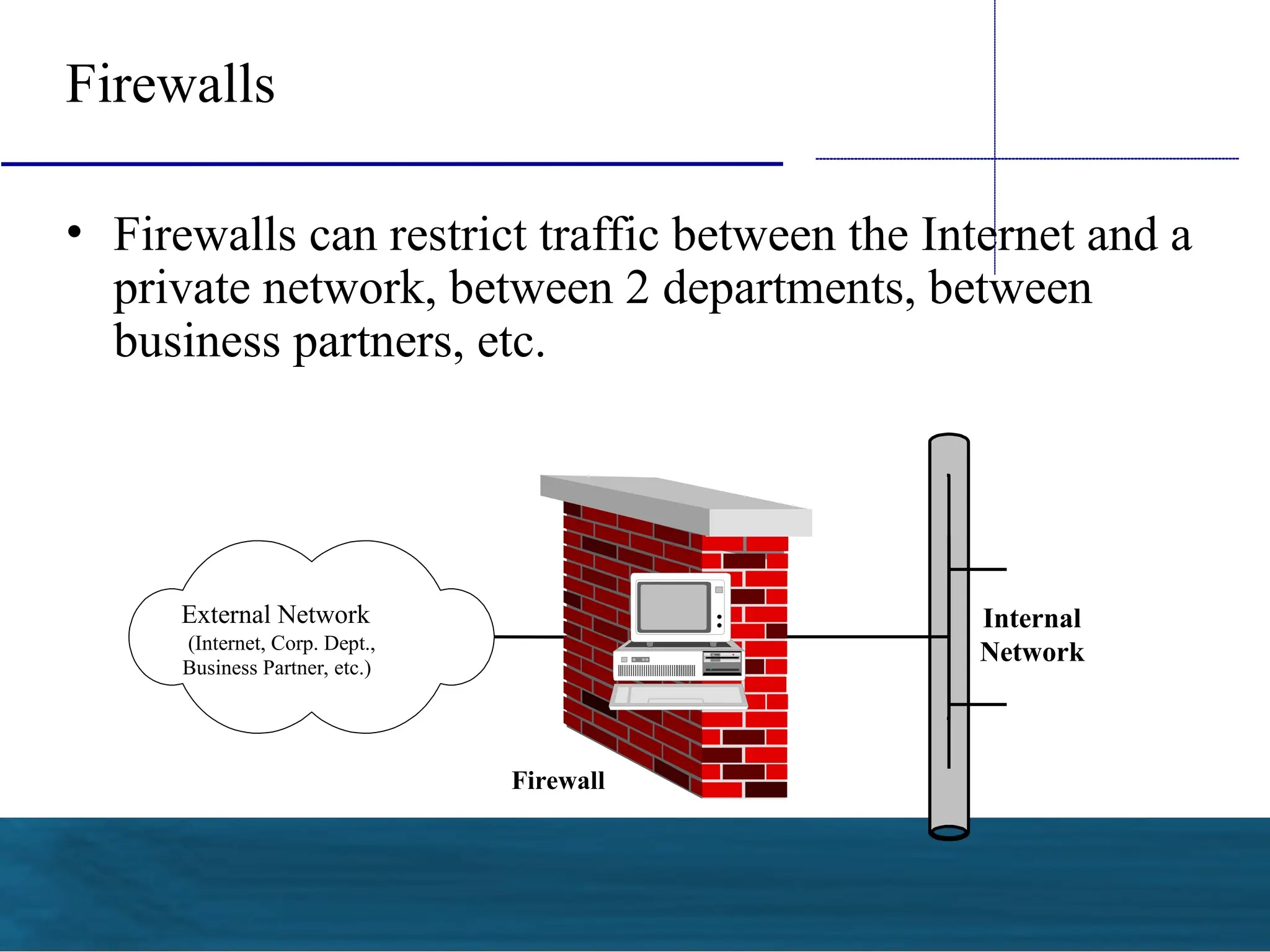
• Firewalls can restrict traffic between the Internet and a
private network, between 2 departments, between
business partners, etc.
External Network
(Internet, Corp. Dept.,
Business Partner, etc.)
Firewall
Internal
Network
What does a Firewall do?
• Firewalls examine each data packet “passing through”
the firewall
• Firewalls can control access based on a number of
parameters, depending on the type of firewall --
– Source address
– Destination address
– Protocol
– Port Number
– Application
What does a Firewall do?
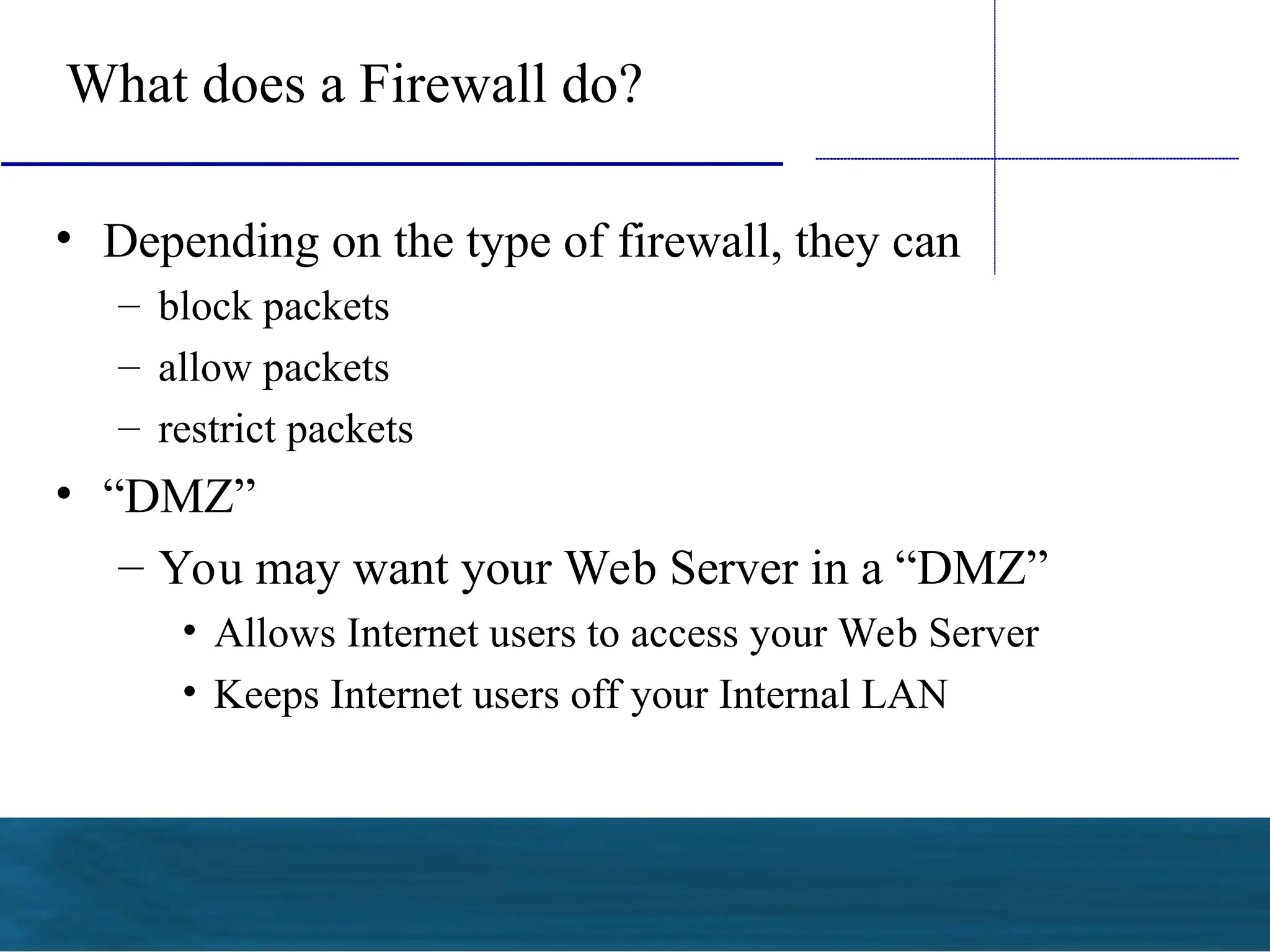
• Depending on the type of firewall, they can
– block packets
– allow packets
– restrict packets
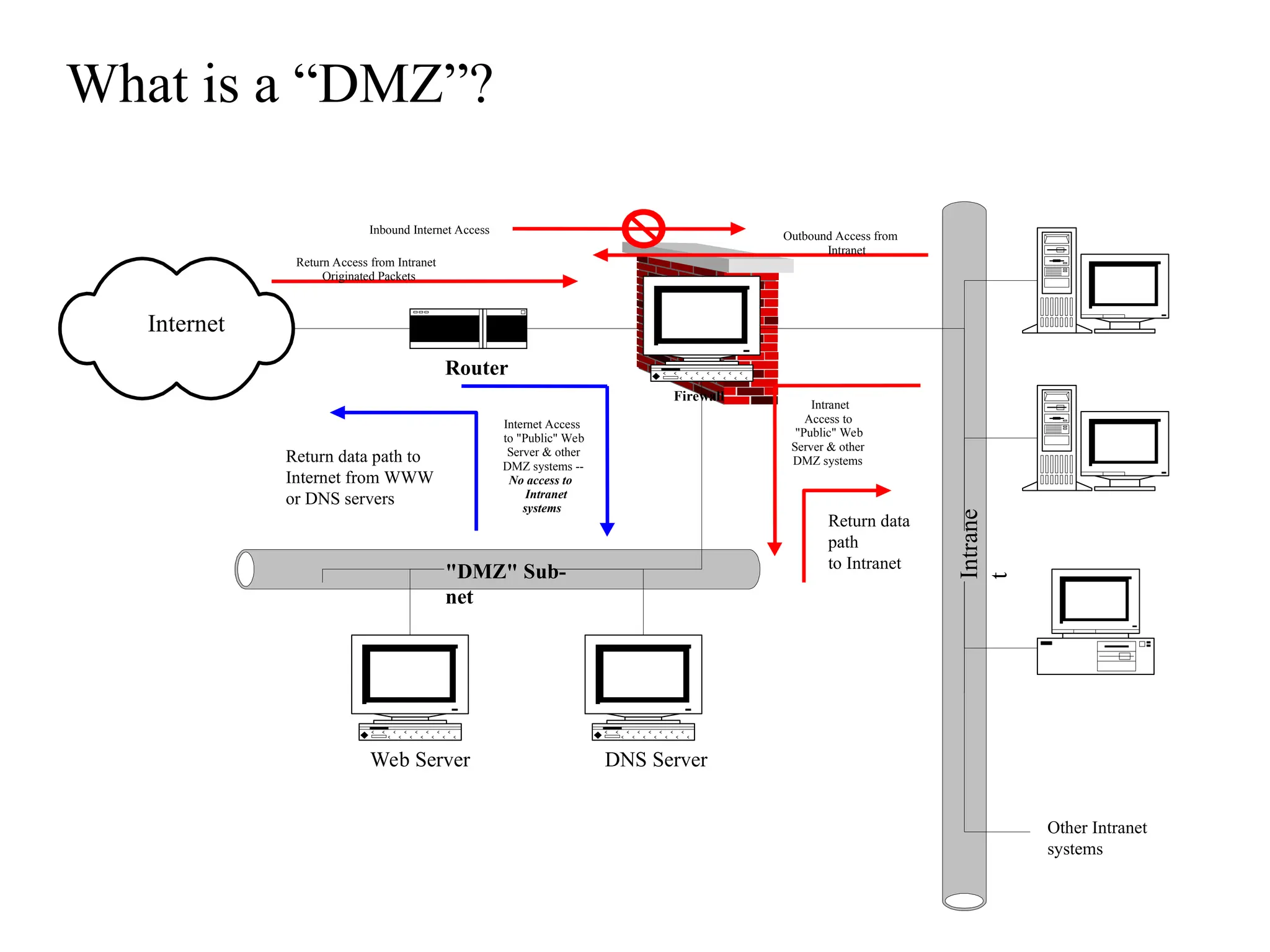
• “DMZ”
– You may want your Web Server in a “DMZ”
• Allows Internet users to access your Web Server
• Keeps Internet users off your Internal LAN
"DMZ" Sub-
net
Intrane
t
Internet
Router
Firewall
Web Server DNS Server
Return Access from Intranet
Originated Packets
Outbound Access from
Intranet
Intranet
Access to
"Public" Web
Server & other
DMZ systems
Internet Access
to "Public" Web
Server & other
DMZ systems --
No access to
Intranet
systems
Return data
path
to Intranet
Return data path to
Internet from WWW
or DNS servers
Other Intranet
systems
Inbound Internet Access
What is a “DMZ”?
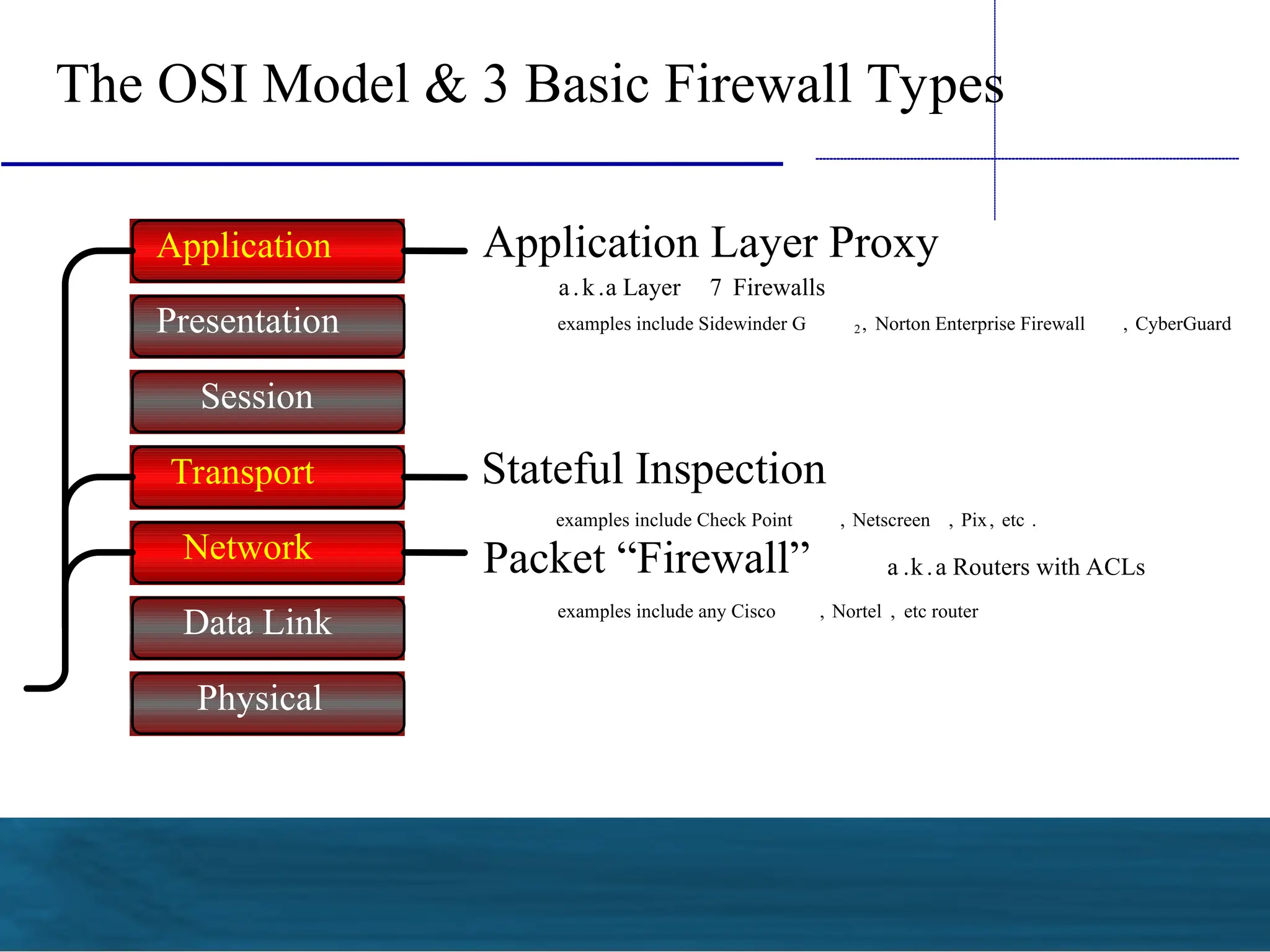
The OSI Model & 3 Basic Firewall Types
Application
Presentation
Session
Transport
Network
Data Link
Physical
Application Layer Proxy
a.k.a Layer 7 Firewalls
examples include Sidewinder G 2, Norton Enterprise Firewall , CyberGuard
Stateful Inspection
examples include Check Point , Netscreen , Pix, etc .
Packet “Firewall” a .k.a Routers with ACLs
examples include any Cisco , Nortel , etc router
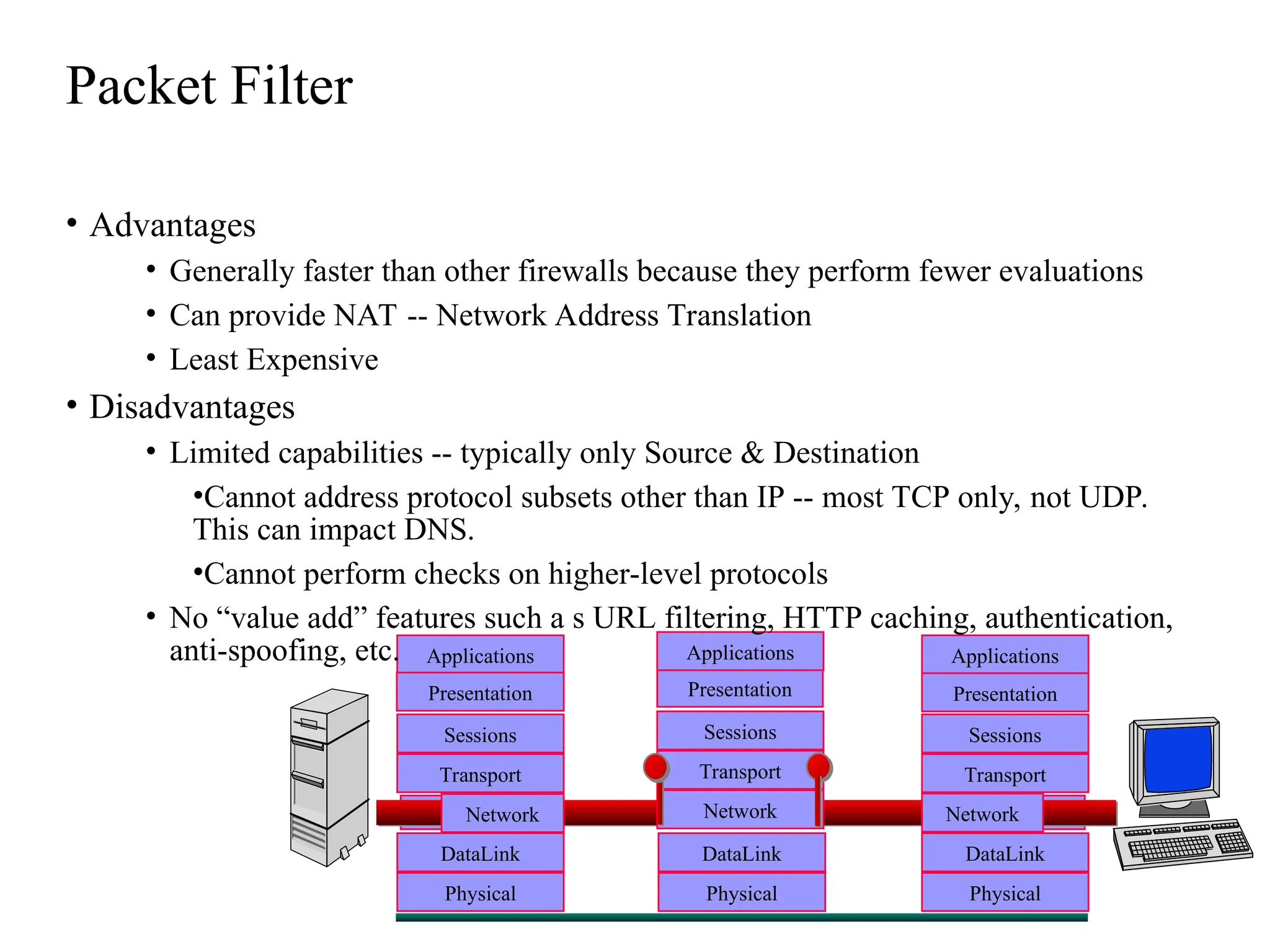
Packet Filter
Applications
Presentation
Sessions
Transport
DataLink
Physical
DataLink
Physical
Applications
Presentation
Sessions
Transport
DataLink
Physical
Network Network
Network
Presentation
Sessions
Transport
Applications
• Advantages
• Generally faster than other firewalls because they perform fewer evaluations
• Can provide NAT -- Network Address Translation
• Least Expensive
• Disadvantages
• Limited capabilities -- typically only Source & Destination
•Cannot address protocol subsets other than IP -- most TCP only, not UDP.
This can impact DNS.
•Cannot perform checks on higher-level protocols
• No “value add” features such a s URL filtering, HTTP caching, authentication,
anti-spoofing, etc.
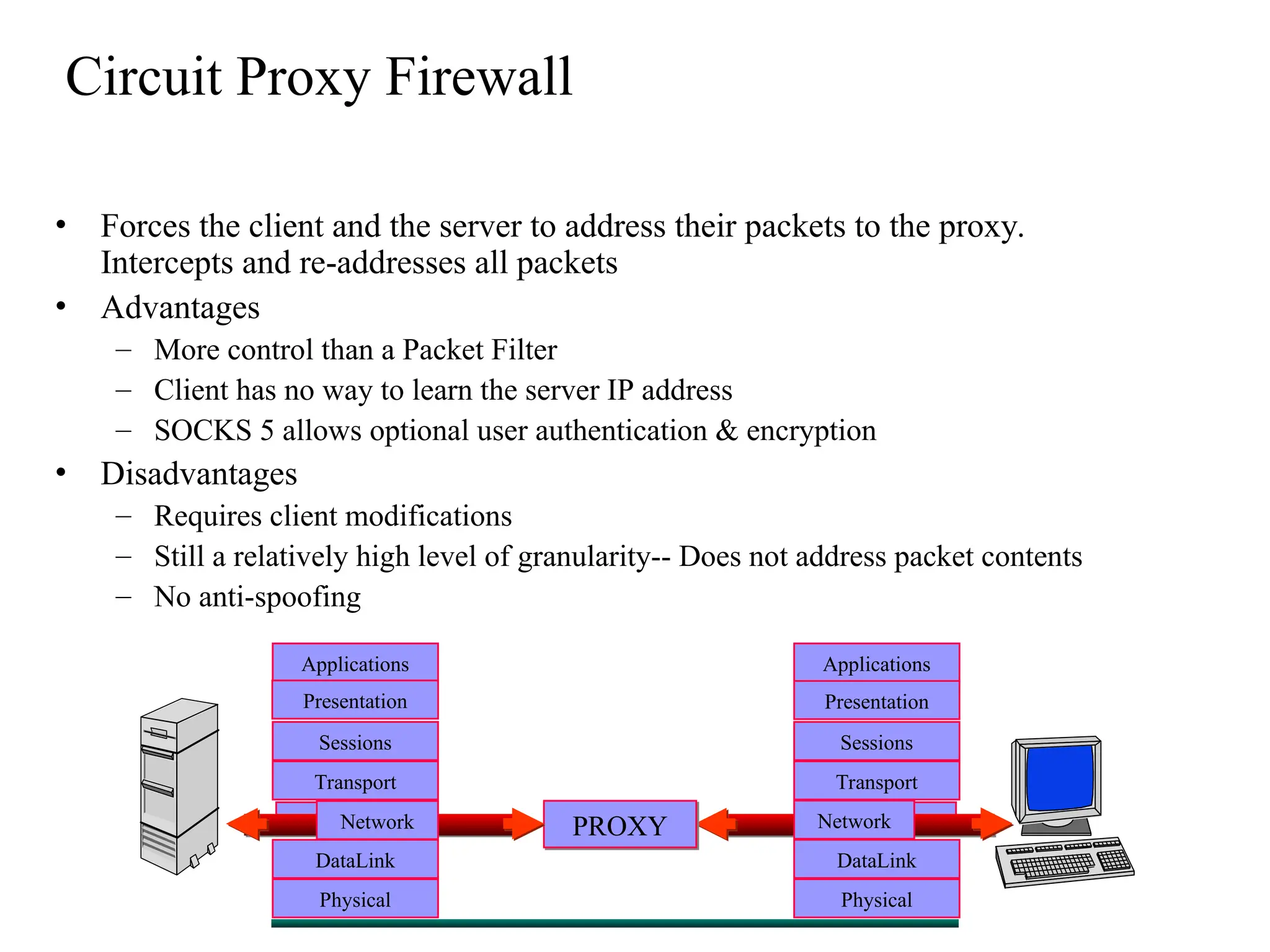
Circuit Proxy Firewall
• Forces the client and the server to address their packets to the proxy.
Intercepts and re-addresses all packets
• Advantages
– More control than a Packet Filter
– Client has no way to learn the server IP address
– SOCKS 5 allows optional user authentication & encryption
• Disadvantages
– Requires client modifications
– Still a relatively high level of granularity-- Does not address packet contents
– No anti-spoofing
Applications
Presentation
Sessions
Transport
DataLink
Physical
Applications
Presentation
Sessions
Transport
DataLink
Physical
Network Network
PROXY
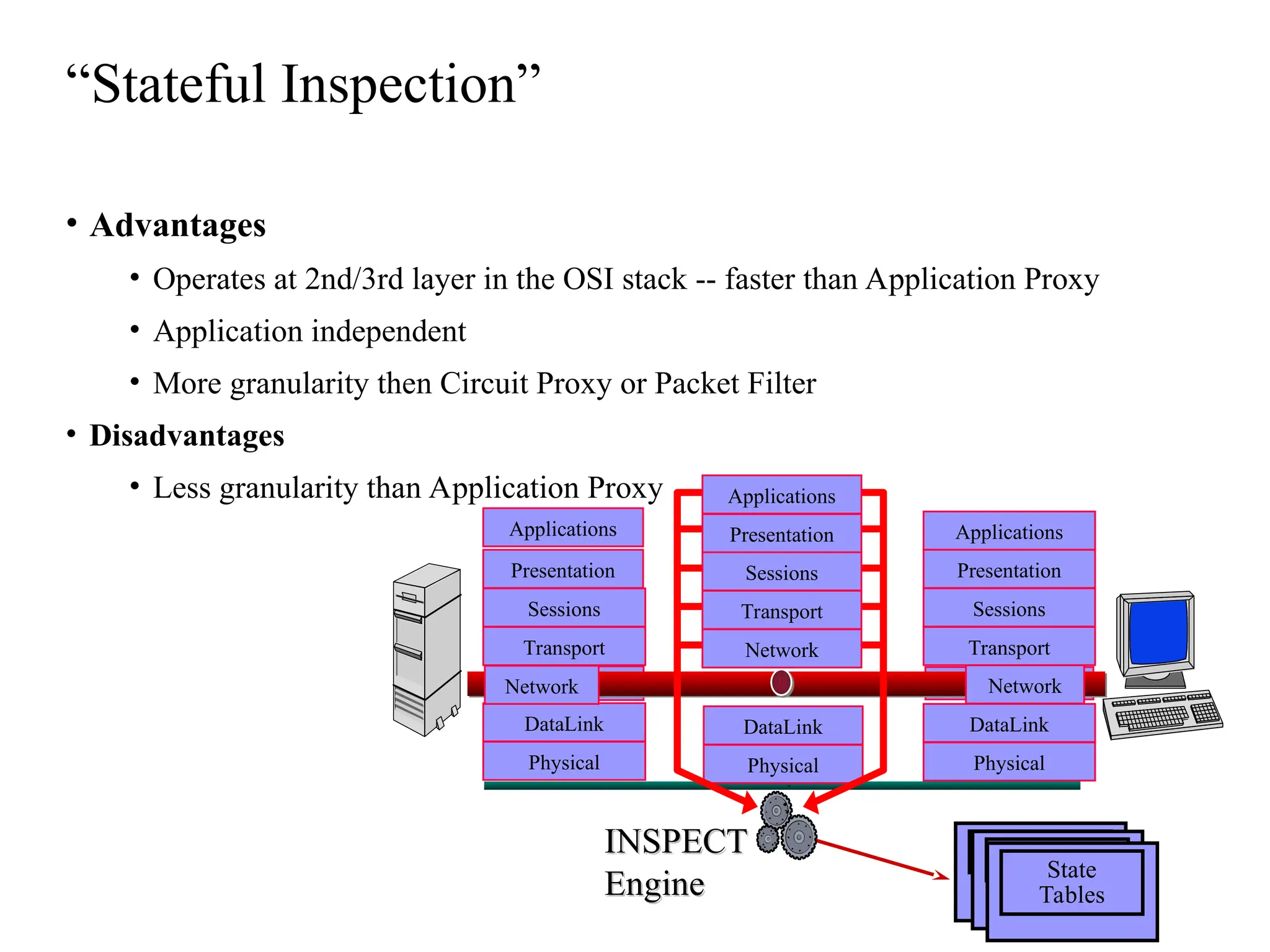
“Stateful Inspection”
Applications
Presentation
Sessions
Transport
DataLink
Physical
DataLink
Physical
Applications
Presentation
Sessions
Transport
DataLink
Physical
Network Network
Network
Presentation
Sessions
Transport
INSPECT
INSPECT
Engine
Engine
Applications
State
Tables
• Advantages
• Operates at 2nd/3rd layer in the OSI stack -- faster than Application Proxy
• Application independent
• More granularity then Circuit Proxy or Packet Filter
• Disadvantages
• Less granularity than Application Proxy
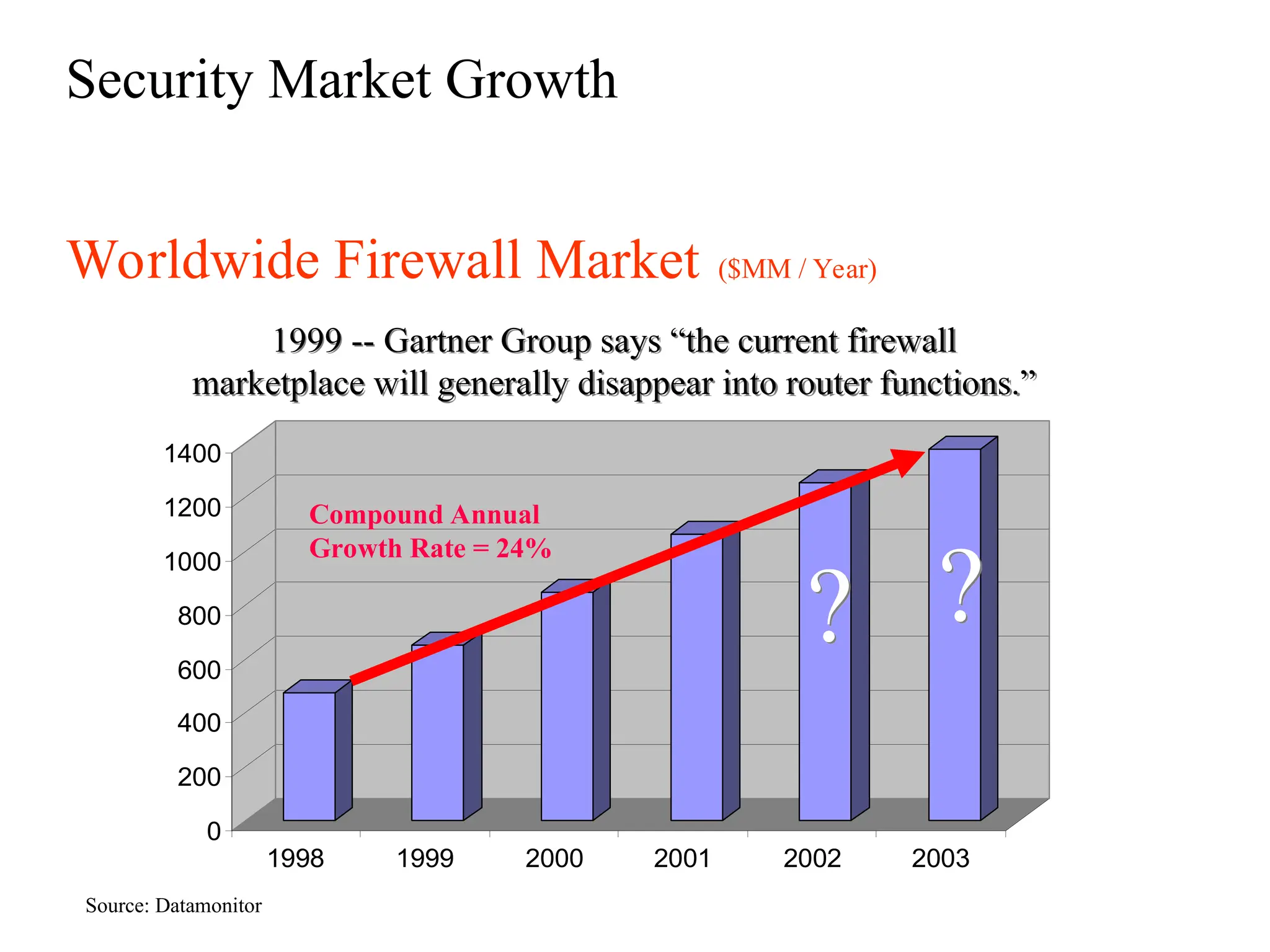
Worldwide Firewall Market ($MM / Year)
Security Market Growth
Source: Datamonitor
0
200
400
600
800
1000
1200
1400
1998 1999 2000 2001 2002 2003
Compound Annual
Growth Rate = 24%
?
?
1999 -- Gartner Group says “the current firewall
marketplace will generally disappear into router functions.”
If you think technology can solve your security
problems, then you don’t understand the
problem and you don’t understand the
technology.
Firewall Market “Shakeout”
• Less than 10 years ago, there was no
commercial firewall market.
• Today, there are dozens of firewall vendors.
• The market is experiencing a shakeout and
consolidation.
• Will the vendor you select today be in
business next year?
Additional Firewall “Features”
• Network Address Translation
– Allows use of “Private” Addresses on the internal network. Large internal
networks can operate with only a few “Public” Addresses
– The firewall can “translate” internal “Private” Addresses to “Public”
Addresses before sending them out to the Internet, “hiding” the internal
addresses
– No need to re-number internal networks, if set up per IETF RFC-1918
– One-to-One or Many-to-One translation.
• Does the firewall support Remote Management?
• Encryption
– IPSEC Standard -- Check with vendors regarding inter-operability
• Virus Checking can significantly impact performance.
– Will the virus checker deal with compressed files?
• Can you do URL Screening at the Internet firewall?
• Can you control “portable code” -- Java/Active-X -- at the firewall?
VPN Gateways
• “VPN Gateways” are essentially specialized firewalls
– Access control and encryption on the same box
– Requires client software or a 2nd gateway on the “far” end
– Provides an encrypted session from the client to the
gateway
• prevents “eavesdropping”
• allows the use of public networks like the Internet for private
business communications, at significantly less cost than leased-
lines.
“Personal Firewalls”
• Where is the “edge” of your network?
• Business data my reside on employee’s home PCs, laptops, etc.
• “Fat Pipe” connections may expose this information
– DSL
– Cable Modems
• Tools are available to protect this data at the system
communication interface
• Require any “home” VPN connection to also have a personal
firewall
• Protects “home” PCs while connected to the Internet
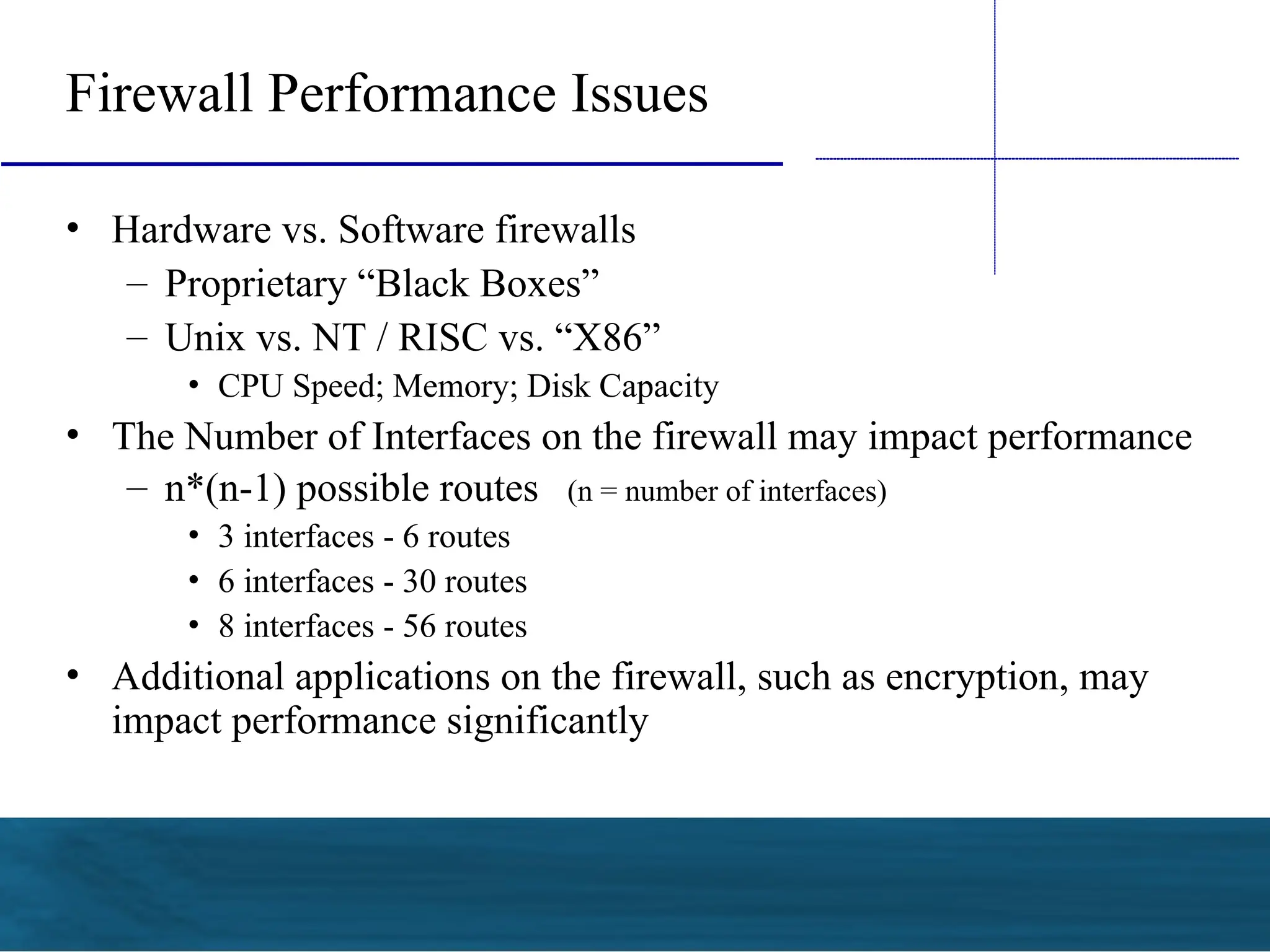
Firewall Performance Issues
• Hardware vs. Software firewalls
– Proprietary “Black Boxes”
– Unix vs. NT / RISC vs. “X86”
• CPU Speed; Memory; Disk Capacity
• The Number of Interfaces on the firewall may impact performance
– n*(n-1) possible routes (n = number of interfaces)
• 3 interfaces - 6 routes
• 6 interfaces - 30 routes
• 8 interfaces - 56 routes
• Additional applications on the firewall, such as encryption, may
impact performance significantly
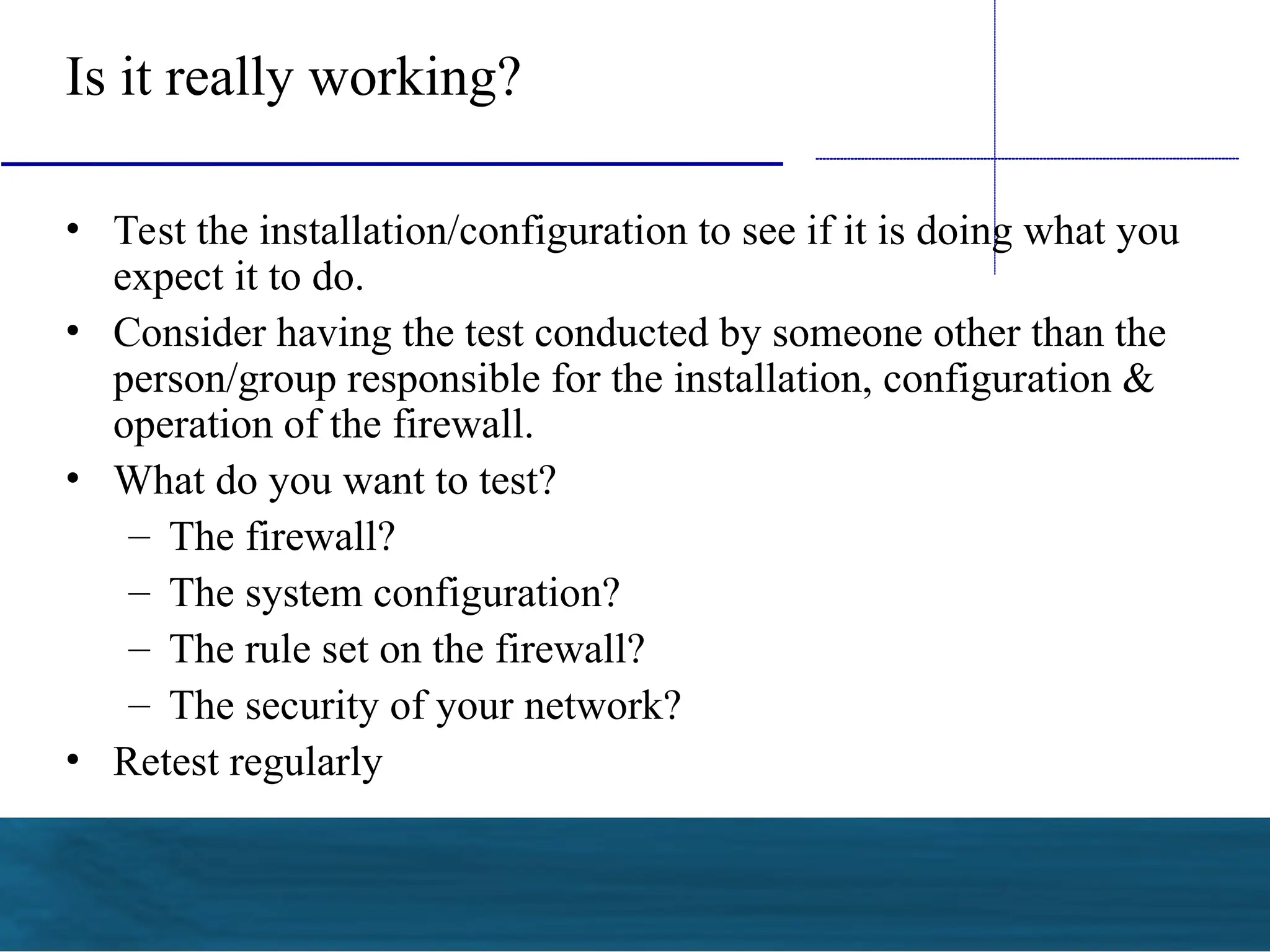
Is it really working?
• Test the installation/configuration to see if it is doing what you
expect it to do.
• Consider having the test conducted by someone other than the
person/group responsible for the installation, configuration &
operation of the firewall.
• What do you want to test?
– The firewall?
– The system configuration?
– The rule set on the firewall?
– The security of your network?
• Retest regularly
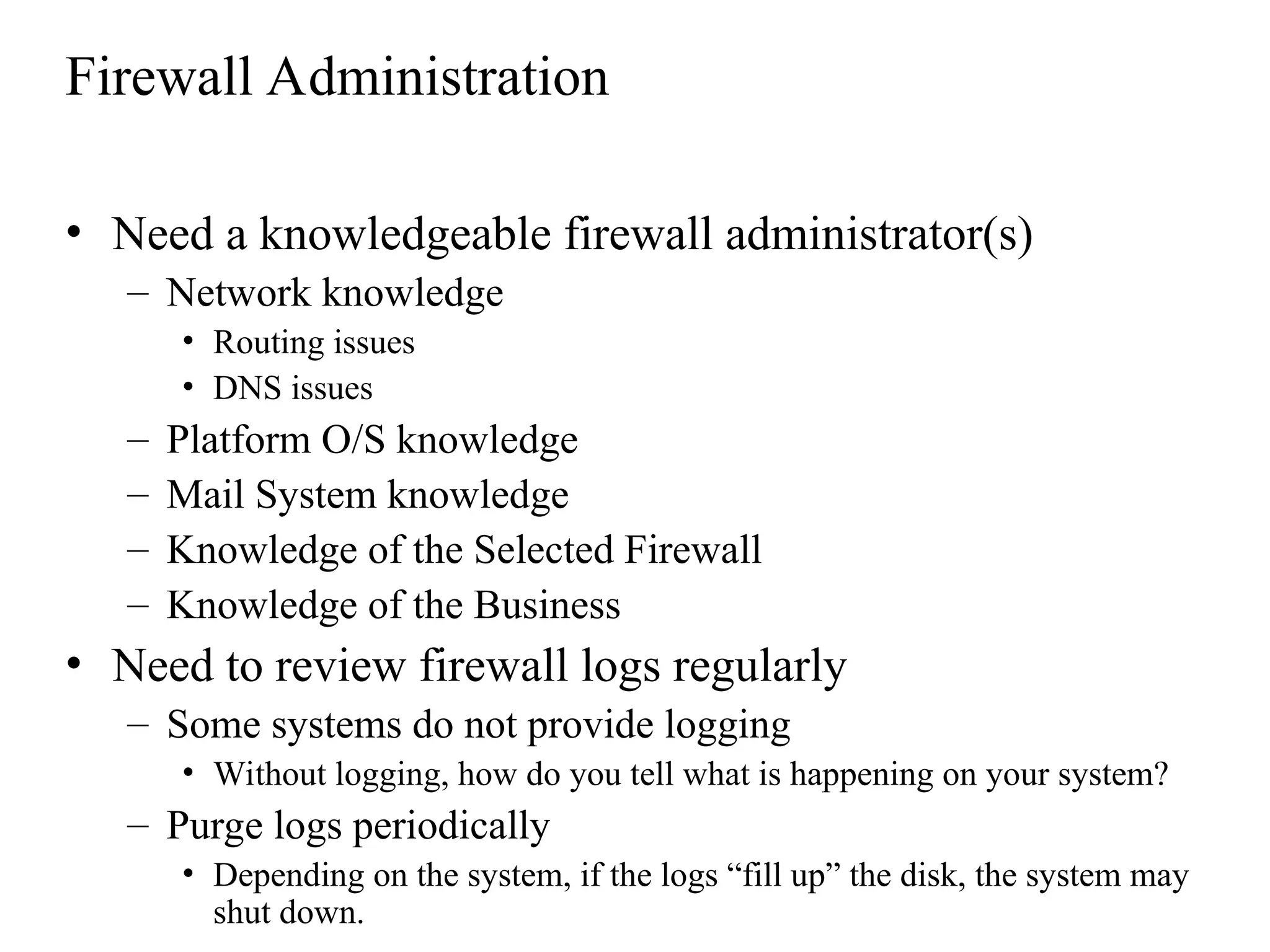
Firewall Administration
• Need a knowledgeable firewall administrator(s)
– Network knowledge
• Routing issues
• DNS issues
– Platform O/S knowledge
– Mail System knowledge
– Knowledge of the Selected Firewall
– Knowledge of the Business
• Need to review firewall logs regularly
– Some systems do not provide logging
• Without logging, how do you tell what is happening on your system?
– Purge logs periodically
• Depending on the system, if the logs “fill up” the disk, the system may
shut down.
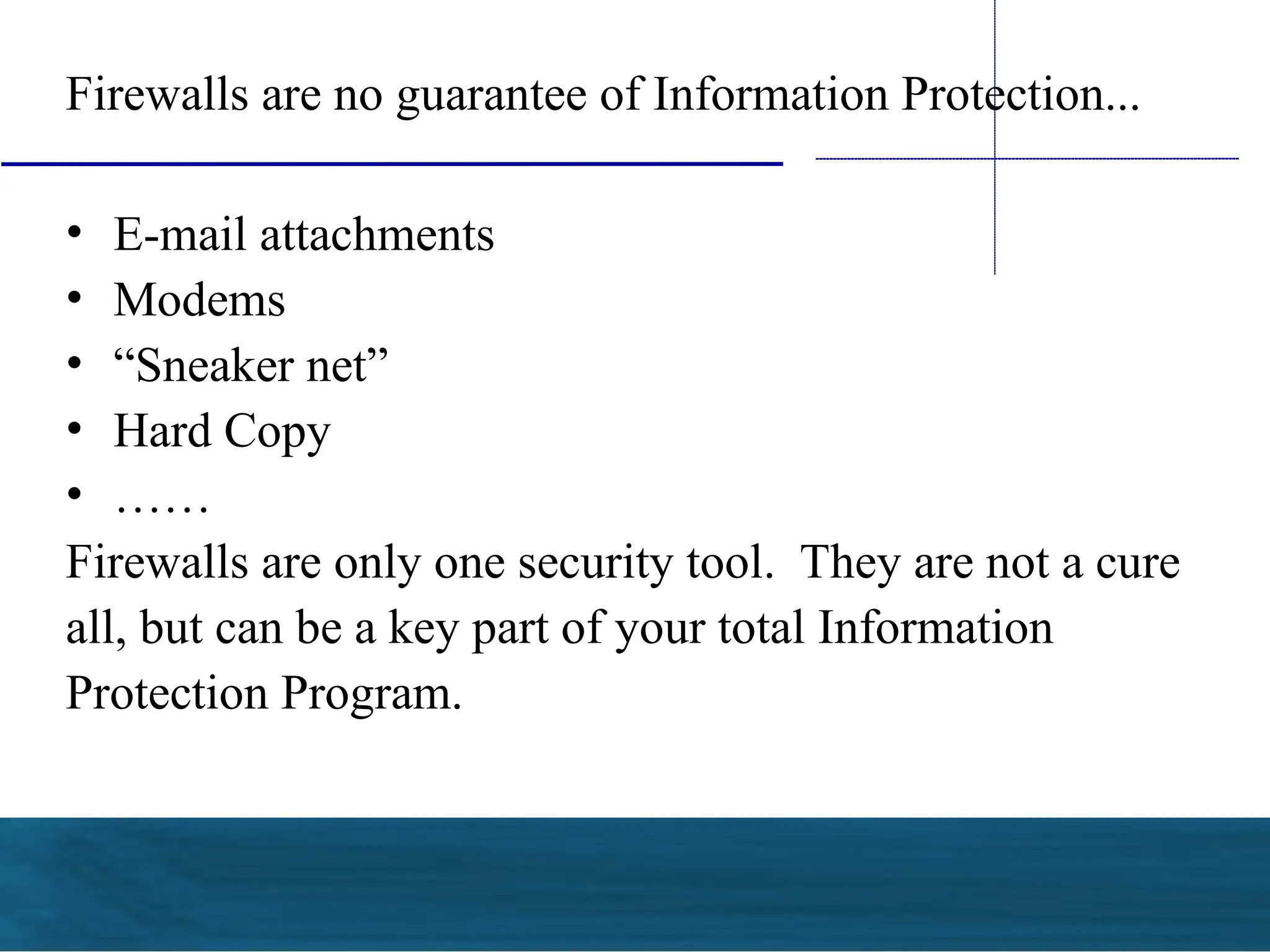
Firewalls are no guarantee of Information Protection...
• E-mail attachments
• Modems
• “Sneaker net”
• Hard Copy
• ……
Firewalls are only one security tool. They are not a cure
all, but can be a key part of your total Information
Protection Program.
 Select the firewall that best contributes to your policy
goals
 Firewalls are only 1 tool in your security toolkit
 Continue to manage the firewall after installation --
it’s not a “set it & forget it” tool
 Security of distributed systems is only as strong as the
security of the weakest system on the network.
Summary

Firewall in tell communication_Basics.ppt

  • 1.
  • 2.
    The 3 Componentsof Information Protection - “CIA” Confidentiality Integrity Availability These qualities of information must be preserved. They are the “3 legged stool” of good information protection.
  • 3.
     Systems and networkscannot be considered secure without controls to physical access.  This can be a significant issue if non-employees are allowed on-site unaccompanied. Physical Security
  • 4.
    You may need“multiple layers” of protection • A firewall may protect your network and data from others on the Internet – What about modems on desktops that may connect to the Internet, bypassing the firewall? • A firewall may allow viruses to pass with “permitted” files. • “Mobile Code” -- JAVA & Active/X • How do you enforce your standards? • Planning for response if you are attacked
  • 5.
    You can’t builda house without the blueprints... The first step in protecting your information is determining your direction. • Develop basic security policies • Put “controls” in place to implement policies. – Controls may be procedures / processes – Controls may be physical
  • 6.
    One control maybe a “firewall” • What is a firewall? – “A firewall is a system or group of systems that enforces an access control policy between 2 networks.” © Marcus J. Ranum - 1995 • Firewalls can be used to isolate your network from the Internet. • Firewalls can also be implemented in your network at places other than the Internet.
  • 7.
    Firewalls • Firewalls canrestrict traffic between the Internet and a private network, between 2 departments, between business partners, etc. External Network (Internet, Corp. Dept., Business Partner, etc.) Firewall Internal Network
  • 8.
    What does aFirewall do? • Firewalls examine each data packet “passing through” the firewall • Firewalls can control access based on a number of parameters, depending on the type of firewall -- – Source address – Destination address – Protocol – Port Number – Application
  • 9.
    What does aFirewall do? • Depending on the type of firewall, they can – block packets – allow packets – restrict packets • “DMZ” – You may want your Web Server in a “DMZ” • Allows Internet users to access your Web Server • Keeps Internet users off your Internal LAN
  • 10.
    "DMZ" Sub- net Intrane t Internet Router Firewall Web ServerDNS Server Return Access from Intranet Originated Packets Outbound Access from Intranet Intranet Access to "Public" Web Server & other DMZ systems Internet Access to "Public" Web Server & other DMZ systems -- No access to Intranet systems Return data path to Intranet Return data path to Internet from WWW or DNS servers Other Intranet systems Inbound Internet Access What is a “DMZ”?
  • 11.
    The OSI Model& 3 Basic Firewall Types Application Presentation Session Transport Network Data Link Physical Application Layer Proxy a.k.a Layer 7 Firewalls examples include Sidewinder G 2, Norton Enterprise Firewall , CyberGuard Stateful Inspection examples include Check Point , Netscreen , Pix, etc . Packet “Firewall” a .k.a Routers with ACLs examples include any Cisco , Nortel , etc router
  • 12.
    Packet Filter Applications Presentation Sessions Transport DataLink Physical DataLink Physical Applications Presentation Sessions Transport DataLink Physical Network Network Network Presentation Sessions Transport Applications •Advantages • Generally faster than other firewalls because they perform fewer evaluations • Can provide NAT -- Network Address Translation • Least Expensive • Disadvantages • Limited capabilities -- typically only Source & Destination •Cannot address protocol subsets other than IP -- most TCP only, not UDP. This can impact DNS. •Cannot perform checks on higher-level protocols • No “value add” features such a s URL filtering, HTTP caching, authentication, anti-spoofing, etc.
  • 13.
    Circuit Proxy Firewall •Forces the client and the server to address their packets to the proxy. Intercepts and re-addresses all packets • Advantages – More control than a Packet Filter – Client has no way to learn the server IP address – SOCKS 5 allows optional user authentication & encryption • Disadvantages – Requires client modifications – Still a relatively high level of granularity-- Does not address packet contents – No anti-spoofing Applications Presentation Sessions Transport DataLink Physical Applications Presentation Sessions Transport DataLink Physical Network Network PROXY
  • 14.
    “Stateful Inspection” Applications Presentation Sessions Transport DataLink Physical DataLink Physical Applications Presentation Sessions Transport DataLink Physical Network Network Network Presentation Sessions Transport INSPECT INSPECT Engine Engine Applications State Tables •Advantages • Operates at 2nd/3rd layer in the OSI stack -- faster than Application Proxy • Application independent • More granularity then Circuit Proxy or Packet Filter • Disadvantages • Less granularity than Application Proxy
  • 15.
    Worldwide Firewall Market($MM / Year) Security Market Growth Source: Datamonitor 0 200 400 600 800 1000 1200 1400 1998 1999 2000 2001 2002 2003 Compound Annual Growth Rate = 24% ? ? 1999 -- Gartner Group says “the current firewall marketplace will generally disappear into router functions.”
  • 16.
    If you thinktechnology can solve your security problems, then you don’t understand the problem and you don’t understand the technology.
  • 17.
    Firewall Market “Shakeout” •Less than 10 years ago, there was no commercial firewall market. • Today, there are dozens of firewall vendors. • The market is experiencing a shakeout and consolidation. • Will the vendor you select today be in business next year?
  • 18.
    Additional Firewall “Features” •Network Address Translation – Allows use of “Private” Addresses on the internal network. Large internal networks can operate with only a few “Public” Addresses – The firewall can “translate” internal “Private” Addresses to “Public” Addresses before sending them out to the Internet, “hiding” the internal addresses – No need to re-number internal networks, if set up per IETF RFC-1918 – One-to-One or Many-to-One translation. • Does the firewall support Remote Management? • Encryption – IPSEC Standard -- Check with vendors regarding inter-operability • Virus Checking can significantly impact performance. – Will the virus checker deal with compressed files? • Can you do URL Screening at the Internet firewall? • Can you control “portable code” -- Java/Active-X -- at the firewall?
  • 19.
    VPN Gateways • “VPNGateways” are essentially specialized firewalls – Access control and encryption on the same box – Requires client software or a 2nd gateway on the “far” end – Provides an encrypted session from the client to the gateway • prevents “eavesdropping” • allows the use of public networks like the Internet for private business communications, at significantly less cost than leased- lines.
  • 20.
    “Personal Firewalls” • Whereis the “edge” of your network? • Business data my reside on employee’s home PCs, laptops, etc. • “Fat Pipe” connections may expose this information – DSL – Cable Modems • Tools are available to protect this data at the system communication interface • Require any “home” VPN connection to also have a personal firewall • Protects “home” PCs while connected to the Internet
  • 21.
    Firewall Performance Issues •Hardware vs. Software firewalls – Proprietary “Black Boxes” – Unix vs. NT / RISC vs. “X86” • CPU Speed; Memory; Disk Capacity • The Number of Interfaces on the firewall may impact performance – n*(n-1) possible routes (n = number of interfaces) • 3 interfaces - 6 routes • 6 interfaces - 30 routes • 8 interfaces - 56 routes • Additional applications on the firewall, such as encryption, may impact performance significantly
  • 22.
    Is it reallyworking? • Test the installation/configuration to see if it is doing what you expect it to do. • Consider having the test conducted by someone other than the person/group responsible for the installation, configuration & operation of the firewall. • What do you want to test? – The firewall? – The system configuration? – The rule set on the firewall? – The security of your network? • Retest regularly
  • 23.
    Firewall Administration • Needa knowledgeable firewall administrator(s) – Network knowledge • Routing issues • DNS issues – Platform O/S knowledge – Mail System knowledge – Knowledge of the Selected Firewall – Knowledge of the Business • Need to review firewall logs regularly – Some systems do not provide logging • Without logging, how do you tell what is happening on your system? – Purge logs periodically • Depending on the system, if the logs “fill up” the disk, the system may shut down.
  • 24.
    Firewalls are noguarantee of Information Protection... • E-mail attachments • Modems • “Sneaker net” • Hard Copy • …… Firewalls are only one security tool. They are not a cure all, but can be a key part of your total Information Protection Program.
  • 25.
     Select thefirewall that best contributes to your policy goals  Firewalls are only 1 tool in your security toolkit  Continue to manage the firewall after installation -- it’s not a “set it & forget it” tool  Security of distributed systems is only as strong as the security of the weakest system on the network. Summary

Editor's Notes

  • #11 3 basic firewall types. Don’t spend a lot of time on this slide, as the next 3 clearly articulate in great detail what this slide is saying. You may want to mention that the current way the world has implemented TCP/IP is based off of the OSI model, but isn’t necessarily exact. Really focus in on layers 3,4, & 7.