5 Ways to Kick Ass and Take Names 
on LinkedIn (Literally!) 
- 
Viveka von Rosen 
@LinkedInExpert 
LinkedIntoBusiness.com Viveka von Rosen @LinkedInExpert
What is a Lead? 
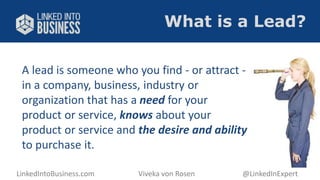
A lead is someone who you find - or attract - 
in a company, business, industry or 
organization that has a need for your 
product or service, knows about your 
product or service and the desire and ability 
to purchase it. 
LinkedIntoBusiness.com Viveka von Rosen @LinkedInExpert
Strategies We’ll Cover 
1. Branding & Keyword Strategies 
2. Search Strategies 
3. Connecting Strategy 
4. Engagement Strategy 
5. Top of Mind Awareness 
LinkedIntoBusiness.com Viveka von Rosen @LinkedInExpert
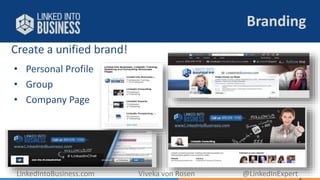
Create a unified brand! 
Branding 
• Personal Profile 
• Group 
• Company Page 
LinkedIntoBusiness.com Viveka von Rosen @LinkedInExpert
Keywords 
Like Google, your profile must be optimized if you want to be found 
by prospects 
 Find keywords in your connections’ Skills section 
 Use the new Keyword tool (Premium) 
 Use your existing keywords 
LinkedIntoBusiness.com Viveka von Rosen @LinkedInExpert
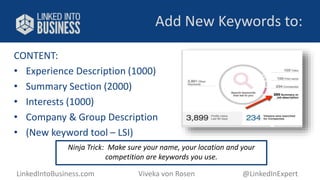
Add New Keywords to: 
CONTENT: 
• Experience Description (1000) 
• Summary Section (2000) 
• Interests (1000) 
• Company & Group Description 
• (New keyword tool – LSI) 
Ninja Trick: Make sure your name, your location and your 
competition are keywords you use. 
LinkedIntoBusiness.com Viveka von Rosen @LinkedInExpert
Do (At Least)These 3 Things! 
① Make sure your branding is cohesive 
② Make a keyword list 
③ Add keywords to Interests 
LinkedIntoBusiness.com Viveka von Rosen @LinkedInExpert
Advanced Search 
 Advanced Search 
 Saved Search 
 Boolean Search 
 Sales Navigator 
LinkedIntoBusiness.com Viveka von Rosen @LinkedInExpert
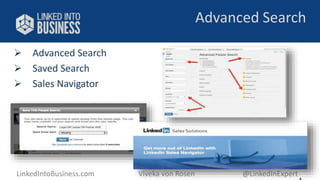
Advanced Search 
 Advanced Search 
 Saved Search 
 Sales Navigator 
LinkedIntoBusiness.com Viveka von Rosen @LinkedInExpert
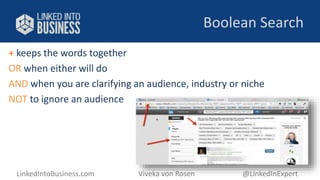
Boolean Search 
+ keeps the words together 
OR when either will do 
AND when you are clarifying an audience, industry or niche 
NOT to ignore an audience 
LinkedIntoBusiness.com Viveka von Rosen @LinkedInExpert
Do (At Least)These 2 Things! 
 Try a Boolean search 
 Save your search 
LinkedIntoBusiness.com Viveka von Rosen @LinkedInExpert
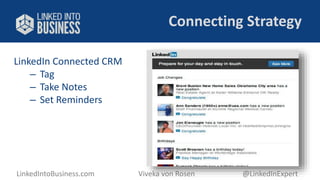
Connecting Strategy 
LinkedIn Connected CRM 
– Tag 
– Take Notes 
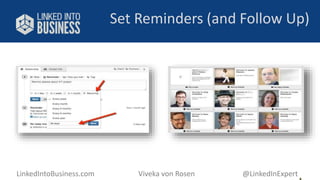
– Set Reminders 
LinkedIntoBusiness.com Viveka von Rosen @LinkedInExpert
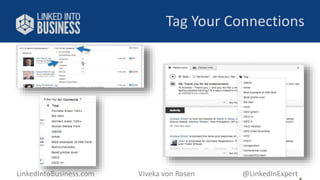
Tag Your Connections 
LinkedIntoBusiness.com Viveka von Rosen @LinkedInExpert
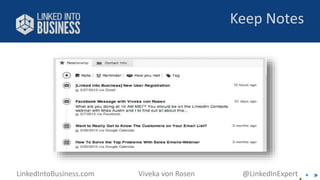
Keep Notes 
LinkedIntoBusiness.com Viveka von Rosen @LinkedInExpert
Set Reminders (and Follow Up) 
LinkedIntoBusiness.com Viveka von Rosen @LinkedInExpert
 Messages 
 Introductions 
 InMail 
Advanced Engagement 
LinkedIntoBusiness.com Viveka von Rosen @LinkedInExpert
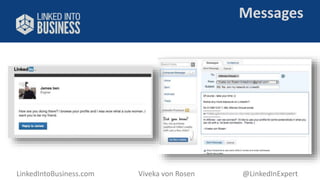
Messages 
LinkedIntoBusiness.com Viveka von Rosen @LinkedInExpert
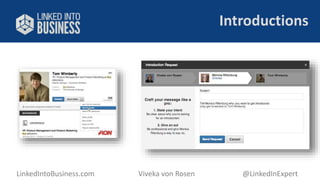
Introductions 
LinkedIntoBusiness.com Viveka von Rosen @LinkedInExpert
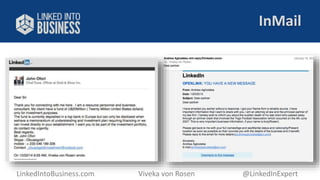
InMail 
LinkedIntoBusiness.com Viveka von Rosen @LinkedInExpert
Do (At Least)These 3 Things! 
 Tag your TOP prospects 
 Set reminders to follow up with HOT prospects 
 Ask for an Introduction 
LinkedIntoBusiness.com Viveka von Rosen @LinkedInExpert
Top of Mind Awareness 
 Publisher 
 Update Strategy 
 Targeted & Sponsored Updates 
 Ads 
LinkedIntoBusiness.com Viveka von Rosen @LinkedInExpert 
© Linked Into Business, LLC 2007-2013
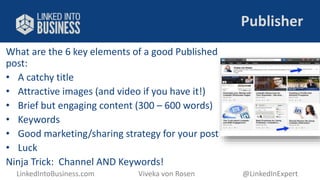
Publisher 
What are the 6 key elements of a good Published 
post: 
• A catchy title 
• Attractive images (and video if you have it!) 
• Brief but engaging content (300 – 600 words) 
• Keywords 
• Good marketing/sharing strategy for your post 
• Luck 
Ninja Trick: Channel AND Keywords! 
LinkedIntoBusiness.com Viveka von Rosen @LinkedInExpert
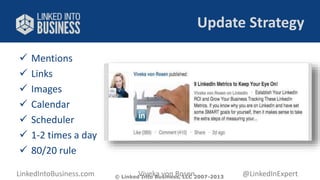
Update Strategy 
 Mentions 
 Links 
 Images 
 Calendar 
 Scheduler 
 1-2 times a day 
 80/20 rule 
LinkedIntoBusiness.com Viveka von Rosen @LinkedInExpert 
© Linked Into Business, LLC 2007-2013
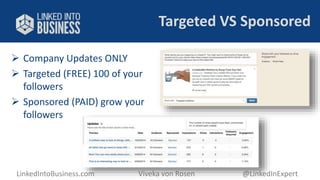
Targeted VS Sponsored 
 Company Updates ONLY 
 Targeted (FREE) 100 of your 
followers 
 Sponsored (PAID) grow your 
followers 
LinkedIntoBusiness.com Viveka von Rosen @LinkedInExpert
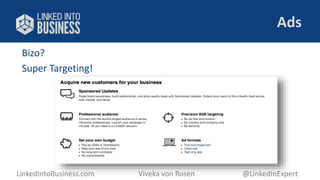
Ads 
Bizo? 
Super Targeting! 
LinkedIntoBusiness.com Viveka von Rosen @LinkedInExpert
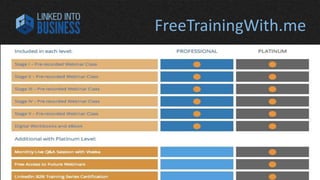
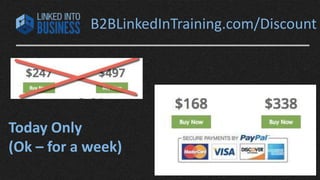
FreeTrainingWith.me
B2BLinkedInTraining.com/Discount 
Today Only 
(Ok – for a week)
Wrapping Up 
Do this: 
 Make a list of hot prospects 
 Do your research 
 Find them on LinkedIn (remember Who’s 
Viewed?) 
 Reach out to them OR 
 Ask for an Introduction 
 Reference your research 
 Pop them into your CRM 
LinkedIntoBusiness.com Viveka von Rosen @LinkedInExpert
Linked into Business: 
www.facebook.com/LinkedInExpertTraining 
www.twitter.com/linkedinexpert 
www.linkedin.com/in/linkedinexpert 
www.amazon.com/author/linkedinexpert 
279-1710 
LinkedIntoBusiness.com 
Your LinkedIn Business Resource 
www.facebook.com/LinkedInExpertTraining 
www.twitter.com/linkedinexpert 
www.linkedin.com/in/linkedinexpert 
www.amazon.com/author/linkedinexpert 
970 279-1710 
LinkedIntoBusiness.com

Final LinkedIn Presentation for TBBA Cruise

  • 1.
    5 Ways toKick Ass and Take Names on LinkedIn (Literally!) - Viveka von Rosen @LinkedInExpert LinkedIntoBusiness.com Viveka von Rosen @LinkedInExpert
  • 2.
    LinkedIntoBusiness.com Viveka vonRosen @LinkedInExpert
  • 3.
    LinkedIntoBusiness.com Viveka vonRosen @LinkedInExpert
  • 4.
    LinkedIntoBusiness.com Viveka vonRosen @LinkedInExpert
  • 5.
    LinkedIntoBusiness.com Viveka vonRosen @LinkedInExpert
  • 6.
    LinkedIntoBusiness.com Viveka vonRosen @LinkedInExpert
  • 7.
    What is aLead? A lead is someone who you find - or attract - in a company, business, industry or organization that has a need for your product or service, knows about your product or service and the desire and ability to purchase it. LinkedIntoBusiness.com Viveka von Rosen @LinkedInExpert
  • 8.
    Strategies We’ll Cover 1. Branding & Keyword Strategies 2. Search Strategies 3. Connecting Strategy 4. Engagement Strategy 5. Top of Mind Awareness LinkedIntoBusiness.com Viveka von Rosen @LinkedInExpert
  • 9.
    Create a unifiedbrand! Branding • Personal Profile • Group • Company Page LinkedIntoBusiness.com Viveka von Rosen @LinkedInExpert
  • 10.
    Keywords Like Google,your profile must be optimized if you want to be found by prospects  Find keywords in your connections’ Skills section  Use the new Keyword tool (Premium)  Use your existing keywords LinkedIntoBusiness.com Viveka von Rosen @LinkedInExpert
  • 11.
    Add New Keywordsto: CONTENT: • Experience Description (1000) • Summary Section (2000) • Interests (1000) • Company & Group Description • (New keyword tool – LSI) Ninja Trick: Make sure your name, your location and your competition are keywords you use. LinkedIntoBusiness.com Viveka von Rosen @LinkedInExpert
  • 12.
    Do (At Least)These3 Things! ① Make sure your branding is cohesive ② Make a keyword list ③ Add keywords to Interests LinkedIntoBusiness.com Viveka von Rosen @LinkedInExpert
  • 13.
    Advanced Search Advanced Search  Saved Search  Boolean Search  Sales Navigator LinkedIntoBusiness.com Viveka von Rosen @LinkedInExpert
  • 14.
    Advanced Search Advanced Search  Saved Search  Sales Navigator LinkedIntoBusiness.com Viveka von Rosen @LinkedInExpert
  • 15.
    Boolean Search +keeps the words together OR when either will do AND when you are clarifying an audience, industry or niche NOT to ignore an audience LinkedIntoBusiness.com Viveka von Rosen @LinkedInExpert
  • 16.
    Do (At Least)These2 Things!  Try a Boolean search  Save your search LinkedIntoBusiness.com Viveka von Rosen @LinkedInExpert
  • 17.
    Connecting Strategy LinkedInConnected CRM – Tag – Take Notes – Set Reminders LinkedIntoBusiness.com Viveka von Rosen @LinkedInExpert
  • 18.
    Tag Your Connections LinkedIntoBusiness.com Viveka von Rosen @LinkedInExpert
  • 19.
    Keep Notes LinkedIntoBusiness.comViveka von Rosen @LinkedInExpert
  • 20.
    Set Reminders (andFollow Up) LinkedIntoBusiness.com Viveka von Rosen @LinkedInExpert
  • 21.
     Messages Introductions  InMail Advanced Engagement LinkedIntoBusiness.com Viveka von Rosen @LinkedInExpert
  • 22.
    Messages LinkedIntoBusiness.com Vivekavon Rosen @LinkedInExpert
  • 23.
  • 24.
    InMail LinkedIntoBusiness.com Vivekavon Rosen @LinkedInExpert
  • 25.
    Do (At Least)These3 Things!  Tag your TOP prospects  Set reminders to follow up with HOT prospects  Ask for an Introduction LinkedIntoBusiness.com Viveka von Rosen @LinkedInExpert
  • 26.
    Top of MindAwareness  Publisher  Update Strategy  Targeted & Sponsored Updates  Ads LinkedIntoBusiness.com Viveka von Rosen @LinkedInExpert © Linked Into Business, LLC 2007-2013
  • 27.
    Publisher What arethe 6 key elements of a good Published post: • A catchy title • Attractive images (and video if you have it!) • Brief but engaging content (300 – 600 words) • Keywords • Good marketing/sharing strategy for your post • Luck Ninja Trick: Channel AND Keywords! LinkedIntoBusiness.com Viveka von Rosen @LinkedInExpert
  • 28.
    Update Strategy Mentions  Links  Images  Calendar  Scheduler  1-2 times a day  80/20 rule LinkedIntoBusiness.com Viveka von Rosen @LinkedInExpert © Linked Into Business, LLC 2007-2013
  • 29.
    Targeted VS Sponsored  Company Updates ONLY  Targeted (FREE) 100 of your followers  Sponsored (PAID) grow your followers LinkedIntoBusiness.com Viveka von Rosen @LinkedInExpert
  • 30.
    Ads Bizo? SuperTargeting! LinkedIntoBusiness.com Viveka von Rosen @LinkedInExpert
  • 31.
  • 32.
  • 33.
    Wrapping Up Dothis:  Make a list of hot prospects  Do your research  Find them on LinkedIn (remember Who’s Viewed?)  Reach out to them OR  Ask for an Introduction  Reference your research  Pop them into your CRM LinkedIntoBusiness.com Viveka von Rosen @LinkedInExpert
  • 34.
    Linked into Business: www.facebook.com/LinkedInExpertTraining www.twitter.com/linkedinexpert www.linkedin.com/in/linkedinexpert www.amazon.com/author/linkedinexpert 279-1710 LinkedIntoBusiness.com Your LinkedIn Business Resource www.facebook.com/LinkedInExpertTraining www.twitter.com/linkedinexpert www.linkedin.com/in/linkedinexpert www.amazon.com/author/linkedinexpert 970 279-1710 LinkedIntoBusiness.com

Editor's Notes

  • #2 Traffic and conversion
  • #9 Advanced Keyword Strategy Advanced Search Strategy Advanced Targeting Strategy Advanced Connecting Strategy Advanced Engagement Strategy For a copy of this presentation go to http://bit.ly/LI5steps
  • #10 Like Google, your profile must be optimized if you want to be found. Find the right keywords at www.LinkedIn.com/Skills (Related Skills). Make a list of these keywords (I’ll copy and paste them into a word doc, saving as text only and separating them with a comma.) Prioritize them. Test them. See what other people are doing and continue to update your list.
  • #11 Like Google, your profile must be optimized if you want to be found. Find the right keywords at www.LinkedIn.com/Skills (Related Skills). Make a list of these keywords (I’ll copy and paste them into a word doc, saving as text only and separating them with a comma.) Prioritize them. Test them. See what other people are doing and continue to update your list.
  • #12 Add your keywords to: Professional Headline (120 Characters). Content is more important than keywords here. But if you can fit one or two in, great! This small setion of copy is seem more often than any other part of your profile except your picture and name Titles(100 Characters) and Descriptions (1000 Characters) in Experience Get your relevant keywords in your Title fields and get that great copy (repurpose and customize website copy) in your descriptions. Summary Section (2000) Tell your story! Remember the WIIFM. Focus on benefits. Share contact info and links. Format and add special characters. Interests (1000) Ninja Trick: Create your profile in a word doc first to catch spelling errors, access word count and format where appropriate Ninja Trick: Make sure your name, your location and your competition are keywords you use (in Interests)
  • #14 LinkedIn recently released its “Smart Search” which is not getting rave reviews. In order to actually find the people (companies and groups) you are looking for: Use Advanced Search Use Boolean Search: + () AND OR NOT Save Your Searches
  • #15 LinkedIn recently released its “Smart Search” which is not getting rave reviews. In order to actually find the people (companies and groups) you are looking for: Use Advanced Search Use Boolean Search: + () AND OR NOT Save Your Searches
  • #16 Boolean Search: + or “” keep the words together OR when either will do AND when you are clarifying an audience or industry or niche NOT to ignore an audience Example: CEO OR Chief+Executive OR Founder OR Owner AND (Legal OR Lawyer OR Partner) NOT (IT OR Internet+Technology) NOT Fortune+500 Finally – remember to save your search! You will get 3 saved searches (including job searches) with the free membership and 5+ with the premium accounts
  • #18 Once you have built your network, you must continue to engage with them! LinkedIn’s new and time-honored tools help you do that!
  • #19 Tagging allows you to put your contacts into “groups” like Facebook Lists and that allows you to target, manage and communicate with them more effectively! You get up to 200 tags You can use multiple tags You can tag form their profile or from Contacts
  • #20 Keep notes on your connections, set reminders, note how you met and tag your connections from their profiles. LinkedIn also keeps an archive of your communications with them. I keep my meeting notes for all my client and prospect calls in LinkedIn now! (It also helps me to remember to send them an invite to connect!)
  • #21 Tagging allows you to put your contacts into “groups” like Facebook Lists and that allows you to target, manage and communicate with them more effectively! You get up to 200 tags You can use multiple tags You can tag form their profile or from Contacts
  • #22 Invitations are still the easiest way to connect with people on LinkedIn – but you usually have to “jump through the hoops” unless you find them in the “People You May Know” page or in the “Who’s Viewed My Profile” page. Choose “Groups” if possible. If you do share a group, you might message them through the group and ask them if they are willing to accept an invitation first!
  • #23 You can send a message to a 1st level connection OR someone you share a group with (Hence the importance of LinkedIn Groups!) They are text only, but they will hyperlink a URL Its easier to get past spam filters with a LinkedIn message Don’t SPAM!
  • #24 See Introduction above!
  • #25 InMail is a good last resort. You have to pay an average of $10 for an InMail if you have a free account You get 3 with the basic paid account (I almost NEVER use mine) DON”T SPAM!
  • #27 LinkedIn offers some pretty nifty tools and features that most people don’t even know about, or don’t know how to use, or don’t use correctly. These are the: Connection’s Connection Search “In Common” feature Introduction Tool
  • #28 By seeing you your connections are connected to, you have a much better chance of getting an introduction from someone you know like and trust to someone they know like and trust!
  • #29 By seeing you your connections are connected to, you have a much better chance of getting an introduction from someone you know like and trust to someone they know like and trust!
  • #30 By seeing you your connections are connected to, you have a much better chance of getting an introduction from someone you know like and trust to someone they know like and trust!
  • #31 By seeing you your connections are connected to, you have a much better chance of getting an introduction from someone you know like and trust to someone they know like and trust!