Microsoft
SUBMITTED TO: SUBMITTED BY:
Er. Amrita Mohan Jitendra Kumar
(A.P CSE) MCA13/59
Sunday, March 15, 2015 1
Contents
• What is an Operating System?
• History
• New Features
• System Requirements
• Conclusion
• References
Sunday, March 15, 2015 2
What is an Operating System?
• An Operating system is a software that manages
computer hardware and software resources and
provides common services for computer programs.
• The operating system is an essential component of
the software system.
• Application programs usually require an operating
system to function.
Sunday, March 15, 2015 3
Sunday, March 15, 2015 4
New Features
• Start Menu
• One Windows for all devices
• Cortana
• Xbox App
• Project Spartan Browser
• Improved Multitasking
• Snap assist
• Universal apps can be windowed
• Action Centre
• Continuum
Sunday, March 15, 2015 5
The Start Screen
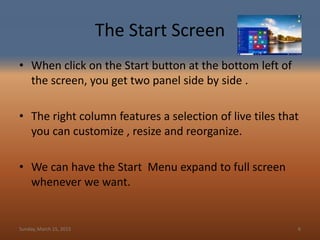
• When click on the Start button at the bottom left of
the screen, you get two panel side by side .
• The right column features a selection of live tiles that
you can customize , resize and reorganize.
• We can have the Start Menu expand to full screen
whenever we want.
Sunday, March 15, 2015 6
One window for all Devices
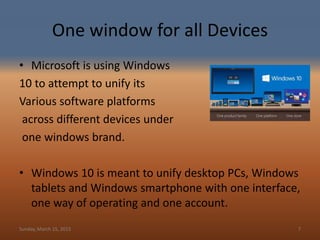
• Microsoft is using Windows
10 to attempt to unify its
Various software platforms
across different devices under
one windows brand.
• Windows 10 is meant to unify desktop PCs, Windows
tablets and Windows smartphone with one interface,
one way of operating and one account.
Sunday, March 15, 2015 7
Hi! I’m Cortana
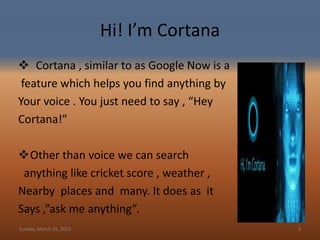
 Cortana , similar to as Google Now is a
feature which helps you find anything by
Your voice . You just need to say , “Hey
Cortana!”
Other than voice we can search
anything like cricket score , weather ,
Nearby places and many. It does as it
Says ,”ask me anything”.
Sunday, March 15, 2015 8
Xbox App
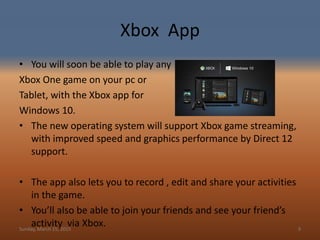
• You will soon be able to play any
Xbox One game on your pc or
Tablet, with the Xbox app for
Windows 10.
• The new operating system will support Xbox game streaming,
with improved speed and graphics performance by Direct 12
support.
• The app also lets you to record , edit and share your activities
in the game.
• You’ll also be able to join your friends and see your friend’s
activity via Xbox.Sunday, March 15, 2015 9
Spartan
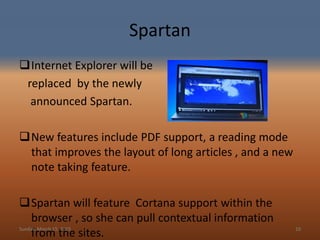
Internet Explorer will be
replaced by the newly
announced Spartan.
New features include PDF support, a reading mode
that improves the layout of long articles , and a new
note taking feature.
Spartan will feature Cortana support within the
browser , so she can pull contextual information
from the sites.Sunday, March 15, 2015 10
Improved Multi Tasking
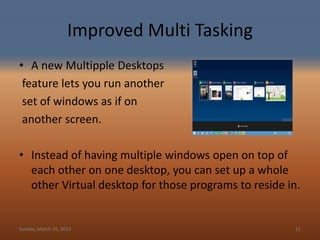
• A new Multipple Desktops
feature lets you run another
set of windows as if on
another screen.
• Instead of having multiple windows open on top of
each other on one desktop, you can set up a whole
other Virtual desktop for those programs to reside in.
Sunday, March 15, 2015 11
Snap Assist
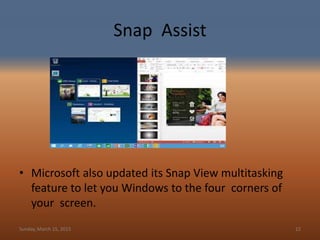
• Microsoft also updated its Snap View multitasking
feature to let you Windows to the four corners of
your screen.
Sunday, March 15, 2015 12
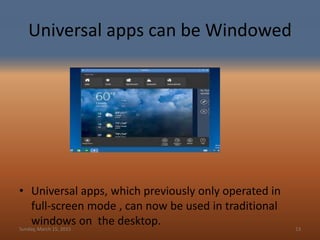
Universal apps can be Windowed
• Universal apps, which previously only operated in
full-screen mode , can now be used in traditional
windows on the desktop.Sunday, March 15, 2015 13
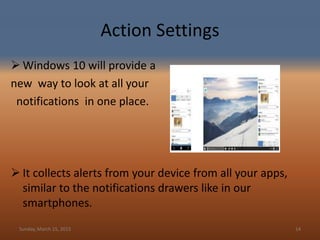
Action Settings
 Windows 10 will provide a
new way to look at all your
notifications in one place.
 It collects alerts from your device from all your apps,
similar to the notifications drawers like in our
smartphones.
Sunday, March 15, 2015 14
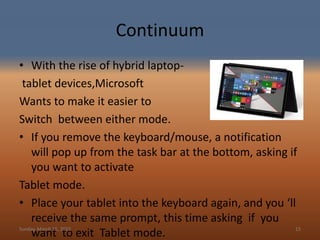
Continuum
• With the rise of hybrid laptop-
tablet devices,Microsoft
Wants to make it easier to
Switch between either mode.
• If you remove the keyboard/mouse, a notification
will pop up from the task bar at the bottom, asking if
you want to activate
Tablet mode.
• Place your tablet into the keyboard again, and you ‘ll
receive the same prompt, this time asking if you
want to exit Tablet mode.Sunday, March 15, 2015 15
System Requirements
• Processor : 1 Gigahertz(GHz) or faster
• RAM : 1 GB (32-bit) or 2GB(64-bit)
• Free hard disk space :16 GB
• Graphics card : Microsoft DirectX graphics device
Sunday, March 15, 2015 16
Conclusion
Windows 10 as a Service and mobillity with improved
applications, graphic user interface and fast booting.
Sunday, March 15, 2015 17
References
• www.google.co.in
• Windows.microsoft.com
• www.in.techradar.com
• Redmondmag.com
• www.blog.laptopmag.com
Sunday, March 15, 2015 18
Queries?
Sunday, March 15, 2015 19
Thank
you.....
Sunday, March 15, 2015 20

Windows 10 by Jitendra mca GIMT Kanipla hariyana

  • 1.
    Microsoft SUBMITTED TO: SUBMITTEDBY: Er. Amrita Mohan Jitendra Kumar (A.P CSE) MCA13/59 Sunday, March 15, 2015 1
  • 2.
    Contents • What isan Operating System? • History • New Features • System Requirements • Conclusion • References Sunday, March 15, 2015 2
  • 3.
    What is anOperating System? • An Operating system is a software that manages computer hardware and software resources and provides common services for computer programs. • The operating system is an essential component of the software system. • Application programs usually require an operating system to function. Sunday, March 15, 2015 3
  • 4.
  • 5.
    New Features • StartMenu • One Windows for all devices • Cortana • Xbox App • Project Spartan Browser • Improved Multitasking • Snap assist • Universal apps can be windowed • Action Centre • Continuum Sunday, March 15, 2015 5
  • 6.
    The Start Screen •When click on the Start button at the bottom left of the screen, you get two panel side by side . • The right column features a selection of live tiles that you can customize , resize and reorganize. • We can have the Start Menu expand to full screen whenever we want. Sunday, March 15, 2015 6
  • 7.
    One window forall Devices • Microsoft is using Windows 10 to attempt to unify its Various software platforms across different devices under one windows brand. • Windows 10 is meant to unify desktop PCs, Windows tablets and Windows smartphone with one interface, one way of operating and one account. Sunday, March 15, 2015 7
  • 8.
    Hi! I’m Cortana Cortana , similar to as Google Now is a feature which helps you find anything by Your voice . You just need to say , “Hey Cortana!” Other than voice we can search anything like cricket score , weather , Nearby places and many. It does as it Says ,”ask me anything”. Sunday, March 15, 2015 8
  • 9.
    Xbox App • Youwill soon be able to play any Xbox One game on your pc or Tablet, with the Xbox app for Windows 10. • The new operating system will support Xbox game streaming, with improved speed and graphics performance by Direct 12 support. • The app also lets you to record , edit and share your activities in the game. • You’ll also be able to join your friends and see your friend’s activity via Xbox.Sunday, March 15, 2015 9
  • 10.
    Spartan Internet Explorer willbe replaced by the newly announced Spartan. New features include PDF support, a reading mode that improves the layout of long articles , and a new note taking feature. Spartan will feature Cortana support within the browser , so she can pull contextual information from the sites.Sunday, March 15, 2015 10
  • 11.
    Improved Multi Tasking •A new Multipple Desktops feature lets you run another set of windows as if on another screen. • Instead of having multiple windows open on top of each other on one desktop, you can set up a whole other Virtual desktop for those programs to reside in. Sunday, March 15, 2015 11
  • 12.
    Snap Assist • Microsoftalso updated its Snap View multitasking feature to let you Windows to the four corners of your screen. Sunday, March 15, 2015 12
  • 13.
    Universal apps canbe Windowed • Universal apps, which previously only operated in full-screen mode , can now be used in traditional windows on the desktop.Sunday, March 15, 2015 13
  • 14.
    Action Settings  Windows10 will provide a new way to look at all your notifications in one place.  It collects alerts from your device from all your apps, similar to the notifications drawers like in our smartphones. Sunday, March 15, 2015 14
  • 15.
    Continuum • With therise of hybrid laptop- tablet devices,Microsoft Wants to make it easier to Switch between either mode. • If you remove the keyboard/mouse, a notification will pop up from the task bar at the bottom, asking if you want to activate Tablet mode. • Place your tablet into the keyboard again, and you ‘ll receive the same prompt, this time asking if you want to exit Tablet mode.Sunday, March 15, 2015 15
  • 16.
    System Requirements • Processor: 1 Gigahertz(GHz) or faster • RAM : 1 GB (32-bit) or 2GB(64-bit) • Free hard disk space :16 GB • Graphics card : Microsoft DirectX graphics device Sunday, March 15, 2015 16
  • 17.
    Conclusion Windows 10 asa Service and mobillity with improved applications, graphic user interface and fast booting. Sunday, March 15, 2015 17
  • 18.
    References • www.google.co.in • Windows.microsoft.com •www.in.techradar.com • Redmondmag.com • www.blog.laptopmag.com Sunday, March 15, 2015 18
  • 19.
  • 20.