 Basic NetworkX
› Adding node(s), edges(s) to a graph
› Drawing graphs
› Networks characteristics
 Degree distribution
› Creating network of Twitter
 Dictionaries – compound data type
 Found in other languages as “map”,
“associative memories”, or “associative arrays”
 Lists vs Dictionaries
› You can use only integer number as index on lists
Like a[0], a[-1]
› You can use integer numbers and strings as key on
dictionaries(if its value exists)
Like d[0], d[‘foo’], d[‘bar’]
 Creating a dictionary
tel = {‘John’:0000, ‘Jane’:0001, ‘Joe’:0002}
 Adding key and value
tel[‘Joan’] = 0003
 Getting value from key
tel[‘Jane’]
 Setting value from key
tel[‘Joe’] = 0004
 Removing value from key
del tel[‘John’]
 Getting key list of a dictionary
tel.keys()
 you can nest dictionaries, like
data = {‘one’: {‘one’: 11, ‘two’: 12}, ‘two’: {‘one’: 21, ‘two’: 22}}
print data[‘one’][‘two’]
 Also, you can combine lists and dictionaries, like
data = {‘employees’:[
{‘firstName’: ‘John’, ‘lastName’: ‘Doe’},
{‘firstName’: ‘Anna’, ‘lastName’: ‘Smith’},
{‘firstName’: ‘Peter’, ‘lastName’: ‘Jones’}
]
print data[‘employees’][2][‘firstName’]
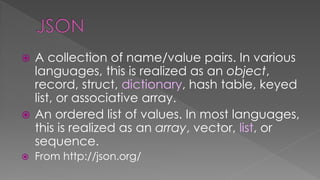
 JSON (JavaScript Object Notation) is a
lightweight data-interchange format.
 It is easy for humans to read and write.
 It is easy for machines to parse and
generate.
From http://json.org/
 A collection of name/value pairs. In various
languages, this is realized as an object,
record, struct, dictionary, hash table, keyed
list, or associative array.
 An ordered list of values. In most languages,
this is realized as an array, vector, list, or
sequence.
 From http://json.org/
{"employees":[
{"firstName":"John", "lastName":"Doe"},
{"firstName":"Anna", "lastName":"Smith"},
{"firstName":"Peter", "lastName":"Jones"}
]}
Example from
http://www.w3schools.com/json/
import json
 Load json from raw string
data = json.loads(‘{"employees":[
{"firstName":"John", "lastName":"Doe"},
{"firstName":"Anna", "lastName":"Smith"},
{"firstName":"Peter", "lastName":"Jones"}
]}’
print data[‘employees’][2][‘firstName’]
 From json file(save previous json as sample.json)
with open(‘sample.json’, ‘r’) as f:
data = json.load(f)
print data[‘employees’][2][‘firstName’]
 From url
Import urllib2
data = json.load(urllib2.urlopen(‘http://time.jsontest.com’))
print ‘Today is’, data[‘date’]
 http://www.ebay.com/
 An online auction and shopping site
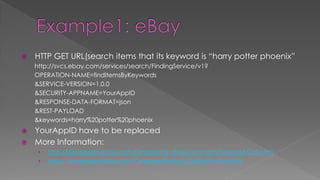
 HTTP GET URL(search items that its keyword is “harry potter phoenix”
http://svcs.ebay.com/services/search/FindingService/v1?
OPERATION-NAME=findItemsByKeywords
&SERVICE-VERSION=1.0.0
&SECURITY-APPNAME=YourAppID
&RESPONSE-DATA-FORMAT=json
&REST-PAYLOAD
&keywords=harry%20potter%20phoenix
 YourAppID have to be replaced
 More Information:
› http://developer.ebay.com/Devzone/finding/Concepts/MakingACall.html
› http://developer.ebay.com/Devzone/finding/CallRef/index.html
 https://github.com/
 An online software development
environment
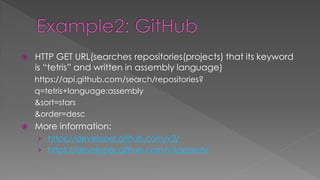
 HTTP GET URL(searches repositories(projects) that its keyword
is “tetris” and written in assembly language)
https://api.github.com/search/repositories?
q=tetris+language:assembly
&sort=stars
&order=desc
 More information:
› https://developer.github.com/v3/
› https://developer.github.com/v3/search/
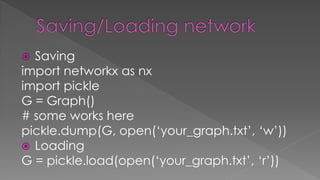
 Saving
import networkx as nx
import pickle
G = Graph()
# some works here
pickle.dump(G, open(‘your_graph.txt’, ‘w’))
 Loading
G = pickle.load(open(‘your_graph.txt’, ‘r’))
 Dictionaries(Python data structure)
 Brief explanation of JSON
 Getting JSON Data
› From raw string
› From JSON file
› From URL
 Example: eBay and GitHub
 Saving/loading networks

PyLecture3 -json-

  • 2.
     Basic NetworkX ›Adding node(s), edges(s) to a graph › Drawing graphs › Networks characteristics  Degree distribution › Creating network of Twitter
  • 3.
     Dictionaries –compound data type  Found in other languages as “map”, “associative memories”, or “associative arrays”  Lists vs Dictionaries › You can use only integer number as index on lists Like a[0], a[-1] › You can use integer numbers and strings as key on dictionaries(if its value exists) Like d[0], d[‘foo’], d[‘bar’]
  • 4.
     Creating adictionary tel = {‘John’:0000, ‘Jane’:0001, ‘Joe’:0002}  Adding key and value tel[‘Joan’] = 0003  Getting value from key tel[‘Jane’]  Setting value from key tel[‘Joe’] = 0004  Removing value from key del tel[‘John’]  Getting key list of a dictionary tel.keys()
  • 5.
     you cannest dictionaries, like data = {‘one’: {‘one’: 11, ‘two’: 12}, ‘two’: {‘one’: 21, ‘two’: 22}} print data[‘one’][‘two’]  Also, you can combine lists and dictionaries, like data = {‘employees’:[ {‘firstName’: ‘John’, ‘lastName’: ‘Doe’}, {‘firstName’: ‘Anna’, ‘lastName’: ‘Smith’}, {‘firstName’: ‘Peter’, ‘lastName’: ‘Jones’} ] print data[‘employees’][2][‘firstName’]
  • 6.
     JSON (JavaScriptObject Notation) is a lightweight data-interchange format.  It is easy for humans to read and write.  It is easy for machines to parse and generate. From http://json.org/
  • 7.
     A collectionof name/value pairs. In various languages, this is realized as an object, record, struct, dictionary, hash table, keyed list, or associative array.  An ordered list of values. In most languages, this is realized as an array, vector, list, or sequence.  From http://json.org/
  • 8.
  • 9.
    import json  Loadjson from raw string data = json.loads(‘{"employees":[ {"firstName":"John", "lastName":"Doe"}, {"firstName":"Anna", "lastName":"Smith"}, {"firstName":"Peter", "lastName":"Jones"} ]}’ print data[‘employees’][2][‘firstName’]  From json file(save previous json as sample.json) with open(‘sample.json’, ‘r’) as f: data = json.load(f) print data[‘employees’][2][‘firstName’]  From url Import urllib2 data = json.load(urllib2.urlopen(‘http://time.jsontest.com’)) print ‘Today is’, data[‘date’]
  • 10.
     http://www.ebay.com/  Anonline auction and shopping site
  • 11.
     HTTP GETURL(search items that its keyword is “harry potter phoenix” http://svcs.ebay.com/services/search/FindingService/v1? OPERATION-NAME=findItemsByKeywords &SERVICE-VERSION=1.0.0 &SECURITY-APPNAME=YourAppID &RESPONSE-DATA-FORMAT=json &REST-PAYLOAD &keywords=harry%20potter%20phoenix  YourAppID have to be replaced  More Information: › http://developer.ebay.com/Devzone/finding/Concepts/MakingACall.html › http://developer.ebay.com/Devzone/finding/CallRef/index.html
  • 12.
     https://github.com/  Anonline software development environment
  • 13.
     HTTP GETURL(searches repositories(projects) that its keyword is “tetris” and written in assembly language) https://api.github.com/search/repositories? q=tetris+language:assembly &sort=stars &order=desc  More information: › https://developer.github.com/v3/ › https://developer.github.com/v3/search/
  • 14.
     Saving import networkxas nx import pickle G = Graph() # some works here pickle.dump(G, open(‘your_graph.txt’, ‘w’))  Loading G = pickle.load(open(‘your_graph.txt’, ‘r’))
  • 15.
     Dictionaries(Python datastructure)  Brief explanation of JSON  Getting JSON Data › From raw string › From JSON file › From URL  Example: eBay and GitHub  Saving/loading networks