Field Types
When designing a database, consideration needs to be given to the data type
of the field.
Text
Number
Date
Time
Graphics
Calculation
Link
Boolean
Key Field
Field Types
Text
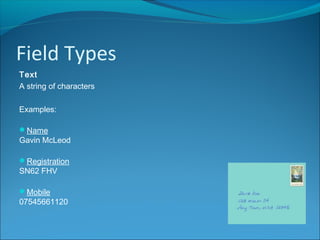
A string of characters
Examples:
Name
Gavin McLeod
Registration
SN62 FHV
Mobile
07545661120
Field Types
Number
Whole or decimal number
Examples:
Year Established
2005
Days Absence
4
Weight
12.5
Field Types
Date
Examples:
Date of Birth
31/05/2003
Date of Employment
03/06/2013
Field Types
Time
Examples:
Appointment
16:50
Period End
12:45
Field Types
Graphics
(Note: Use a Container data type in FileMaker Pro)
Examples:
Club Crest
Photograph
Field Types
Calculation
Calculations can be performed on fields using a formula
Examples:
Total Pupils
A database stores the details of each tutor class in a school. One of the fields is
a numeric field called Pupils, which stores the number of pupils in the class.
Total Pupils is a calculated field, adding the Pupils field from each record
Average Bill
A database stores the details of a shopping bills in a supermarket. One of the
fields is a numeric field called Total Bill which stores the amount of each bill.
Average Bill is a calculated field to determine the average of each bill
Field Types
Link
A web link
(Note that FileMaker Pro does not have a Link data type)
Examples:
Official Band Home Page
www.foofighters.com
Contact Page
www.vodafone.co.uk/contact-us/
Field Types
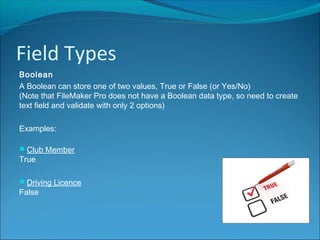
Boolean
A Boolean can store one of two values, True or False (or Yes/No)
(Note that FileMaker Pro does not have a Boolean data type, so need to create
text field and validate with only 2 options)
Examples:
Club Member
True
Driving Licence
False
Field Types
Key Field
Unique field that stores the key for each record
Examples:
Student ID
07151102
Product ID
B-1201-FG7315

Field Types

  • 2.
    Field Types When designinga database, consideration needs to be given to the data type of the field. Text Number Date Time Graphics Calculation Link Boolean Key Field
  • 3.
    Field Types Text A stringof characters Examples: Name Gavin McLeod Registration SN62 FHV Mobile 07545661120
  • 4.
    Field Types Number Whole ordecimal number Examples: Year Established 2005 Days Absence 4 Weight 12.5
  • 5.
    Field Types Date Examples: Date ofBirth 31/05/2003 Date of Employment 03/06/2013
  • 6.
  • 7.
    Field Types Graphics (Note: Usea Container data type in FileMaker Pro) Examples: Club Crest Photograph
  • 8.
    Field Types Calculation Calculations canbe performed on fields using a formula Examples: Total Pupils A database stores the details of each tutor class in a school. One of the fields is a numeric field called Pupils, which stores the number of pupils in the class. Total Pupils is a calculated field, adding the Pupils field from each record Average Bill A database stores the details of a shopping bills in a supermarket. One of the fields is a numeric field called Total Bill which stores the amount of each bill. Average Bill is a calculated field to determine the average of each bill
  • 9.
    Field Types Link A weblink (Note that FileMaker Pro does not have a Link data type) Examples: Official Band Home Page www.foofighters.com Contact Page www.vodafone.co.uk/contact-us/
  • 10.
    Field Types Boolean A Booleancan store one of two values, True or False (or Yes/No) (Note that FileMaker Pro does not have a Boolean data type, so need to create text field and validate with only 2 options) Examples: Club Member True Driving Licence False
  • 11.
    Field Types Key Field Uniquefield that stores the key for each record Examples: Student ID 07151102 Product ID B-1201-FG7315