FIDO U2F in 10 Minutes
Dirk Balfanz
(Google)
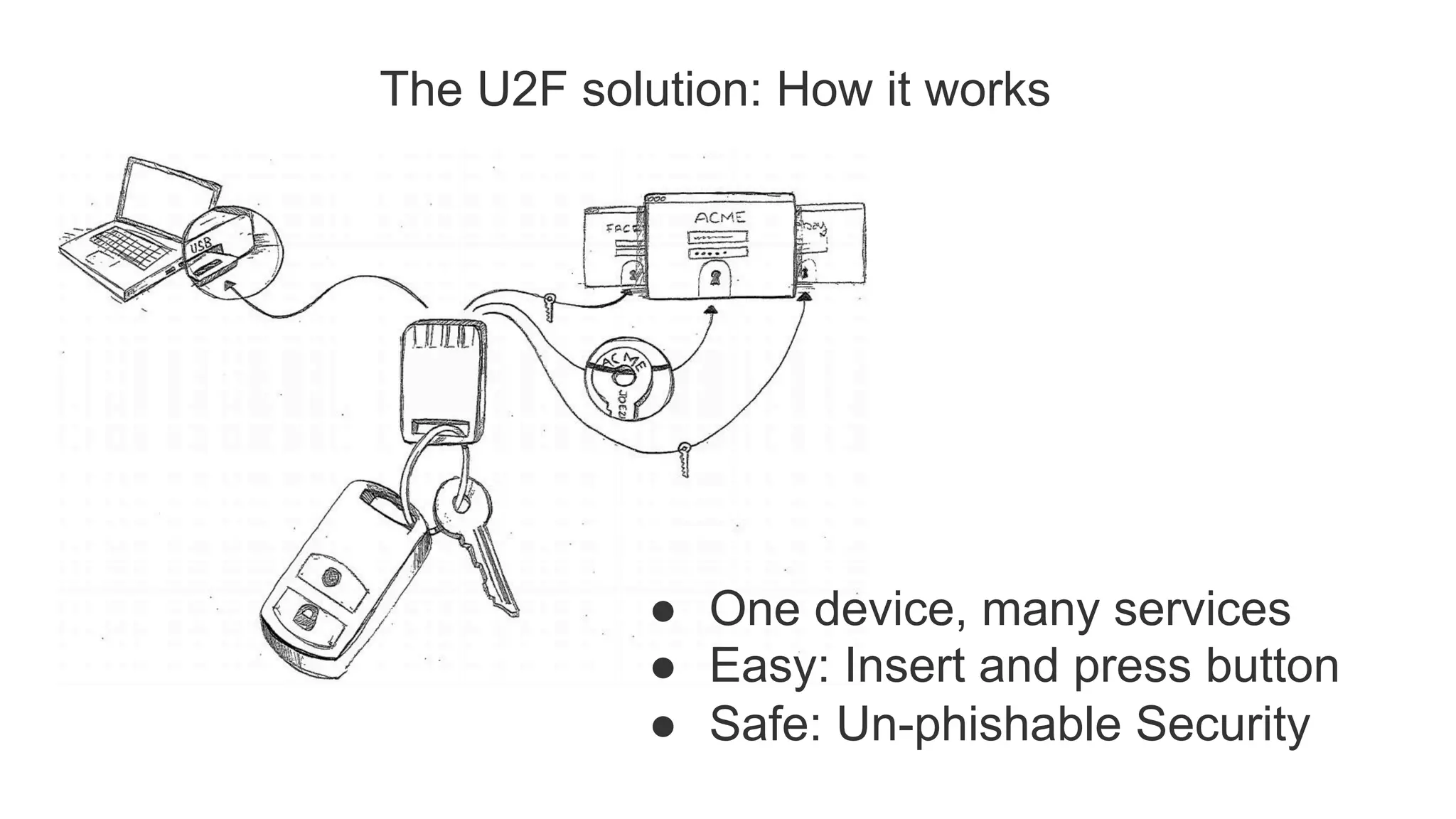
The U2F solution: How it works
●  One device, many services
●  Easy: Insert and press button
●  Safe: Un-phishable Security
U2F Protocol
Core idea: Standard public key cryptography:
●  User's device mints new key pair, gives public key to server
●  Server asks user's device to sign data to verify the user.
●  One device, many services, "bring your own device" enabled
Lots of refinement for this to be consumer facing:
●  Privacy: Site Specific Keys, No unique ID per device
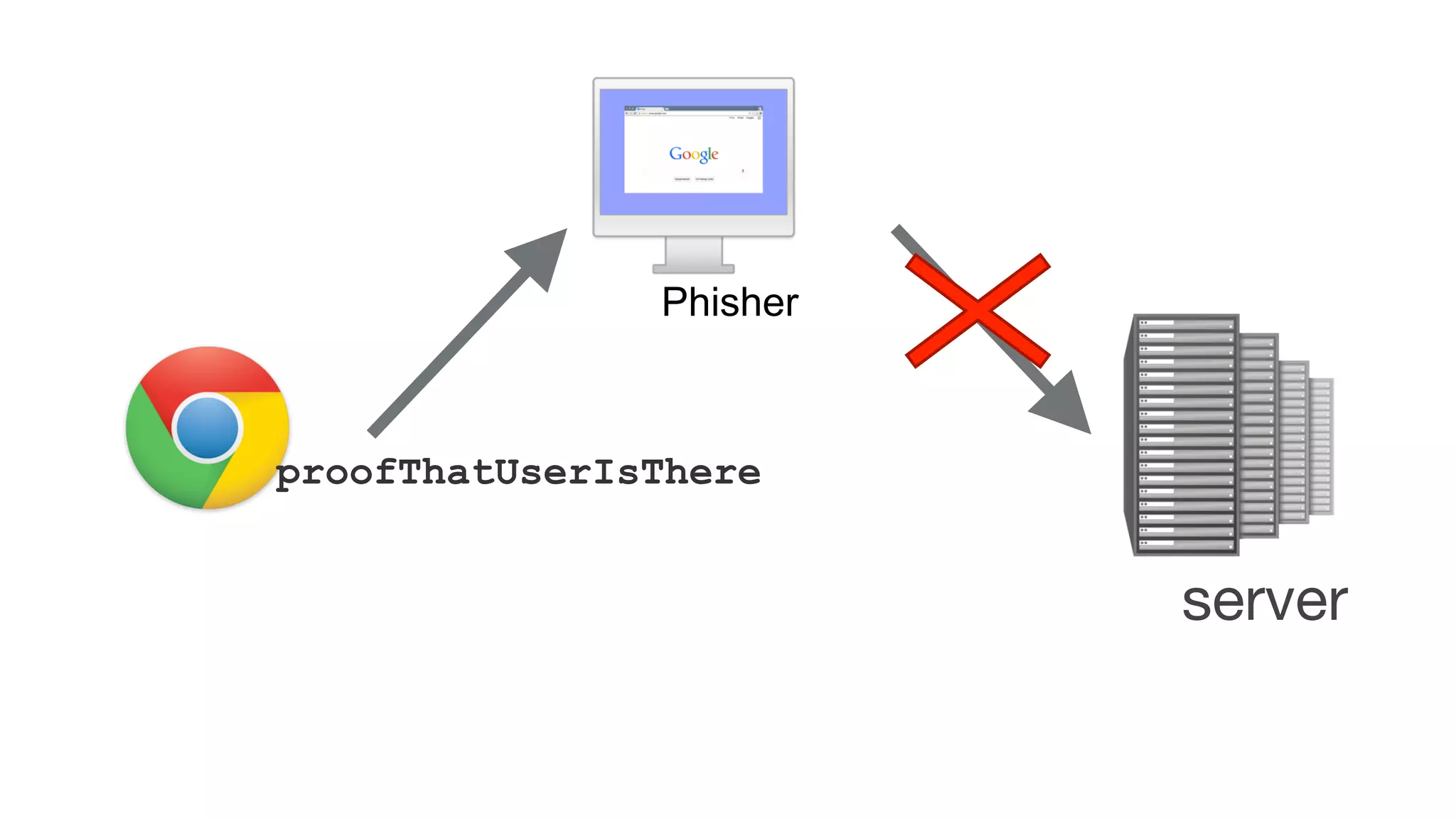
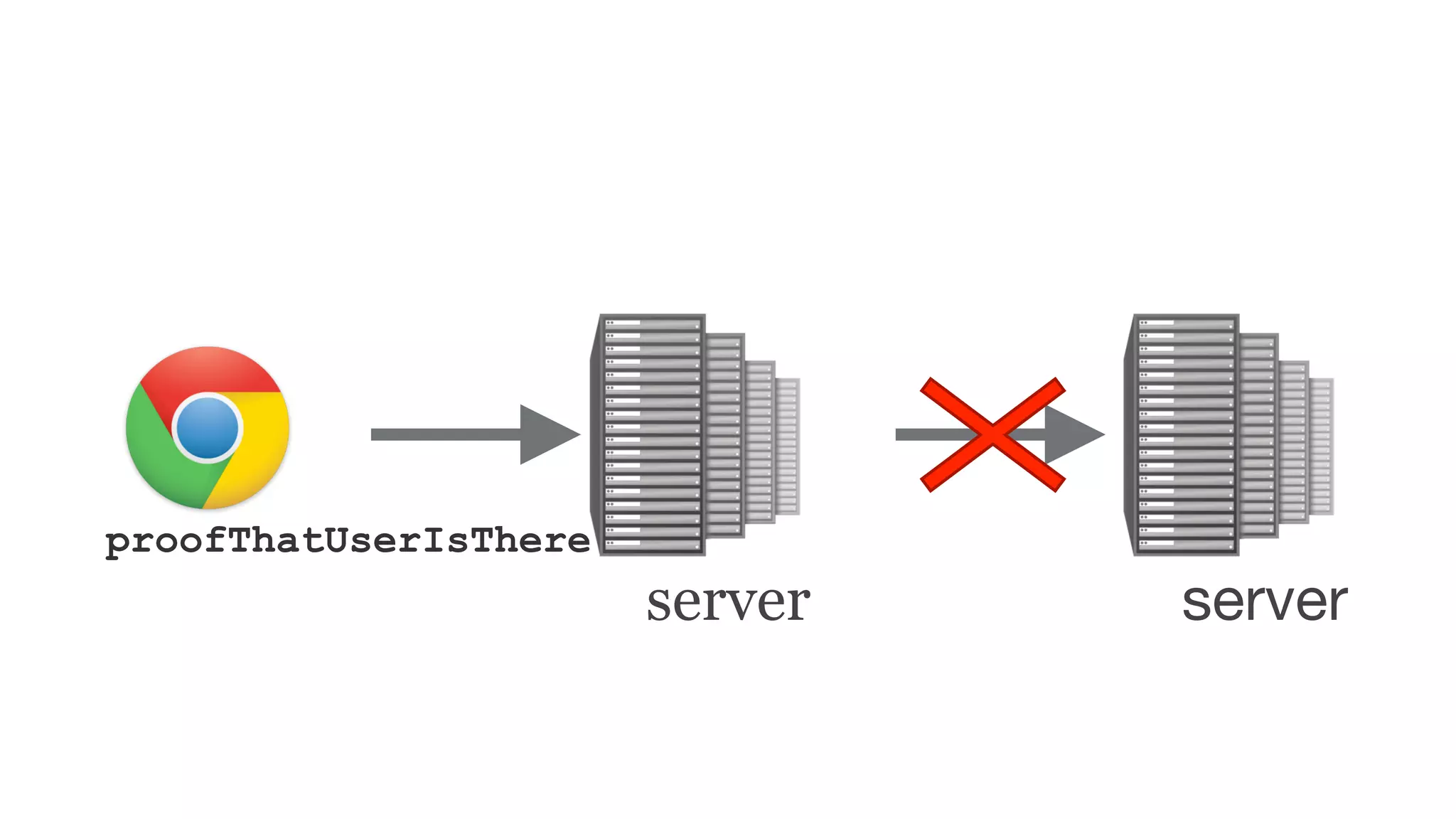
●  Security: No phishing, man-in-the-middles
●  Trust: Verify who made the device
●  Pragmatics: Affordable today, ride hardware cost curve down
●  Speed for user: Fast crypto in device (Elliptic Curve)
Think "Smartcard re-designed for modern consumer web"
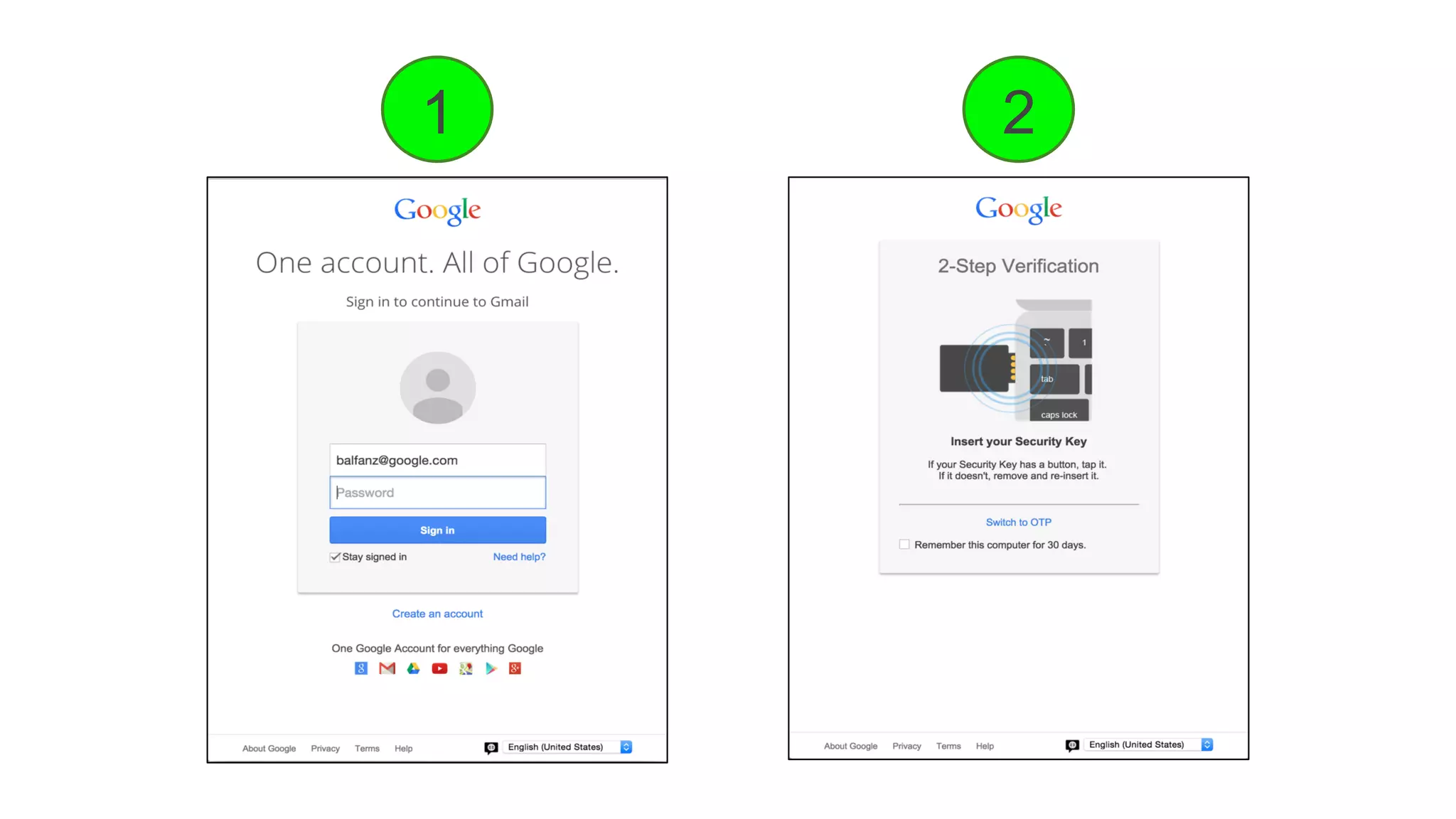
1 2
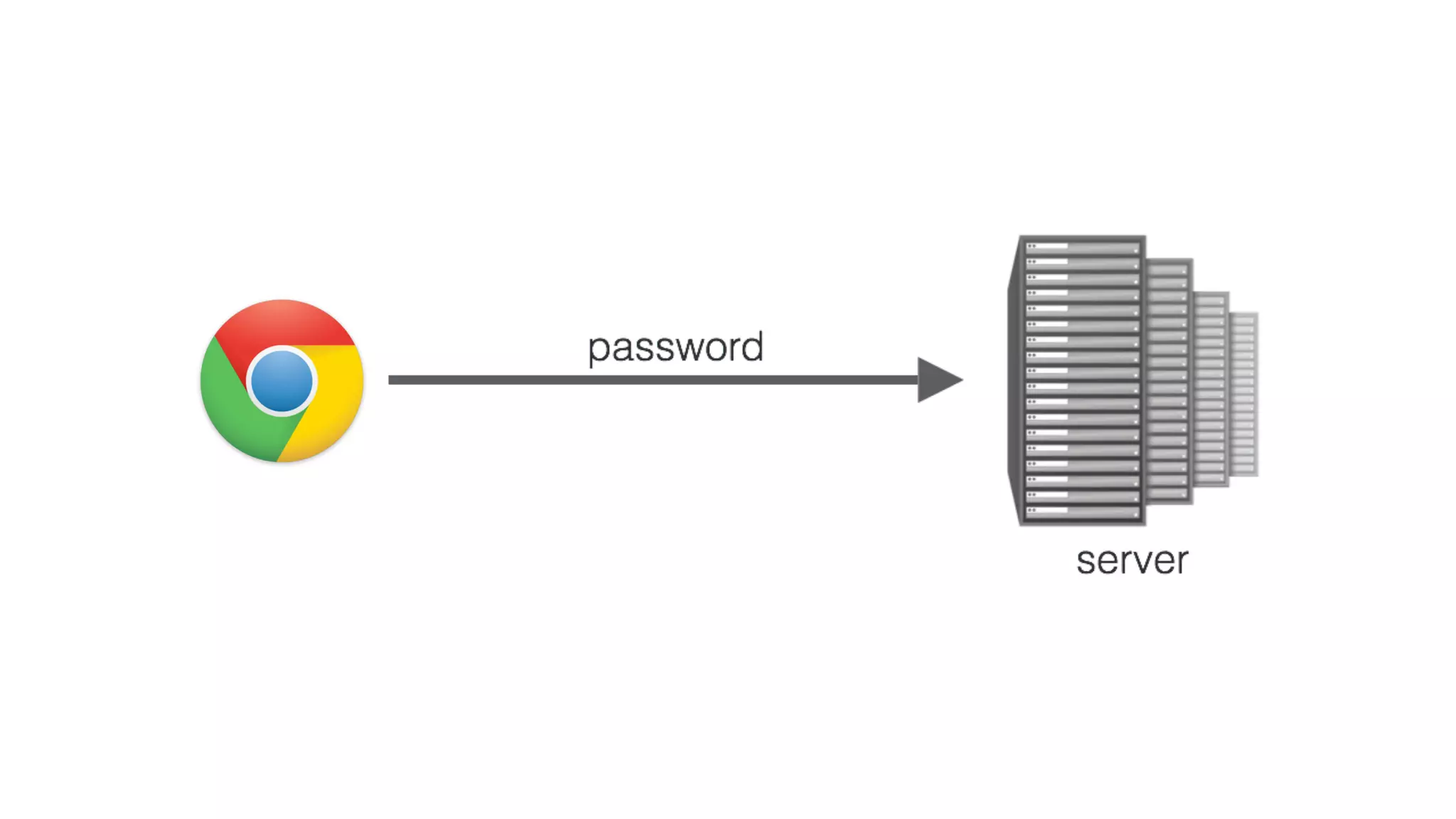
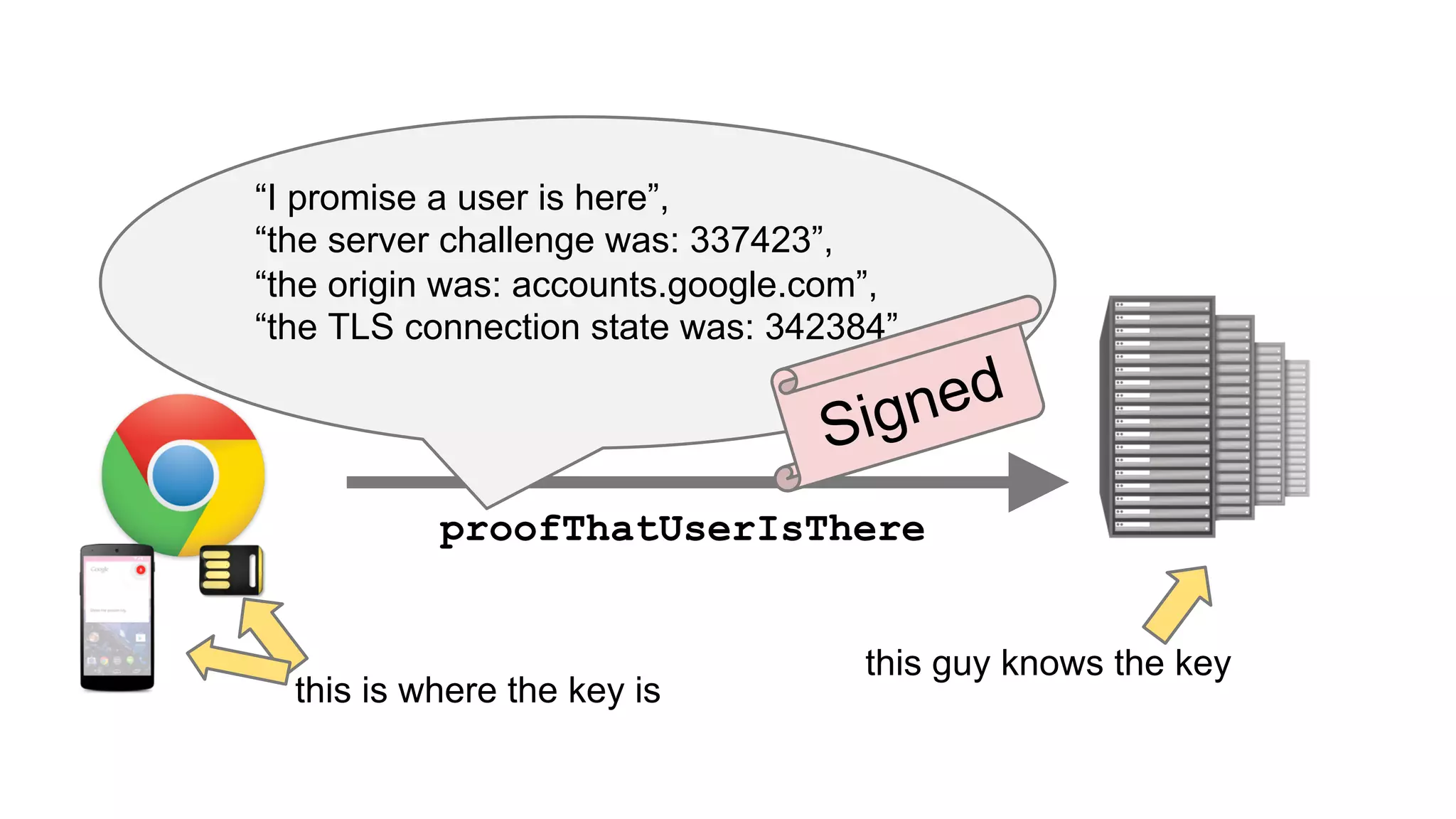
proofThatUserIsThere
Phisher
server
proofThatUserIsThere
server server
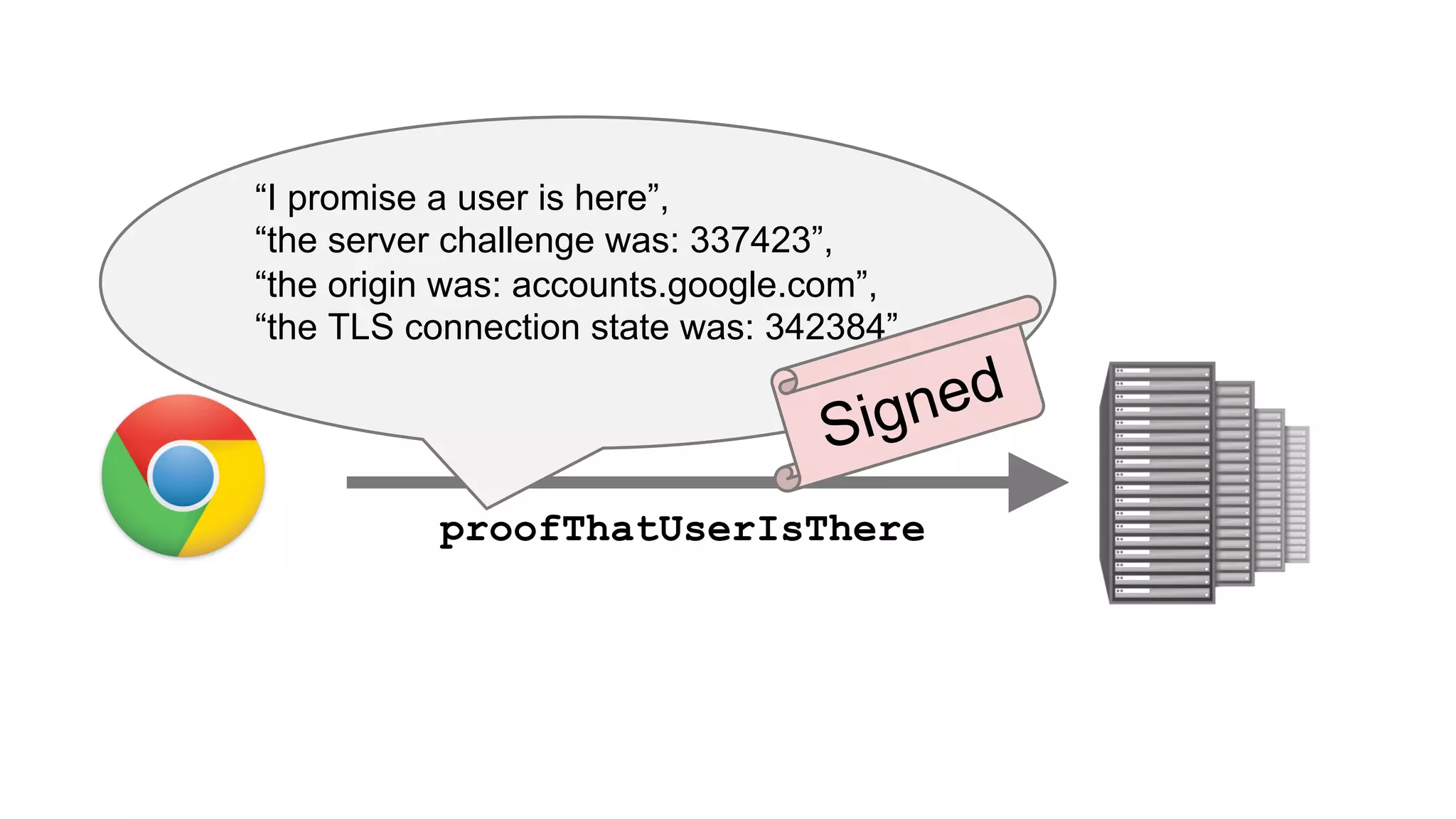
proofThatUserIsThere
“I promise a user is here”,
“the server challenge was: 337423”,
“the origin was: accounts.google.com”,
“the TLS connection state was: 342384”
Signed
proofThatUserIsThere
“I promise a user is here”,
“the server challenge was: 337423”,
“the origin was: accounts.google.com”,
“the TLS connection state was: 342384”
Signed
this is where the key is
this guy knows the key
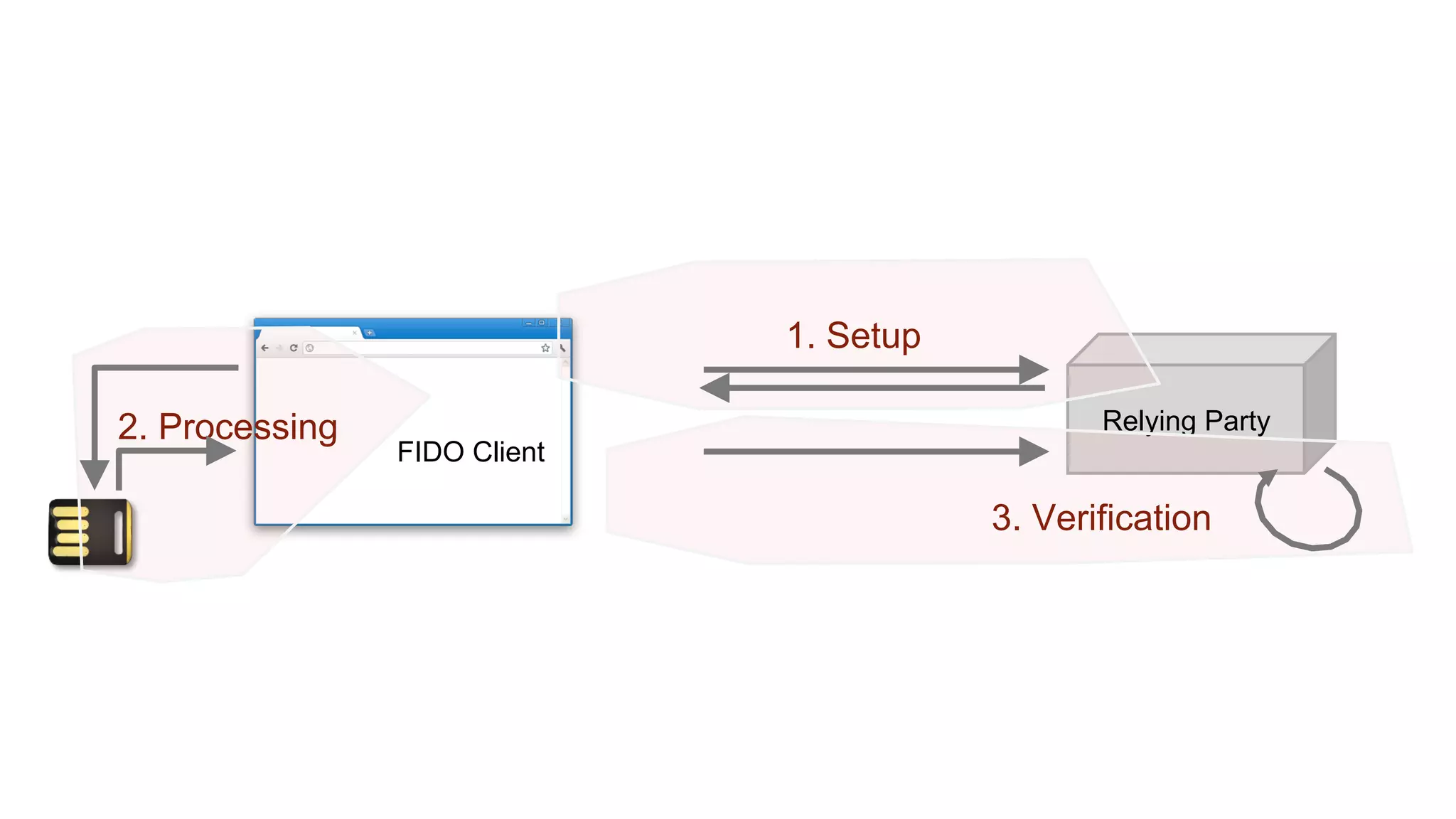
Relying Party
FIDO Client
1. Setup
2. Processing
3. Verification
User Presence API
u2f.register({
‘challenge’: ‘KSDJsdASAS-AIS_AsS’,
‘app_id’: ‘https://www.google.com/facets.json’
}, callback);
callback = function(response) {
sendToServer(
response[‘clientData’],
response[‘tokenData’]);
};
u2f..handleRegistrationRequest({
‘challenge’: ‘KSDJsdASAS-AIS_AsS’,
‘app_id’: ‘https://www.google.com/facets.json’
}, callback);
callback = function(response) {
sendToServer(
response[‘clientData’],
response[‘tokenData’]);
};
User Presence API{
"typ":"register",
"challenge":"KSDJsdASAS-AIS_AsS",
"cid_pubkey": {
"kty":"EC",
"crv":"P-256",
"x":"HzQwlfXX7Q4S5MtCRMzPO9tOyWjBqRl4tJ8",
"y":"XVguGFLIZx1fXg375hi4-7-BxhMljw42Ht4"
},
"origin":"https://accounts.google.com"
}
User Presence API
u2f.sign({
‘challenge’: ‘KSDJsdASAS-AIS_AsS’,
‘app_id’: ‘https://www.google.com/facets.json’,
‘key_handle’: ‘JkjhdsfkjSDFKJ_ld-sadsAJDKLSAD’
}, callback);
callback = function(response) {
sendToServer(
response[‘clientData’],
response[‘tokenData’]);
};
User Presence API
u2f.sign({
‘challenge’: ‘KSDJsdASAS-AIS_AsS’,
‘app_id’: ‘https://www.google.com/facets.json’,
‘key_handle’: ‘JkjhdsfkjSDFKJ_ld-sadsAJDKLSAD’
}, callback);
callback = function(response) {
sendToServer(
response[‘clientData’],
response[‘tokenData’]);
};
{
"typ":"authenticate",
"challenge":"KSDJsdASAS-AIS_AsS",
"cid_pubkey": {
"kty":"EC",
"crv":"P-256",
"x":"HzQwlfXX7Q4S5MtCRMzPO9tOyWjBqRl4tJ8",
"y":"XVguGFLIZx1fXg375hi4-7-BxhMljw42Ht4"
},
"origin":"https://accounts.google.com"
}
Thanks!
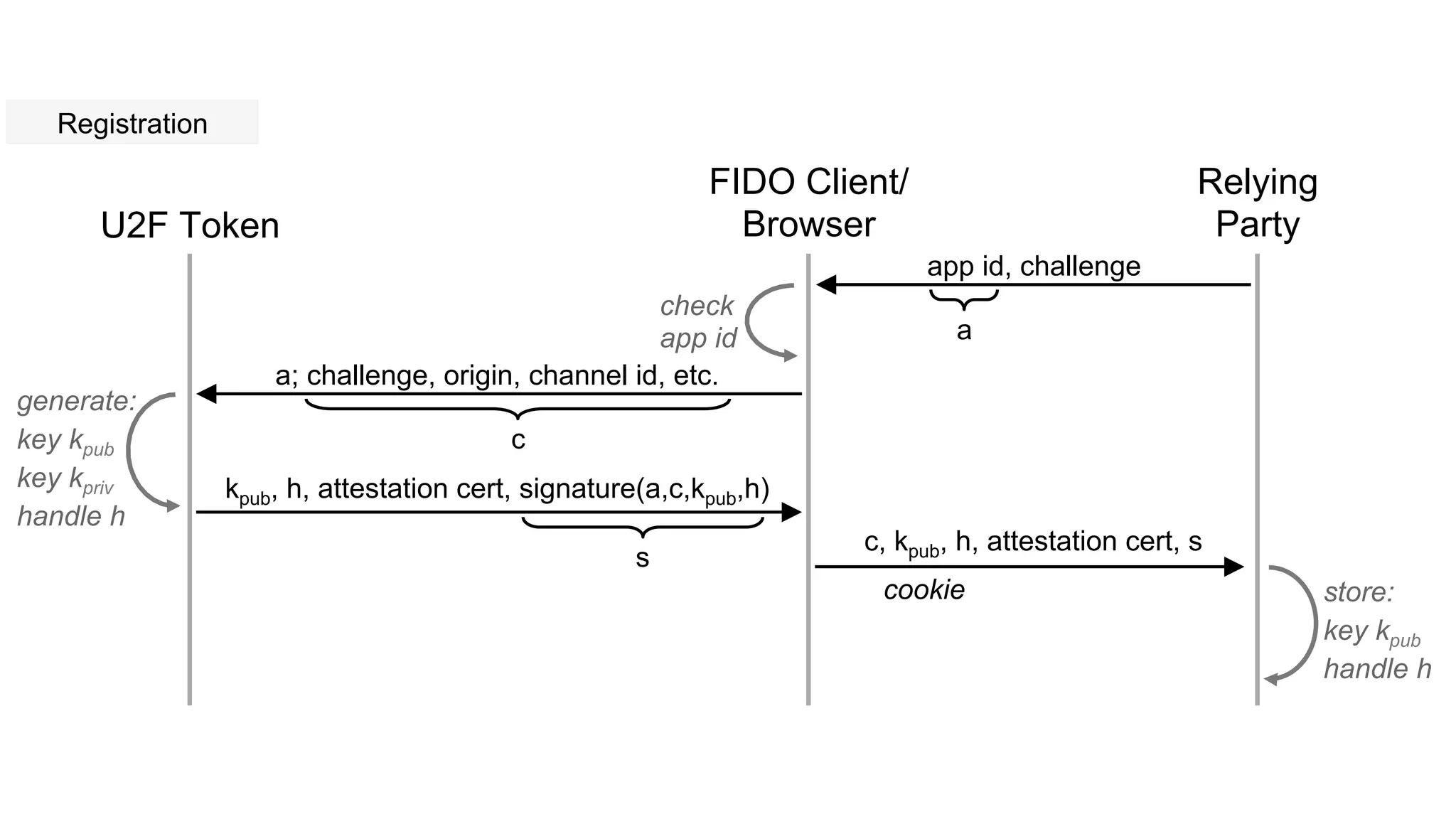
U2F Token
FIDO Client/
Browser
Relying
Party
app id, challenge
a; challenge, origin, channel id, etc.
c
a
check
app id
generate:
key kpub
key kpriv
handle h
kpub, h, attestation cert, signature(a,c,kpub,h)
c, kpub, h, attestation cert, s
store:
key kpub
handle h
s
Registration
cookie
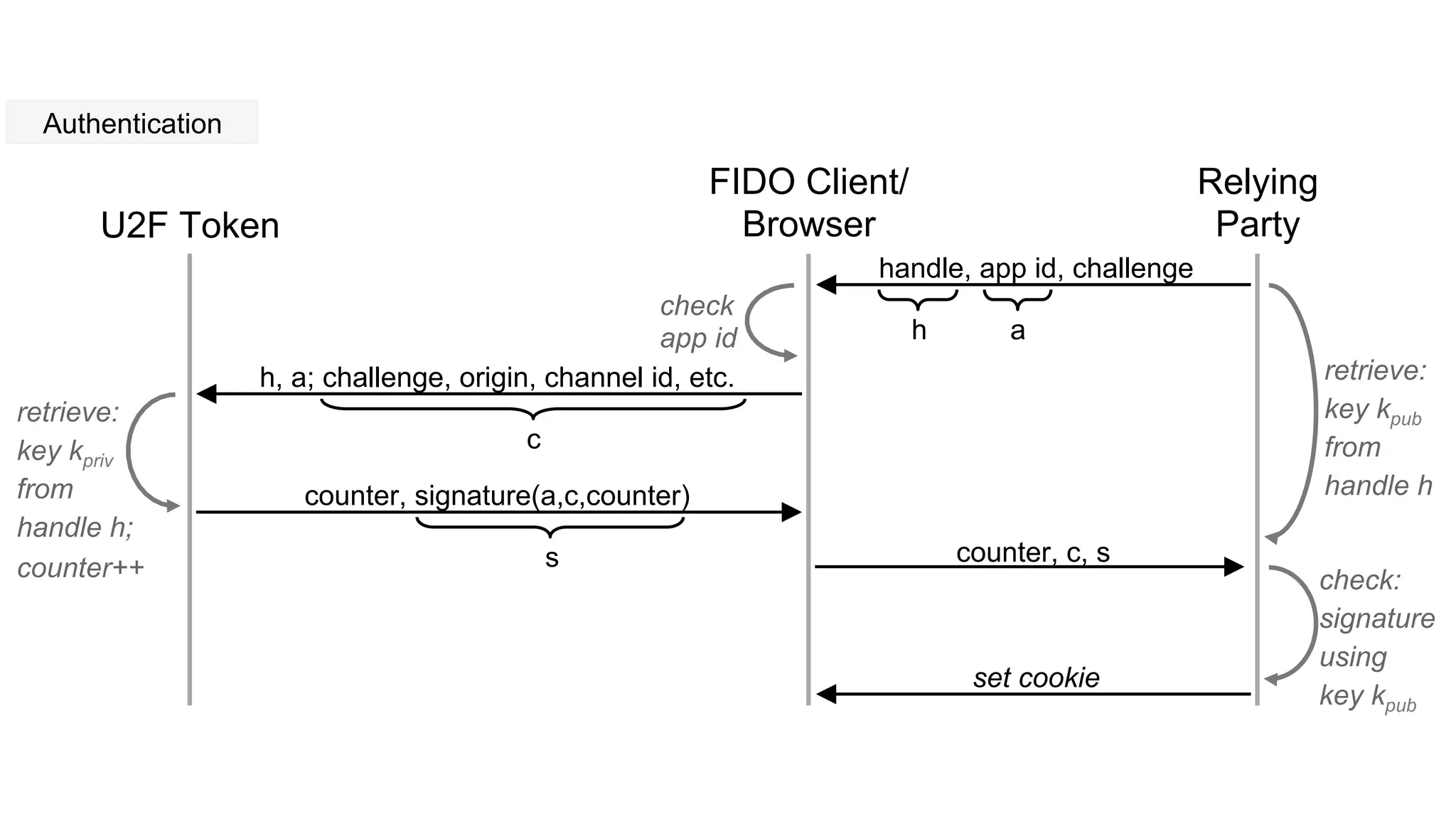
U2F Token
FIDO Client/
Browser
Relying
Party
handle, app id, challenge
h, a; challenge, origin, channel id, etc.
c
a
check
app id
retrieve:
key kpriv
from
handle h;
counter++
counter, signature(a,c,counter)
counter, c, s
check:
signature
using
key kpub
s
h
retrieve:
key kpub
from
handle h
Authentication
set cookie
What if…
...I want to accept U2F logins?
●  Browser: Call JS APIs
o  available in Google Chrome, others need extensions
●  Server: Implement registration flow
o  decide how to handle attestation certificates
o  verify registration response
o  store public key, key handle with user account
●  Server: Implement login flow
o  check username/password, look up key handle
o  verify authentication response (origin, signature, counter, …)
●  Check your account recovery flow
What if…
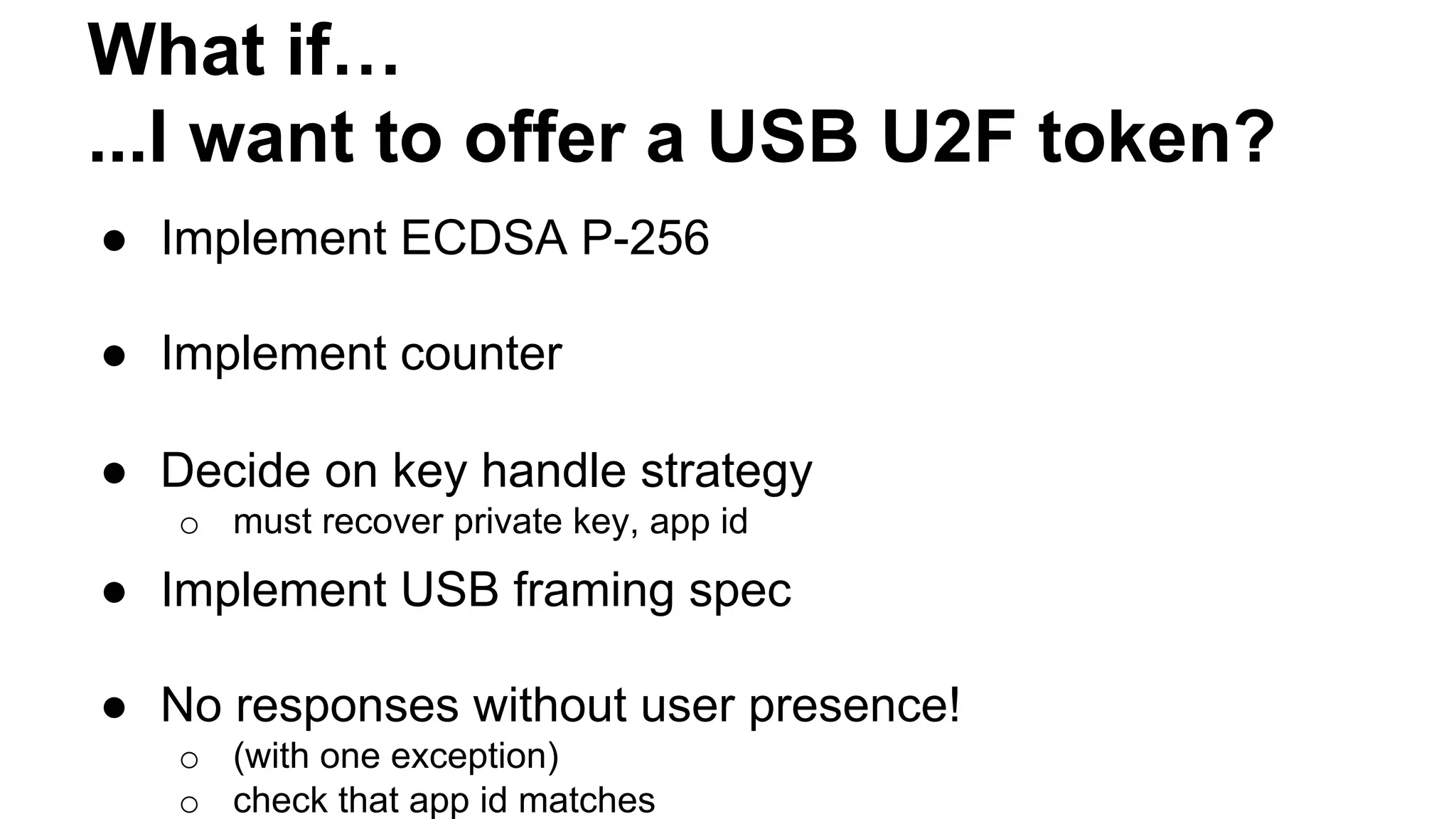
...I want to offer a USB U2F token?
●  Implement ECDSA P-256
●  Implement counter
●  Decide on key handle strategy
o  must recover private key, app id
●  Implement USB framing spec
●  No responses without user presence!
o  (with one exception)
o  check that app id matches
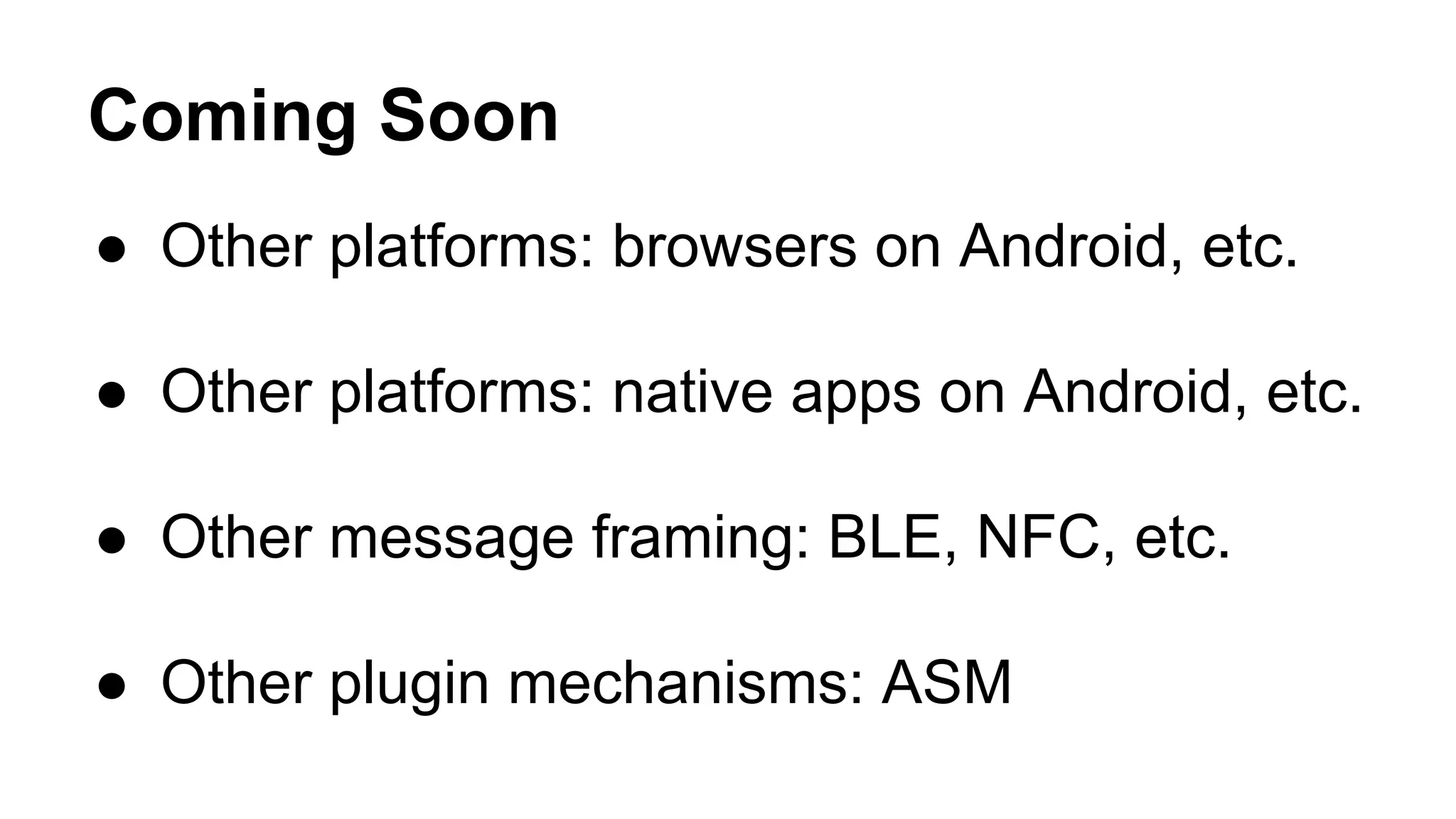
Coming Soon
●  Other platforms: browsers on Android, etc.
●  Other platforms: native apps on Android, etc.
●  Other message framing: BLE, NFC, etc.
●  Other plugin mechanisms: ASM

Fido u2 f in 10 minutes (cis 2015)

  • 1.
    FIDO U2F in10 Minutes Dirk Balfanz (Google)
  • 2.
    The U2F solution:How it works ●  One device, many services ●  Easy: Insert and press button ●  Safe: Un-phishable Security
  • 3.
    U2F Protocol Core idea:Standard public key cryptography: ●  User's device mints new key pair, gives public key to server ●  Server asks user's device to sign data to verify the user. ●  One device, many services, "bring your own device" enabled Lots of refinement for this to be consumer facing: ●  Privacy: Site Specific Keys, No unique ID per device ●  Security: No phishing, man-in-the-middles ●  Trust: Verify who made the device ●  Pragmatics: Affordable today, ride hardware cost curve down ●  Speed for user: Fast crypto in device (Elliptic Curve) Think "Smartcard re-designed for modern consumer web"
  • 4.
  • 6.
  • 7.
  • 8.
    proofThatUserIsThere “I promise auser is here”, “the server challenge was: 337423”, “the origin was: accounts.google.com”, “the TLS connection state was: 342384” Signed
  • 9.
    proofThatUserIsThere “I promise auser is here”, “the server challenge was: 337423”, “the origin was: accounts.google.com”, “the TLS connection state was: 342384” Signed this is where the key is this guy knows the key
  • 10.
    Relying Party FIDO Client 1.Setup 2. Processing 3. Verification
  • 11.
    User Presence API u2f.register({ ‘challenge’:‘KSDJsdASAS-AIS_AsS’, ‘app_id’: ‘https://www.google.com/facets.json’ }, callback); callback = function(response) { sendToServer( response[‘clientData’], response[‘tokenData’]); };
  • 12.
    u2f..handleRegistrationRequest({ ‘challenge’: ‘KSDJsdASAS-AIS_AsS’, ‘app_id’: ‘https://www.google.com/facets.json’ },callback); callback = function(response) { sendToServer( response[‘clientData’], response[‘tokenData’]); }; User Presence API{ "typ":"register", "challenge":"KSDJsdASAS-AIS_AsS", "cid_pubkey": { "kty":"EC", "crv":"P-256", "x":"HzQwlfXX7Q4S5MtCRMzPO9tOyWjBqRl4tJ8", "y":"XVguGFLIZx1fXg375hi4-7-BxhMljw42Ht4" }, "origin":"https://accounts.google.com" }
  • 13.
    User Presence API u2f.sign({ ‘challenge’:‘KSDJsdASAS-AIS_AsS’, ‘app_id’: ‘https://www.google.com/facets.json’, ‘key_handle’: ‘JkjhdsfkjSDFKJ_ld-sadsAJDKLSAD’ }, callback); callback = function(response) { sendToServer( response[‘clientData’], response[‘tokenData’]); };
  • 14.
    User Presence API u2f.sign({ ‘challenge’:‘KSDJsdASAS-AIS_AsS’, ‘app_id’: ‘https://www.google.com/facets.json’, ‘key_handle’: ‘JkjhdsfkjSDFKJ_ld-sadsAJDKLSAD’ }, callback); callback = function(response) { sendToServer( response[‘clientData’], response[‘tokenData’]); }; { "typ":"authenticate", "challenge":"KSDJsdASAS-AIS_AsS", "cid_pubkey": { "kty":"EC", "crv":"P-256", "x":"HzQwlfXX7Q4S5MtCRMzPO9tOyWjBqRl4tJ8", "y":"XVguGFLIZx1fXg375hi4-7-BxhMljw42Ht4" }, "origin":"https://accounts.google.com" }
  • 15.
  • 16.
    U2F Token FIDO Client/ Browser Relying Party appid, challenge a; challenge, origin, channel id, etc. c a check app id generate: key kpub key kpriv handle h kpub, h, attestation cert, signature(a,c,kpub,h) c, kpub, h, attestation cert, s store: key kpub handle h s Registration cookie
  • 17.
    U2F Token FIDO Client/ Browser Relying Party handle,app id, challenge h, a; challenge, origin, channel id, etc. c a check app id retrieve: key kpriv from handle h; counter++ counter, signature(a,c,counter) counter, c, s check: signature using key kpub s h retrieve: key kpub from handle h Authentication set cookie
  • 18.
    What if… ...I wantto accept U2F logins? ●  Browser: Call JS APIs o  available in Google Chrome, others need extensions ●  Server: Implement registration flow o  decide how to handle attestation certificates o  verify registration response o  store public key, key handle with user account ●  Server: Implement login flow o  check username/password, look up key handle o  verify authentication response (origin, signature, counter, …) ●  Check your account recovery flow
  • 19.
    What if… ...I wantto offer a USB U2F token? ●  Implement ECDSA P-256 ●  Implement counter ●  Decide on key handle strategy o  must recover private key, app id ●  Implement USB framing spec ●  No responses without user presence! o  (with one exception) o  check that app id matches
  • 20.
    Coming Soon ●  Otherplatforms: browsers on Android, etc. ●  Other platforms: native apps on Android, etc. ●  Other message framing: BLE, NFC, etc. ●  Other plugin mechanisms: ASM