Facebook Privacy And Security
Gonetech.com
Click here for further assistance
What is
It is a Most Popular Social Networking Website
Over 1 billion Users are on Facebook
4.5 billion Likes generates every day
1.18 Billion users log into their accounts each day and
it is increased by 16%
Facebook users are 76% female (out of 100% of all females) and
66% male (out of 100% of all males)
What is Privacy?
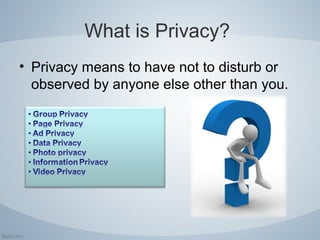
• Privacy means to have not to disturb or
observed by anyone else other than you.
What is Security?
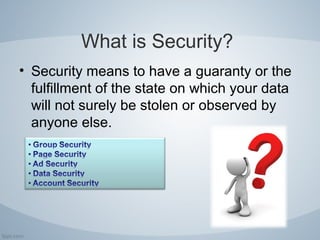
• Security means to have a guaranty or the
fulfillment of the state on which your data
will not surely be stolen or observed by
anyone else.
Why it is so Important?
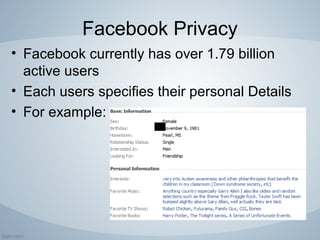
Facebook Privacy
• Facebook currently has over 1.79 billion
active users
• Each users specifies their personal Details
• For example:
What kind of details can a
person gather from facebook?
• Your Name
• Your Location
• Your School
• Hometown
• Even Number
• Your Daily Activity
• …………Many More
Steps to enhance your Privacy
and Security
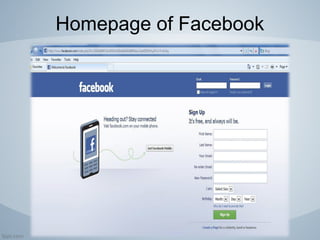
• Homepage of facebook page
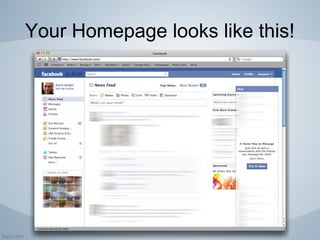
• First is your homepage
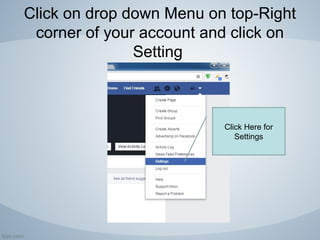
• Go to settings
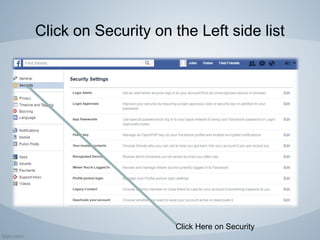
• Then Go to Privacy/Security
• You will get Three options to select
– Everyone
– Friends of Friends
– Friends only
• Select whatever suites according to you!
http://gonetech.net/facebook-helpdesk/how-to-protect-facebook-account
Homepage of Facebook
Your Homepage looks like this!
Click on drop down Menu on top-Right
corner of your account and click on
Setting
Click Here for
Settings
Click on Security on the Left side list
Click Here on Security
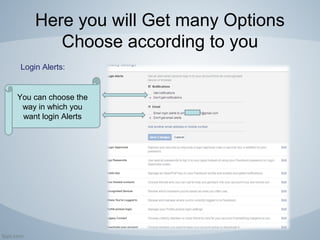
Here you will Get many Options
Choose according to you
Login Alerts:
You can choose the
way in which you
want login Alerts
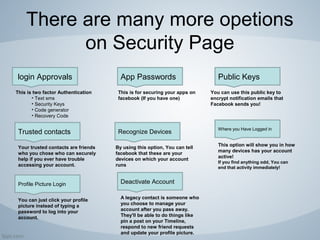
There are many more options
on Security Page
login Approvals App Passwords Public Keys
Trusted contacts Recognize Devices
Where you Have Logged in
Profile Picture Login Deactivate Account
This is two factor Authentication
• Text sms
• Security Keys
• Code generator
• Recovery Code
This is for securing your apps on
facebook (If you have one)
You can use this public key to
encrypt notification emails that
Facebook sends you!
Your trusted contacts are friends
who you chose who can securely
help if you ever have trouble
accessing your account.
By using this option, You can tell
facebook that these are your
devices on which your account
runs
This option will show you in how
many devices has your account
active!
If you find anything odd, You can
end that activity immediately!
You can just click your profile
picture instead of typing a
password to log into your
account.
A legacy contact is someone who
you choose to manage your
account after you pass away.
They'll be able to do things like
pin a post on your Timeline,
respond to new friend requests
and update your profile picture.
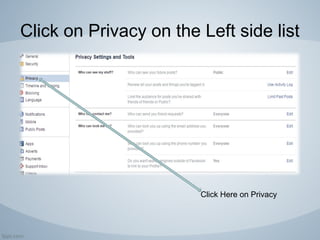
Click on Privacy on the Left side list
Click Here on Privacy
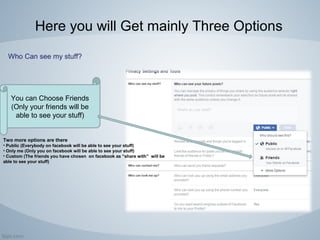
Here you will Get mainly Three Options
Who Can see my stuff?
You can Choose Friends
(Only your friends will be
able to see your stuff)
Two more options are there
• Public (Everybody on facebook will be able to see your stuff)
• Only me (Only you on facebook will be able to see your stuff)
• Custom (The friends you have chosen on facebook as “share with” will be
able to see your stuff)
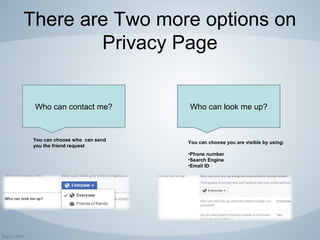
There are Two more options on
Privacy Page
Who can look me up?
You can choose who can send
you the friend request
Who can contact me?
You can choose you are visible by using:
•Phone number
•Search Engine
•Email ID
Latest changes
• There are many security and privacy features are
there:
• Facebook itself Ban people who are spamming on
facebook or have unauthenticated account
• People are not allowed to use facebook who are under 13
years.
• Facebook warns people who use things which has patent
and without having permission of the owner
• ….
What to do if you still find the
problem?
+1 – 844 – 773 – 9313 (US/CANADA)
+44 – 800 – 051 – 3717 (UK)
+61 – 180 – 082 – 5192 (AUS)
http://gonetech.net/facebook-customer-support-number/

Facebook privacy and security

  • 1.
    Facebook Privacy AndSecurity Gonetech.com Click here for further assistance
  • 2.
    What is It isa Most Popular Social Networking Website Over 1 billion Users are on Facebook 4.5 billion Likes generates every day 1.18 Billion users log into their accounts each day and it is increased by 16% Facebook users are 76% female (out of 100% of all females) and 66% male (out of 100% of all males)
  • 3.
    What is Privacy? •Privacy means to have not to disturb or observed by anyone else other than you.
  • 4.
    What is Security? •Security means to have a guaranty or the fulfillment of the state on which your data will not surely be stolen or observed by anyone else.
  • 5.
    Why it isso Important?
  • 6.
    Facebook Privacy • Facebookcurrently has over 1.79 billion active users • Each users specifies their personal Details • For example:
  • 7.
    What kind ofdetails can a person gather from facebook? • Your Name • Your Location • Your School • Hometown • Even Number • Your Daily Activity • …………Many More
  • 8.
    Steps to enhanceyour Privacy and Security • Homepage of facebook page • First is your homepage • Go to settings • Then Go to Privacy/Security • You will get Three options to select – Everyone – Friends of Friends – Friends only • Select whatever suites according to you! http://gonetech.net/facebook-helpdesk/how-to-protect-facebook-account
  • 9.
  • 10.
  • 11.
    Click on dropdown Menu on top-Right corner of your account and click on Setting Click Here for Settings
  • 12.
    Click on Securityon the Left side list Click Here on Security
  • 13.
    Here you willGet many Options Choose according to you Login Alerts: You can choose the way in which you want login Alerts
  • 14.
    There are manymore options on Security Page login Approvals App Passwords Public Keys Trusted contacts Recognize Devices Where you Have Logged in Profile Picture Login Deactivate Account This is two factor Authentication • Text sms • Security Keys • Code generator • Recovery Code This is for securing your apps on facebook (If you have one) You can use this public key to encrypt notification emails that Facebook sends you! Your trusted contacts are friends who you chose who can securely help if you ever have trouble accessing your account. By using this option, You can tell facebook that these are your devices on which your account runs This option will show you in how many devices has your account active! If you find anything odd, You can end that activity immediately! You can just click your profile picture instead of typing a password to log into your account. A legacy contact is someone who you choose to manage your account after you pass away. They'll be able to do things like pin a post on your Timeline, respond to new friend requests and update your profile picture.
  • 15.
    Click on Privacyon the Left side list Click Here on Privacy
  • 16.
    Here you willGet mainly Three Options Who Can see my stuff? You can Choose Friends (Only your friends will be able to see your stuff) Two more options are there • Public (Everybody on facebook will be able to see your stuff) • Only me (Only you on facebook will be able to see your stuff) • Custom (The friends you have chosen on facebook as “share with” will be able to see your stuff)
  • 17.
    There are Twomore options on Privacy Page Who can look me up? You can choose who can send you the friend request Who can contact me? You can choose you are visible by using: •Phone number •Search Engine •Email ID
  • 18.
    Latest changes • Thereare many security and privacy features are there: • Facebook itself Ban people who are spamming on facebook or have unauthenticated account • People are not allowed to use facebook who are under 13 years. • Facebook warns people who use things which has patent and without having permission of the owner • ….
  • 19.
    What to doif you still find the problem? +1 – 844 – 773 – 9313 (US/CANADA) +44 – 800 – 051 – 3717 (UK) +61 – 180 – 082 – 5192 (AUS) http://gonetech.net/facebook-customer-support-number/