Cyber Security
for Dummies
Welcome
• Welcome to Cyber Security ;
where hopefully your questions are
answered and your knowledge is expanded
in the hopes that you will be able to stay
safe in the dangerous world of the web.
First, here’s the gist
• Almost anything anyone feels like can be posted to the internet; so
beware that their information can be true or false; real of fake; over
dramatic or under reported
• Essentially every American media group has been hacked (Peter
Singer report)
• 70% of business executives make cyber security decisions; all have
been undereducated on the matter
• There’s no silver-bullet; instead, we can educate ourselves and take
the responsibility to become aware of security issues on the internet
Chapter 1:Ignorance is Not Bliss
• There are not many classes taught on
Cyber Security. Sure, you might get an
occasional technology management course
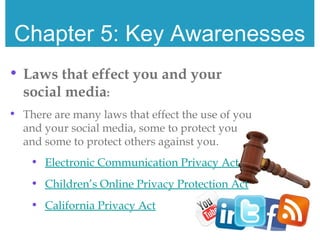
during your curriculum; but really, who
pays attention to those anyways?
• Therefore, it becomes YOUR responsibility
to learn the hows and how nots; the yeses
and no’s to the Internet
• Just because you do not know something
is out there in the World Wide Web, does
not mean it does not exist
• Just because you do not think you have
information that doesn’t need protecting,
that is not true
Chapter 2: Joining Social Media
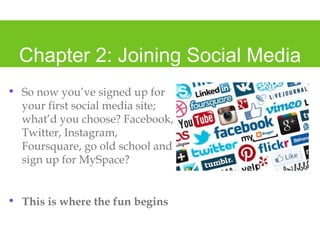
• So now you’ve signed up for
your first social media site;
what’d you choose? Facebook,
Twitter, Instagram,
Foursquare, go old school and
sign up for MySpace?
• This is where the fun begins
Chapter 3: What Needs to be Done
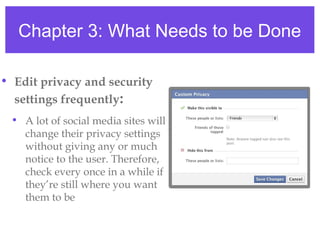
• Edit privacy and security
settings frequently:
• A lot of social media sites will
change their privacy settings
without giving any or much
notice to the user. Therefore,
check every once in a while if
they’re still where you want
them to be
Chapter 3: What Needs to be Done
• Once posted, always posted:
• 70% of job recruiters reject hopeful
employers based on what they’ve
found on their social medias, or
friends’ social medias posted about
them
Chapter 3: What Needs to be Done
• HOWEVER, your online rep can
be a good thing:
• Use your online profile to create a
personality you want business to see,
brand yourself
Chapter 3: What Needs to be Done
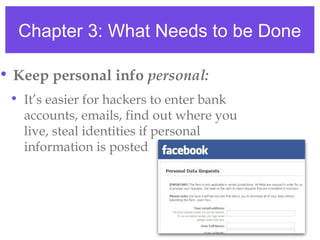
• Keep personal info personal:
• It’s easier for hackers to enter bank
accounts, emails, find out where you
live, steal identities if personal
information is posted
Chapter 3: What Needs to be Done
• Know/manage your friends:
• You don’t want to have stranger danger on
your personal social media page
• You don’t know these people, they could be
anyone, including a hacker or a stalker
• Also, what your friends post about you can
also be seen by others on social media; make
sure you’re not guilty by association
Chapter 3: What Needs to be Done
• Know what to do next:
• In case of an incident
where further
precautions need to be
taken, know what to do:
• block, reject, decline,
report them
Chapter 3: What Needs to be Done
• Look at privacy statement:
• Not only is this helpful because it changes frequently with little
notice to users, but a lot of the time they will not be obvious
about how they use their information
• do they share your e-mail, where you can receive spam?
• do they share your friends’ e-mails so your friends receive
spam?
Chapter 3: What Needs to be Done
• Password protection:
• Never use the same password for your social medias that
you do for your bank information or e-mail login
• this makes it easier if someone was to get it to receive
your personal information
• Make passwords long, strong, and unique
• passwords are the first protection against your social
media site, you don’t want just anyone being able to
guess your password
• saying that the top two passwords used in the US
are: password and 12345
Chapter 3: What Needs to be Done
• When in doubt, throw it out:
• Phishing is a popular way that
hackers get information from users
• don’t open e-mails that seem
suspicious, also don’t click on links
via e-mail; instead, go into your
social media site and enter from
there
Chapter 4: What Habits Should a
Person Have
Now this may just seem similar to the steps that were just
shared; however, they’re different
What should you be doing every time frequently as you’re
using social media?
Chapter 4: What Habits Should a
Person Have
• Look at your security settings
once a month
• Facebook’s last privacy update changed EIGHT
TIMES IN THE LAST TWO YEARS
• 33%of Facebook users check their privacy only once a
year or never at all
• It’s not Facebook’s fault that the cyber world is
changing, and changing fast; however, it becomes
your responsibility as much as Facebook’s to try
and keep up
Chapter 4: What Habits Should a
Person Have
• Check your personal information
settings:
• Sure, you want to have your name posted
on your page. But be careful when it comes
to posting things like your full birthday,
high school, and hometown
• Many people will post these without thinking
twice, and hackers will use it to get into your
personal accounts; like bank, e-mail, etc
Chapter 5: Key Awarenesses
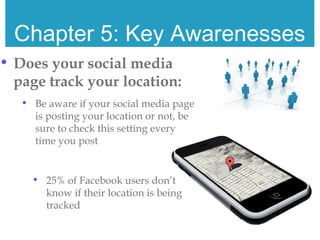
• Does your social media
page track your location:
• Be aware if your social media page
is posting your location or not, be
sure to check this setting every
time you post
• 25% of Facebook users don’t
know if their location is being
tracked
Chapter 5: Key Awarenesses
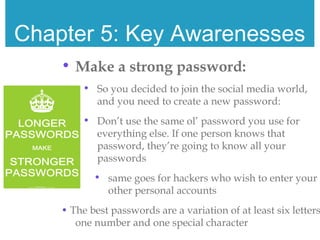
• Make a strong password:
• So you decided to join the social media world,
and you need to create a new password:
• Don’t use the same ol’ password you use for
everything else. If one person knows that
password, they’re going to know all your
passwords
• same goes for hackers who wish to enter your
other personal accounts
• The best passwords are a variation of at least six letters
one number and one special character
Chapter 5: Key Awarenesses
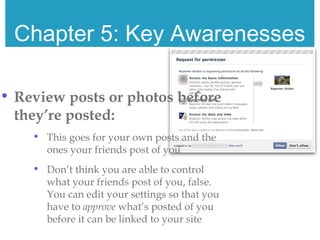
• Review posts or photos before
they’re posted:
• This goes for your own posts and the
ones your friends post of you
• Don’t think you are able to control
what your friends post of you, false.
You can edit your settings so that you
have to approve what’s posted of you
before it can be linked to your site
Chapter 5: Key Awarenesses
• Are you linked to any third party applications:
• A lot of times your social media accounts can be used to
login to other third party accounts or applications, like
games for example.
• When accepting a third party application, you’re
allowing them to enter your into your personal
information, sometimes even allowing them to post on
your behalf, or send things to your friends
• 61% don’t know or only know some of the third
party applications that have access to their Facebook
account
Chapter 5: Key Awarenesses
• Laws that effect you and your
social media:
• There are many laws that effect the use of you
and your social media, some to protect you
and some to protect others against you.
• Electronic Communication Privacy Act
• Children’s Online Privacy Protection Act
• California Privacy Act
Chapter 6: Putting it into Practice
• Now that you’ve learned tips and
strategies to protect yourself on social
media, you should be doing these
things often, not just the first time you
sign up
Chapter 6: Putting it into Practice
• The easiest way to make things second
nature is to create a routine. This
routine should look something like:
• Make sure you logout every time you
sign out of your social media
• it’s easy to just X-out of
applications, but it’s safer if you
logout
Chapter 6: Putting it into Practice
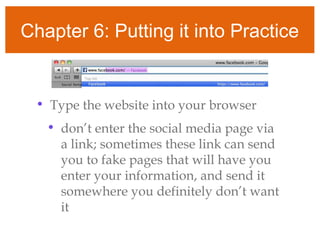
• Type the website into your browser
• don’t enter the social media page via
a link; sometimes these link can send
you to fake pages that will have you
enter your information, and send it
somewhere you definitely don’t want
it
Chapter 6: Putting it into Practice
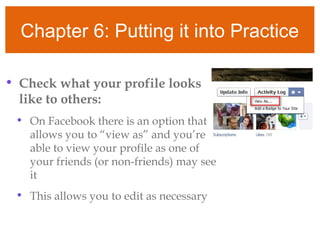
• Check what your profile looks
like to others:
• On Facebook there is an option that
allows you to “view as” and you’re
able to view your profile as one of
your friends (or non-friends) may see
it
• This allows you to edit as necessary
Chapter 6: Putting it into Practice
• Edit, edit, edit!
• After checking out what your profile looks
like, don’t be afraid to “cyber stalk” yourself
• Check out what others are seeing, edit;
check out what your employers are
seeing, edit; check out what your
grandmother’s seeing, edit!
Chapter 7: General Features
• Social media isn’t just for the young
and hip, but they’re welcome to it, too.
• No, it’s open to everyone; therefore
here are a few general features everyone
needs to be aware of
Chapter 7: General Features
• Even if you’re not looking for a job,
you’re still able to brand yourself using
your social media page; therefore, EDIT
• The privacy policy applies to everyone;
therefore, READ IT
• Hackers will try to steal anyone
vulnerable person’s identity; therefore,
PROTECT IT
Chapter 8: Individual Features
• However, I’m not saying everyone’s the
same
• Here are a few things particular folks
should keep in mind
Chapter 8: Individual Features
• Those looking for a job: consider what
kind of person you’re marketing
• Those using social media third party
applications: look at what you’re
allowing the application to use;
personal information, friends list,
friend’s information
Chapter 8: Individual Features
• Those using social media for their business: be
careful about phone numbers (use a business
phone), addresses (not a personal address if
you can help it), your last name (if can be
helped)
• Those who “like” or “follow” certain people or
groups on social media: be careful who you
become associated to, don’t want to be caught
guilty by association
Chapter 9: I’m Serious
• Social media seems like all fun and
games (yeah that’s mostly what it is)
• But before you can have fun and play
their games, you need to make sure you
are educated
• It’s hard to play a game when you
don’t know the rules
Chapter 9: I’m Serious
• If you don’t know what you’re doing
you can end up like:
• These employees
• These athletes
• These celebrities
Chapter 10: Ethics
• Special ethical and communication
aspects of security on social media are
important.
• Things to consider are: the laws the
are concerned with social media,
other people’s rights, and especially
the Second Amendment
http://www.socialmediatoday.com/irfan-ahmad/2019266/fa
http://journalistsresource.org/skills/research/chat-peter-
singer-brookings-cybersecurity-media?utm_source=JR-
email&utm_medium=email&utm_campaign=JR-email
Sources not included in hyperlinks

Social media user guide

  • 1.
  • 2.
    Welcome • Welcome toCyber Security ; where hopefully your questions are answered and your knowledge is expanded in the hopes that you will be able to stay safe in the dangerous world of the web.
  • 3.
    First, here’s thegist • Almost anything anyone feels like can be posted to the internet; so beware that their information can be true or false; real of fake; over dramatic or under reported • Essentially every American media group has been hacked (Peter Singer report) • 70% of business executives make cyber security decisions; all have been undereducated on the matter • There’s no silver-bullet; instead, we can educate ourselves and take the responsibility to become aware of security issues on the internet
  • 4.
    Chapter 1:Ignorance isNot Bliss • There are not many classes taught on Cyber Security. Sure, you might get an occasional technology management course during your curriculum; but really, who pays attention to those anyways? • Therefore, it becomes YOUR responsibility to learn the hows and how nots; the yeses and no’s to the Internet • Just because you do not know something is out there in the World Wide Web, does not mean it does not exist • Just because you do not think you have information that doesn’t need protecting, that is not true
  • 5.
    Chapter 2: JoiningSocial Media • So now you’ve signed up for your first social media site; what’d you choose? Facebook, Twitter, Instagram, Foursquare, go old school and sign up for MySpace? • This is where the fun begins
  • 6.
    Chapter 3: WhatNeeds to be Done • Edit privacy and security settings frequently: • A lot of social media sites will change their privacy settings without giving any or much notice to the user. Therefore, check every once in a while if they’re still where you want them to be
  • 7.
    Chapter 3: WhatNeeds to be Done • Once posted, always posted: • 70% of job recruiters reject hopeful employers based on what they’ve found on their social medias, or friends’ social medias posted about them
  • 8.
    Chapter 3: WhatNeeds to be Done • HOWEVER, your online rep can be a good thing: • Use your online profile to create a personality you want business to see, brand yourself
  • 9.
    Chapter 3: WhatNeeds to be Done • Keep personal info personal: • It’s easier for hackers to enter bank accounts, emails, find out where you live, steal identities if personal information is posted
  • 10.
    Chapter 3: WhatNeeds to be Done • Know/manage your friends: • You don’t want to have stranger danger on your personal social media page • You don’t know these people, they could be anyone, including a hacker or a stalker • Also, what your friends post about you can also be seen by others on social media; make sure you’re not guilty by association
  • 11.
    Chapter 3: WhatNeeds to be Done • Know what to do next: • In case of an incident where further precautions need to be taken, know what to do: • block, reject, decline, report them
  • 12.
    Chapter 3: WhatNeeds to be Done • Look at privacy statement: • Not only is this helpful because it changes frequently with little notice to users, but a lot of the time they will not be obvious about how they use their information • do they share your e-mail, where you can receive spam? • do they share your friends’ e-mails so your friends receive spam?
  • 13.
    Chapter 3: WhatNeeds to be Done • Password protection: • Never use the same password for your social medias that you do for your bank information or e-mail login • this makes it easier if someone was to get it to receive your personal information • Make passwords long, strong, and unique • passwords are the first protection against your social media site, you don’t want just anyone being able to guess your password • saying that the top two passwords used in the US are: password and 12345
  • 14.
    Chapter 3: WhatNeeds to be Done • When in doubt, throw it out: • Phishing is a popular way that hackers get information from users • don’t open e-mails that seem suspicious, also don’t click on links via e-mail; instead, go into your social media site and enter from there
  • 15.
    Chapter 4: WhatHabits Should a Person Have Now this may just seem similar to the steps that were just shared; however, they’re different What should you be doing every time frequently as you’re using social media?
  • 16.
    Chapter 4: WhatHabits Should a Person Have • Look at your security settings once a month • Facebook’s last privacy update changed EIGHT TIMES IN THE LAST TWO YEARS • 33%of Facebook users check their privacy only once a year or never at all • It’s not Facebook’s fault that the cyber world is changing, and changing fast; however, it becomes your responsibility as much as Facebook’s to try and keep up
  • 17.
    Chapter 4: WhatHabits Should a Person Have • Check your personal information settings: • Sure, you want to have your name posted on your page. But be careful when it comes to posting things like your full birthday, high school, and hometown • Many people will post these without thinking twice, and hackers will use it to get into your personal accounts; like bank, e-mail, etc
  • 18.
    Chapter 5: KeyAwarenesses • Does your social media page track your location: • Be aware if your social media page is posting your location or not, be sure to check this setting every time you post • 25% of Facebook users don’t know if their location is being tracked
  • 19.
    Chapter 5: KeyAwarenesses • Make a strong password: • So you decided to join the social media world, and you need to create a new password: • Don’t use the same ol’ password you use for everything else. If one person knows that password, they’re going to know all your passwords • same goes for hackers who wish to enter your other personal accounts • The best passwords are a variation of at least six letters one number and one special character
  • 20.
    Chapter 5: KeyAwarenesses • Review posts or photos before they’re posted: • This goes for your own posts and the ones your friends post of you • Don’t think you are able to control what your friends post of you, false. You can edit your settings so that you have to approve what’s posted of you before it can be linked to your site
  • 21.
    Chapter 5: KeyAwarenesses • Are you linked to any third party applications: • A lot of times your social media accounts can be used to login to other third party accounts or applications, like games for example. • When accepting a third party application, you’re allowing them to enter your into your personal information, sometimes even allowing them to post on your behalf, or send things to your friends • 61% don’t know or only know some of the third party applications that have access to their Facebook account
  • 22.
    Chapter 5: KeyAwarenesses • Laws that effect you and your social media: • There are many laws that effect the use of you and your social media, some to protect you and some to protect others against you. • Electronic Communication Privacy Act • Children’s Online Privacy Protection Act • California Privacy Act
  • 23.
    Chapter 6: Puttingit into Practice • Now that you’ve learned tips and strategies to protect yourself on social media, you should be doing these things often, not just the first time you sign up
  • 24.
    Chapter 6: Puttingit into Practice • The easiest way to make things second nature is to create a routine. This routine should look something like: • Make sure you logout every time you sign out of your social media • it’s easy to just X-out of applications, but it’s safer if you logout
  • 25.
    Chapter 6: Puttingit into Practice • Type the website into your browser • don’t enter the social media page via a link; sometimes these link can send you to fake pages that will have you enter your information, and send it somewhere you definitely don’t want it
  • 26.
    Chapter 6: Puttingit into Practice • Check what your profile looks like to others: • On Facebook there is an option that allows you to “view as” and you’re able to view your profile as one of your friends (or non-friends) may see it • This allows you to edit as necessary
  • 27.
    Chapter 6: Puttingit into Practice • Edit, edit, edit! • After checking out what your profile looks like, don’t be afraid to “cyber stalk” yourself • Check out what others are seeing, edit; check out what your employers are seeing, edit; check out what your grandmother’s seeing, edit!
  • 28.
    Chapter 7: GeneralFeatures • Social media isn’t just for the young and hip, but they’re welcome to it, too. • No, it’s open to everyone; therefore here are a few general features everyone needs to be aware of
  • 29.
    Chapter 7: GeneralFeatures • Even if you’re not looking for a job, you’re still able to brand yourself using your social media page; therefore, EDIT • The privacy policy applies to everyone; therefore, READ IT • Hackers will try to steal anyone vulnerable person’s identity; therefore, PROTECT IT
  • 30.
    Chapter 8: IndividualFeatures • However, I’m not saying everyone’s the same • Here are a few things particular folks should keep in mind
  • 31.
    Chapter 8: IndividualFeatures • Those looking for a job: consider what kind of person you’re marketing • Those using social media third party applications: look at what you’re allowing the application to use; personal information, friends list, friend’s information
  • 32.
    Chapter 8: IndividualFeatures • Those using social media for their business: be careful about phone numbers (use a business phone), addresses (not a personal address if you can help it), your last name (if can be helped) • Those who “like” or “follow” certain people or groups on social media: be careful who you become associated to, don’t want to be caught guilty by association
  • 33.
    Chapter 9: I’mSerious • Social media seems like all fun and games (yeah that’s mostly what it is) • But before you can have fun and play their games, you need to make sure you are educated • It’s hard to play a game when you don’t know the rules
  • 34.
    Chapter 9: I’mSerious • If you don’t know what you’re doing you can end up like: • These employees • These athletes • These celebrities
  • 35.
    Chapter 10: Ethics •Special ethical and communication aspects of security on social media are important. • Things to consider are: the laws the are concerned with social media, other people’s rights, and especially the Second Amendment
  • 36.