











Exploring Android Studio
Get relaxed, as the fun is about to begin!
About me
~3 years of Android
Development Experience
Pursing Bachelor Degree in
Computer Engineering
Akshay Chordiya
+AkshayChordiya
Portfolio
Automaton Locker - 100K downloads
Active Notify - 64K downloads
Jair Player - 100K downloads
Few other apps too
Flavors
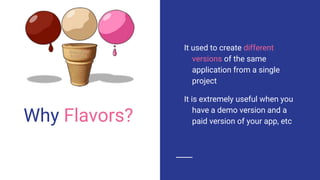
Why Flavors?
It used to create different
versions of the same
application from a single
project
It is extremely useful when you
have a demo version and a
paid version of your app, etc
Demo
Layout Editor
Layout Editor
Using tools namespace for better
Decoupling layout or Extract Layout file
Picking any API level, theme, device frame
Localization
You can even take screenshot of it!
The usual stuff (Live Preview, Drag-Drop, etc)
Material Icons
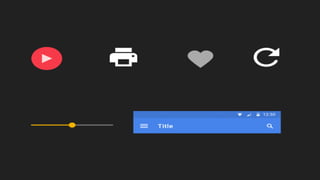
Switching to Vector Assets
Why switch to Vector Assets
They take less space
Almost negligible loss of image quality
Easier maintenance. No need to maintain separate resources
for each device density. Just single file
Extremely easy to manipulate image (Tint, Alpha, etc)
Helps to create beautiful animations of image
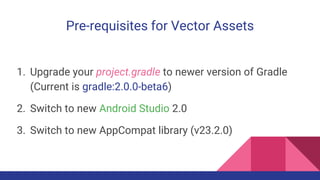
Pre-requisites for Vector Assets
1. Upgrade your project.gradle to newer version of Gradle
(Current is gradle:2.0.0-beta6)
2. Switch to new Android Studio 2.0
3. Switch to new AppCompat library (v23.2.0)
Lint Checker
Find code that doesn't
correspond to certain style
guidelines
Find duplicate, extra resources,
Missing translations
Suggests to use new APIs
Help finding certain performance
issues
Scans potential bugs
Plethora of stuff!
Demo
Monitor Tools
Provides a GUI for several
Android application debugging
and analysis tools
Memory Monitor is used for
finding the memory usage of
the app
CPU Monitor is used for finding
the CPU usage of the app
Network Monitor is used to track
the data used by an app
GPU Monitor for Graphics stuff
Demo
Resource Prefix
Mainly should be used by library
Add resourcePrefix ‘tag_’ to your
module gradle file
It will warn you make strings
which are specific to your
library with the tag specified
Example
Bunch of Protips
Use TODO comment to remind you to complete a certain
thing in future
Use Analyze Stacktrace feature to manually give stacktrace
and find the POJOs causing issues
Plenty of features, tools and shortcuts demo
#ProTip
Further Links
All the logos used are trademarks of respective companies.
Android Studio
Layout Editor Guide
Android Studio Layout Editor Video
Android Studio for Experts
Android Lint - Android Tools
Device Monitor - Android Developers
Questions?
Thank You!

Exploring Android Studio

  • 1.
    Exploring Android Studio Getrelaxed, as the fun is about to begin!
  • 2.
    About me ~3 yearsof Android Development Experience Pursing Bachelor Degree in Computer Engineering Akshay Chordiya +AkshayChordiya
  • 3.
    Portfolio Automaton Locker -100K downloads Active Notify - 64K downloads Jair Player - 100K downloads Few other apps too
  • 4.
  • 5.
    Why Flavors? It usedto create different versions of the same application from a single project It is extremely useful when you have a demo version and a paid version of your app, etc
  • 6.
  • 7.
  • 8.
    Layout Editor Using toolsnamespace for better Decoupling layout or Extract Layout file Picking any API level, theme, device frame Localization You can even take screenshot of it! The usual stuff (Live Preview, Drag-Drop, etc)
  • 9.
  • 10.
    Why switch toVector Assets They take less space Almost negligible loss of image quality Easier maintenance. No need to maintain separate resources for each device density. Just single file Extremely easy to manipulate image (Tint, Alpha, etc) Helps to create beautiful animations of image
  • 12.
    Pre-requisites for VectorAssets 1. Upgrade your project.gradle to newer version of Gradle (Current is gradle:2.0.0-beta6) 2. Switch to new Android Studio 2.0 3. Switch to new AppCompat library (v23.2.0)
  • 13.
    Lint Checker Find codethat doesn't correspond to certain style guidelines Find duplicate, extra resources, Missing translations Suggests to use new APIs Help finding certain performance issues Scans potential bugs Plethora of stuff!
  • 14.
  • 15.
    Monitor Tools Provides aGUI for several Android application debugging and analysis tools Memory Monitor is used for finding the memory usage of the app CPU Monitor is used for finding the CPU usage of the app Network Monitor is used to track the data used by an app GPU Monitor for Graphics stuff
  • 16.
  • 17.
    Resource Prefix Mainly shouldbe used by library Add resourcePrefix ‘tag_’ to your module gradle file It will warn you make strings which are specific to your library with the tag specified
  • 18.
  • 19.
  • 20.
    Use TODO commentto remind you to complete a certain thing in future Use Analyze Stacktrace feature to manually give stacktrace and find the POJOs causing issues Plenty of features, tools and shortcuts demo #ProTip
  • 21.
    Further Links All thelogos used are trademarks of respective companies. Android Studio Layout Editor Guide Android Studio Layout Editor Video Android Studio for Experts Android Lint - Android Tools Device Monitor - Android Developers
  • 22.
  • 23.

Editor's Notes

  • #2 Welcome everyone to Exploring Android Studio. It’s going to be mostly demo. We will be talking about Android Studio today. Everyone is switching to Android Studio just because it’s the recommended IDE by Google. But Android Studio contains a ton of feature than it’s predecessor Eclipse IDE and today we will be taking a look into most of the awesome features provided by Android Studio which will make your life easier and faster development of apps. Whatever tips I’m going to tell you are really going to help you to make better and faster apps and also going to help making nicer libraries
  • #3 I have experienced developing Android apps using Eclipse IDE and the amazing Android Studio
  • #5 Let’s begin with the first yummy feature of Android Studio. Everyone loves Ice-Cream, but everyone likes different flavors
  • #7 Show demo of vanilla and chocoloate flavor
  • #8 Android Studio provides an extremely powerful layout editor for all your needs
  • #9 You can use any android:attribute to tools:attribute. Tools namespace is only used by Android Studio and for development purpose. tools:listItem for ListView tools:visibility to make the view visible while the view is actually showing and hiding dynamically tools:text for setting text Component Tree window is used to move views between the hierarchy, morph them into another view and extract them into another layout for better decoupling
  • #11 Since Android Lollipop there is support of adding vector assets. There are some limitation with backward compatibility, hence keep your PNG intact
  • #14 Tell how Lint Checker will help optimizing the app
  • #16 Tell how to use all the monitoring tools and how they can be used to check the performance of the app
  • #18 Tell how to use all the monitoring tools and how they can be used to check the performance of the app
  • #21 Ctrl + Tab to replace Ctrl + Shift + Up / Down to shift line up or down Ctrl + Shift + Space for deep auto-completion Create constructor faster using Alt + Enter
  • #23 There’s a lot of stuff to know about Android Studio. I have hardly scratch the surface