















Android Studio
Paresh Mayani
Android Developer
@pareshmayani
www.TechnoTalkative.com
Hello World
16th May 2013
During Google I/O
2013
@pareshmayani
@pareshmayani
What is Android Studio?
@pareshmayani
@pareshmayani
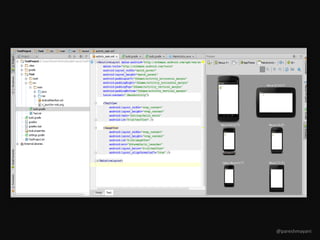
Android focused IDE
@pareshmayani
Android focused IDE
(designed specifically for Android
development)
@pareshmayani
Similar to Eclipse with the ADT Plug-in
@pareshmayani
Contains All the Android SDK Tools to
design, test, debug, and profile your app
@pareshmayani
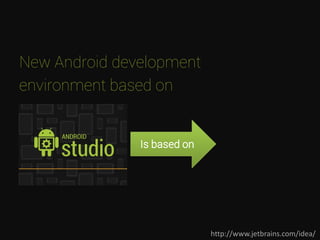
New Android development
environment
http://www.jetbrains.com/idea/
New Android development
environment based on
http://www.jetbrains.com/idea/
Is based on
New Android development
environment based on IntelliJ IDEA
http://www.jetbrains.com/idea/
Is based on
Why a New IDE?
@pareshmayani
Eclipse for Android….huh !!
@pareshmayani
What is the difference between
IntelliJ Idea and Android Studio?
@pareshmayani
Nothing
If you use IntelliJ…
– Keep using it.
– IntelliJ 13 will have the same stuff
– EAP of IntellJ Idea 13 includes all the new stuffs
If Not…
– Give Android Studio a try
@pareshmayani
IntelliJ Idea and Android Studio? FAQ
http://blog.jetbrains.com/idea/2013/05/intellij-idea-and-
android-studio-faq/
@pareshmayani
Let’s Download
@pareshmayani
Let’s Download
http://developer.android.com/sdk/installing/studio.html
@pareshmayani
Features of Android Studio
@pareshmayani
• Powerful code editing (smart editing, code
refactoring)
@pareshmayani
• Powerful code editing (smart editing, code
refactoring)
• Rich layout Editor
@pareshmayani
• Powerful code editing (smart editing, code
refactoring)
• Rich layout Editor
• Gradle-based build support
@pareshmayani
• Powerful code editing (smart editing, code
refactoring)
• Rich layout Editor
• Gradle-based build support
• Maven support
@pareshmayani
• Powerful code editing (smart editing, code
refactoring)
• Rich layout Editor
• Gradle-based build support
• Maven support
• Template based wizards
@pareshmayani
• Powerful code editing (smart editing, code
refactoring)
• Rich layout Editor
• Gradle-based build support
• Maven support
• Template based wizards
• Lint tool analysis
@pareshmayani
• Powerful code editing (smart editing, code
refactoring)
• Rich layout Editor
• Gradle-based build support
• Maven support
• Template based wizards
• Lint tool analysis
• Easy access to Google service (e.g GCM)
@pareshmayani
Gradle
@pareshmayani
Gradle - The New Build System
@pareshmayani
• Gradle is an advanced build management
system based on Groovy
@pareshmayani
• Gradle is an advanced build management
system based on Groovy
• Its an Open source build system
@pareshmayani
• Gradle is an advanced build management
system based on Groovy
• Its an Open source build system
• Combines the power of Ant and Maven
@pareshmayani
Features & Benefits of Gradle
@pareshmayani
• Dependency Management (Flexible
approach to dependency management that can
reuse existing maven repositories or reference
local JARs)
@pareshmayani
• A single build system (Gradle is the
authoritative build across the IDE and the
command-line.)
@pareshmayani
• Product Flavors (Free & Paid version)
• Build Variants (Play store OR Amazon OR Any
other store)
• Build Type (Debug, QA, Release)
@pareshmayani
• Binary Bundles for Libaries (.aar) (Gradle
supports the new .aar binary bundle format for the
library projects)
@pareshmayani
Dependency Management
@pareshmayani
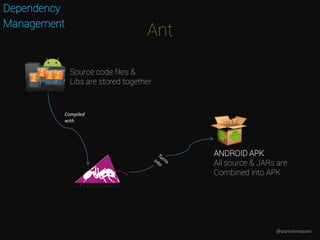
Ant
Dependency
Management
Compiled
with
ANDROID APK
All source & JARs are
Combined into APK
Source code files &
Libs are stored together
@pareshmayani
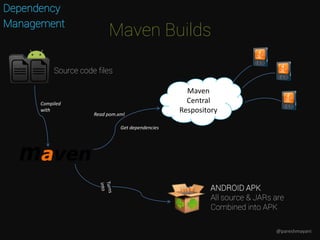
Maven Builds
Dependency
Management
Compiled
with
ANDROID APK
All source & JARs are
Combined into APK
Maven
Central
RespositoryRead pom.xml
Get dependencies
Source code files
@pareshmayani
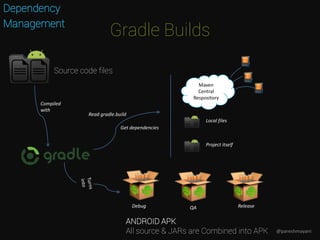
Gradle Builds
Dependency
Management
Compiled
with
ANDROID APK
All source & JARs are Combined into APK
Maven
Central
Respository
Read gradle.build
Get dependencies
Local files
Project itself
Debug QA Release
Source code files
@pareshmayani
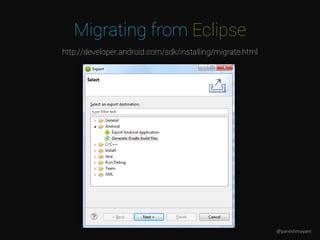
Migrating from Eclipse
http://developer.android.com/sdk/installing/migrate.html
@pareshmayani
Awesome stuffs Inside
@pareshmayani
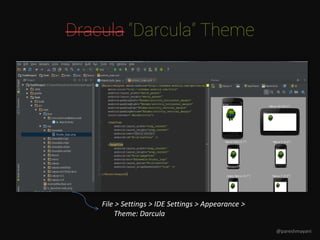
Dracula “Darcula” Theme
File > Settings > IDE Settings > Appearance >
Theme: Darcula
@pareshmayani
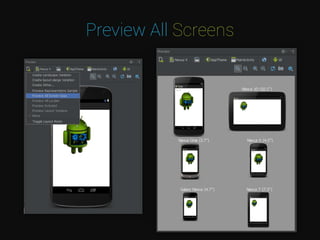
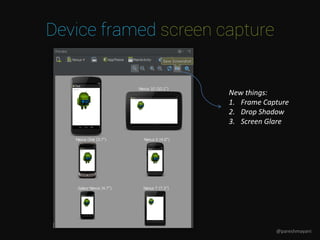
Preview All Screens
Device framed screen capture
New things:
1. Frame Capture
2. Drop Shadow
3. Screen Glare
@pareshmayani
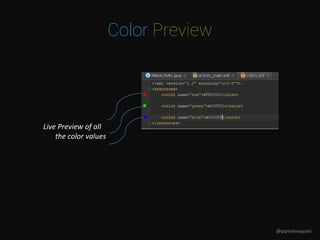
Color Preview
Live Preview of all
the color values
@pareshmayani
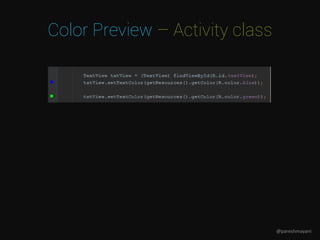
Color Preview – Activity class
@pareshmayani
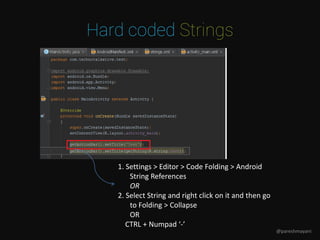
Hard coded Strings
1. Settings > Editor > Code Folding > Android
String References
OR
2. Select String and right click on it and then go
to Folding > Collapse
OR
CTRL + Numpad ‘-’
@pareshmayani
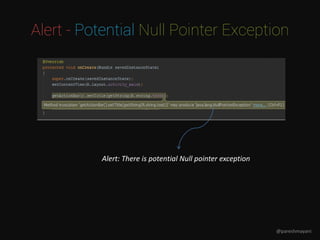
Alert - Potential Null Pointer Exception
Alert: There is potential Null pointer exception
@pareshmayani
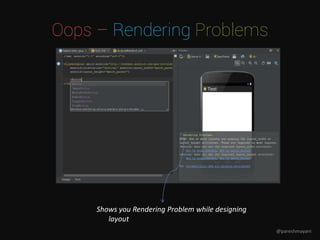
Oops – Rendering Problems
Shows you Rendering Problem while designing
layout
@pareshmayani
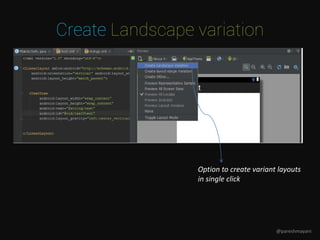
Create Landscape variation
Option to create variant layouts
in single click
@pareshmayani
Keyboard Shortcuts
@pareshmayani
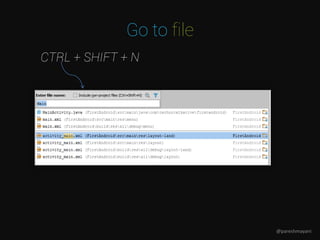
Go to file
CTRL + SHIFT + N
@pareshmayani
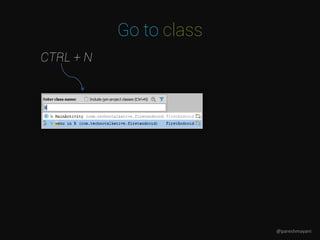
Go to class
CTRL + N
@pareshmayani
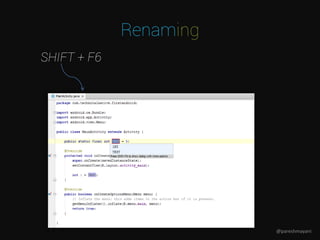
Renaming
SHIFT + F6
@pareshmayani
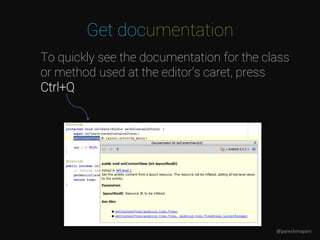
Get documentation
To quickly see the documentation for the class
or method used at the editor's caret, press
Ctrl+Q
@pareshmayani
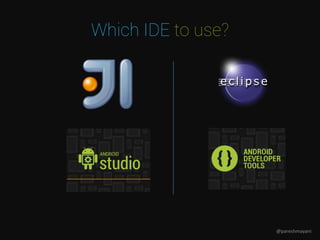
Which IDE to use?
@pareshmayani
All the Keyboard Shortcuts
• Help => Default Keymap Reference
(To view all the keyboard shotcuts)
@pareshmayani
No
It’s EARLY ACCESS PREVIEW
Should wait until Beta
Should I use Android Studio?
@pareshmayani
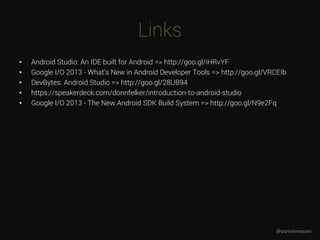
Links
• Android Studio: An IDE built for Android => http://goo.gl/iHRvYF
• Google I/O 2013 - What's New in Android Developer Tools => http://goo.gl/VRCEIb
• DevBytes: Android Studio => http://goo.gl/28UB94
• https://speakerdeck.com/donnfelker/introduction-to-android-studio
• Google I/O 2013 - The New Android SDK Build System => http://goo.gl/N9e2Fq
@pareshmayani
<Stay in Touch>
Paresh Mayani
Manager, GDG Ahmedabad
Android Developer
pareshmayani@gmail.com
@pareshmayani
www.TechnoTalkative.com

Android studio