Some Exercises with Timers and UART
Corrado Santoro
ARSLAB - Autonomous and Robotic Systems Laboratory
Dipartimento di Matematica e Informatica - Universit`a di Catania, Italy
santoro@dmi.unict.it
L.A.P. 1 Course
Corrado Santoro Some Exercises with Timers and UART
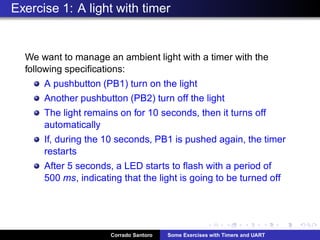
Exercise 1: A light with timer
We want to manage an ambient light with a timer with the
following specifications:
A pushbutton (PB1) turn on the light
Another pushbutton (PB2) turn off the light
The light remains on for 10 seconds, then it turns off
automatically
If, during the 10 seconds, PB1 is pushed again, the timer
restarts
After 5 seconds, a LED starts to flash with a period of
500 ms, indicating that the light is going to be turned off
Corrado Santoro Some Exercises with Timers and UART
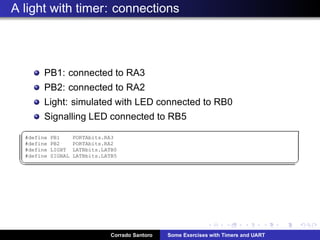
A light with timer: connections
PB1: connected to RA3
PB2: connected to RA2
Light: simulated with LED connected to RB0
Signalling LED connected to RB5
§
#define PB1 PORTAbits.RA3
#define PB2 PORTAbits.RA2
#define LIGHT LATBbits.LATB0
#define SIGNAL LATBbits.LATB5
¦ ¥
Corrado Santoro Some Exercises with Timers and UART
A light with timer: tasks
Task 1, manage timer, light and signalling
Task 2, manage pushbuttons
Task 1 is timer-dependent, we can manage it using interrupts
by setting the overflow to 500 ms, which is the least timer value
in our problem.
Corrado Santoro Some Exercises with Timers and UART
Timer Setup
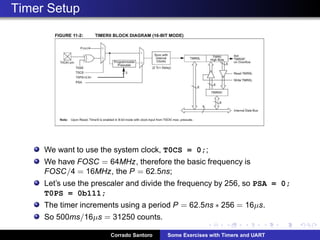
We want to use the system clock, T0CS = 0;;
We have FOSC = 64MHz, therefore the basic frequency is
FOSC/4 = 16MHz, the P = 62.5ns;
Let’s use the prescaler and divide the frequency by 256, so PSA = 0;
T0PS = 0b111;
The timer increments using a period P = 62.5ns ∗ 256 = 16µs.
So 500ms/16µs = 31250 counts.
Corrado Santoro Some Exercises with Timers and UART
Timer Setup
§
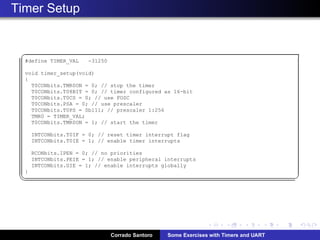
#define TIMER_VAL -31250
void timer_setup(void)
{
T0CONbits.TMR0ON = 0; // stop the timer
T0CONbits.T08BIT = 0; // timer configured as 16-bit
T0CONbits.T0CS = 0; // use FOSC
T0CONbits.PSA = 0; // use prescaler
T0CONbits.T0PS = 0b111; // prescaler 1:256
TMR0 = TIMER_VAL;
T0CONbits.TMR0ON = 1; // start the timer
INTCONbits.T0IF = 0; // reset timer interrupt flag
INTCONbits.T0IE = 1; // enable timer interrupts
RCONbits.IPEN = 0; // no priorities
INTCONbits.PEIE = 1; // enable peripheral interrupts
INTCONbits.GIE = 1; // enable interrupts globally
}
¦ ¥
Corrado Santoro Some Exercises with Timers and UART
Timer Task
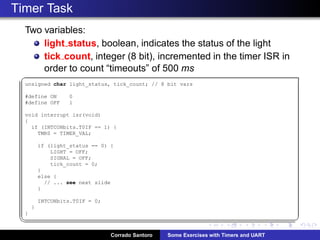
Two variables:
light status, boolean, indicates the status of the light
tick count, integer (8 bit), incremented in the timer ISR in
order to count “timeouts” of 500 ms
§
unsigned char light_status, tick_count; // 8 bit vars
#define ON 0
#define OFF 1
void interrupt isr(void)
{
if (INTCONbits.T0IF == 1) {
TMR0 = TIMER_VAL;
if (light_status == 0) {
LIGHT = OFF;
SIGNAL = OFF;
tick_count = 0;
}
else {
// ... see next slide
}
INTCONbits.T0IF = 0;
}
}
¦ ¥
Corrado Santoro Some Exercises with Timers and UART
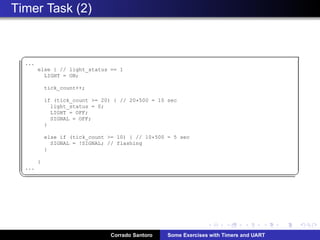
Timer Task (2)
§
...
else { // light_status == 1
LIGHT = ON;
tick_count++;
if (tick_count = 20) { // 20*500 = 10 sec
light_status = 0;
LIGHT = OFF;
SIGNAL = OFF;
}
else if (tick_count = 10) { // 10*500 = 5 sec
SIGNAL = !SIGNAL; // flashing
}
}
...
¦ ¥
Corrado Santoro Some Exercises with Timers and UART
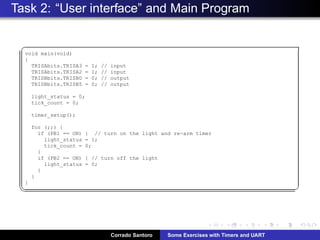
Task 2: “User interface” and Main Program
§
void main(void)
{
TRISAbits.TRISA3 = 1; // input
TRISAbits.TRISA2 = 1; // input
TRISBbits.TRISB0 = 0; // output
TRISBbits.TRISB5 = 0; // output
light_status = 0;
tick_count = 0;
timer_setup();
for (;;) {
if (PB1 == ON) { // turn on the light and re-arm timer
light_status = 1;
tick_count = 0;
}
if (PB2 == ON) { // turn off the light
light_status = 0;
}
}
}
¦ ¥
Corrado Santoro Some Exercises with Timers and UART
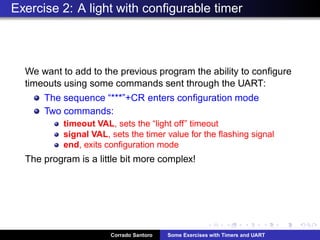
Exercise 2: A light with configurable timer
We want to add to the previous program the ability to configure
timeouts using some commands sent through the UART:
The sequence “***”+CR enters configuration mode
Two commands:
timeout VAL, sets the “light off” timeout
signal VAL, sets the timer value for the flashing signal
end, exits configuration mode
The program is a little bit more complex!
Corrado Santoro Some Exercises with Timers and UART
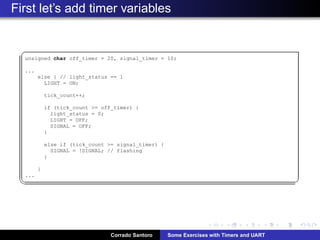
First let’s add timer variables
§
unsigned char off_timer = 20, signal_timer = 10;
...
else { // light_status == 1
LIGHT = ON;
tick_count++;
if (tick_count = off_timer) {
light_status = 0;
LIGHT = OFF;
SIGNAL = OFF;
}
else if (tick_count = signal_timer) {
SIGNAL = !SIGNAL; // flashing
}
}
...
¦ ¥
Corrado Santoro Some Exercises with Timers and UART
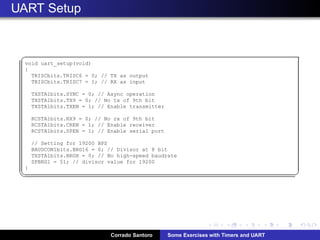
UART Setup
§
void uart_setup(void)
{
TRISCbits.TRISC6 = 0; // TX as output
TRISCbits.TRISC7 = 1; // RX as input
TXSTA1bits.SYNC = 0; // Async operation
TXSTA1bits.TX9 = 0; // No tx of 9th bit
TXSTA1bits.TXEN = 1; // Enable transmitter
RCSTA1bits.RX9 = 0; // No rx of 9th bit
RCSTA1bits.CREN = 1; // Enable receiver
RCSTA1bits.SPEN = 1; // Enable serial port
// Setting for 19200 BPS
BAUDCON1bits.BRG16 = 0; // Divisor at 8 bit
TXSTA1bits.BRGH = 0; // No high-speed baudrate
SPBRG1 = 51; // divisor value for 19200
}
¦ ¥
Corrado Santoro Some Exercises with Timers and UART
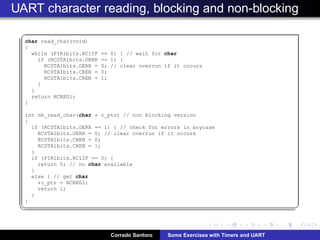
UART character reading, blocking and non-blocking
§
char read_char(void)
{
while (PIR1bits.RC1IF == 0) { // wait for char
if (RCSTA1bits.OERR == 1) {
RCSTA1bits.OERR = 0; // clear overrun if it occurs
RCSTA1bits.CREN = 0;
RCSTA1bits.CREN = 1;
}
}
return RCREG1;
}
int nb_read_char(char * c_ptr) // non blocking version
{
if (RCSTA1bits.OERR == 1) { // check for errors in anycase
RCSTA1bits.OERR = 0; // clear overrun if it occurs
RCSTA1bits.CREN = 0;
RCSTA1bits.CREN = 1;
}
if (PIR1bits.RC1IF == 0) {
return 0; // no char available
}
else { // get char
*c_ptr = RCREG1;
return 1;
}
}
¦ ¥
Corrado Santoro Some Exercises with Timers and UART
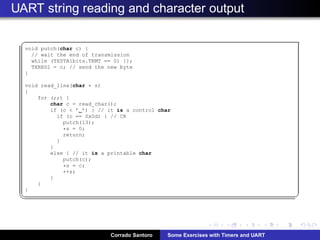
UART string reading and character output
§
void putch(char c) {
// wait the end of transmission
while (TXSTA1bits.TRMT == 0) {};
TXREG1 = c; // send the new byte
}
void read_line(char * s)
{
for (;;) {
char c = read_char();
if (c  ’ ’) { // it is a control char
if (c == 0x0d) { // CR
putch(13);
*s = 0;
return;
}
}
else { // it is a printable char
putch(c);
*s = c;
++s;
}
}
}
¦ ¥
Corrado Santoro Some Exercises with Timers and UART
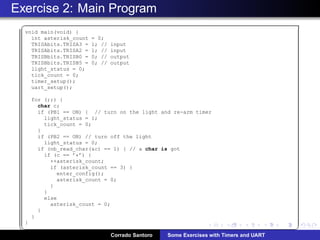
Exercise 2: Main Program
§
void main(void) {
int asterisk_count = 0;
TRISAbits.TRISA3 = 1; // input
TRISAbits.TRISA2 = 1; // input
TRISBbits.TRISB0 = 0; // output
TRISBbits.TRISB5 = 0; // output
light_status = 0;
tick_count = 0;
timer_setup();
uart_setup();
for (;;) {
char c;
if (PB1 == ON) { // turn on the light and re-arm timer
light_status = 1;
tick_count = 0;
}
if (PB2 == ON) // turn off the light
light_status = 0;
if (nb_read_char(c) == 1) { // a char is got
if (c == ’*’) {
++asterisk_count;
if (asterisk_count == 3) {
enter_config();
asterisk_count = 0;
}
}
else
asterisk_count = 0;
}
}
}
¦ ¥
Corrado Santoro Some Exercises with Timers and UART
Exercise 2: Configuration Function
§
void enter_config(void)
{
char command[40];
printf(CONFIG);
for (;;) {
read_line(command);
if (strcmp(command,end) == 0) {
printf(END OF CONFIGURATIONn);
return;
}
else if (strncmp(command,timeout,7) == 0)
off_timer = atoi(command+7) * 2;
else if (strncmp(command,signal,6) == 0)
signal_timer = atoi(command+6) * 2;
else
printf(Invalid commandn);
}
}
¦ ¥
Corrado Santoro Some Exercises with Timers and UART
Some Exercises with Timers and UART
Corrado Santoro
ARSLAB - Autonomous and Robotic Systems Laboratory
Dipartimento di Matematica e Informatica - Universit`a di Catania, Italy
santoro@dmi.unict.it
L.A.P. 1 Course
Corrado Santoro Some Exercises with Timers and UART

Exercises with timers and UART

  • 1.
    Some Exercises withTimers and UART Corrado Santoro ARSLAB - Autonomous and Robotic Systems Laboratory Dipartimento di Matematica e Informatica - Universit`a di Catania, Italy santoro@dmi.unict.it L.A.P. 1 Course Corrado Santoro Some Exercises with Timers and UART
  • 2.
    Exercise 1: Alight with timer We want to manage an ambient light with a timer with the following specifications: A pushbutton (PB1) turn on the light Another pushbutton (PB2) turn off the light The light remains on for 10 seconds, then it turns off automatically If, during the 10 seconds, PB1 is pushed again, the timer restarts After 5 seconds, a LED starts to flash with a period of 500 ms, indicating that the light is going to be turned off Corrado Santoro Some Exercises with Timers and UART
  • 3.
    A light withtimer: connections PB1: connected to RA3 PB2: connected to RA2 Light: simulated with LED connected to RB0 Signalling LED connected to RB5 § #define PB1 PORTAbits.RA3 #define PB2 PORTAbits.RA2 #define LIGHT LATBbits.LATB0 #define SIGNAL LATBbits.LATB5 ¦ ¥ Corrado Santoro Some Exercises with Timers and UART
  • 4.
    A light withtimer: tasks Task 1, manage timer, light and signalling Task 2, manage pushbuttons Task 1 is timer-dependent, we can manage it using interrupts by setting the overflow to 500 ms, which is the least timer value in our problem. Corrado Santoro Some Exercises with Timers and UART
  • 5.
    Timer Setup We wantto use the system clock, T0CS = 0;; We have FOSC = 64MHz, therefore the basic frequency is FOSC/4 = 16MHz, the P = 62.5ns; Let’s use the prescaler and divide the frequency by 256, so PSA = 0; T0PS = 0b111; The timer increments using a period P = 62.5ns ∗ 256 = 16µs. So 500ms/16µs = 31250 counts. Corrado Santoro Some Exercises with Timers and UART
  • 6.
    Timer Setup § #define TIMER_VAL-31250 void timer_setup(void) { T0CONbits.TMR0ON = 0; // stop the timer T0CONbits.T08BIT = 0; // timer configured as 16-bit T0CONbits.T0CS = 0; // use FOSC T0CONbits.PSA = 0; // use prescaler T0CONbits.T0PS = 0b111; // prescaler 1:256 TMR0 = TIMER_VAL; T0CONbits.TMR0ON = 1; // start the timer INTCONbits.T0IF = 0; // reset timer interrupt flag INTCONbits.T0IE = 1; // enable timer interrupts RCONbits.IPEN = 0; // no priorities INTCONbits.PEIE = 1; // enable peripheral interrupts INTCONbits.GIE = 1; // enable interrupts globally } ¦ ¥ Corrado Santoro Some Exercises with Timers and UART
  • 7.
    Timer Task Two variables: lightstatus, boolean, indicates the status of the light tick count, integer (8 bit), incremented in the timer ISR in order to count “timeouts” of 500 ms § unsigned char light_status, tick_count; // 8 bit vars #define ON 0 #define OFF 1 void interrupt isr(void) { if (INTCONbits.T0IF == 1) { TMR0 = TIMER_VAL; if (light_status == 0) { LIGHT = OFF; SIGNAL = OFF; tick_count = 0; } else { // ... see next slide } INTCONbits.T0IF = 0; } } ¦ ¥ Corrado Santoro Some Exercises with Timers and UART
  • 8.
    Timer Task (2) § ... else{ // light_status == 1 LIGHT = ON; tick_count++; if (tick_count = 20) { // 20*500 = 10 sec light_status = 0; LIGHT = OFF; SIGNAL = OFF; } else if (tick_count = 10) { // 10*500 = 5 sec SIGNAL = !SIGNAL; // flashing } } ... ¦ ¥ Corrado Santoro Some Exercises with Timers and UART
  • 9.
    Task 2: “Userinterface” and Main Program § void main(void) { TRISAbits.TRISA3 = 1; // input TRISAbits.TRISA2 = 1; // input TRISBbits.TRISB0 = 0; // output TRISBbits.TRISB5 = 0; // output light_status = 0; tick_count = 0; timer_setup(); for (;;) { if (PB1 == ON) { // turn on the light and re-arm timer light_status = 1; tick_count = 0; } if (PB2 == ON) { // turn off the light light_status = 0; } } } ¦ ¥ Corrado Santoro Some Exercises with Timers and UART
  • 10.
    Exercise 2: Alight with configurable timer We want to add to the previous program the ability to configure timeouts using some commands sent through the UART: The sequence “***”+CR enters configuration mode Two commands: timeout VAL, sets the “light off” timeout signal VAL, sets the timer value for the flashing signal end, exits configuration mode The program is a little bit more complex! Corrado Santoro Some Exercises with Timers and UART
  • 11.
    First let’s addtimer variables § unsigned char off_timer = 20, signal_timer = 10; ... else { // light_status == 1 LIGHT = ON; tick_count++; if (tick_count = off_timer) { light_status = 0; LIGHT = OFF; SIGNAL = OFF; } else if (tick_count = signal_timer) { SIGNAL = !SIGNAL; // flashing } } ... ¦ ¥ Corrado Santoro Some Exercises with Timers and UART
  • 12.
    UART Setup § void uart_setup(void) { TRISCbits.TRISC6= 0; // TX as output TRISCbits.TRISC7 = 1; // RX as input TXSTA1bits.SYNC = 0; // Async operation TXSTA1bits.TX9 = 0; // No tx of 9th bit TXSTA1bits.TXEN = 1; // Enable transmitter RCSTA1bits.RX9 = 0; // No rx of 9th bit RCSTA1bits.CREN = 1; // Enable receiver RCSTA1bits.SPEN = 1; // Enable serial port // Setting for 19200 BPS BAUDCON1bits.BRG16 = 0; // Divisor at 8 bit TXSTA1bits.BRGH = 0; // No high-speed baudrate SPBRG1 = 51; // divisor value for 19200 } ¦ ¥ Corrado Santoro Some Exercises with Timers and UART
  • 13.
    UART character reading,blocking and non-blocking § char read_char(void) { while (PIR1bits.RC1IF == 0) { // wait for char if (RCSTA1bits.OERR == 1) { RCSTA1bits.OERR = 0; // clear overrun if it occurs RCSTA1bits.CREN = 0; RCSTA1bits.CREN = 1; } } return RCREG1; } int nb_read_char(char * c_ptr) // non blocking version { if (RCSTA1bits.OERR == 1) { // check for errors in anycase RCSTA1bits.OERR = 0; // clear overrun if it occurs RCSTA1bits.CREN = 0; RCSTA1bits.CREN = 1; } if (PIR1bits.RC1IF == 0) { return 0; // no char available } else { // get char *c_ptr = RCREG1; return 1; } } ¦ ¥ Corrado Santoro Some Exercises with Timers and UART
  • 14.
    UART string readingand character output § void putch(char c) { // wait the end of transmission while (TXSTA1bits.TRMT == 0) {}; TXREG1 = c; // send the new byte } void read_line(char * s) { for (;;) { char c = read_char(); if (c ’ ’) { // it is a control char if (c == 0x0d) { // CR putch(13); *s = 0; return; } } else { // it is a printable char putch(c); *s = c; ++s; } } } ¦ ¥ Corrado Santoro Some Exercises with Timers and UART
  • 15.
    Exercise 2: MainProgram § void main(void) { int asterisk_count = 0; TRISAbits.TRISA3 = 1; // input TRISAbits.TRISA2 = 1; // input TRISBbits.TRISB0 = 0; // output TRISBbits.TRISB5 = 0; // output light_status = 0; tick_count = 0; timer_setup(); uart_setup(); for (;;) { char c; if (PB1 == ON) { // turn on the light and re-arm timer light_status = 1; tick_count = 0; } if (PB2 == ON) // turn off the light light_status = 0; if (nb_read_char(c) == 1) { // a char is got if (c == ’*’) { ++asterisk_count; if (asterisk_count == 3) { enter_config(); asterisk_count = 0; } } else asterisk_count = 0; } } } ¦ ¥ Corrado Santoro Some Exercises with Timers and UART
  • 16.
    Exercise 2: ConfigurationFunction § void enter_config(void) { char command[40]; printf(CONFIG); for (;;) { read_line(command); if (strcmp(command,end) == 0) { printf(END OF CONFIGURATIONn); return; } else if (strncmp(command,timeout,7) == 0) off_timer = atoi(command+7) * 2; else if (strncmp(command,signal,6) == 0) signal_timer = atoi(command+6) * 2; else printf(Invalid commandn); } } ¦ ¥ Corrado Santoro Some Exercises with Timers and UART
  • 17.
    Some Exercises withTimers and UART Corrado Santoro ARSLAB - Autonomous and Robotic Systems Laboratory Dipartimento di Matematica e Informatica - Universit`a di Catania, Italy santoro@dmi.unict.it L.A.P. 1 Course Corrado Santoro Some Exercises with Timers and UART