Everything You Always Wanted To
       Know About SFX …


       LRC Helpdesk Training
            June 2012
What is ‘SFX’
• Link resolver and knowledge base for e-
  journals and e-books, from ExLibris
• Links into iCat through regular harvesting of
  basic metadata
• Generates A-Z list of e-journals and SFX menu
• Allows linking out from databases to full-text
• Doesn’t stand for anything now but was
  originally ‘special effects’ and originated at
  Ghent University in the late 1990s
What does this mean in practice?
• One-stop list of e-journals (and eventually, e-
  books) from every provider, in one place
• As this is the oldest link resolver on the
  market, it is very technical compared to
  competitors such as SerialsSolutions
• Allows a range of linking (to full text, abstract,
  TOC) if we wished to set this up
• From databases and iCat full-text articles can
  be accessed within two clicks
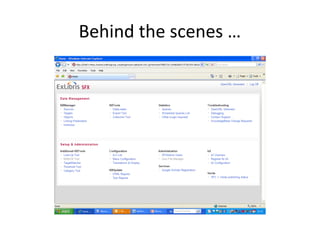
Behind the scenes …
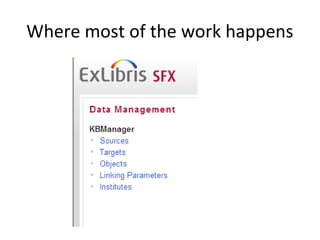
Where most of the work happens
First, what about that terminology?!
• Source = where the search process begins
• Target = database or provider
• Object = journal or book
• Object portfolio = journal or book within a
  target
• Linking parameters = authentication
• Institutes = different sites (not used)
Sources include …
•   iCat
•   Databases with the ‘Find it!’ button
•   COPAC
•   Google Scholar
•   SFX Citation List and A-Z list of e-journals
•   Zetoc
Targets include …
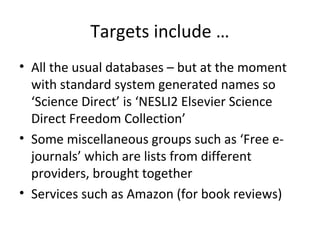
• All the usual databases – but at the moment
  with standard system generated names so
  ‘Science Direct’ is ‘NESLI2 Elsevier Science
  Direct Freedom Collection’
• Some miscellaneous groups such as ‘Free e-
  journals’ which are lists from different
  providers, brought together
• Services such as Amazon (for book reviews)
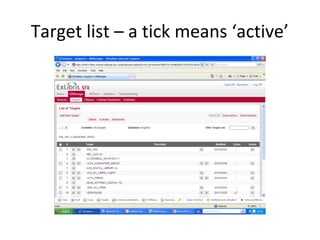
Target list – a tick means ‘active’
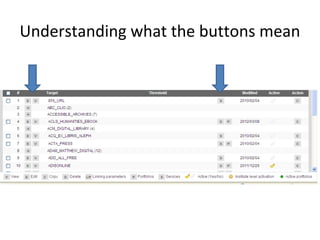
Understanding what the buttons mean
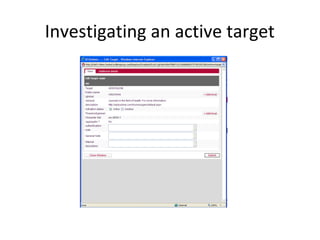
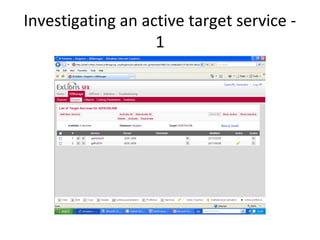
Investigating an active target
Investigating an active target service -
                   1
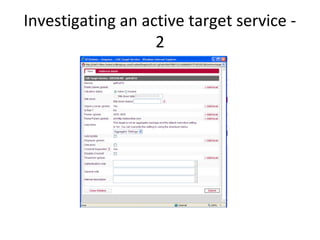
Investigating an active target service -
                   2
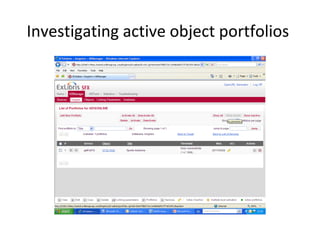
Investigating active object portfolios
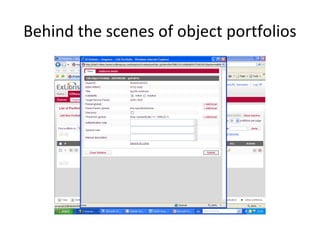
Behind the scenes of object portfolios
Terminology again!
• Target Service Parser – system generated,
  otherwise we use BULK:BULK and link to
  journal homepage URL only
• Parser – only used if a target service one does
  not exist
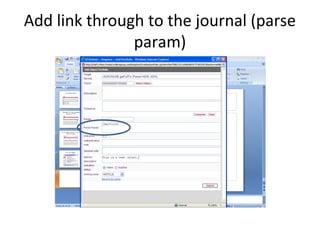
• Parse Param – identifying code for the journal,
  usually taken from the URL
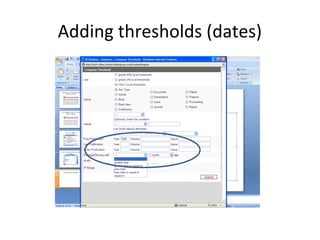
• Threshold – dates the journal is available to us
An example …
• We would like to activate the journal “Test for
  SFX” in the database “ADISONLINE”
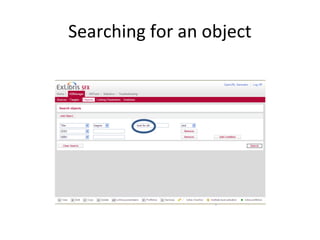
• First, we need to search the knowledge base
  to see if this journal (object) already exists –
  we can search by title and/or ISSN
Searching for an object
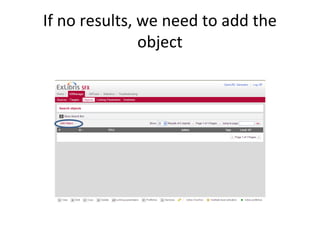
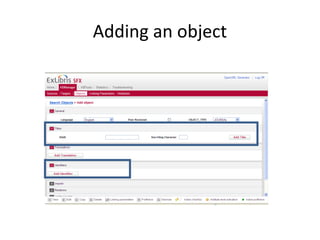
If no results, we need to add the
               object
Adding an object
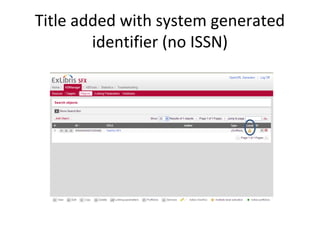
Title added with system generated
        identifier (no ISSN)
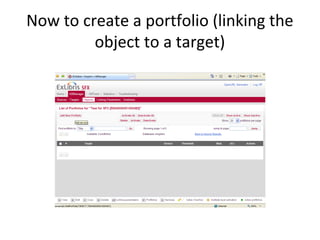
Now to create a portfolio (linking the
         object to a target)
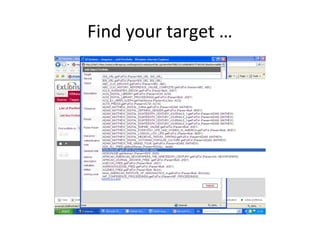
Find your target …
Add link through to the journal (parse
               param)
Adding thresholds (dates)
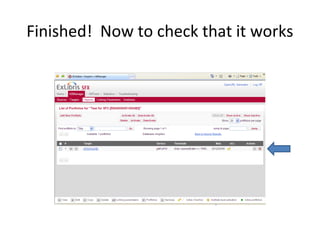
Finished! Now to check that it works
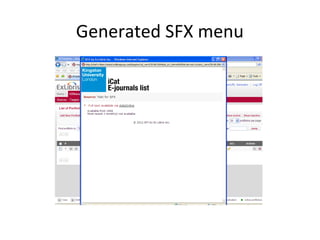
Generated SFX menu
Harvesting into A-Z list/iCat
• Usually takes 24 hours after setting up a new
  object portfolio, or making any changes, for it
  to appear in the A-Z list or iCat
• Titles can be searched in various ways and we
  have tried to add all previous titles where they
  are available to us
• E-books are available in iCat only, by title and
  author
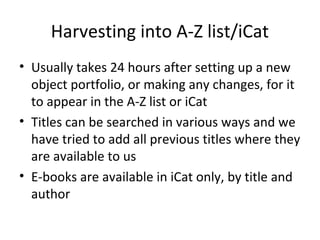
The e-journals A-Z – labels are
   customizable if we wish
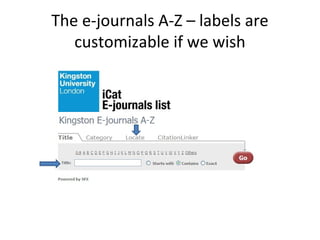
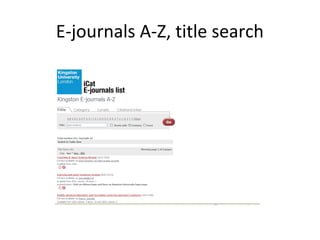
E-journals A-Z, title search
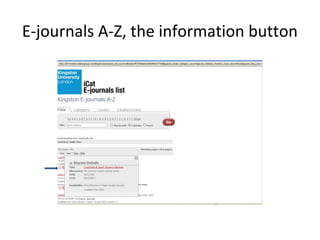
E-journals A-Z, the information button
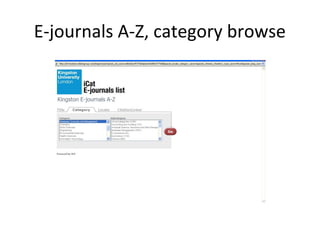
E-journals A-Z, category browse
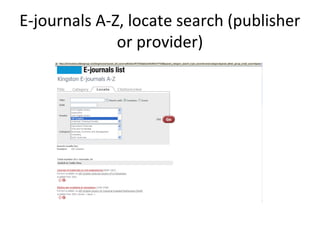
E-journals A-Z, locate search (publisher
              or provider)

Everything You Always Wanted To Know About SFX ...

  • 1.
    Everything You AlwaysWanted To Know About SFX … LRC Helpdesk Training June 2012
  • 2.
    What is ‘SFX’ •Link resolver and knowledge base for e- journals and e-books, from ExLibris • Links into iCat through regular harvesting of basic metadata • Generates A-Z list of e-journals and SFX menu • Allows linking out from databases to full-text • Doesn’t stand for anything now but was originally ‘special effects’ and originated at Ghent University in the late 1990s
  • 3.
    What does thismean in practice? • One-stop list of e-journals (and eventually, e- books) from every provider, in one place • As this is the oldest link resolver on the market, it is very technical compared to competitors such as SerialsSolutions • Allows a range of linking (to full text, abstract, TOC) if we wished to set this up • From databases and iCat full-text articles can be accessed within two clicks
  • 4.
  • 5.
    Where most ofthe work happens
  • 6.
    First, what aboutthat terminology?! • Source = where the search process begins • Target = database or provider • Object = journal or book • Object portfolio = journal or book within a target • Linking parameters = authentication • Institutes = different sites (not used)
  • 7.
    Sources include … • iCat • Databases with the ‘Find it!’ button • COPAC • Google Scholar • SFX Citation List and A-Z list of e-journals • Zetoc
  • 8.
    Targets include … •All the usual databases – but at the moment with standard system generated names so ‘Science Direct’ is ‘NESLI2 Elsevier Science Direct Freedom Collection’ • Some miscellaneous groups such as ‘Free e- journals’ which are lists from different providers, brought together • Services such as Amazon (for book reviews)
  • 9.
    Target list –a tick means ‘active’
  • 10.
  • 11.
  • 12.
    Investigating an activetarget service - 1
  • 13.
    Investigating an activetarget service - 2
  • 14.
  • 15.
    Behind the scenesof object portfolios
  • 16.
    Terminology again! • TargetService Parser – system generated, otherwise we use BULK:BULK and link to journal homepage URL only • Parser – only used if a target service one does not exist • Parse Param – identifying code for the journal, usually taken from the URL • Threshold – dates the journal is available to us
  • 17.
    An example … •We would like to activate the journal “Test for SFX” in the database “ADISONLINE” • First, we need to search the knowledge base to see if this journal (object) already exists – we can search by title and/or ISSN
  • 18.
  • 19.
    If no results,we need to add the object
  • 20.
  • 21.
    Title added withsystem generated identifier (no ISSN)
  • 22.
    Now to createa portfolio (linking the object to a target)
  • 23.
  • 24.
    Add link throughto the journal (parse param)
  • 25.
  • 26.
    Finished! Now tocheck that it works
  • 27.
  • 28.
    Harvesting into A-Zlist/iCat • Usually takes 24 hours after setting up a new object portfolio, or making any changes, for it to appear in the A-Z list or iCat • Titles can be searched in various ways and we have tried to add all previous titles where they are available to us • E-books are available in iCat only, by title and author
  • 29.
    The e-journals A-Z– labels are customizable if we wish
  • 30.
  • 31.
    E-journals A-Z, theinformation button
  • 32.
  • 33.
    E-journals A-Z, locatesearch (publisher or provider)

Editor's Notes

  • #3 Knowledge base harvested to iCat every night; and A-Z list also updated every 24 hours
  • #4 E-books are currently being developed; we can activate them in SFX and harvest them into iCat, but there is no provision yet to include in an A-Z listing, also the records are title/author only
  • #5 Basic admin interface. What people see depends on their permission sets.
  • #11 Edit button, view button. Services + portfolios. Copy function.
  • #12 Point out authentication and general notes which display publicly. Other notes are for us.
  • #16 Object portfolio = one title only