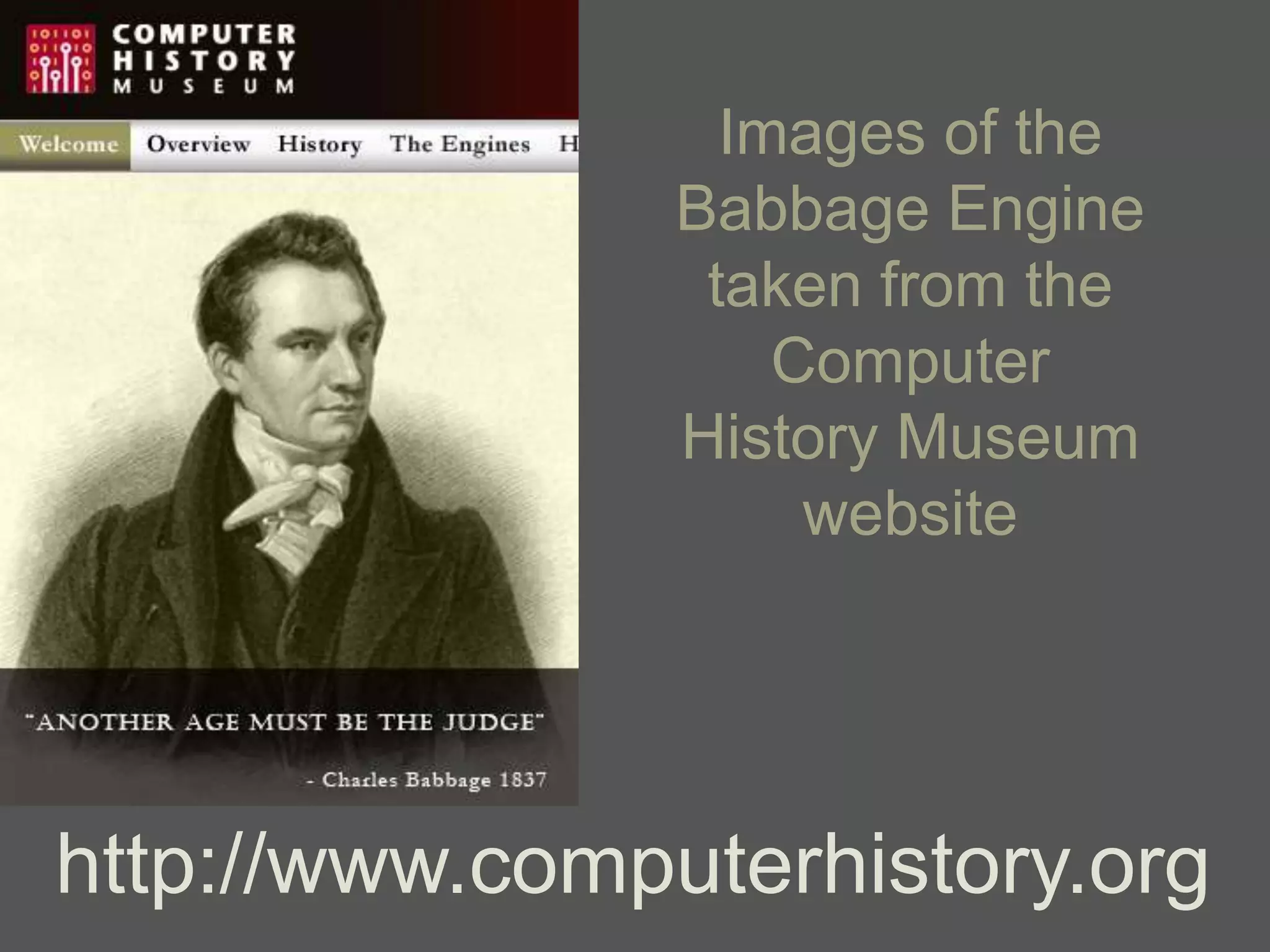
Images of the
                Babbage Engine
                 taken from the
                    Computer
                History Museum
                     website


http://www.computerhistory.org
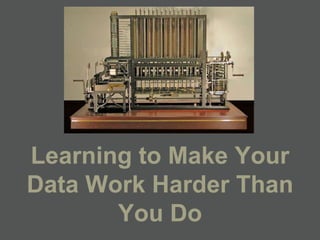
Learning to Make Your
Data Work Harder Than
       You Do
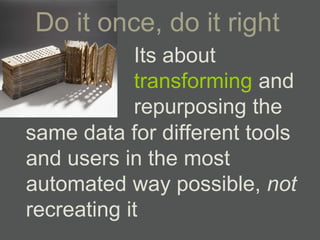
Do it once, do it right
            Its about
            transforming and
            repurposing the
same data for different tools
and users in the most
automated way possible, not
recreating it
Three
      Words:
USE PLANNING
 DOCUMENTS
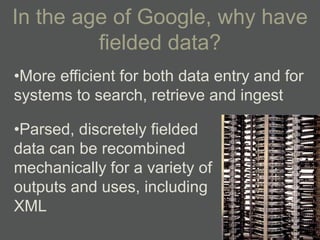
In the age of Google, why have
         fielded data?
•More efficient for both data entry and for
systems to search, retrieve and ingest

•Parsed, discretely fielded
data can be recombined
mechanically for a variety of
outputs and uses, including
XML
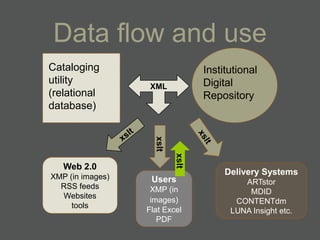
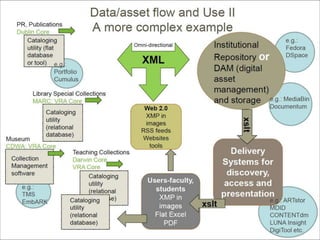
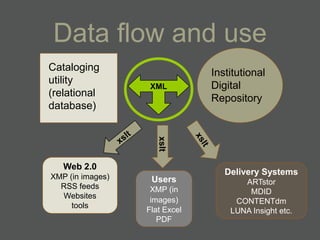
Data flow and use
Cataloging                        Institutional
utility                           Digital
                   XML
(relational                       Repository
database)


                    xslt

                           xslt
   Web 2.0
                                       Delivery Systems
XMP (in images)    Users                   ARTstor
  RSS feeds        XMP (in                  MDID
  Websites
                   images)               CONTENTdm
     tools
                  Flat Excel            LUNA Insight etc.
                     PDF
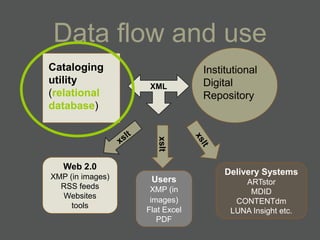
Data flow and use
Cataloging                     Institutional
utility                        Digital
                   XML
(relational                    Repository
database)


                     xslt
   Web 2.0
                                    Delivery Systems
XMP (in images)    Users                ARTstor
  RSS feeds        XMP (in               MDID
  Websites
                   images)            CONTENTdm
     tools
                  Flat Excel         LUNA Insight etc.
                     PDF
A pithy answer to ―why relational?‖
             (for cataloging)
• Message from Jan Eklund to VRA-L, Feb
  20, 2008, subject: Re: CONTENTdm and metadata (now
  posted on VRA web under Resources)
   – Complexity: ―complexity cannot be captured efficiently
     in a flat data model because basically you have to
     leave space in every record to accommodate the
     most complex object you will ever encounter. This
     adds up to a lot of wasted space, and wasted space
     means more money…‖
   – Consistency: ―all the descriptive data about the work
     is entered once, and every image that shows this
     work inherits the same information‖
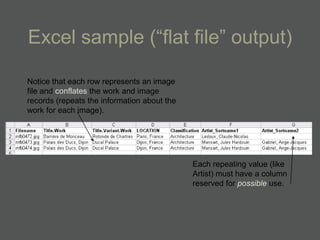
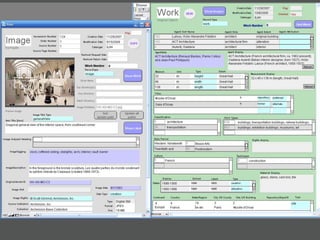
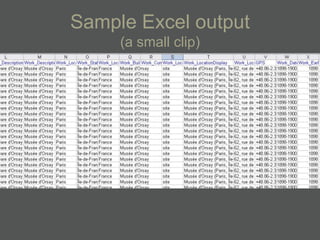
Excel sample (―flat file‖ output)

Notice that each row represents an image
file and conflates the work and image
records (repeats the information about the
work for each image).


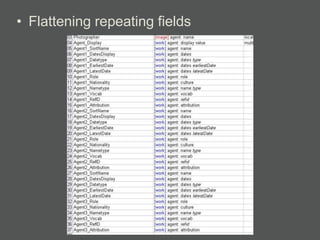
                                             Each repeating value (like
                                             Artist) must have a column
                                             reserved for possible use.
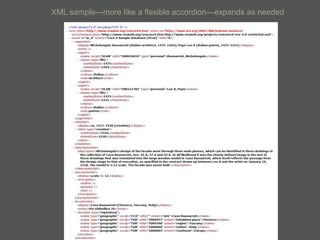
XML sample—more like a flexible accordion—expands as needed
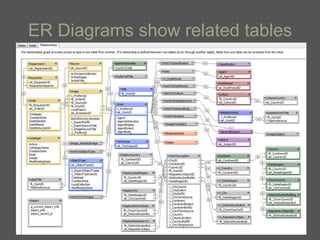
ER Diagrams show related tables
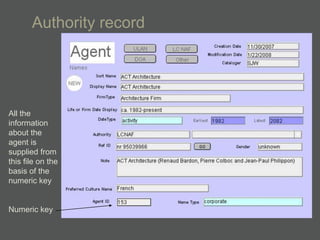
Authority record


All the
information
about the
agent is
supplied from
this file on the
basis of the
numeric key


Numeric key
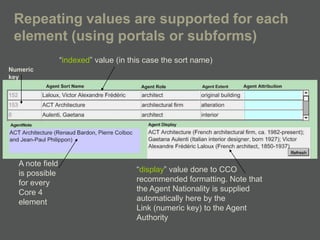
Repeating values are supported for each
 element (using portals or subforms)
                 ―indexed‖ value (in this case the sort name)
Numeric
key


  A note field
  is possible                          ―display‖ value done to CCO
  for every                            recommended formatting. Note that
  Core 4                               the Agent Nationality is supplied
  element                              automatically here by the
                                       Link (numeric key) to the Agent
                                       Authority
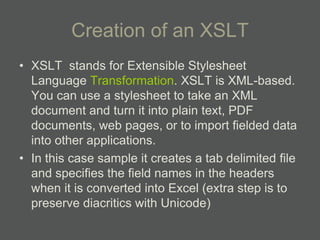
Creation of an XSLT
• XSLT stands for Extensible Stylesheet
  Language Transformation. XSLT is XML-based.
  You can use a stylesheet to take an XML
  document and turn it into plain text, PDF
  documents, web pages, or to import fielded data
  into other applications.
• In this case sample it creates a tab delimited file
  and specifies the field names in the headers
  when it is converted into Excel (extra step is to
  preserve diacritics with Unicode)
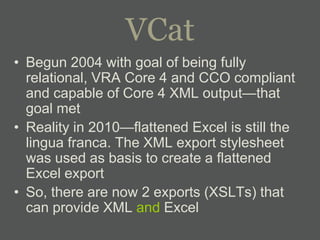
VCat
• Begun 2004 with goal of being fully
  relational, VRA Core 4 and CCO compliant
  and capable of Core 4 XML output—that
  goal met
• Reality in 2010—flattened Excel is still the
  lingua franca. The XML export stylesheet
  was used as basis to create a flattened
  Excel export
• So, there are now 2 exports (XSLTs) that
  can provide XML and Excel
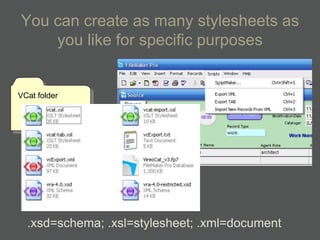
You can create as many stylesheets as
    you like for specific purposes


VCat folder


  .xsd=schema; .xsl=stylesheet; .xml=document
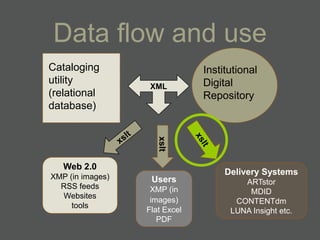
Data flow and use
Cataloging                     Institutional
utility                        Digital
                   XML
(relational                    Repository
database)


                     xslt
   Web 2.0
                                  Delivery Systems
XMP (in images)    Users              ARTstor
  RSS feeds        XMP (in             MDID
  Websites
                   images)          CONTENTdm
     tools
                  Flat Excel       LUNA Insight etc.
                     PDF
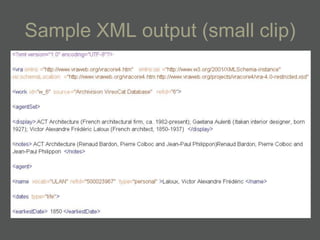
Sample XML output (small clip)
Data flow and use
Cataloging                     Institutional
utility                        Digital
                   XML
(relational                    Repository
database)


                     xslt
   Web 2.0
                                    Delivery Systems
XMP (in images)    Users                ARTstor
  RSS feeds        XMP (in               MDID
  Websites
                   images)            CONTENTdm
     tools
                  Flat Excel         LUNA Insight etc.
                     PDF
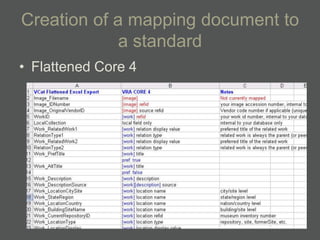
Creation of a mapping document to
             a standard
• Flattened Core 4
• Flattening repeating fields
Sample Excel output
     (a small clip)
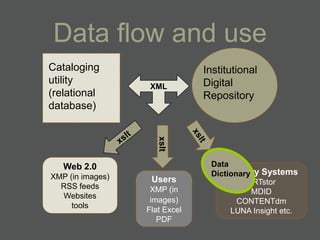
Data flow and use
Cataloging                     Institutional
utility                        Digital
                   XML
(relational                    Repository
database)


                     xslt
   Web 2.0                      Data
XMP (in images)                 Dictionary Systems
                                   Delivery
                   Users                 ARTstor
  RSS feeds        XMP (in                MDID
  Websites
                   images)             CONTENTdm
     tools
                  Flat Excel         LUNA Insight etc.
                     PDF
Creation of a Data Dictionary for
            each tool
• Data dictionaries help set the display look
  of the data that the patron sees—this can
  be customized and where the use of
  ―index‖ and ―display‖ values of Core 4 are
  crucial
• They also set the things the patron does
  not see—under the surface search
  parameters, like using early and late date
  (index fields) to do ―fuzzy‖ searching
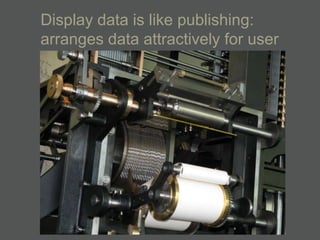
Display data is like publishing:
arranges data attractively for user
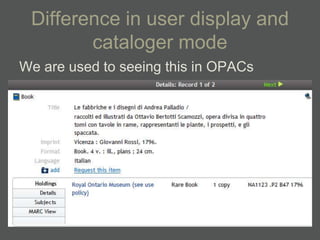
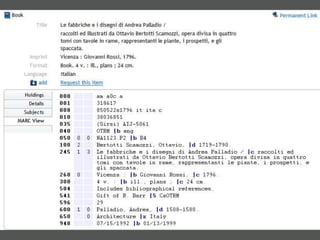
Difference in user display and
        cataloger mode
We are used to seeing this in OPACs
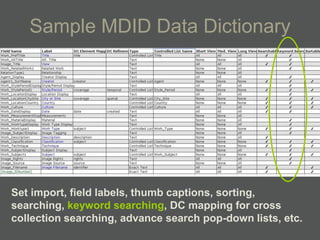
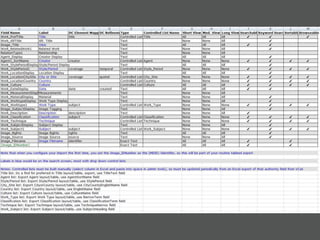
Sample MDID Data Dictionary


Set import, field labels, thumb captions, sorting,
searching, keyword searching, DC mapping for cross
collection searching, advance search pop-down lists, etc.
VCat   ARTstor
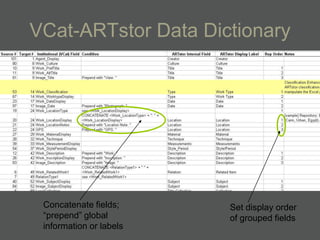
VCat-ARTstor Data Dictionary


 Concatenate fields;     Set display order
 ―prepend‖ global        of grouped fields
 information or labels
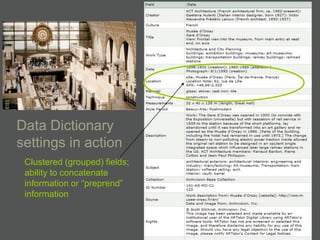
Data Dictionary
settings in action
 Clustered (grouped) fields;
 ability to concatenate
 information or ―preprend‖
 information
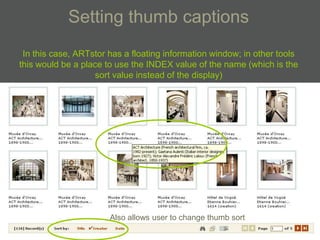
Setting thumb captions
 In this case, ARTstor has a floating information window; in other tools
this would be a place to use the INDEX value of the name (which is the
                   sort value instead of the display)


                       Also allows user to change thumb sort
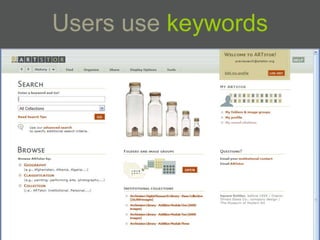
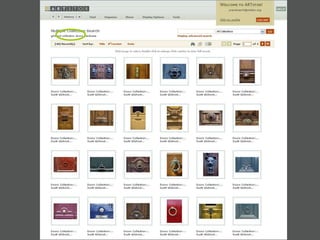
Users use keywords
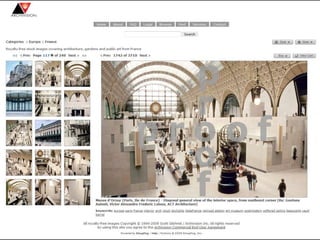
Same data, different tools and
            users
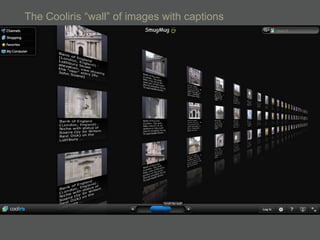
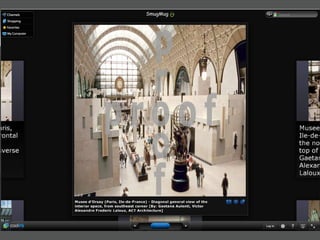
• The following 3 slides show the same data
  prepared for our stock and royalty-free
  publishing site hosted on SmugMug—the
  educational data is reduced and
  compressed into an IPTC-like caption and
  keywords only and written into the image
  header. This means it can be seen using
  Cooliris as well (which is fun).
The Cooliris ―wall‖ of images with captions
In general, you seek to adapt the xslt
  stylesheet and the data dictionary as
  needed rather than changing the data
  that you produce centrally—that
  should remain consistent to a
  standard and you should seek the
  ability to express that in a standard
  xml schema, as well as any other
  stylesheets. Hopefully future tools will
  ingest from the standard schema.
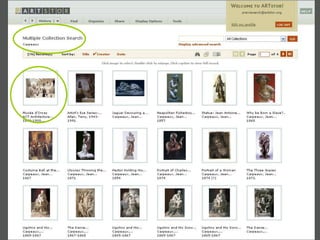
Thinking about how to present
    grouped or complex objects
• Think about this upfront so that your
  cataloging can help facilitate groupings—
  use of data values
• Also think about what needs to be
  consistently fielded data (including local
  field structure) to help order and sequence
  manuscripts and time-based works
• These will require local fields and data
  dictionary mapping and settings
Pragmatic, phased approaches
• Being able to find and update older
  records easily and consistently into full
  Core 4 when it is better supported in tools
• Supplying the data now in some useful
  form
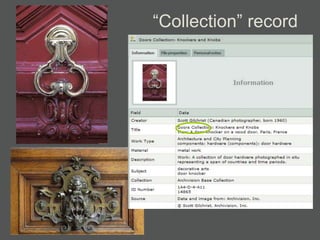
―Collection‖ record

Making your data work harder than you do

  • 1.
    Images of the Babbage Engine taken from the Computer History Museum website http://www.computerhistory.org
  • 2.
    Learning to MakeYour Data Work Harder Than You Do
  • 3.
    Do it once,do it right Its about transforming and repurposing the same data for different tools and users in the most automated way possible, not recreating it
  • 4.
    Three Words: USE PLANNING DOCUMENTS
  • 5.
    In the ageof Google, why have fielded data? •More efficient for both data entry and for systems to search, retrieve and ingest •Parsed, discretely fielded data can be recombined mechanically for a variety of outputs and uses, including XML
  • 6.
    Data flow anduse Cataloging Institutional utility Digital XML (relational Repository database) xslt xslt Web 2.0 Delivery Systems XMP (in images) Users ARTstor RSS feeds XMP (in MDID Websites images) CONTENTdm tools Flat Excel LUNA Insight etc. PDF
  • 8.
    Data flow anduse Cataloging Institutional utility Digital XML (relational Repository database) xslt Web 2.0 Delivery Systems XMP (in images) Users ARTstor RSS feeds XMP (in MDID Websites images) CONTENTdm tools Flat Excel LUNA Insight etc. PDF
  • 9.
    A pithy answerto ―why relational?‖ (for cataloging) • Message from Jan Eklund to VRA-L, Feb 20, 2008, subject: Re: CONTENTdm and metadata (now posted on VRA web under Resources) – Complexity: ―complexity cannot be captured efficiently in a flat data model because basically you have to leave space in every record to accommodate the most complex object you will ever encounter. This adds up to a lot of wasted space, and wasted space means more money…‖ – Consistency: ―all the descriptive data about the work is entered once, and every image that shows this work inherits the same information‖
  • 10.
    Excel sample (―flatfile‖ output) Notice that each row represents an image file and conflates the work and image records (repeats the information about the work for each image). Each repeating value (like Artist) must have a column reserved for possible use.
  • 11.
    XML sample—more likea flexible accordion—expands as needed
  • 12.
    ER Diagrams showrelated tables
  • 13.
    Authority record All the information aboutthe agent is supplied from this file on the basis of the numeric key Numeric key
  • 14.
    Repeating values aresupported for each element (using portals or subforms) ―indexed‖ value (in this case the sort name) Numeric key A note field is possible ―display‖ value done to CCO for every recommended formatting. Note that Core 4 the Agent Nationality is supplied element automatically here by the Link (numeric key) to the Agent Authority
  • 15.
    Creation of anXSLT • XSLT stands for Extensible Stylesheet Language Transformation. XSLT is XML-based. You can use a stylesheet to take an XML document and turn it into plain text, PDF documents, web pages, or to import fielded data into other applications. • In this case sample it creates a tab delimited file and specifies the field names in the headers when it is converted into Excel (extra step is to preserve diacritics with Unicode)
  • 16.
    VCat • Begun 2004with goal of being fully relational, VRA Core 4 and CCO compliant and capable of Core 4 XML output—that goal met • Reality in 2010—flattened Excel is still the lingua franca. The XML export stylesheet was used as basis to create a flattened Excel export • So, there are now 2 exports (XSLTs) that can provide XML and Excel
  • 17.
    You can createas many stylesheets as you like for specific purposes VCat folder .xsd=schema; .xsl=stylesheet; .xml=document
  • 19.
    Data flow anduse Cataloging Institutional utility Digital XML (relational Repository database) xslt Web 2.0 Delivery Systems XMP (in images) Users ARTstor RSS feeds XMP (in MDID Websites images) CONTENTdm tools Flat Excel LUNA Insight etc. PDF
  • 20.
    Sample XML output(small clip)
  • 21.
    Data flow anduse Cataloging Institutional utility Digital XML (relational Repository database) xslt Web 2.0 Delivery Systems XMP (in images) Users ARTstor RSS feeds XMP (in MDID Websites images) CONTENTdm tools Flat Excel LUNA Insight etc. PDF
  • 22.
    Creation of amapping document to a standard • Flattened Core 4
  • 23.
  • 24.
    Sample Excel output (a small clip)
  • 25.
    Data flow anduse Cataloging Institutional utility Digital XML (relational Repository database) xslt Web 2.0 Data XMP (in images) Dictionary Systems Delivery Users ARTstor RSS feeds XMP (in MDID Websites images) CONTENTdm tools Flat Excel LUNA Insight etc. PDF
  • 26.
    Creation of aData Dictionary for each tool • Data dictionaries help set the display look of the data that the patron sees—this can be customized and where the use of ―index‖ and ―display‖ values of Core 4 are crucial • They also set the things the patron does not see—under the surface search parameters, like using early and late date (index fields) to do ―fuzzy‖ searching
  • 27.
    Display data islike publishing: arranges data attractively for user
  • 28.
    Difference in userdisplay and cataloger mode We are used to seeing this in OPACs
  • 30.
    Sample MDID DataDictionary Set import, field labels, thumb captions, sorting, searching, keyword searching, DC mapping for cross collection searching, advance search pop-down lists, etc.
  • 32.
    VCat ARTstor
  • 33.
    VCat-ARTstor Data Dictionary Concatenate fields; Set display order ―prepend‖ global of grouped fields information or labels
  • 34.
    Data Dictionary settings inaction Clustered (grouped) fields; ability to concatenate information or ―preprend‖ information
  • 35.
    Setting thumb captions In this case, ARTstor has a floating information window; in other tools this would be a place to use the INDEX value of the name (which is the sort value instead of the display) Also allows user to change thumb sort
  • 36.
  • 39.
    Same data, differenttools and users • The following 3 slides show the same data prepared for our stock and royalty-free publishing site hosted on SmugMug—the educational data is reduced and compressed into an IPTC-like caption and keywords only and written into the image header. This means it can be seen using Cooliris as well (which is fun).
  • 41.
    The Cooliris ―wall‖of images with captions
  • 43.
    In general, youseek to adapt the xslt stylesheet and the data dictionary as needed rather than changing the data that you produce centrally—that should remain consistent to a standard and you should seek the ability to express that in a standard xml schema, as well as any other stylesheets. Hopefully future tools will ingest from the standard schema.
  • 44.
    Thinking about howto present grouped or complex objects • Think about this upfront so that your cataloging can help facilitate groupings— use of data values • Also think about what needs to be consistently fielded data (including local field structure) to help order and sequence manuscripts and time-based works • These will require local fields and data dictionary mapping and settings
  • 45.
    Pragmatic, phased approaches •Being able to find and update older records easily and consistently into full Core 4 when it is better supported in tools • Supplying the data now in some useful form
  • 47.