Every Child Can
Blog!
An interactive workshop by
Fatima Salman and Zainab Salman
Introductions:
• Your name
• Your age
• Your Class & School
• Reason for coming to this workshop
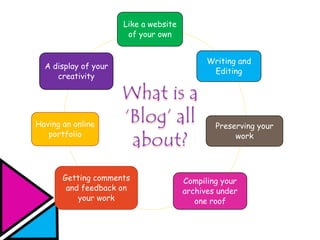
Like a website
of your own
Writing and
Editing
Preserving your
work
Compiling your
archives under
one roof
Getting comments
and feedback on
your work
Having an online
portfolio
A display of your
creativity
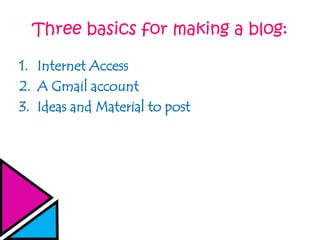
Three basics for making a blog:
1. Internet Access
2. A Gmail account
3. Ideas and Material to post
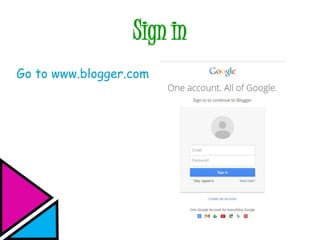
Sign in
Go to www.blogger.com
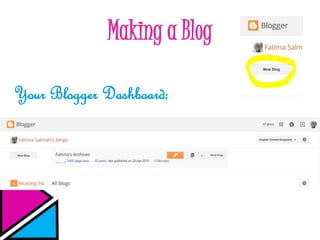
Making a Blog
Your Blogger Dashboard:
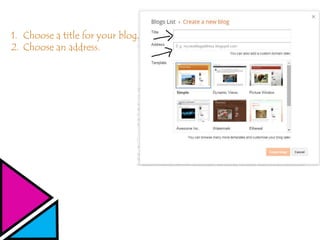
1. Choose a title for your blog.
2. Choose an address.
Ideas for Blog Titles
Specific
• ____’s Writings
• ____’s Artwork
• ____’s Stories
• ____’s Poetry
General
• ____’s Creations
• ____’s Archives
• ____’s Ideas
• ____’s Masterpieces
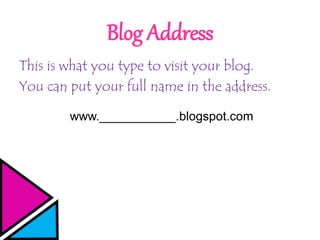
Blog Address
This is what you type to visit your blog.
You can put your full name in the address.
www.___________.blogspot.com
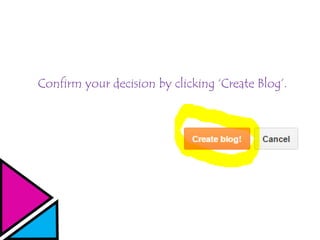
Confirm your decision by clicking ‘Create Blog’.
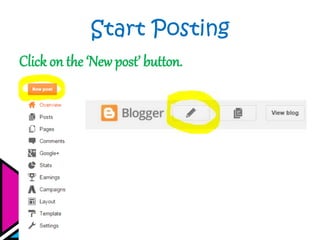
Start Posting
Click on the ‘New post’ button.
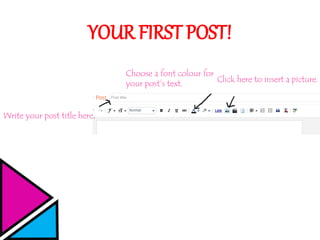
YOUR FIRST POST!
Write your post title here.
Choose a font colour for
your post’s text.
Click here to insert a picture.
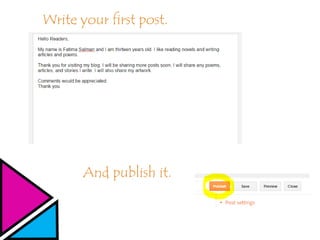
Write your first post.
And publish it.
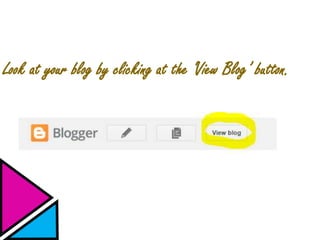
Look at your blog by clicking at the ‘View Blog’ button.
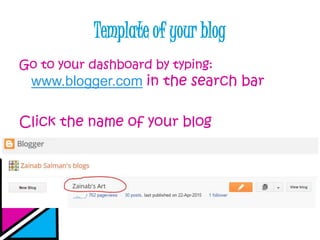
Template of your blog
Go to your dashboard by typing:
www.blogger.com in the search bar
Click the name of your blog
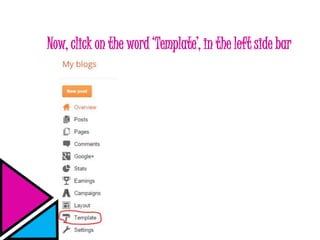
Now, click on the word ‘Template’, in the left side bar
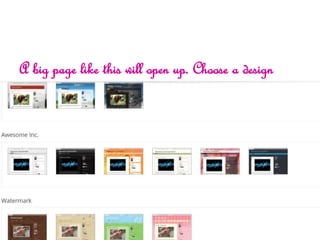
A big page like this will open up. Choose a design
A page like this will open up.
Click on the ‘Apply to blog' button
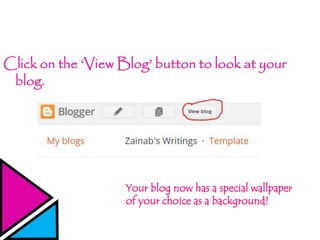
Click on the ‘View Blog’ button to look at your
blog.
Your blog now has a special wallpaper
of your choice as a background!
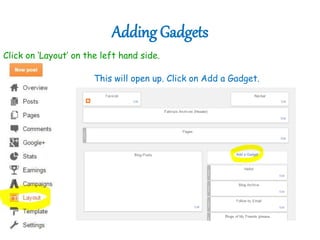
Adding Gadgets
Click on ‘Layout’ on the left hand side.
This will open up. Click on Add a Gadget.
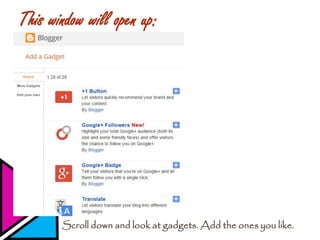
This window will open up:
Scroll down and look at gadgets. Add the ones you like.
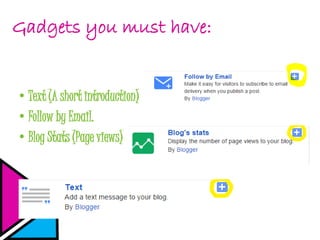
Gadgets you must have:
•Text (A short introduction)
•Follow by Email.
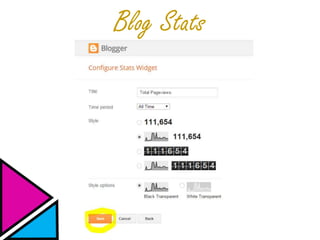
•Blog Stats (Page views)
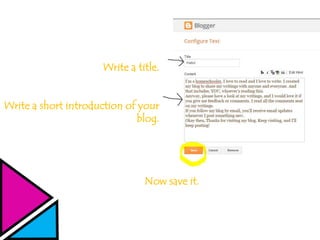
Write a title.
Write a short introduction of your
blog.
Now save it.
Writing your short introduction
Your short introduction may contain:
• A greeting and your name.
• Things you like to do.
• A little about your blog.
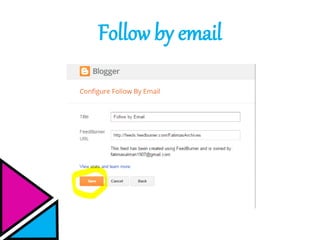
Follow by email
Blog Stats
CONTINUE POSTING!
If you have any questions, ASK!
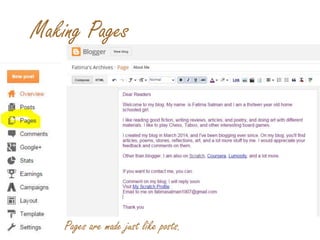
Making Pages
Pages are made just like posts.
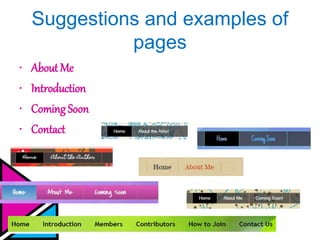
Suggestions and examples of
pages
• About Me
• Introduction
• ComingSoon
• Contact
Write your detailed introduction
Your introduction may contain:
• Your full name, age & class.
• Things you like, eg: your favourite books, movies,
etc.
• Your hobbies and interests.
• Your co-curricular activities.
• Links to other social sites, if you are on any.
Ideas for advertising for your blog
Now that you have a blog, you need to tell people about it. Here
are some ideas about how to advertise for your blog:
o Make a bookmark containing your blog address
o Write an e-mail to your family and friends, where you can
tell them about your blog
o Post an explanation on social sites like facebook and twitter
where you can also include a link
o Tell others about your blog when they ask you about what
you’re doing these days
Soon, you’ll have a number of page views on your blog!
Visits to every ones’ blogs!
Visit, comment, give feedback, and follow
Tips to remember when
commenting
• Always tick the ‘Notify Me’ button to
receive a notification if the author replies to
your comment.
• Always reply to the comments posted on
your blog.
• Give positive comments with constructive
feedback.
Thank you!
THAT’S ALL,

Every child can blog

  • 1.
    Every Child Can Blog! Aninteractive workshop by Fatima Salman and Zainab Salman
  • 2.
    Introductions: • Your name •Your age • Your Class & School • Reason for coming to this workshop
  • 3.
    Like a website ofyour own Writing and Editing Preserving your work Compiling your archives under one roof Getting comments and feedback on your work Having an online portfolio A display of your creativity
  • 4.
    Three basics formaking a blog: 1. Internet Access 2. A Gmail account 3. Ideas and Material to post
  • 5.
    Sign in Go towww.blogger.com
  • 6.
    Making a Blog YourBlogger Dashboard:
  • 7.
    1. Choose atitle for your blog. 2. Choose an address.
  • 8.
    Ideas for BlogTitles Specific • ____’s Writings • ____’s Artwork • ____’s Stories • ____’s Poetry General • ____’s Creations • ____’s Archives • ____’s Ideas • ____’s Masterpieces
  • 9.
    Blog Address This iswhat you type to visit your blog. You can put your full name in the address. www.___________.blogspot.com
  • 10.
    Confirm your decisionby clicking ‘Create Blog’.
  • 11.
    Start Posting Click onthe ‘New post’ button.
  • 12.
    YOUR FIRST POST! Writeyour post title here. Choose a font colour for your post’s text. Click here to insert a picture.
  • 13.
    Write your firstpost. And publish it.
  • 14.
    Look at yourblog by clicking at the ‘View Blog’ button.
  • 15.
    Template of yourblog Go to your dashboard by typing: www.blogger.com in the search bar Click the name of your blog
  • 16.
    Now, click onthe word ‘Template’, in the left side bar
  • 17.
    A big pagelike this will open up. Choose a design
  • 18.
    A page likethis will open up. Click on the ‘Apply to blog' button
  • 19.
    Click on the‘View Blog’ button to look at your blog. Your blog now has a special wallpaper of your choice as a background!
  • 20.
    Adding Gadgets Click on‘Layout’ on the left hand side. This will open up. Click on Add a Gadget.
  • 21.
    This window willopen up: Scroll down and look at gadgets. Add the ones you like.
  • 22.
    Gadgets you musthave: •Text (A short introduction) •Follow by Email. •Blog Stats (Page views)
  • 23.
    Write a title. Writea short introduction of your blog. Now save it.
  • 24.
    Writing your shortintroduction Your short introduction may contain: • A greeting and your name. • Things you like to do. • A little about your blog.
  • 25.
  • 26.
  • 27.
    CONTINUE POSTING! If youhave any questions, ASK!
  • 28.
    Making Pages Pages aremade just like posts.
  • 29.
    Suggestions and examplesof pages • About Me • Introduction • ComingSoon • Contact
  • 30.
    Write your detailedintroduction Your introduction may contain: • Your full name, age & class. • Things you like, eg: your favourite books, movies, etc. • Your hobbies and interests. • Your co-curricular activities. • Links to other social sites, if you are on any.
  • 31.
    Ideas for advertisingfor your blog Now that you have a blog, you need to tell people about it. Here are some ideas about how to advertise for your blog: o Make a bookmark containing your blog address o Write an e-mail to your family and friends, where you can tell them about your blog o Post an explanation on social sites like facebook and twitter where you can also include a link o Tell others about your blog when they ask you about what you’re doing these days Soon, you’ll have a number of page views on your blog!
  • 32.
    Visits to everyones’ blogs! Visit, comment, give feedback, and follow
  • 33.
    Tips to rememberwhen commenting • Always tick the ‘Notify Me’ button to receive a notification if the author replies to your comment. • Always reply to the comments posted on your blog. • Give positive comments with constructive feedback.
  • 34.

Editor's Notes

  • #4 First ask people about their opinions, then view all this
  • #5 Ensure that every
  • #8 1. Can be specific or general.
  • #9 These are only suggestions too help the kids.
  • #22 We will be helping and guiding the kids in this part.
  • #32 Suggest them ideas to the kids-explain each one properly
  • #33 Provide materials and explain what to do-kids will make bookmarks by themselves.
  • #35  Main Topic: The art of commenting