Evaluation Question 4:
How did you use new media technologies in the construction and
           research, planning and evaluation stages?


         By Chitra Jeebodhun
      A2 Music video coursework
               Part 2…
Final Cut Express.
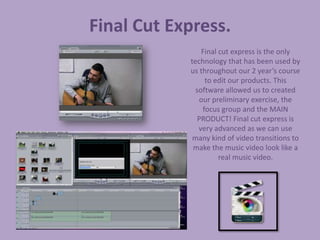
                Final cut express is the only
            technology that has been used by
            us throughout our 2 year’s course
                 to edit our products. This
              software allowed us to created
               our preliminary exercise, the
                focus group and the MAIN
               PRODUCT! Final cut express is
               very advanced as we can use
             many kind of video transitions to
             make the music video look like a
                      real music video.
Adobe Photoshop
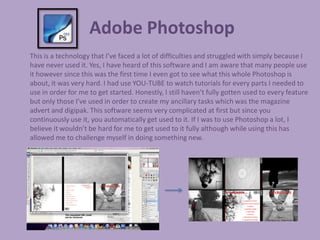
This is a technology that I’ve faced a lot of difficulties and struggled with simply because I
have never used it. Yes, I have heard of this software and I am aware that many people use
it however since this was the first time I even got to see what this whole Photoshop is
about, it was very hard. I had use YOU-TUBE to watch tutorials for every parts I needed to
use in order for me to get started. Honestly, I still haven’t fully gotten used to every feature
but only those I’ve used in order to create my ancillary tasks which was the magazine
advert and digipak. This software seems very complicated at first but since you
continuously use it, you automatically get used to it. If I was to use Photoshop a lot, I
believe it wouldn’t be hard for me to get used to it fully although while using this has
allowed me to challenge myself in doing something new.
Picnik.Com
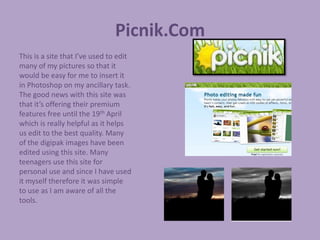
This is a site that I’ve used to edit
many of my pictures so that it
would be easy for me to insert it
in Photoshop on my ancillary task.
The good news with this site was
that it’s offering their premium
features free until the 19th April
which is really helpful as it helps
us edit to the best quality. Many
of the digipak images have been
edited using this site. Many
teenagers use this site for
personal use and since I have used
it myself therefore it was simple
to use as I am aware of all the
tools.
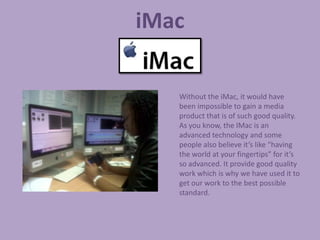
iMac

   Without the iMac, it would have
   been impossible to gain a media
   product that is of such good quality.
   As you know, the IMac is an
   advanced technology and some
   people also believe it’s like “having
   the world at your fingertips” for it’s
   so advanced. It provide good quality
   work which is why we have used it to
   get our work to the best possible
   standard.
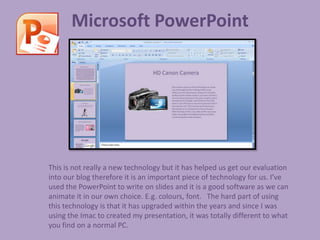
Microsoft PowerPoint


This is not really a new technology but it has helped us get our evaluation
into our blog therefore it is an important piece of technology for us. I’ve
used the PowerPoint to write on slides and it is a good software as we can
animate it in our own choice. E.g. colours, font. The hard part of using
this technology is that it has upgraded within the years and since I was
using the Imac to created my presentation, it was totally different to what
you find on a normal PC.
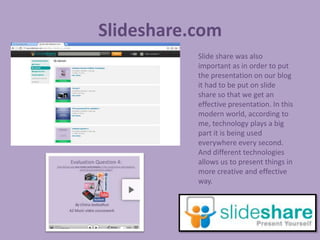
Slideshare.com
           Slide share was also
           important as in order to put
           the presentation on our blog
           it had to be put on slide
           share so that we get an
           effective presentation. In this
           modern world, according to
           me, technology plays a big
           part it is being used
           everywhere every second.
           And different technologies
           allows us to present things in
           more creative and effective
           way.
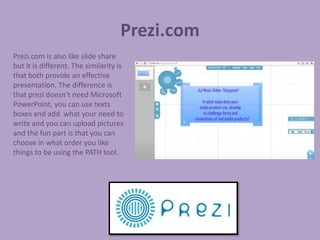
Prezi.com
Prezi.com is also like slide share
but it is different. The similarity is
that both provide an effective
presentation. The difference is
that prezi doesn’t need Microsoft
PowerPoint, you can use texts
boxes and add what your need to
write and you can upload pictures
and the fun part is that you can
choose in what order you like
things to be using the PATH tool.
Survey Monkey.


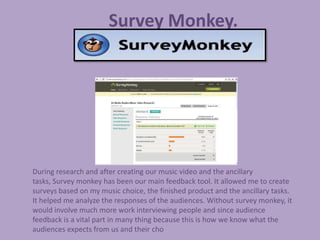
During research and after creating our music video and the ancillary
tasks, Survey monkey has been our main feedback tool. It allowed me to create
surveys based on my music choice, the finished product and the ancillary tasks.
It helped me analyze the responses of the audiences. Without survey monkey, it
would involve much more work interviewing people and since audience
feedback is a vital part in many thing because this is how we know what the
audiences expects from us and their cho
Sliderocket.
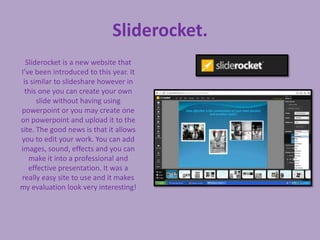
  Sliderocket is a new website that
I’ve been introduced to this year. It
 is similar to slideshare however in
  this one you can create your own
      slide without having using
powerpoint or you may create one
on powerpoint and upload it to the
site. The good news is that it allows
you to edit your work. You can add
images, sound, effects and you can
   make it into a professional and
   effective presentation. It was a
really easy site to use and it makes
my evaluation look very interesting!
Facebook.

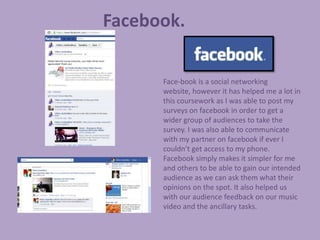
      Face-book is a social networking
      website, however it has helped me a lot in
      this coursework as I was able to post my
      surveys on facebook in order to get a
      wider group of audiences to take the
      survey. I was also able to communicate
      with my partner on facebook if ever I
      couldn’t get access to my phone.
      Facebook simply makes it simpler for me
      and others to be able to gain our intended
      audience as we can ask them what their
      opinions on the spot. It also helped us
      with our audience feedback on our music
      video and the ancillary tasks.
Wordle.
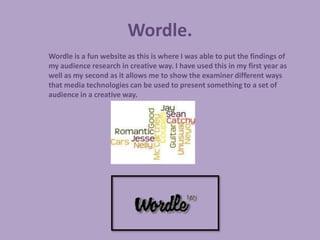
Wordle is a fun website as this is where I was able to put the findings of
my audience research in creative way. I have used this in my first year as
well as my second as it allows me to show the examiner different ways
that media technologies can be used to present something to a set of
audience in a creative way.

Evaluation question 4 part 2)

  • 1.
    Evaluation Question 4: Howdid you use new media technologies in the construction and research, planning and evaluation stages? By Chitra Jeebodhun A2 Music video coursework Part 2…
  • 2.
    Final Cut Express. Final cut express is the only technology that has been used by us throughout our 2 year’s course to edit our products. This software allowed us to created our preliminary exercise, the focus group and the MAIN PRODUCT! Final cut express is very advanced as we can use many kind of video transitions to make the music video look like a real music video.
  • 3.
    Adobe Photoshop This isa technology that I’ve faced a lot of difficulties and struggled with simply because I have never used it. Yes, I have heard of this software and I am aware that many people use it however since this was the first time I even got to see what this whole Photoshop is about, it was very hard. I had use YOU-TUBE to watch tutorials for every parts I needed to use in order for me to get started. Honestly, I still haven’t fully gotten used to every feature but only those I’ve used in order to create my ancillary tasks which was the magazine advert and digipak. This software seems very complicated at first but since you continuously use it, you automatically get used to it. If I was to use Photoshop a lot, I believe it wouldn’t be hard for me to get used to it fully although while using this has allowed me to challenge myself in doing something new.
  • 4.
    Picnik.Com This is asite that I’ve used to edit many of my pictures so that it would be easy for me to insert it in Photoshop on my ancillary task. The good news with this site was that it’s offering their premium features free until the 19th April which is really helpful as it helps us edit to the best quality. Many of the digipak images have been edited using this site. Many teenagers use this site for personal use and since I have used it myself therefore it was simple to use as I am aware of all the tools.
  • 5.
    iMac Without the iMac, it would have been impossible to gain a media product that is of such good quality. As you know, the IMac is an advanced technology and some people also believe it’s like “having the world at your fingertips” for it’s so advanced. It provide good quality work which is why we have used it to get our work to the best possible standard.
  • 6.
    Microsoft PowerPoint This isnot really a new technology but it has helped us get our evaluation into our blog therefore it is an important piece of technology for us. I’ve used the PowerPoint to write on slides and it is a good software as we can animate it in our own choice. E.g. colours, font. The hard part of using this technology is that it has upgraded within the years and since I was using the Imac to created my presentation, it was totally different to what you find on a normal PC.
  • 7.
    Slideshare.com Slide share was also important as in order to put the presentation on our blog it had to be put on slide share so that we get an effective presentation. In this modern world, according to me, technology plays a big part it is being used everywhere every second. And different technologies allows us to present things in more creative and effective way.
  • 8.
    Prezi.com Prezi.com is alsolike slide share but it is different. The similarity is that both provide an effective presentation. The difference is that prezi doesn’t need Microsoft PowerPoint, you can use texts boxes and add what your need to write and you can upload pictures and the fun part is that you can choose in what order you like things to be using the PATH tool.
  • 9.
    Survey Monkey. During researchand after creating our music video and the ancillary tasks, Survey monkey has been our main feedback tool. It allowed me to create surveys based on my music choice, the finished product and the ancillary tasks. It helped me analyze the responses of the audiences. Without survey monkey, it would involve much more work interviewing people and since audience feedback is a vital part in many thing because this is how we know what the audiences expects from us and their cho
  • 10.
    Sliderocket. Sliderocketis a new website that I’ve been introduced to this year. It is similar to slideshare however in this one you can create your own slide without having using powerpoint or you may create one on powerpoint and upload it to the site. The good news is that it allows you to edit your work. You can add images, sound, effects and you can make it into a professional and effective presentation. It was a really easy site to use and it makes my evaluation look very interesting!
  • 11.
    Facebook. Face-book is a social networking website, however it has helped me a lot in this coursework as I was able to post my surveys on facebook in order to get a wider group of audiences to take the survey. I was also able to communicate with my partner on facebook if ever I couldn’t get access to my phone. Facebook simply makes it simpler for me and others to be able to gain our intended audience as we can ask them what their opinions on the spot. It also helped us with our audience feedback on our music video and the ancillary tasks.
  • 12.
    Wordle. Wordle is afun website as this is where I was able to put the findings of my audience research in creative way. I have used this in my first year as well as my second as it allows me to show the examiner different ways that media technologies can be used to present something to a set of audience in a creative way.