4. How did you use new media
technologies in the construction and
 research, planning and evaluation
               stages?

        By Jessica Knights
We used a variety of new technologies and
software throughout the planning, researching,
constructing and evaluation stages of our Music
video project. A large percentage of the
technologies we used multiple times and were
vital in completing our final products.
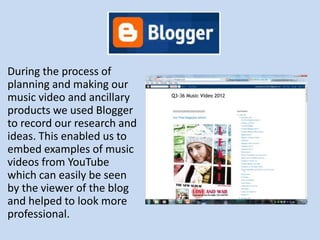
During the process of
planning and making our
music video and ancillary
products we used Blogger
to record our research and
ideas. This enabled us to
embed examples of music
videos from YouTube
which can easily be seen
by the viewer of the blog
and helped to look more
professional.
We used YouTube to watch examples of
professional and student music videos which
enabled us to analyse and generate ideas for our
own music video.
• Furthermore, Youtube was extremely helpful
  as a vital learning tool as we watched lots of
  final cut tutorials, which enabled us to create
  many of the dominant features in our music
  video.
• For instance we learnt how to use colour
  corrector, as well as how to change the Green
  screen background. This allowed us to use our
  Andy Warhol influence and ideas in our video
  which became highly significant in the
  outcome of our project.
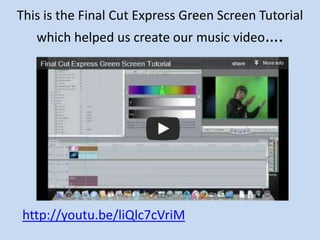
This is the Final Cut Express Green Screen Tutorial
   which helped us create our music video….


http://youtu.be/liQlc7cVriM
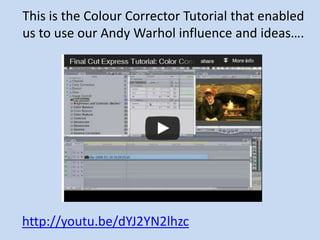
This is the Colour Corrector Tutorial that enabled
us to use our Andy Warhol influence and ideas….


http://youtu.be/dYJ2YN2lhzc
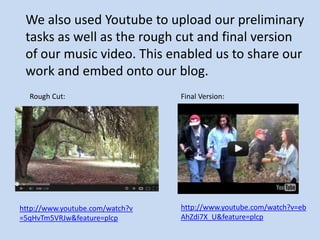
We also used Youtube to upload our preliminary
 tasks as well as the rough cut and final version
 of our music video. This enabled us to share our
 work and embed onto our blog.
  Rough Cut:                     Final Version:


http://www.youtube.com/watch?v   http://www.youtube.com/watch?v=eb
=5qHvTm5VRJw&feature=plcp        AhZdi7X_U&feature=plcp
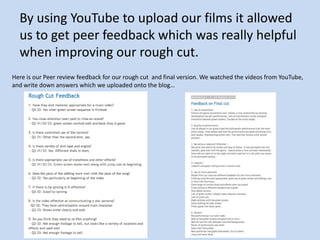
By using YouTube to upload our films it allowed
  us to get peer feedback which was really helpful
  when improving our rough cut.
Here is our Peer review feedback for our rough cut and final version. We watched the videos from YouTube,
and write down answers which we uploaded onto the blog…
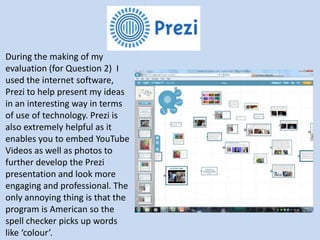
During the making of my
evaluation (for Question 2) I
used the internet software,
Prezi to help present my ideas
in an interesting way in terms
of use of technology. Prezi is
also extremely helpful as it
enables you to embed YouTube
Videos as well as photos to
further develop the Prezi
presentation and look more
engaging and professional. The
only annoying thing is that the
program is American so the
spell checker picks up words
like ‘colour’.
Photoshop
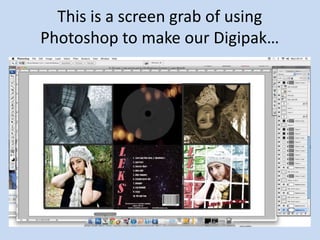
• We used Photoshop a lot when creating our
  ancillary tasks.
• We were able to create the exact layout
• Furthermore by using Photoshop to edit our
  photos allowed the quality of the photos to be
  the best as possible.
• Also, using Photoshop allowed lots
  of editing options (e.g cropping,
  filters, contrast, adding text etc.) for
  our digipak and magazine advert.
This is a screen grab of using
Photoshop to make our Digipak…
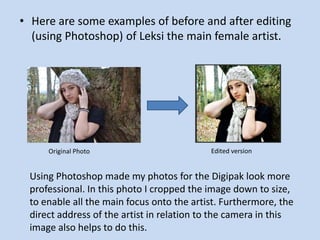
• Here are some examples of before and after editing
  (using Photoshop) of Leksi the main female artist.


     Original Photo                        Edited version


 Using Photoshop made my photos for the Digipak look more
 professional. In this photo I cropped the image down to size,
 to enable all the main focus onto the artist. Furthermore, the
 direct address of the artist in relation to the camera in this
 image also helps to do this.
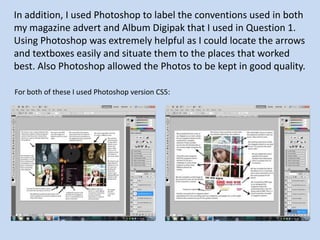
In addition, I used Photoshop to label the conventions used in both
my magazine advert and Album Digipak that I used in Question 1.
Using Photoshop was extremely helpful as I could locate the arrows
and textboxes easily and situate them to the places that worked
best. Also Photoshop allowed the Photos to be kept in good quality.

For both of these I used Photoshop version CS5:
Final Cut Express
Without the Final cut express software we
would be unable to produce and create our
music video.
When editing both our preliminary task and final
music video opening we used the editing
software FinalCut. Although we did have some
experience of using this software we
have definitely developed our skills.
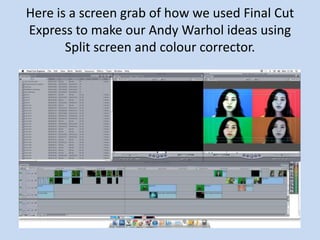
Here is a screen grab of how we used Final Cut
Express to make our Andy Warhol ideas using
       Split screen and colour corrector.
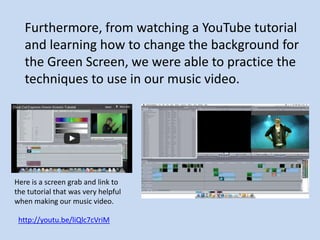
Furthermore, from watching a YouTube tutorial
   and learning how to change the background for
   the Green Screen, we were able to practice the
   techniques to use in our music video.


Here is a screen grab and link to
the tutorial that was very helpful
when making our music video.
 http://youtu.be/liQlc7cVriM
We also used Final cut for Question 3 of the
Evaluation, which we made as a group. We used
the peer review feedback already on our blog
from when we watched our music video in class
on YouTube to help script. We also filmed peer
reviews of our ancillary tasks and got Qualitative
feedback which we then made a video on Final
cut.
• When creating our blog we ran out of memory
  space for uploading photos. Therefore, we had
  to upload our photos onto Flickr and embed
  onto our blog. Using flickr was a life saver as
  without this software we could not upload
  anymore photos to finish the presentation and
  journey of our blog and creation of our
  products.
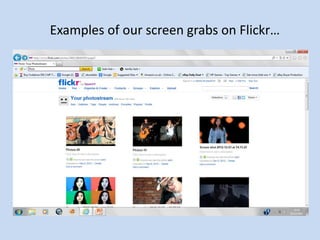
Examples of our screen grabs on Flickr…
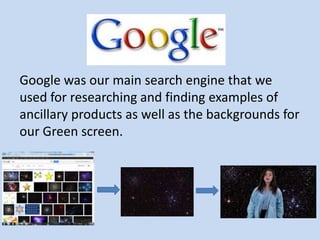
Google was our main search engine that we
used for researching and finding examples of
ancillary products as well as the backgrounds for
our Green screen.
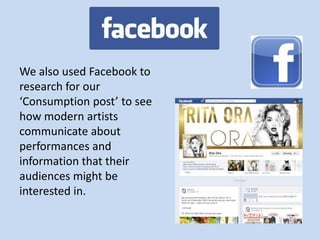
We also used Facebook to
research for our
‘Consumption post’ to see
how modern artists
communicate about
performances and
information that their
audiences might be
interested in.
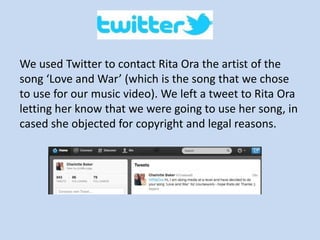
We used Twitter to contact Rita Ora the artist of the
song ‘Love and War’ (which is the song that we chose
to use for our music video). We left a tweet to Rita Ora
letting her know that we were going to use her song, in
cased she objected for copyright and legal reasons.
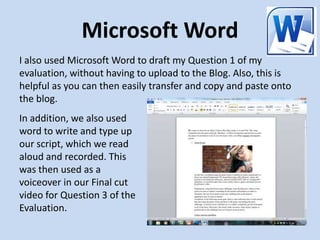
Microsoft Word
I also used Microsoft Word to draft my Question 1 of my
evaluation, without having to upload to the Blog. Also, this is
helpful as you can then easily transfer and copy and paste onto
the blog.
In addition, we also used
word to write and type up
our script, which we read
aloud and recorded. This
was then used as a
voiceover in our Final cut
video for Question 3 of the
Evaluation.
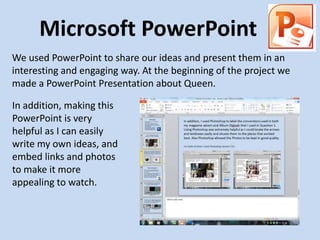
Microsoft PowerPoint
We used PowerPoint to share our ideas and present them in an
interesting and engaging way. At the beginning of the project we
made a PowerPoint Presentation about Queen.

In addition, making this
PowerPoint is very
helpful as I can easily
write my own ideas, and
embed links and photos
to make it more
appealing to watch.
We used a variety of
          equipment…

Other than computer and internet software we
used a range of technological equipment and
not just digital formats when creating our three
products.
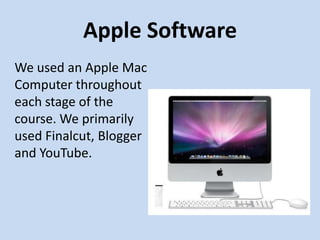
Apple Software
We used an Apple Mac
Computer throughout
each stage of the
course. We primarily
used Finalcut, Blogger
and YouTube.
Video Camera
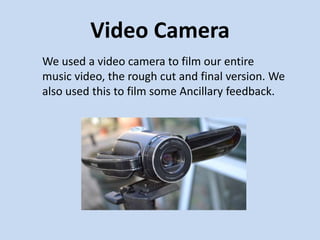
We used a video camera to film our entire
music video, the rough cut and final version. We
also used this to film some Ancillary feedback.
DSLR Camera
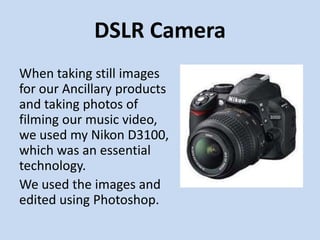
When taking still images
for our Ancillary products
and taking photos of
filming our music video,
we used my Nikon D3100,
which was an essential
technology.
We used the images and
edited using Photoshop.
18mm-55mm Nikon Lens
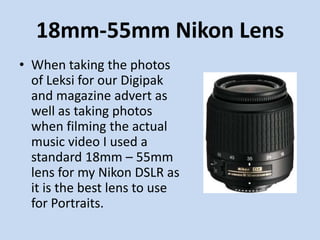
• When taking the photos
  of Leksi for our Digipak
  and magazine advert as
  well as taking photos
  when filming the actual
  music video I used a
  standard 18mm – 55mm
  lens for my Nikon DSLR as
  it is the best lens to use
  for Portraits.
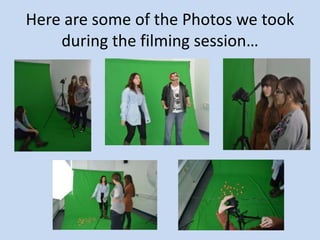
Here are some of the Photos we took
    during the filming session…
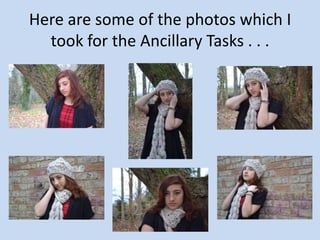
Here are some of the photos which I
  took for the Ancillary Tasks . . .
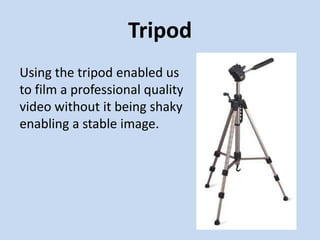
Tripod
Using the tripod enabled us
to film a professional quality
video without it being shaky
enabling a stable image.
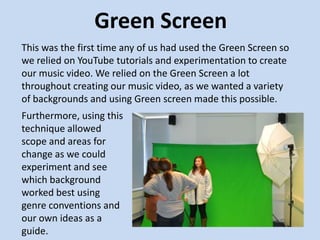
Green Screen
This was the first time any of us had used the Green Screen so
we relied on YouTube tutorials and experimentation to create
our music video. We relied on the Green Screen a lot
throughout creating our music video, as we wanted a variety
of backgrounds and using Green screen made this possible.
Furthermore, using this
technique allowed
scope and areas for
change as we could
experiment and see
which background
worked best using
genre conventions and
our own ideas as a
guide.

Evaluation question 4 by jessica knights

  • 1.
    4. How didyou use new media technologies in the construction and research, planning and evaluation stages? By Jessica Knights
  • 2.
    We used avariety of new technologies and software throughout the planning, researching, constructing and evaluation stages of our Music video project. A large percentage of the technologies we used multiple times and were vital in completing our final products.
  • 3.
    During the processof planning and making our music video and ancillary products we used Blogger to record our research and ideas. This enabled us to embed examples of music videos from YouTube which can easily be seen by the viewer of the blog and helped to look more professional.
  • 4.
    We used YouTubeto watch examples of professional and student music videos which enabled us to analyse and generate ideas for our own music video.
  • 5.
    • Furthermore, Youtubewas extremely helpful as a vital learning tool as we watched lots of final cut tutorials, which enabled us to create many of the dominant features in our music video. • For instance we learnt how to use colour corrector, as well as how to change the Green screen background. This allowed us to use our Andy Warhol influence and ideas in our video which became highly significant in the outcome of our project.
  • 6.
    This is theFinal Cut Express Green Screen Tutorial which helped us create our music video…. http://youtu.be/liQlc7cVriM
  • 7.
    This is theColour Corrector Tutorial that enabled us to use our Andy Warhol influence and ideas…. http://youtu.be/dYJ2YN2lhzc
  • 8.
    We also usedYoutube to upload our preliminary tasks as well as the rough cut and final version of our music video. This enabled us to share our work and embed onto our blog. Rough Cut: Final Version: http://www.youtube.com/watch?v http://www.youtube.com/watch?v=eb =5qHvTm5VRJw&feature=plcp AhZdi7X_U&feature=plcp
  • 9.
    By using YouTubeto upload our films it allowed us to get peer feedback which was really helpful when improving our rough cut. Here is our Peer review feedback for our rough cut and final version. We watched the videos from YouTube, and write down answers which we uploaded onto the blog…
  • 10.
    During the makingof my evaluation (for Question 2) I used the internet software, Prezi to help present my ideas in an interesting way in terms of use of technology. Prezi is also extremely helpful as it enables you to embed YouTube Videos as well as photos to further develop the Prezi presentation and look more engaging and professional. The only annoying thing is that the program is American so the spell checker picks up words like ‘colour’.
  • 11.
    Photoshop • We usedPhotoshop a lot when creating our ancillary tasks. • We were able to create the exact layout • Furthermore by using Photoshop to edit our photos allowed the quality of the photos to be the best as possible. • Also, using Photoshop allowed lots of editing options (e.g cropping, filters, contrast, adding text etc.) for our digipak and magazine advert.
  • 12.
    This is ascreen grab of using Photoshop to make our Digipak…
  • 13.
    • Here aresome examples of before and after editing (using Photoshop) of Leksi the main female artist. Original Photo Edited version Using Photoshop made my photos for the Digipak look more professional. In this photo I cropped the image down to size, to enable all the main focus onto the artist. Furthermore, the direct address of the artist in relation to the camera in this image also helps to do this.
  • 14.
    In addition, Iused Photoshop to label the conventions used in both my magazine advert and Album Digipak that I used in Question 1. Using Photoshop was extremely helpful as I could locate the arrows and textboxes easily and situate them to the places that worked best. Also Photoshop allowed the Photos to be kept in good quality. For both of these I used Photoshop version CS5:
  • 15.
    Final Cut Express Withoutthe Final cut express software we would be unable to produce and create our music video. When editing both our preliminary task and final music video opening we used the editing software FinalCut. Although we did have some experience of using this software we have definitely developed our skills.
  • 16.
    Here is ascreen grab of how we used Final Cut Express to make our Andy Warhol ideas using Split screen and colour corrector.
  • 17.
    Furthermore, from watchinga YouTube tutorial and learning how to change the background for the Green Screen, we were able to practice the techniques to use in our music video. Here is a screen grab and link to the tutorial that was very helpful when making our music video. http://youtu.be/liQlc7cVriM
  • 18.
    We also usedFinal cut for Question 3 of the Evaluation, which we made as a group. We used the peer review feedback already on our blog from when we watched our music video in class on YouTube to help script. We also filmed peer reviews of our ancillary tasks and got Qualitative feedback which we then made a video on Final cut.
  • 19.
    • When creatingour blog we ran out of memory space for uploading photos. Therefore, we had to upload our photos onto Flickr and embed onto our blog. Using flickr was a life saver as without this software we could not upload anymore photos to finish the presentation and journey of our blog and creation of our products.
  • 20.
    Examples of ourscreen grabs on Flickr…
  • 21.
    Google was ourmain search engine that we used for researching and finding examples of ancillary products as well as the backgrounds for our Green screen.
  • 22.
    We also usedFacebook to research for our ‘Consumption post’ to see how modern artists communicate about performances and information that their audiences might be interested in.
  • 23.
    We used Twitterto contact Rita Ora the artist of the song ‘Love and War’ (which is the song that we chose to use for our music video). We left a tweet to Rita Ora letting her know that we were going to use her song, in cased she objected for copyright and legal reasons.
  • 24.
    Microsoft Word I alsoused Microsoft Word to draft my Question 1 of my evaluation, without having to upload to the Blog. Also, this is helpful as you can then easily transfer and copy and paste onto the blog. In addition, we also used word to write and type up our script, which we read aloud and recorded. This was then used as a voiceover in our Final cut video for Question 3 of the Evaluation.
  • 25.
    Microsoft PowerPoint We usedPowerPoint to share our ideas and present them in an interesting and engaging way. At the beginning of the project we made a PowerPoint Presentation about Queen. In addition, making this PowerPoint is very helpful as I can easily write my own ideas, and embed links and photos to make it more appealing to watch.
  • 26.
    We used avariety of equipment… Other than computer and internet software we used a range of technological equipment and not just digital formats when creating our three products.
  • 27.
    Apple Software We usedan Apple Mac Computer throughout each stage of the course. We primarily used Finalcut, Blogger and YouTube.
  • 28.
    Video Camera We useda video camera to film our entire music video, the rough cut and final version. We also used this to film some Ancillary feedback.
  • 29.
    DSLR Camera When takingstill images for our Ancillary products and taking photos of filming our music video, we used my Nikon D3100, which was an essential technology. We used the images and edited using Photoshop.
  • 30.
    18mm-55mm Nikon Lens •When taking the photos of Leksi for our Digipak and magazine advert as well as taking photos when filming the actual music video I used a standard 18mm – 55mm lens for my Nikon DSLR as it is the best lens to use for Portraits.
  • 31.
    Here are someof the Photos we took during the filming session…
  • 32.
    Here are someof the photos which I took for the Ancillary Tasks . . .
  • 33.
    Tripod Using the tripodenabled us to film a professional quality video without it being shaky enabling a stable image.
  • 34.
    Green Screen This wasthe first time any of us had used the Green Screen so we relied on YouTube tutorials and experimentation to create our music video. We relied on the Green Screen a lot throughout creating our music video, as we wanted a variety of backgrounds and using Green screen made this possible. Furthermore, using this technique allowed scope and areas for change as we could experiment and see which background worked best using genre conventions and our own ideas as a guide.