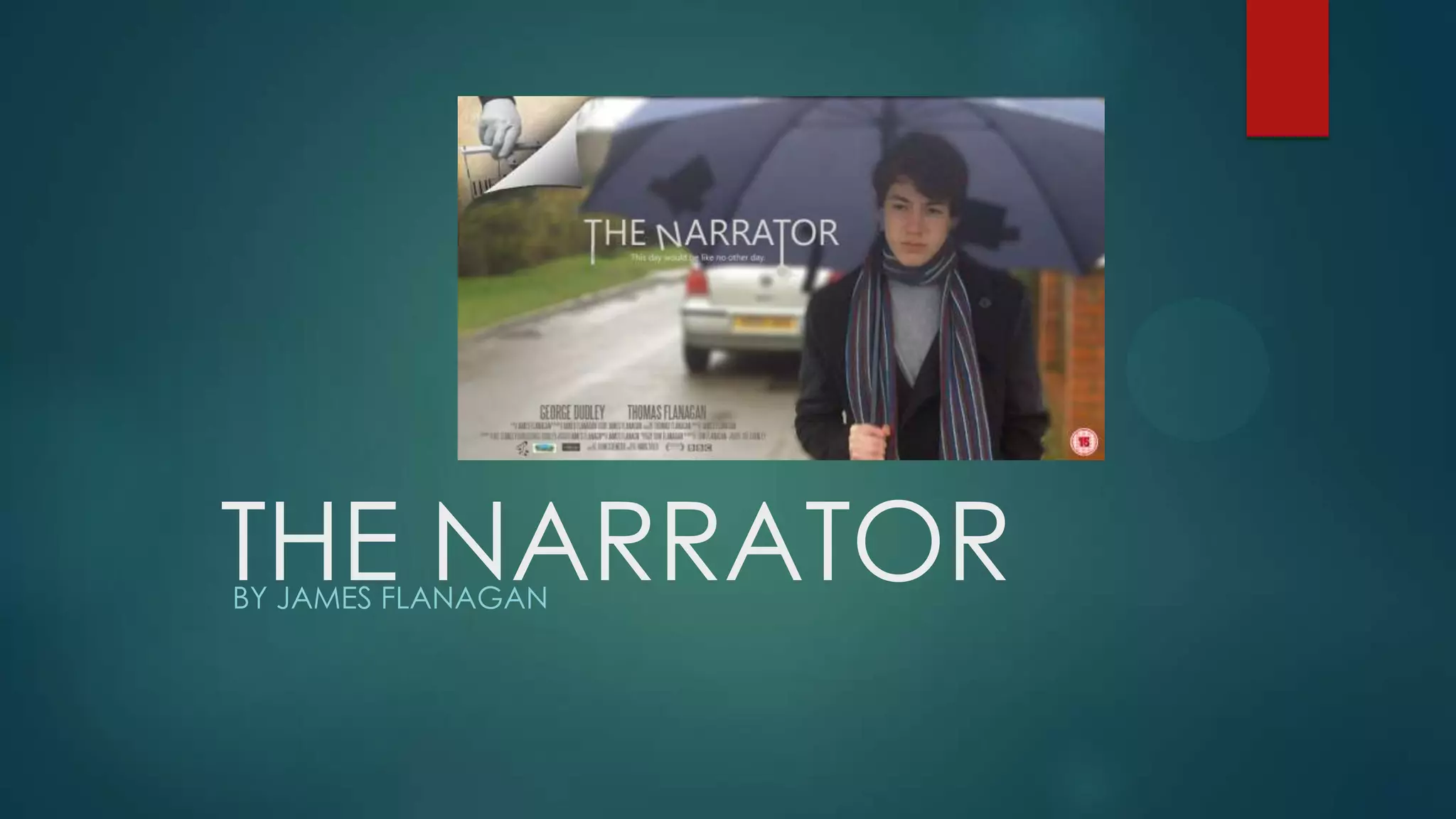
THE NARRATORBY JAMES FLANAGAN
Evaluation question: In what ways does you media product
use, develop or challenge forms and conventions of real
media products?
During the construction of my short film, I have used a wide
range of media technologies to enable me to create
different products, present my work in different ways and
to develop my understanding of the media industry.
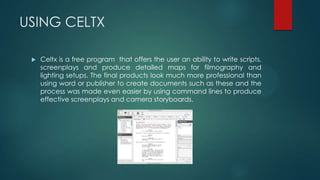
USING CELTX
 Celtx is a free program that offers the user an ability to write scripts,
screenplays and produce detailed maps for filmography and
lighting setups. The final products look much more professional than
using word or publisher to create documents such as these and the
process was made even easier by using command lines to produce
effective screenplays and camera storyboards.
EVALUATION
 Celtx was a great platform to create a screenplay. It was easy to
pick up and learn how to use the user interface and was efficient to
use. Most notably, its ability to speed up the pre production element
of filming whilst retaining a sense of quality within produced
documents was very good. Using Celtx allowed me to create a
screenplay for my protagonist and narrator character to read and
follow effectively.
YOUTUBE
 YouTube was a great place to showcase my rough cuts, final
product, behind the scenes videos as well as using it as a resource
for audience feedback. Once I uploaded my videos after
converting them from my Sony Vegas Pro editing files it was easy to
upload them to YouTube’s file servers with no limit in the size of the
video upload. I had to use QuickTime conversion to export it as a
QuickTime movie and then changed the setting so that YouTube
could upload all my videos in full 1080p.
EVALUATION
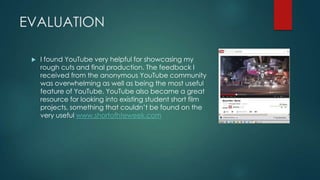
 I found YouTube very helpful for showcasing my
rough cuts and final production. The feedback I
received from the anonymous YouTube community
was overwhelming as well as being the most useful
feature of YouTube. YouTube also became a great
resource for looking into existing student short film
projects, something that couldn’t be found on the
very useful www.shortofhteweek.com
PREZI
 Prezi was a very useful website. It allowed you to create fancy spider
diagrams that seem to flow better than anything PowerPoint can
offer. I felt as if the website offered a lot of personalisation, and
once you got into the heavy details of using the interface it
became a very effective resource for showcasing my idea process.
EVALUATION
 Prezi has given my work variation as well as an interesting space to
present my idea surrounding research tasks and the thought process
of my final film. I have used it in answering my evaluation questions
as well because of its effectiveness at showcasing so many different
elements of online resources in one package.
SLIDESHARE AND SCRIBD
These are two of the simplest and most effective resources I have used
over the course. Slideshare allows uploaded powerpoints to be
embedded into blogger whereas Scirbd does the same action but for
word and PDF documents. Both sites use embed codes to be
implanted directly into a blogger post.
EVALUATION
 Both of these sites were extremely useful in presenting my word
documents and pdf files. The most useful online resource being
slideshare because it has allowed me to upload all my powerpoint
works. The presentation of my blog overall has improved by using
Slideshare and I recommend anyone doing media blog work at an
AS or A2 level to be using this resource.
PHOTOSHOP AND INDESIGN
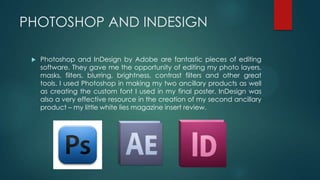
 Photoshop and InDesign by Adobe are fantastic pieces of editing
software. They gave me the opportunity of editing my photo layers,
masks, filters, blurring, brightness, contrast filters and other great
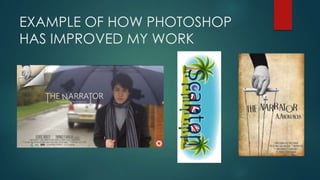
tools. I used Photoshop in making my two ancillary products as well
as creating the custom font I used in my final poster. InDesign was
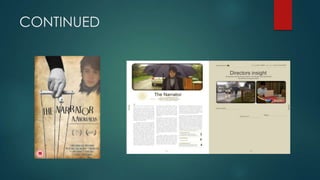
also a very effective resource in the creation of my second ancillary
product – my little white lies magazine insert review.
EXAMPLE OF HOW PHOTOSHOP
HAS IMPROVED MY WORK
CONTINUED
USING FINAL CUT PRO 7 ANS SONY
VEGAS PRO 9
 Final cut pro 7 is a very good video editing platform and is easy to
work with after the basics have been learned. The program has
allowed me to edit from a timeline as well as edit diegetic and non
diegetic sound clips. I have used widescreen filters as well as
creating a cinematic blue tint filter through Sony Vegas to produce
a video that overall has a much better quality to it.
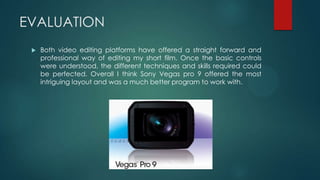
EVALUATION
 Both video editing platforms have offered a straight forward and
professional way of editing my short film. Once the basic controls
were understood, the different techniques and skills required could
be perfected. Overall I think Sony Vegas pro 9 offered the most
intriguing layout and was a much better program to work with.
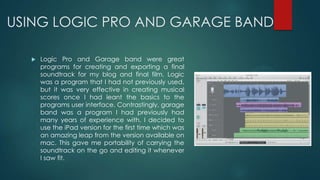
USING LOGIC PRO AND GARAGE BAND
 Logic Pro and Garage band were great
programs for creating and exporting a final
soundtrack for my blog and final film. Logic
was a program that I had not previously used,
but it was very effective in creating musical
scores once I had leant the basics to the
programs user interface. Contrastingly, garage
band was a program I had previously had
many years of experience with. I decided to
use the iPad version for the first time which was
an amazing leap from the version available on
mac. This gave me portability of carrying the
soundtrack on the go and editing it whenever
I saw fit.
EVALUATION
 I felt like Logic Pro really helped to develop the smoothness of audio
within my soundtrack, and fix many of the audio problems I
experienced with my final film. Because of my initial problems with
Narration, it was easy to do noise reduction and apply other filters to
improve the audio quality. Garage band was great for portability
and I would recommend anyone who is on the course who has an
iPad to edit using this app.
IMDB AND SHORT OF THE WEEK
 IMDB (or the internet movie database) has been extremely
useful during the research stages of my blog. I have an
account which allows me to view additional statistic to
those found on the main films pages which was great to aid
my initial short film research. I was also able to research into
short films by refining searches based on specified target
audiences. This gave me the opportunity to research into
target audience also which was a great thing to have to
hand. Short Of The Week was an online website where short
films from all around the world were reviewed and critiqued.
This was a fantastic resource in finding short films that linked
to the drama genre. It also gave me the opportunity to
establish how professionally based and independent based
short films were made
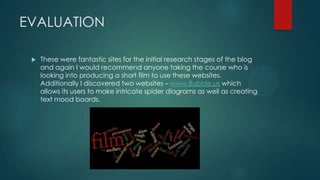
EVALUATION
 These were fantastic sites for the initial research stages of the blog
and again I would recommend anyone taking the course who is
looking into producing a short film to use these websites.
Additionally I discovered two websites – www.Bubble.us which
allows its users to make intricate spider diagrams as well as creating
text mood boards.
FLICKR
 Flicker was a great site to receive audience feedback and to
evaluate on my own work with linked comments. This site allowed
me to preview my work as well as send it out to an anonymous
audience who would most definitely criticise each image I
uploaded. Whilst this was a good starting point I think the site could
be better if you could refine the audiences that were able to view
your work so it benefited my research into target audiences more.

Evaluation question 2

  • 1.
  • 2.
    Evaluation question: Inwhat ways does you media product use, develop or challenge forms and conventions of real media products? During the construction of my short film, I have used a wide range of media technologies to enable me to create different products, present my work in different ways and to develop my understanding of the media industry.
  • 3.
    USING CELTX  Celtxis a free program that offers the user an ability to write scripts, screenplays and produce detailed maps for filmography and lighting setups. The final products look much more professional than using word or publisher to create documents such as these and the process was made even easier by using command lines to produce effective screenplays and camera storyboards.
  • 4.
    EVALUATION  Celtx wasa great platform to create a screenplay. It was easy to pick up and learn how to use the user interface and was efficient to use. Most notably, its ability to speed up the pre production element of filming whilst retaining a sense of quality within produced documents was very good. Using Celtx allowed me to create a screenplay for my protagonist and narrator character to read and follow effectively.
  • 5.
    YOUTUBE  YouTube wasa great place to showcase my rough cuts, final product, behind the scenes videos as well as using it as a resource for audience feedback. Once I uploaded my videos after converting them from my Sony Vegas Pro editing files it was easy to upload them to YouTube’s file servers with no limit in the size of the video upload. I had to use QuickTime conversion to export it as a QuickTime movie and then changed the setting so that YouTube could upload all my videos in full 1080p.
  • 6.
    EVALUATION  I foundYouTube very helpful for showcasing my rough cuts and final production. The feedback I received from the anonymous YouTube community was overwhelming as well as being the most useful feature of YouTube. YouTube also became a great resource for looking into existing student short film projects, something that couldn’t be found on the very useful www.shortofhteweek.com
  • 7.
    PREZI  Prezi wasa very useful website. It allowed you to create fancy spider diagrams that seem to flow better than anything PowerPoint can offer. I felt as if the website offered a lot of personalisation, and once you got into the heavy details of using the interface it became a very effective resource for showcasing my idea process.
  • 8.
    EVALUATION  Prezi hasgiven my work variation as well as an interesting space to present my idea surrounding research tasks and the thought process of my final film. I have used it in answering my evaluation questions as well because of its effectiveness at showcasing so many different elements of online resources in one package.
  • 9.
    SLIDESHARE AND SCRIBD Theseare two of the simplest and most effective resources I have used over the course. Slideshare allows uploaded powerpoints to be embedded into blogger whereas Scirbd does the same action but for word and PDF documents. Both sites use embed codes to be implanted directly into a blogger post.
  • 10.
    EVALUATION  Both ofthese sites were extremely useful in presenting my word documents and pdf files. The most useful online resource being slideshare because it has allowed me to upload all my powerpoint works. The presentation of my blog overall has improved by using Slideshare and I recommend anyone doing media blog work at an AS or A2 level to be using this resource.
  • 11.
    PHOTOSHOP AND INDESIGN Photoshop and InDesign by Adobe are fantastic pieces of editing software. They gave me the opportunity of editing my photo layers, masks, filters, blurring, brightness, contrast filters and other great tools. I used Photoshop in making my two ancillary products as well as creating the custom font I used in my final poster. InDesign was also a very effective resource in the creation of my second ancillary product – my little white lies magazine insert review.
  • 12.
    EXAMPLE OF HOWPHOTOSHOP HAS IMPROVED MY WORK
  • 13.
  • 14.
    USING FINAL CUTPRO 7 ANS SONY VEGAS PRO 9  Final cut pro 7 is a very good video editing platform and is easy to work with after the basics have been learned. The program has allowed me to edit from a timeline as well as edit diegetic and non diegetic sound clips. I have used widescreen filters as well as creating a cinematic blue tint filter through Sony Vegas to produce a video that overall has a much better quality to it.
  • 15.
    EVALUATION  Both videoediting platforms have offered a straight forward and professional way of editing my short film. Once the basic controls were understood, the different techniques and skills required could be perfected. Overall I think Sony Vegas pro 9 offered the most intriguing layout and was a much better program to work with.
  • 16.
    USING LOGIC PROAND GARAGE BAND  Logic Pro and Garage band were great programs for creating and exporting a final soundtrack for my blog and final film. Logic was a program that I had not previously used, but it was very effective in creating musical scores once I had leant the basics to the programs user interface. Contrastingly, garage band was a program I had previously had many years of experience with. I decided to use the iPad version for the first time which was an amazing leap from the version available on mac. This gave me portability of carrying the soundtrack on the go and editing it whenever I saw fit.
  • 17.
    EVALUATION  I feltlike Logic Pro really helped to develop the smoothness of audio within my soundtrack, and fix many of the audio problems I experienced with my final film. Because of my initial problems with Narration, it was easy to do noise reduction and apply other filters to improve the audio quality. Garage band was great for portability and I would recommend anyone who is on the course who has an iPad to edit using this app.
  • 18.
    IMDB AND SHORTOF THE WEEK  IMDB (or the internet movie database) has been extremely useful during the research stages of my blog. I have an account which allows me to view additional statistic to those found on the main films pages which was great to aid my initial short film research. I was also able to research into short films by refining searches based on specified target audiences. This gave me the opportunity to research into target audience also which was a great thing to have to hand. Short Of The Week was an online website where short films from all around the world were reviewed and critiqued. This was a fantastic resource in finding short films that linked to the drama genre. It also gave me the opportunity to establish how professionally based and independent based short films were made
  • 19.
    EVALUATION  These werefantastic sites for the initial research stages of the blog and again I would recommend anyone taking the course who is looking into producing a short film to use these websites. Additionally I discovered two websites – www.Bubble.us which allows its users to make intricate spider diagrams as well as creating text mood boards.
  • 20.
    FLICKR  Flicker wasa great site to receive audience feedback and to evaluate on my own work with linked comments. This site allowed me to preview my work as well as send it out to an anonymous audience who would most definitely criticise each image I uploaded. Whilst this was a good starting point I think the site could be better if you could refine the audiences that were able to view your work so it benefited my research into target audiences more.