EMPOWERMENT
TECHNOLOGIES
CRECENCIA DRUCILA LOPEZ SENIOR HIGH SCHOOL
JOHN CARLO L. ROLLON
QUARTER 2 - WEEK 1
MELC
Explore the principles of interactivity
and rich content in the context of
Web 2.0 and the participation of the
user in the online experience.
CS_ICT11/12-ICTPT-IIk-14
Multimedia
and ICT
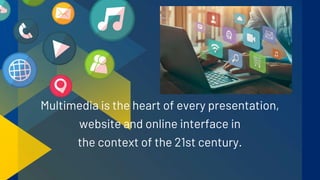
Multimedia is the heart of every presentation,
website and online interface in
the context of the 21st century.
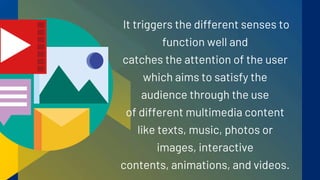
It triggers the different senses to
function well and
catches the attention of the user
which aims to satisfy the
audience through the use
of different multimedia content
like texts, music, photos or
images, interactive
contents, animations, and videos.
The user experience
serves as a tool to measure the
usefulness of a product
or service. It is his behavior as a person
towards the application or product that
evaluates through his reaction while
using the product.
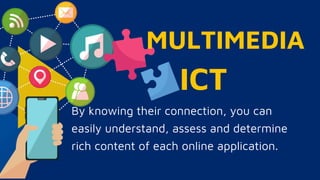
MULTIMEDIA
By knowing their connection, you can
easily understand, assess and determine
rich content of each online application.
ICT
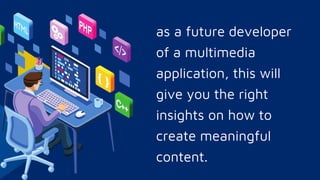
as a future developer
of a multimedia
application, this will
give you the right
insights on how to
create meaningful
content.
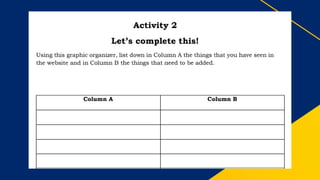
II. Write the strengths and
weaknesses of the website.
III. Write the features that should
be present and the features that
should be removed from the
website.
II. Write the strengths and
weaknesses of the website.
III. Write the features that should
be present and the features that
should be removed from the
website.
Before, the Internet was not as
fast as today’s Internet, that
only limited characters like text
and bits of sounds are placed on
most websites. Now, videos and
music can be seen on most
websites.
In today’s generation, majority of the existing
websites on the internet are interactive and we
can classify them as Web 2.0. Web 2.0 allows
users to communicate and collaborate with each
other virtually. The content can be modified
based on the preference of the users.
• It allows users to interact
with the site even to
comment or create their
own account.
• Gives the user enough
space such as file storage
and let them use the web
browser instead of just
using their site.
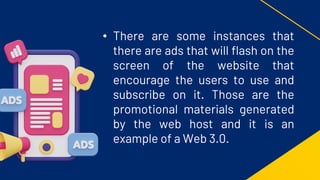
• There are some instances that
there are ads that will flash on the
screen of the website that
encourage the users to use and
subscribe on it. Those are the
promotional materials generated
by the web host and it is an
example of a Web 3.0.
• A new generation of Internet
technology that relies on the use
of machine learning and artificial
intelligence.
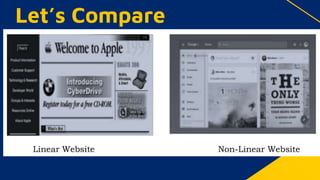
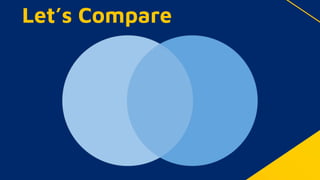
• Using the two pictures below, and the
previous observation you have listed
above, compare and contrast the content
of the two websites. Write your
observation inside the Venn diagram and
answer the questions below.
Let’s Compare
Let’s Compare
Let’s Compare
1. Which of the two websites has a
professional look?
2. Which has more appealing content?
3. Which of the two websites offer an
interactive interface?
Process Question
Directions: You will have to
create a blog post about the
advantage of Infographics.
Activity 3
Let’s Try This One!
1. Search for a video about the
advantages of Infographics. Any
video will do as long as there are no
unfriendly words stated on the video.
Activity 3
Let’s Try This One!
Activity 3 - Let’s Try This One!
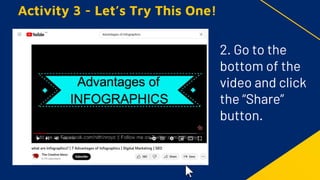
2. Go to the
bottom of the
video and click
the “Share”
button.
Activity 3 - Let’s Try This One!
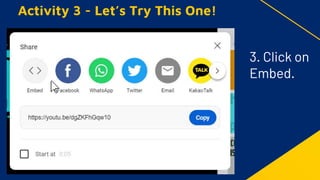
3. Click on
Embed.
Activity 3 - Let’s Try This One!
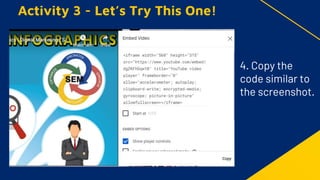
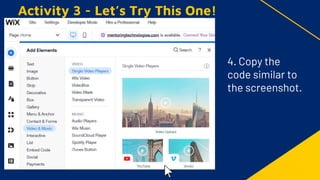
4. Copy the
code similar to
the screenshot.
Activity 3 - Let’s Try This One!
4. Copy the
code similar to
the screenshot.
Activity 3 - Let’s Try This One!
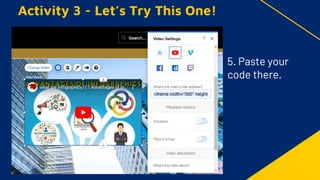
5. Paste your
code there.
Activity 3 - Let’s Try This One!
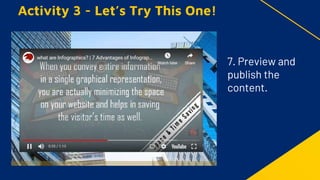
7. Preview and
publish the
content.
Uploading images and posting text or
messages are very common on a
Facebook page. It is time to offer
something new and bring your page to the
next level by creating your own
educational vlog.
ACTIVITY 4
You can do it!
1. What video should you produce? You may
consider the following options:
a. An introductory video Multimedia and ICT.
b. A video about the benefits of Multimedia
and ICT in 21st Century.
ACTIVITY 4 - You can do it!
2. Create a script
including the flow of
your vlog.. The video
should not exceed
three minutes.
ACTIVITY 4 - You can do it!
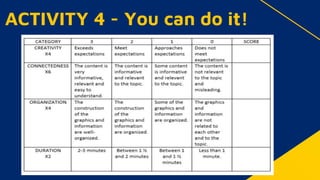
3. You will be graded based on
the following criteria on the
rubrics provided by
your teacher.
4. Post your vlog in YouTube
then embed it to your
Facebook page.
ACTIVITY 4 - You can do it!

E-TECH Q2 Week 1 - Module 12 (1).pptx

  • 1.
    EMPOWERMENT TECHNOLOGIES CRECENCIA DRUCILA LOPEZSENIOR HIGH SCHOOL JOHN CARLO L. ROLLON QUARTER 2 - WEEK 1
  • 2.
    MELC Explore the principlesof interactivity and rich content in the context of Web 2.0 and the participation of the user in the online experience. CS_ICT11/12-ICTPT-IIk-14
  • 3.
  • 4.
    Multimedia is theheart of every presentation, website and online interface in the context of the 21st century.
  • 5.
    It triggers thedifferent senses to function well and catches the attention of the user which aims to satisfy the audience through the use of different multimedia content like texts, music, photos or images, interactive contents, animations, and videos.
  • 6.
    The user experience servesas a tool to measure the usefulness of a product or service. It is his behavior as a person towards the application or product that evaluates through his reaction while using the product.
  • 7.
    MULTIMEDIA By knowing theirconnection, you can easily understand, assess and determine rich content of each online application. ICT
  • 8.
    as a futuredeveloper of a multimedia application, this will give you the right insights on how to create meaningful content.
  • 11.
    II. Write thestrengths and weaknesses of the website. III. Write the features that should be present and the features that should be removed from the website.
  • 12.
    II. Write thestrengths and weaknesses of the website. III. Write the features that should be present and the features that should be removed from the website.
  • 13.
    Before, the Internetwas not as fast as today’s Internet, that only limited characters like text and bits of sounds are placed on most websites. Now, videos and music can be seen on most websites.
  • 15.
    In today’s generation,majority of the existing websites on the internet are interactive and we can classify them as Web 2.0. Web 2.0 allows users to communicate and collaborate with each other virtually. The content can be modified based on the preference of the users.
  • 16.
    • It allowsusers to interact with the site even to comment or create their own account. • Gives the user enough space such as file storage and let them use the web browser instead of just using their site.
  • 17.
    • There aresome instances that there are ads that will flash on the screen of the website that encourage the users to use and subscribe on it. Those are the promotional materials generated by the web host and it is an example of a Web 3.0.
  • 18.
    • A newgeneration of Internet technology that relies on the use of machine learning and artificial intelligence.
  • 19.
    • Using thetwo pictures below, and the previous observation you have listed above, compare and contrast the content of the two websites. Write your observation inside the Venn diagram and answer the questions below. Let’s Compare
  • 20.
  • 21.
  • 22.
    1. Which ofthe two websites has a professional look? 2. Which has more appealing content? 3. Which of the two websites offer an interactive interface? Process Question
  • 23.
    Directions: You willhave to create a blog post about the advantage of Infographics. Activity 3 Let’s Try This One!
  • 24.
    1. Search fora video about the advantages of Infographics. Any video will do as long as there are no unfriendly words stated on the video. Activity 3 Let’s Try This One!
  • 25.
    Activity 3 -Let’s Try This One! 2. Go to the bottom of the video and click the “Share” button.
  • 26.
    Activity 3 -Let’s Try This One! 3. Click on Embed.
  • 27.
    Activity 3 -Let’s Try This One! 4. Copy the code similar to the screenshot.
  • 28.
    Activity 3 -Let’s Try This One! 4. Copy the code similar to the screenshot.
  • 29.
    Activity 3 -Let’s Try This One! 5. Paste your code there.
  • 30.
    Activity 3 -Let’s Try This One! 7. Preview and publish the content.
  • 31.
    Uploading images andposting text or messages are very common on a Facebook page. It is time to offer something new and bring your page to the next level by creating your own educational vlog. ACTIVITY 4 You can do it!
  • 32.
    1. What videoshould you produce? You may consider the following options: a. An introductory video Multimedia and ICT. b. A video about the benefits of Multimedia and ICT in 21st Century. ACTIVITY 4 - You can do it!
  • 33.
    2. Create ascript including the flow of your vlog.. The video should not exceed three minutes. ACTIVITY 4 - You can do it!
  • 34.
    3. You willbe graded based on the following criteria on the rubrics provided by your teacher. 4. Post your vlog in YouTube then embed it to your Facebook page. ACTIVITY 4 - You can do it!
  • 35.
    ACTIVITY 4 -You can do it!