Integrate Enterprise Data
Highway agencies manage and maintain a broad spectrum
of information about their roadways. Often, this information
is distributed throughout the agency in multiple, disparate
systems. For example, the public safety department might
maintain crash data based on mileposts located along the
highway, while the maintenance department may locate
sign and pavement assets based on the distance from a
known point of origin. With Esri Roads and Highways, the
measures associated with data in these external systems
can be kept current and synchronized with edits made to
the LRS, enabling data interoperability and sharing across
all business units.
Esri®
Roads and Highways is a new extension for ArcGIS®
for Desktop and ArcGIS for Server. Agencies responsible for road
and highway maintenance and operations can use this solution to get a unified view of the roadways and related assets
they manage. With Esri Roads and Highways, you can easily overlay data from multiple linear referencing system (LRS)
networks—even when that data is stored in many separate systems across the enterprise. This single, integrated view gives
you the information you need to make better decisions and generate reports.
Esri Roads and Highways
Roads &
Highways
Safety
Repairs
PlanningOther Assets
Pavement
Analyze and Report
Esri Roads and Highways spatially enables business data
from sources other than the geographic information system
(GIS) and integrates it through the LRS. Esri Roads and
Highways, in concert with the ArcGIS platform, can be
used to generate a variety of reports as well as produce
data products and maps that support safety analysis, traffic
congestion studies, and infrastructure maintenance.
These reports and data products can provide government
and public entities with transparency in many facets of
highway-based data such as assets, incidents, and
roadway characteristics.
Web-Based Roadway
Characteristics Editing
With Esri Roads and Highways, you can perform roadway
characteristics editing on any HTML5-enabled web
browser. This allows organizations to extend the reach
of their workflows across the enterprise to include users
and groups without prior GIS software and application
accessibility. These groups can create and edit event data
in a mapcentric experience from within a web browser.
Copyright © 2013 Esri. All rights reserved. Esri, the Esri globe logo, ArcGIS, @esri.com, and esri.com are trademarks, service marks, or
registered marks of Esri in the United States, the European Community, or certain other jurisdictions. Other companies and products
or services mentioned herein may be trademarks, service marks, or registered marks of their respective mark owners.
134264
ESRI3/13rk
Request a free trial at
esri.com/roadsandhighways or
e-mail roadsandhighways@esri.com
for more information.
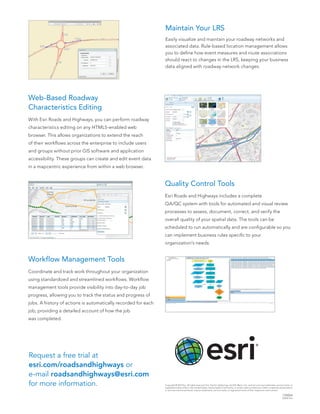
Maintain Your LRS
Easily visualize and maintain your roadway networks and
associated data. Rule-based location management allows
you to define how event measures and route associations
should react to changes in the LRS, keeping your business
data aligned with roadway network changes.
Quality Control Tools
Esri Roads and Highways includes a complete
QA/QC system with tools for automated and visual review
processes to assess, document, correct, and verify the
overall quality of your spatial data. The tools can be
scheduled to run automatically and are configurable so you
can implement business rules specific to your
organization’s needs.
Workflow Management Tools
Coordinate and track work throughout your organization
using standardized and streamlined workflows. Workflow
management tools provide visibility into day-to-day job
progress, allowing you to track the status and progress of
jobs. A history of actions is automatically recorded for each
job, providing a detailed account of how the job
was completed.

Esri Roads and Highways

  • 1.
    Integrate Enterprise Data Highwayagencies manage and maintain a broad spectrum of information about their roadways. Often, this information is distributed throughout the agency in multiple, disparate systems. For example, the public safety department might maintain crash data based on mileposts located along the highway, while the maintenance department may locate sign and pavement assets based on the distance from a known point of origin. With Esri Roads and Highways, the measures associated with data in these external systems can be kept current and synchronized with edits made to the LRS, enabling data interoperability and sharing across all business units. Esri® Roads and Highways is a new extension for ArcGIS® for Desktop and ArcGIS for Server. Agencies responsible for road and highway maintenance and operations can use this solution to get a unified view of the roadways and related assets they manage. With Esri Roads and Highways, you can easily overlay data from multiple linear referencing system (LRS) networks—even when that data is stored in many separate systems across the enterprise. This single, integrated view gives you the information you need to make better decisions and generate reports. Esri Roads and Highways Roads & Highways Safety Repairs PlanningOther Assets Pavement Analyze and Report Esri Roads and Highways spatially enables business data from sources other than the geographic information system (GIS) and integrates it through the LRS. Esri Roads and Highways, in concert with the ArcGIS platform, can be used to generate a variety of reports as well as produce data products and maps that support safety analysis, traffic congestion studies, and infrastructure maintenance. These reports and data products can provide government and public entities with transparency in many facets of highway-based data such as assets, incidents, and roadway characteristics.
  • 2.
    Web-Based Roadway Characteristics Editing WithEsri Roads and Highways, you can perform roadway characteristics editing on any HTML5-enabled web browser. This allows organizations to extend the reach of their workflows across the enterprise to include users and groups without prior GIS software and application accessibility. These groups can create and edit event data in a mapcentric experience from within a web browser. Copyright © 2013 Esri. All rights reserved. Esri, the Esri globe logo, ArcGIS, @esri.com, and esri.com are trademarks, service marks, or registered marks of Esri in the United States, the European Community, or certain other jurisdictions. Other companies and products or services mentioned herein may be trademarks, service marks, or registered marks of their respective mark owners. 134264 ESRI3/13rk Request a free trial at esri.com/roadsandhighways or e-mail roadsandhighways@esri.com for more information. Maintain Your LRS Easily visualize and maintain your roadway networks and associated data. Rule-based location management allows you to define how event measures and route associations should react to changes in the LRS, keeping your business data aligned with roadway network changes. Quality Control Tools Esri Roads and Highways includes a complete QA/QC system with tools for automated and visual review processes to assess, document, correct, and verify the overall quality of your spatial data. The tools can be scheduled to run automatically and are configurable so you can implement business rules specific to your organization’s needs. Workflow Management Tools Coordinate and track work throughout your organization using standardized and streamlined workflows. Workflow management tools provide visibility into day-to-day job progress, allowing you to track the status and progress of jobs. A history of actions is automatically recorded for each job, providing a detailed account of how the job was completed.