Congres ePortfolio Cambridge26-28 oktober 2005 Uit het Nederlandse cirkeltje (DU, SURF, etc) om ’s te zien en horen hoe men op Europees niveau met digitale portfolio bezig is
2.
Woensdag: plugfest -over standaarden - xml, hr-xml, enz enz - Interoperability Donderdag en vrijdag: - keynotes en workshops over dingen die ik wel begrijp Zaterdag: Tijd voor reflectie! - want late vluchten van EasyJet hebben altijd vertraging Programma:
3.
Keynotes : Helen Barret: Digital Storytelling Linda Delene: Borderless Learning and Technology or “Brain Circulation” Julie Hughes:A hypertextual journey Workshops: David Tosh: Learning Landscape 1 College of Education at the University of Alaska Anchorage 2 Provost and Dean of Academic Affairs, Western Michigan University 3 Principal Lecturer in Learning and Teaching in the School of Education at the University of Wolverhampton 4 PhD-student at the University of Edinburgh Wat is blijven hangen?
4.
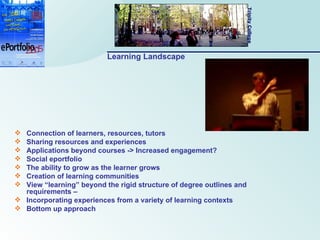
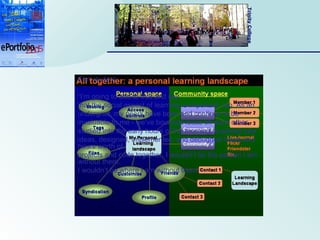
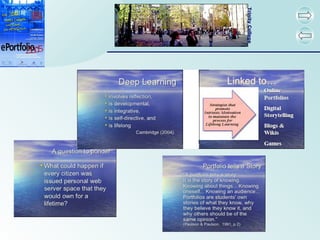
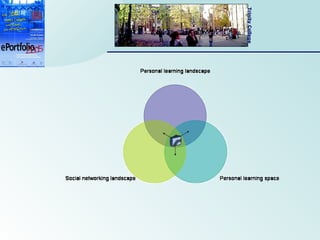
Learning Landscape Connectionof learners, resources, tutors Sharing resources and experiences Applications beyond courses -> Increased engagement? Social eportfolio The ability to grow as the learner grows Creation of learning communities View “learning” beyond the rigid structure of degree outlines and requirements – Incorporating experiences from a variety of learning contexts Bottom up approach
5.
Een student: “I’m going to add to that and say that the social aspect of learning is important, too. As an undergrad, my peers have been and continue to be invaluable to me - we’ve bounced ideas off each other, studied into the early hours of the morning, explored new ideas, designed, implemented, and debugged hours and hours worth of projects and code together. I wouldn’t be the person I am without them. I wouldn’t be where I am without them”
6.
Learning Landscape So,more than often the student is being asked to answer accountability issues via the predefined portfolio formats. No wonder that most students don't have very positive experiences with portfolios: it's not their thing.” (http://elgg.net/misja/weblog/)
7.
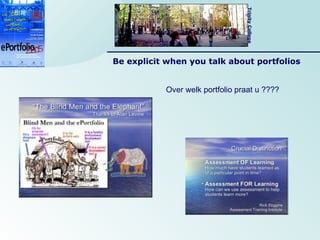
Creation of apersonal learning landscape My e-portfolio is: My Digital Identity A place to reflect about my experiences and store artefacts that represent them A means to interact with others, resources etc. Most importantly, it is mine . Ownership is key! Hoe kunnen we er voor zorgen dat een portfolio wel hun ding wordt? Hoe zorgen we voor een goede interactie? (anderen, materialen,..?)
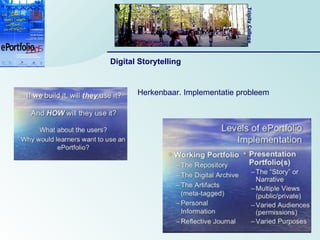
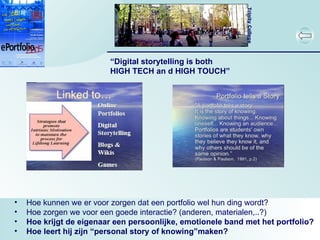
“ Digital storytellingis both HIGH TECH an d HIGH TOUCH” Hoe kunnen we er voor zorgen dat een portfolio wel hun ding wordt? Hoe zorgen we voor een goede interactie? (anderen, materialen,..?) Hoe krijgt de eigenaar een persoonlijke, emotionele band met het portfolio? Hoe leert hij zijn “personal story of knowing”maken?
12.
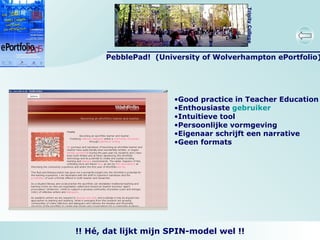
PebblePad! (Universityof Wolverhampton ePortfolio) Good practice in Teacher Education Enthousiaste gebruiker Intuitieve tool Persoonlijke vormgeving Eigenaar schrijft een narrative Geen formats !! Hé, dat lijkt mijn SPIN-model wel !!
13.
Examples Social and“Learning” Networks Blogs – bring links, networks, references, recommendations to campus culture Digital Stacks – information from vendors like Google may fail to provide comprehension Podcasting – developing and delivering a broadcast message via the Web Folksonomy – tags used to define key words which reflect how individuals interpret and organize information
14.
Portfolios do notbring value independent of the learner Intellectual activities advance learning – not the portfolio that enables the activity Hoe kunnen we er voor zorgen dat een portfolio wel hun ding wordt? Hoe zorgen we voor een goede interactie? (anderen, materialen,..?) Hoe krijgt de eigenaar een persoonlijke, emotionele band met het portfolio? Hoe leert hij zijn “personal story of knowing”maken? Hoe maken we activiteiten zodanig dat deze advance learning”?
15.
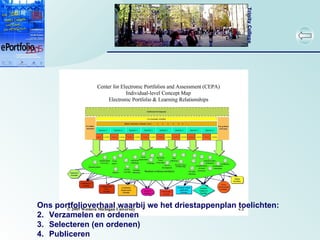
Ons portfolioverhaal waarbijwe het driestappenplan toelichten: Verzamelen en ordenen Selecteren (en ordenen) Publiceren
16.
Keynotes : Helen Barret: Digital Storytelling Linda Delene: Borderless Learning and Technology or “Brain Circulation” Julie Hughes:A hypertextual journey Workshops: David Tosh: Learning Landscape Conclusie + ! “ Mijn bloedeigen portfolio is mijn verhaal dat ik in mijn omgeving heb gemaakt en waar jij doorheen mag wandelen” (please don’t walk on the grass)
17.
18.
19.
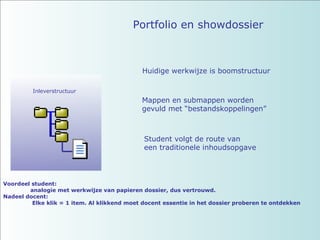
Huidige werkwijze isboomstructuur Mappen en submappen worden gevuld met “bestandskoppelingen” Student volgt de route van een traditionele inhoudsopgave Voordeel student: analogie met werkwijze van papieren dossier, dus vertrouwd. Nadeel docent: Elke klik = 1 item. Al klikkend moet docent essentie in het dossier proberen te ontdekken Portfolio en showdossier Inleverstructuur
20.
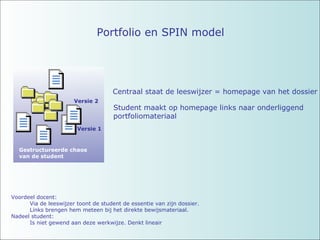
Portfolio en SPINmodel Centraal staat de leeswijzer = homepage van het dossier Student maakt op homepage links naar onderliggend portfoliomateriaal Voordeel docent: Via de leeswijzer toont de student de essentie van zijn dossier. Links brengen hem meteen bij het direkte bewijsmateriaal. Nadeel student: Is niet gewend aan deze werkwijze. Denkt lineair Versie 1 Versie 2 Gestructureerde chaos van de student
21.
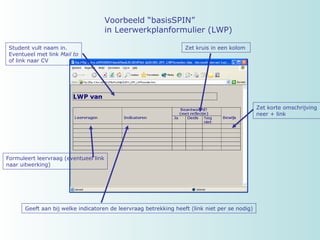
Voorbeeld “basisSPIN” in Leerwerkplanformulier (LWP) Student vult naam in. Eventueel met link Mail to of link naar CV Formuleert leervraag (eventueel link naar uitwerking) Geeft aan bij welke indicatoren de leervraag betrekking heeft (link niet per se nodig) Zet kruis in een kolom Zet korte omschrijving neer + link
22.
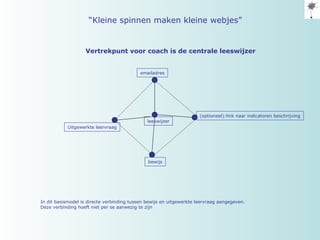
leeswijzer bewijs Uitgewerkteleervraag emailadres (optioneel):link naar indicatoren beschrijving In dit basismodel is directe verbinding tussen bewijs en uitgewerkte leervraag aangegeven. Deze verbinding hoeft niet per se aanwezig te zijn “ Kleine spinnen maken kleine webjes” Vertrekpunt voor coach is de centrale leeswijzer
23.
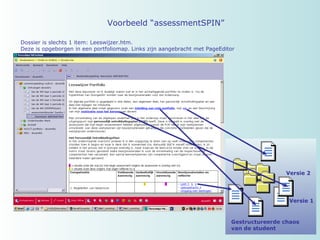
Voorbeeld “assessmentSPIN” Dossieris slechts 1 item: Leeswijzer.htm. Deze is opgeborgen in een portfoliomap. Links zijn aangebracht met PageEditor Versie 1 Versie 2 Gestructureerde chaos van de student
24.
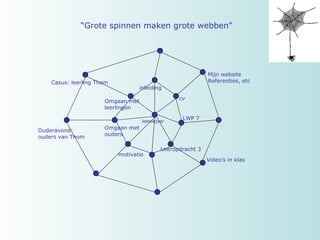
leeswijzer inleiding cvmotivatie Leeropdracht 3 Omgaan met leerlingen Mijn website Referenties, etc Video’s in klas Casus: leerling Thom Omgaan met ouders Ouderavond: ouders van Thom LWP 7 “ Grote spinnen maken grote webben”
25.
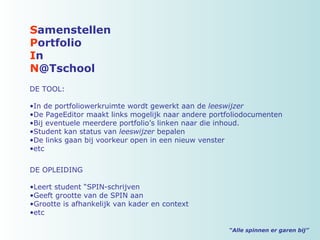
“ Alle spinnener garen bij” S amenstellen P ortfolio I n N @Tschool DE TOOL: In de portfoliowerkruimte wordt gewerkt aan de leeswijzer De PageEditor maakt links mogelijk naar andere portfoliodocumenten Bij eventuele meerdere portfolio’s linken naar die inhoud. Student kan status van leeswijzer bepalen De links gaan bij voorkeur open in een nieuw venster etc DE OPLEIDING Leert student “SPIN-schrijven Geeft grootte van de SPIN aan Grootte is afhankelijk van kader en context etc