
Enterprise Computing
Enterprise   Computing an organization created for business ventures
Enterprise   Computing the use of computers to process data or perform calculations.
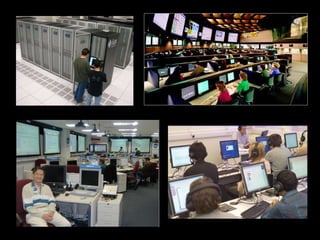
Enterprise Computing computer technology applied on business-oriented organizations
 
Use of Computers in the Business Industry
Use of Computers in the Business Industry Accounting
Use of Computers in the Business Industry Accounting Customer Interaction
Use of Computers in the Business Industry Accounting Customer Interaction Communication
Use of Computers in the Business Industry Accounting Customer Interaction Communication Websites and Advertising
Enterprise Information System
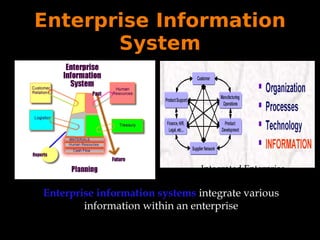
Enterprise Information System Integrated Enterprise Enterprise information systems  integrate various information within an enterprise
Major Types of Enterprise Information Systems Executive Support Systems (ESS) Decision Support Systems (DSS) Management Information Systems (MIS) Knowledge Management Systems (KMS) Office Automation Systems (OAS) Transaction Processing Systems (TPS)
Executive Support Systems An  Executive Support System ("ESS")   is designed to help senior management make strategic decisions. It gathers, analyses and summarises the key internal and external information used in the business.
Decision Support Systems Decision-support systems ("DSS")   are specifically designed to help management make decisions in situations where there is uncertainty about the possible outcomes of those decisions. DSS comprise tools and techniques to help gather relevant information and analyse the options and alternatives. DSS often involves use of complex spreadsheet and databases to create "what-if" models.
Knowledge Management Systems Knowledge Management Systems ("KMS")  exist to help businesses create and share  knowledge  information. These are typically used in a business where employees create new knowledge and expertise - which can then be shared by other people in the organisation to create further commercial opportunities. Good examples include firms of lawyers, accountants and management consultants.
Office Automation Systems Office Automation Systems   (“OAS”)   are systems that try to improve the productivity of employees who need to process data and information. Perhaps the best example is the wide range of software systems that exist to improve the productivity of employees working in an office (e.g. Microsoft Office XP) or systems that allow employees to work from home or whilst on the move.
Transaction Processing Systems As the name implies,  Transaction Processing Systems ("TPS")   are designed to process routine transactions efficiently and accurately.
Management Information Systems A  management information system ("MIS")  is mainly concerned with internal sources of information. MIS usually take data from the  transaction processing systems  and summarise it into a series of management reports.
Benefits of EIS Firm structure and organization
Benefits of EIS Firm structure and organization Management made easy
Benefits of EIS Firm structure and organization Management made easy Unified platform
Disadvantages of EIS Difficult to build:  Require fundamental changes in the way the business operates
Disadvantages of EIS Difficult to build:  Require fundamental changes in the way the business operates Expensive Technology:  Require complex pieces of software and large investments of time, money, and expertise
Disadvantages of EIS Difficult to build:  Require fundamental changes in the way the business operates Expensive Technology:  Require complex pieces of software and large investments of time, money, and expertise Centralized organizational coordination:  Not the best way for firms to operate
Questions?
Sources http://www.thefreedictionary.com/enterprise http://www.dictionary.reference.com/browse/computin http://www.peterindia.net/EnterpriseComputOverview.html www.ccse.kfupm.edu.sa/~atique/SE464...systems/lab01_introduction.ppt http://tutor2u.net/business/ict/intro_information_system_types.htm

Enterprise computing

  • 1.
  • 2.
    Enterprise Computing an organization created for business ventures
  • 3.
    Enterprise Computing the use of computers to process data or perform calculations.
  • 4.
    Enterprise Computing computertechnology applied on business-oriented organizations
  • 5.
  • 6.
    Use of Computersin the Business Industry
  • 7.
    Use of Computersin the Business Industry Accounting
  • 8.
    Use of Computersin the Business Industry Accounting Customer Interaction
  • 9.
    Use of Computersin the Business Industry Accounting Customer Interaction Communication
  • 10.
    Use of Computersin the Business Industry Accounting Customer Interaction Communication Websites and Advertising
  • 11.
  • 12.
    Enterprise Information SystemIntegrated Enterprise Enterprise information systems integrate various information within an enterprise
  • 13.
    Major Types ofEnterprise Information Systems Executive Support Systems (ESS) Decision Support Systems (DSS) Management Information Systems (MIS) Knowledge Management Systems (KMS) Office Automation Systems (OAS) Transaction Processing Systems (TPS)
  • 14.
    Executive Support SystemsAn Executive Support System ("ESS") is designed to help senior management make strategic decisions. It gathers, analyses and summarises the key internal and external information used in the business.
  • 15.
    Decision Support SystemsDecision-support systems ("DSS") are specifically designed to help management make decisions in situations where there is uncertainty about the possible outcomes of those decisions. DSS comprise tools and techniques to help gather relevant information and analyse the options and alternatives. DSS often involves use of complex spreadsheet and databases to create "what-if" models.
  • 16.
    Knowledge Management SystemsKnowledge Management Systems ("KMS") exist to help businesses create and share knowledge information. These are typically used in a business where employees create new knowledge and expertise - which can then be shared by other people in the organisation to create further commercial opportunities. Good examples include firms of lawyers, accountants and management consultants.
  • 17.
    Office Automation SystemsOffice Automation Systems (“OAS”) are systems that try to improve the productivity of employees who need to process data and information. Perhaps the best example is the wide range of software systems that exist to improve the productivity of employees working in an office (e.g. Microsoft Office XP) or systems that allow employees to work from home or whilst on the move.
  • 18.
    Transaction Processing SystemsAs the name implies, Transaction Processing Systems ("TPS") are designed to process routine transactions efficiently and accurately.
  • 19.
    Management Information SystemsA management information system ("MIS") is mainly concerned with internal sources of information. MIS usually take data from the transaction processing systems and summarise it into a series of management reports.
  • 20.
    Benefits of EISFirm structure and organization
  • 21.
    Benefits of EISFirm structure and organization Management made easy
  • 22.
    Benefits of EISFirm structure and organization Management made easy Unified platform
  • 23.
    Disadvantages of EISDifficult to build: Require fundamental changes in the way the business operates
  • 24.
    Disadvantages of EISDifficult to build: Require fundamental changes in the way the business operates Expensive Technology: Require complex pieces of software and large investments of time, money, and expertise
  • 25.
    Disadvantages of EISDifficult to build: Require fundamental changes in the way the business operates Expensive Technology: Require complex pieces of software and large investments of time, money, and expertise Centralized organizational coordination: Not the best way for firms to operate
  • 26.
  • 27.
    Sources http://www.thefreedictionary.com/enterprise http://www.dictionary.reference.com/browse/computinhttp://www.peterindia.net/EnterpriseComputOverview.html www.ccse.kfupm.edu.sa/~atique/SE464...systems/lab01_introduction.ppt http://tutor2u.net/business/ict/intro_information_system_types.htm