Conception d'Applications
Interactives :
Applications Web et JEE
Séance #4
Une forge JavaScript
Description du module
● Côté navigateur
○ HTML5 / CSS / JS - Polymer, Twitter Bootstrap
● Côté serveur - Concepts
○ Introduction à JEE : servlets, JSP, frameworks… - SparkJava
● Côté serveur - NodeJS
○ NodeJS, ExpressJS, APIs
● Forge JavaScript et Web Components
○ Une forge logicielle pour JavaScript : Grunt/Gulp, Bower, Yeoman
● Autour de la webapp
○ Forge logicielle en Java - Test-driven development
● Examen et exposées des projets
Forge JavaScript et Web Components
● Single-page applications
● Forge JavaScript
○ npm, bower, grunt, yeoman
● Web Components
● Directives AngularJS
● Services AngularJS
By @LostInBrittany
A JavaScript forge
Introduction
JavaScript for serious developers?
Java developers love their forges
Industrialisation
But they need JavaScript
Java tools alone aren't fit for today's web
But doing JavaScript is daunting
Because it means two things:
● Learning the language
● Losing the forge
Image : Ken Schultz comedy juggler
It isn't true anymore!
You can have a forge in JavaScript
At beginning it was npm
Born from and for NodeJS
What is NodeJS?
Node.js is a platform built on Chrome's
JavaScript runtime for easily building fast,
scalable network applications.
Node.js uses an event-driven, non-blocking I/O
model that makes it lightweight and efficient,
perfect for data-intensive real-time applications
that run across distributed devices.
What is npm?
● NodeJS built modularly
○ Each functionality in a package
● npm is the official package manager for Node.js
○ runs through the command line
○ manages dependencies for an application
○ install applications available on the npm registry
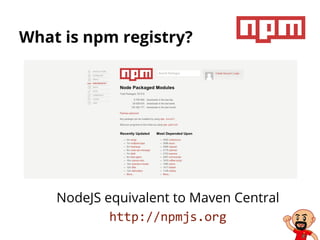
What is npm registry?
NodeJS equivalent to Maven Central
http://npmjs.org
I'm a front-end coder and
npm is for backend JS devs!
● npm is used to install tools used by front-end devs
○ bower, grunt, yeoman…
● npm is the base tool to build your JavaScript forge
npm behind a corporate proxy
● Proxy must be defined as environment variable
○ export http_proxy=user:password@proxy.example.com:3128
export https_proxy=user:password@proxy.example.com:3128
○ Potential problem with proxy-pac…
● Using of npm config could be needed
○ npm config set proxy http://proxy.example.com:3128
npm config set https-proxy http://proxy.example.com:3128
● If necessary use credentials:
○ npm config set proxy http://user:password@proxy.example.com:3128
npm config set proxy https://user:password@proxy.example.com:3128
Bower
Dependencies management for the web
What is Bower?
Bower is a package manager
for web applications
No more manual downloading of JavaScript
libraries and its dependencies
Proper version management
and conflict resolution
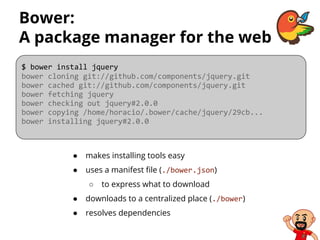
Bower:
A package manager for the web
● makes installing tools easy
● uses a manifest file (./bower.json)
○ to express what to download
● downloads to a centralized place (./bower)
● resolves dependencies
$ bower install jquery
bower cloning git://github.com/components/jquery.git
bower cached git://github.com/components/jquery.git
bower fetching jquery
bower checking out jquery#2.0.0
bower copying /home/horacio/.bower/cache/jquery/29cb...
bower installing jquery#2.0.0
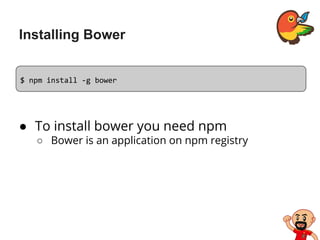
Installing Bower
● To install bower you need npm
○ Bower is an application on npm registry
$ npm install -g bower
Searching for packages
Looks on bower registry for packages
$ bower search angular
Search results:
angular git://github.com/angular/bower-angular.git
angular-mocks git://github.com/angular/bower-angular-mocks.git
angular-resource git://github.com/angular/bower-angular-resource.git
angular-scenario git://github.com/angular/bower-angular-scenario.git
angular-cookies git://github.com/angular/bower-angular-cookies.git
angular-sanitize git://github.com/angular/bower-angular-sanitize.git
angular-bootstrap git://github.com/angular-ui/bootstrap-bower.git
angular-ui git://github.com/angular-ui/angular-ui.git
angular-route git://github.com/angular/bower-angular-route.git
angular-ui-router git://github.com/angular-ui/ui-router
[…]
Getting info on a package
Looks on bower registry for packages
$ bower info angular
bower angular#* cached git://github.com/angular/bower-angular.git#1.2.3
bower angular#* validate 1.2.3 against git://github.com/angular/bower-angular.git#*
bower angular#* new version for git://github.com/angular/bower-angular.git#*
bower angular#* resolve git://github.com/angular/bower-angular.git#*
bower angular#* download https://github.com/angular/bower-angular/archive/v1.2.4.tar.gz
bower angular#* extract archive.tar.gz
bower angular#* resolved git://github.com/angular/bower-angular.git#1.2.4
{
name: 'angular',
version: '1.2.4',
main: './angular.js',
dependencies: {},
homepage: 'https://github.com/angular/bower-angular'
}
Available versions:
- 1.2.4
- 1.2.3
- 1.2.2
[…]
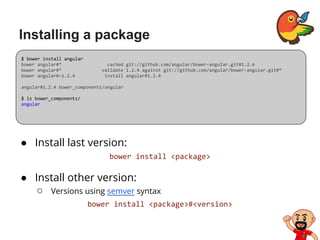
Installing a package
● Install last version:
bower install <package>
● Install other version:
○ Versions using semver syntax
bower install <package>#<version>
$ bower install angular
bower angular#* cached git://github.com/angular/bower-angular.git#1.2.4
bower angular#* validate 1.2.4 against git://github.com/angular/bower-angular.git#*
bower angular#~1.2.4 install angular#1.2.4
angular#1.2.4 bower_components/angular
$ ls bower_components/
angular
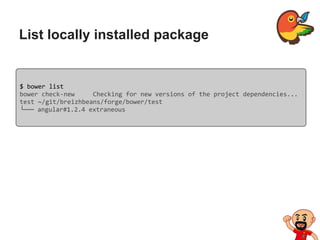
List locally installed package
$ bower list
bower check-new Checking for new versions of the project dependencies...
test ~/git/breizhbeans/forge/bower/test
└── angular#1.2.4 extraneous
Using an installed package
● Reference the package's installed components
○ using a <script> tag
● Use a module loader like Sprockets or RequireJS
○ For big or complex projects
○ Not really the Angular way
○ Better combine Bower with Uglify using Grunt… ;-)
[…]
<script src="/bower_components/angular/angular.js"></script>
[…]
Using local package cache
● Useful when offline
$ bower cache list
ace=git://github.com/ajaxorg/ace.git#1.1.1
ace-builds=git://github.com/ajaxorg/ace-builds.git#1.1.1
angular=git://github.com/angular/bower-angular.git#1.0.8
angular=git://github.com/angular/bower-angular.git#1.2.0-rc.3
angular=git://github.com/angular/bower-angular.git#1.2.0
angular=git://github.com/angular/bower-angular.git#1.2.3
angular=git://github.com/angular/bower-angular.git#1.2.4
[…]
$ bower install <package-name> --offline
Where are the packages?
● Registered with Bower
○ jquery, angular…
● Remote Git endpoints
○ public or private
○ git://github.com/angular/bower-angular.git
● A local endpoint
○ a folder that's a Git repository
● A shorthand endpoint
○ defaults to GitHub
○ angular/bower-angular
● A URL to a file
○ including zip and tar files
○ Its contents will be extracted.
Bower behind a corporate proxy
● Proxy must be defined as environment variable
○ export http_proxy=user@password:proxy.example.com:3128
export https_proxy=user@password:proxy.example.com:3128
○ Potential problem with proxy-pac…
● Same solution and potential problem with npm
Installing packages using bower.json
● If using multiple packages a project it’s often a good
idea to list these packages in a bower.json file
○ Installing and updating multiple packages with a single command.
{
"name": "LostInBrittany-App",
"version": "0.0.1",
"authors": [
"Horacio Gonzalez <horacio.gonzalez@gmail.com>"
],
"license": "MIT",
"private": true,
"dependencies": {
"angular": "~1.2",
"angular-route": "~1.2",
"leaflet": "~0.6.4",
"angular-leaflet": "~0.6.1"
}
}
Initialising the bower.json file
● Bower includes a tool to initialize a bower.json file
○ Executing bower init command at the root of the project will
launch an interactive program to create the file
$ bower init
[?] name: toto
[?] version: 0.0.1
[?] description: A sample app
[?] main file: index.html
[?] what types of modules does this package expose? globals
[?] keywords:
[?] authors: Horacio Gonzalez <horacio.gonzalez@gmail.com>
[?] license: MIT
[?] homepage: lostinbrittany.org
[?] set currently installed components as dependencies? Yes
[?] add commonly ignored files to ignore list? Yes
[?] would you like to mark this package as private which prevents it from being
accidentally published to the registry? Yes
Installing a package and saving it
to the bower.json
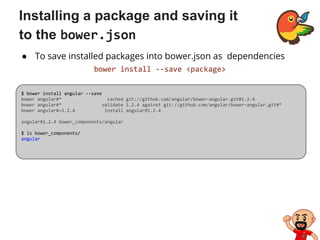
● To save installed packages into bower.json as dependencies
bower install --save <package>
$ bower install angular --save
bower angular#* cached git://github.com/angular/bower-angular.git#1.2.4
bower angular#* validate 1.2.4 against git://github.com/angular/bower-angular.git#*
bower angular#~1.2.4 install angular#1.2.4
angular#1.2.4 bower_components/angular
$ ls bower_components/
angular
Bower in my projects
● Defining a bower.json in project root
{
"name": "CityzenData-dataviz",
"version": "0.0.1",
"authors": [
"Horacio Gonzalez <horacio.gonzalez@gmail.com>"
],
"license": "MIT",
"private": true,
"ignore": [
"**/.*",
"node_modules",
"bower_components",
"test",
"tests"
],
"dependencies": {
"es5-shim": "~2.1.0", "html5shiv": "~3.7.0", "angular": "~1.2",
"angular-route": "~1.2", "leaflet": "~0.6.4", "angular-leaflet": "~0.6.1"
}
}
What's in my bower.json?
● name
○ Name of your package
● version
○ Semantic version number
● main [string|array]
○ Primary endpoints of your package
● ignore [array]
○ An array of paths not needed in production
○ Bower will ignore them when installing the package
What's in my bower.json?
● dependencies [hash]
○ Packages your package depends upon in production
● devDependencies [hash]
○ Development dependencies
● private [boolean]
○ Set to true if you want to keep the package private
■ If you won't want to register the package in future
Recovering project dependencies
$ bower update
bower angular#~1.2 cached git://github.com/angular/bower-angular.git#1.2.4
bower angular#~1.2 validate 1.2.4 against git://github.com/angular/bower-
angular.git#~1.2
[…]
angular#1.2.4 bower_components/angular
angular-loader#1.2.4 bower_components/angular-loader
└── angular#1.2.4
angular-resource#1.2.4 bower_components/angular-resource
└── angular#1.2.4
angular-touch#1.2.4 bower_components/angular-touch
└── angular#1.2.4
[…]
Registering a package
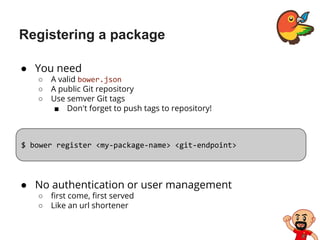
● You need
○ A valid bower.json
○ A public Git repository
○ Use semver Git tags
■ Don't forget to push tags to repository!
$ bower register <my-package-name> <git-endpoint>
● No authentication or user management
○ first come, first served
○ Like an url shortener
Other useful Bower commands
$ bower
Usage:
bower <command> [<args>] [<options>]
Commands:
cache Manage bower cache
help Display help information about Bower
home Opens a package homepage into your favorite browser
info Info of a particular package
init Interactively create a bower.json file
install Install a package locally
link Symlink a package folder
list List local packages
lookup Look up a package URL by name
prune Removes local extraneous packages
register Register a package
search Search for a package by name
update Update a local package
uninstall Remove a local package
Grunt
The JavaScript task runner
Why use a task runner?
● Automation
○ Performing repetitive task
■ minification
■ compilation
■ unit testing
■ linting
■ […]
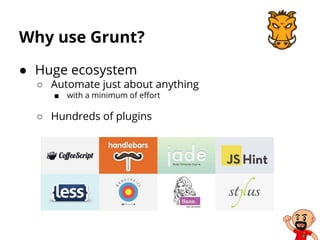
Why use Grunt?
● Huge ecosystem
○ Automate just about anything
■ with a minimum of effort
○ Hundreds of plugins
Installing Grunt CLI
$ npm install -g grunt-cli
npm http GET https://registry.npmjs.org/grunt-cli
npm http 200 https://registry.npmjs.org/grunt-cli
npm http GET https://registry.npmjs.org/grunt-cli/-/grunt-cli-0.1.11.tgz
npm http 200 https://registry.npmjs.org/grunt-cli/-/grunt-cli-0.1.11.tgz
[…]
/opt/node/bin/grunt -> /opt/node/lib/node_modules/grunt-cli/bin/grunt
grunt-cli@0.1.11 /opt/node/lib/node_modules/grunt-cli
├── resolve@0.3.1
├── nopt@1.0.10 (abbrev@1.0.4)
└── findup-sync@0.1.2 (lodash@1.0.1, glob@3.1.21)
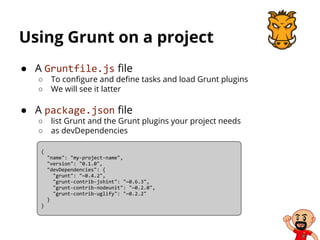
Using Grunt on a project
● A Gruntfile.js file
○ To configure and define tasks and load Grunt plugins
○ We will see it latter
● A package.json file
○ list Grunt and the Grunt plugins your project needs
○ as devDependencies
{
"name": "my-project-name",
"version": "0.1.0",
"devDependencies": {
"grunt": "~0.4.2",
"grunt-contrib-jshint": "~0.6.3",
"grunt-contrib-nodeunit": "~0.2.0",
"grunt-contrib-uglify": "~0.2.2"
}
}
Using Grunt on a project
● Installing grunt for the project
$ npm install grunt --save-dev
npm WARN package.json my-project-name@0.1.0 No description
npm WARN package.json my-project-name@0.1.0 No repository field.
npm WARN package.json my-project-name@0.1.0 No README data
npm http GET https://registry.npmjs.org/grunt
npm http 200 https://registry.npmjs.org/grunt
npm http GET https://registry.npmjs.org/grunt/-/grunt-0.4.2.tgz
npm http 200 https://registry.npmjs.org/grunt/-/grunt-0.4.2.tgz
[…]
grunt@0.4.2 node_modules/grunt
├── which@1.0.5
├── dateformat@1.0.2-1.2.3
├── eventemitter2@0.4.13
├── getobject@0.1.0
├── colors@0.6.2
├── hooker@0.2.3
├── async@0.1.22
├── exit@0.1.2
[…]
The Gruntfile
● Containing
○ The "wrapper" function
○ Project and task configuration
○ Loading Grunt plugins and tasks
○ Custom tasks
● Valid JS (or CoffeeScript) file
A sample Gruntfile
$ module.exports = function(grunt) {
// Project configuration.
grunt.initConfig({
pkg: grunt.file.readJSON('package.json'),
uglify: {
options: {
banner: '/*! <%= pkg.name %> <%= grunt.template.today("yyyy-mm-dd") %> */n'
},
build: {
src: 'src/<%= pkg.name %>.js',
dest: 'build/<%= pkg.name %>.min.js'
}
}
});
// Load the plugin that provides the "uglify" task.
grunt.loadNpmTasks('grunt-contrib-uglify');
// Default task(s).
grunt.registerTask('default', ['uglify']);
};
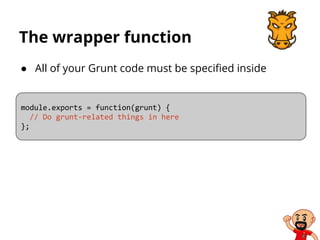
The wrapper function
● All of your Grunt code must be specified inside
module.exports = function(grunt) {
// Do grunt-related things in here
};
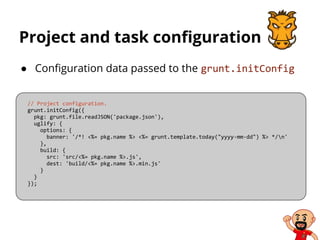
Project and task configuration
● Configuration data passed to the grunt.initConfig
// Project configuration.
grunt.initConfig({
pkg: grunt.file.readJSON('package.json'),
uglify: {
options: {
banner: '/*! <%= pkg.name %> <%= grunt.template.today("yyyy-mm-dd") %> */n'
},
build: {
src: 'src/<%= pkg.name %>.js',
dest: 'build/<%= pkg.name %>.min.js'
}
}
});
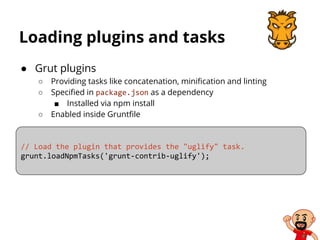
Loading plugins and tasks
● Grut plugins
○ Providing tasks like concatenation, minification and linting
○ Specified in package.json as a dependency
■ Installed via npm install
○ Enabled inside Gruntfile
// Load the plugin that provides the "uglify" task.
grunt.loadNpmTasks('grunt-contrib-uglify');
Custom tasks
● Define your own tasks
○ By registering then in the Grunfile
○ E.g. default task
■ run by default
// Default task(s).
grunt.registerTask('default', ['uglify']);
// A very basic logStuff task.
grunt.registerTask('logStuff', 'Log some stuff.', function() {
grunt.log.write('Logging some stuff...').ok();
});
● May be defined in external .js files
○ loaded via the grunt.loadTasks method
Yeoman
Modern workflows for modern apps
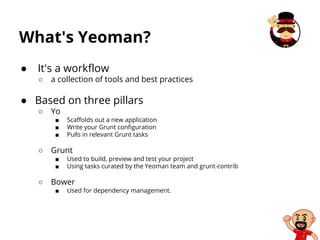
What's Yeoman?
● It's a workflow
○ a collection of tools and best practices
● Based on three pillars
○ Yo
■ Scaffolds out a new application
■ Write your Grunt configuration
■ Pulls in relevant Grunt tasks
○ Grunt
■ Used to build, preview and test your project
■ Using tasks curated by the Yeoman team and grunt-contrib
○ Bower
■ Used for dependency management.
Installing Yeoman
$ npm install -g yo
npm http GET https://registry.npmjs.org/yo
npm http 200 https://registry.npmjs.org/yo
npm http GET https://registry.npmjs.org/yo/-/yo-1.0.5.tgz
npm http 200 https://registry.npmjs.org/yo/-/yo-1.0.5.tgz
npm http GET https://registry.npmjs.org/lodash
[…]
/opt/node/bin/yo -> /opt/node/lib/node_modules/yo/bin/yo
yo@1.0.5 /opt/node/lib/node_modules/yo
├── open@0.0.4
├── async@0.2.9
├── lodash@2.2.1
├── chalk@0.2.1 (ansi-styles@0.2.0, has-color@0.1.1)
├── sudo-block@0.2.1 (chalk@0.1.1)
├── nopt@2.1.2 (abbrev@1.0.4)
├── update-notifier@0.1.7 (semver@2.1.0, configstore@0.1.6, request@2.27.0)
├── insight@0.3.0 (lodash@1.3.1, inquirer@0.2.5, configstore@0.1.6, request@2.27.0)
└── yeoman-generator@0.14.1 (dargs@0.1.0, diff@1.0.7, debug@0.7.4, rimraf@2.2.5, chalk@0.3.0,
text-table@0.2.0, mime@1.2.11, mkdirp@0.3.5, isbinaryfile@0.1.9, shelljs@0.2.6, underscore.
string@2.3.3, iconv-lite@0.2.11, request@2.27.0, inquirer@0.3.5, glob@3.2.7, findup-sync@0.1.2,
file-utils@0.1.5, download@0.1.7, cheerio@0.12.4)
Installing yo generators
$ npm install -g generator-webapp
npm http GET https://registry.npmjs.org/generator-webapp
npm http 200 https://registry.npmjs.org/generator-webapp
npm http GET https://registry.npmjs.org/generator-webapp/-/generator-webapp-0.4.4.tgz
npm http 200 https://registry.npmjs.org/generator-webapp/-/generator-webapp-0.4.4.tgz
[…]
generator-webapp@0.4.4 /opt/node/lib/node_modules/generator-webapp
├── cheerio@0.12.4 (entities@0.3.0, underscore@1.4.4, htmlparser2@3.1.4, cheerio-select@0.0.3)
└── yeoman-generator@0.13.4 (dargs@0.1.0, diff@1.0.7, debug@0.7.4, rimraf@2.2.5, text-table@0.
1.1, mime@1.2.11, async@0.2.9, mkdirp@0.3.5, isbinaryfile@0.1.9, shelljs@0.1.4, underscore.
string@2.3.3, iconv-lite@0.2.11, lodash@1.3.1, chalk@0.2.1, tar@0.1.19, findup-sync@0.1.2,
glob@3.2.7, inquirer@0.3.5, request@2.25.0)
● Generators are used to scaffold your apps
○ A generator by kind of app
■ e.g. generator-webapp, generator-angular
● A typical workflow
Workflow Yeoman
$ npm install -g generator-angular # install generator
[…]
$ yo angular # scaffold out a AngularJS project
[…]
$ bower install angular-ui # install a dependency for your project from Bower
[…]
$ grunt test # test your app
[…]
$ grunt server # preview your app
[…]
$ grunt # build the application for deployment
[…]
Brunch
Ultra-fast HTML5 build tool
Why Brunch?
● Grunt & Gulp are powerful… but complex
○ Brunch is order-of-magnitude simpler
● Config files are easy and short
exports.config =
# See http://brunch.io/#documentation for docs.
files:
javascripts:
joinTo:
'javascripts/app.js': /^app/
'javascripts/vendor.js': /^(?!app)/
stylesheets:
joinTo: 'stylesheets/app.css'
templates:
joinTo: 'javascripts/app.js'
[…]
Why Brunch?
● Command line options are minimal
○ Three commands: new, build and watch
● Lots of plugins
○ With plugins it do anything Grunt tasks do
(and beyond…)
● Gulp adapter
○ To use Gulp tasks inside Brunch
Why Brunch?
● Grunt & Gulp are generic task runners
○ like MakeFile or Maven
○ lots of conf needed
● Brunch is a build tool
○ Categorization of source files
○ Smart concatenation
○ Module wrapping
○ Maintenance of source maps
○ Minification of resulting files
○ Watching of source files to update on the fly
Create a new Brunch project
● skeleton-URL specifies a skeleton
○ from which the application will be initialized
○ like Yeoman blueprints
● current skeleton list : http://brunch.
io/skeletons.html
$ brunch new <skeleton-URL> [optional-output-dir]
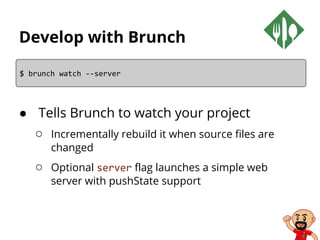
Develop with Brunch
● Tells Brunch to watch your project
○ Incrementally rebuild it when source files are
changed
○ Optional server flag launches a simple web
server with pushState support
$ brunch watch --server
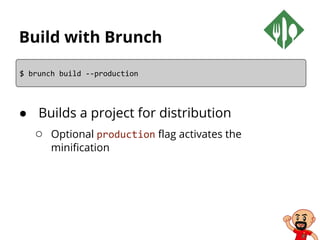
Build with Brunch
● Builds a project for distribution
○ Optional production flag activates the
minification
$ brunch build --production
Built-in processing
● Brunch will always take care of:
○ Concatenate files
■ by category
■ towards 1+ target files you define
○ Publish the resulting files
■ in a target directory
■ along with static asset files
○ Wrap the relevant JS source files
■ as CommonJS modules
■ during the concatenation phase)
Built-in processing
● Brunch will always take care of:
○ Produce the matching sourcemaps
■ so you can easily debug in your browser
○ Watch your source files and trees for changes
■ triggering an incremental build update
■ For developing mode
○ Provide an HTTP server
Configuration files
● Configuration files:
○ either brunch-config.coffee (favored version)
○ or brunch-config.js
● Most of times conf is only a big object
○ JSON style
○ so CoffeeScript will “just” spare you the noise
■ curly braces, commas, quotes…
exports.config =
# See http://brunch.io/#documentation for docs.
files:
javascripts:
joinTo:
'javascripts/app.js': /^app/
'javascripts/vendor.js': /^(?!app)/
stylesheets:
joinTo: 'stylesheets/app.css'
[…]
Folders have a meaning
● Convention over configuration
○ app contains the entire source codebase
■ script files, style sheets and template files
■ contents concatenated by type
○ Any assets folder (usually app/assets)
■ its contents will be copy-pasted (recursively)
into the target folder, as-is, without any
processing.
Folders have a meaning
● Convention over configuration
○ Any vendor folder (usually app/vendor)
■ its contents will concatenated, much like app
■ the script files will not get wrapped in modules
● ideal for 3rd party libraries that do not play well with
being wrapped as modules
○ Any file starting with an underscore (_)
■ considered a partial, to be embedded into
another file
■ not processed standalone.
CommonJS module wrapping
● Brunch wraps your script files as
CommonJS modules
○ they therefore exist in a closure
○ all your explicit declarations are private
■ var, function
○ Access to exports, module.exports and require
Sourcemaps
● Concatenations generate source maps
○ browser’s developer tools display and debug the
original source files
■ a must-have for sane debugging
Watcher
● Brunch watch your files and trees
○ to update the build when changes are detected
■ the update is incremental and very fast
■ full updating logs are produced
○ watching happens when you use brunch watch
■ instead of the one-shot brunch build
Built-in web server
● Built-in HTTP server: brunch watch --server
○ can serve your target files statically
○ HTTP listener on port 3333
○ with / mapped to your target folder
○ automatic serving of index.html on folder URLs
○ CORS headers
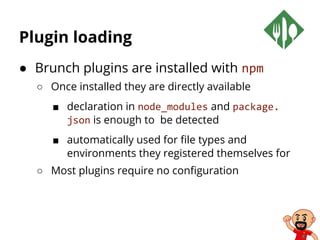
Plugin loading
● Brunch plugins are installed with npm
○ Once installed they are directly available
■ declaration in node_modules and package.
json is enough to be detected
■ automatically used for file types and
environments they registered themselves for
○ Most plugins require no configuration
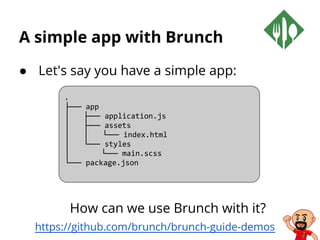
A simple app with Brunch
● Let's say you have a simple app:
How can we use Brunch with it?
https://github.com/brunch/brunch-guide-demos
.
├── app
│ ├── application.js
│ ├── assets
│ │ └── index.html
│ └── styles
│ └── main.scss
└── package.json
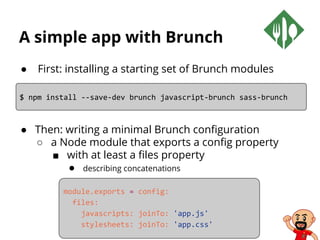
A simple app with Brunch
● First: installing a starting set of Brunch modules
● Then: writing a minimal Brunch configuration
○ a Node module that exports a config property
■ with at least a files property
● describing concatenations
$ npm install --save-dev brunch javascript-brunch sass-brunch
module.exports = config:
files:
javascripts: joinTo: 'app.js'
stylesheets: joinTo: 'app.css'
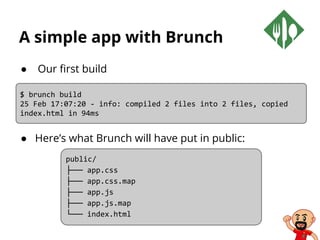
A simple app with Brunch
● Our first build
● Here’s what Brunch will have put in public:
$ brunch build
25 Feb 17:07:20 - info: compiled 2 files into 2 files, copied
index.html in 94ms
public/
├── app.css
├── app.css.map
├── app.js
├── app.js.map
└── index.html
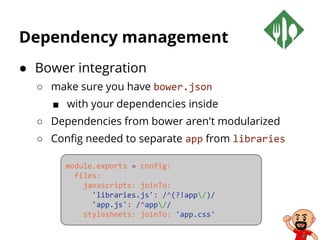
Dependency management
● Bower integration
○ make sure you have bower.json
■ with your dependencies inside
○ Dependencies from bower aren't modularized
○ Config needed to separate app from libraries
module.exports = config:
files:
javascripts: joinTo:
'libraries.js': /^(?!app/)/
'app.js': /^app//
stylesheets: joinTo: 'app.css'
Templating
● Templates live in their own files
○ cleanly separated from JS or static HTML
○ templates get precompiled
■ by whatever engine handles the templating
● usually Jade
■ to produce a ready-to-use JS function
○ the function is wrapped as a module

ENIB 2015-2016 - CAI Web - S01E01- La forge JavaScript

  • 1.
    Conception d'Applications Interactives : ApplicationsWeb et JEE Séance #4 Une forge JavaScript
  • 2.
    Description du module ●Côté navigateur ○ HTML5 / CSS / JS - Polymer, Twitter Bootstrap ● Côté serveur - Concepts ○ Introduction à JEE : servlets, JSP, frameworks… - SparkJava ● Côté serveur - NodeJS ○ NodeJS, ExpressJS, APIs ● Forge JavaScript et Web Components ○ Une forge logicielle pour JavaScript : Grunt/Gulp, Bower, Yeoman ● Autour de la webapp ○ Forge logicielle en Java - Test-driven development ● Examen et exposées des projets
  • 3.
    Forge JavaScript etWeb Components ● Single-page applications ● Forge JavaScript ○ npm, bower, grunt, yeoman ● Web Components ● Directives AngularJS ● Services AngularJS
  • 4.
  • 5.
  • 6.
    Java developers lovetheir forges Industrialisation
  • 7.
    But they needJavaScript Java tools alone aren't fit for today's web
  • 8.
    But doing JavaScriptis daunting Because it means two things: ● Learning the language ● Losing the forge Image : Ken Schultz comedy juggler
  • 9.
    It isn't trueanymore! You can have a forge in JavaScript
  • 10.
    At beginning itwas npm Born from and for NodeJS
  • 11.
    What is NodeJS? Node.jsis a platform built on Chrome's JavaScript runtime for easily building fast, scalable network applications. Node.js uses an event-driven, non-blocking I/O model that makes it lightweight and efficient, perfect for data-intensive real-time applications that run across distributed devices.
  • 12.
    What is npm? ●NodeJS built modularly ○ Each functionality in a package ● npm is the official package manager for Node.js ○ runs through the command line ○ manages dependencies for an application ○ install applications available on the npm registry
  • 13.
    What is npmregistry? NodeJS equivalent to Maven Central http://npmjs.org
  • 14.
    I'm a front-endcoder and npm is for backend JS devs! ● npm is used to install tools used by front-end devs ○ bower, grunt, yeoman… ● npm is the base tool to build your JavaScript forge
  • 15.
    npm behind acorporate proxy ● Proxy must be defined as environment variable ○ export http_proxy=user:password@proxy.example.com:3128 export https_proxy=user:password@proxy.example.com:3128 ○ Potential problem with proxy-pac… ● Using of npm config could be needed ○ npm config set proxy http://proxy.example.com:3128 npm config set https-proxy http://proxy.example.com:3128 ● If necessary use credentials: ○ npm config set proxy http://user:password@proxy.example.com:3128 npm config set proxy https://user:password@proxy.example.com:3128
  • 16.
  • 17.
    What is Bower? Boweris a package manager for web applications No more manual downloading of JavaScript libraries and its dependencies Proper version management and conflict resolution
  • 18.
    Bower: A package managerfor the web ● makes installing tools easy ● uses a manifest file (./bower.json) ○ to express what to download ● downloads to a centralized place (./bower) ● resolves dependencies $ bower install jquery bower cloning git://github.com/components/jquery.git bower cached git://github.com/components/jquery.git bower fetching jquery bower checking out jquery#2.0.0 bower copying /home/horacio/.bower/cache/jquery/29cb... bower installing jquery#2.0.0
  • 19.
    Installing Bower ● Toinstall bower you need npm ○ Bower is an application on npm registry $ npm install -g bower
  • 20.
    Searching for packages Lookson bower registry for packages $ bower search angular Search results: angular git://github.com/angular/bower-angular.git angular-mocks git://github.com/angular/bower-angular-mocks.git angular-resource git://github.com/angular/bower-angular-resource.git angular-scenario git://github.com/angular/bower-angular-scenario.git angular-cookies git://github.com/angular/bower-angular-cookies.git angular-sanitize git://github.com/angular/bower-angular-sanitize.git angular-bootstrap git://github.com/angular-ui/bootstrap-bower.git angular-ui git://github.com/angular-ui/angular-ui.git angular-route git://github.com/angular/bower-angular-route.git angular-ui-router git://github.com/angular-ui/ui-router […]
  • 21.
    Getting info ona package Looks on bower registry for packages $ bower info angular bower angular#* cached git://github.com/angular/bower-angular.git#1.2.3 bower angular#* validate 1.2.3 against git://github.com/angular/bower-angular.git#* bower angular#* new version for git://github.com/angular/bower-angular.git#* bower angular#* resolve git://github.com/angular/bower-angular.git#* bower angular#* download https://github.com/angular/bower-angular/archive/v1.2.4.tar.gz bower angular#* extract archive.tar.gz bower angular#* resolved git://github.com/angular/bower-angular.git#1.2.4 { name: 'angular', version: '1.2.4', main: './angular.js', dependencies: {}, homepage: 'https://github.com/angular/bower-angular' } Available versions: - 1.2.4 - 1.2.3 - 1.2.2 […]
  • 22.
    Installing a package ●Install last version: bower install <package> ● Install other version: ○ Versions using semver syntax bower install <package>#<version> $ bower install angular bower angular#* cached git://github.com/angular/bower-angular.git#1.2.4 bower angular#* validate 1.2.4 against git://github.com/angular/bower-angular.git#* bower angular#~1.2.4 install angular#1.2.4 angular#1.2.4 bower_components/angular $ ls bower_components/ angular
  • 23.
    List locally installedpackage $ bower list bower check-new Checking for new versions of the project dependencies... test ~/git/breizhbeans/forge/bower/test └── angular#1.2.4 extraneous
  • 24.
    Using an installedpackage ● Reference the package's installed components ○ using a <script> tag ● Use a module loader like Sprockets or RequireJS ○ For big or complex projects ○ Not really the Angular way ○ Better combine Bower with Uglify using Grunt… ;-) […] <script src="/bower_components/angular/angular.js"></script> […]
  • 25.
    Using local packagecache ● Useful when offline $ bower cache list ace=git://github.com/ajaxorg/ace.git#1.1.1 ace-builds=git://github.com/ajaxorg/ace-builds.git#1.1.1 angular=git://github.com/angular/bower-angular.git#1.0.8 angular=git://github.com/angular/bower-angular.git#1.2.0-rc.3 angular=git://github.com/angular/bower-angular.git#1.2.0 angular=git://github.com/angular/bower-angular.git#1.2.3 angular=git://github.com/angular/bower-angular.git#1.2.4 […] $ bower install <package-name> --offline
  • 26.
    Where are thepackages? ● Registered with Bower ○ jquery, angular… ● Remote Git endpoints ○ public or private ○ git://github.com/angular/bower-angular.git ● A local endpoint ○ a folder that's a Git repository ● A shorthand endpoint ○ defaults to GitHub ○ angular/bower-angular ● A URL to a file ○ including zip and tar files ○ Its contents will be extracted.
  • 27.
    Bower behind acorporate proxy ● Proxy must be defined as environment variable ○ export http_proxy=user@password:proxy.example.com:3128 export https_proxy=user@password:proxy.example.com:3128 ○ Potential problem with proxy-pac… ● Same solution and potential problem with npm
  • 28.
    Installing packages usingbower.json ● If using multiple packages a project it’s often a good idea to list these packages in a bower.json file ○ Installing and updating multiple packages with a single command. { "name": "LostInBrittany-App", "version": "0.0.1", "authors": [ "Horacio Gonzalez <horacio.gonzalez@gmail.com>" ], "license": "MIT", "private": true, "dependencies": { "angular": "~1.2", "angular-route": "~1.2", "leaflet": "~0.6.4", "angular-leaflet": "~0.6.1" } }
  • 29.
    Initialising the bower.jsonfile ● Bower includes a tool to initialize a bower.json file ○ Executing bower init command at the root of the project will launch an interactive program to create the file $ bower init [?] name: toto [?] version: 0.0.1 [?] description: A sample app [?] main file: index.html [?] what types of modules does this package expose? globals [?] keywords: [?] authors: Horacio Gonzalez <horacio.gonzalez@gmail.com> [?] license: MIT [?] homepage: lostinbrittany.org [?] set currently installed components as dependencies? Yes [?] add commonly ignored files to ignore list? Yes [?] would you like to mark this package as private which prevents it from being accidentally published to the registry? Yes
  • 30.
    Installing a packageand saving it to the bower.json ● To save installed packages into bower.json as dependencies bower install --save <package> $ bower install angular --save bower angular#* cached git://github.com/angular/bower-angular.git#1.2.4 bower angular#* validate 1.2.4 against git://github.com/angular/bower-angular.git#* bower angular#~1.2.4 install angular#1.2.4 angular#1.2.4 bower_components/angular $ ls bower_components/ angular
  • 31.
    Bower in myprojects ● Defining a bower.json in project root { "name": "CityzenData-dataviz", "version": "0.0.1", "authors": [ "Horacio Gonzalez <horacio.gonzalez@gmail.com>" ], "license": "MIT", "private": true, "ignore": [ "**/.*", "node_modules", "bower_components", "test", "tests" ], "dependencies": { "es5-shim": "~2.1.0", "html5shiv": "~3.7.0", "angular": "~1.2", "angular-route": "~1.2", "leaflet": "~0.6.4", "angular-leaflet": "~0.6.1" } }
  • 32.
    What's in mybower.json? ● name ○ Name of your package ● version ○ Semantic version number ● main [string|array] ○ Primary endpoints of your package ● ignore [array] ○ An array of paths not needed in production ○ Bower will ignore them when installing the package
  • 33.
    What's in mybower.json? ● dependencies [hash] ○ Packages your package depends upon in production ● devDependencies [hash] ○ Development dependencies ● private [boolean] ○ Set to true if you want to keep the package private ■ If you won't want to register the package in future
  • 34.
    Recovering project dependencies $bower update bower angular#~1.2 cached git://github.com/angular/bower-angular.git#1.2.4 bower angular#~1.2 validate 1.2.4 against git://github.com/angular/bower- angular.git#~1.2 […] angular#1.2.4 bower_components/angular angular-loader#1.2.4 bower_components/angular-loader └── angular#1.2.4 angular-resource#1.2.4 bower_components/angular-resource └── angular#1.2.4 angular-touch#1.2.4 bower_components/angular-touch └── angular#1.2.4 […]
  • 35.
    Registering a package ●You need ○ A valid bower.json ○ A public Git repository ○ Use semver Git tags ■ Don't forget to push tags to repository! $ bower register <my-package-name> <git-endpoint> ● No authentication or user management ○ first come, first served ○ Like an url shortener
  • 36.
    Other useful Bowercommands $ bower Usage: bower <command> [<args>] [<options>] Commands: cache Manage bower cache help Display help information about Bower home Opens a package homepage into your favorite browser info Info of a particular package init Interactively create a bower.json file install Install a package locally link Symlink a package folder list List local packages lookup Look up a package URL by name prune Removes local extraneous packages register Register a package search Search for a package by name update Update a local package uninstall Remove a local package
  • 37.
  • 38.
    Why use atask runner? ● Automation ○ Performing repetitive task ■ minification ■ compilation ■ unit testing ■ linting ■ […]
  • 39.
    Why use Grunt? ●Huge ecosystem ○ Automate just about anything ■ with a minimum of effort ○ Hundreds of plugins
  • 40.
    Installing Grunt CLI $npm install -g grunt-cli npm http GET https://registry.npmjs.org/grunt-cli npm http 200 https://registry.npmjs.org/grunt-cli npm http GET https://registry.npmjs.org/grunt-cli/-/grunt-cli-0.1.11.tgz npm http 200 https://registry.npmjs.org/grunt-cli/-/grunt-cli-0.1.11.tgz […] /opt/node/bin/grunt -> /opt/node/lib/node_modules/grunt-cli/bin/grunt grunt-cli@0.1.11 /opt/node/lib/node_modules/grunt-cli ├── resolve@0.3.1 ├── nopt@1.0.10 (abbrev@1.0.4) └── findup-sync@0.1.2 (lodash@1.0.1, glob@3.1.21)
  • 41.
    Using Grunt ona project ● A Gruntfile.js file ○ To configure and define tasks and load Grunt plugins ○ We will see it latter ● A package.json file ○ list Grunt and the Grunt plugins your project needs ○ as devDependencies { "name": "my-project-name", "version": "0.1.0", "devDependencies": { "grunt": "~0.4.2", "grunt-contrib-jshint": "~0.6.3", "grunt-contrib-nodeunit": "~0.2.0", "grunt-contrib-uglify": "~0.2.2" } }
  • 42.
    Using Grunt ona project ● Installing grunt for the project $ npm install grunt --save-dev npm WARN package.json my-project-name@0.1.0 No description npm WARN package.json my-project-name@0.1.0 No repository field. npm WARN package.json my-project-name@0.1.0 No README data npm http GET https://registry.npmjs.org/grunt npm http 200 https://registry.npmjs.org/grunt npm http GET https://registry.npmjs.org/grunt/-/grunt-0.4.2.tgz npm http 200 https://registry.npmjs.org/grunt/-/grunt-0.4.2.tgz […] grunt@0.4.2 node_modules/grunt ├── which@1.0.5 ├── dateformat@1.0.2-1.2.3 ├── eventemitter2@0.4.13 ├── getobject@0.1.0 ├── colors@0.6.2 ├── hooker@0.2.3 ├── async@0.1.22 ├── exit@0.1.2 […]
  • 43.
    The Gruntfile ● Containing ○The "wrapper" function ○ Project and task configuration ○ Loading Grunt plugins and tasks ○ Custom tasks ● Valid JS (or CoffeeScript) file
  • 44.
    A sample Gruntfile $module.exports = function(grunt) { // Project configuration. grunt.initConfig({ pkg: grunt.file.readJSON('package.json'), uglify: { options: { banner: '/*! <%= pkg.name %> <%= grunt.template.today("yyyy-mm-dd") %> */n' }, build: { src: 'src/<%= pkg.name %>.js', dest: 'build/<%= pkg.name %>.min.js' } } }); // Load the plugin that provides the "uglify" task. grunt.loadNpmTasks('grunt-contrib-uglify'); // Default task(s). grunt.registerTask('default', ['uglify']); };
  • 45.
    The wrapper function ●All of your Grunt code must be specified inside module.exports = function(grunt) { // Do grunt-related things in here };
  • 46.
    Project and taskconfiguration ● Configuration data passed to the grunt.initConfig // Project configuration. grunt.initConfig({ pkg: grunt.file.readJSON('package.json'), uglify: { options: { banner: '/*! <%= pkg.name %> <%= grunt.template.today("yyyy-mm-dd") %> */n' }, build: { src: 'src/<%= pkg.name %>.js', dest: 'build/<%= pkg.name %>.min.js' } } });
  • 47.
    Loading plugins andtasks ● Grut plugins ○ Providing tasks like concatenation, minification and linting ○ Specified in package.json as a dependency ■ Installed via npm install ○ Enabled inside Gruntfile // Load the plugin that provides the "uglify" task. grunt.loadNpmTasks('grunt-contrib-uglify');
  • 48.
    Custom tasks ● Defineyour own tasks ○ By registering then in the Grunfile ○ E.g. default task ■ run by default // Default task(s). grunt.registerTask('default', ['uglify']); // A very basic logStuff task. grunt.registerTask('logStuff', 'Log some stuff.', function() { grunt.log.write('Logging some stuff...').ok(); }); ● May be defined in external .js files ○ loaded via the grunt.loadTasks method
  • 49.
  • 50.
    What's Yeoman? ● It'sa workflow ○ a collection of tools and best practices ● Based on three pillars ○ Yo ■ Scaffolds out a new application ■ Write your Grunt configuration ■ Pulls in relevant Grunt tasks ○ Grunt ■ Used to build, preview and test your project ■ Using tasks curated by the Yeoman team and grunt-contrib ○ Bower ■ Used for dependency management.
  • 51.
    Installing Yeoman $ npminstall -g yo npm http GET https://registry.npmjs.org/yo npm http 200 https://registry.npmjs.org/yo npm http GET https://registry.npmjs.org/yo/-/yo-1.0.5.tgz npm http 200 https://registry.npmjs.org/yo/-/yo-1.0.5.tgz npm http GET https://registry.npmjs.org/lodash […] /opt/node/bin/yo -> /opt/node/lib/node_modules/yo/bin/yo yo@1.0.5 /opt/node/lib/node_modules/yo ├── open@0.0.4 ├── async@0.2.9 ├── lodash@2.2.1 ├── chalk@0.2.1 (ansi-styles@0.2.0, has-color@0.1.1) ├── sudo-block@0.2.1 (chalk@0.1.1) ├── nopt@2.1.2 (abbrev@1.0.4) ├── update-notifier@0.1.7 (semver@2.1.0, configstore@0.1.6, request@2.27.0) ├── insight@0.3.0 (lodash@1.3.1, inquirer@0.2.5, configstore@0.1.6, request@2.27.0) └── yeoman-generator@0.14.1 (dargs@0.1.0, diff@1.0.7, debug@0.7.4, rimraf@2.2.5, chalk@0.3.0, text-table@0.2.0, mime@1.2.11, mkdirp@0.3.5, isbinaryfile@0.1.9, shelljs@0.2.6, underscore. string@2.3.3, iconv-lite@0.2.11, request@2.27.0, inquirer@0.3.5, glob@3.2.7, findup-sync@0.1.2, file-utils@0.1.5, download@0.1.7, cheerio@0.12.4)
  • 52.
    Installing yo generators $npm install -g generator-webapp npm http GET https://registry.npmjs.org/generator-webapp npm http 200 https://registry.npmjs.org/generator-webapp npm http GET https://registry.npmjs.org/generator-webapp/-/generator-webapp-0.4.4.tgz npm http 200 https://registry.npmjs.org/generator-webapp/-/generator-webapp-0.4.4.tgz […] generator-webapp@0.4.4 /opt/node/lib/node_modules/generator-webapp ├── cheerio@0.12.4 (entities@0.3.0, underscore@1.4.4, htmlparser2@3.1.4, cheerio-select@0.0.3) └── yeoman-generator@0.13.4 (dargs@0.1.0, diff@1.0.7, debug@0.7.4, rimraf@2.2.5, text-table@0. 1.1, mime@1.2.11, async@0.2.9, mkdirp@0.3.5, isbinaryfile@0.1.9, shelljs@0.1.4, underscore. string@2.3.3, iconv-lite@0.2.11, lodash@1.3.1, chalk@0.2.1, tar@0.1.19, findup-sync@0.1.2, glob@3.2.7, inquirer@0.3.5, request@2.25.0) ● Generators are used to scaffold your apps ○ A generator by kind of app ■ e.g. generator-webapp, generator-angular
  • 53.
    ● A typicalworkflow Workflow Yeoman $ npm install -g generator-angular # install generator […] $ yo angular # scaffold out a AngularJS project […] $ bower install angular-ui # install a dependency for your project from Bower […] $ grunt test # test your app […] $ grunt server # preview your app […] $ grunt # build the application for deployment […]
  • 54.
  • 55.
    Why Brunch? ● Grunt& Gulp are powerful… but complex ○ Brunch is order-of-magnitude simpler ● Config files are easy and short exports.config = # See http://brunch.io/#documentation for docs. files: javascripts: joinTo: 'javascripts/app.js': /^app/ 'javascripts/vendor.js': /^(?!app)/ stylesheets: joinTo: 'stylesheets/app.css' templates: joinTo: 'javascripts/app.js' […]
  • 56.
    Why Brunch? ● Commandline options are minimal ○ Three commands: new, build and watch ● Lots of plugins ○ With plugins it do anything Grunt tasks do (and beyond…) ● Gulp adapter ○ To use Gulp tasks inside Brunch
  • 57.
    Why Brunch? ● Grunt& Gulp are generic task runners ○ like MakeFile or Maven ○ lots of conf needed ● Brunch is a build tool ○ Categorization of source files ○ Smart concatenation ○ Module wrapping ○ Maintenance of source maps ○ Minification of resulting files ○ Watching of source files to update on the fly
  • 58.
    Create a newBrunch project ● skeleton-URL specifies a skeleton ○ from which the application will be initialized ○ like Yeoman blueprints ● current skeleton list : http://brunch. io/skeletons.html $ brunch new <skeleton-URL> [optional-output-dir]
  • 59.
    Develop with Brunch ●Tells Brunch to watch your project ○ Incrementally rebuild it when source files are changed ○ Optional server flag launches a simple web server with pushState support $ brunch watch --server
  • 60.
    Build with Brunch ●Builds a project for distribution ○ Optional production flag activates the minification $ brunch build --production
  • 61.
    Built-in processing ● Brunchwill always take care of: ○ Concatenate files ■ by category ■ towards 1+ target files you define ○ Publish the resulting files ■ in a target directory ■ along with static asset files ○ Wrap the relevant JS source files ■ as CommonJS modules ■ during the concatenation phase)
  • 62.
    Built-in processing ● Brunchwill always take care of: ○ Produce the matching sourcemaps ■ so you can easily debug in your browser ○ Watch your source files and trees for changes ■ triggering an incremental build update ■ For developing mode ○ Provide an HTTP server
  • 63.
    Configuration files ● Configurationfiles: ○ either brunch-config.coffee (favored version) ○ or brunch-config.js ● Most of times conf is only a big object ○ JSON style ○ so CoffeeScript will “just” spare you the noise ■ curly braces, commas, quotes… exports.config = # See http://brunch.io/#documentation for docs. files: javascripts: joinTo: 'javascripts/app.js': /^app/ 'javascripts/vendor.js': /^(?!app)/ stylesheets: joinTo: 'stylesheets/app.css' […]
  • 64.
    Folders have ameaning ● Convention over configuration ○ app contains the entire source codebase ■ script files, style sheets and template files ■ contents concatenated by type ○ Any assets folder (usually app/assets) ■ its contents will be copy-pasted (recursively) into the target folder, as-is, without any processing.
  • 65.
    Folders have ameaning ● Convention over configuration ○ Any vendor folder (usually app/vendor) ■ its contents will concatenated, much like app ■ the script files will not get wrapped in modules ● ideal for 3rd party libraries that do not play well with being wrapped as modules ○ Any file starting with an underscore (_) ■ considered a partial, to be embedded into another file ■ not processed standalone.
  • 66.
    CommonJS module wrapping ●Brunch wraps your script files as CommonJS modules ○ they therefore exist in a closure ○ all your explicit declarations are private ■ var, function ○ Access to exports, module.exports and require
  • 67.
    Sourcemaps ● Concatenations generatesource maps ○ browser’s developer tools display and debug the original source files ■ a must-have for sane debugging
  • 68.
    Watcher ● Brunch watchyour files and trees ○ to update the build when changes are detected ■ the update is incremental and very fast ■ full updating logs are produced ○ watching happens when you use brunch watch ■ instead of the one-shot brunch build
  • 69.
    Built-in web server ●Built-in HTTP server: brunch watch --server ○ can serve your target files statically ○ HTTP listener on port 3333 ○ with / mapped to your target folder ○ automatic serving of index.html on folder URLs ○ CORS headers
  • 70.
    Plugin loading ● Brunchplugins are installed with npm ○ Once installed they are directly available ■ declaration in node_modules and package. json is enough to be detected ■ automatically used for file types and environments they registered themselves for ○ Most plugins require no configuration
  • 71.
    A simple appwith Brunch ● Let's say you have a simple app: How can we use Brunch with it? https://github.com/brunch/brunch-guide-demos . ├── app │ ├── application.js │ ├── assets │ │ └── index.html │ └── styles │ └── main.scss └── package.json
  • 72.
    A simple appwith Brunch ● First: installing a starting set of Brunch modules ● Then: writing a minimal Brunch configuration ○ a Node module that exports a config property ■ with at least a files property ● describing concatenations $ npm install --save-dev brunch javascript-brunch sass-brunch module.exports = config: files: javascripts: joinTo: 'app.js' stylesheets: joinTo: 'app.css'
  • 73.
    A simple appwith Brunch ● Our first build ● Here’s what Brunch will have put in public: $ brunch build 25 Feb 17:07:20 - info: compiled 2 files into 2 files, copied index.html in 94ms public/ ├── app.css ├── app.css.map ├── app.js ├── app.js.map └── index.html
  • 74.
    Dependency management ● Bowerintegration ○ make sure you have bower.json ■ with your dependencies inside ○ Dependencies from bower aren't modularized ○ Config needed to separate app from libraries module.exports = config: files: javascripts: joinTo: 'libraries.js': /^(?!app/)/ 'app.js': /^app// stylesheets: joinTo: 'app.css'
  • 75.
    Templating ● Templates livein their own files ○ cleanly separated from JS or static HTML ○ templates get precompiled ■ by whatever engine handles the templating ● usually Jade ■ to produce a ready-to-use JS function ○ the function is wrapped as a module