Bower & Grunt 
A practical workflow 
riccardo coppola about.me/riccardocoppola
Workflow step 1: 
Bower 
Manage front end dependencies
What?
Web sites are made of lots of things — 
frameworks, libraries, assets, utilities, and 
rainbows. Bower manages all these things for 
you.
Why?
Declutter your lib/vendor folder 
Too often we end up with 5 different versions of 
the same library (jQuery is an always-working 
example...). 
Which one are we actually using?
Dependency management 
No more downloads from ten different 
websites to get your dependencies. 
No more version mismatch problems.
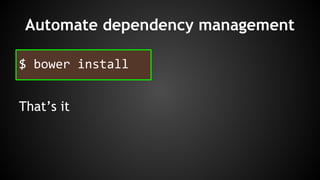
Automate dependency management 
$ bower install 
That’s it
vs 
● Flexible: install from Bower 
registry, GitHub, zip, fs location 
● created solely for the front-end 
and optimized with that in mind 
● flat dependency tree (just one 
lib for each type), good for 
front-end related stuff 
● Most commonly used for 
managing Node.js modules 
● works for the front-end too when 
combined with Browserify 
● nested dependency tree (size 
heavy), good for server side 
modules
How?
Install Bower 
$ npm install -g bower 
Bower requires Node, npm and Git.
Search for a package 
http://bower.io/docs/api/#search 
bower search <package>
Install a package 
# registered package (specific version) 
$ bower install jquery#1.2.3 
# GitHub shorthand 
$ bower install desandro/masonry 
http://bower.io/docs/api/#install 
# Git endpoint 
$ bower install git://github.com/user/package.git 
# URL 
$ bower install http://example.com/script.jsv
Maintaining dependencies 
# install package and add it to bower.json 
dependencies 
$ bower install <package> --save 
# install package and add it to bower.json 
devDependencies 
$ bower install <package> --save-dev
bower.json (bower.json : bower = package.json : npm) 
{ 
"name": "my-project", 
"version": "1.0.0", 
"main": "path/to/main.css", 
"ignore": [ 
".jshintrc", 
"**/*.txt" 
], 
"dependencies": { 
"<name>": "<version>", 
"<name>": "<folder>", 
"<name>": "<package>" 
}, 
"devDependencies": { 
"<test-framework-name>": "<version>" 
} 
}
Is it enough? 
Bower is just a tool, helps us organize front 
end dependencies and keeps track of versions.
What we get 
➔ CSS and JS in the same folder 
➔ docs/ tests/ src/ minified versions and sourcemaps 
are all not needed 
➔ Bower components folder can grow if not cleaned
What we want 
➔ separated vendor folders for CSS and JS 
➔ single, non minified version of every lib, nothing else 
➔ clean vendor folder containing just used libs and only 
one version
Workflow step 2: 
grunt-bowercopy 
Scrupulously manage file locations for 
bower dependencies.
Why 
➔ Consistently positions your dependencies where you 
want them in your repository. 
➔ Conveniently facilitates tracking your dependencies 
without committing the entire Bower components folder. 
➔ Has the potential to reduce build times dramatically. 
➔ By default, runs bower install for you
https://www.npmjs.org/package/grunt-bowercopy 
$ npm install grunt-bowercopy --save-dev
grunt/bowercopy.js 
js: { 
options: { 
destPrefix: 'public/js/vendor 
}, 
files: { 
'jquery.js': 'jquery/jquery.js', 
'require.js': 'requirejs/require.js' 
}, 
}, 
sass: { 
options: { 
destPrefix: 'public/css/vendor 
}, 
files: { 
'bootstrap': 'bootstrap-sass-official/bootstrap.js' 
}, 
}, 
...
Workflow step 3: 
grunt-contrib-clean 
Clear files and folders
https://www.npmjs.org/package/grunt-contrib-clean 
$ npm install grunt-contrib-clean --save-dev
grunt/clean.js 
{ 
vendor: ["public/css/vendor/*", "public/js/vendor/*"] 
}
Everything together
aliases.js 
{ 
vendor: ["clean:vendor", "bowercopy:js", "bowercopy:sass"] 
}
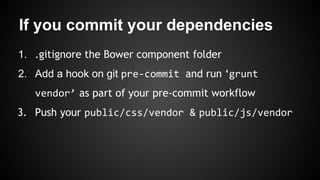
If you commit your dependencies 
1. .gitignore the Bower component folder 
2. Add a hook on git pre-commit and run ‘grunt 
vendor’ as part of your pre-commit workflow 
3. Push your public/css/vendor & public/js/vendor
If you DO NOT commit your 
dependencies 
1. .gitignore the Bower component folder, 
public/css/vendor & public/js/vendor 
2. Have your CI run ‘npm install’ as first step of the front 
end workflow 
3. Modify your package.json
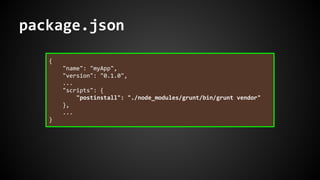
package.json 
{ 
"name": "myApp", 
"version": "0.1.0", 
... 
"scripts": { 
"postinstall": "./node_modules/grunt/bin/grunt vendor" 
}, 
... 
}
That’s all folks!

Bower & Grunt - A practical workflow

  • 1.
    Bower & Grunt A practical workflow riccardo coppola about.me/riccardocoppola
  • 2.
    Workflow step 1: Bower Manage front end dependencies
  • 3.
  • 4.
    Web sites aremade of lots of things — frameworks, libraries, assets, utilities, and rainbows. Bower manages all these things for you.
  • 5.
  • 6.
    Declutter your lib/vendorfolder Too often we end up with 5 different versions of the same library (jQuery is an always-working example...). Which one are we actually using?
  • 7.
    Dependency management Nomore downloads from ten different websites to get your dependencies. No more version mismatch problems.
  • 8.
    Automate dependency management $ bower install That’s it
  • 9.
    vs ● Flexible:install from Bower registry, GitHub, zip, fs location ● created solely for the front-end and optimized with that in mind ● flat dependency tree (just one lib for each type), good for front-end related stuff ● Most commonly used for managing Node.js modules ● works for the front-end too when combined with Browserify ● nested dependency tree (size heavy), good for server side modules
  • 10.
  • 11.
    Install Bower $npm install -g bower Bower requires Node, npm and Git.
  • 12.
    Search for apackage http://bower.io/docs/api/#search bower search <package>
  • 13.
    Install a package # registered package (specific version) $ bower install jquery#1.2.3 # GitHub shorthand $ bower install desandro/masonry http://bower.io/docs/api/#install # Git endpoint $ bower install git://github.com/user/package.git # URL $ bower install http://example.com/script.jsv
  • 14.
    Maintaining dependencies #install package and add it to bower.json dependencies $ bower install <package> --save # install package and add it to bower.json devDependencies $ bower install <package> --save-dev
  • 15.
    bower.json (bower.json :bower = package.json : npm) { "name": "my-project", "version": "1.0.0", "main": "path/to/main.css", "ignore": [ ".jshintrc", "**/*.txt" ], "dependencies": { "<name>": "<version>", "<name>": "<folder>", "<name>": "<package>" }, "devDependencies": { "<test-framework-name>": "<version>" } }
  • 16.
    Is it enough? Bower is just a tool, helps us organize front end dependencies and keeps track of versions.
  • 17.
    What we get ➔ CSS and JS in the same folder ➔ docs/ tests/ src/ minified versions and sourcemaps are all not needed ➔ Bower components folder can grow if not cleaned
  • 18.
    What we want ➔ separated vendor folders for CSS and JS ➔ single, non minified version of every lib, nothing else ➔ clean vendor folder containing just used libs and only one version
  • 19.
    Workflow step 2: grunt-bowercopy Scrupulously manage file locations for bower dependencies.
  • 20.
    Why ➔ Consistentlypositions your dependencies where you want them in your repository. ➔ Conveniently facilitates tracking your dependencies without committing the entire Bower components folder. ➔ Has the potential to reduce build times dramatically. ➔ By default, runs bower install for you
  • 21.
    https://www.npmjs.org/package/grunt-bowercopy $ npminstall grunt-bowercopy --save-dev
  • 22.
    grunt/bowercopy.js js: { options: { destPrefix: 'public/js/vendor }, files: { 'jquery.js': 'jquery/jquery.js', 'require.js': 'requirejs/require.js' }, }, sass: { options: { destPrefix: 'public/css/vendor }, files: { 'bootstrap': 'bootstrap-sass-official/bootstrap.js' }, }, ...
  • 23.
    Workflow step 3: grunt-contrib-clean Clear files and folders
  • 24.
    https://www.npmjs.org/package/grunt-contrib-clean $ npminstall grunt-contrib-clean --save-dev
  • 25.
    grunt/clean.js { vendor:["public/css/vendor/*", "public/js/vendor/*"] }
  • 26.
  • 27.
    aliases.js { vendor:["clean:vendor", "bowercopy:js", "bowercopy:sass"] }
  • 28.
    If you commityour dependencies 1. .gitignore the Bower component folder 2. Add a hook on git pre-commit and run ‘grunt vendor’ as part of your pre-commit workflow 3. Push your public/css/vendor & public/js/vendor
  • 29.
    If you DONOT commit your dependencies 1. .gitignore the Bower component folder, public/css/vendor & public/js/vendor 2. Have your CI run ‘npm install’ as first step of the front end workflow 3. Modify your package.json
  • 30.
    package.json { "name":"myApp", "version": "0.1.0", ... "scripts": { "postinstall": "./node_modules/grunt/bin/grunt vendor" }, ... }
  • 31.