Enhancing your Classroom with TechnologyColorado Mountain College, Edwards Campus Faculty In-service: Spring 2011
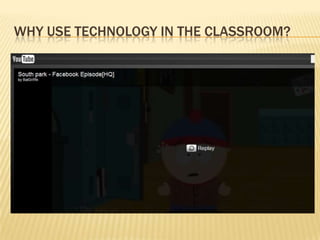
Why use Technology in the Classroom?
AgendaWebAdvisorTaskStreamTricks on the Web: PBWiki, Blogger,QuiaEasy integration to BlackboardResources at CMC: Films on Demand and Office of Innovation
Webadvisor
WebAdvisorGet class rosterSearch for sectionsEntering Grades in WebAdvisor
taskstream
What is Task Stream?A web based resource that allows faculty to design assessment plans for academic programs, with mission statements, goals, student learning outcomes and assessment.A place to gather and archive assessment data according to the appropriate program assessment plan.
What can be seen on Task Stream?SLOs that have been determined for you discipline.Assessment Plans that have been determined by your discipline.Assessment Data
TTools on the web:Wikis and Blogs
What is a wiki?A wiki is a Web site that allows users to add and update content on the site using their own Web browser. Wikis end up being created mainly by a collaborative effort of the site visitors.
Why use a wiki?Virtual field trips: Have your students research far away places they would like to go on a field trip, and get them to share images and information about the location.Write a Wikibook: Make it a class project to collaboratively write a reference book that others can use.Study guides: Ask students to create study guides for a specific part of the unit you’re studying.
Why use a WikiSolving wiki: Post difficult math problems, such as calculus, so that the class can collaboratively solve them.Peer review: Allow students to draft their papers in a wiki, then ask other students to comment it.Share notes: Let your students share their collective information so that everyone gets a better understanding of the subject.
Why use a WIKITeacher collaboration: Work with other teachers to create lesson plans and track students’ success.PBWORKS
What is a blog?A blog is a Web publishing tool that allows authors to quickly and easily self-publish text, artwork, links to other blogs or Web sites, and a whole array of other content.
Why use a blog?Highly motivating to students, especially those who otherwise might not become participants in classrooms. Excellent opportunities for students to read and write. Effective forums for collaboration and discussion. Powerful tools to enable scaffolded learning or mentoring to occur.BLOGGER.COM
Blogs V. Wiki
Games on the web
What is a Web Game?Agame that can be run from an Internet browser and requires an internet connection. In most cases online games are freeware programs that can be used for an unlimited time and are available for free.
Why use games in the classroom?Games are Fun with a Purpose Games Provide Feedback to the Learner Games are Experiential Games Motivate Learners Games Improve Team Work Games Provide a Less Threatening Learning Environment Game play appeals to all of the learning styles (visual, auditory and kinesthetic)Great ice-breakers
QuiaDocumentation for research papersEconomicsPhysicsPhotographyAstronomy
Resources at CMC
My CMCEmailBlackboardWebadvisorGoogle DocsVirtual Library
Films on DemandFilms for the Humanities and SciencesTo gain access: 	Log on toMyCMC	Click the “Faculty” Tab
Office of Innovation and learningAssists you with software programs web-based applications and resources such as Second Life, Blackboard, blogs, mobile messagingCMC's Virtual LibraryFaculty Professional Development Fund

Enhancing your classroom_technology

  • 1.
    Enhancing your Classroomwith TechnologyColorado Mountain College, Edwards Campus Faculty In-service: Spring 2011
  • 2.
    Why use Technologyin the Classroom?
  • 3.
    AgendaWebAdvisorTaskStreamTricks on theWeb: PBWiki, Blogger,QuiaEasy integration to BlackboardResources at CMC: Films on Demand and Office of Innovation
  • 4.
  • 5.
    WebAdvisorGet class rosterSearchfor sectionsEntering Grades in WebAdvisor
  • 6.
  • 7.
    What is TaskStream?A web based resource that allows faculty to design assessment plans for academic programs, with mission statements, goals, student learning outcomes and assessment.A place to gather and archive assessment data according to the appropriate program assessment plan.
  • 8.
    What can beseen on Task Stream?SLOs that have been determined for you discipline.Assessment Plans that have been determined by your discipline.Assessment Data
  • 9.
    TTools on theweb:Wikis and Blogs
  • 10.
    What is awiki?A wiki is a Web site that allows users to add and update content on the site using their own Web browser. Wikis end up being created mainly by a collaborative effort of the site visitors.
  • 11.
    Why use awiki?Virtual field trips: Have your students research far away places they would like to go on a field trip, and get them to share images and information about the location.Write a Wikibook: Make it a class project to collaboratively write a reference book that others can use.Study guides: Ask students to create study guides for a specific part of the unit you’re studying.
  • 12.
    Why use aWikiSolving wiki: Post difficult math problems, such as calculus, so that the class can collaboratively solve them.Peer review: Allow students to draft their papers in a wiki, then ask other students to comment it.Share notes: Let your students share their collective information so that everyone gets a better understanding of the subject.
  • 13.
    Why use aWIKITeacher collaboration: Work with other teachers to create lesson plans and track students’ success.PBWORKS
  • 14.
    What is ablog?A blog is a Web publishing tool that allows authors to quickly and easily self-publish text, artwork, links to other blogs or Web sites, and a whole array of other content.
  • 15.
    Why use ablog?Highly motivating to students, especially those who otherwise might not become participants in classrooms. Excellent opportunities for students to read and write. Effective forums for collaboration and discussion. Powerful tools to enable scaffolded learning or mentoring to occur.BLOGGER.COM
  • 16.
  • 17.
  • 18.
    What is aWeb Game?Agame that can be run from an Internet browser and requires an internet connection. In most cases online games are freeware programs that can be used for an unlimited time and are available for free.
  • 19.
    Why use gamesin the classroom?Games are Fun with a Purpose Games Provide Feedback to the Learner Games are Experiential Games Motivate Learners Games Improve Team Work Games Provide a Less Threatening Learning Environment Game play appeals to all of the learning styles (visual, auditory and kinesthetic)Great ice-breakers
  • 20.
    QuiaDocumentation for researchpapersEconomicsPhysicsPhotographyAstronomy
  • 21.
  • 22.
  • 23.
    Films on DemandFilmsfor the Humanities and SciencesTo gain access: Log on toMyCMC Click the “Faculty” Tab
  • 24.
    Office of Innovationand learningAssists you with software programs web-based applications and resources such as Second Life, Blackboard, blogs, mobile messagingCMC's Virtual LibraryFaculty Professional Development Fund