Introduction
• Over 25 million (as of August 2013) students are using Google Apps for Education. This
number has doubled in 2 years.
• 72 of the top 100 universities are using Google Apps for Education
• Oregon was the first state to offer GAFE to all K-12 students. More are jumping on board
including Wisconsin, Colorado and Iowa.
• Reason for schools switching to Google is to reduce infrastructure cost and improve
collaboration and communication .
Challenges
All though Teachers are going Google still they have many challenges
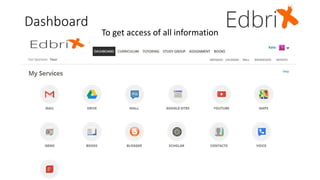
• Can I access all my google services like mail drive ,my channel etc. on one single page?
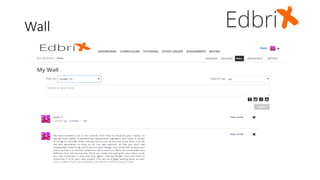
• Is there any way I can have wall communication like edmodo or facebook so that I can
effectively communicate with entire class instead sending messages individually?
• How do I manage just my classroom students so that I can effectively communicate and
collaborate with them and my students can also see my curriculum ,live lectures and
notes?
• How do I create the curriculum which is secured and can be sharable among my
students? (Right now most of teachers upload the curriculum on their google website
which is open to the public.)
• How do I create assignments, practice questions and grade them? It is not easy to design
in Google (Currently many teachers use edmodo , quizlet and schoology.)
Continue
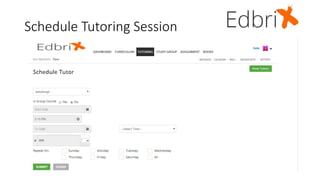
• Can I have secure and well managed google hangout feature for my student to get
online tutoring if he/she cannot stay after school?
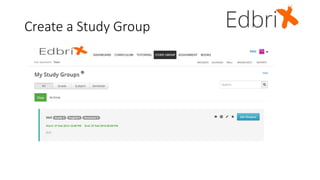
• Can I create a secure and well managed google hangout for student study group
activities?
• Can I upload notes and online study materials for my students to download?
• Can I broadcast, or record, my lectures so my students can reference them at any time?
• Can a parent/guardian send me a message?
• Can I set up an online audio/video conference to communicate with the parents/
guardian?
Students Point of View
• Can students have one dashboard where they can see all new curriculum, study
materials, online tutorials, study groups and broadcast requests which does not require
them to login to multiple apps?
• Can students set separators for each teacher (color code) for identifying activities?
• Can students have online alert notifications or reminders?
• Can students submit and updates their homework and assignments at one place?
• Can students download notes and study material?
• Can a parent/ guardian monitor the student’s activity?
• Can students see my reports?
• Can students comments on their teachers wall?
• Can students have videos, documents, links and references in curriculum in a structured
way so that I can study properly?
Presenting
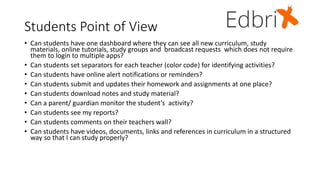
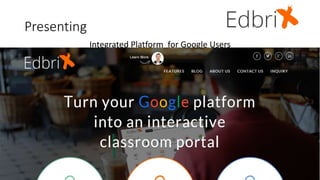
Integrated Platform for Google Users
Dashboard
To get access of all information
Wall
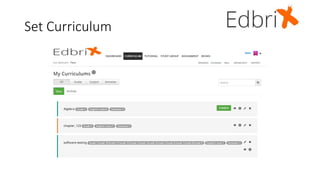
Set Curriculum
Schedule Tutoring Session
Create a Study Group
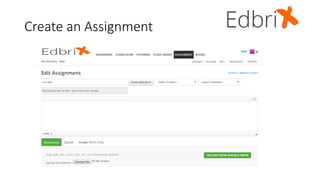
Create an Assignment
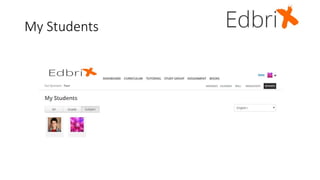
My Students
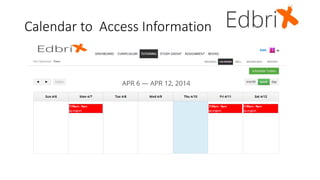
Calendar to Access Information
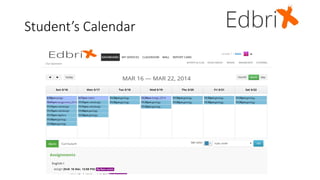
Student’s Calendar
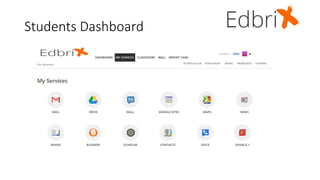
Students Dashboard
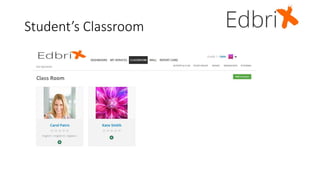
Student’s Classroom
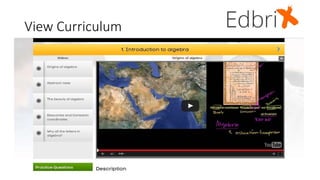
View Curriculum
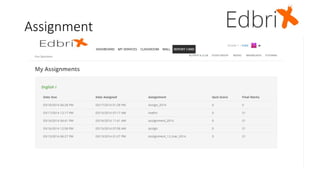
Assignment
Edbrix
EdBrix provides a single sign on your google services where teacher can
effectively use Google platform with added features which are not available
with Google.
• Creating a secured curriculum.
• Setting up practice questions and assignments.
• Wall feature similar to Facebook.
• Parent/teacher communication with calendar invitation and google
hangout.
• Teacher can upload notes and study material.
• Teacher can broadcast and record lectures in a managed way.
• Teacher can communicate with parents/guardian and set up meetings.
• Student has single dashboard and can manage everything with a single
login. They do not have to access multiple sites.
Q & A
Q & A

Edbrix Presentation

  • 2.
    Introduction • Over 25million (as of August 2013) students are using Google Apps for Education. This number has doubled in 2 years. • 72 of the top 100 universities are using Google Apps for Education • Oregon was the first state to offer GAFE to all K-12 students. More are jumping on board including Wisconsin, Colorado and Iowa. • Reason for schools switching to Google is to reduce infrastructure cost and improve collaboration and communication .
  • 3.
    Challenges All though Teachersare going Google still they have many challenges • Can I access all my google services like mail drive ,my channel etc. on one single page? • Is there any way I can have wall communication like edmodo or facebook so that I can effectively communicate with entire class instead sending messages individually? • How do I manage just my classroom students so that I can effectively communicate and collaborate with them and my students can also see my curriculum ,live lectures and notes? • How do I create the curriculum which is secured and can be sharable among my students? (Right now most of teachers upload the curriculum on their google website which is open to the public.) • How do I create assignments, practice questions and grade them? It is not easy to design in Google (Currently many teachers use edmodo , quizlet and schoology.)
  • 4.
    Continue • Can Ihave secure and well managed google hangout feature for my student to get online tutoring if he/she cannot stay after school? • Can I create a secure and well managed google hangout for student study group activities? • Can I upload notes and online study materials for my students to download? • Can I broadcast, or record, my lectures so my students can reference them at any time? • Can a parent/guardian send me a message? • Can I set up an online audio/video conference to communicate with the parents/ guardian?
  • 5.
    Students Point ofView • Can students have one dashboard where they can see all new curriculum, study materials, online tutorials, study groups and broadcast requests which does not require them to login to multiple apps? • Can students set separators for each teacher (color code) for identifying activities? • Can students have online alert notifications or reminders? • Can students submit and updates their homework and assignments at one place? • Can students download notes and study material? • Can a parent/ guardian monitor the student’s activity? • Can students see my reports? • Can students comments on their teachers wall? • Can students have videos, documents, links and references in curriculum in a structured way so that I can study properly?
  • 6.
  • 7.
    Dashboard To get accessof all information
  • 8.
  • 9.
  • 10.
  • 11.
  • 12.
  • 13.
  • 14.
    Calendar to AccessInformation
  • 15.
  • 16.
  • 17.
  • 18.
  • 19.
  • 20.
    Edbrix EdBrix provides asingle sign on your google services where teacher can effectively use Google platform with added features which are not available with Google. • Creating a secured curriculum. • Setting up practice questions and assignments. • Wall feature similar to Facebook. • Parent/teacher communication with calendar invitation and google hangout. • Teacher can upload notes and study material. • Teacher can broadcast and record lectures in a managed way. • Teacher can communicate with parents/guardian and set up meetings. • Student has single dashboard and can manage everything with a single login. They do not have to access multiple sites.
  • 21.